-
-
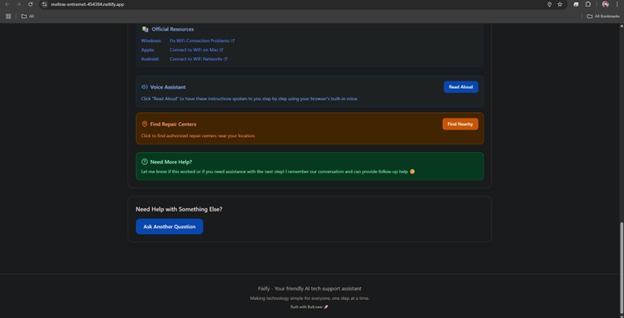
AI Answer generated
-
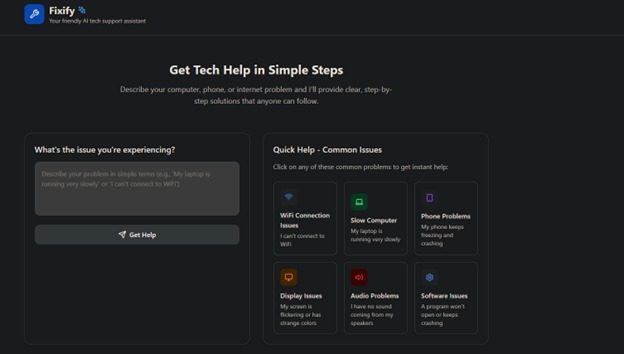
Homepage of the App
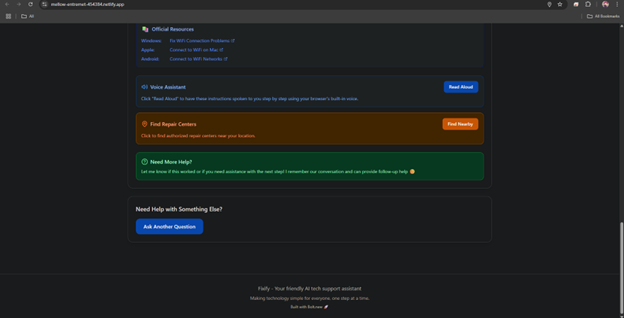
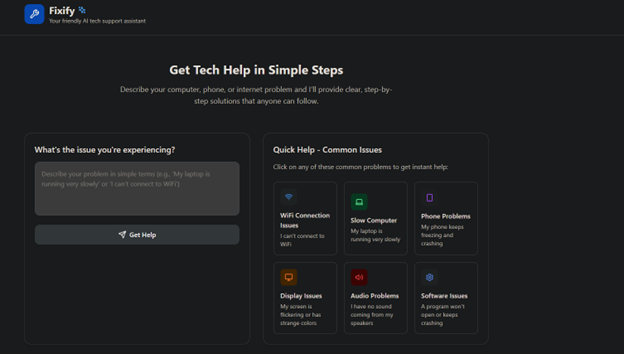
Fixify: Project Story
Inspiration
I’ve always been frustrated by how confusing and time-consuming basic tech troubleshooting can be whether it’s a sluggish laptop, a frozen smartphone, or a flaky WiFi connection.
Then I saw an opportunity to build an app through the Bolt Hackathon that could solve problems of several others.
What I Built
Fixify is a web app that lets you describe your computer, phone, or internet problem in plain English and instantly get:
- Step-by-step solutions with emojis and visual cues
- Location-based suggestions for repair centers
- Read-aloud functionality powered by the browser’s Web Speech API
I designed a clean React + Vite frontend with Tailwind CSS for styling, and I deployed the site on Netlify. All the app logic and UI were created directly in Bolt.new, which sped up iteration and let me focus on user experience instead of boilerplate code.
What I Learned
- No-Code AI Development: Bolt.new’s prompt-to-app workflow taught me how rapidly an AI-powered interface can go from concept to live preview.
- Web Speech API: I replaced my initial ElevenLabs integration with the browser’s built-in Text-to-Speech API, learning how to manage voices, handle play/pause states, and deal with autoplay restrictions.
- Backend Proxy & CORS: I built a small Express server to proxy voice requests in environments that blocked direct API calls, and I configured CORS to allow cross-origin fetches.
- Environment Management: Debugging dotenv variables in both frontend and backend environments (local, containers, and cloud previews) sharpened my understanding of deployment workflows.
Challenges Faced
Voice API Integration
- Initial ElevenLabs calls from the frontend were blocked by CORS and sandboxed dev environments.
- I solved this by building a lightweight Express proxy and ultimately switched to the Web Speech API for simplicity and reliability.
- Initial ElevenLabs calls from the frontend were blocked by CORS and sandboxed dev environments.
Environment Variables in Ephemeral Editors
- In Bolt.new/WebContainer,
node_modulesand.envfiles don’t persist through reloads. - I learned to automate
npm installon startup and explicitly load dotenv from the correct path.
- In Bolt.new/WebContainer,
Browser Autoplay Restrictions
- Modern browsers block audio unless triggered by user interaction.
- I added a “Read Aloud” button with loading state, ensuring the function only fires on a genuine click.
- Modern browsers block audio unless triggered by user interaction.
Naming & Deployment
- The name “Fixify” was already in use, so I confirmed hackathon rules permitted reuse for the event.
- Deploying on Netlify required adjusting my build scripts and path settings in Vite.
- The name “Fixify” was already in use, so I confirmed hackathon rules permitted reuse for the event.
I’m proud of how Fixify turned a personal annoyance into a polished, AI-powered support tool. Building it end-to-end on Bolt.new and Netlify showed me how accessible modern web development can be no deep backend expertise required, just a clear problem and the right AI-driven tools.
Built With
- cors
- css
- dotenv
- express.js
- html
- javascript
- node.js
- nodemon
- npm
- react
- tailwind
- typescript
- vite


Log in or sign up for Devpost to join the conversation.