💡 Inspiration
Technical errors are everywhere, but understanding them is not.
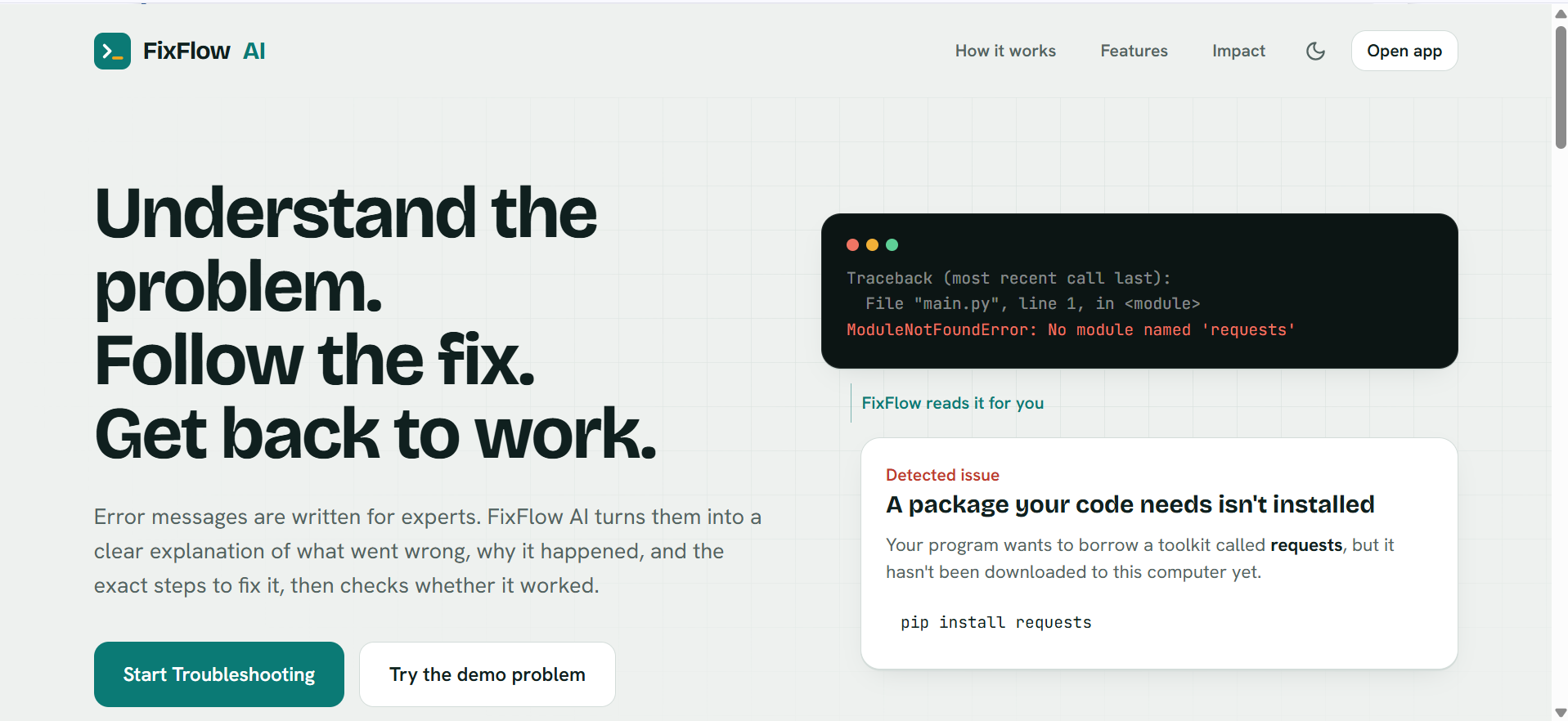
A beginner might see an error such as ModuleNotFoundError: No module named 'requests' and immediately start searching through documentation, forums, and videos. Even after finding a possible solution, there is often another question: "Did this actually fix my problem?"
We built FixFlow AI to make troubleshooting easier for beginners and non-technical users.
Instead of simply giving an answer, FixFlow AI tries to guide the user through the entire troubleshooting process: understand the problem, explain why it happened, provide a practical fix, verify the result, and try a different approach when the first solution doesn't work.
🚀 What We Built
FixFlow AI is an AI-powered troubleshooting assistant that transforms confusing technical errors into clear explanations and guided, verifiable fixes.
A user can:
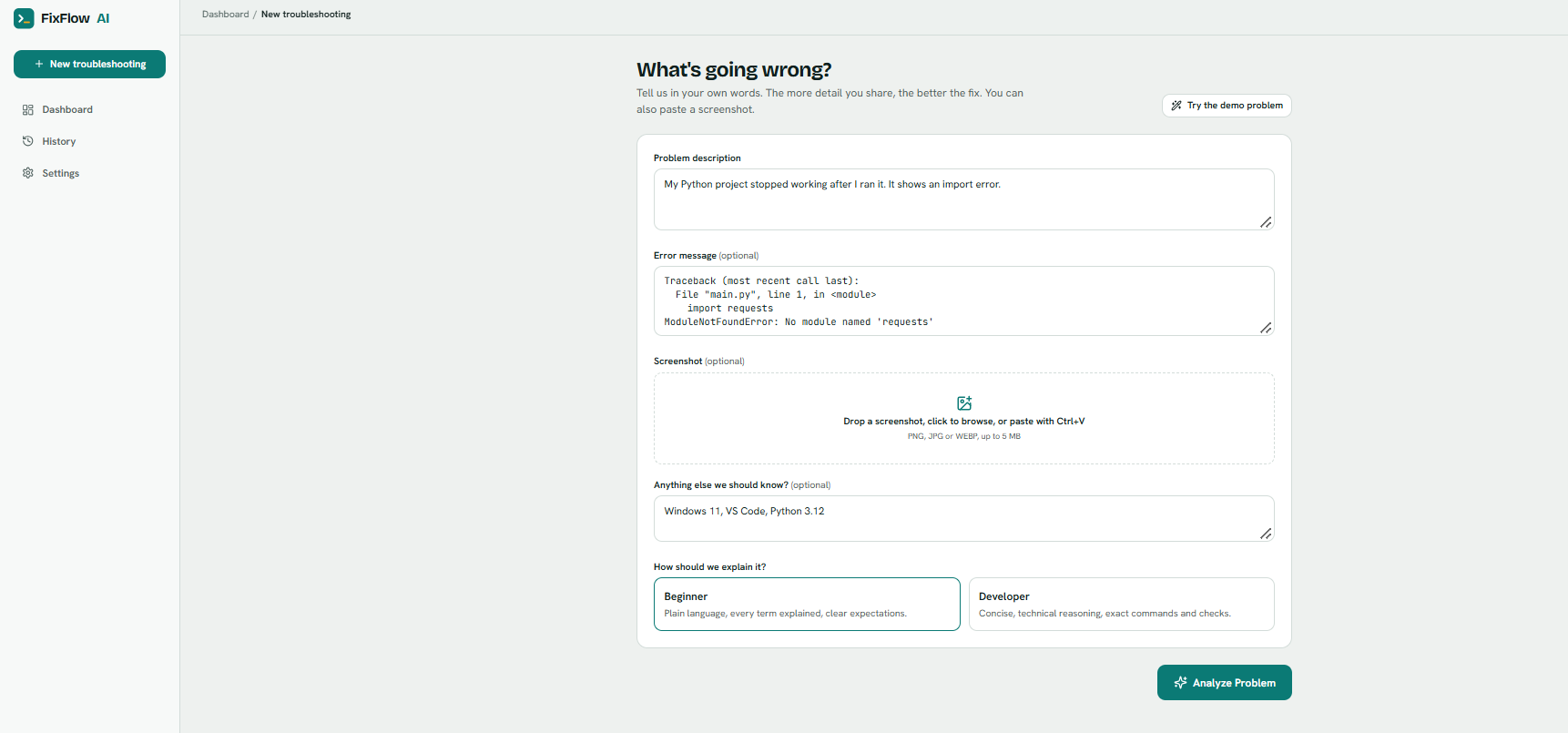
- Describe their problem and paste an error message.
- Optionally upload a screenshot.
- Choose between Beginner Mode and Developer Mode.
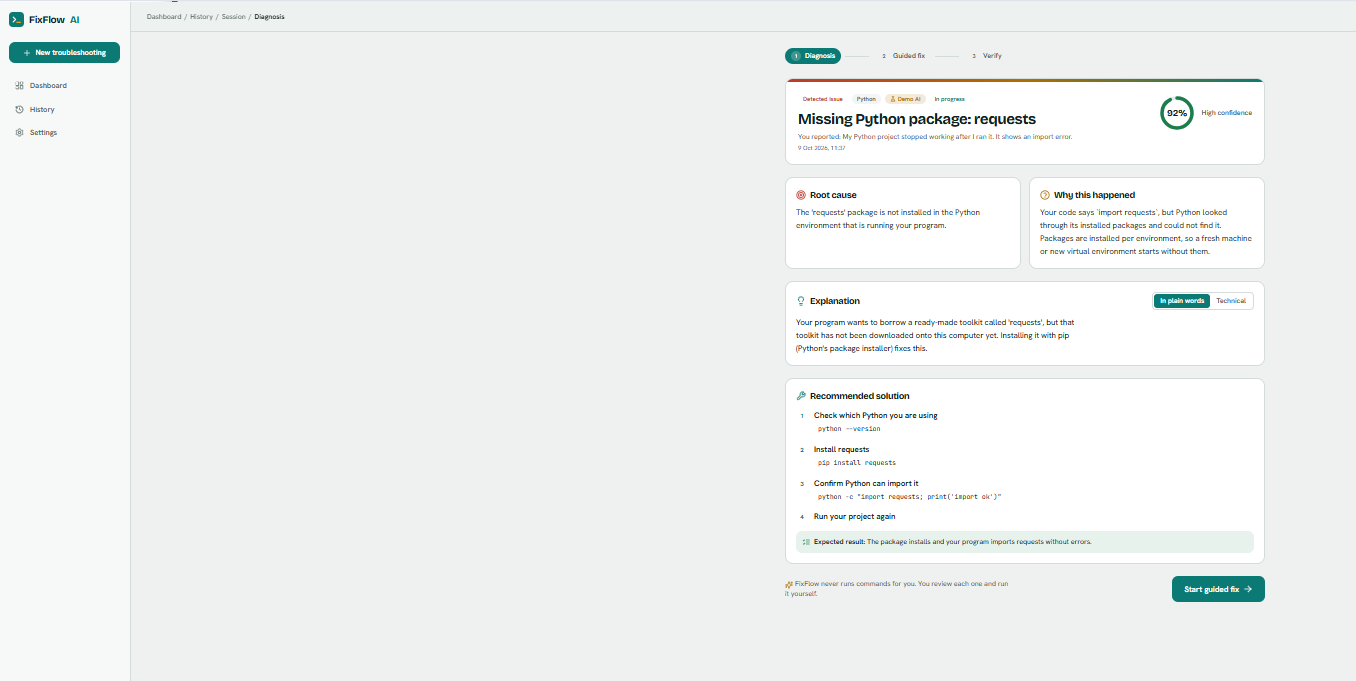
- Receive a structured AI diagnosis containing:
- Detected issue
- Root cause
- Why it happened
- Beginner-friendly explanation
- Technical explanation
- Confidence level
- Recommended solution
- Follow a step-by-step guided fix with copyable commands and expected results.
- Verify whether the problem was actually solved.
- If it is still not fixed, provide feedback and receive a different troubleshooting strategy.
- View previous troubleshooting sessions through History and track useful statistics through the Dashboard.
🧠 What Makes It Different
The key idea behind FixFlow AI is the adaptive troubleshooting loop.
Most troubleshooting assistants stop after suggesting one solution. FixFlow treats "Still not fixed" as useful information.
When a solution fails, FixFlow sends the original problem, previous diagnosis, attempted steps, and user feedback back to the AI. The next attempt is instructed to target a different likely cause and avoid simply repeating the previous approach.
This turns troubleshooting into an iterative process rather than a one-shot AI answer.
FixFlow also adapts explanations to the user's experience level. Beginner Mode focuses on simple language and practical guidance, while Developer Mode provides more technical context.
🛠️ How We Built It
The application uses a React frontend connected to a FastAPI backend.
User Problem
     ↓
React Frontend
     ↓
FastAPI Backend
     ↓
AI Diagnosis
     ↓
Structured Response
     ↓
Guided Fix
     ↓
Verification
     ↓
 ┌───────────────┐
 │ Fixed?        │
 └───────┬───────┘
     Yes │ No
         ↓
    Resolved     Adaptive Retry
                     ↓
               Different Strategy
Frontend
- React
- TypeScript
- Vite
- Tailwind CSS
- Framer Motion
- React Router
- Lucide React
Backend
- Python
- FastAPI
- Uvicorn
- Pydantic
- AI service layer
- SQLite
The backend separates the AI service, storage layer, API routes, schemas, screenshot validation, and command safety checks so that the system can be extended later.
🔐 Safety by Design
FixFlow AI is designed to guide users without taking control of their machine.
AI-generated commands are displayed for the user to review; FixFlow never automatically executes them.
The backend also checks commands for potentially destructive patterns such as rm -rf, sudo, git reset --hard, and shell-based download execution, and the interface warns users when potentially risky commands are detected.
Screenshots are validated before processing, API keys remain on the backend, and internal server errors are not exposed to the user.
🌍 Social Impact
Technical support should not depend on already understanding technical vocabulary.
FixFlow AI is designed especially for:
- College students
- Beginners learning programming
- Non-technical computer users
- Small teams without dedicated IT support
Our goal is to reduce the gap between "I don't understand this error" and "I know what to do next."
By explaining both the problem and the reason behind the solution, FixFlow can also help users learn instead of simply copying an answer.
📚 What We Learned
Building FixFlow taught us that a useful AI application is not just about generating a good response.
The surrounding workflow matters just as much:
- Validating user input
- Handling unreliable AI output
- Designing structured AI responses
- Maintaining troubleshooting context across attempts
- Handling screenshots safely
- Detecting risky commands
- Building useful error states
- Making AI explanations understandable to different users
- Separating AI logic from the rest of the application
We also learned that failure can be valuable context. A user's "Still not fixed" response can help an AI system choose a better next strategy instead of simply repeating itself.
🧪 Testing
We built automated tests for the backend and the main application flow.
The backend tests cover health checks, troubleshooting creation, verification, adaptive retries, retry limits, input validation, screenshot validation, history, statistics, AI failures, JSON parsing/repair, and risky-command detection.
The UI flow tests cover the main demo journey from analysis to diagnosis, guided fixing, failed verification, adaptive retry, successful resolution, and history.
The project also includes a mock AI mode so the complete application can be demonstrated without exposing an API key.
🎯 Demo Scenario
Our primary demo uses:
ModuleNotFoundError: No module named 'requests'
FixFlow first explains the missing dependency and suggests installing it.
If the user says "Still not fixed", FixFlow uses the previous attempt as context and can move to another likely cause, such as checking the active Python interpreter or virtual environment.
Once the user confirms the problem is fixed, the resolved session is saved in History.
🔮 What's Next
Future improvements could include:
- User accounts and per-user troubleshooting history
- PostgreSQL or Supabase storage
- Re-sending screenshots during adaptive retries
- Streaming AI responses
- More language support
- Follow-up questions within a diagnosis
- Docker-based deployment
- Additional troubleshooting domains beyond software errors
❤️ Final Thought
FixFlow AI is built around a simple idea:
Don't just tell people what the error means. Help them understand it, fix it, and know whether the fix worked.
Built With
- ai
- anthropic
- claude
- computer-vision
- fastapi
- generative-ai
- machine-learning
- natural-language-processing
- python
- react
- social-good
- sqlite
- tailwind-css
- typescript

Log in or sign up for Devpost to join the conversation.