-
-
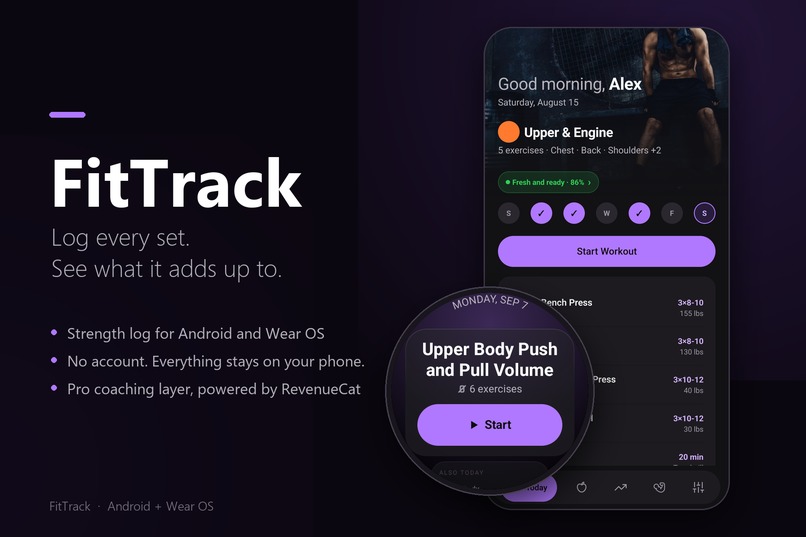
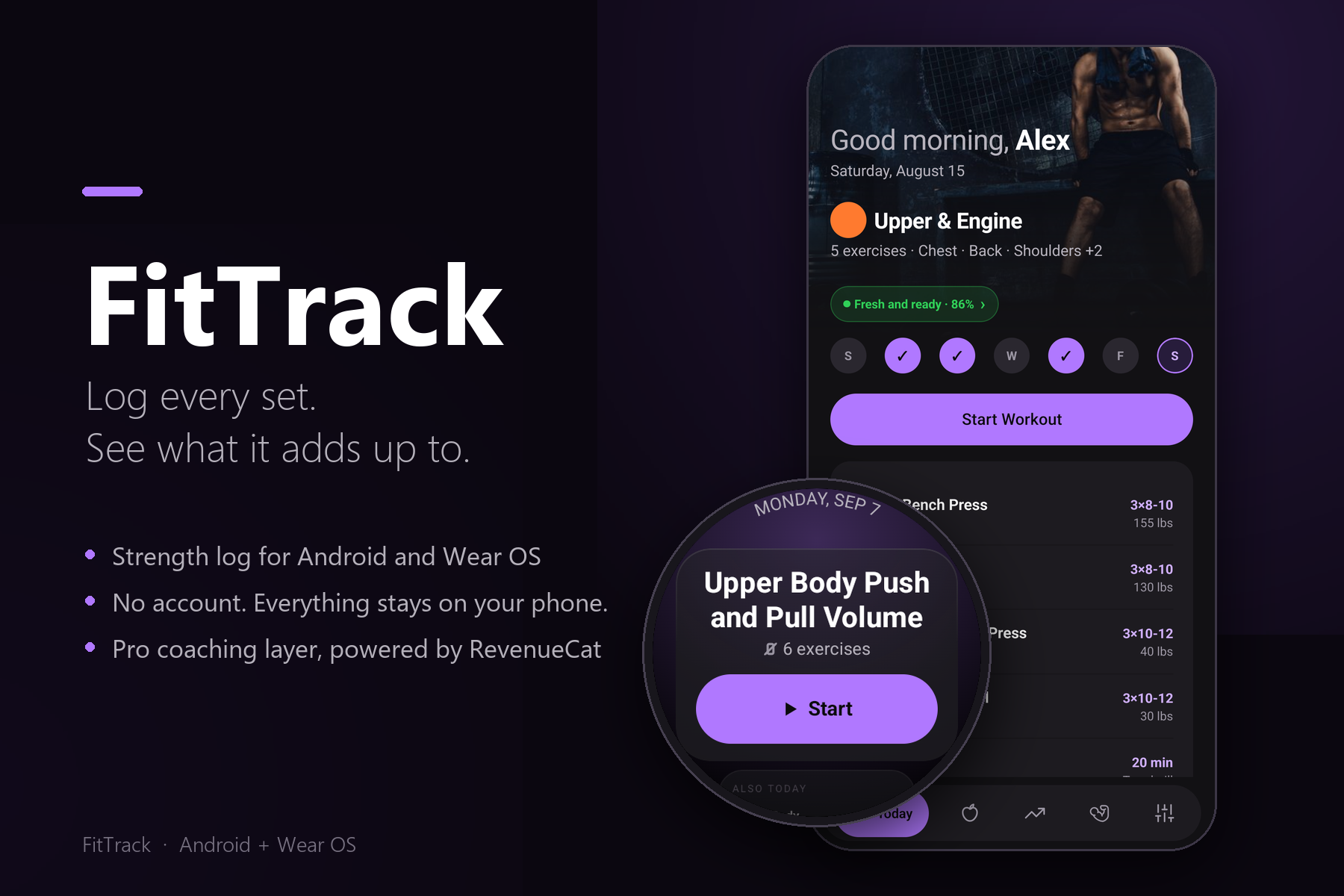
FitTrack for Android and Wear OS. No account, no sign-up. Everything stays on your phone.
-
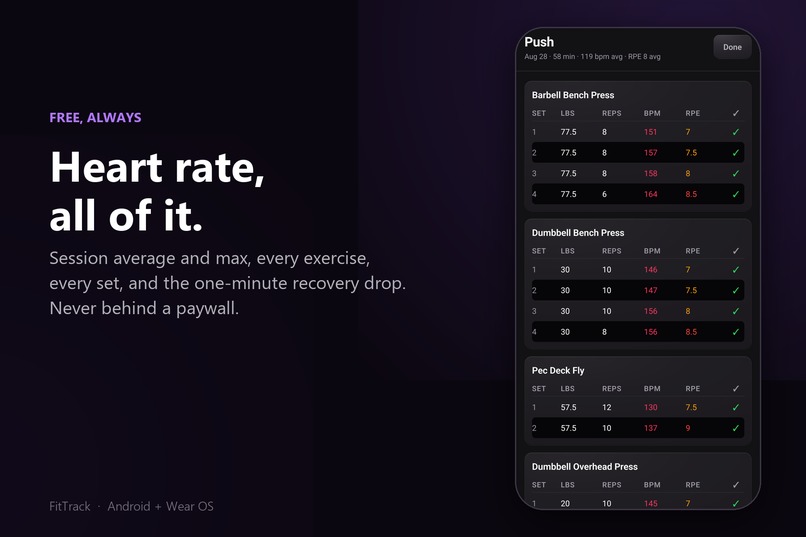
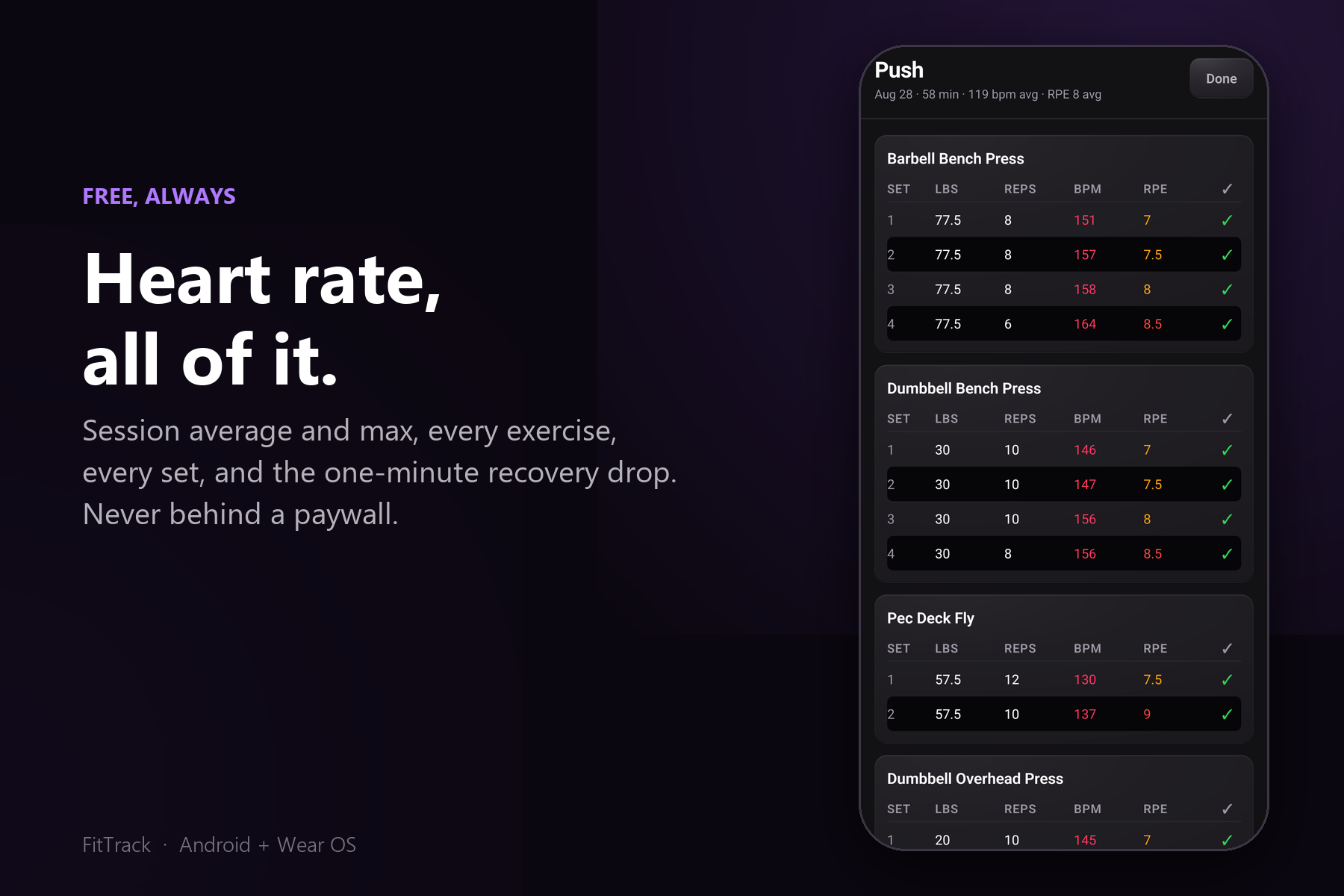
Heart rate for every set, every exercise, and the session. Never behind the paywall.
-
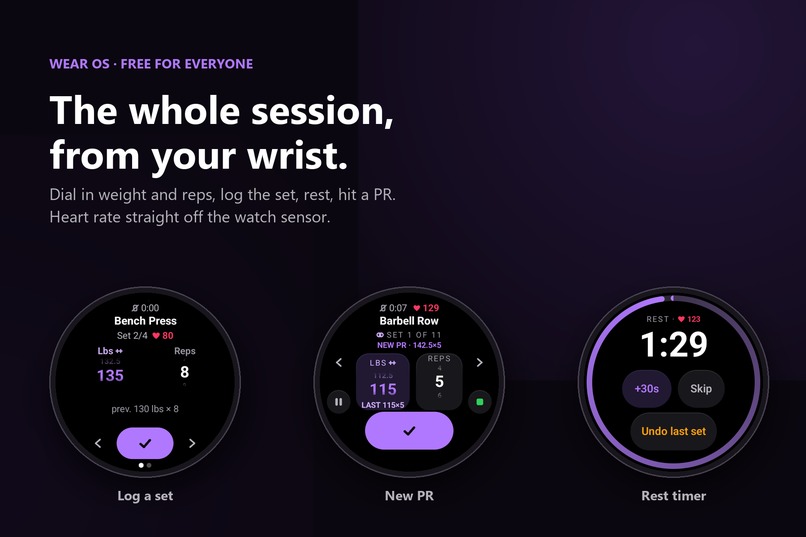
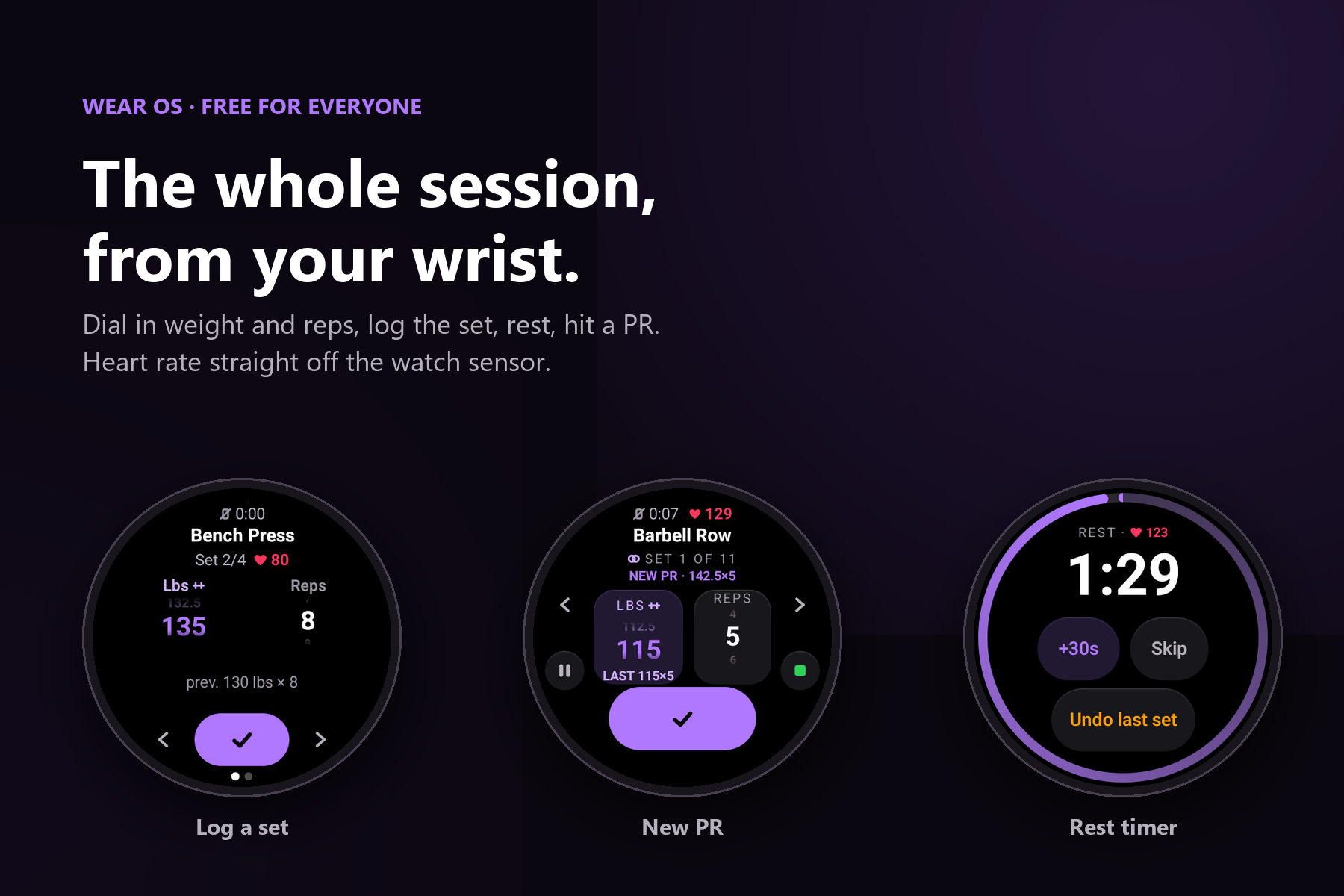
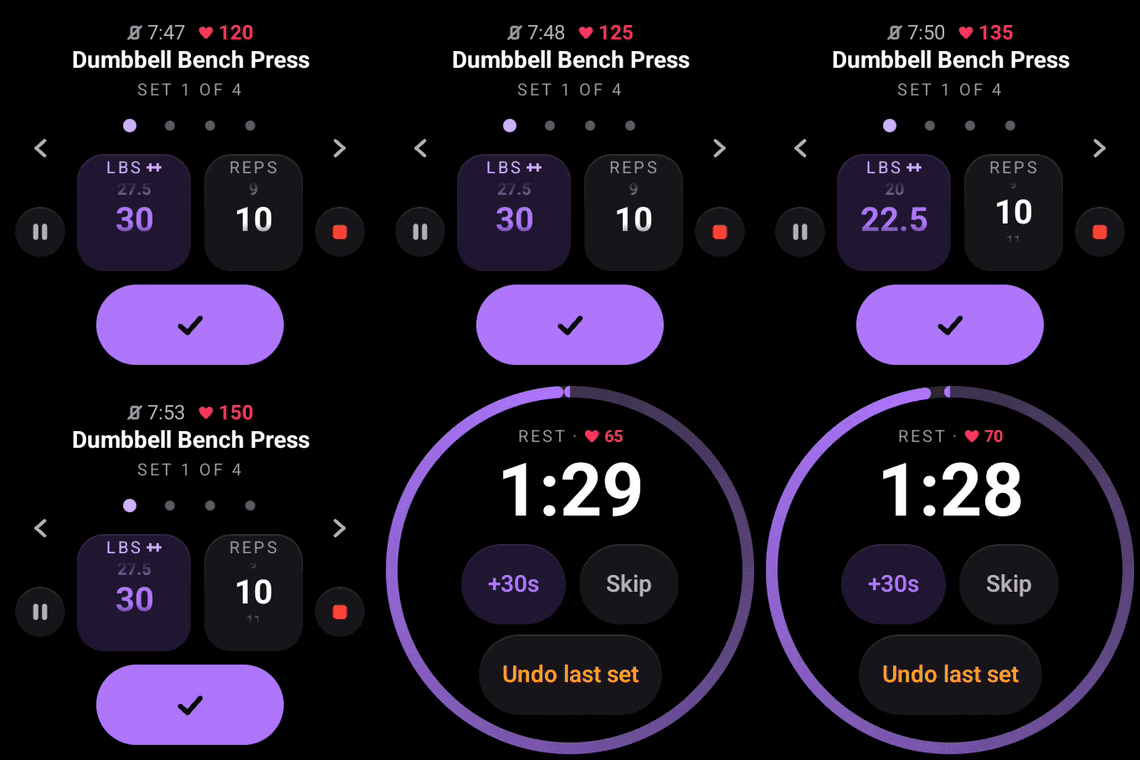
The whole session from your wrist: dial weight and reps, log the set, hit a PR, rest. Free for everyone.
-
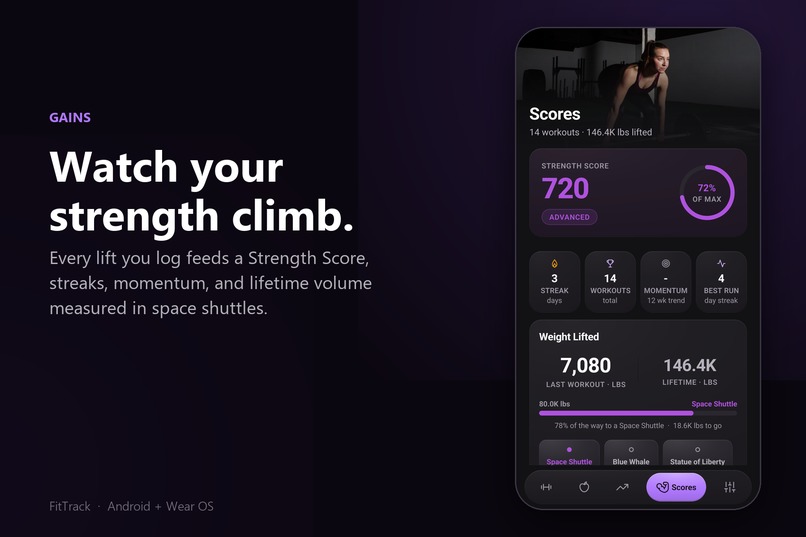
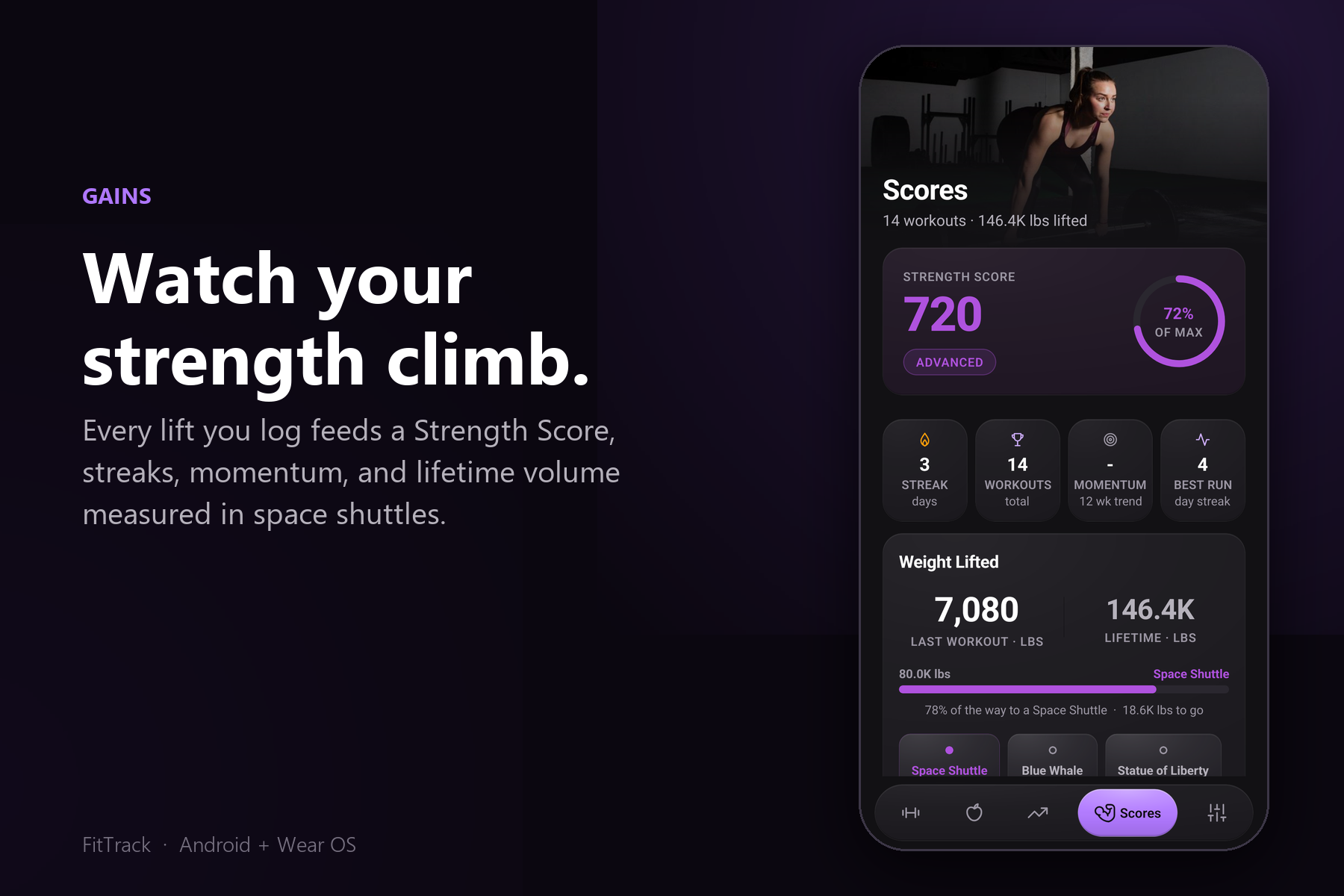
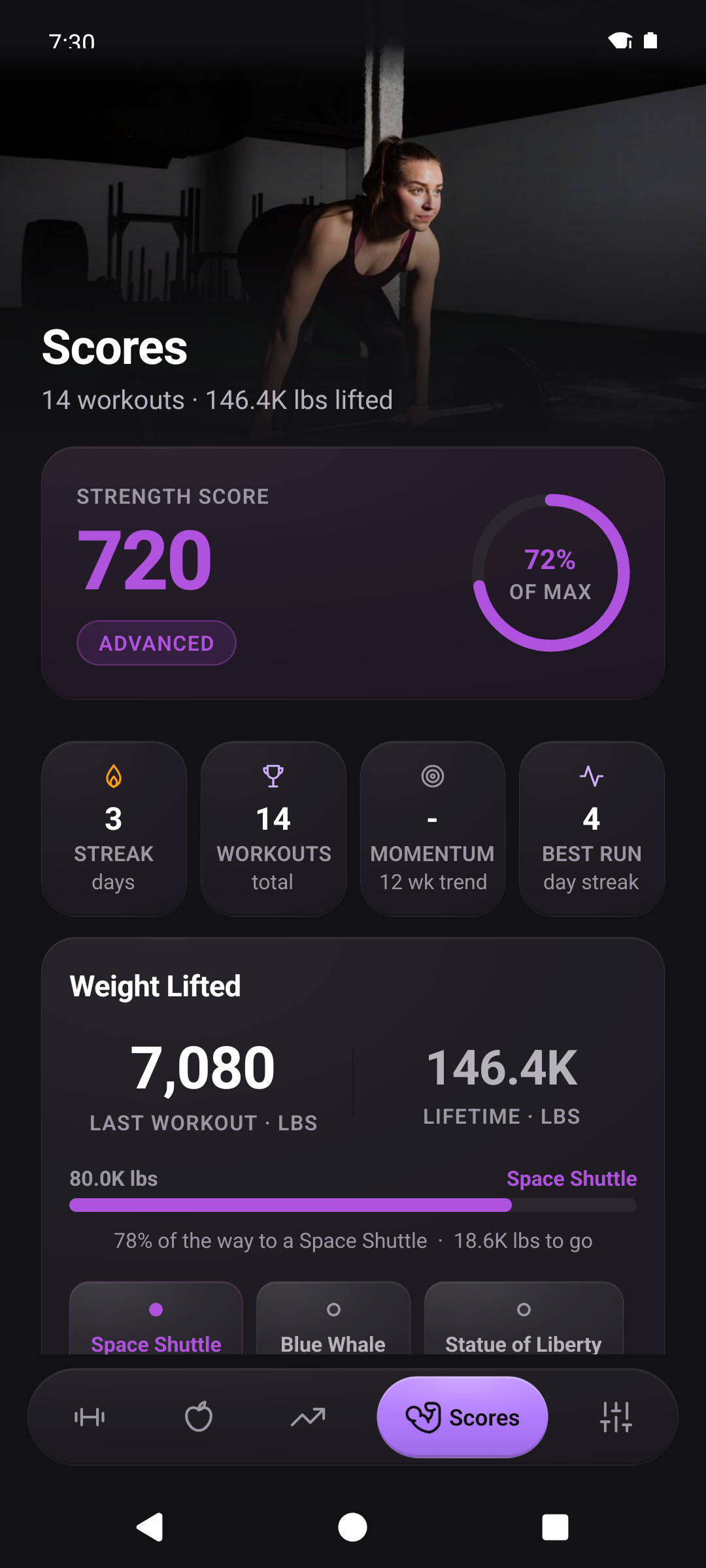
Every lift feeds a Strength Score, with streaks, momentum, and lifetime volume measured in space shuttles.
-
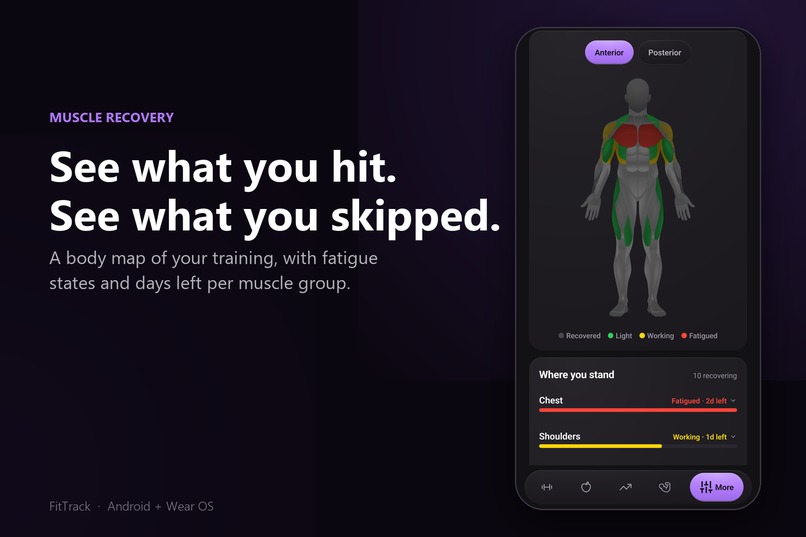
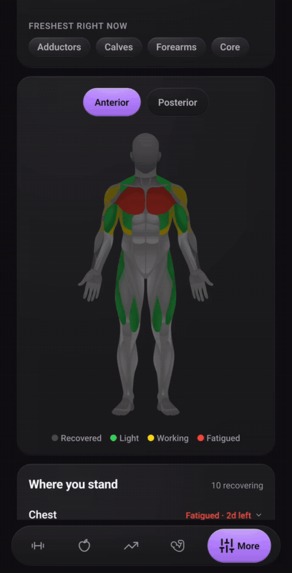
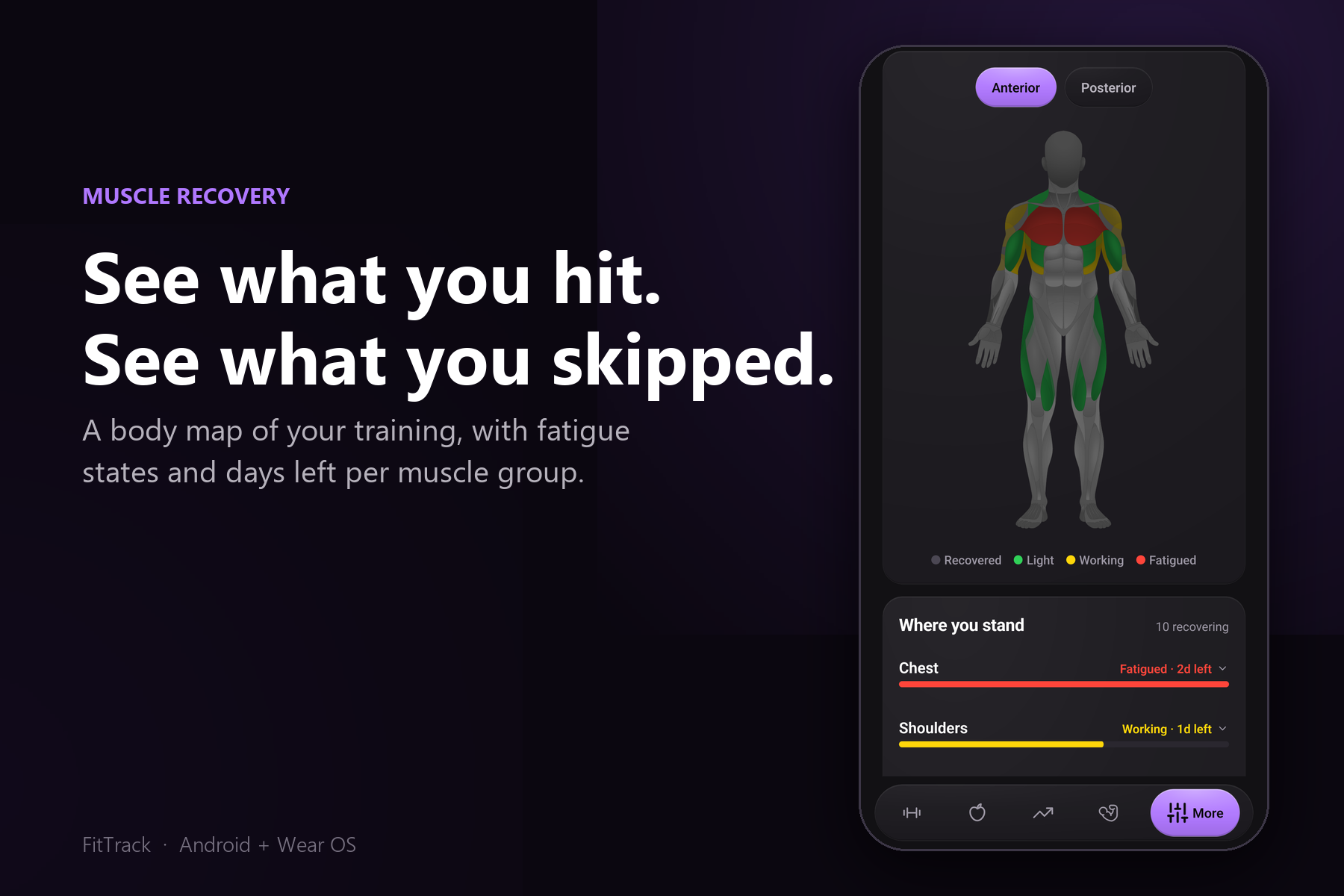
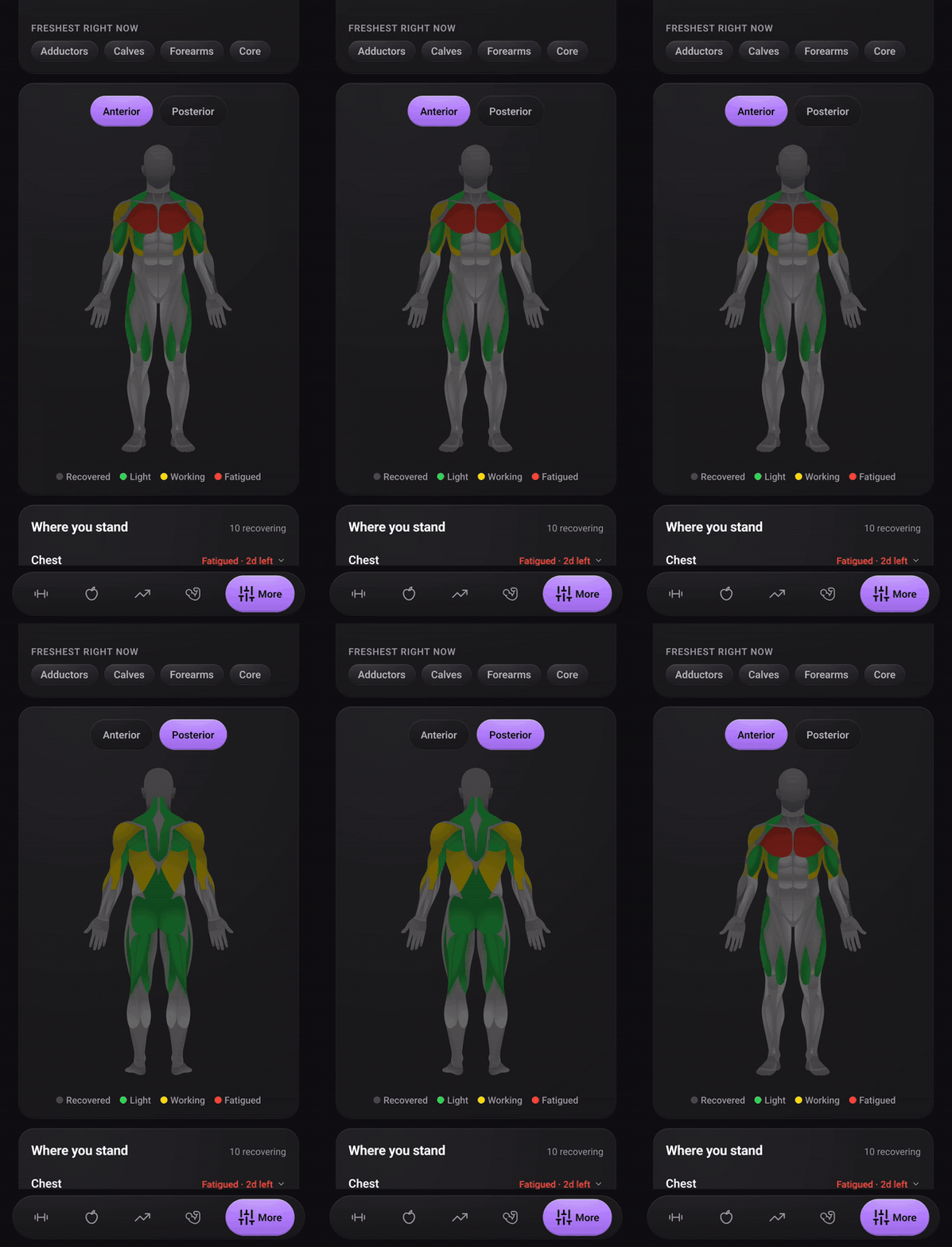
A body map of your training: fatigued, working, light, or recovered, with days left per muscle group.
-
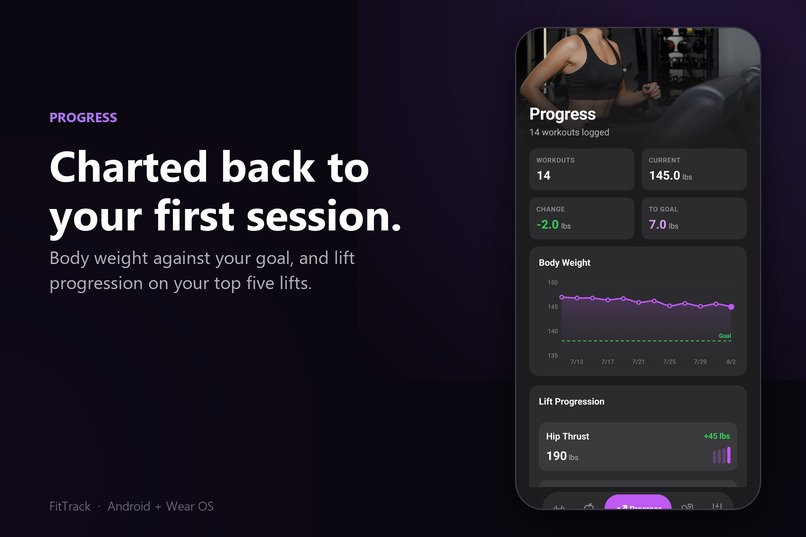
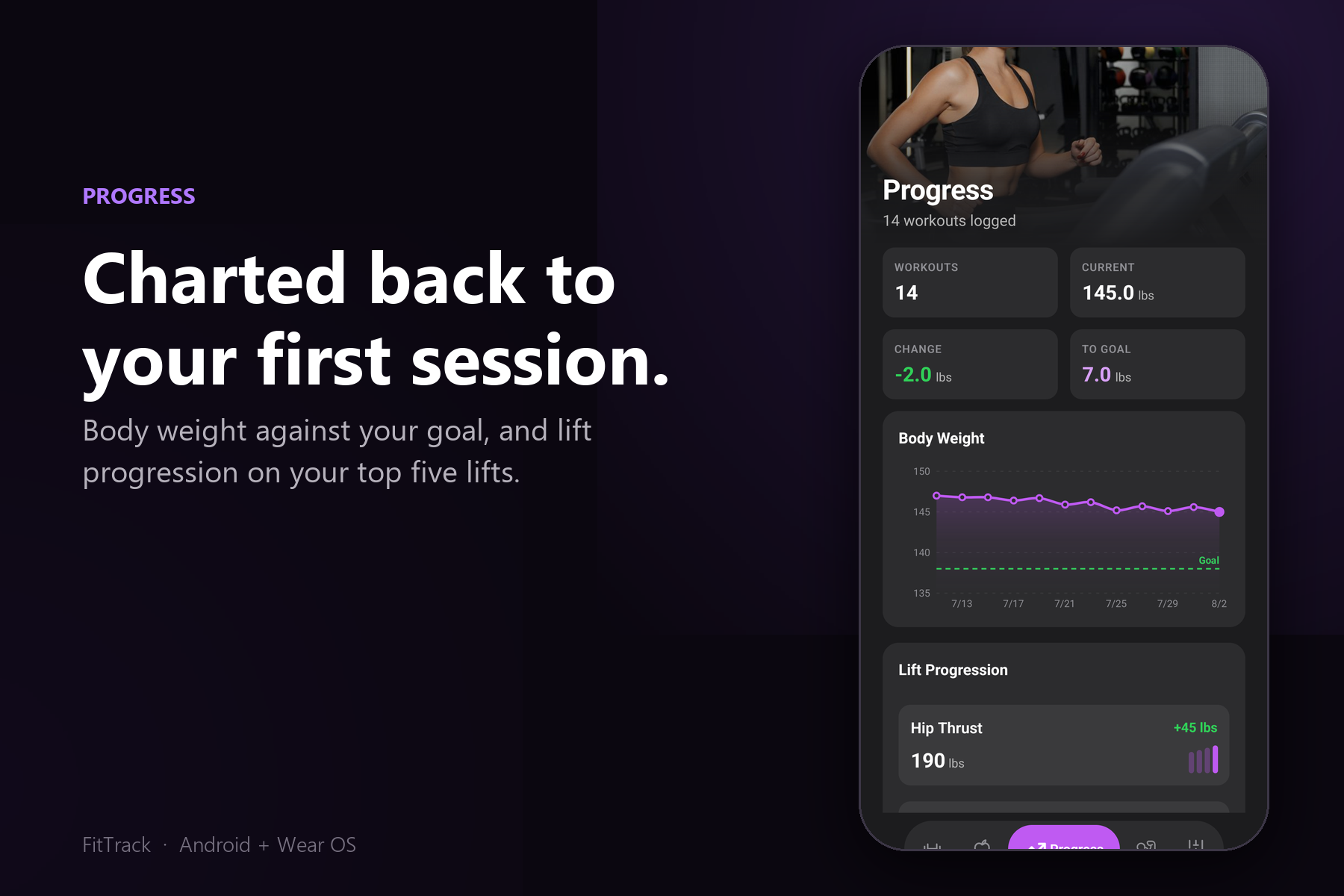
Body weight against your goal, and lift progression on your top five lifts, back to your first session.
-
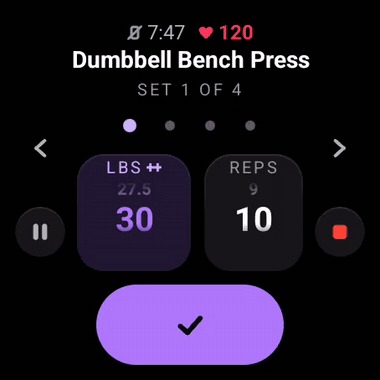 GIF
Logging a set on Wear OS: spin the weight wheel, tap the check, the rest ring starts.
-
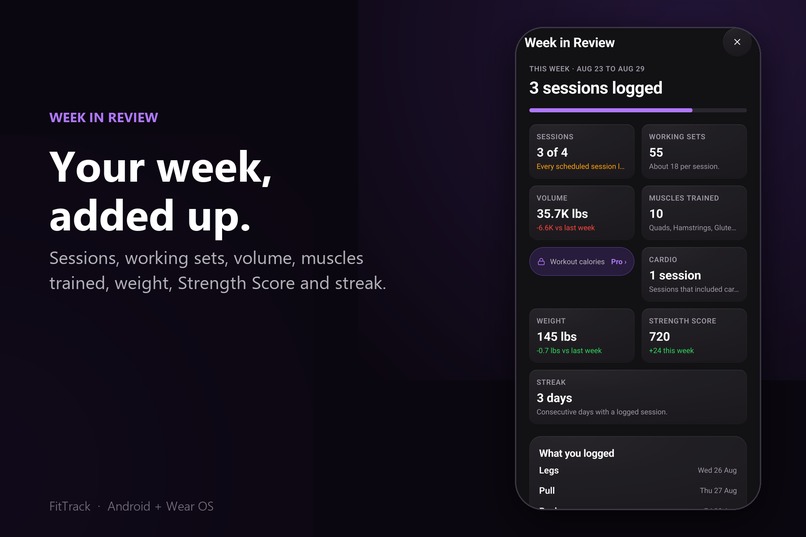
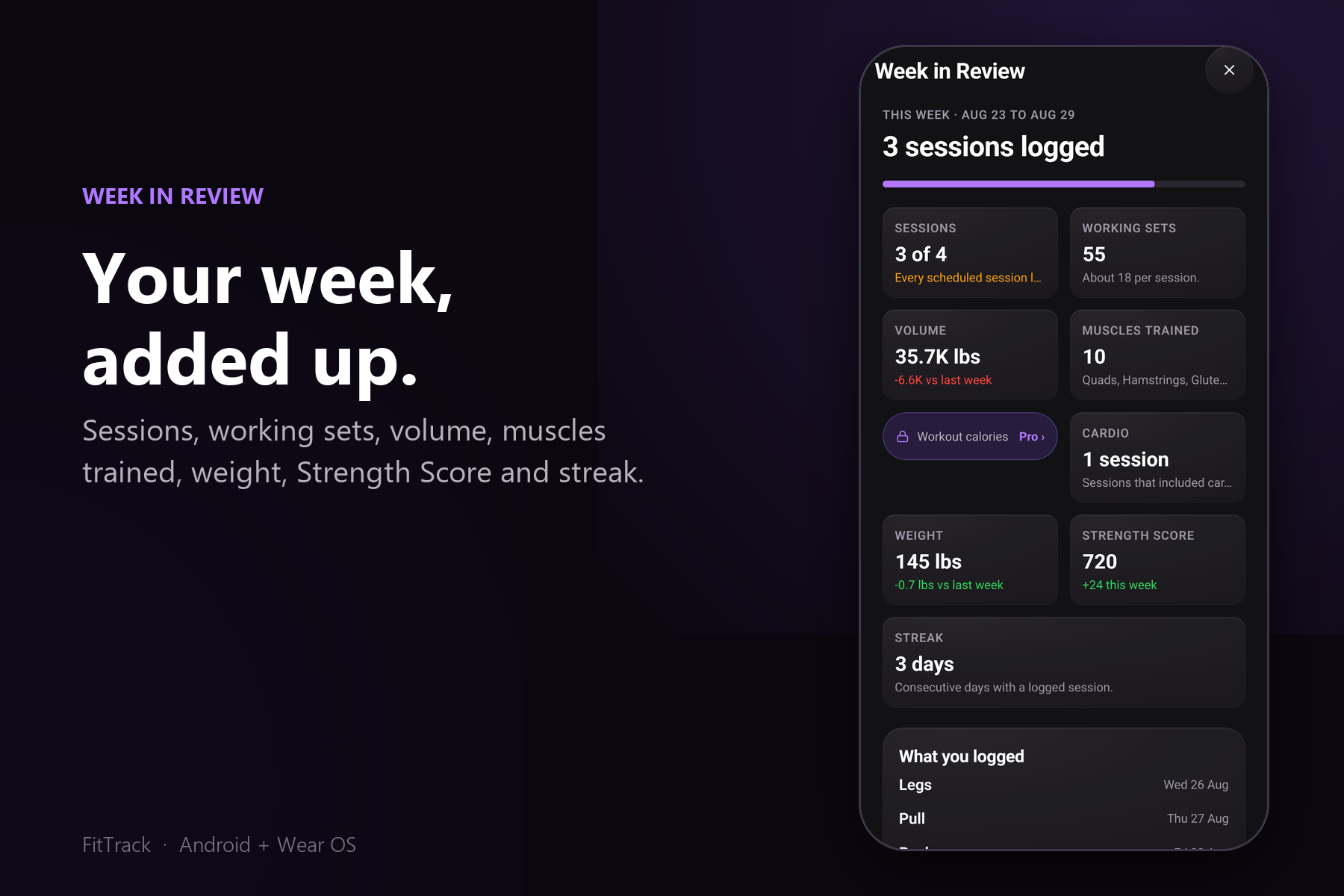
Week in Review: sessions, working sets, volume, muscles trained, weight, Strength Score, and streak.
-
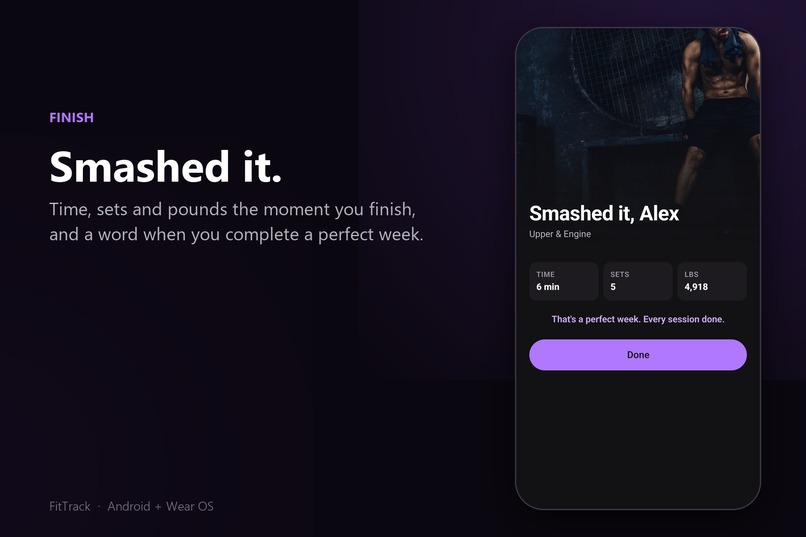
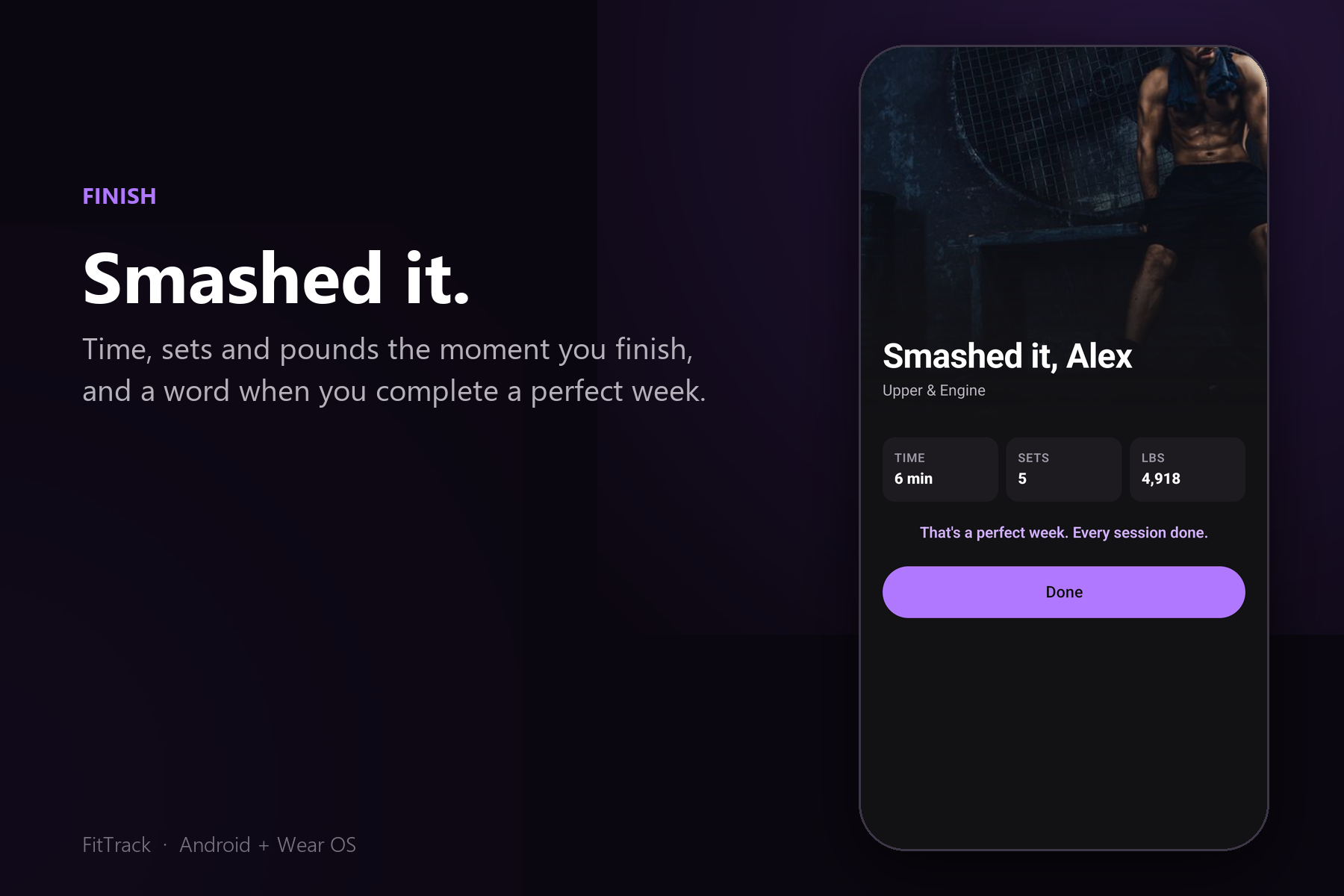
Finish a workout and get time, sets, and pounds on the spot. Complete every session and it says so.
-
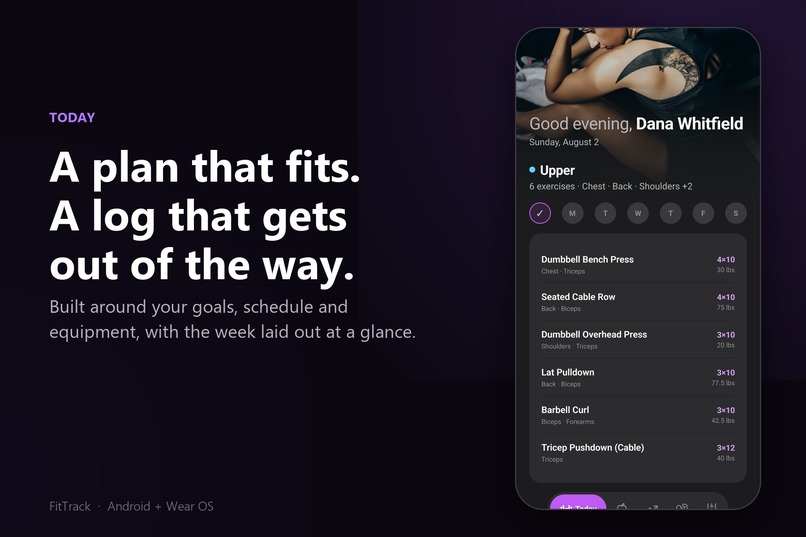
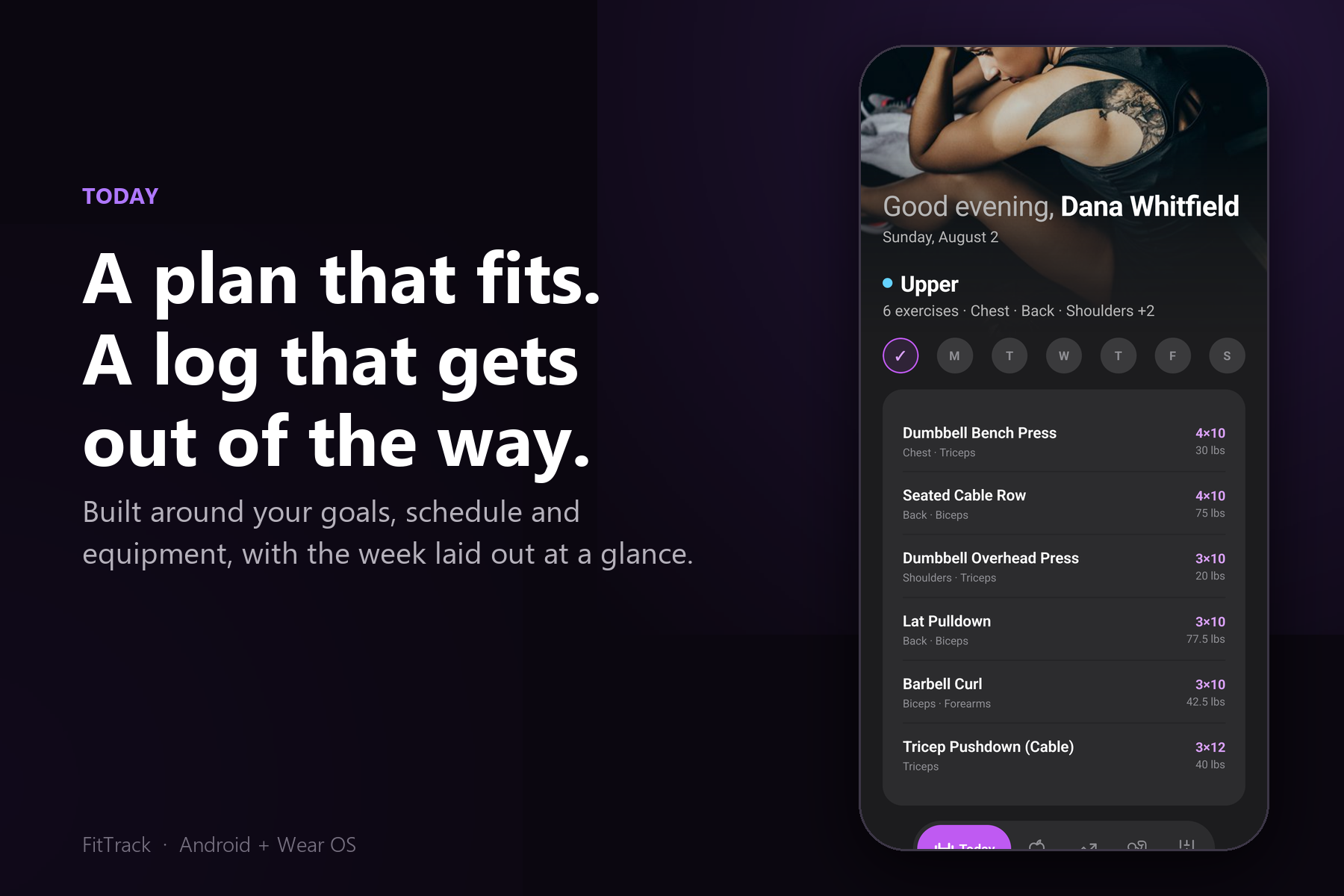
A plan built around your goals, schedule, and equipment, with the week laid out on the Today screen.
-
 GIF
Flipping the muscle recovery map from anterior to posterior.
-
 GIF
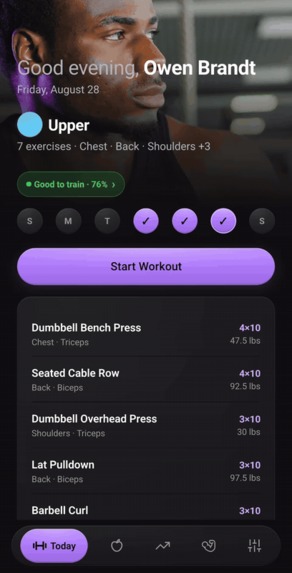
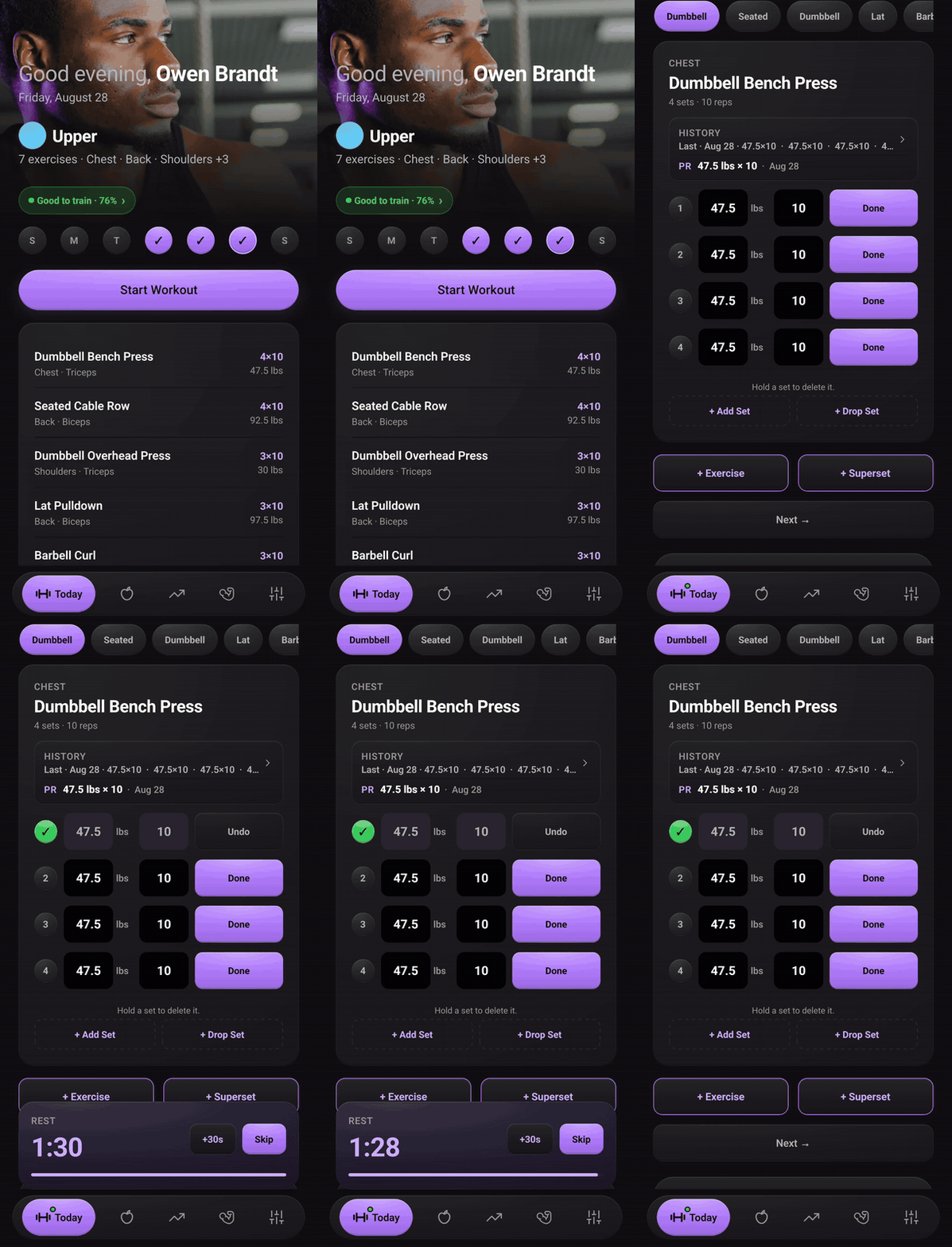
The logging loop: Start Workout, weight and reps already filled in, tap Done, rest timer lands.
-
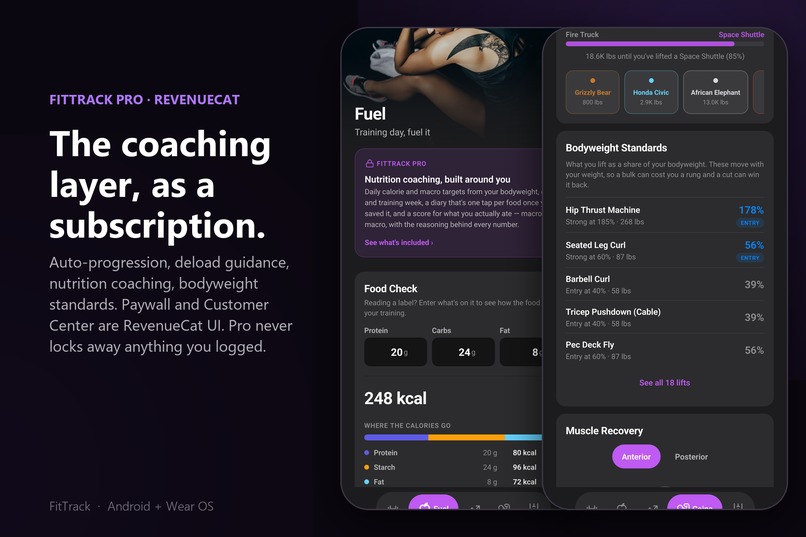
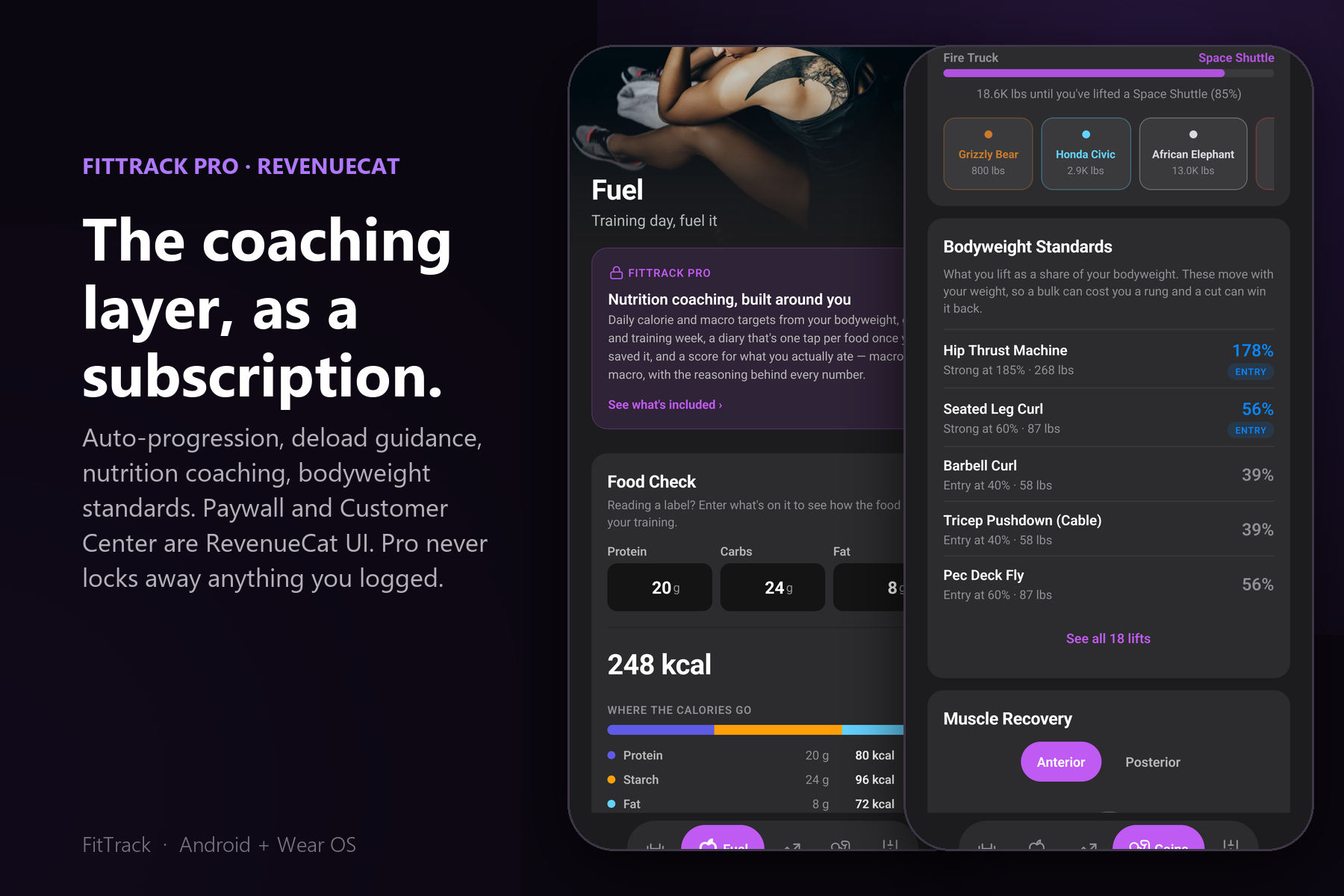
FitTrack Pro: nutrition coaching, auto-progression, bodyweight standards. Paywall and Customer Center are RevenueCat UI.
-
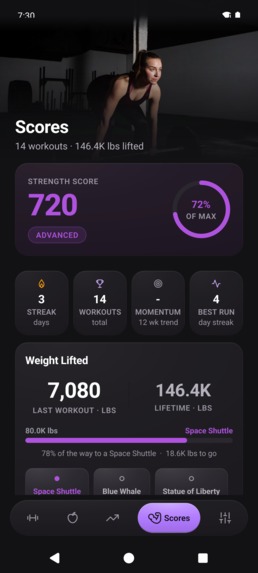
FitTrack Strength Score
-
FitTrack App Icon
Inspiration
Most workout apps want an account before you can log a single set, then bury the log under a feed. I wanted the opposite: a training log that lives entirely on the phone, gets out of the way while you lift, and turns the sets you log into something useful afterwards. The watch mattered from the start. If you are mid-set with chalk on your hands, the phone should stay in the bag.
What it does
FitTrack is a strength training log for Android and Wear OS. No account, no sign-up, everything stays on the device.
Free, for everyone:
- Build a plan around your goals, schedule and equipment, then log sets and reps in a couple of taps.
- A Strength Score and top-five lift charts that go back to your first session, plus automatic PR detection.
- A body map showing which muscles you have been hitting and which you have been skipping.
- Heart rate at every level of detail: session, exercise, set, and the one-minute recovery drop. This is free on purpose.
- A full Wear OS app: start a workout, dial in weight and reps, log every set, run the rest timer, rate your effort and finish, with heart rate straight off the watch sensor. Tiles and a complication included.
- Health Connect import (read only), Food Check, plate calculator, JSON export and import.
FitTrack Pro adds the coaching layer: auto-progression that tells you whether to add weight, hold or back off and why, deload warnings, nutrition coaching with a Fuel Score, bodyweight standards, unlimited PRs and templates, every lift charted, and plan rebuilds from your real history. Pro changes what FitTrack shows you. It never locks away anything you already logged.
Two experiences, one app
Onboarding asks one question most logs skip: biological sex, with a "prefer not to say" option that gives a balanced program. The answer is not cosmetic. It changes six things.
- The plan itself. Male templates run the classic splits: full body, upper/lower, push/pull/legs, and a six-day body-part split. Female templates are rebuilt around glute and hamstring volume: a three-day week is two lower days and one upper, a five-day week is a five-session rotation with two dedicated glute and hamstring days instead of push/pull/legs, and every split has a Full Lower or Full Body Finisher session. Same exercise library, different emphasis.
- Strength standards. Bodyweight Standards rank each lift against your own bodyweight. For female users the targets are scaled to 70% on upper body lifts and 80% on lower body lifts, so the ENTRY, STRONG and higher rungs mean the same thing for everyone. Lifts already expressed as bodyweight, like pull-ups, are left alone.
- Nutrition targets. The Pro calorie model uses the Mifflin-St Jeor equation with the correct sex offset, and a metabolic floor of 1500, 1200 or 1300 calories depending on the answer. Nobody gets pushed below what their body needs.
- Heart-rate calories. Energy burned from heart rate uses the Keytel equations, which have separate male and female coefficients. "Prefer not to say" averages the two.
- The body map. The muscle recovery figure is a male or female anatomical illustration, front and back, with every muscle group individually shaded.
- The photography. Session headers and screen heroes pull from a male or female photo pool, keyed to the session type, so a rest day, a cardio day and a heavy lower day each look like what they are.
None of this is gated. Free users get the tailored plan, the standards, the body map and the photography. Pro adds the coaching that sits on top.
How I built it
Two form factors, two stacks, one data model.
- Phone: React Native 0.86 on React 19 and TypeScript, running on Hermes. UI is react-native-paper and react-native-svg, persistence is AsyncStorage, notifications are Notifee, Health Connect via react-native-health-connect. Native Kotlin modules bridge into the Wearable Data Layer.
- Watch: fully native Kotlin with Jetpack Compose for Wear OS Material 3, Wear Tiles and ProtoLayout, a watch face complication, Health Services for on-wrist heart rate, and an Ongoing Activity so a session survives the screen going dark.
- Sync: phone and watch exchange plans, sets and heart rate over Play Services Wearable. The watch keeps a local echo of every set so a dropped connection never loses a rep.
- Monetization: RevenueCat through react-native-purchases and react-native-purchases-ui in front of Google Play Billing. Entitlements map to tiers, the paywall and Customer Center are RevenueCat UI, and the entitlement state is cached locally with a three-day offline grace window so Pro keeps working in a basement gym with no signal. The watch has zero Pro gating. Everything on the wrist is free.
Roughly 28,000 lines of TypeScript, 6,000 lines of Kotlin, and 700-plus Jest tests. Every release goes through typecheck, lint, tests and debug plus release builds for both modules before it is packaged.
Challenges I ran into
- R8 silently broke the watch. The release build crash-looped on a Galaxy Watch 8 while the debug build was fine. The wear module shipped with an empty ProGuard file, and Health Services is the one dependency that carries no consumer keep rules. R8 renamed its protobuf fields, which are resolved reflectively by name. Diagnosed from the mapping file alone, with no adb access to the device.
- Google Play rejected the Wear app twice. (so far) First on font scaling and watch shapes: the session screen was budgeted to the pixel at font scale 1.0, and Wear OS offers six scales up to 1.24. Then again on watch shapes, because scrolling lists left the top item hard-cut by the round bezel when scrolled to the end. The fix was rebuilding every screen to budget from measured line heights, adding chord-sized fade bands to scrolling lists, and verifying on 227, 192 and 180 dp emulators at every font scale. Along the way I learned the emulator's window-size override does not emulate a small round watch; only a density override does.
- Bugs that compile and pass tests. The watch had never declared the vibrate permission, so finishing a rest period crashed it. A history lookup used the wrong key, so a whole feature was dead in shipped code. Neither was visible to the type checker or the unit suite. Both were found by running the app.
What I learned
Read the code less, run the app more. The recurring lesson of this project is that real defects are found on the emulator, not in the editor. I also learned to write down the rig: every session now ends with a handoff document carrying the emulator recipes, the injection steps, and the things that bit me, so the next session does not rediscover them.
On the product side: making heart rate free at every level, including on the watch, was the right call. The paywall is more honest when it sells coaching rather than access to your own data.
What's next
- Ship 1.6.19 to the Wear OS track and clear the second Play review (in progress).
- Square watch verification and a tile preview pass.
- iOS.
Built With
- android
- health-connect
- hermes
- kotlin
- react-native
- wear-os

