Inspiration
Buying clothes online is a guessing game. You can't feel the fabric, can't check the fit, and the model in the product photo looks nothing like you. That guesswork has a real cost — industry benchmarks consistently put online apparel return rates at roughly 20–30%, and fit or sizing is repeatedly identified as the single largest driver of those returns — well ahead of damage, delivery issues, or buyer's remorse. Every one of those returns is a shipping cost, a restocking cost, and often a lost customer.
We wanted to build the thing that actually closes that gap — not a bare "upload a photo, call an API, show a result" tech demo, but a complete shopping product built around Perfect Corp.'s Clothes Virtual Try-On API, with the surrounding experience (browsing, deciding, saving, and even bridging back to a real store) that turns a cool AI trick into something a shopper—or a retailer — would actually use. Also, the customer can easily find the shops nearby. Here, the shop owner can display his/her shop location for two-sided benefit.
What it does
Try It Now — Pick from a set of sample model photos or upload your own, then browse a 17-piece garment catalog spanning tops, bottoms, dresses, jackets, bags, and full looks for both men and women. Pick a garment, optionally adjust it, and hit Generate Try-On.
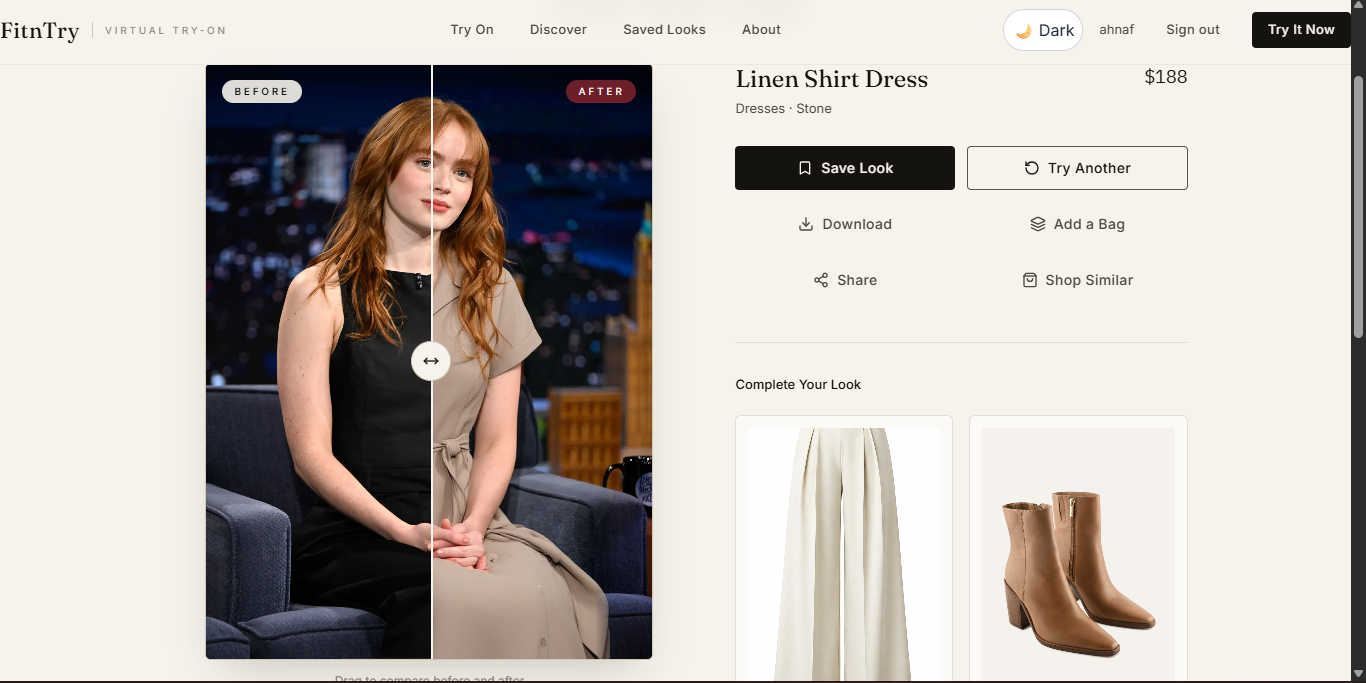
AI-generated try-on — A processing screen animates while the backend calls Perfect Corp.'s Clothes VTO API in the background and returns a photorealistic image of you wearing the actual selected garment — not a generic model.
Before/after comparison — The result page shows your original photo against the try-on result on a draggable slider, so the difference is immediate and visual, not something you have to imagine.
Save Look — Signed-in shoppers can save results to their account, persisted to a real backend (not local/mock storage), so a look is still there next session.
Discover — Curated recommendation sections (an editorial "edit," not a raw product grid) let shoppers favorite pieces and jump straight into a try-on for anything they see.
Complete Your Look — After a result, the app surfaces complementary pieces to pair with what was just tried on — a direct, in-flow cross-sell moment.
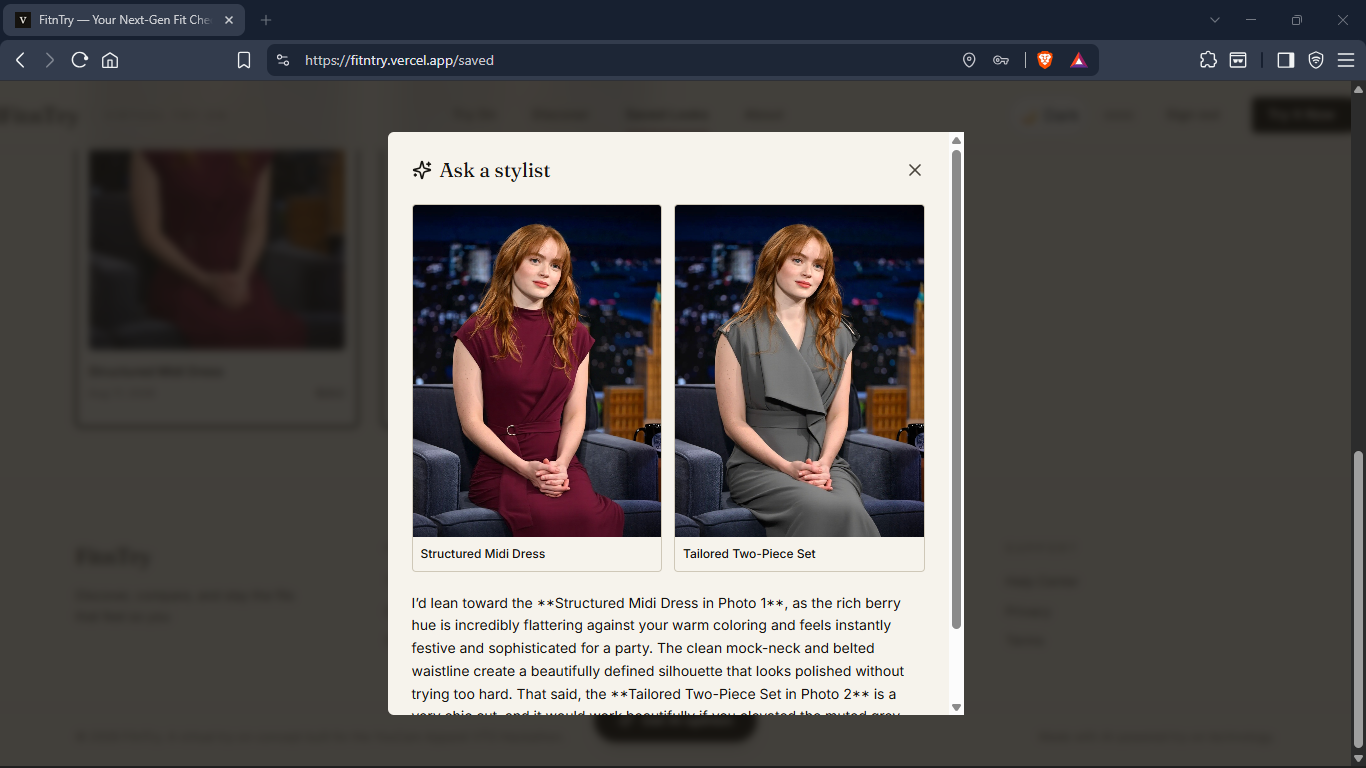
Ask a Stylist — When someone's torn between two saved looks, they can ask for a second opinion: the app sends both images to an AI vision model and gets back a short, specific verdict — which one to lean toward and why — instead of leaving the shopper stuck.
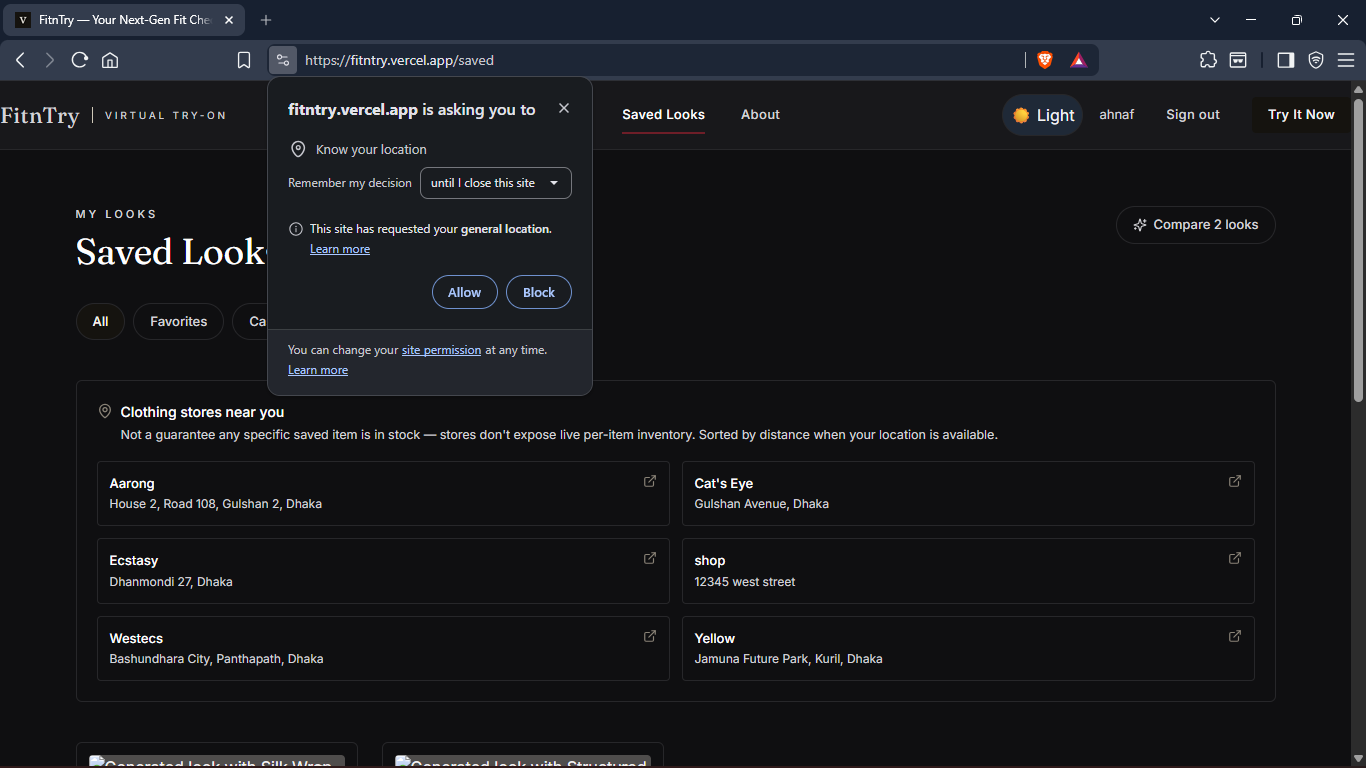
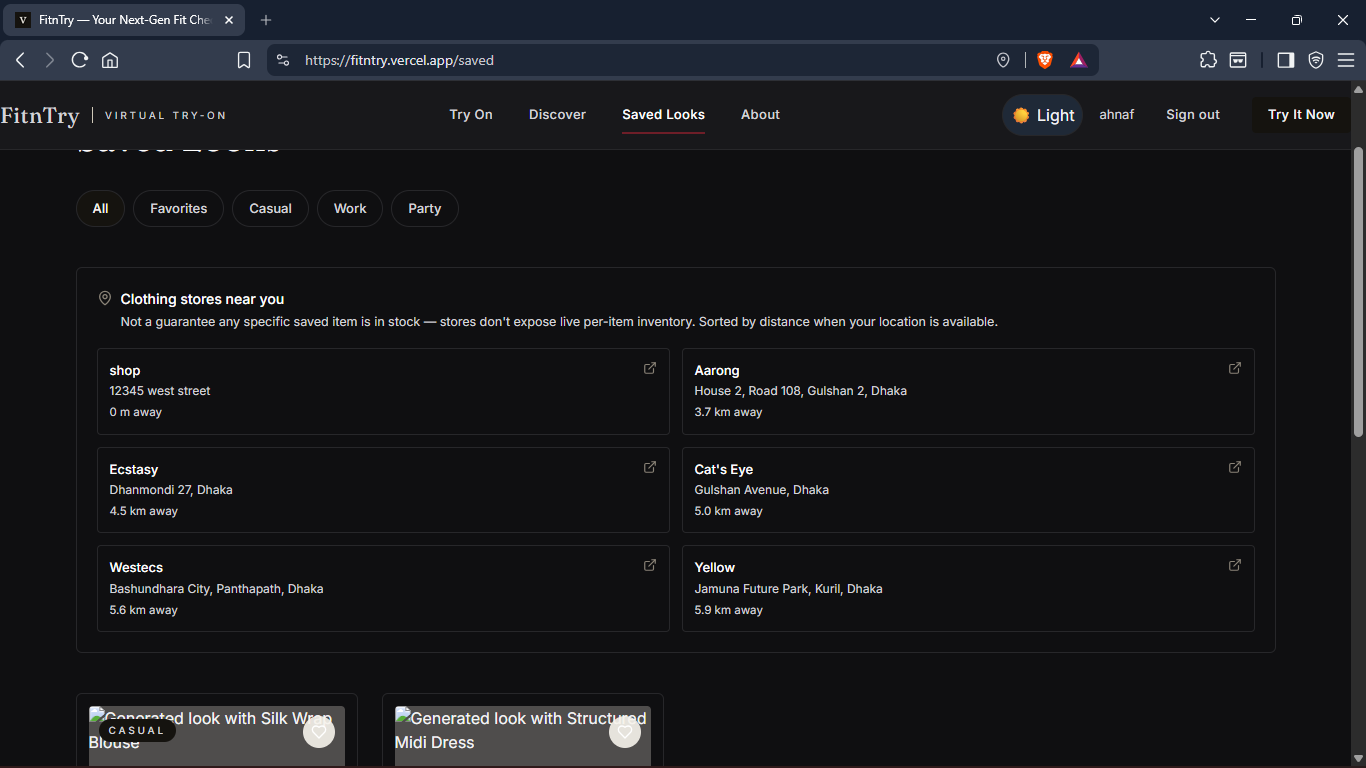
MyStore — Retailers can register their physical store (name, address, geolocated in one tap) into a shop directory attached to the app. It's a lightweight bridge from "I like how this looks on me" to "there's a store near me that carries it"—valuable for smaller boutiques that will never build their own AR try-on but can piggyback on this one.
How we built it
- Frontend: React + TypeScript + Vite + Tailwind CSS, with a custom editorial visual identity (Fraunces serif display type, a warm off-white/oxblood/camel palette) so the product reads like a fashion brand, not a hackathon prototype. The entire UI talks to a single service-layer switch point, so it can run fully offline against a bundled mock generator for instant local demoing or flip one flag to hit the real backend—no component code changes either way.
- Backend: FastAPI (Python).
POST /api/try-oncreates a job and immediately kicks off generation in a background async task rather than blocking the request; the frontend's processing screen pollsGET /api/try-on/:jobIduntil it resolves. It transparently handles both base64 data-URL uploads (a shopper's own photo) and plain image URLs (catalog garments). - Accounts & persistence: Supabase (Postgres + Auth) backs saved looks and the store directory, with row-level security so shop listings are public-read but owner-write only.
- Deployment: Deployed to Vercel. The FastAPI app serves the built React SPA directly from a single process for simple deployment or can be split across origins with CORS configured for a separate frontend host.
The YouCam API, specifically
FitnTry integrates Perfect Corp.'s Fashion "Clothes." Virtual Try-On API (v2) end to end, entirely server-side, so the API key never reaches the browser:
- The backend uploads both the shopper's photo and the selected garment image to YouCam's file endpoint.
- It starts a clothes VTO task, mapping our catalog's categories (tops, bottoms, dresses, jackets, and full looks) to YouCam's
upper_body/lower_body/full_bodygarment-category values. - It polls the task endpoint until YouCam reports success and returns the generated result image, which the frontend streams into the before/after slider.
Consumer & retail value
For shoppers: it removes the single biggest source of hesitation in buying clothes online—not knowing how something will actually look on your own body—without leaving the browser or installing anything. The before/after slider and the Ask-a-Stylist opinion turn "I'm not sure" into a decision, right at the moment a shopper is deciding whether to add to cart.
For retailers: fit-related returns are one of the most expensive, hardest-to-fix line items in apparel e-commerce. A try-on step that lets a shopper confirm fit and look before checkout directly targets that cost, and the in-flow "Complete Your Look" recommendation increases items considered per session. MyStore extends that value beyond online-only sellers: it gives local, physically anchored retailers—the kind who'll never build their own AR try-on—a way to be discoverable inside the exact moment a shopper decides they like an item, turning a virtual try-on into a real store visit. Displaying their shop locations also gives an extra marketing opportunity.
Challenges we ran into
- Supabase Data integration problem: We faced a problem, while integrating the data on Supabase
- Picking the right model for Ask a Stylist: For the customer’s convenience, we added an AI overview option for helping to make decisions if they get confused. We choose Google Gemini Flash.
- Location mapping: For MyStore, we first looked at the Google Maps API for precise geocoding, but it's a paid API, so we fell back to fixed reference coordinates for now. Shops can still register with their own location, and a full geocoding integration is the natural next step.
Accomplishments we're proud of
- A full seven-screen consumer product (Home, Try On, Result, Discover, Saved, My Store, Auth) built around one API, not a single-page proof of concept.
- Real accounts and real persistence via Supabase, not mocked data—saved looks and store listings survive a refresh and a new session.
- Accessibility treated as a requirement from the first component, not a pass at the end.
What's next
- We have interest in adding a live video try-on feature in the future.
- Let retailers self-serve on MyStore and, in the longer term, pair store listings with real inventory signals.
- Extend Ask a Stylist to reason over occasion and existing wardrobe, not just two looks at a time.
- We have a plan to operate this on a commercial scale. For R&D purposes we need funds, so it is very likely to open a subscription model in a newer or updated version of our product.
Uniqueness of Us
- MyStore bridges virtual try-on to real, local sellers — no major player does this; they're all either locked to one retailer's catalog or purely virtual with no seller behind it.
- Catalog-open, not catalog-locked — sits between big-retailer-owned VTO tools and generic "styling toy" apps with no real seller attached.
- Self-serve onboarding for small/independent retailers with no e-commerce stack or AI budget of their own required.
- Built for fragmented, small-boutique-dominated retail markets (like Dhaka) that Walmart/Zara/Google aren't designing for at all.
- Differentiation lives around the API call, not in it — YouCam's own app already does photo-to-clothes try-on, so the catalog + accounts + MyStore layer is the actual pitch, not the swap itself.
Built With
- css
- fastapi
- html5
- javascript
- python
- supabase
- vite
- youcamapi


Log in or sign up for Devpost to join the conversation.