Inspiration
Online fashion shopping still requires a leap of imagination. A product photo can show a garment clearly, but it does not answer the shopper’s most personal question: “How might this look on me?”
That uncertainty can cause hesitation, abandoned carts, and avoidable returns. We built FitFront to make virtual try-on a natural part of shopping—not an isolated AI demonstration.
What it does
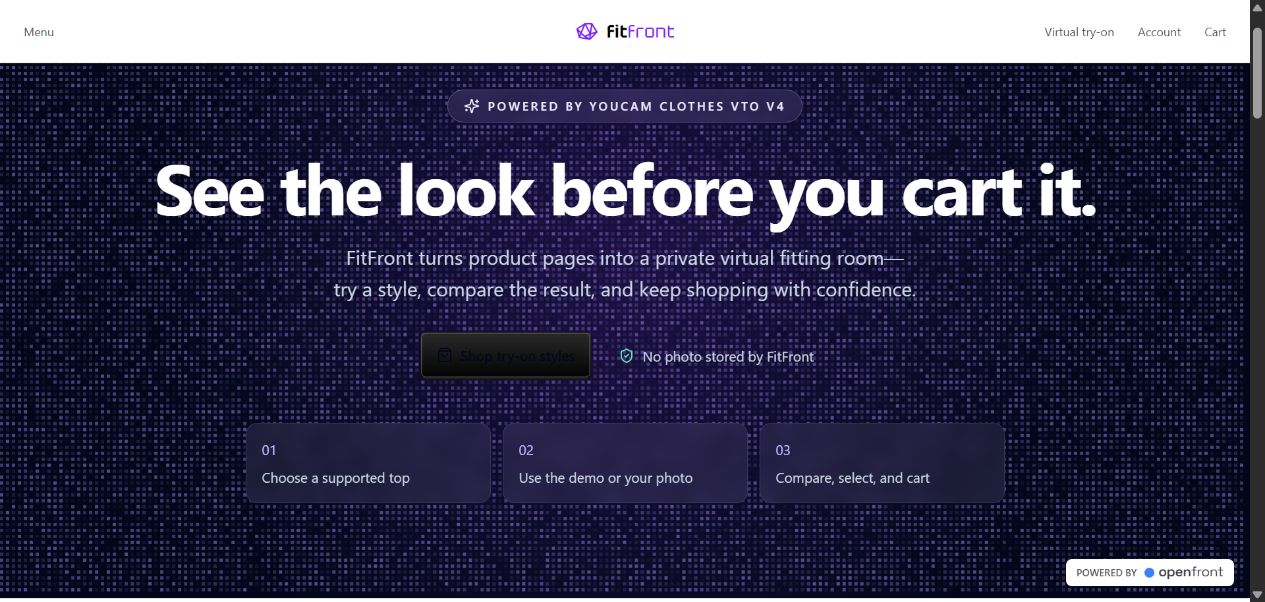
FitFront connects apparel discovery, AI visualization, variant selection, and cart conversion in one experience.
A shopper can:
- Browse a complete e-commerce catalog.
- Identify compatible products through a YouCam try-on badge.
- Try upper-body, lower-body, and full-body garments.
- Use an original demo model or upload a JPG/PNG photo.
- Receive category-specific pose and framing guidance.
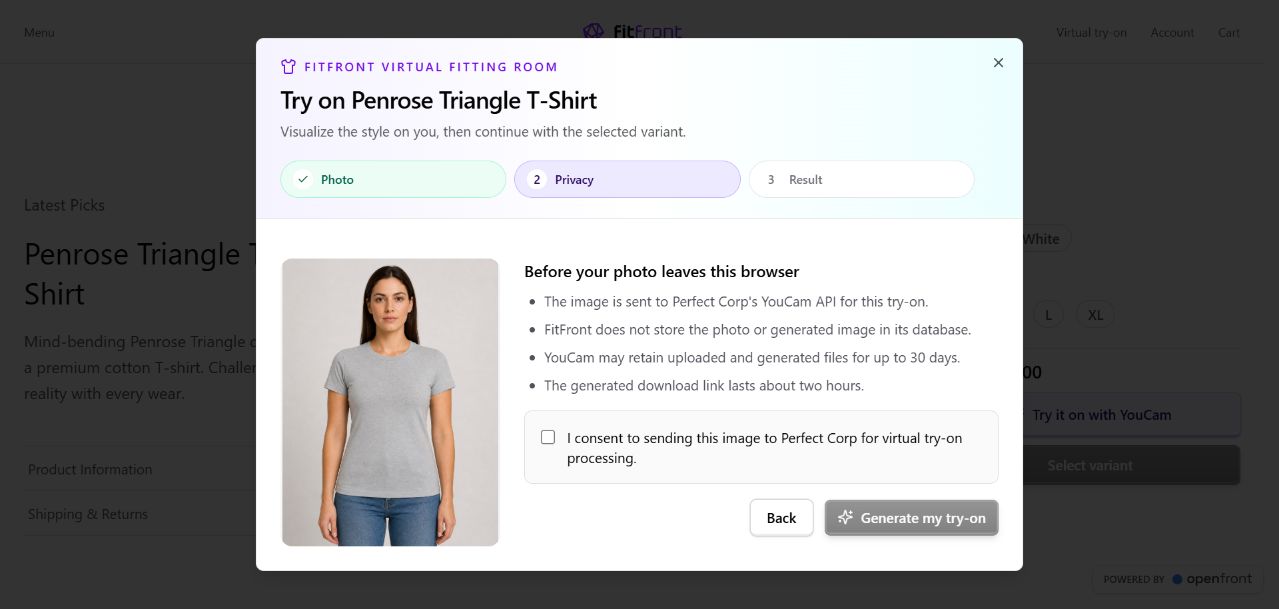
- Review the privacy and retention disclosure.
- Explicitly consent before processing.
- Generate a virtual try-on using YouCam Clothes VTO v4.
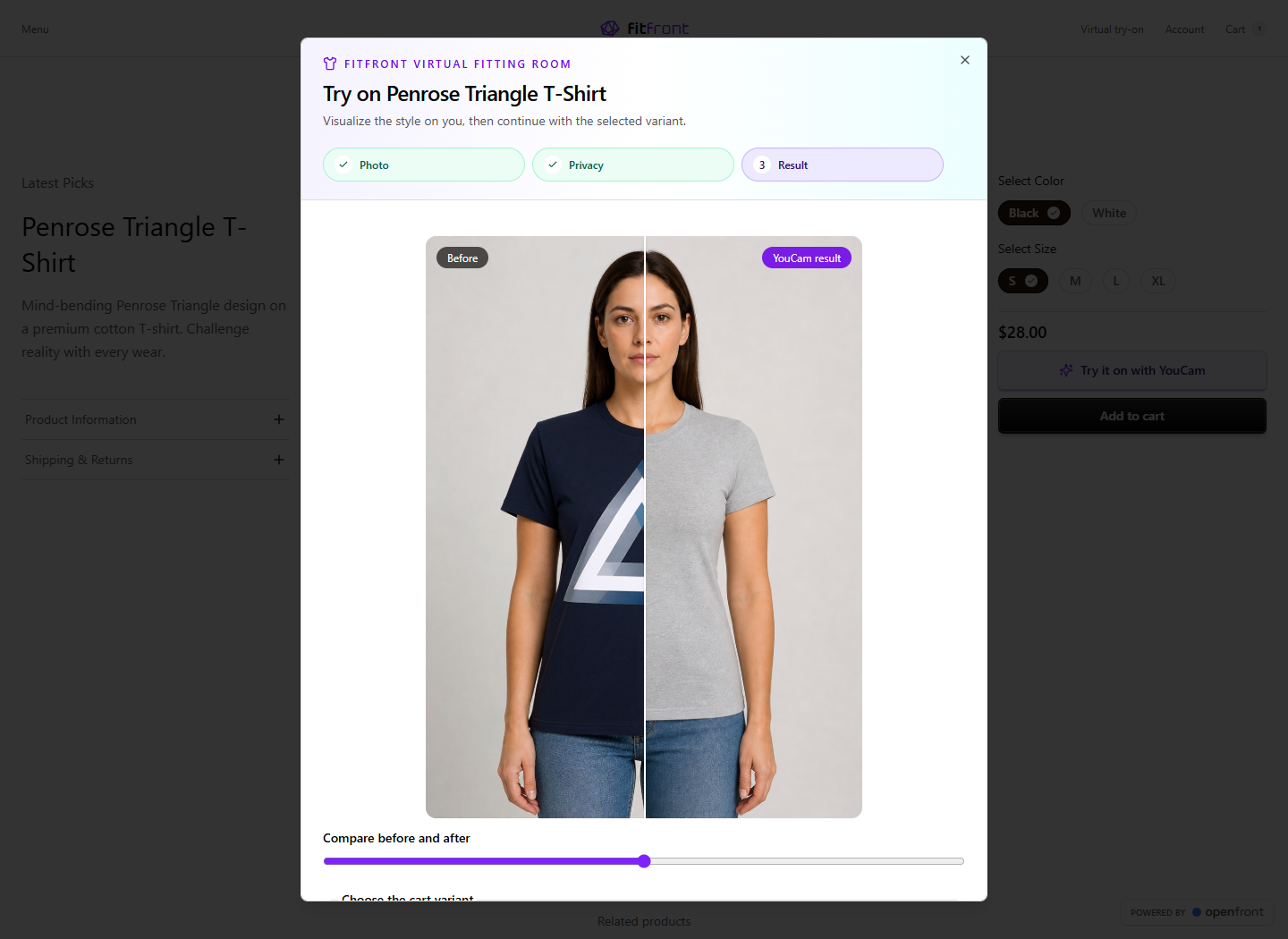
- Compare the original and generated images with an interactive slider.
- Choose a size and color.
- Download the visualization.
- Add the selected variant directly to the existing cart.
FitFront supports 12 try-on products, including T-shirts, hoodies, crop tops, tank tops, sweaters, blazers, blouses, jeans, skirts, dresses, jumpsuits, and suits.
Results are presented honestly as appearance visualizations—not sizing or physical-fit guarantees.
How we built it
We made its existing catalog, variants, cart, checkout, backend, and management dashboard, then integrated YouCam into the retail journey.
The application uses:
- YouCam Clothes Virtual Try-On v4
- Next.js and React
- TypeScript
- KeystoneJS and Prisma
- Neon Postgres
- Vercel
- Tailwind CSS
The YouCam API key remains entirely server-side. The browser sends only the product ID, optional variant ID, chosen image or demo-model ID, and consent confirmation.
The server then:
- Resolves the garment image from the trusted catalog.
- Maps it to
upper_body,lower_body, orfull_body. - Checks the current YouCam feature cost and free-unit balance.
- Preserves a configurable free-unit reserve.
- Creates upload metadata.
- Uploads the source and garment images using YouCam’s required presigned headers.
- Creates exactly one Clothes VTO task.
- Returns the task ID immediately.
- Polls that same task through a separate API route.
- Displays the completed result without silently creating another task.
Separating task creation from polling keeps the workflow compatible with serverless infrastructure.
Privacy and responsible design
Privacy is part of the product flow:
- The YouCam API key never reaches the browser.
- Garment references are resolved from the trusted server-side catalog.
- FitFront does not store uploaded or generated photos.
- Shoppers must explicitly consent before processing.
- The interface explains YouCam’s retention period and result-link expiration.
- Results remain in the current browser session.
- Anonymous sessions are limited to three new tasks per 24 hours.
- Raw provider responses, authorization headers, and upload URLs are never exposed.
- Provider errors are converted into understandable, safe messages.
Challenges we faced
One major challenge was building more than a thin API wrapper. The experience needed to work with real catalog products, variants, asynchronous generation, privacy requirements, serverless deployment, and an existing cart.
YouCam’s upload workflow requires the exact headers returned with its presigned upload instructions. Preserving those headers while keeping provider data and credentials away from the browser required a carefully separated server architecture.
Different garment categories introduced another challenge. Upper-body garments can use upper-body framing, while lower-body and full-body garments require full-length source photography. Lower-body reference images also have different requirements from standalone upper-body garment images.
We addressed this with trusted category mapping, separate demo-model photography, compatible garment references, and dynamic photo guidance.
We also wanted to avoid all paid usage. FitFront checks the YouCam feature cost and available balance before task creation and stops when the configured free-unit reserve would be crossed. There is no paid fallback.
What we learned
We learned that a strong retail AI experience depends on more than the generated image. Input guidance, consent, asynchronous task handling, trusted catalog data, cost controls, error recovery, and a clear path back into shopping are equally important.
We also learned the importance of communicating limitations honestly. FitFront helps shoppers visualize appearance and styling, but it does not claim to predict exact size, fabric behavior, or physical fit.
Most importantly, we learned how YouCam can be integrated into an existing commerce platform as a meaningful part of the customer journey rather than a standalone technology demonstration.
Accomplishments we are proud of
- Real YouCam generations were verified for upper-, lower-, and full-body apparel.
- Try-on results connect directly to variants and the existing cart.
- The API key and trusted garment references remain server-side.
- FitFront stores no personal photos.
- Automatic resubmission and accidental unit consumption are prevented.
- All demo and expanded catalog assets are original and trademark-free.
- The project runs using free hackathon units, free hosting, and a free database.
- Openfront’s existing commerce functionality was preserved and extended.
Significant hackathon updates
The work added specifically for FitFront includes:
- Complete FitFront branding
- YouCam Clothes VTO v4 integration
- Secure upload and asynchronous polling routes
- Upper-, lower-, and full-body garment support
- 12 trusted try-on products
- Seven additional original outfit assets
- Separate upper-body and full-body demo models
- Photo, privacy, and result workflow
- Interactive before-and-after comparison
- Variant selection and cart continuation
- Session-based task recovery
- Anonymous task quotas
- Free-unit reserve protection
- Safe provider-error normalization
- Automated tests
- Privacy documentation and asset attribution
- Public Vercel and Neon deployment
What’s next
Future versions could include:
- Additional compatible garment silhouettes
- Side-by-side comparison of multiple outfits
- Outfit recommendations
- Merchant tools for checking reference-image compatibility
- User-controlled saved looks
- Try-on-to-cart retail analytics
- Localization and expanded accessibility testing
Our long-term vision is to make FitFront a reusable virtual fitting-room layer that retailers can add without replacing their existing commerce infrastructure.
Built With
- ai
- api
- computer
- corp
- css
- e-commerce
- graphql
- javascript
- keystonejs
- neon
- next.js
- node.js
- perfect
- postgresql
- prisma
- react
- rest
- tailwind
- try-on
- typescript
- vercel
- virtual
- vision
- youcam

Log in or sign up for Devpost to join the conversation.