-
-
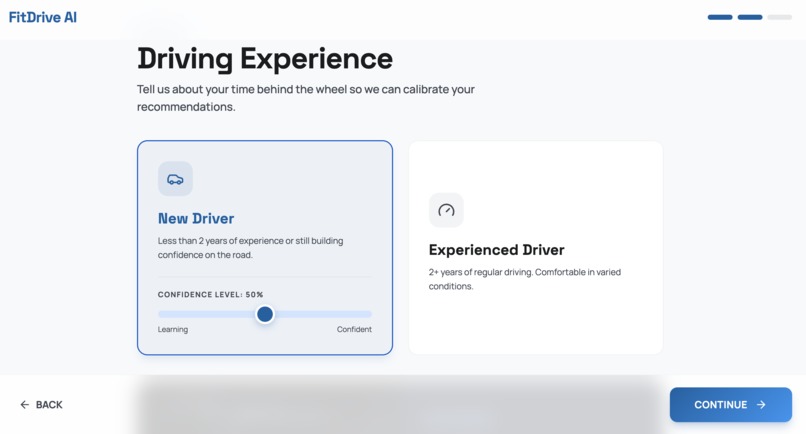
Onboarding page
-
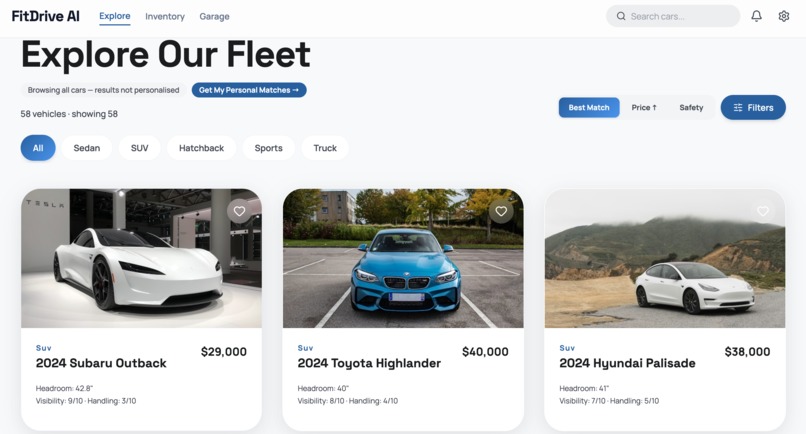
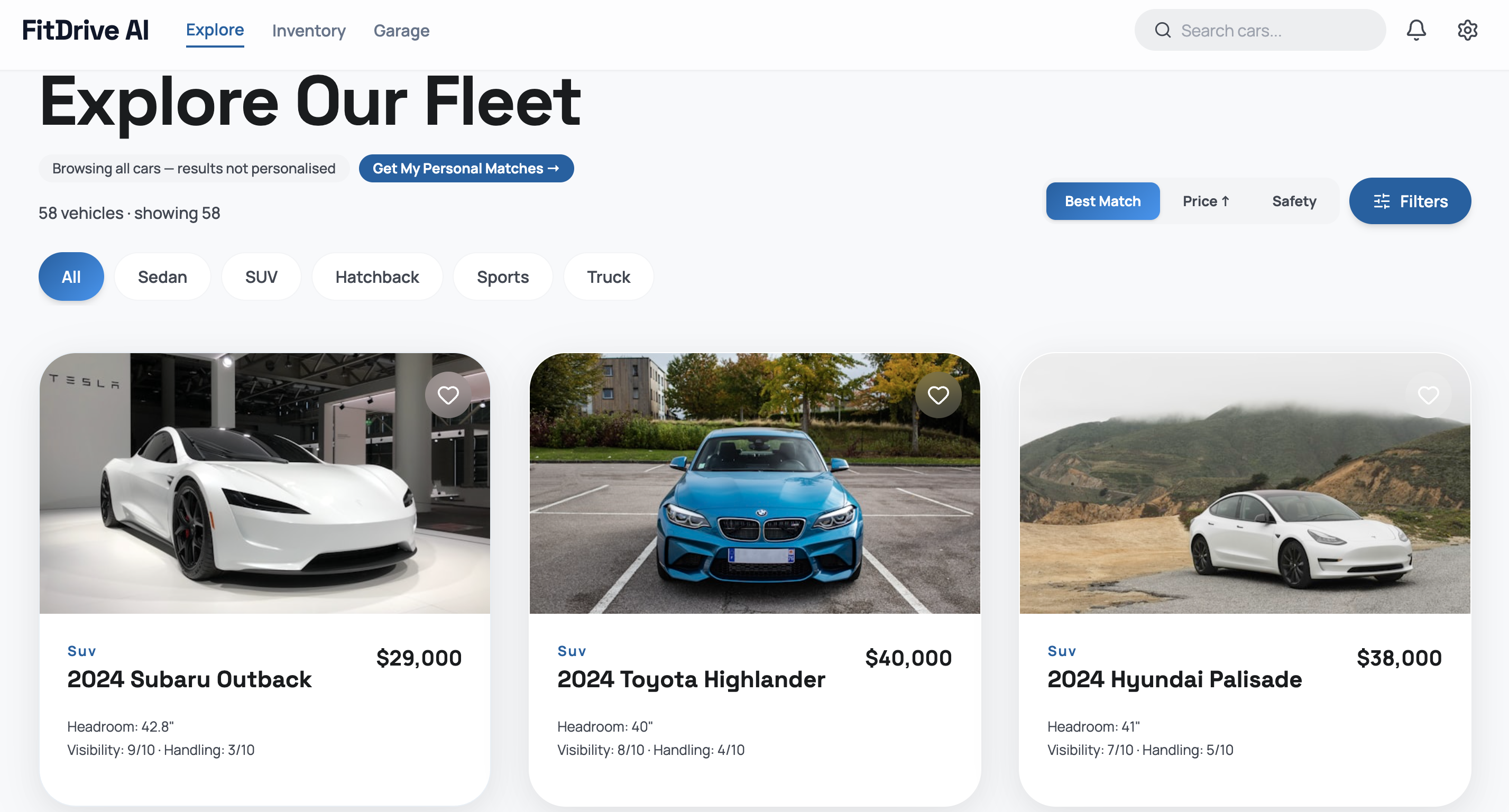
Explore fleet
-
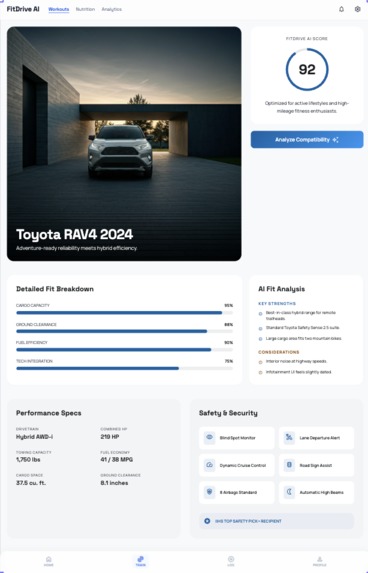
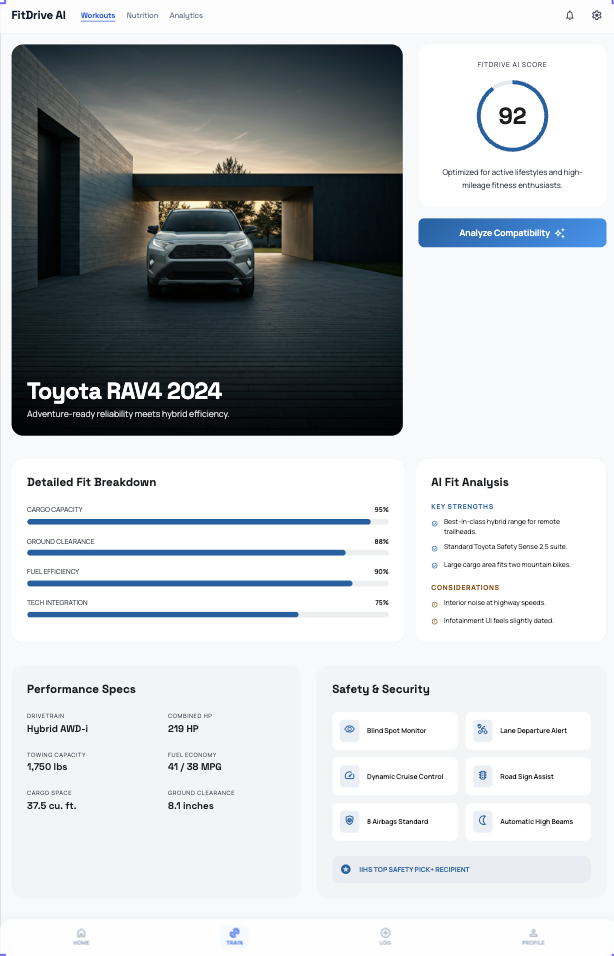
Car compatibility
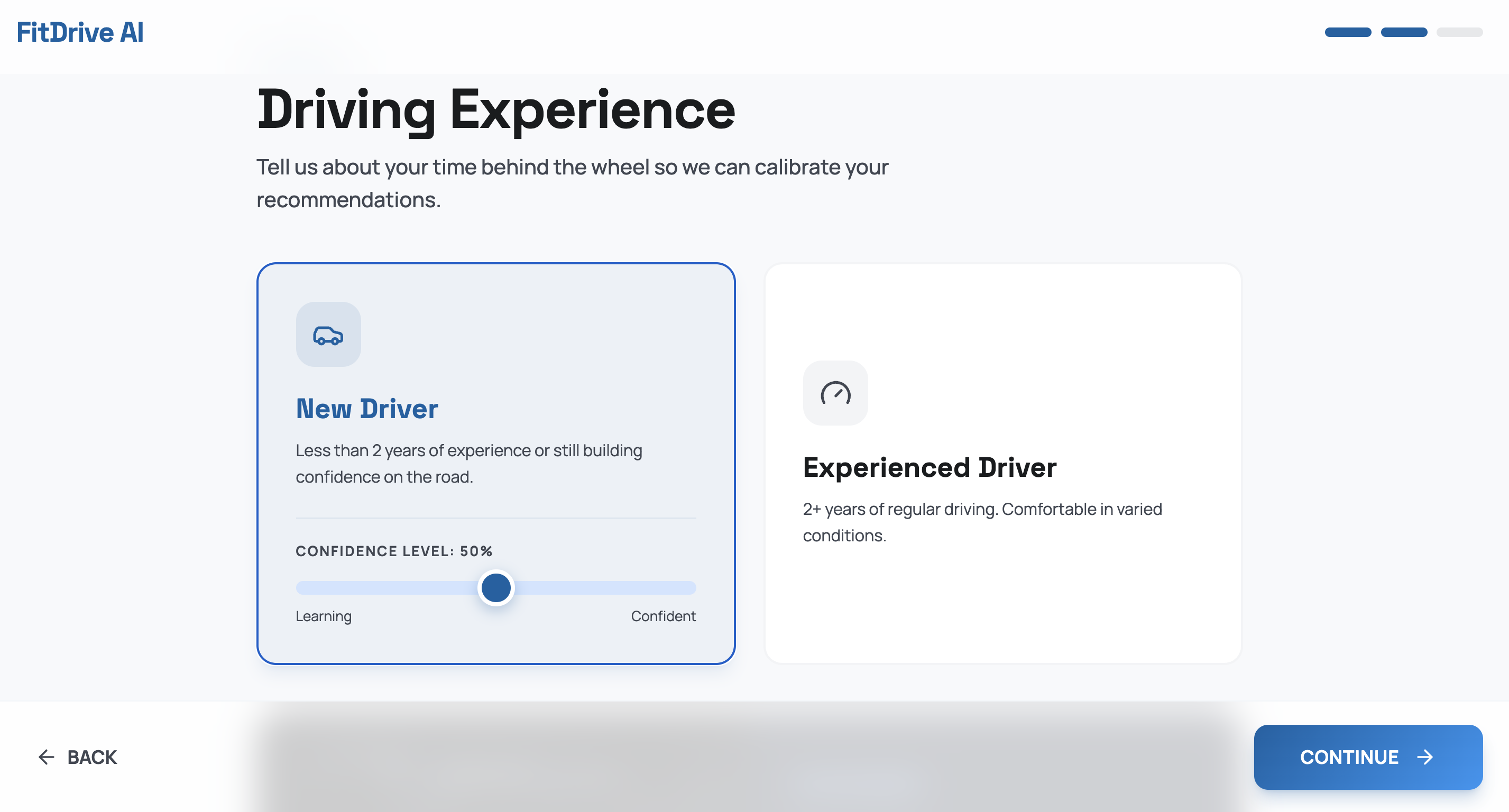
Inspiration
Every year, thousands of new drivers make their first car purchase guided by nothing but price filters and YouTube reviews. What nobody tells them is that the wrong car, one with poor visibility for someone who wears glasses, a cramped cabin for someone tall, or handling that's too aggressive for someone fresh out of driving school is a genuine road safety hazard. Current car recommendation tools like CarGurus or AutoTrader let you filter by price, fuel type, and brand. None of them ask you how tall you are. None of them ask about your eye conditions. None of them check whether a sports car with a difficulty rating of 8/10 is appropriate for someone who passed their test three months ago. FitDrive AI fixes that.
What it does
FitDrive AI is an intelligent car recommendation engine that scores every car in its database against a driver's personal physical and experiential profile using a custom multi-factor algorithm. The user inputs:
Their height Eye conditions (glasses, low vision, night blindness, peripheral vision loss, etc.) Other physical conditions (reduced mobility, arthritis, large build, etc.) Their driving experience level Their budget
The algorithm then scores every car across 5 independent dimensions:
- Ergonomic Fit (30%) — Maps the driver's height to required headroom and legroom ranges using a research-based lookup table. Cars that don't provide adequate clearance are scored down or filtered out entirely.
- Visibility Score (25%) — Each car has a visibility rating (1–10) based on its greenhouse design, pillar thickness, and available camera systems. This score is then adjusted downward for drivers with eye conditions that reduce peripheral vision, contrast sensitivity, or depth perception.
- Safety Alignment (20%)— ADAS features (AEB, lane assist, blind spot monitoring, adaptive cruise, backup cameras) are weighted differently depending on experience level. A beginner benefits far more from automatic emergency braking than an experienced driver — the algorithm reflects this with different weight tables per level.
- Handling Appropriateness (15%) — Each car has a handling difficulty score (1–10). The algorithm checks whether the car's difficulty is within the driver's capability envelope. A sports car rated 8/10 will score 0 for a beginner. An advanced driver gets a slight bonus for taking on appropriate challenge.
- Budget Efficiency (10%) — Smart budget matching that rewards value without penalizing slight overages or blindly rewarding very cheap cars. Each car receives a composite FitScore™ (0–100), and the top 12 matches are returned ranked by score.
How I built it
I started by designing the scoring algorithm before writing a single line of UI. The five scoring modules (ergonomic, visibility, safety, handling, budget) were each developed independently with their own weight constants and lookup tables, then combined into a weighted composite score. The car database was manually curated with 60 vehicles across 21 brands, with real specification data for headroom, legroom, turning radius, NHTSA safety ratings, and ADAS feature availability. Each car also has a manually-assigned visibility score and handling difficulty rating. The frontend was built with React and TypeScript, using React Router for navigation and state passing between pages. No backend was needed, the entire scoring algorithm runs synchronously in the browser. The Gemini 2.0 Flash API was integrated for the AI narrative feature, with a carefully crafted prompt that includes the driver's full physical profile alongside the car specs and pre-computed pros/cons data.
Challenges I ran into
The hardest design problem was the ergonomics scoring for height. Simply having a boolean "tall driver friendly" field wasn't enough, we needed to model the actual headroom deficit and legroom gap as a continuous score, not a hard cutoff. The solution was a lookup table mapping height ranges to ideal and minimum measurements, with a penalty curve that drops steeply below the minimum. Handling the experienced driver flow — where the quiz returns to the onboarding form partway through required careful React Router state management. The onboarding page needs to detect on mount whether it's being returned to with a quiz result and jump to the correct step without losing the user's earlier form data.
Accomplishments that I'm proud of
- A scoring algorithm with 5 independent weighted dimensions that runs entirely client-side
- A 60-car database with real ergonomic specifications, not just marketing specs
- A driver capability quiz with a scoring system that maps to 4 distinct profile categories
- An AI narrative that is genuinely personalized, it references the driver's specific height, eye condition, and experience level in the generated text
- A complete end-to-end user flow from landing to detailed car analysis in under 2 minutes
What I learned
The physical dimension of car selection is wildly underserved in existing tools. Once we started mapping real headroom and legroom data to height ranges, the differences between cars became stark in ways that pure reviews never surface. A 2-inch headroom difference between a sedan and a compact SUV is the difference between comfortable and painful for a 6'2" driver.
What's next for FitDrive
-Car comparison view (side-by-side FitScore breakdown for top 3 matches) -Saved/favourited cars with browser local storage -Expanded database to 150+ cars including international markets -Insurance cost estimate integration by driver age and experience level -Used car support (filtering by year range, mileage)
Built With
- gemini-2.0-flash
- gemini-api
- lucide-react
- react
- react-router
- tailwind-css
- typescript
- vercel
- vite

Log in or sign up for Devpost to join the conversation.