-
-
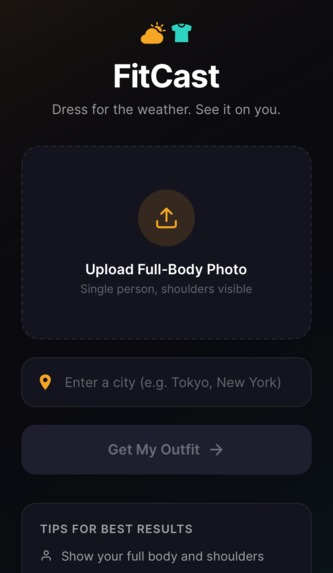
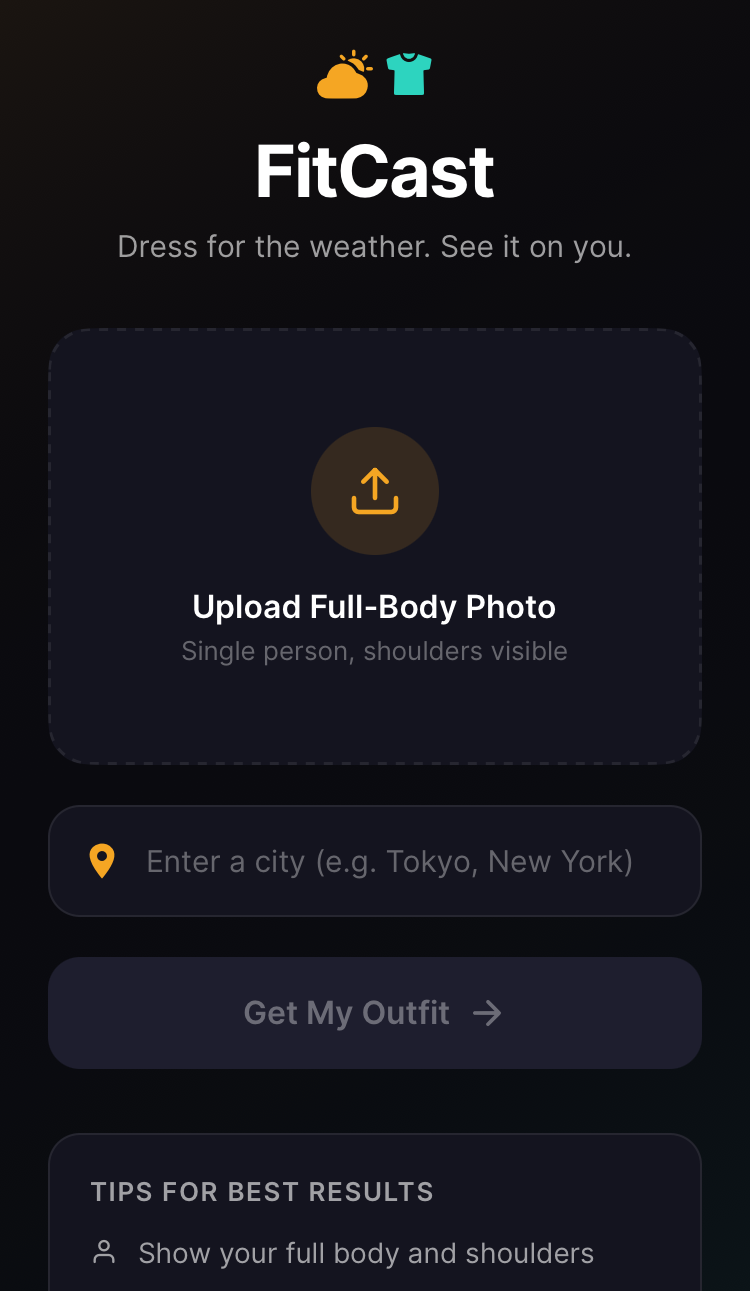
FitCast home screen — upload a photo and enter any city
-

Original sample photo before AI virtual try-on
-
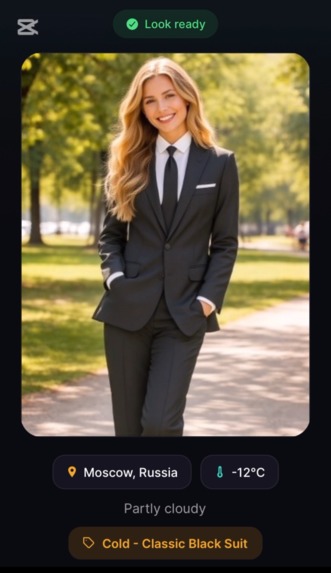
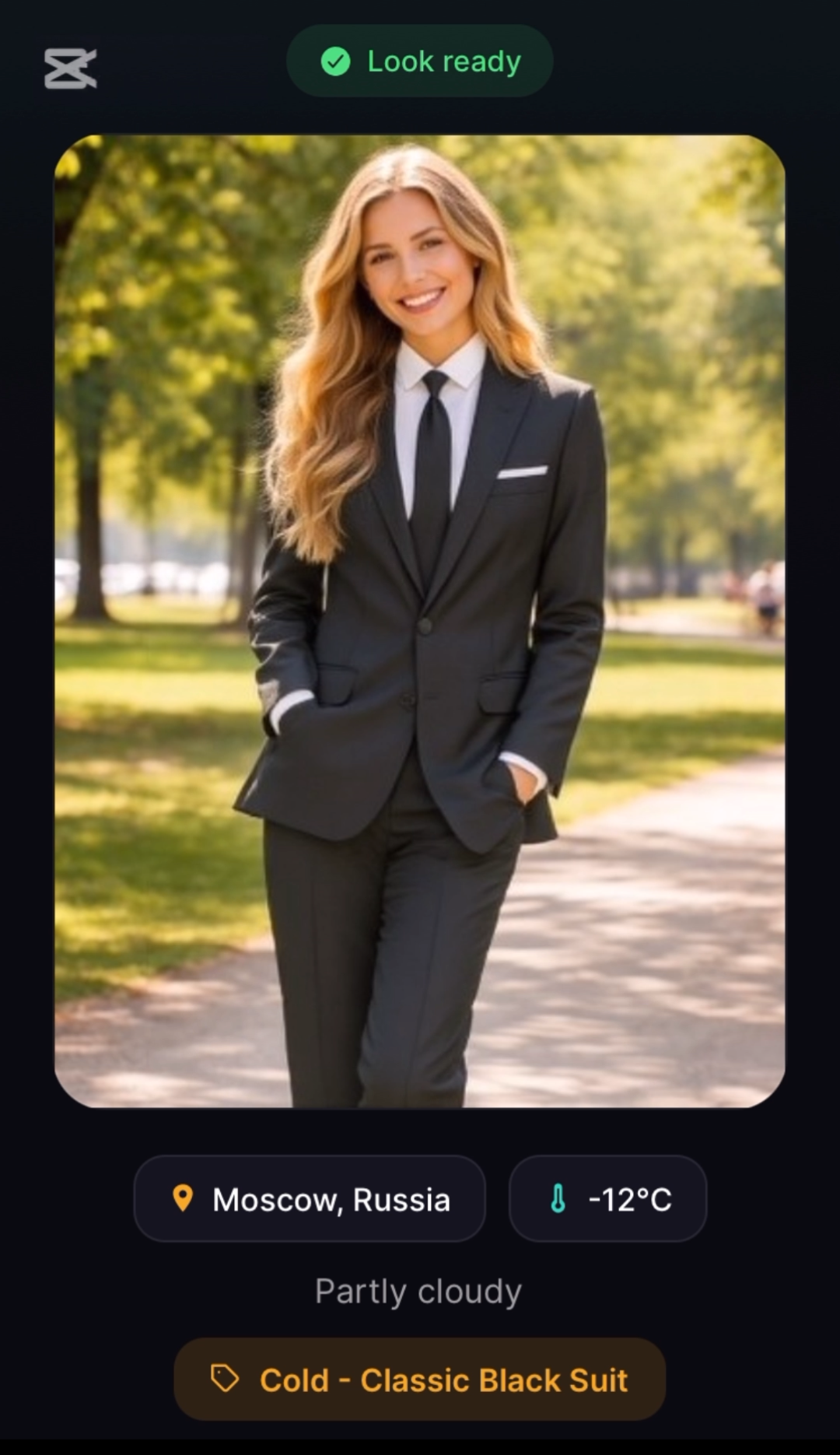
Moscow — Classic suit style generated by Perfect Corp API
-
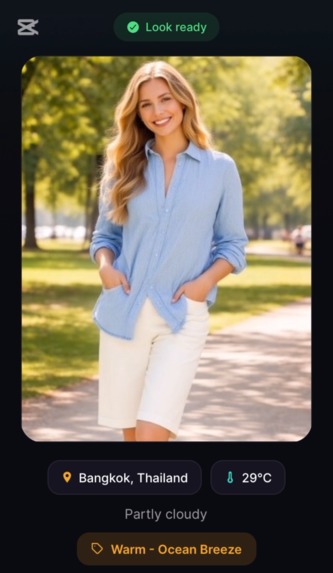
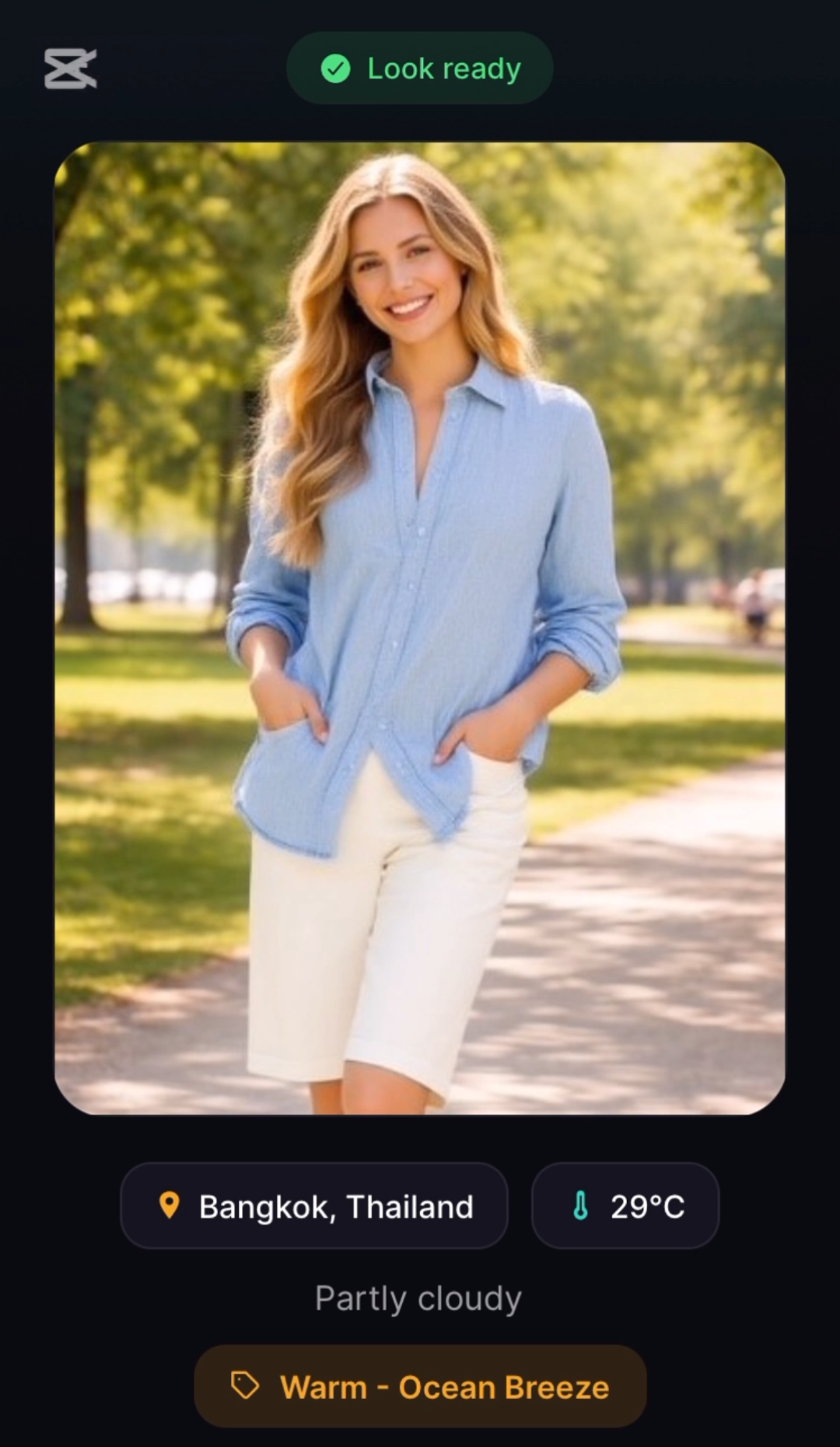
Bangkok — Same user, automatically dressed for summer
-
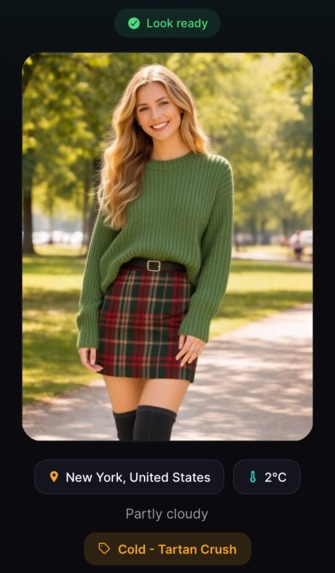
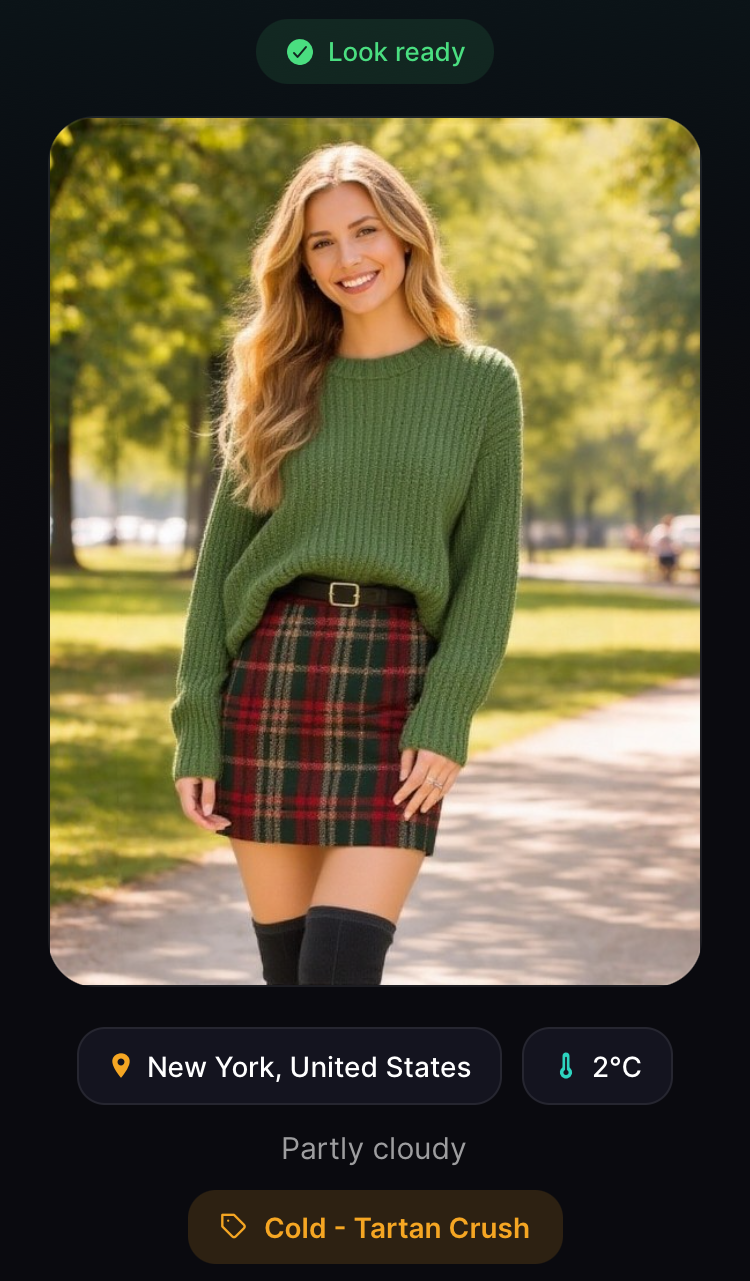
New York — Cozy winter outfit (Tartan Crush) matched to cold weather
-
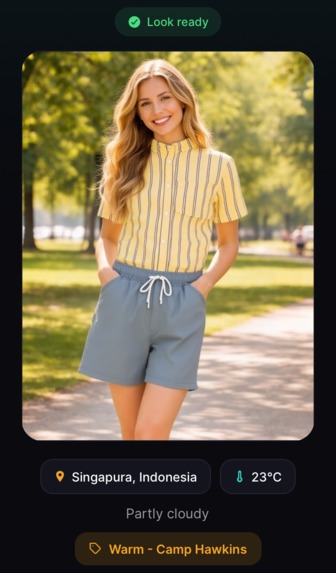
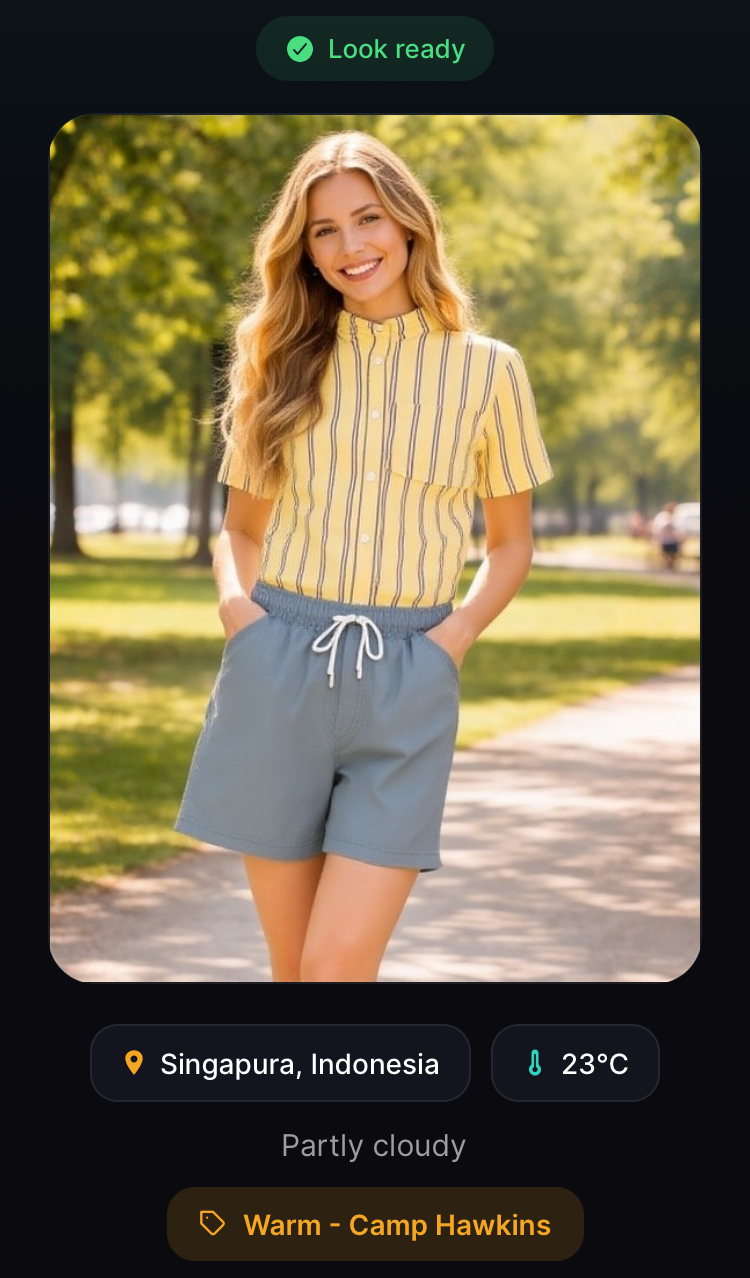
Singapore — Light casual look matched to warm weather
-
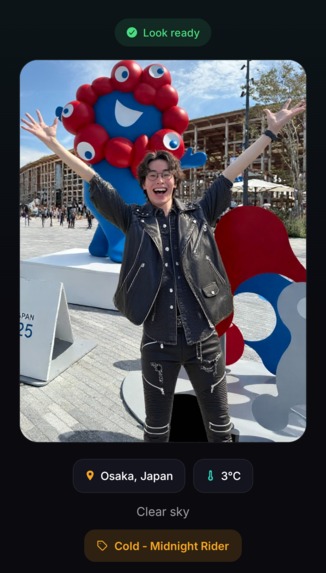
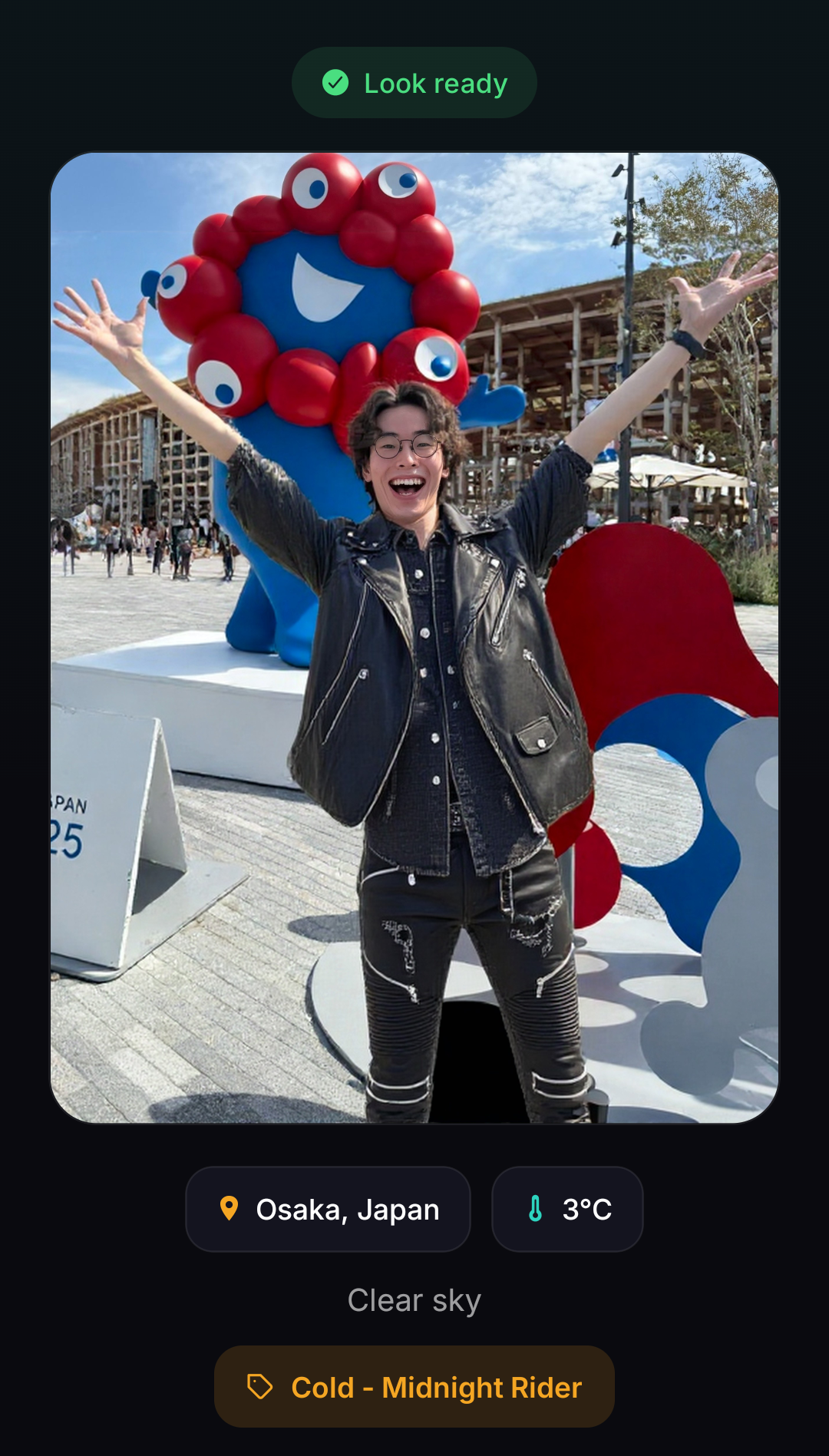
Osaka — Edgy leather look (Midnight Rider) matched to cold weather ※ Tested with my own selfie!

Inspiration
Every morning, millions of people check the weather — then stare at their closet wondering what to wear. Weather apps tell you the temperature, but they don't help you get dressed. We wanted to bridge that gap: what if an app could not only recommend weather-appropriate outfits but also show you exactly how you'd look wearing them?
And it's not just about today's weather at home. Planning a trip to Moscow in winter or Bangkok in summer? FitCast shows you what to pack — and how you'd look wearing it — before you leave.
What it does
FitCast is a mobile app that:
- Takes your photo and a city name
- Fetches real-time weather data for that location
- Selects a weather-appropriate outfit from curated templates (HOT / WARM / COOL / COLD)
- Uses AI-powered virtual try-on to generate an image of you wearing that outfit
The result: you see yourself dressed for the weather — before you even open your closet.
This works for any city in the world — your hometown or a travel destination. Enter a city you're visiting next week, and FitCast becomes a visual packing guide that drives real purchase decisions.
FitCast solves a real consumer pain point: "What should I wear?" By combining real-time weather data with AI-powered virtual try-on, it turns outfit uncertainty into confident purchase decisions — especially for travelers packing for unfamiliar climates.
How we built it
- Frontend: React Native / Expo, deployed as a mobile app on Replit
- Backend: Node.js / Express server running on Replit
- Weather Data: Open-Meteo API (real-time temperature and weather conditions)
- AI Virtual Try-On: Perfect Corp YouCam API (Clothes Try-On) — the core of the experience
- Image Processing: Sharp (Node.js) for image resizing and optimization before API submission
Perfect Corp API Integration: FitCast uses the Perfect Corp Clothes Try-On API (V2) to generate realistic virtual try-on images. The flow is:
- Upload user photo via the File API (
/s2s/v2.0/file/cloth) - Submit to a pre-signed S3 URL
- Create a try-on task with a weather-matched template (
/s2s/v2.0/task/cloth) - Poll for results and display the AI-generated image
The app maps temperature ranges to outfit categories, each linked to curated Perfect Corp templates:
- 🔥 30°C+ → Summer styles (e.g., Lime Fresh, Tropic Flame)
- 🌤️ 20–29°C → Casual styles (e.g., Ocean Breeze, Camp Hawkins)
- 🍂 10–19°C → Urban Classic styles (e.g., Smart Casual Mix, Retro Varsity)
- 🥶 Below 10°C → Winter & Holiday styles (e.g., Snowfall Street, Tartan Crush)
Challenges we ran into
- API request format: The Perfect Corp V2 API uses a flat JSON structure for task creation, which differs from the nested format we initially expected. Debugging this required step-by-step testing of each API endpoint.
- Polling endpoint: Discovering that the task status endpoint uses a path parameter (
/task/cloth/{taskId}) rather than a query parameter took significant trial and error. - Image requirements: Ensuring uploaded photos meet the API's size and format requirements while keeping processing fast on mobile.
- Finding the right concept: Simply calling an API and replicating its built-in functionality isn't innovation. The real challenge was combining virtual try-on with an entirely different domain — real-time weather data — to solve a problem that neither technology addresses alone: "What should I wear today, and how would I look in it?"
Accomplishments that we're proud of
- Built a fully functional AI-powered mobile app as a solo developer
- Successfully integrated the Perfect Corp Clothes Try-On API end-to-end
- The app works with any city in the world — different weather = different outfit
- Clean 3-screen user flow: Home → Loading → Result
- Demo video hit 5,000+ views on YouTube within 2 days of posting, showing strong interest in the concept
What we learned
- How to work with async AI APIs (upload → task creation → polling pattern)
- Perfect Corp's virtual try-on technology and its capabilities
- Building and deploying mobile apps with Replit's Mobile Apps feature
- Rapid prototyping under hackathon time pressure
What's next for FitCast
- Multiple outfit choices: Show 3–5 options per weather condition and let users swipe to compare
- Brand partnerships: Partner with fashion retailers to replace generic templates with real product catalogs — turning weather-driven discovery into purchases. Currently, outfit templates are mapped to four temperature ranges; with real product data, every recommendation becomes a shoppable item.
- Travel packing mode: Expand the trip use case — enter a destination and travel dates, and get a full week of weather-matched outfits to pack
- Wardrobe saving: Let users save and revisit their favorite looks
- Weekly forecast styling: Show outfit suggestions for the entire week ahead
- Location-aware styling: Go beyond weather — recommend culturally inspired outfits based on destination. Aloha shirts for Hawaii, classic tweed for London, Mediterranean linen for the Amalfi Coast. Perfect Corp's existing Cultural Attire templates already support this direction.
How to try FitCast
- Install Expo Go on your phone (iOS / Android)
- Open fit-cast-outfitter.replit.app in your mobile browser (link below in "Try it out")
- Upload a photo, enter any city, and see your weather-matched outfit in seconds
Built With
- expo.io
- express.js
- node.js
- open-meteo
- perfect-corp-api
- react-native
- replit
- typescript


Log in or sign up for Devpost to join the conversation.