Inspiration
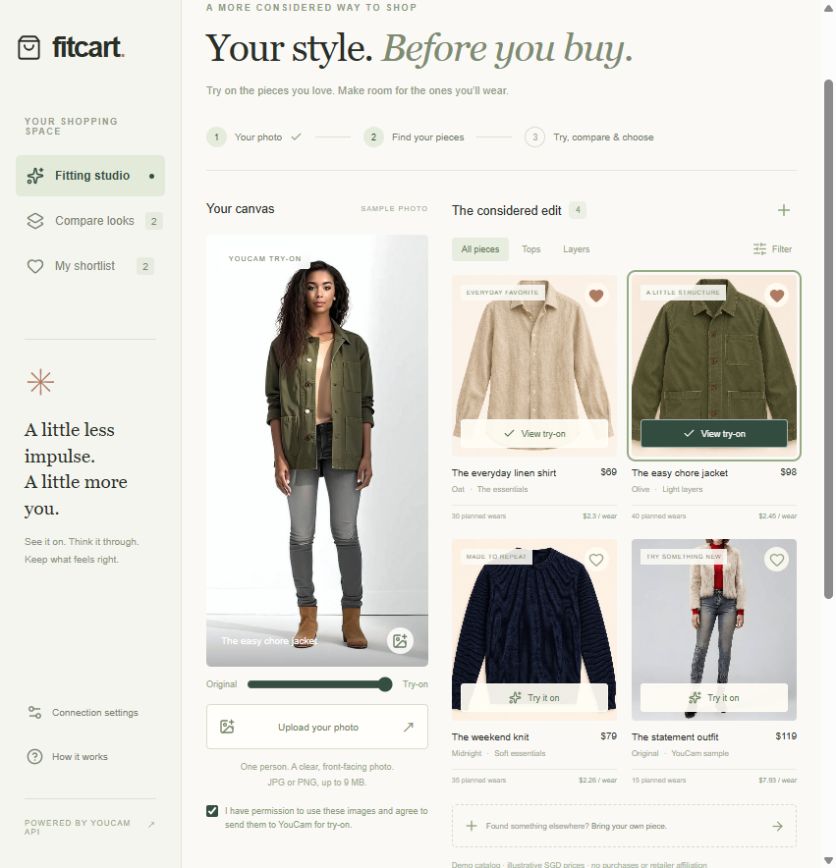
An online cart answers "can I buy this?" far more readily than "will I actually wear it?" We wanted to put a pause between a flattering product photo and an impulse purchase. FitCart brings a personal visual preview and simple decision tools into one workspace, so a try-on becomes one step in a considered purchase instead of a novelty on its own.
What it does
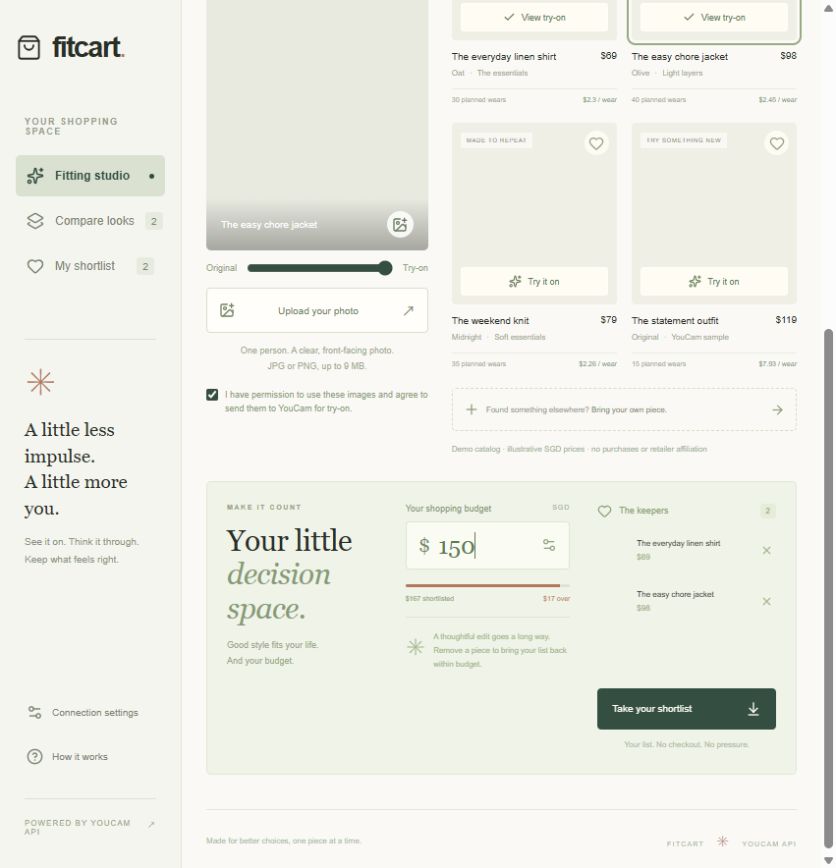
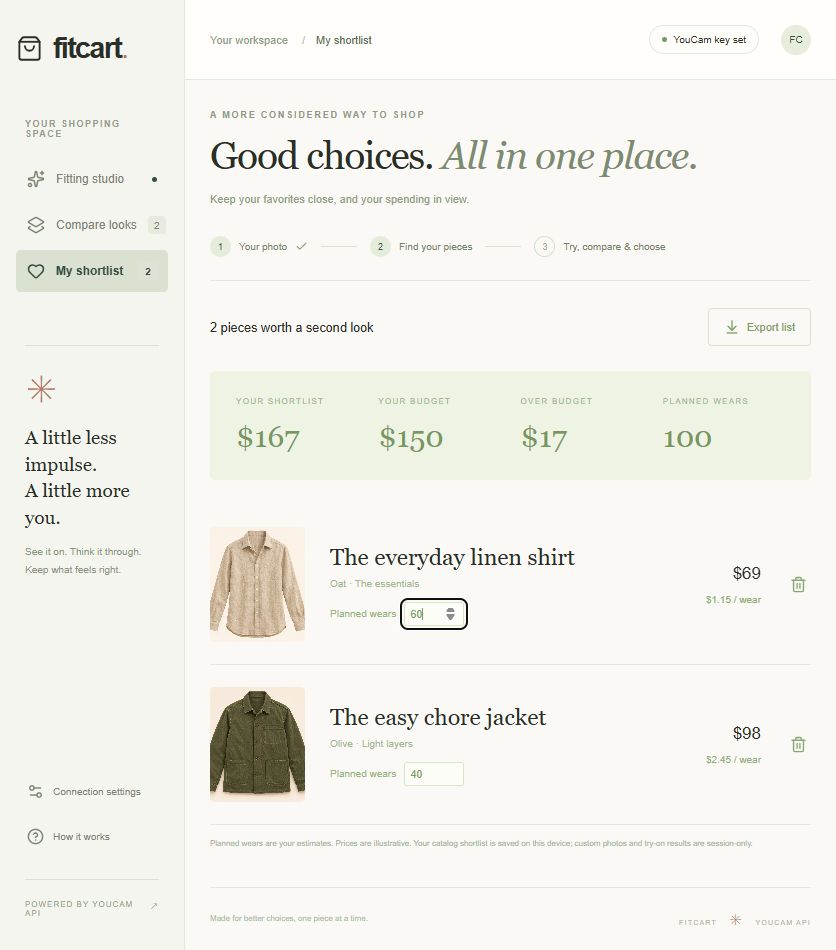
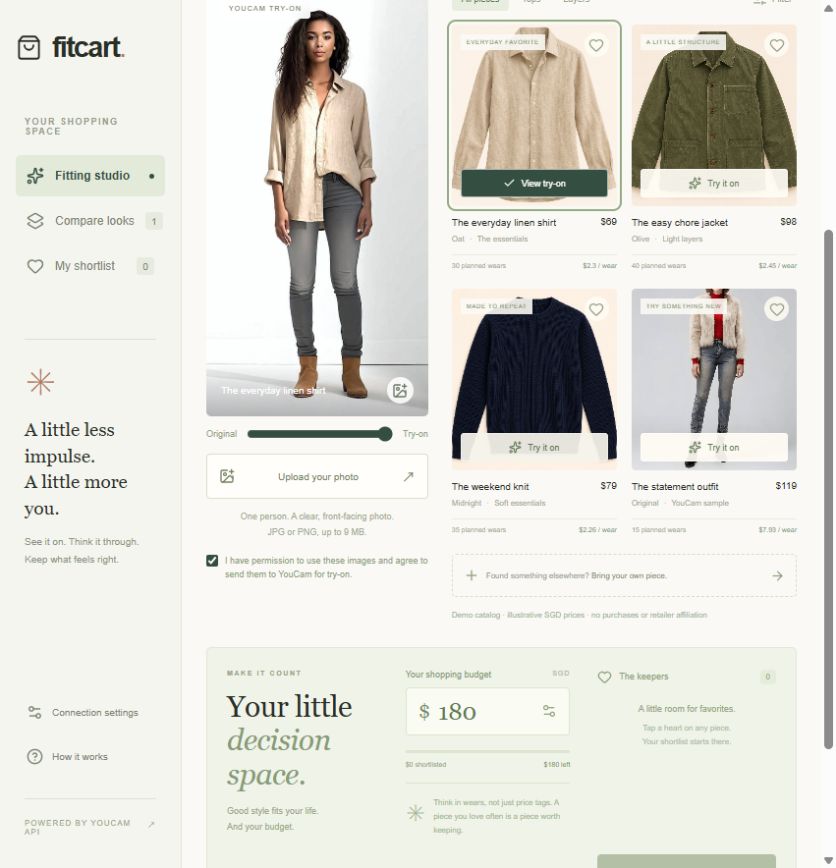
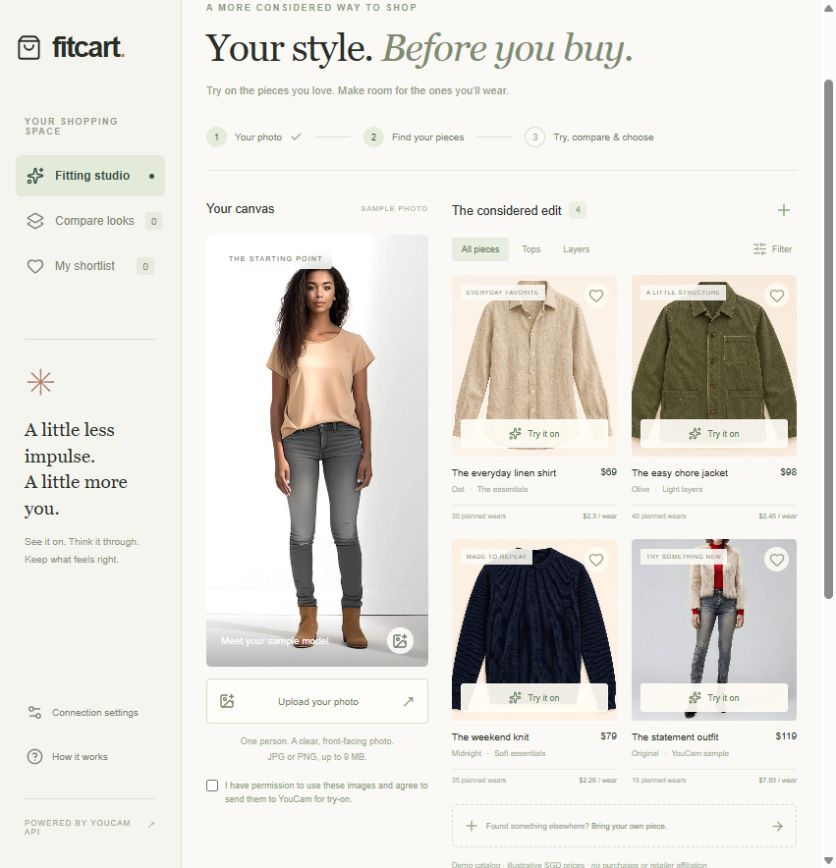
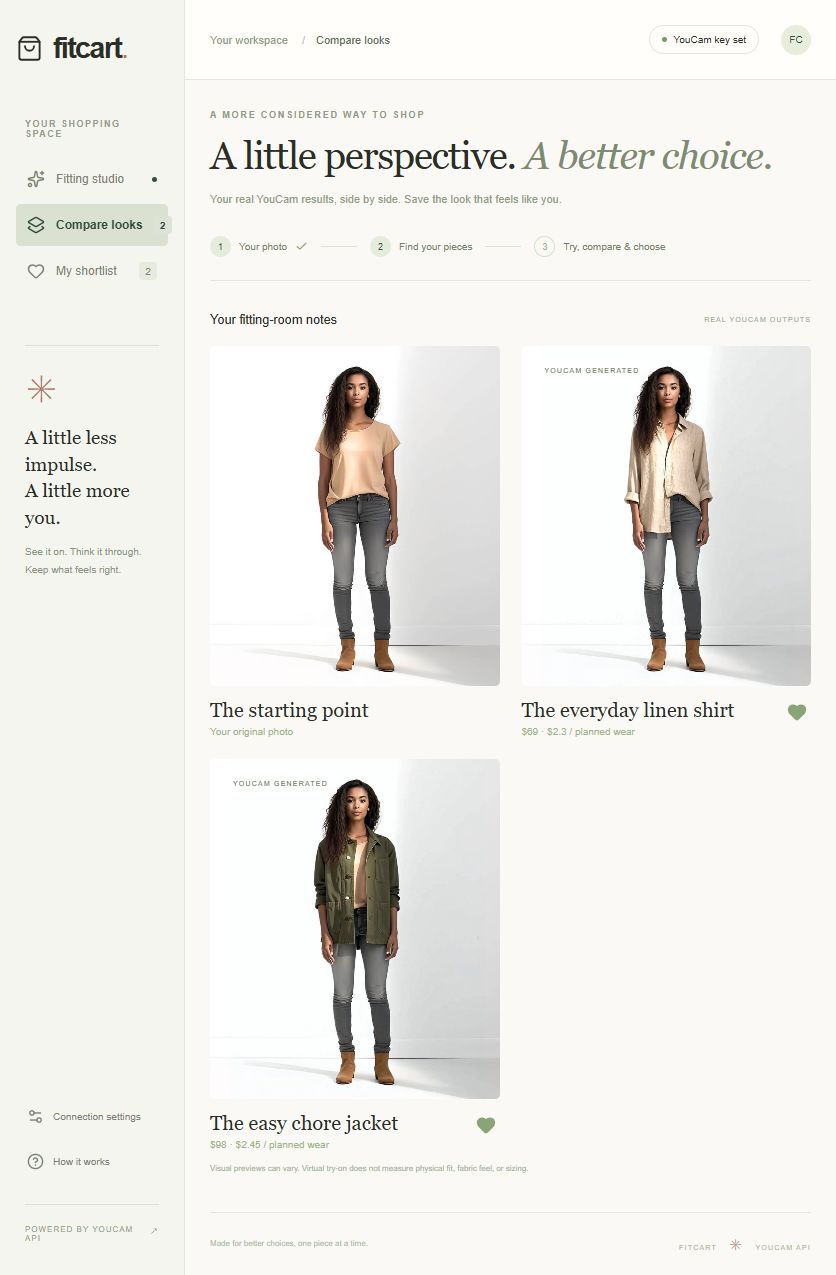
Start with a sample or personal photo, try curated garments or a garment found elsewhere, compare real previews side by side, and save favorites. A running budget shows whether the shortlist is within reach. Editable planned wears make cost per wear visible. Export the final shortlist as a shopping note without initiating a purchase.
Worked examples from the demo data (illustrative prices, user-editable wear estimates):
- Linen shirt S$69 + jacket S$98 = S$167 total
- With a S$150 budget the shortlist is S$17 over budget, shown by the budget meter
- The S$69 shirt at 60 planned wears = S$1.15 per wear
How we built it
React and Vinext with a server-side YouCam integration. Both the person image and the garment image are validated and uploaded through the YouCam File API. The server creates an AI Clothes Virtual Try-On V4 task, and the client polls every ten seconds until success or an explicit error. API keys stay server-side. The interface combines a reveal slider, a comparison workspace, a budget meter, and a local shortlist.
Challenges we ran into
Try-on is asynchronous, and source and reference images must cover the same body region. Waiting, invalid images, authorization failures, and insufficient units each need explicit handling rather than a generic spinner. Illustrative prices and wear estimates also have to stay visibly distinct from actual generated results and measured evidence.
Accomplishments that we're proud of
An integrated shopping workflow with responsive layouts, clear error states, budget and wear calculations, and a downloadable decision artifact. Two local end-to-end try-on runs and two online in-page try-ons succeeded against the real YouCam API, covering a linen shirt and an olive-green jacket.
What we learned
A useful fitting room needs patient feedback while a task runs, image-specific recovery when something fails, and a clear next decision when the preview arrives.
What's next for FitCart
Opt-in history, authorized retailer feeds, account quotas, sizing information, and real user studies. Reduced returns and more considered purchasing are hypotheses, not measured outcomes.
Built with
YouCam API · AI Clothes Virtual Try-On V4 · React · TypeScript · Vinext · Vite · Cloudflare Workers · CSS · Lucide
Source code: https://github.com/gfdy22888-design/fitcart-youcam-2026
Notes for judges
- Virtual try-on output is produced by the YouCam AI Clothes Virtual Try-On V4 API. Try-on screenshots in the gallery are real API results, not mockups.
- Catalog prices are illustrative demo data. Planned wear counts are user-editable estimates. Cost per wear is arithmetic on those two inputs, not a measured outcome.
- The demo video is edited from real app screens; generation wait time is shortened in the edit. It is not an unedited continuous screen recording.
- AI tools assisted implementation and generation of the original catalog garment images. No user research, sales figures, or return-rate improvements are claimed.
Built With
- cloudflare-workers
- codex
- css
- lucide
- react
- typescript
- vinext
- vite
- youcam-api
