-
-
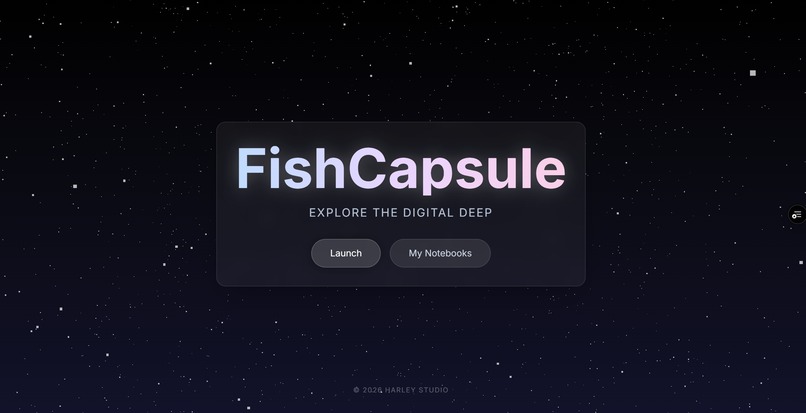
FishCapsule Landing
-
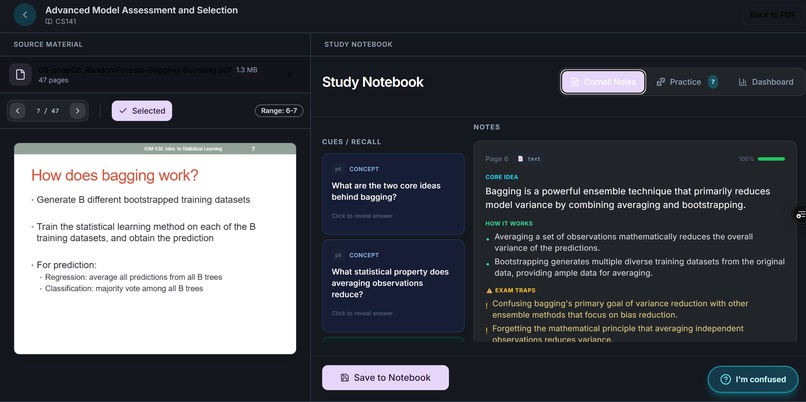
Study Notebook
-
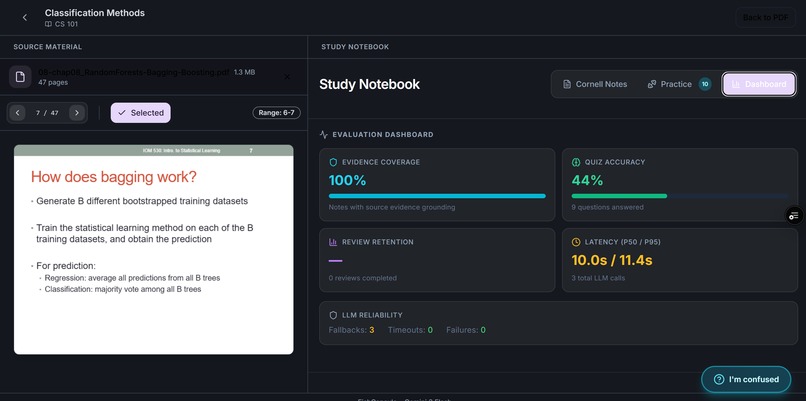
Dashboard
-
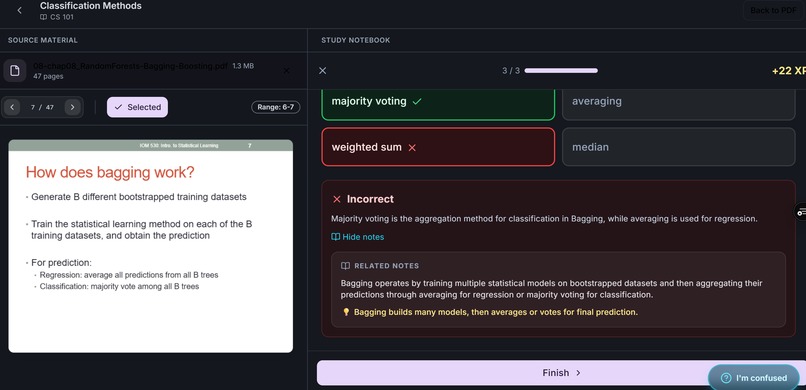
Quiz_Wrong
-
Practice
-
Quiz_Right


Inspiration
Most AI study tools generate fluent explanations, but they don’t create a learning loop—students read and leave without feedback, diagnosis, or review. I wanted a tool that turns “passive reading” into measurable learning with retrieval practice, spaced review, and trustable grounding to the source material.
What it does
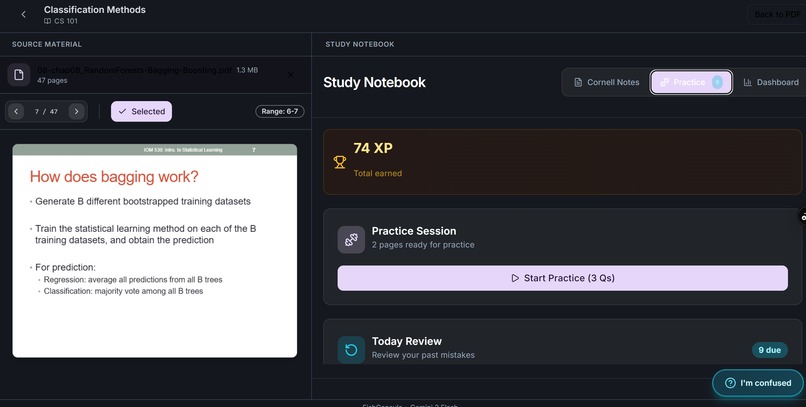
FishCapsule is an agentic study notebook that transforms PDFs/slides into a guided workflow:
Explain → Synthesize → Quiz → Diagnose → Fix → Review
Key features:
- Guided learning loop: Each document becomes step-by-step study “capsules” instead of one long summary.
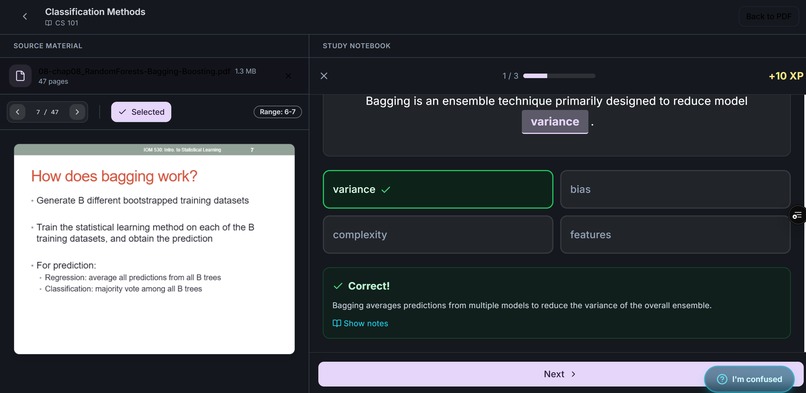
- Retrieval-first cues: Prompts are written as questions to trigger active recall (not just statements).
- Cloze practice + mistake bank: Duolingo-style drills with instant feedback and a bank of mistakes for targeted practice.
- Today Review queue: Lightweight spaced review so learners revisit what they forget.
- Trust via evidence: Notes include page-linked evidence snippets so users can verify key claims quickly.
- Measurable signals: Lightweight metrics like quiz accuracy and evidence coverage (so learning isn’t just “feels better”).
- Reliability under load: Handles rate limits/timeouts with routing + fallback/backoff, batching, caching, and concurrency control.
How I built it
I designed the system as a pipeline where each step produces structured outputs that the next step can consume:
- Ingest & chunk the PDF/slides by page/section.
- Generate explanations + Cornell-style structure (notes / cues / summary).
- Generate quizzes (cloze + short answer) tied to extracted concepts.
- Diagnose barriers using simple tags (e.g., Concept / Mechanics / Transfer) based on wrong answers.
- Produce a 10-minute Fix Kit + a review plan (1d/3d/7d) and fill the “Today Review” queue.
- Add evidence snippets with page numbers for grounding and trust.
Gemini 3 usage
- Gemini 3 Flash for fast, interactive generation (notes, quizzes, incremental steps).
- Gemini 3 Pro when needed for higher-stakes verification / borderline grading / harder pages (figures, formulas, dense slides).
To keep the UX fast and stable during a hackathon-scale demo, I added:
- Request batching (process selected page ranges together when possible)
- Client-side caching (avoid recomputation)
- Concurrency control (prevent burst rate-limit failures)
- Model routing + fallback/backoff (automatic recovery from 429/timeouts)
Challenges
- Latency vs. quality tradeoff: Long, perfect outputs are slower and often less useful. I redesigned the experience around incremental steps and compact, checkable outputs.
- Grounding & trust: Users won’t rely on AI notes unless they can verify them. Evidence snippets tied to page numbers improved confidence without heavy infrastructure.
- Reliability: Rate limits/timeouts can break the flow. Routing + fallback/backoff and caching helped keep the experience usable.
What I learned
Building for learning requires more than generation—it needs feedback loops, evaluation signals, and review scheduling. I also learned that reliability engineering (fallbacks, caching, batching) is essential when LLMs meet real users.
What’s next
- Add stronger retrieval grounding (e.g., retrieval + citation coverage metrics)
- Run controlled pilots to quantify learning gains (pre/post quiz, retention)
- Personalize review scheduling and difficulty based on user error patterns
Built With
- backoff
- caching
- control)
- css
- fallback
- model-routing
- next.js
- pdf.js
- queue
- react
- request
- routes
- tailwind
- typescript


Log in or sign up for Devpost to join the conversation.