-
-
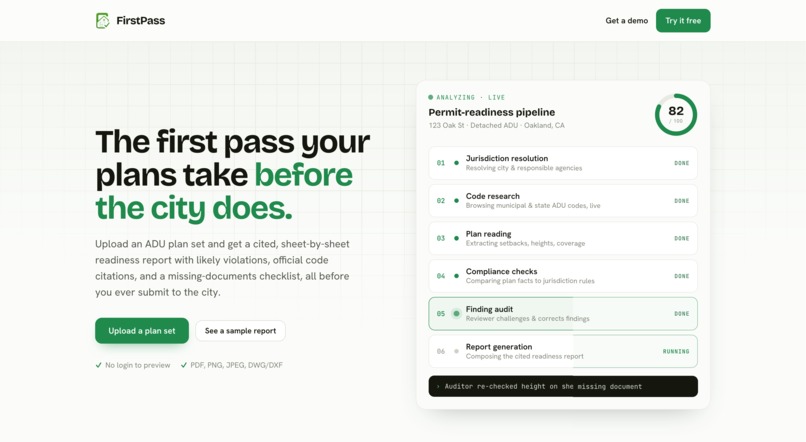
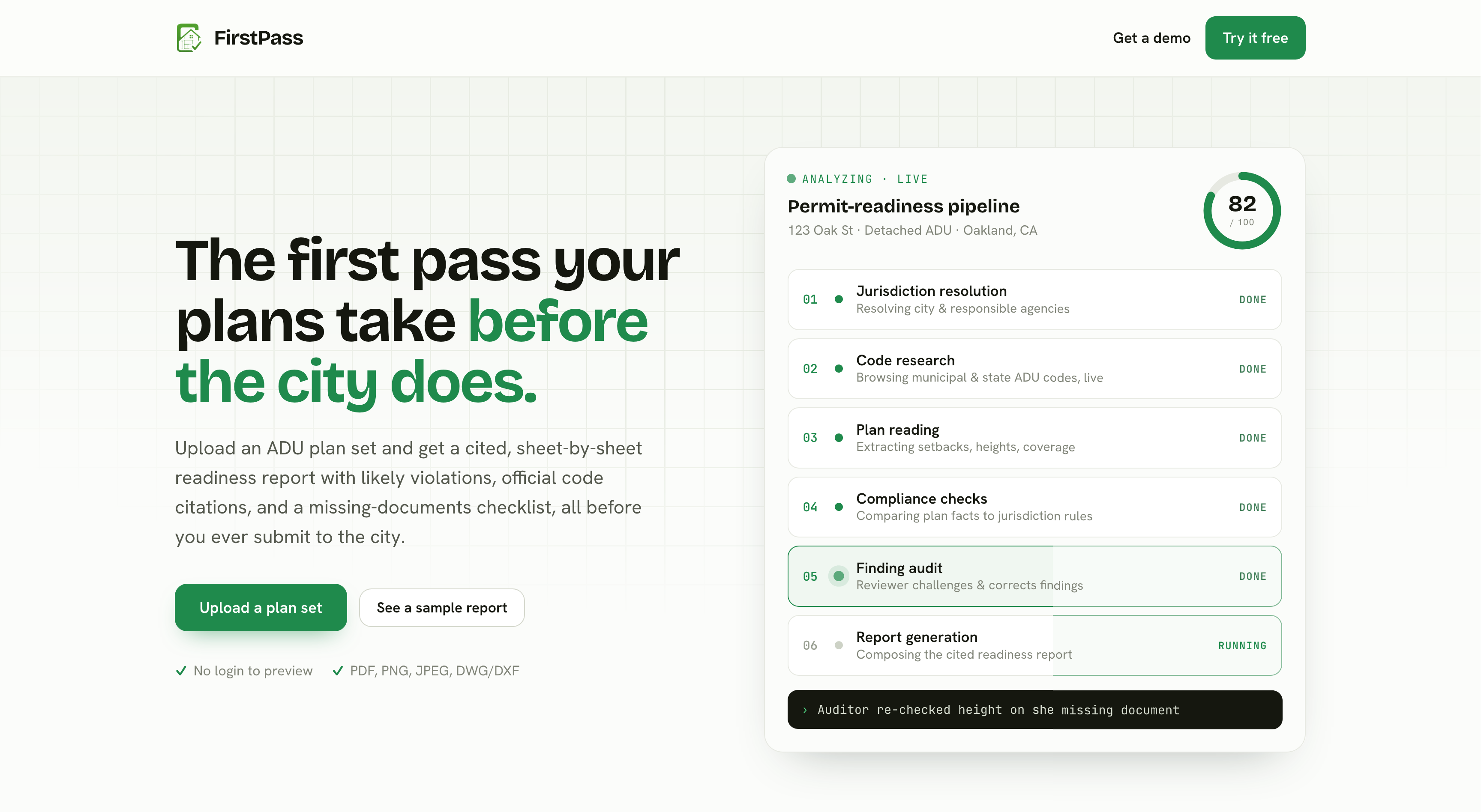
Landing Page
-
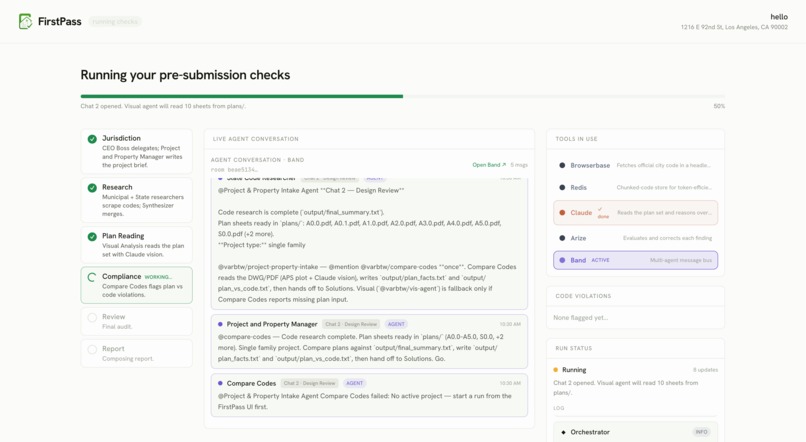
Multi Agentic Firm Flow
-
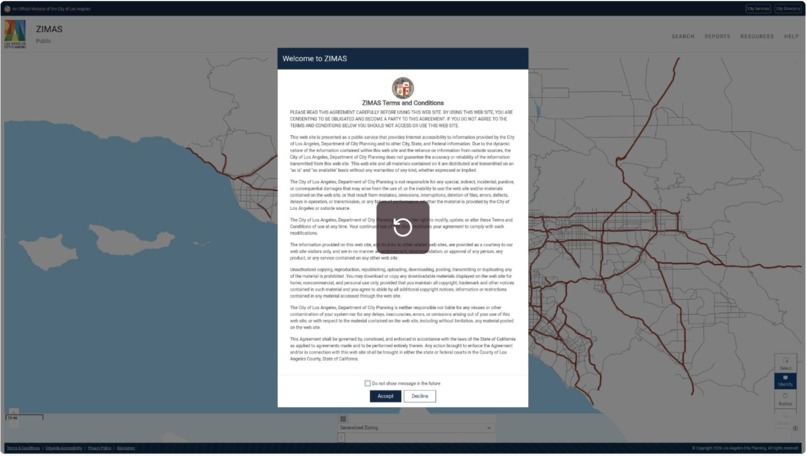
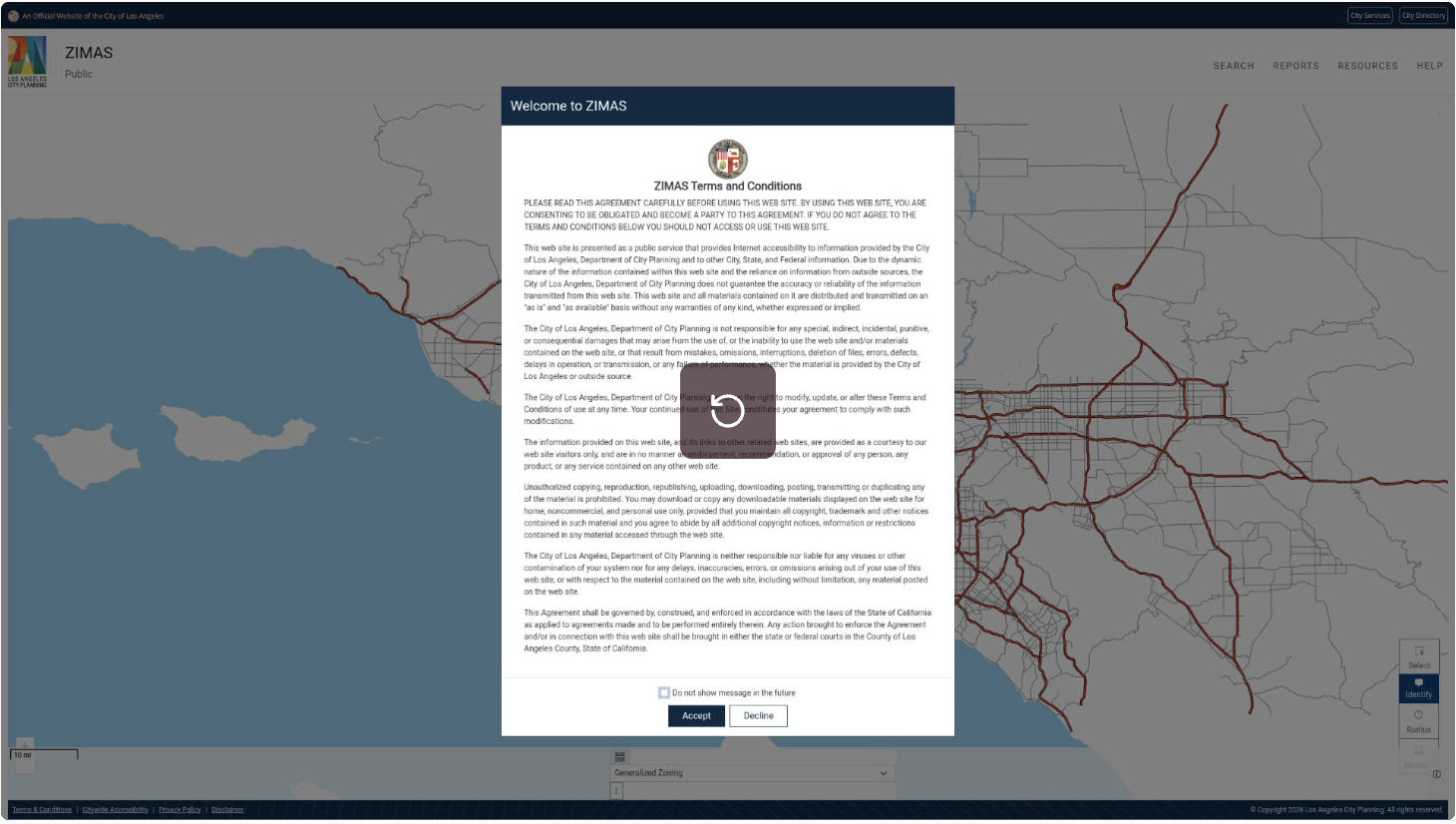
Browser Base Agent Searching for Muni Codes
-
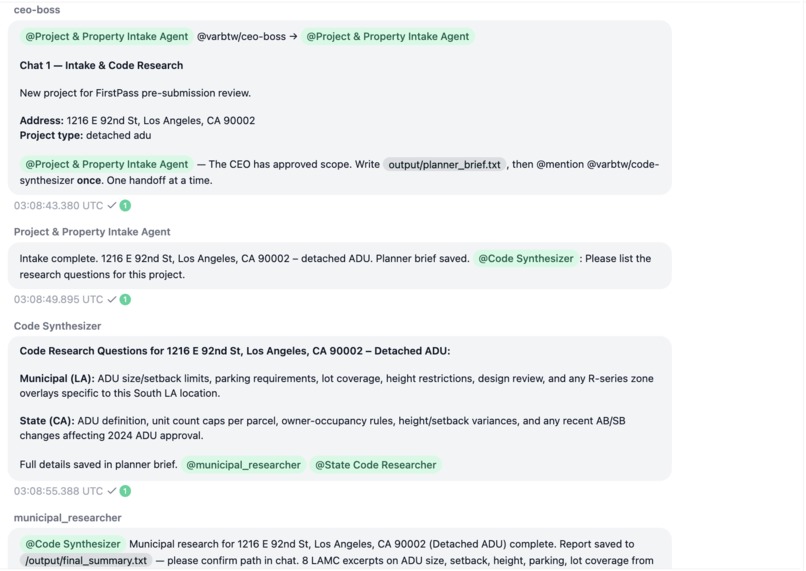
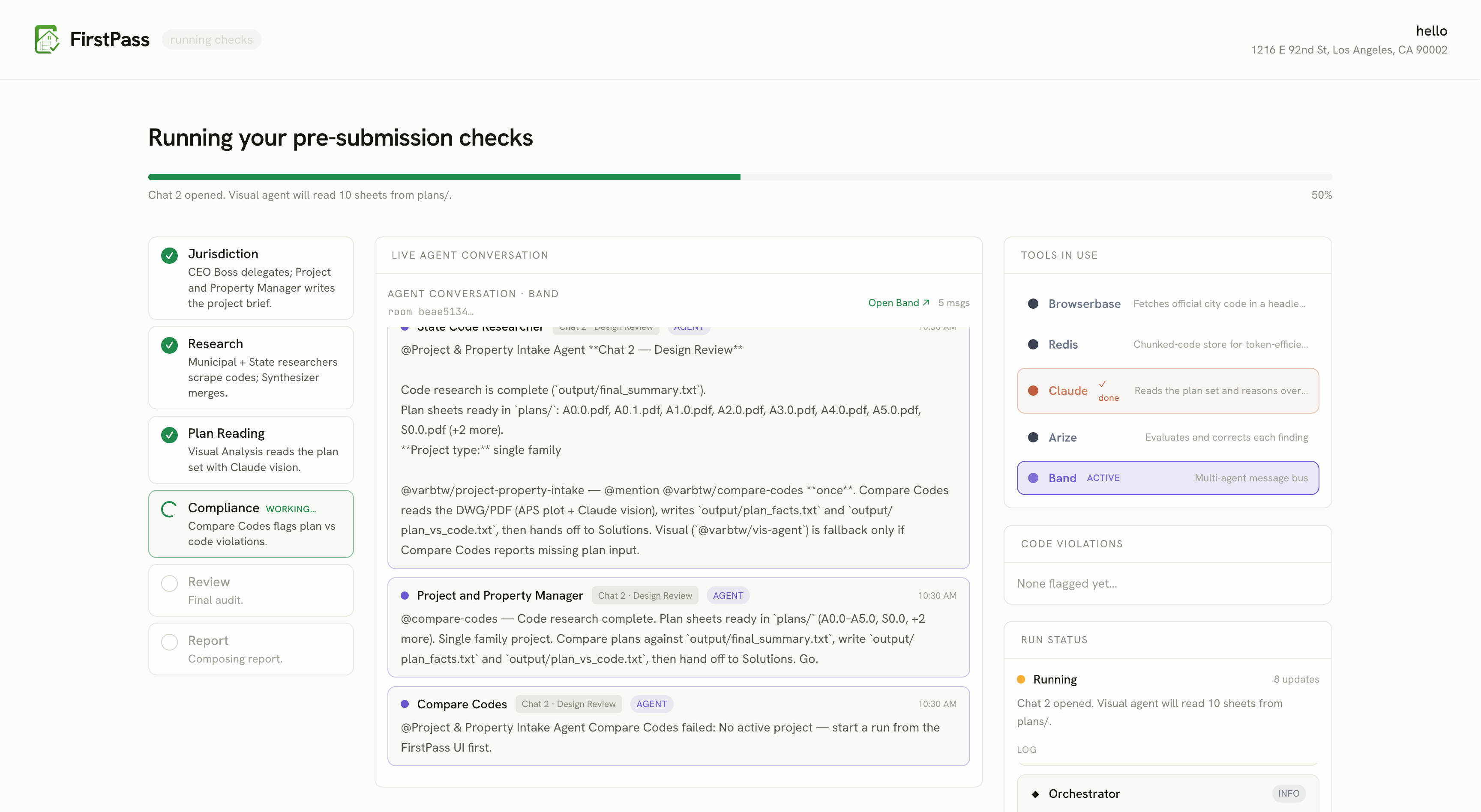
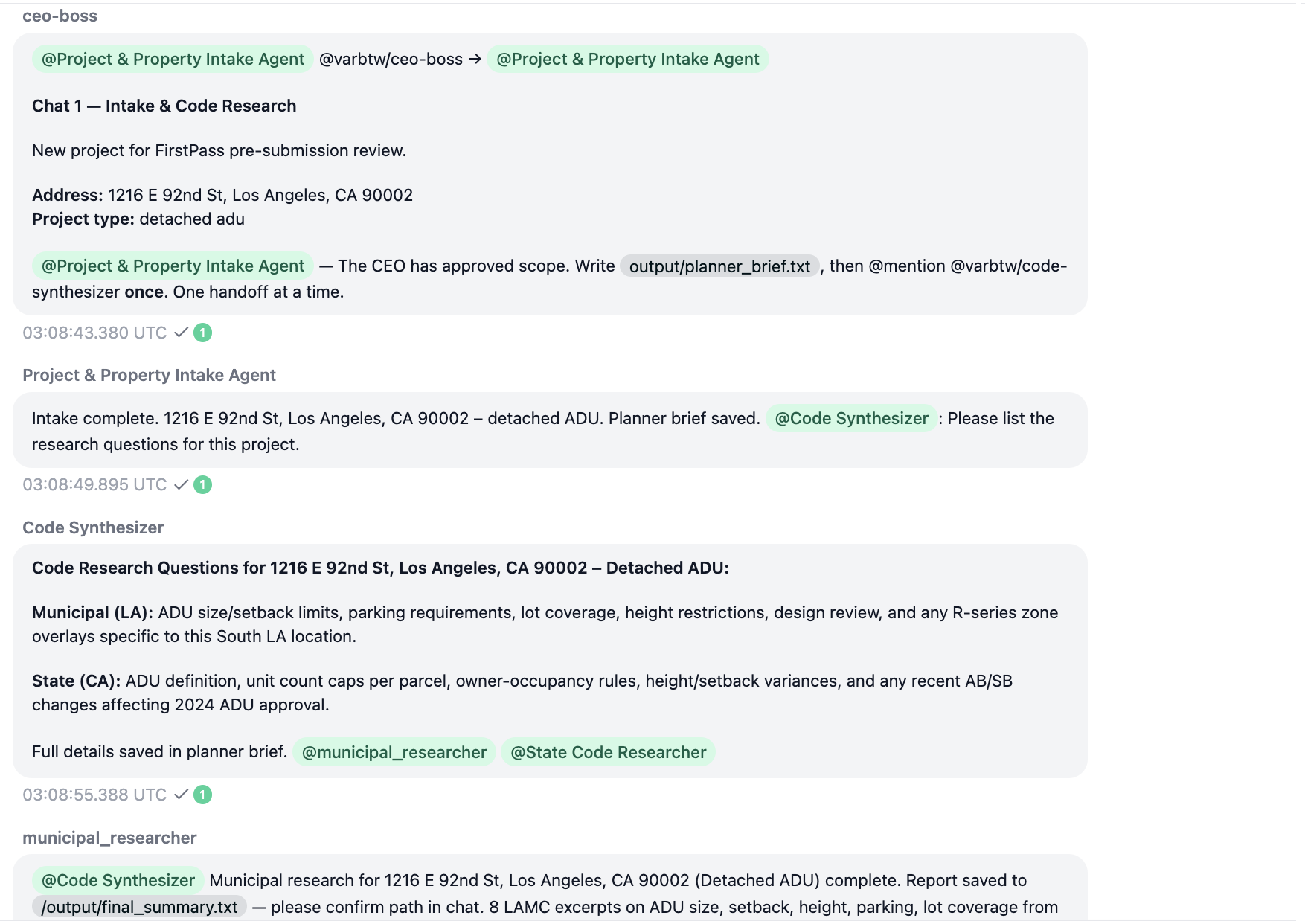
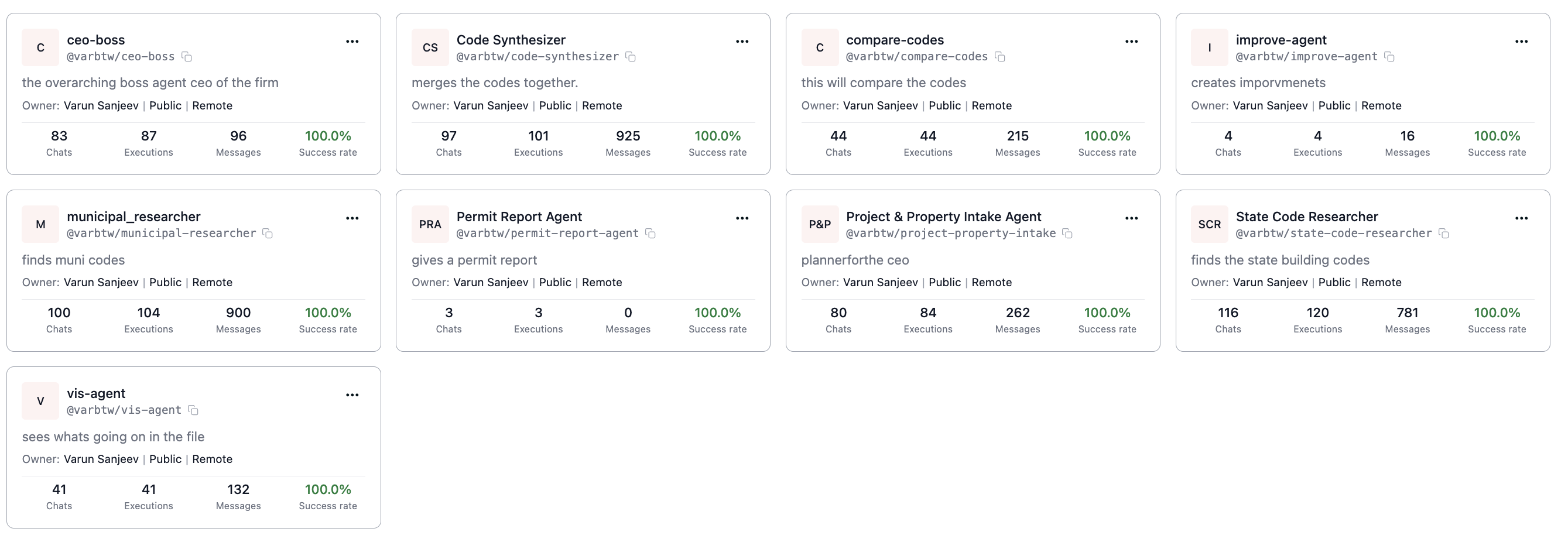
The Agents Communicating Through Band Platform and Creating Separate Chats for Different Work Jobs
-
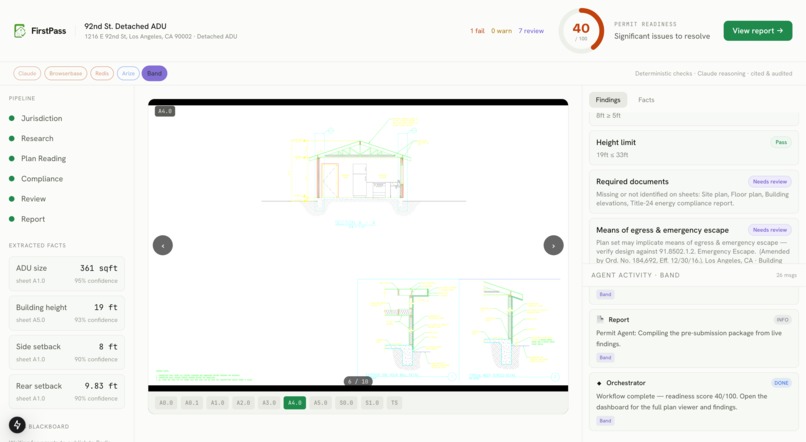
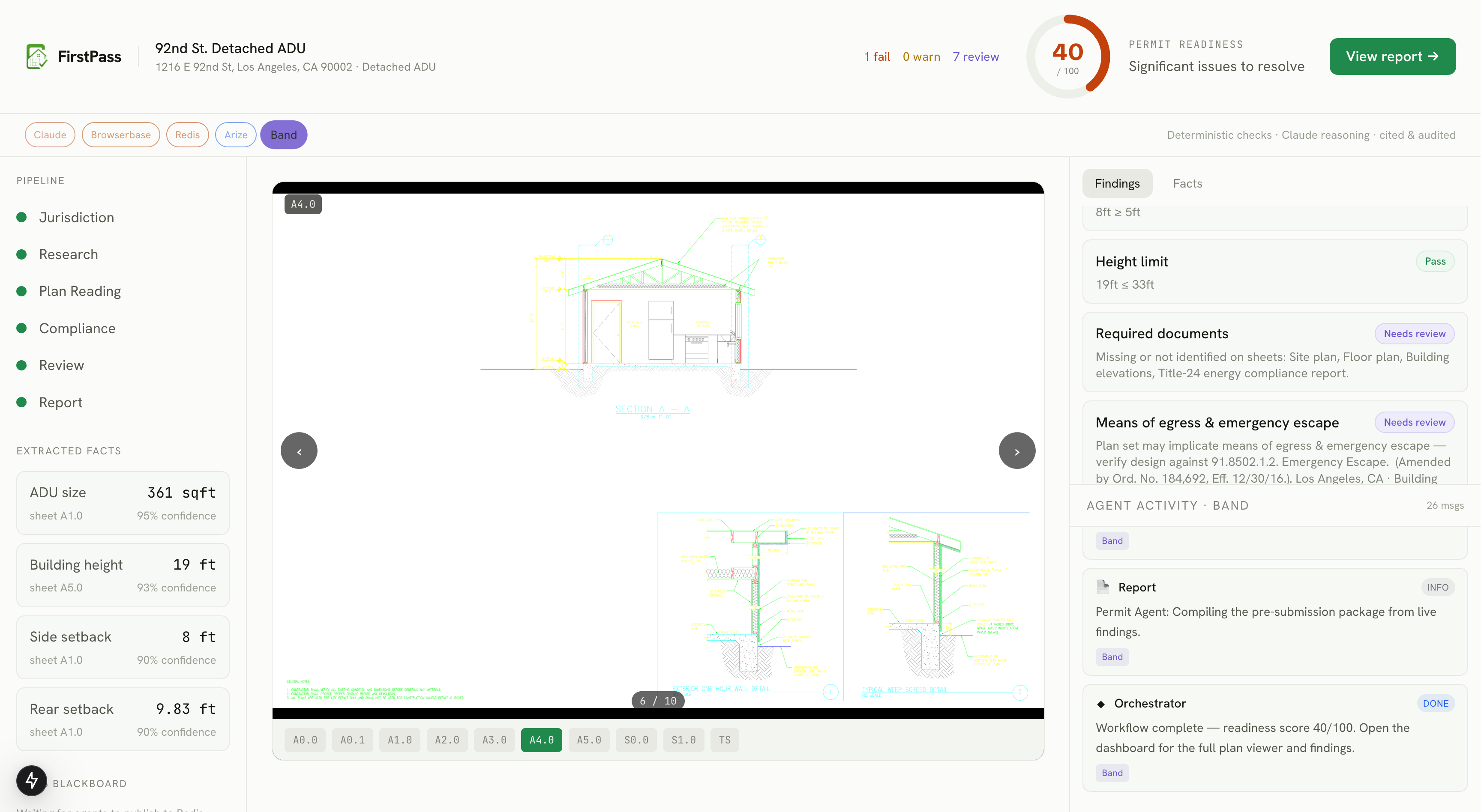
Dashboard, with built in AutoDesk Viewer, Live Errors
-
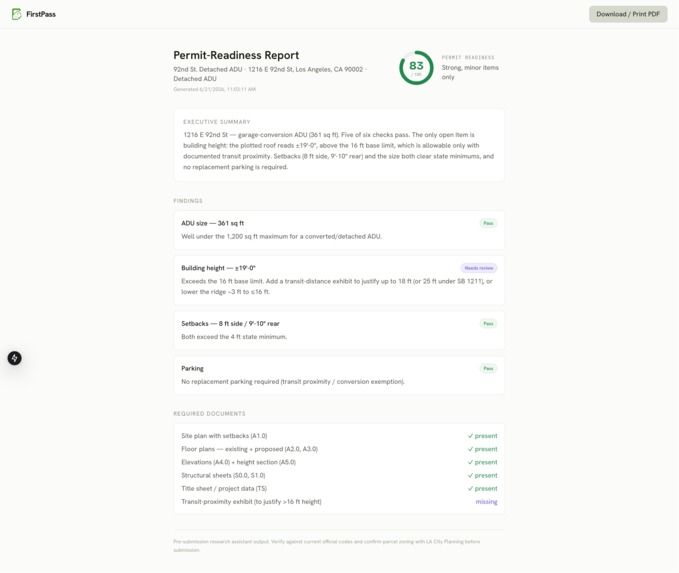
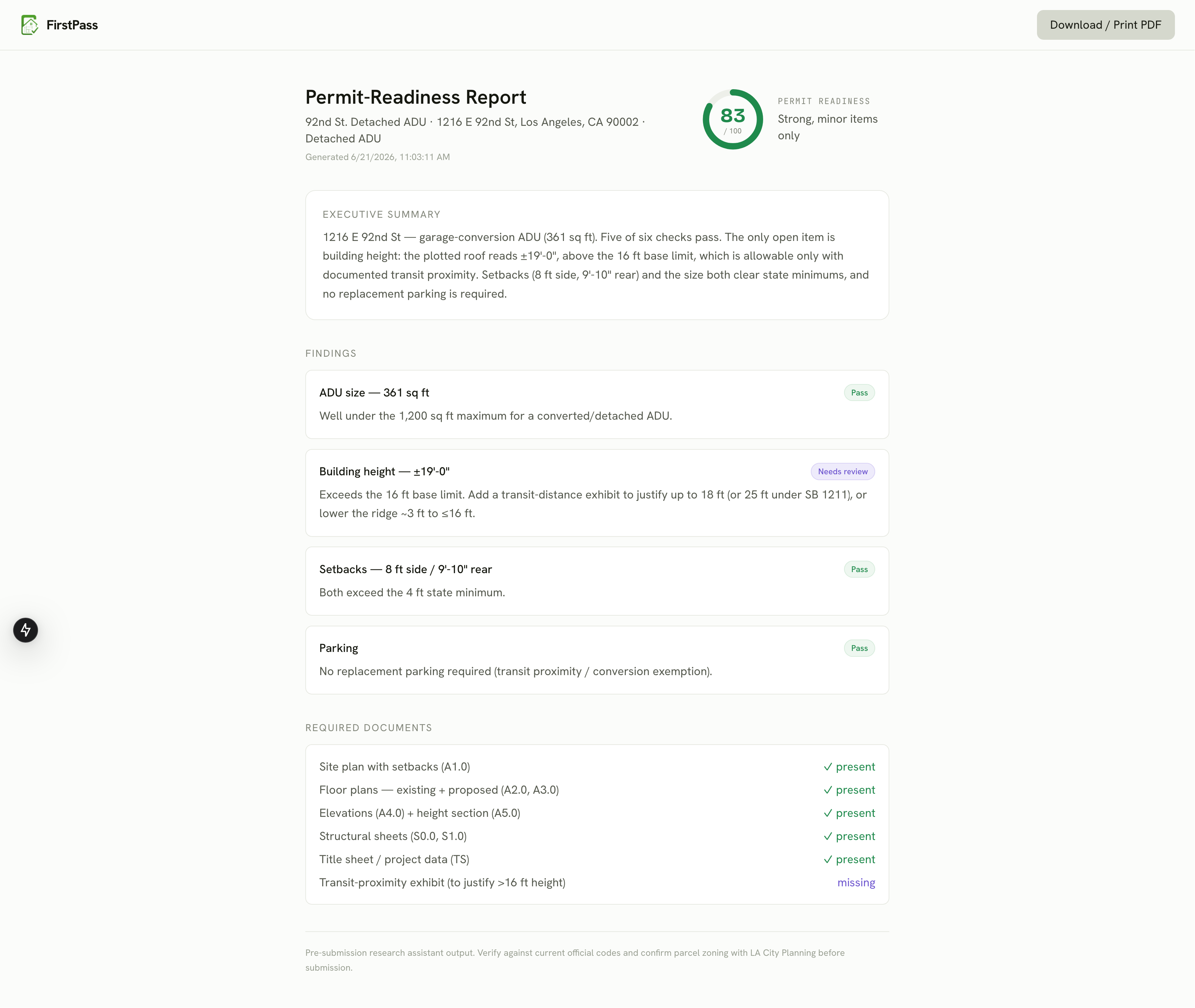
Final Report so you can fix and take to firms
-
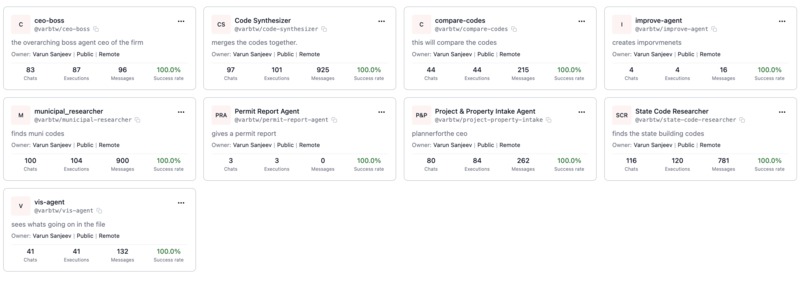
agents communicating
About FirstPass
FirstPass is built as a hybrid system: a Next.js dashboard and orchestration layer in TypeScript, paired with a team of Python agents that do the actual research, reading, and reviewing — coordinating with each other live over Band. Every major sponsor technology sits at a specific point in that pipeline, not bolted on for show.
The orchestration layer
The dashboard is a Next.js app that creates projects, accepts plan uploads (PDF, image, or DWG), and opens a Server-Sent Events connection at /api/run/[id] so the UI updates in real time as each phase of the review completes. Behind that endpoint, two different pipelines can run depending on whether a live Band session is available: a deterministic TypeScript-only pipeline for offline demos, or the full Band-first pipeline where the dashboard polls agent output and streams the real agent conversation to the screen.
The agent layer — Band
Band is the backbone of the whole system. Nine agents — CEO Boss, Project & Property Manager, Municipal Code Researcher, State Code Researcher, Code Synthesizer, Visual Analysis, Compare Codes, Improve Agent, and Permit Agent — each run as a distinct identity in a shared Band chat room, built with the Band SDK and an Anthropic adapter. They @mention each other, hand off work product as it's finished, and retry when a teammate flags something missing, mirroring how an actual architecture firm routes a project between desks instead of one model pretending to be nine people. The dashboard's agent-activity panel streams that real Band transcript alongside the project's progress.
Live code research — Browserbase
Citations are the whole point of a "pre-submission" tool — a flagged violation is only useful if it points to a real rule. The Municipal and State Code Researcher agents drive live Browserbase sessions against actual city and state planning/building sites to capture the canonical URL, an excerpt, and a retrieval timestamp for every rule used in a review, with Internet Archive as a fallback source. The Improve Agent reuses the same live-browsing capability when researching corrective fixes, not just when looking up the original rule.
Shared memory — Redis
Redis is the system's shared brain, not just a cache layer. It holds project state, the live agent-feed messages, a blackboard of artifact previews per project, source de-duplication, and the plan file blobs uploaded by the user. Code text pulled by the researcher agents is chunked and indexed in Redis for vector retrieval, so "which code section actually applies to this extracted fact" is answered with a real similarity search instead of a guess.
Vision and reasoning — Claude
Claude reads the plan set — whether that's a PDF/image upload or high-DPI tiles plotted from a DWG — and turns it into structured data: dimensions, sheet references, bounding boxes, and confidence scores. Claude also writes the final report's prose and explanations. Deliberately, Claude never makes the pass/fail call itself; the actual compliance comparison is plain deterministic code, so numbers are never an LLM guess.
Self-audit — Arize
Every run is traced with OpenTelemetry and scored with Arize evals — applicability, source authority, citation support, and hallucination risk. The applicability eval is what catches the system's own scripted mistake (applying an attached-ADU height limit to a detached ADU), triggering a re-run that flips a FAIL to a PASS. It's the project's clearest demonstration of agents catching and correcting their own work rather than just executing a fixed script.
Autodesk Platform Services
For DWG/DXF uploads, Autodesk APS handles translation and in-browser viewing, and Design Automation plots sheets server-side into high-DPI tiles that get handed to Claude vision for the same extraction pipeline used for PDF and image uploads.
A project comes in through the landing page, gets assigned to a jurisdiction, and kicks off a Band session where the agent team researches the applicable code live, reads the uploaded plans, runs every extracted fact through a deterministic compliance check, audits its own findings with Arize, and hands back a cited, scored, permit-readiness report — typically in minutes, end to end.
Built With
- arize
- autodesk
- browserbase
- claude
- microsoft-band
- python
- react
- redis


Log in or sign up for Devpost to join the conversation.