-
-
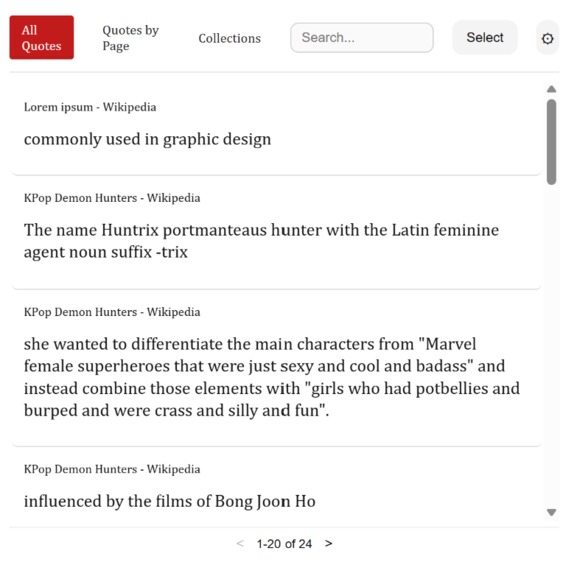
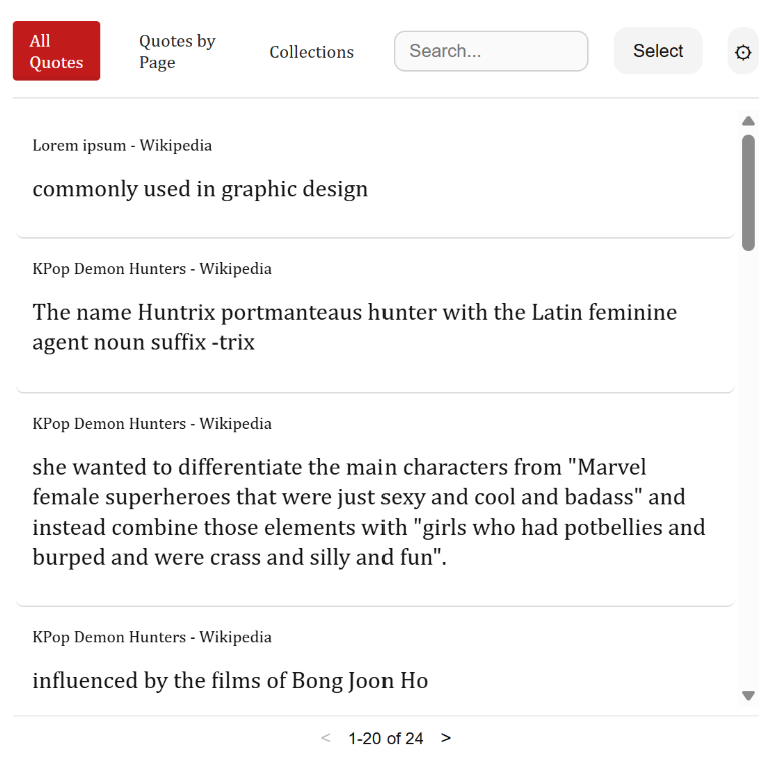
"All Quotes" tab with recent quotes shown, sorted by date saved
-
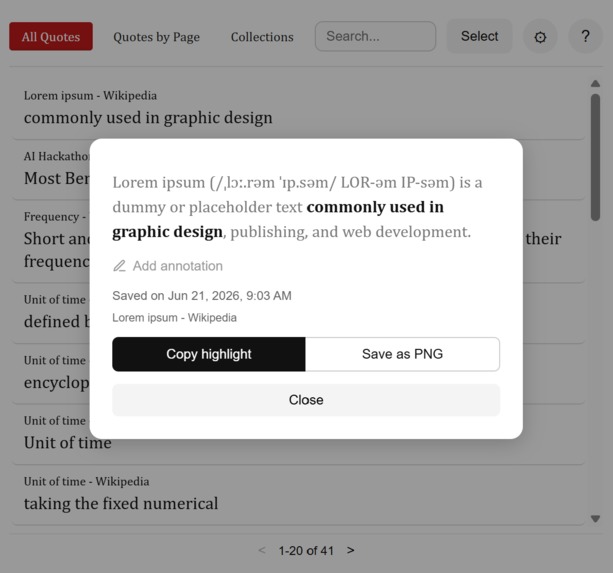
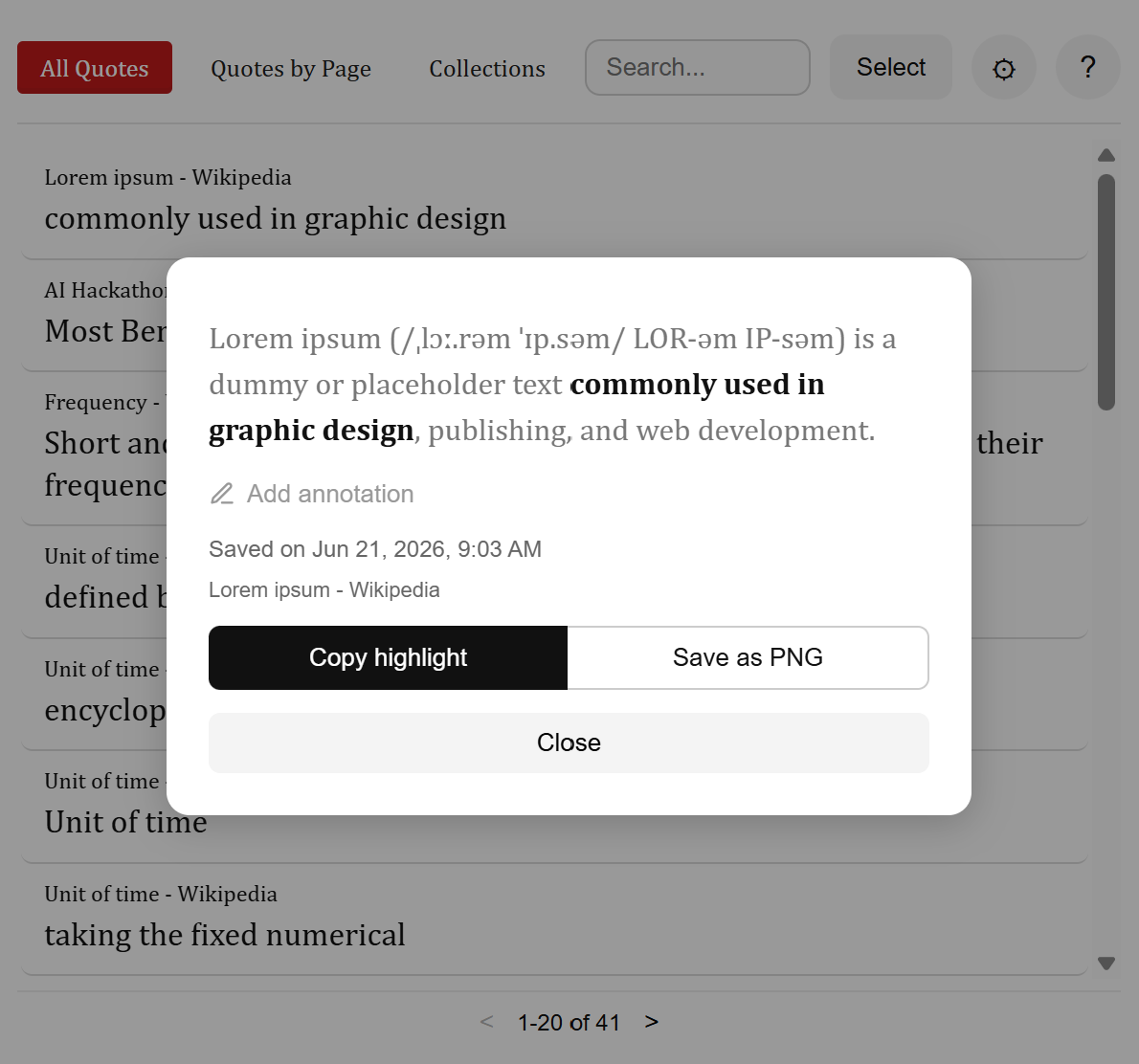
Expanded view of a quote, with context, annotations, and exporting options
-
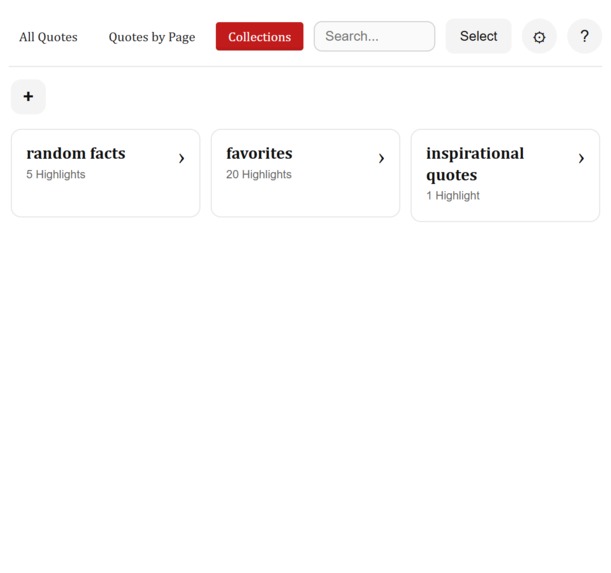
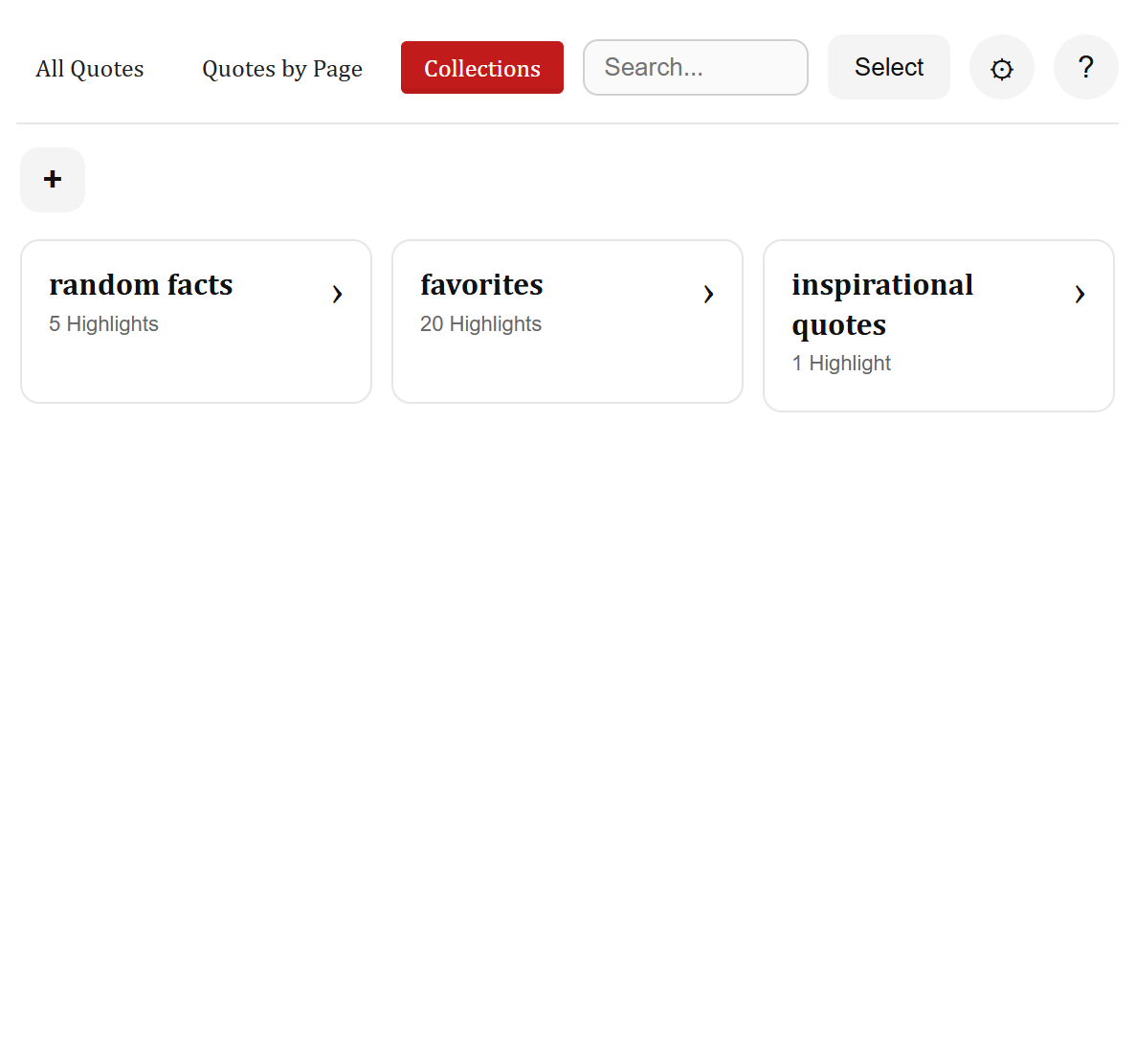
"Collections" tab with folders
-
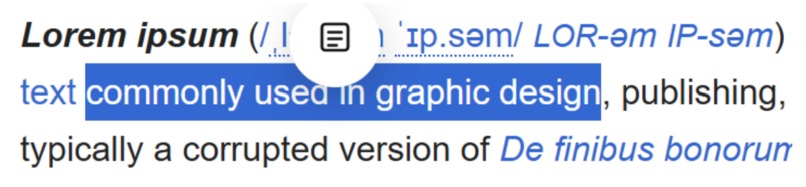
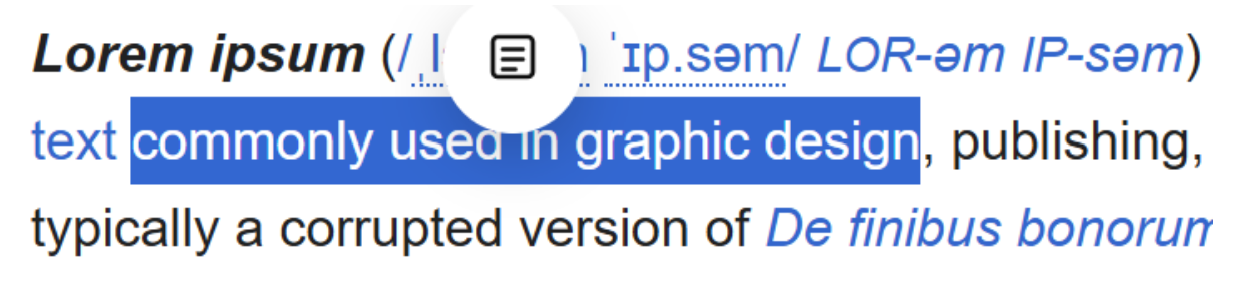
Example of "save" button appearing when extension is active
-
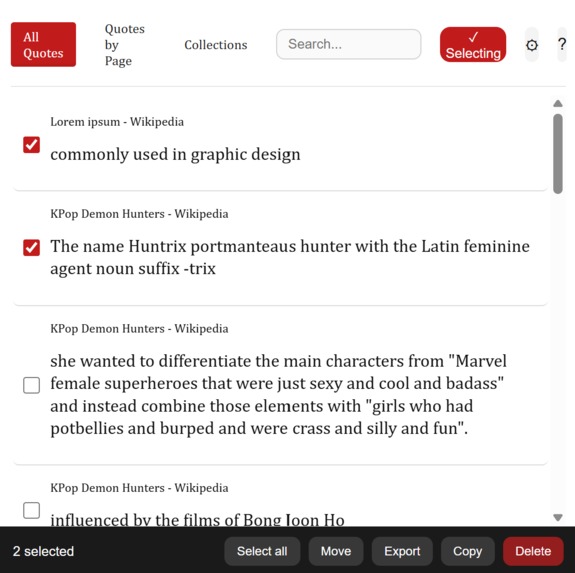
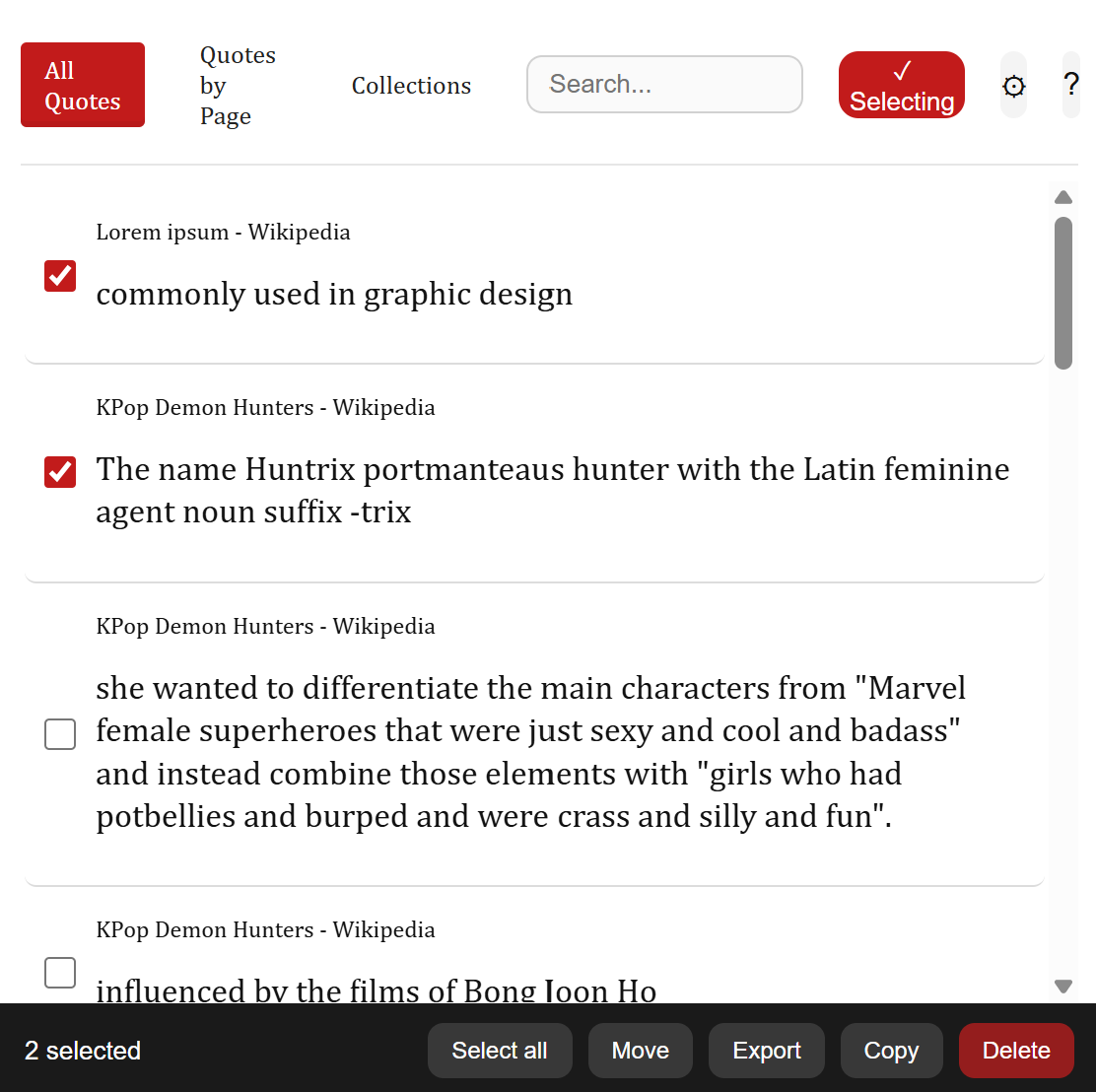
Mass-selection tab with checkboxes to multiselect quotes
Inspiration
Both of us are pretty avid online readers, from news articles to online textbooks to web novels to research papers. While reading, sometimes we stumble upon a funny line, a memorable quote, or an interesting fact we wish we could save for future reference. However, copying the quote into a notes app or a Google Doc is both tedious and hard to keep track of.
Therefore, we decided to build FireflyBook, a quote-saving tool that makes highlighting and saving quotes from webpages much more convenient, so we can always have our favorite lines ready to reference on the go!
What it does
FireflyBook is a browser extension that lets you highlight sections of text on a webpage to be stored as a “quote,” noting down the source URL, the date, and additional “context” surrounding the quote if applicable. All saved quotes are stored in a pop-up dashboard that displays saved quotes with sorting, multi-selection, search, and folder features.
The extension also supports additional export options, including generating an image of the quote to share with peers. Users can also annotate their quotes with additional notes and save them.
How we built it
To decide what specific features we wanted FireflyBook to have, we looked at existing book-specific highlight and quote-saving tools, such as Kindle’s notebook feature, for inspiration. Based on that research, and our own wants as avid readers, we created a list of tasks and ambitious features that would eventually shape the current FireflyBook extension.
To be able to build the tool within the time constraints of the hackathon, we primarily used the coding agents Claude Code and GitHub Copilot to get the extension up and running. We also used our existing HTML/CSS/JS knowledge to make small changes where necessary. We designed our extension for the popularly accepted framework, ManifestV3.
Sora used Procreate for iPad to design and draw the FireflyBook icon.
Challenges we ran into
We were very wary of duplicating a tool that already existed, given the simple concept of our tool. So, we researched similar highlighting tools to find out what they lacked; some tools only highlighted and saved text on a page, but no functional extensions saved the quotes themselves. We made sure the gaps existed before filling them.
Additionally, we changed many of our features over time as we honed in on improving user experience and convenience. We wanted our extension and its features to be as quick and intuitive to use as possible, so we altered many features to streamline the user experience. One example of this was implementing an alternative “drag selection” in our mass-selection screen, which allowed users to click and drag to select multiple quotes instead of having to click each checkbox manually.
Accomplishments that we're proud of
One of our inspirations for the project was the seamless highlighting experience of Kindle, and the extension perfectly matches that while adding additional web-specific features, like linking back to the article of origin and additional export options. There are many convenience features for users, such as a command shortcut for highlighting for quick note-taking, ensuring a smooth user experience, which is something we wanted to focus on.
Manlin was happy that the extension was cross-compatible across Chrome, Firefox (her browser of choice), and other browsers.
Sora did a great job of designing our FireflyBook icon by hand!
What we learned
Neither of us has extensive UX design experience, so we drew on our own experience of being web users to guide our main design principles: make actions take as few clicks as possible, and make the interface as uncluttered as possible. To make up for our lack of UX experience, we looked into extensions like Simple Translate and Firefox Multi Account Containers to gauge how to structure our popup and highlighter handling.
We also did not have extensive experience using LLMs to create web apps, so we used this opportunity as a chance to explore how AI agents such as Claude could assist us in building software.
What's next for FireflyBook: A Quote-Saving Tool
- Generate an automatic AI summary for each quote when it’s selected- users can get detailed AI context when re-reading their saved quote.
- Launch a web server, so users can log into their saved quotes from anywhere.
- Support users focusing on research- add automatic citation tools, save articles in project folders, etc.
Built With
- claude
- css
- githubcopilot
- html
- javascript
- manifestv3

Log in or sign up for Devpost to join the conversation.