-
-
Fintra Logo and Motto
-
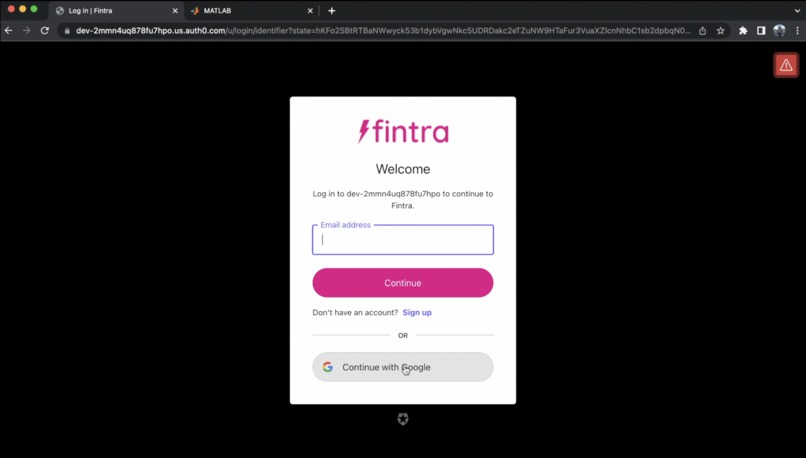
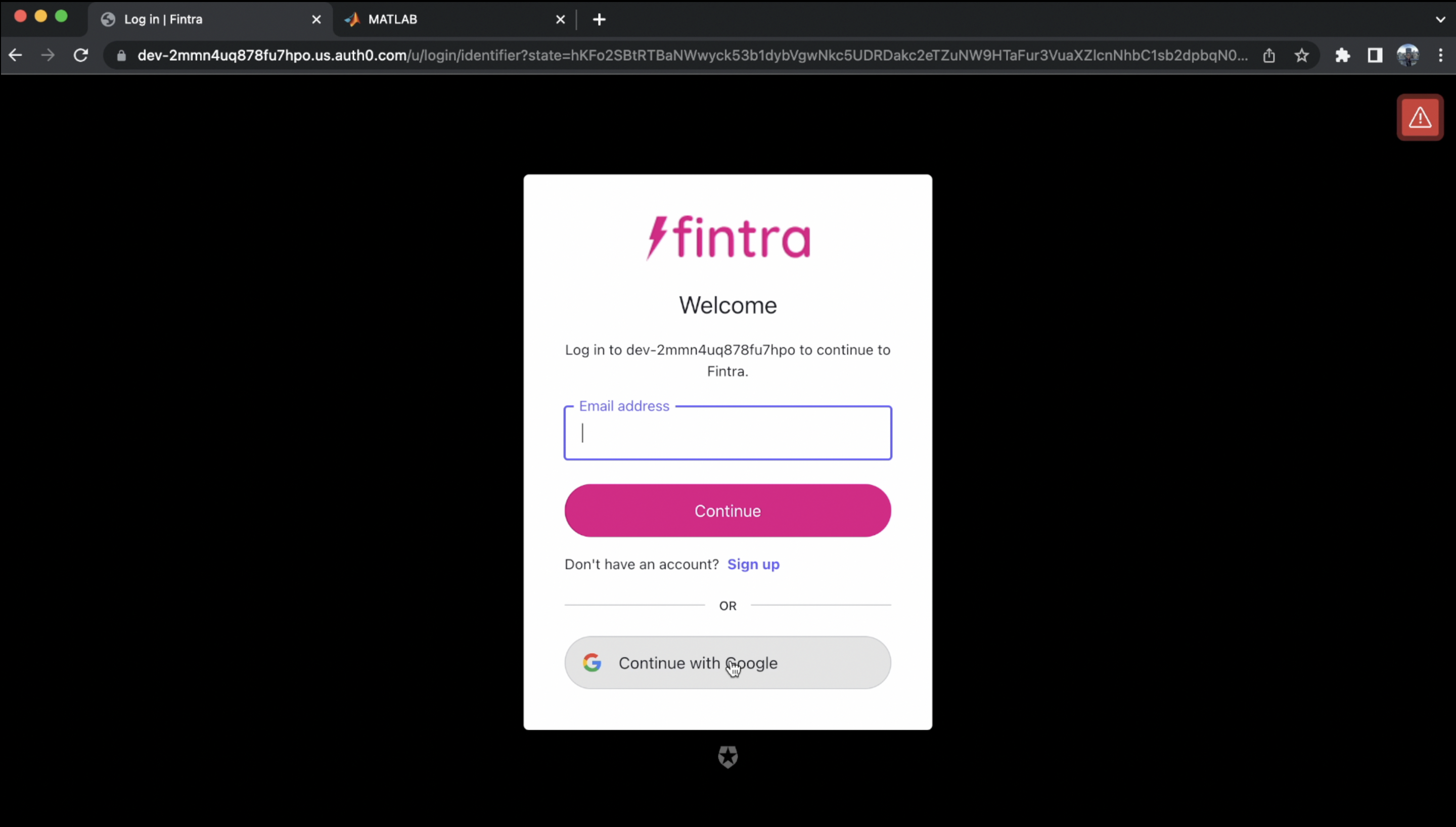
Auth0 integration and customization
-
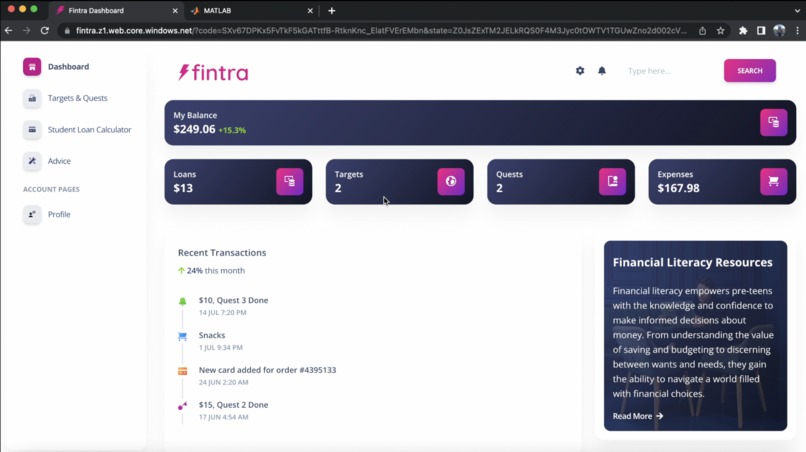
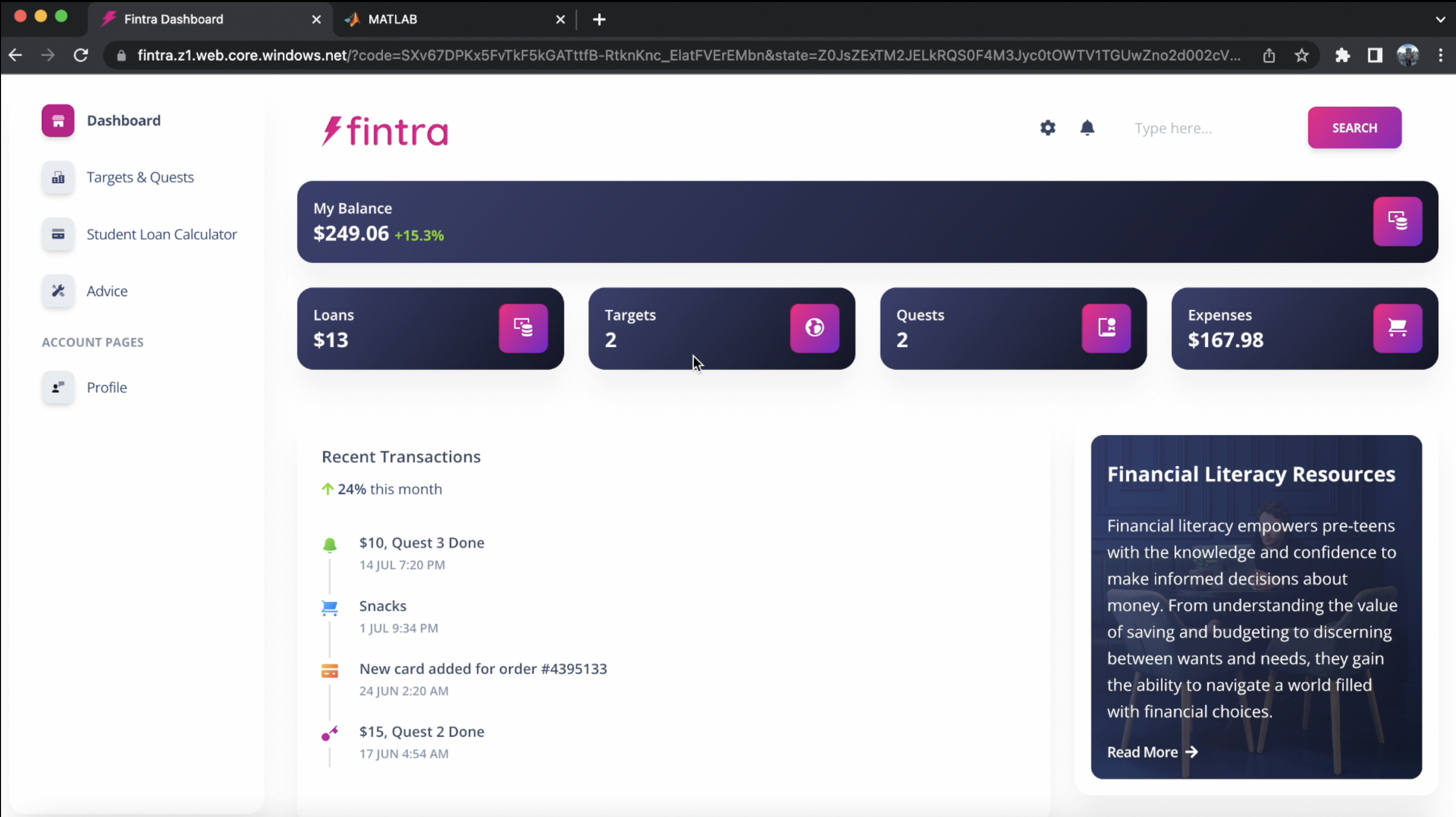
Fintra Dashboard/Landing Page
-
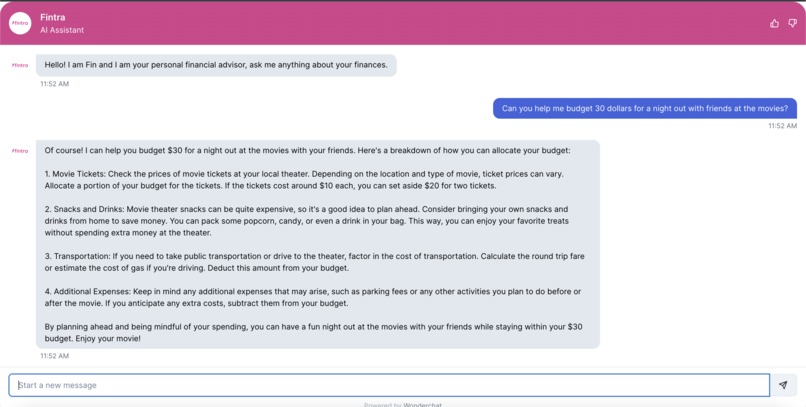
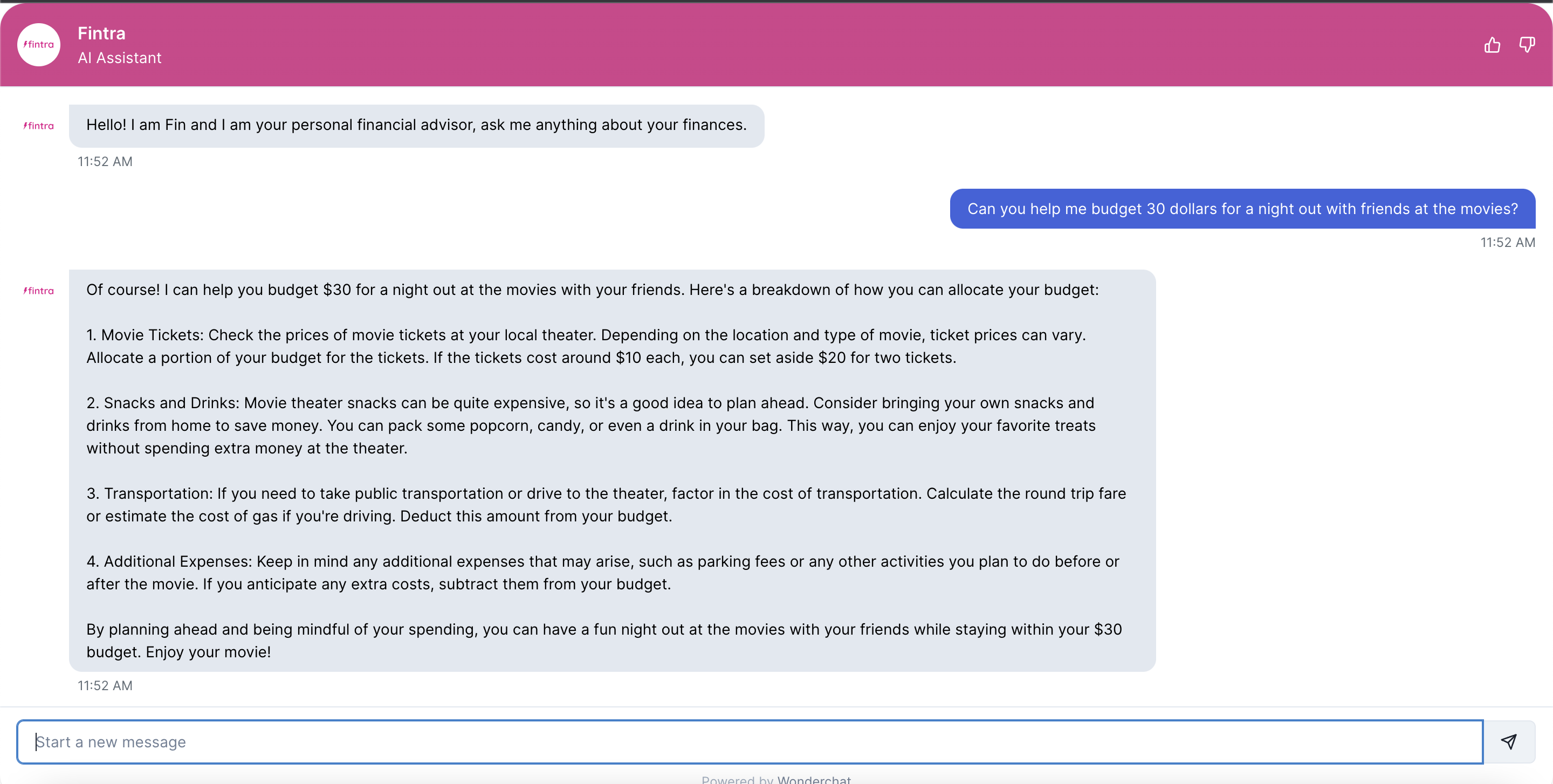
AI Assistant
-
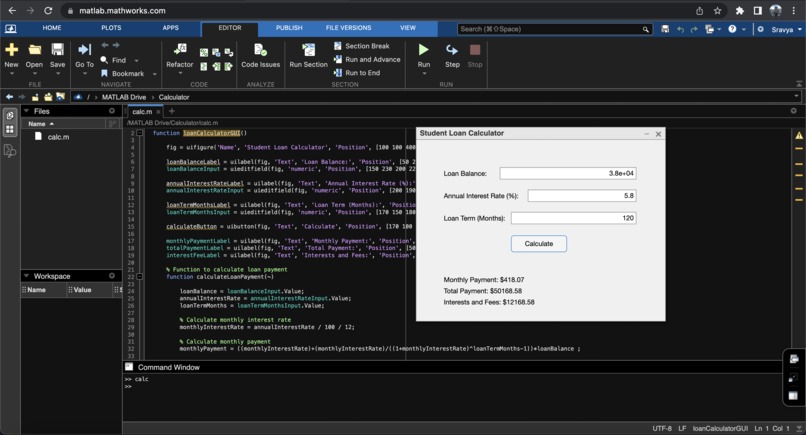
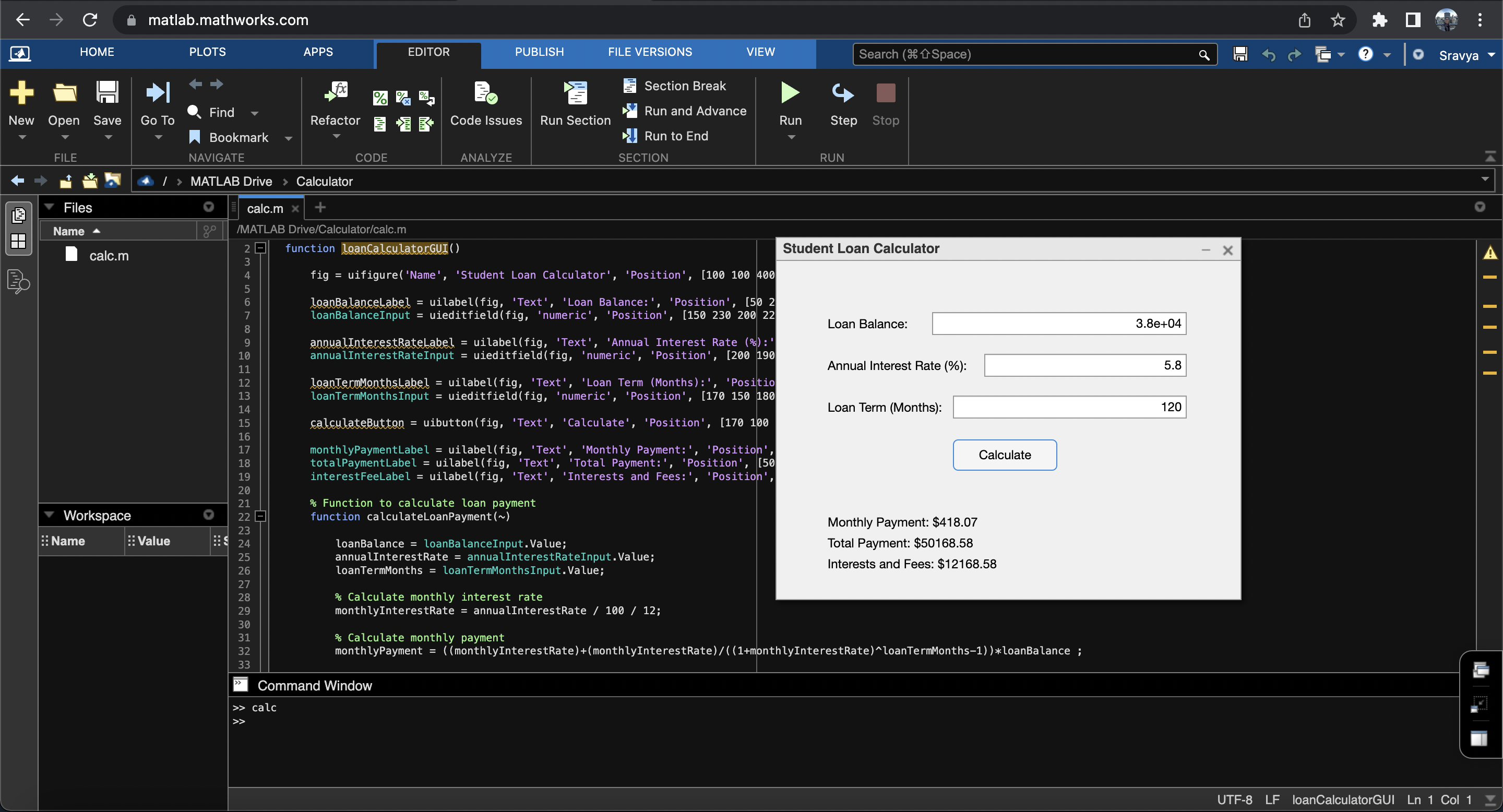
Initial Matlab Code and GUI
💡 Inspiration
Throughout my high school years, I noticed a significant absence of financial education. While we learned mathematics and economics, we were never taught practical skills like budgeting, investing, or managing debt. The transition from adolescence to adulthood can be overwhelming, and without a foundation in financial literacy, young adults are left to navigate complex financial decisions with minimal guidance.
High school is a pivotal time in a young adult's life, where they gain essential knowledge and skills that shape their future. However, one critical area that often gets neglected is financial literacy. Many graduates enter adulthood without a solid understanding of personal finance, leading to unnecessary debt, poor financial decisions, and missed opportunities. Recognizing this gap, I created a web application aimed at empowering young adults to learn and apply financial literacy concepts effectively.
💻 What it does
⚡️Fintra is a family friendly financial solution to get teens started on their financial journey. Here are some features:
1. Targets and Quests:
To make the experience more engaging and goal-oriented, the web application incorporates a system of targets and quests. Users can set financial goals, such as saving for a laptop, and the application provides guidance to help achieve these goals. Completing quests set by their close ones earns them pocket money.
2. AI Assistant for Financial Advice:
The web application features an AI-powered assistant that provides personalized financial advice and guidance. It can suggest budget adjustments, savings strategies, investment opportunities, and debt management techniques. The AI assistant serves as a virtual mentor, empowering users to make informed financial decisions and grow their financial literacy.
3. Student Loan Calculator:
Understanding the impact of student loans is crucial for young adults. The web application includes a student loan calculator that helps users estimate the cost of their education, calculate monthly loan payments. By inputting loan details. users can visualize the long-term financial implications of their student loans. This knowledge empowers them to make informed decisions about their education and develop effective repayment strategies.
4. Resource Library:
The web application offers a comprehensive resource library, providing users with a wealth of educational materials on financial topics. These resources include articles, videos, tutorials, and infographics that cover a wide range of subjects, including credit scores, insurance, taxes, and retirement planning. The library serves as a valuable reference, allowing users to deepen their understanding of financial concepts and expand their knowledge at their own pace.
⚙️ How I built it
1. Auth0
This was my first time using Auth0. Auth0 honestly simplified the complex process of user authentication by offering robust and secure authentication mechanisms. I felt that the project looks and feels more professional by offering Google as a means authenticate. It was hard at first, because I did not use react or the languages they offered initially, but I decided that I really wanted to integrate this feature. So, I created the login in React and it took me less than 30 mins. While navigating Auth0, I was surprised to learn that they allowed me to customize the Universal Login Page. After messing around with it, I branded it according to my application by adding logos, changing colors, increasing the radius of the buttons and more. I think Auth0 is integral for a project like this especially because it involves sensitive details and would require a secure mode of transaction.
2. MATLAB
I decided to make the calculator on MATLAB because it is a powerful mathematical computing environment that excels in performing complex calculations which is exactly what I needed my calculator to do. It was super easy to make those GUIs so I spent a lot of time trying to figure out how to integrate it into my website. After not finding a suitable solution, I tried embeds but that was not allowed. So, using the logic that I used in MATLAB, I integrated an API to perform the same operations. MATLAB helped me visualize what I want in my project.
3. Bootstrap & React
I made the website using Bootstrap, so it would make my website responsive. It provided a comprehensive set of tools, components, and utilities that streamline the process of creating responsive and visually appealing websites. I needed to use react to add authentication.
4. Microsoft Cloud (Azure)
I used Azure to deploy my website (without authentication), and it took less than a few minutes. With its user-friendly interface, flexible deployment options, deploying a website on Azure became a straightforward process. One thing, I learned was that it only supports static websites and might not support the authentication, so I decided to not add it for viewing.
5. AI Assistant
I thought it would be cool to get advice from an AI assistant so I integrated a chatbot to make it a better experience. The AI assistant serves as a virtual mentor, empowering users to make informed financial decisions and grow their financial literacy.
👩🏻💻 What I learnt
I learned A LOT this weekend. I learnt the basics of React, Matlab and API integration (Auth0).
🚧 Challenges I ran into
Mid way into the hackathon, I realized how ambitious I was when I tried to use a lot of APIs and platforms to make my website work. This took a lot of researching and watching youtube videos to make this happen. I think next time, I'll just stick to one thing and work on that.
💫 Accomplishments that I'm proud of
Despite having an ambitious project (for someone who didn't know half the technologies that I used), I think I did a good job learning and executing it.


Log in or sign up for Devpost to join the conversation.