-
-
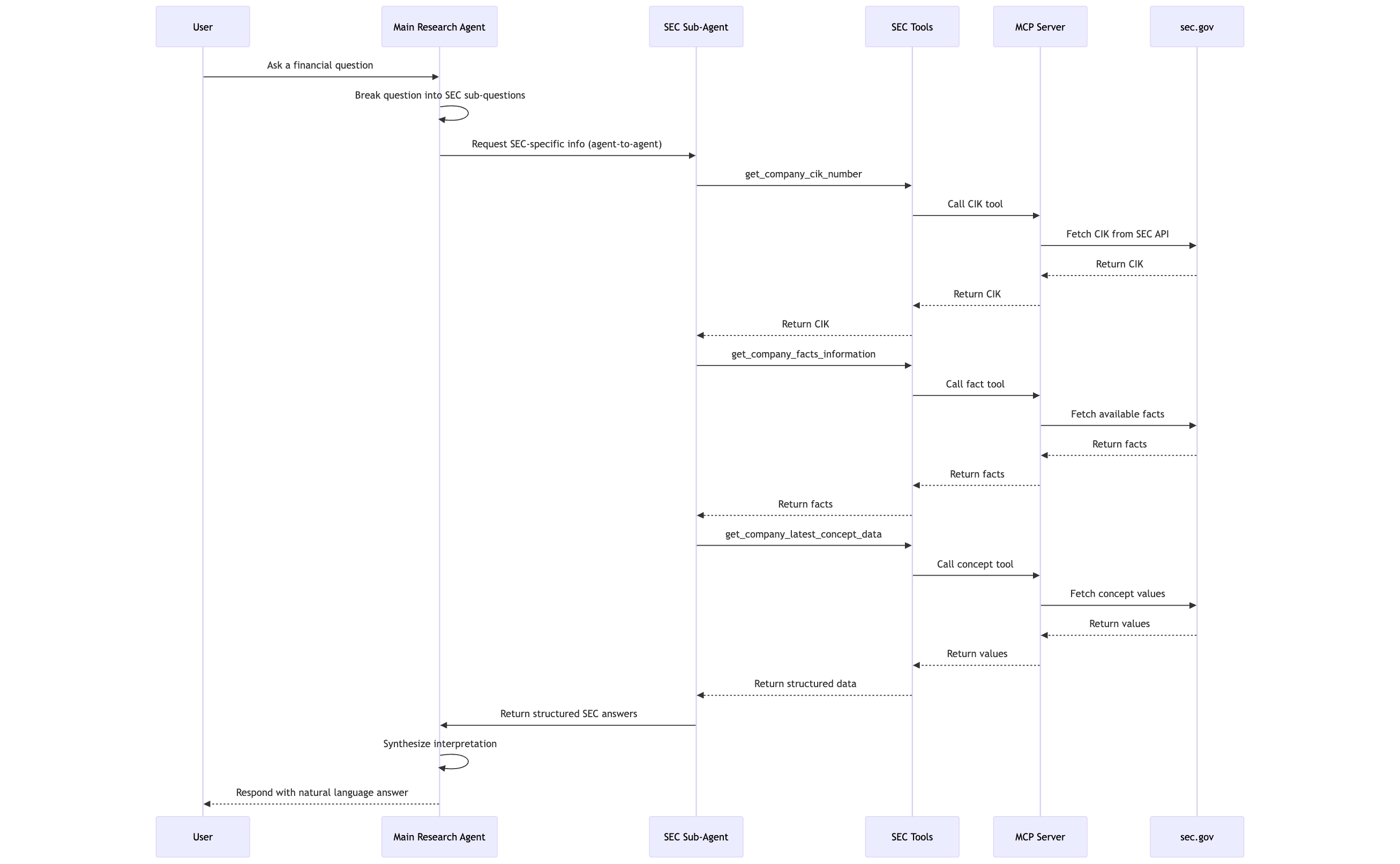
Project Architecture
FinSight
Your intelligent companion for financial research — precise insights from SEC filings at your fingertips
FinSight is an AI-powered financial research agent that helps users explore public company performance using official SEC filings. Powered by a multi-agent system, it translates complex questions into structured sub-queries and delivers fact-based insights using real-time data from the SEC EDGAR XBRL API.
🚀 Key Features
🔍 Natural Language Financial Research
Ask high-level questions like:
“Are there signs of financial distress in Nvidia?” or
“Is Apple increasing its investment in R&D?”🧠 Multi-Agent Architecture
- Main Research Agent understands intent, decomposes questions, and orchestrates sub-tasks.
- SEC Filings Expert agent handles structured queries using SEC’s XBRL database.
🧰 Built-In Tools
get_company_cik_number: Lookup CIK from company name.get_company_facts_information: List relevant financial facts available for a company based on keyword search.get_available_frames_in_fiscial_year: Retrieve reported frames for a fiscial year.get_data_for_frame: Retrieve data for a specific frame.
🔗 Data Source
Live integration with the SEC’s public XBRL company concept API.📖 Explainable Results
Each response includes specific fiscal year, form type (10-K/10-Q), and filing dates.
Architecture
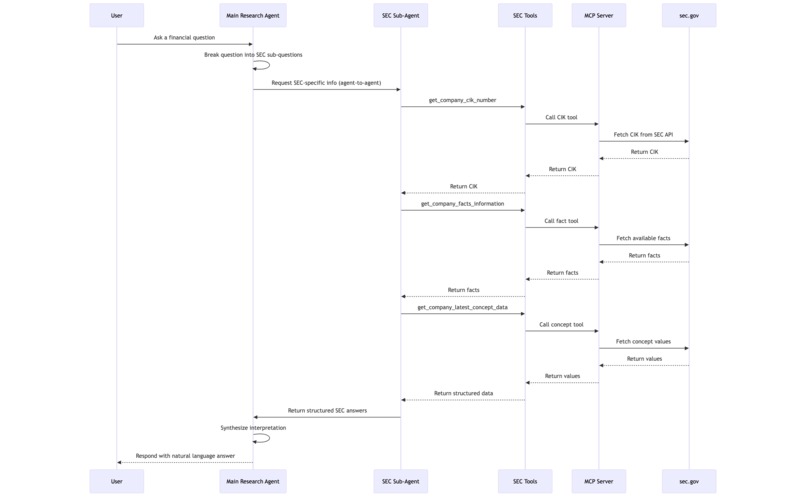
The system consists of:
- SecAgent (A2A Service): A worer agent for information retrieval from US SEC.gov. This agent is powered by the SEC EDGAR MCP Server Tools .
- HostAgent (A2A Service): A coordinator agent that breaks the complex user questions into information retreiving questions.
- Streamlit UIs:
- Embedded Runner UI: The UI runs the HostAgent in the same process.
💼 Example Questions You Can Ask
- “What is Nvidia’s free cash flow trend?”
- “Does Apple show signs of financial distress?”
- “How has Tesla’s R&D investment changed in the last 5 years?”
- “What is the most recent earnings per share reported by Amazon?”
Try this project at
https://finsight-n6madsvterjauzntjxefth.streamlit.app/
Running the Full System
This is the recommended way to run the entire multi-agent system.
Start all agent services: A convenience script is provided to launch the Sec agent in the background. The logs will be saved to the
logs/directory.python scripts/start_agents.pyYou can check the status of the agents with
ps aux | grep _agent.Run a UI Application:
- **For the Embedded Runner UI:**
  ```bash
  streamlit run ui/app.py --server.port 8080
  ```
- Stopping the services:
You can stop the background agent processes with:
bash
pkill -f "_agent"
Testing Individual Agents (Standalone)
For development and debugging, it's crucial to test each agent independently. Each agent has a test_client.py that communicates directly with its A2A service.
Start the target agent's service. For example, to test the Notion agent:
python -m sec_agent --port 8002In a separate terminal, run its test client:
python sec_agent/test_client.py
📦 Tech Stack
- 🧩 Google ADK
- 🧠 Gemini LLMs
- 📄 SEC XBRL API (
data.sec.gov) - 🔌 Multi-agent orchestration
- 📜 Python async, logging, environment-driven config
📈 Future Improvements
- Add support for multi-company comparisons
- Integrate with vector database for long-form filing summarization
- Include industry benchmarks for richer insights
- Stream responses in real-time via web UI or chat interface
🛡️ Disclaimer
FinSight retrieves only public data from the SEC and does not provide investment advice or trading recommendations.
🧑💻 Author
Sai Rohit Uddagiri
Data Engineer & AI Agent Developer
LinkedIn | GitHub

Log in or sign up for Devpost to join the conversation.