Inspiration
Managing personal finances today is broken. Tracking daily expenses feels like a chore, transactions are scattered across multiple digital wallets and bank apps, pending receivables have no clean home, and manual spreadsheets demand constant upkeep. Existing apps make it worse: cluttered dashboards, dropdown fatigue from endless category selects, and zero proactive intelligence. The core insight driving FinRak is simple: users naturally think in language, not forms. Nobody wakes up thinking in spreadsheet rows. They think: "Spent $220 on clothes yesterday." We built FinRak to meet users exactly there.
What it does
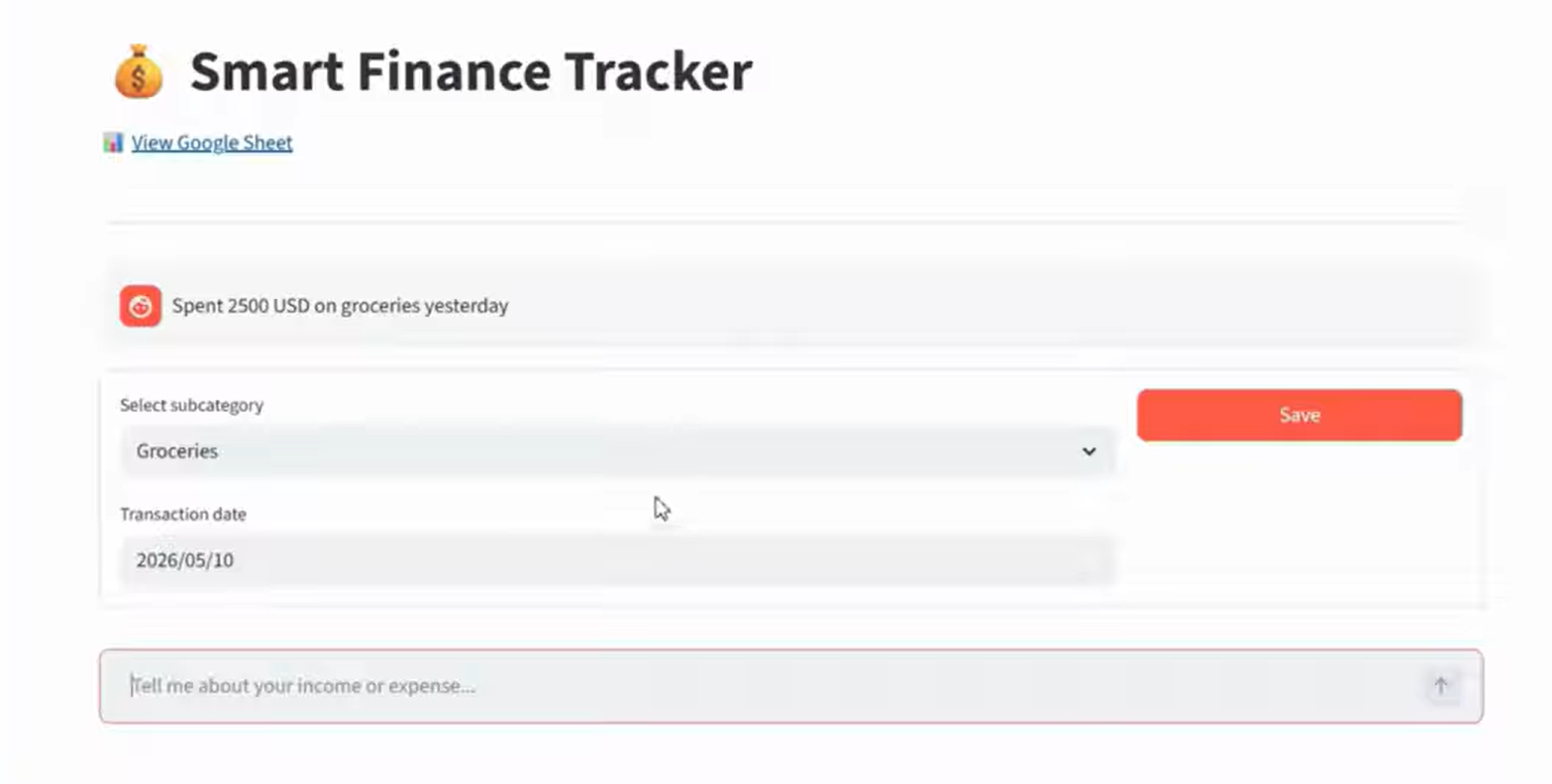
FinRak is an AI-powered personal finance assistant that lets you log, query, and manage your finances entirely through natural conversation. No forms, no dropdowns, no manual categorization.
- AI-Powered Entry - Type or speak transactions in plain English. "Grabbed some food with coworkers for forty bucks" is instantly understood and logged.
- Structured AI Parsing - Gemini AI automatically extracts the amount, category, transaction type, and temporal date from your message and writes a clean, schema-perfect record.
- Diverse Transaction Tracking - Handles Income, Expenses, Pending Receivables, and Payments, all within a single unified ledger.
- Auto Categorization - AI maps unstructured descriptions to standardized parent categories and sub-tags automatically.
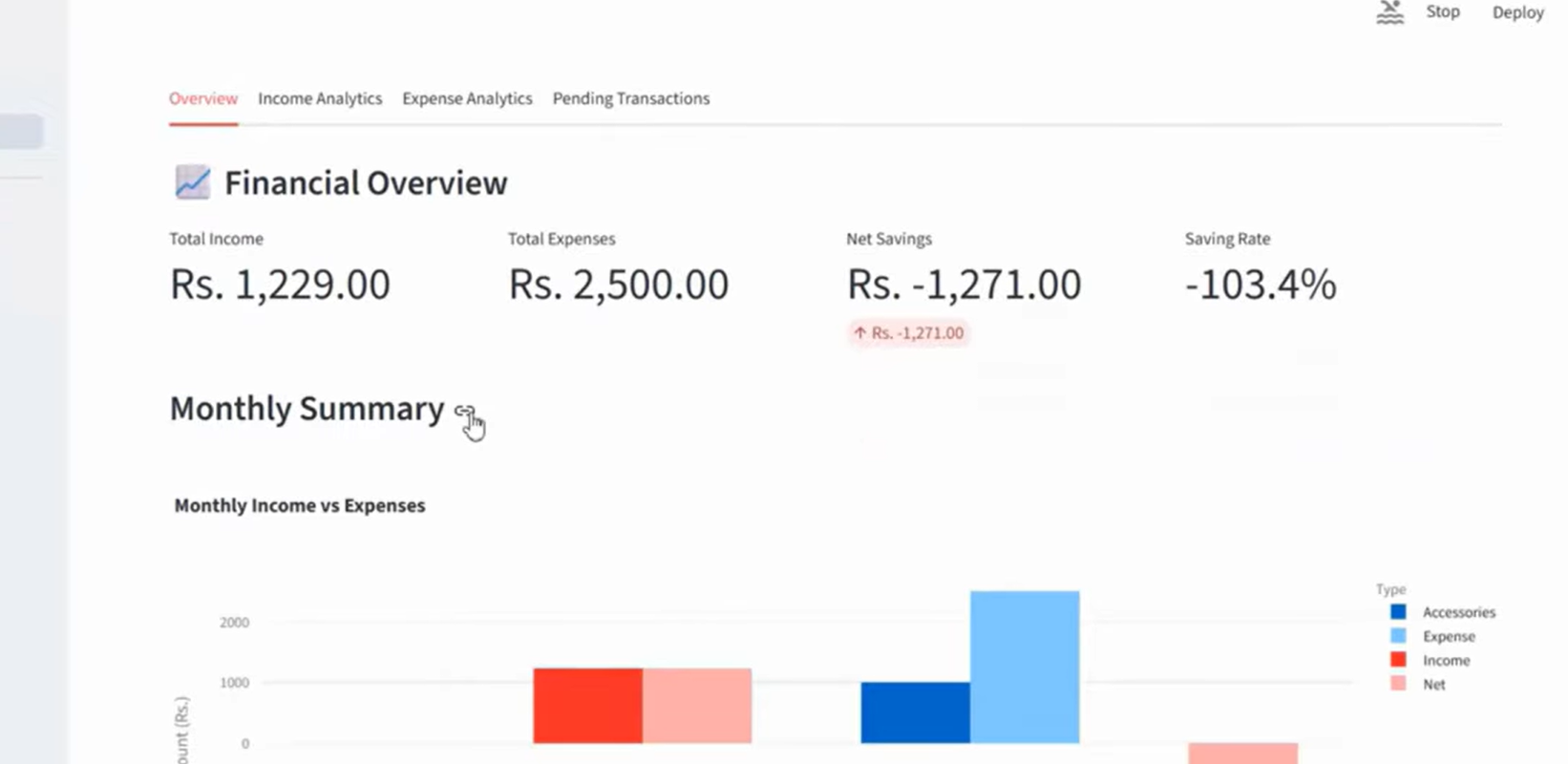
- Analytics Panel - Instant visual charts for spending trends, category breakdowns, and dynamic monthly pattern alerts, powered by Plotly.
How we built it
FinRak uses a five-layer pipeline architecture:
Frontend - Streamlit UI serves as the interactive web portal, lightweight, fast to deploy, and fully conversational in layout.
AI Core - Gemini AI (via Google Generative AI API) acts as the NLP semantic parsing engine. Each user message is sent to Gemini with a structured system prompt that instructs it to return a strict JSON schema containing amount, category, sub_tag, type (income/expense/receivable/payment), and a resolved date. Ambiguous temporal references like "yesterday" or "last Friday" are resolved to ISO dates by the model at inference time.
Processing Layer - Python + Pandas coordinate the middleware logic, validating the Gemini JSON response, normalizing categories against a master taxonomy, handling edge cases and null fields, and preparing the final record for persistence.
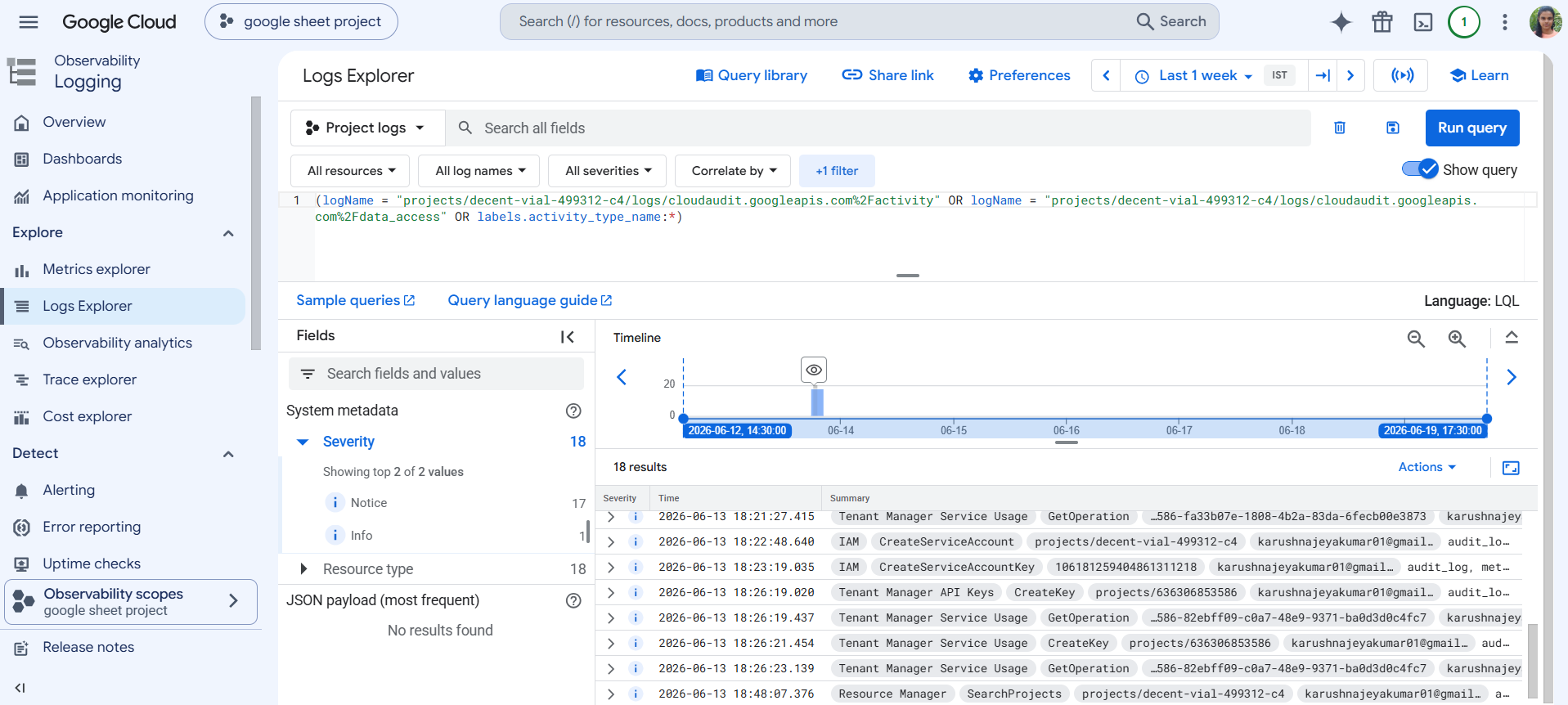
Storage - Google Sheets API with OAuth 2.0 functions as the serverless cloud database. Each transaction is appended as a row, making the ledger human-readable, exportable, and zero-maintenance. Google Sheets was chosen deliberately: it is free, cloud-hosted, and gives users direct visibility into their own data.
Analytics - Plotly renders interactive charts directly inside Streamlit, including expense breakdowns by category, monthly income vs. expense comparisons, and trend lines.
Challenges we ran into
- Prompt engineering for reliable JSON output - Getting Gemini to consistently return valid, schema-perfect JSON (not prose, not markdown-wrapped JSON) required careful system prompt design with explicit output contracts and fallback validation logic.
- Temporal date resolution - Phrases like "the other day" or "last week Thursday" are genuinely ambiguous. We had to instruct the model to make a best-effort ISO date resolution relative to the current date, and handle cases where it could not confidently resolve.
- Google Sheets concurrency - Appending records from a stateless Streamlit session to a live Sheet without race conditions or row collisions required implementing sequential write controls using the Sheets API's append vs. update patterns.
- Category normalization - Users describe the same expense in dozens of ways. Building a taxonomy that Gemini could map reliably, without over-categorizing into too many bins or under-categorizing into too few, took multiple iteration rounds.
Accomplishments that we're proud of
- Zero-friction logging - A transaction can be logged in under 5 seconds with a single natural language sentence, compared to 6+ steps in traditional finance apps.
- Fully serverless architecture - The entire stack runs on Streamlit Cloud + Google Sheets with no backend server, no database fees, and no DevOps overhead.
- Robust semantic parsing - FinRak correctly handles genuinely ambiguous inputs like "grabbed some food with coworkers for forty bucks" and maps it to
{amount: 40, category: Food & Dining, type: Expense}with high consistency. - End-to-end working prototype - All four phases of the development roadmap through the Analytics Dashboard (Phases 1 to 3) are fully functional in the submitted build.
What we learned
- LLMs are remarkably capable structured data extractors when given precise system prompts with explicit output schemas. The key is treating the model as a parser, not a chatbot.
- Google Sheets is a surprisingly powerful serverless database for lightweight applications: free, collaborative, version-controlled, and natively readable by non-technical users.
- Friction is the enemy of habit formation - reducing logging to one sentence dramatically changes whether users will actually maintain their financial records long-term.
- Prompt iteration is engineering work - writing, testing, and refining the Gemini system prompt was as rigorous as writing backend logic.
What's next for FinRak
- Receipt OCR scanning - Camera-based capture of physical bills to automatically extract line-item transactions without any typing
- Multi-currency support - Handle international transactions with automatic currency normalization
- Contextual AI advisory - Proactive savings and investment goal recommendations based on spending history patterns
- Push budget warnings - Trigger-based alerts when category spending approaches user-defined thresholds or when payment deadlines approach
- React Native / PWA mobile app - A standalone mobile build for on-the-go logging, fully offline-capable
- Public hosting release - Open FinRak to public users on a shared Streamlit Cloud deployment with individual Google Sheets backends per user
Built With
- ai-powered-parsing
- data-analytics
- dotenv
- financial-analytics
- gemini-ai
- google-cloud
- google-sheets-api
- natural-language-processing-(nlp)
- oauth-2.0
- pandas
- plotly
- python
- responsive-ui-design
- service-accounts
- streamlit



Log in or sign up for Devpost to join the conversation.