-
-
home_page
-
race_ready
-
original_results
-
screen_reader_evidence
-
accessibility_fix
-
repaired_results
-
recorded_runs
-
correctness_matrix
-
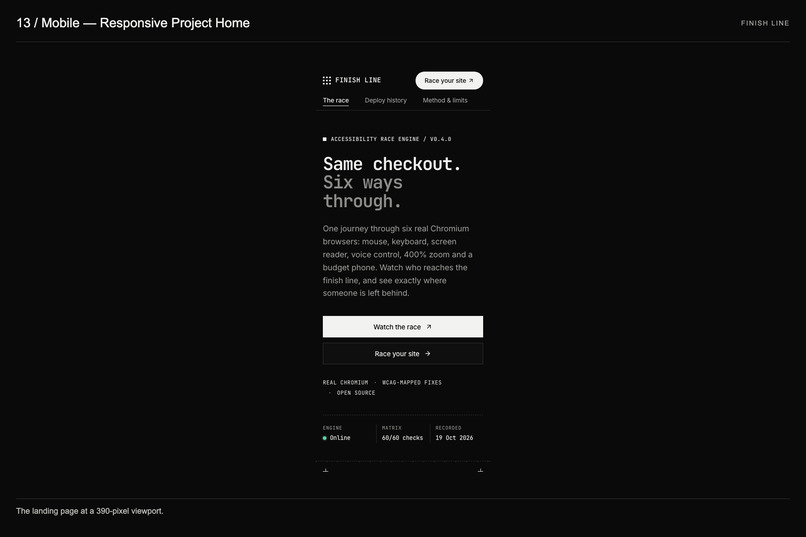
mobile_homepage
-
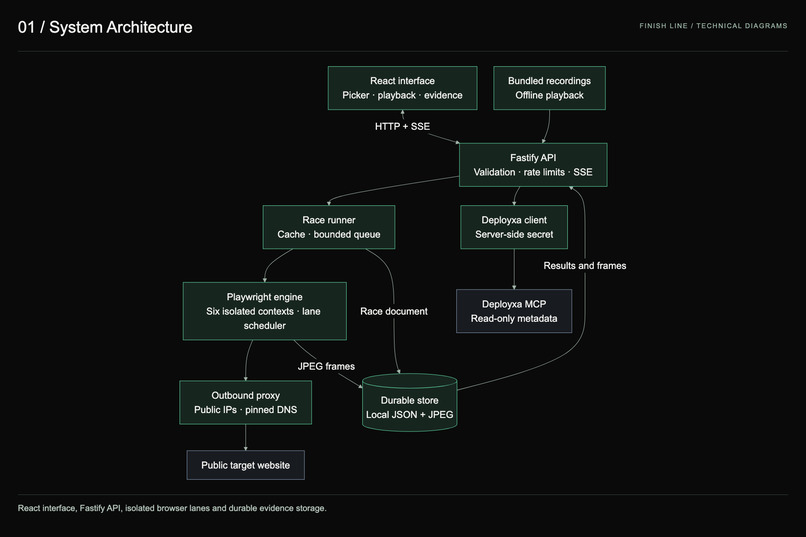
system_architecture
-
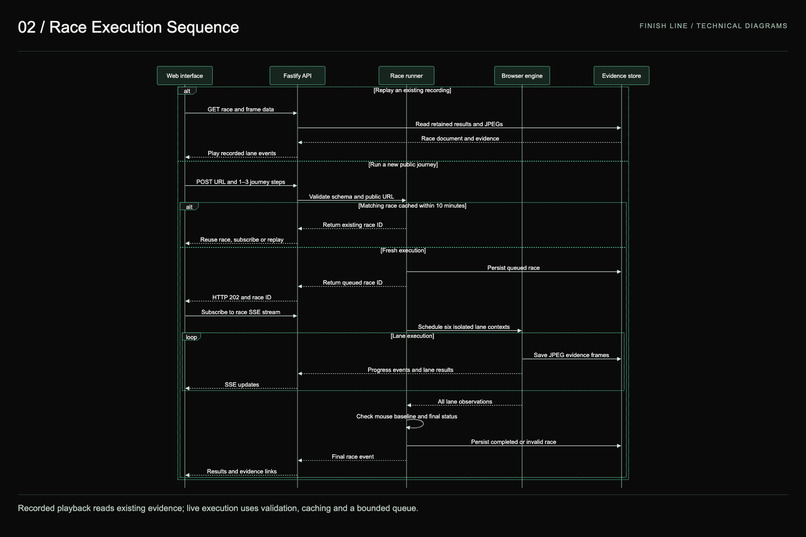
race_execution_sequence
-
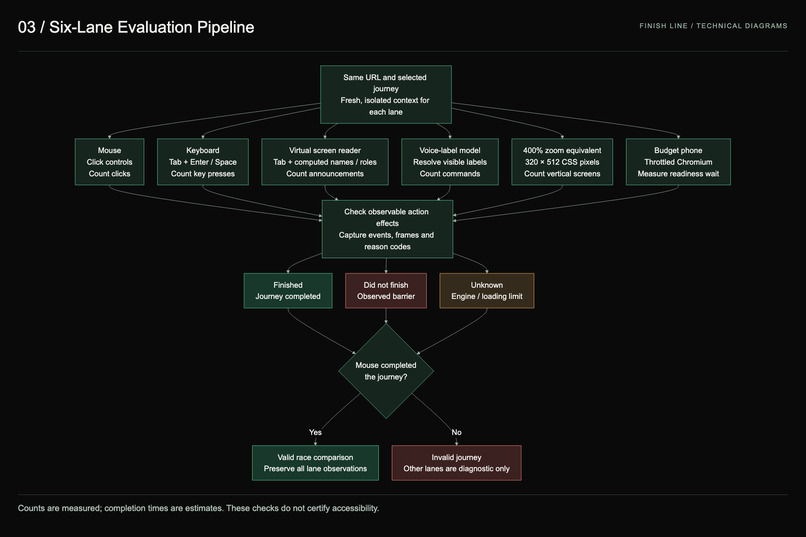
six_lane_evaluation
-
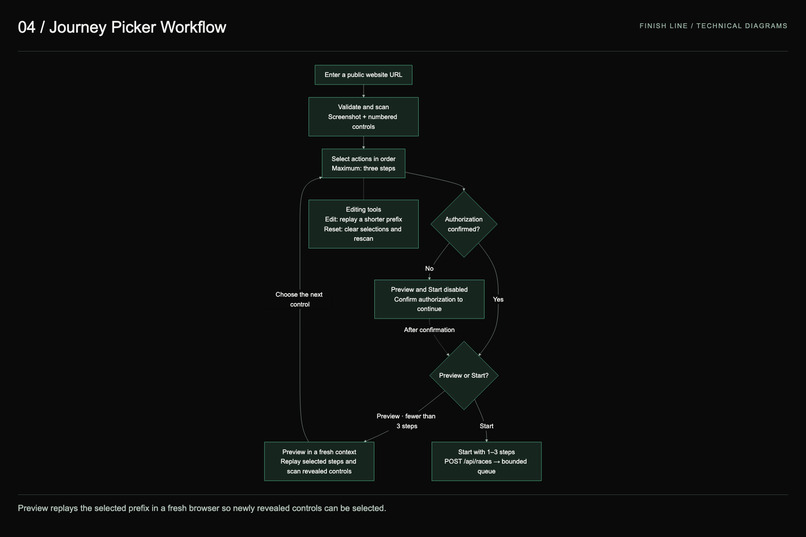
journey_picker_workflow
-
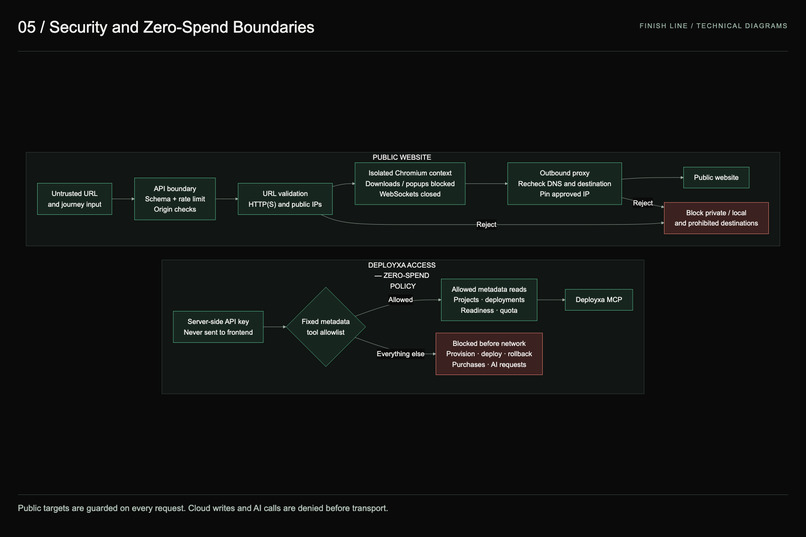
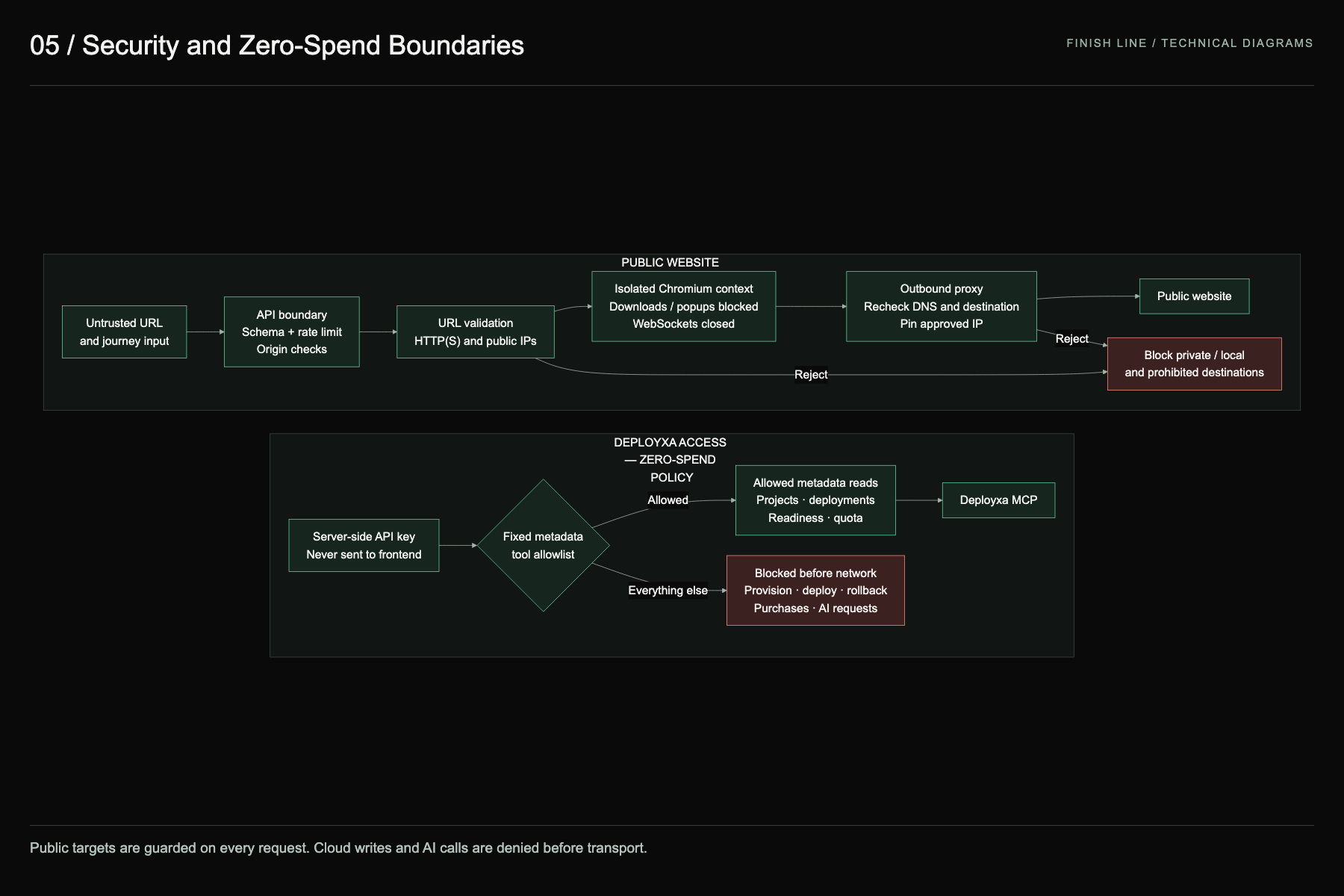
security_structure
-
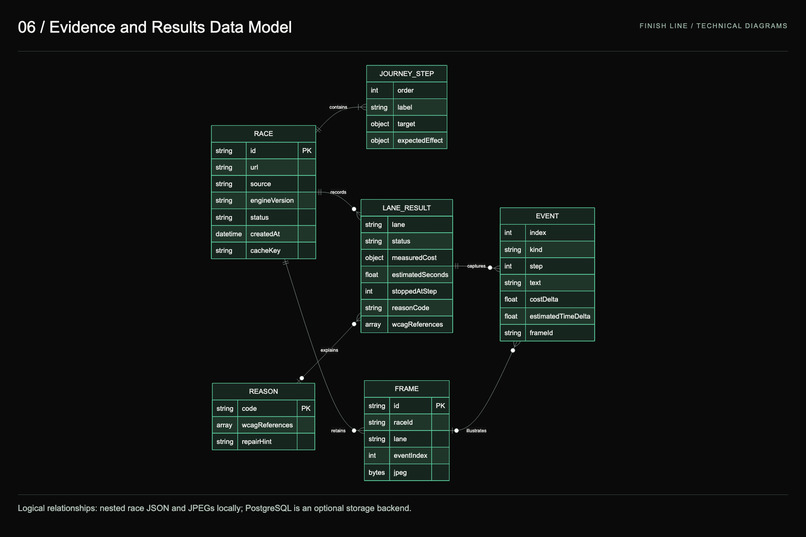
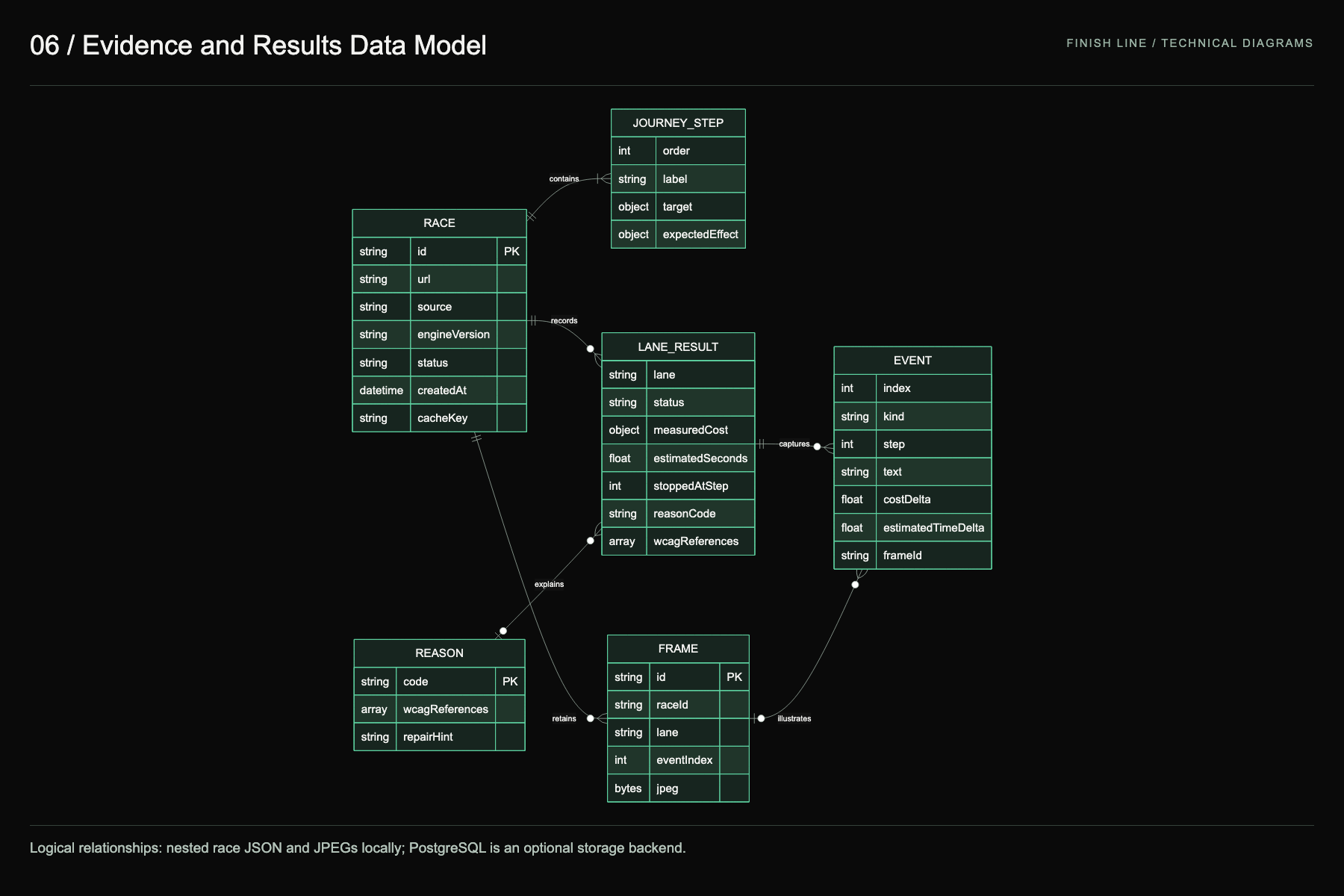
evidence_results_data_modelling
Inspiration
A checkout that works with a mouse can still stop someone who uses a keyboard, a screen reader, voice control, 400% zoom or a slow phone. Accessibility reports usually arrive as long lists of rule IDs that designers and founders skim and ignore. We wanted the cost of an inaccessible flow to be something you feel in seconds: the same finish line, six people, and not everyone gets there.
The problem is large and well documented (sources checked 19 October 2026):
- WebAIM Million 2026 reports empty buttons on 30.6% of home pages, empty links on 46.3% and missing form labels on 51%.
- The Netherlands Authority for Consumers and Markets found ordering with assistive technology impossible on 61% of roughly 100 major Dutch web stores.
- WHO reports more than 1.3 billion people living with disability.
What it does
Finish Line turns an accessibility audit into a race you can watch, hear and inspect.
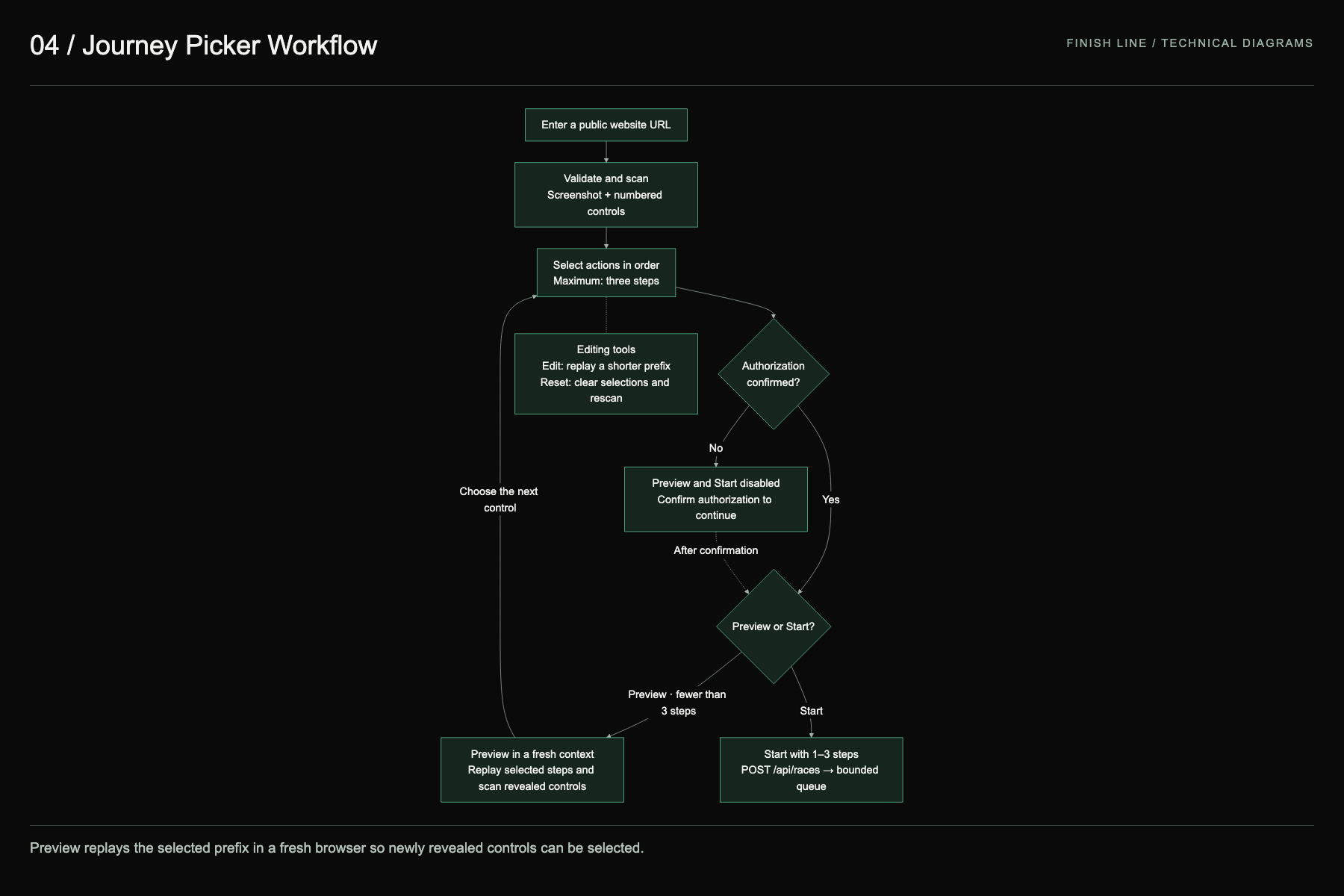
- Paste a public URL. Finish Line opens it in real Chromium and numbers every visible control on a screenshot, which also has a fully keyboard-operable list version.
- Pick up to three actions (for example Add to cart → Open cart → Checkout). Preview replays your picks in a fresh browser so drawers and next-page controls appear.
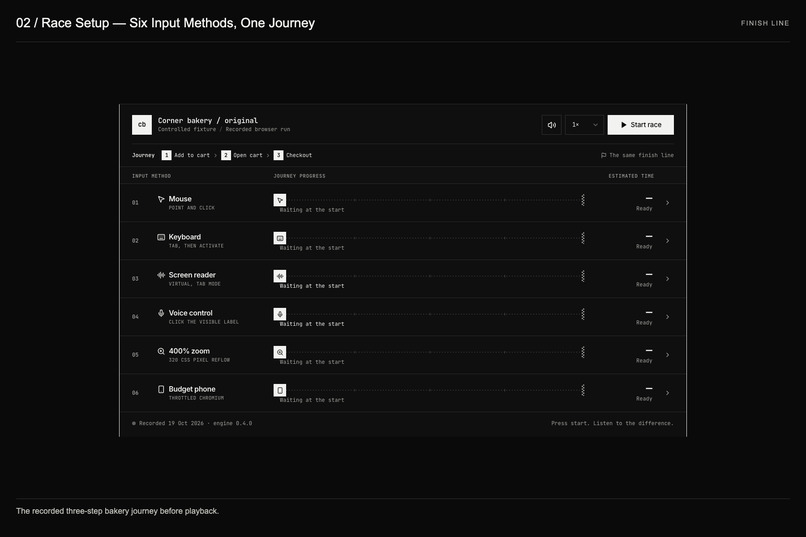
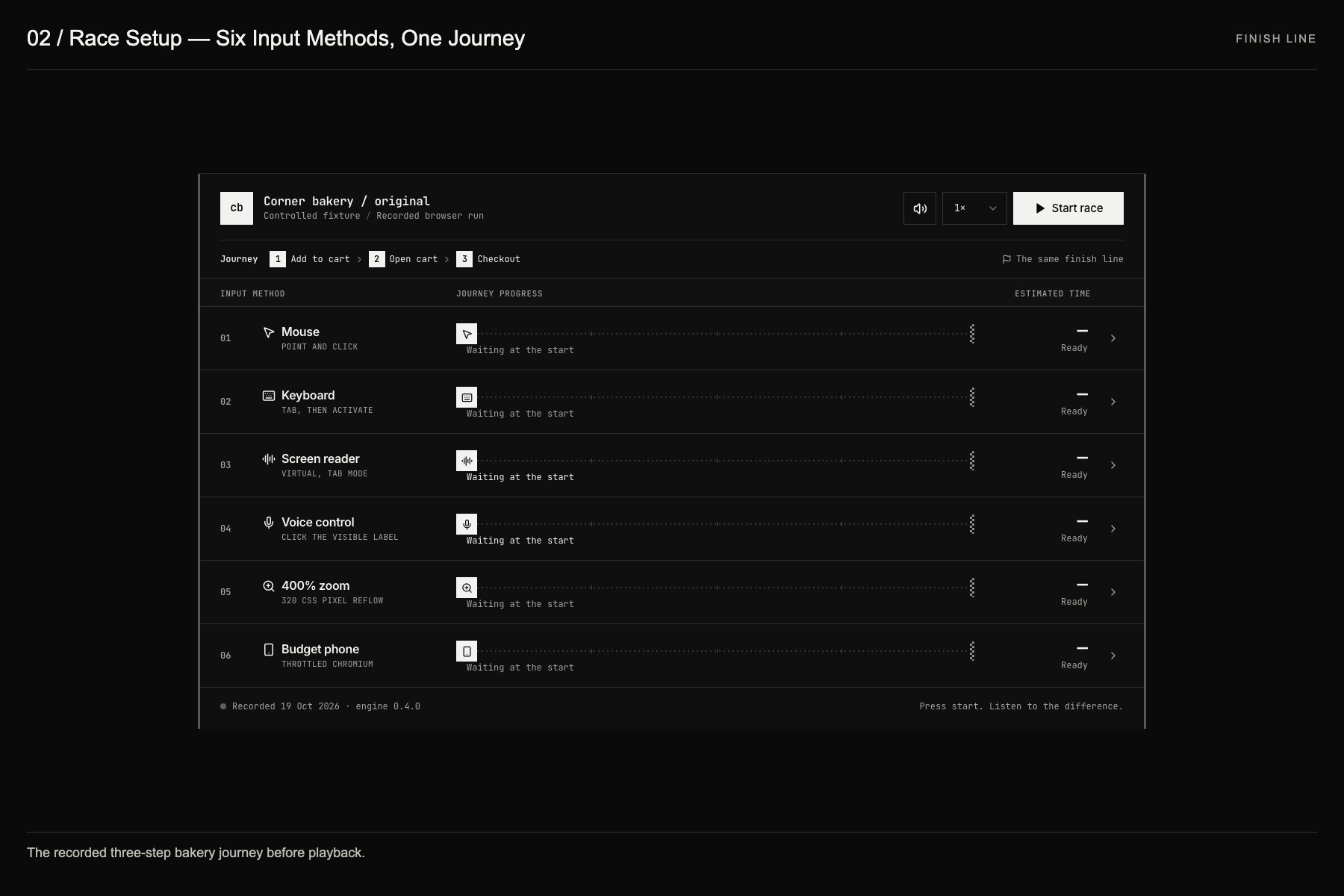
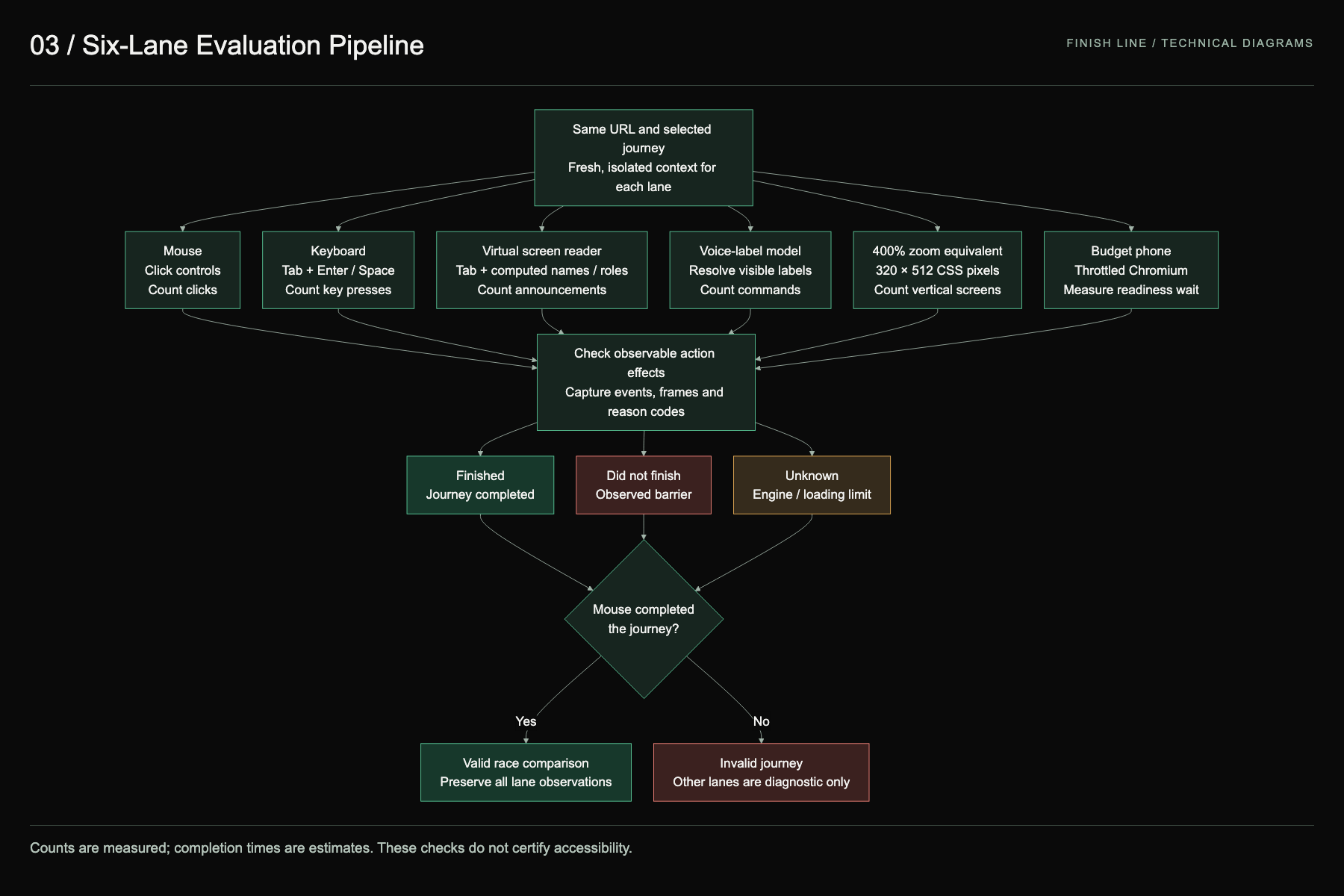
- Six browsers race the same journey, each in its own isolated context:
- Mouse: the control lane. If the mouse can't finish, the journey is invalid, not a failure.
- Keyboard: counts every Tab, Enter and Space.
- Screen reader: speaks the real accessibility-tree announcements aloud, with captions.
- Voice control: resolves "click [visible label]" against computed accessible names.
- 400% zoom: a 320 px reflow viewport.
- Budget phone: 4× CPU throttling on a slow network.
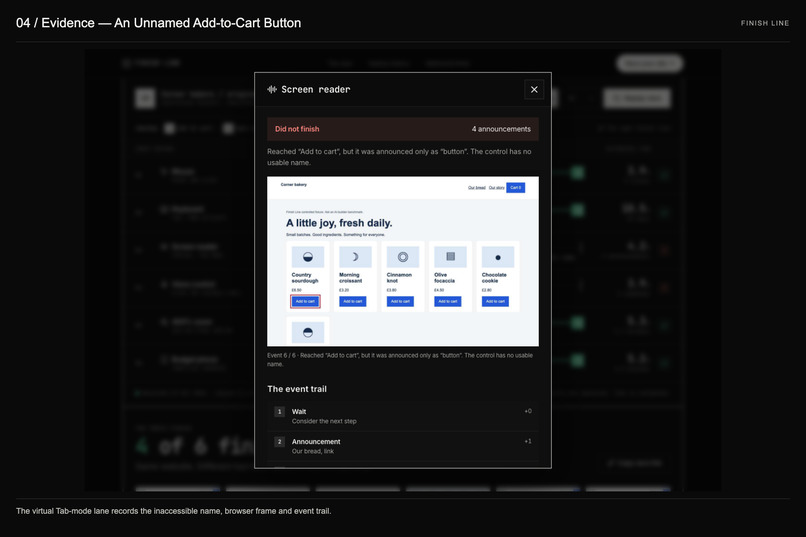
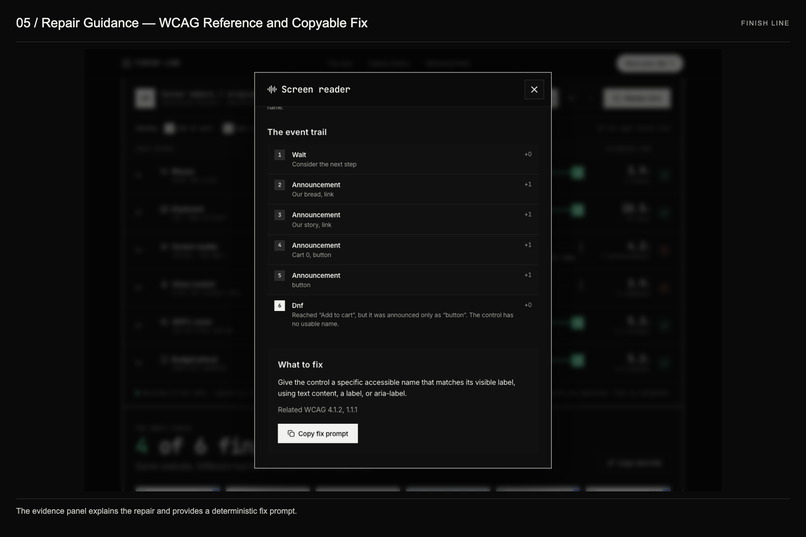
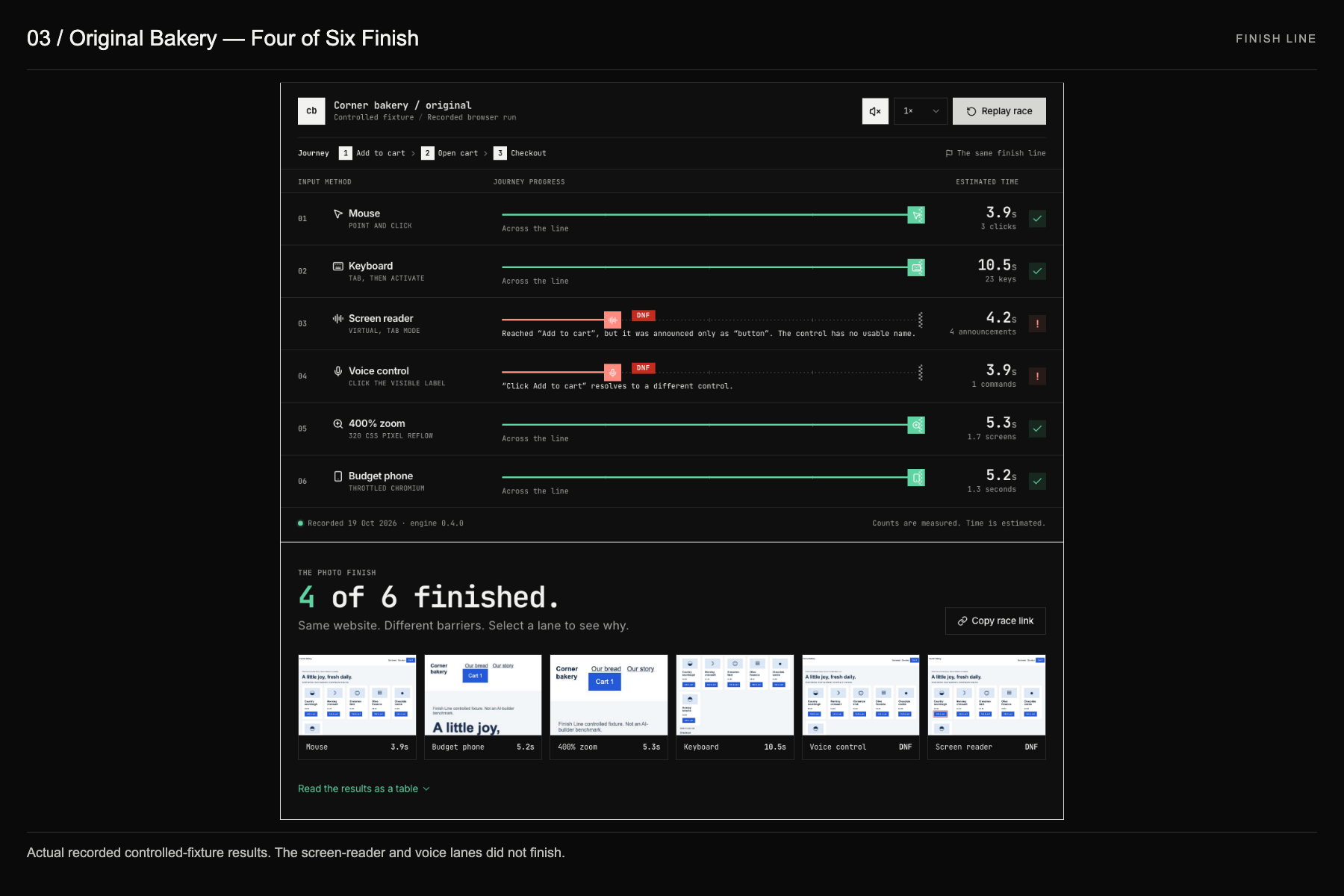
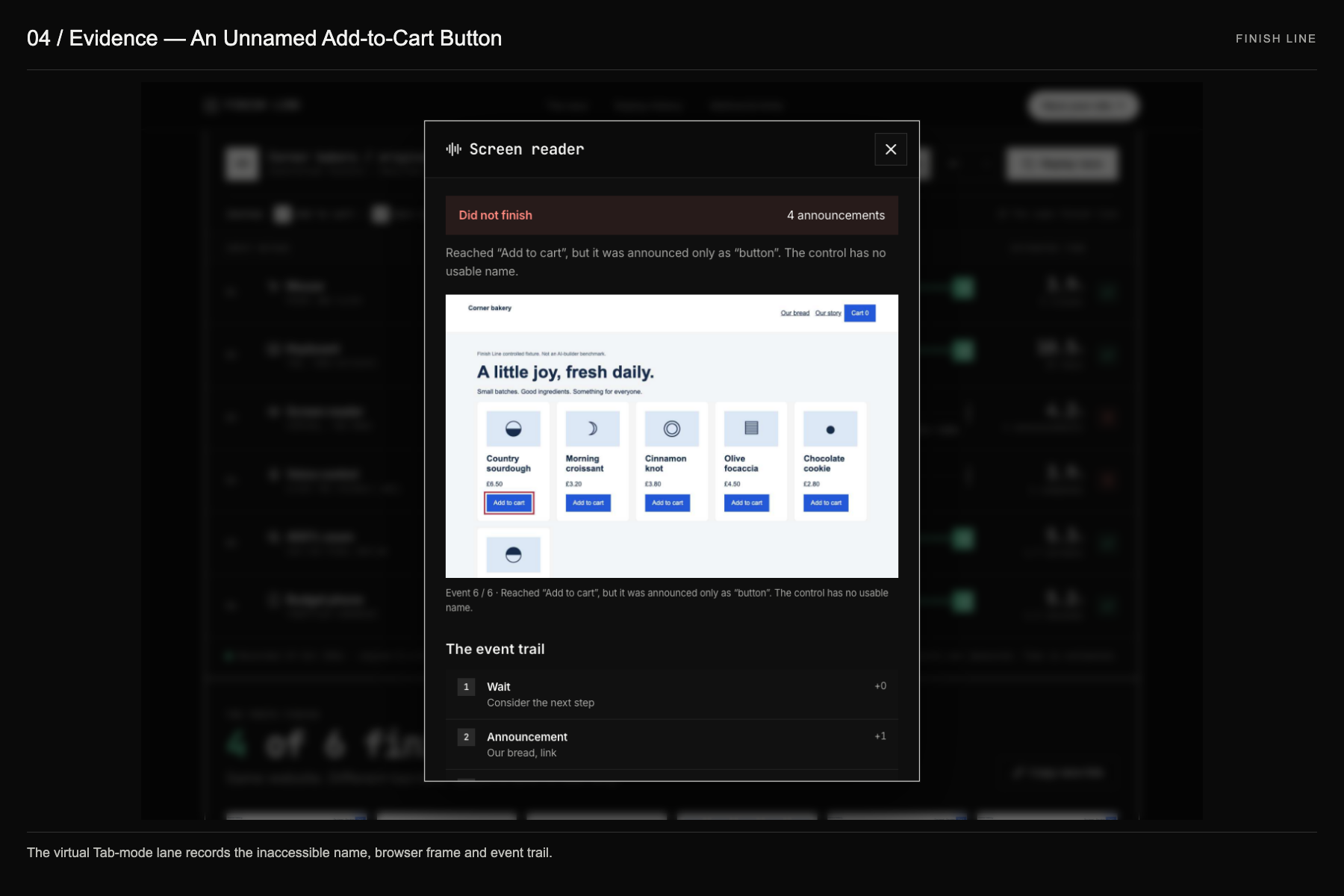
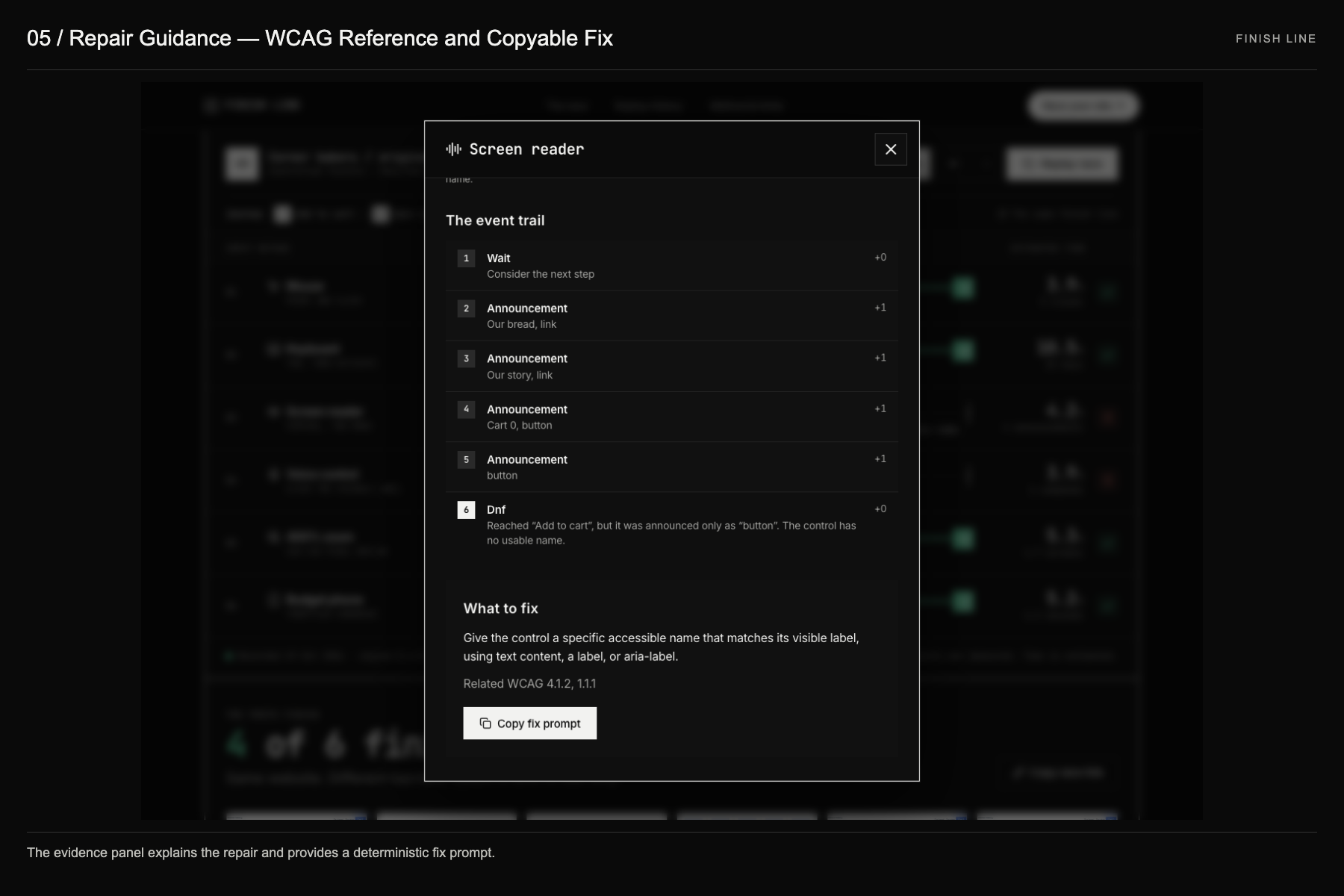
- Every result has a receipt. Select a lane for its browser frames, its event trail, the related WCAG criteria and a one-click fix prompt. Engine problems are reported as unknown, never as an accessibility failure.
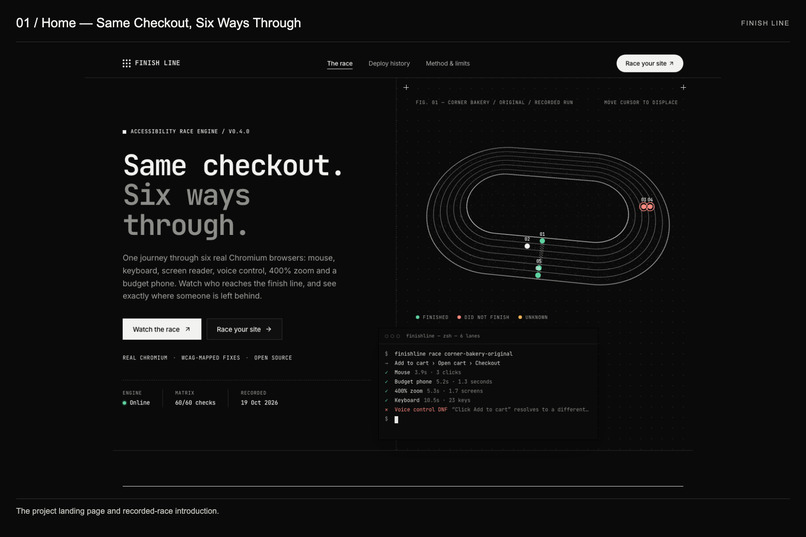
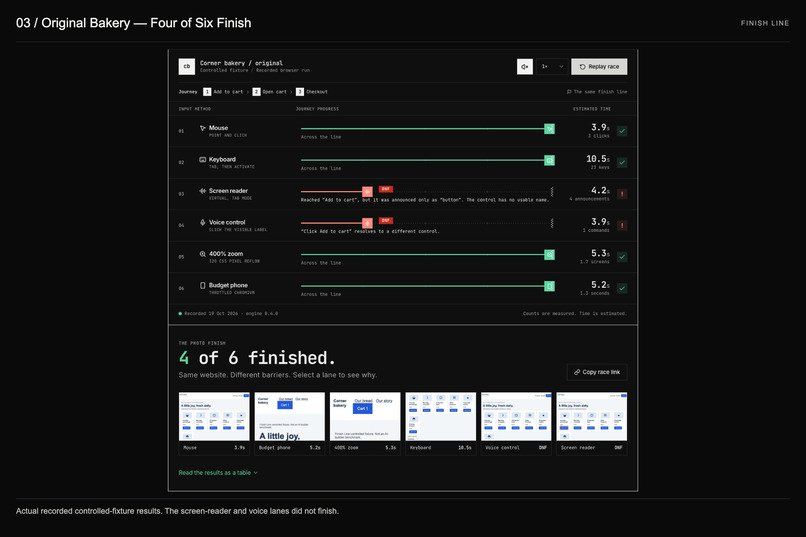
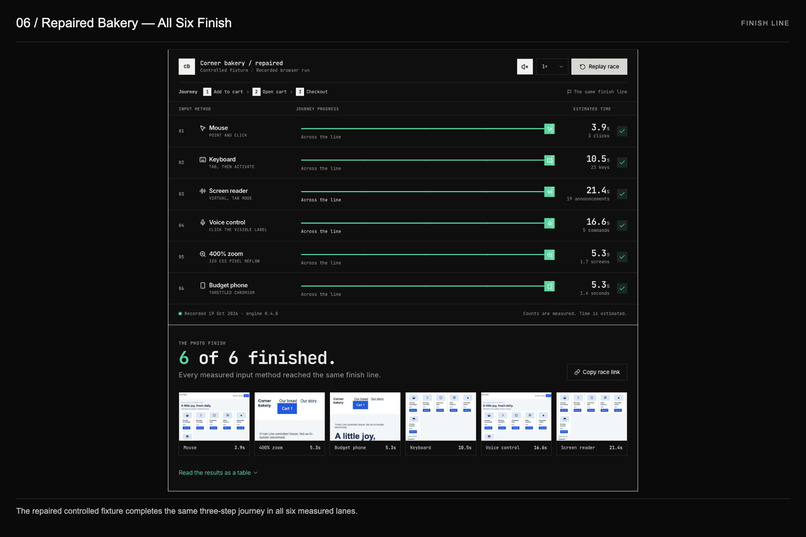
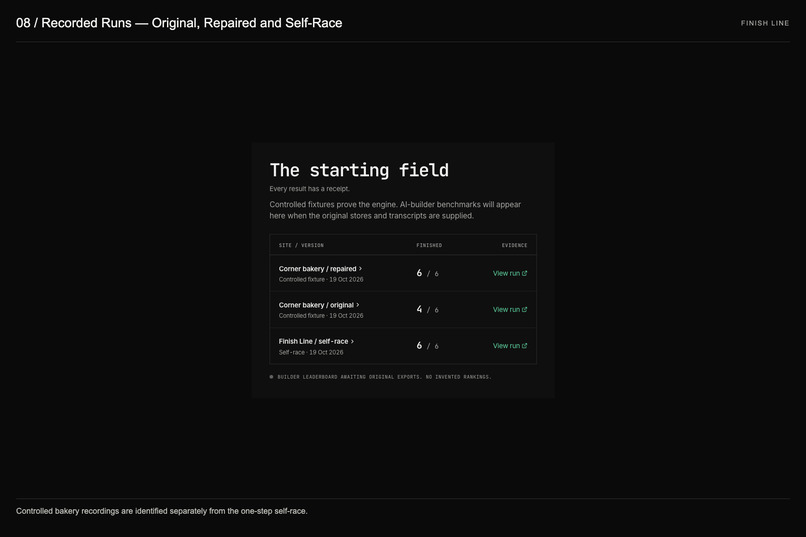
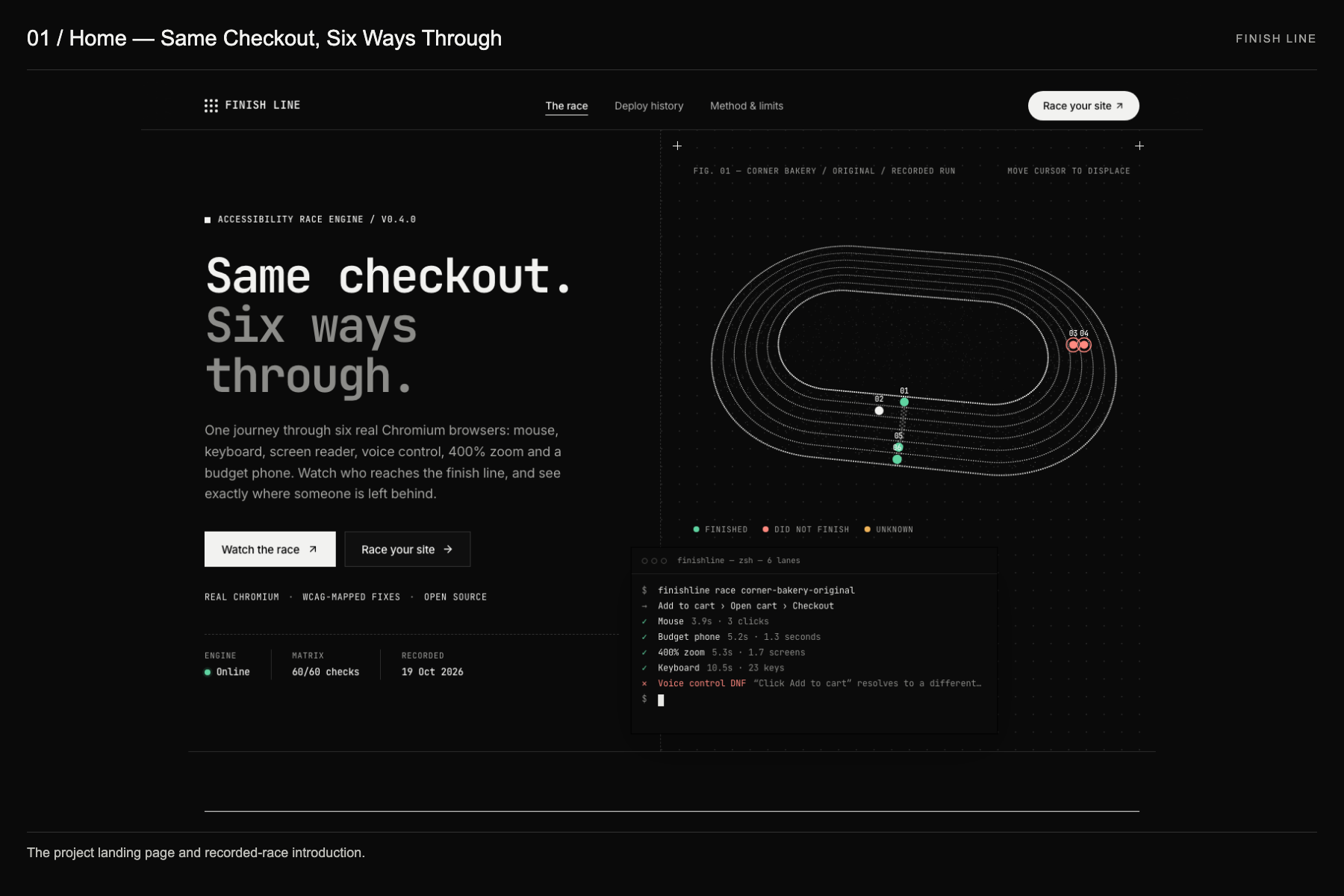
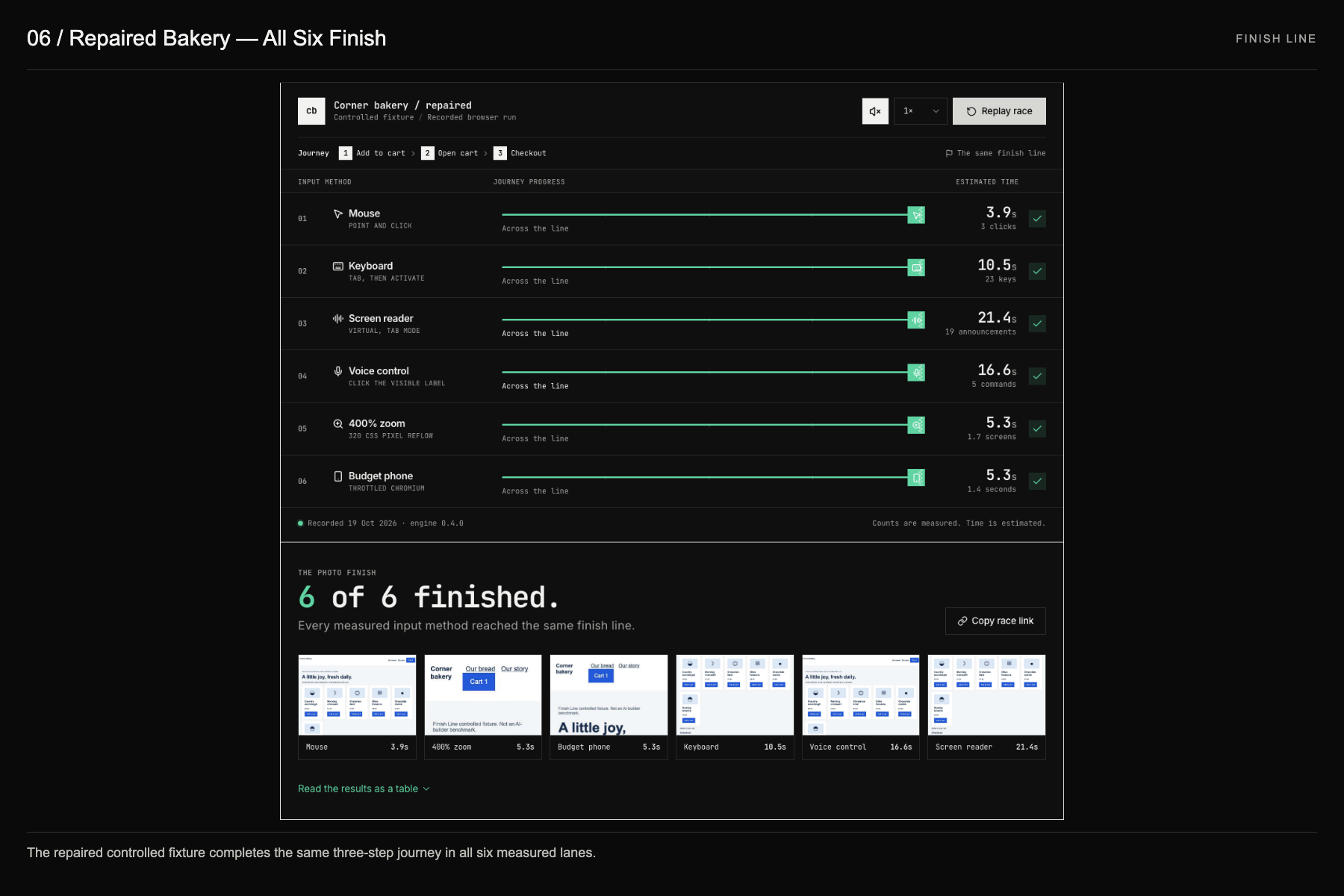
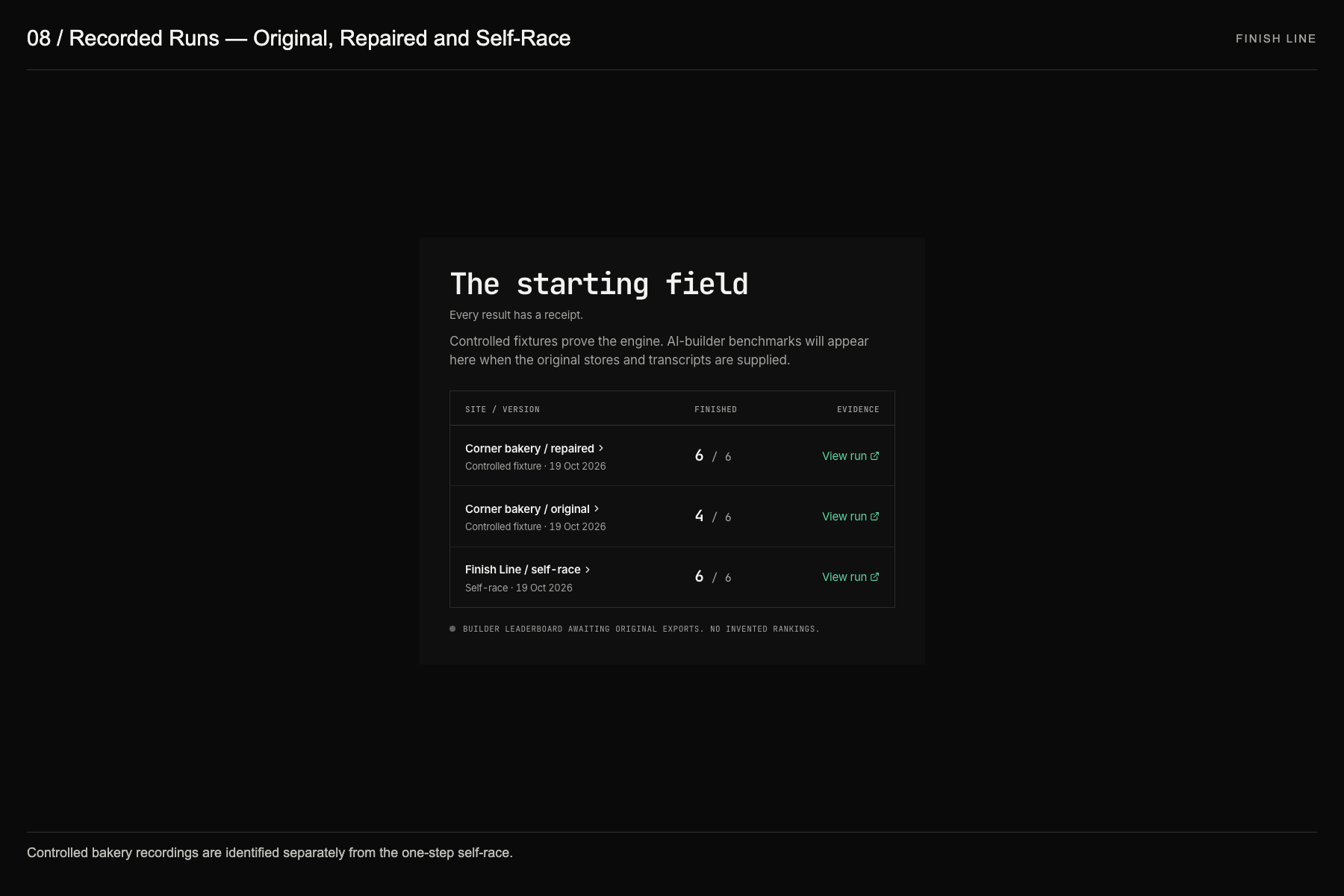
The controlled demo store finishes 4 of 6: the screen reader hears only "button" on the first Add to cart, and voice control's "click Add to cart" resolves to a different control. The repaired version finishes 6 of 6. The visible button barely changed; the journey did.
How we designed it
UX and information architecture
- One metaphor, end to end. The race organizes every screen: a start line (your URL), lanes (input methods), a shared finish line (the journey) and a photo finish (results). People understand a race without reading a manual.
- Progressive disclosure. The landing page answers "is this site usable?" in one number (4/6). One click opens why (the lane), and one more opens proof (frames, event trail, WCAG, fix). Experts get depth; everyone else gets the headline.
- Data-driven hero, not decoration. The particle stadium track in Fig. 01 is drawn from the recorded race: each runner stops exactly where its lane stopped. The terminal beside it prints the same lane results from the API. Move the cursor and the dots displace with critically damped springs; nothing moves that isn't evidence.
- Honest by design. Measured counts (keys, announcements, screens) are kept separate from estimated human time, whose formulas are published on the Method page. Controlled fixtures are labelled as such, and no rankings are invented.
- Visual language. A monochrome, technical system: mono display type (JetBrains Mono) with Inter for reading, square geometry, hairline grid rules and figure annotations. Colour is reserved for meaning: green for finished, red for did-not-finish, amber for unknown.
Accessibility and inclusive design
The tool that measures accessibility has to be accessible itself:
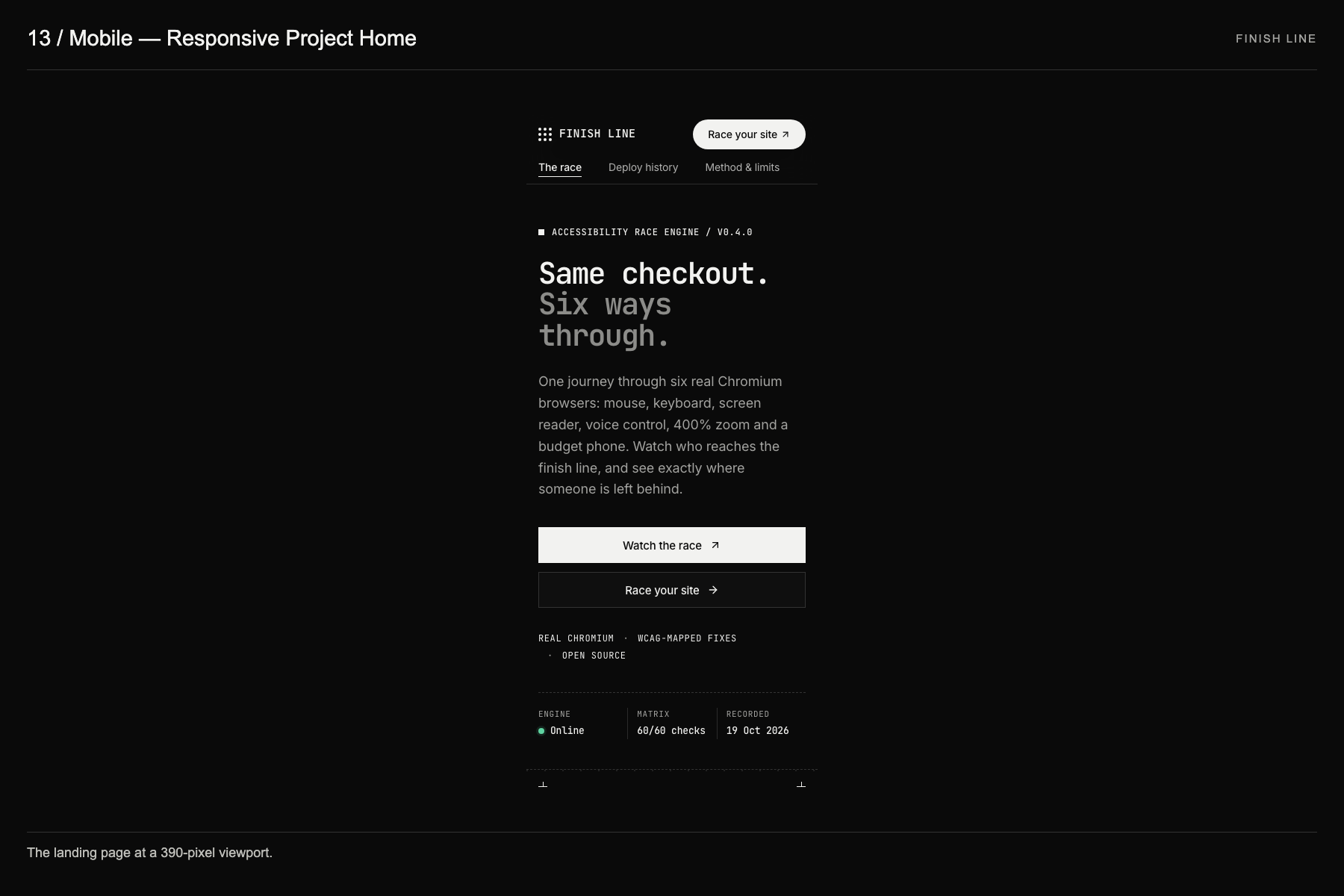
- Zero axe violations on every route at 1440, 390 and 320 px, in light and dark themes, including race results, the evidence dialog and the journey picker (
docs/a11y-results.json,docs/picker-check.json). - Everything is keyboard-operable, with visible focus rings, focus returned after dialogs, a skip link and 44 px targets.
- Screen-reader announcements are spoken and captioned, with mute and speech-rate controls.
- Results are also available as semantic tables, outcomes are announced in a live region, and the canvas figure has a text alternative that summarizes the result.
prefers-reduced-motionswaps playback for Show results / Step through; reduced transparency, increased contrast and forced colours each have fallbacks.- No horizontal overflow at 320 px; spacing is in rem, so layout scales with text size.
We have not run a human VoiceOver or NVDA pass, and we don't claim WCAG conformance: a finish is a completed journey, not a certificate.
How we built it
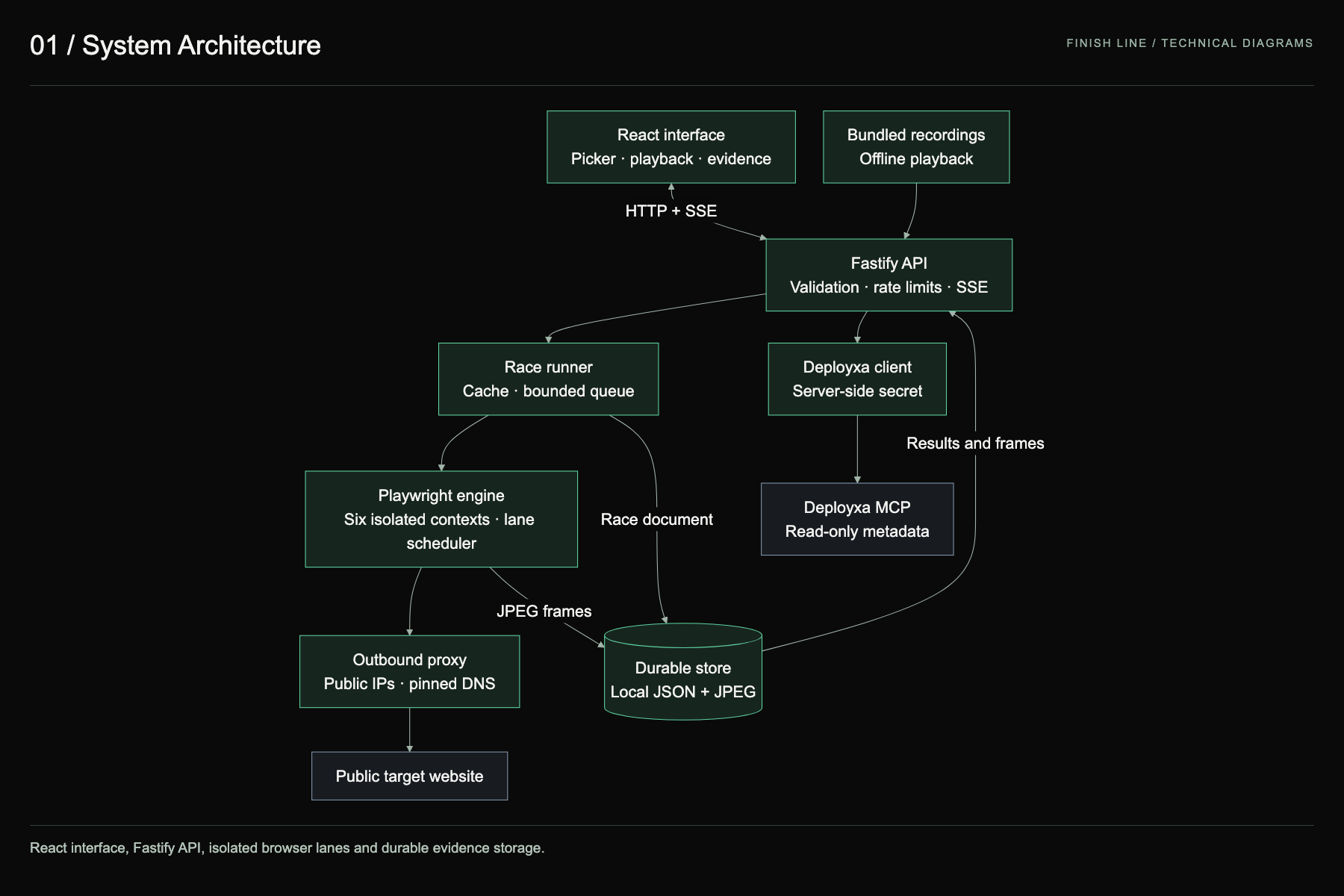
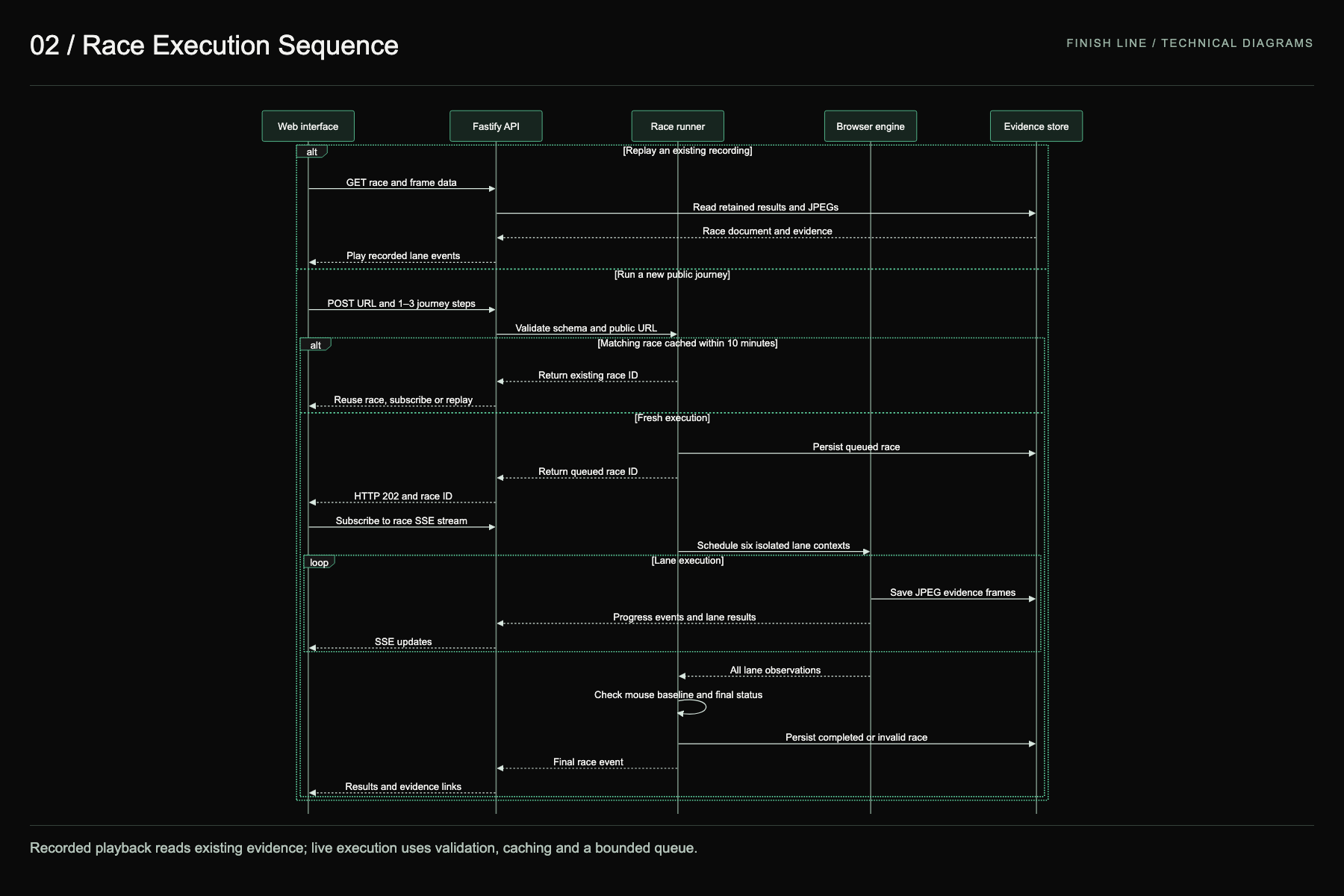
TypeScript end to end. A Fastify server drives Playwright/Chromium through six isolated contexts and reads names, roles and states from Chromium's accessibility tree over CDP. Progress streams to a React + Vite client over Server-Sent Events.
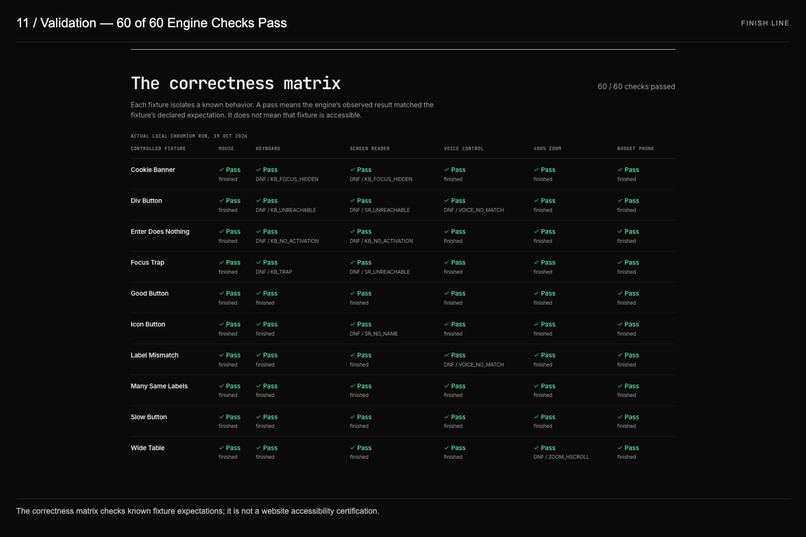
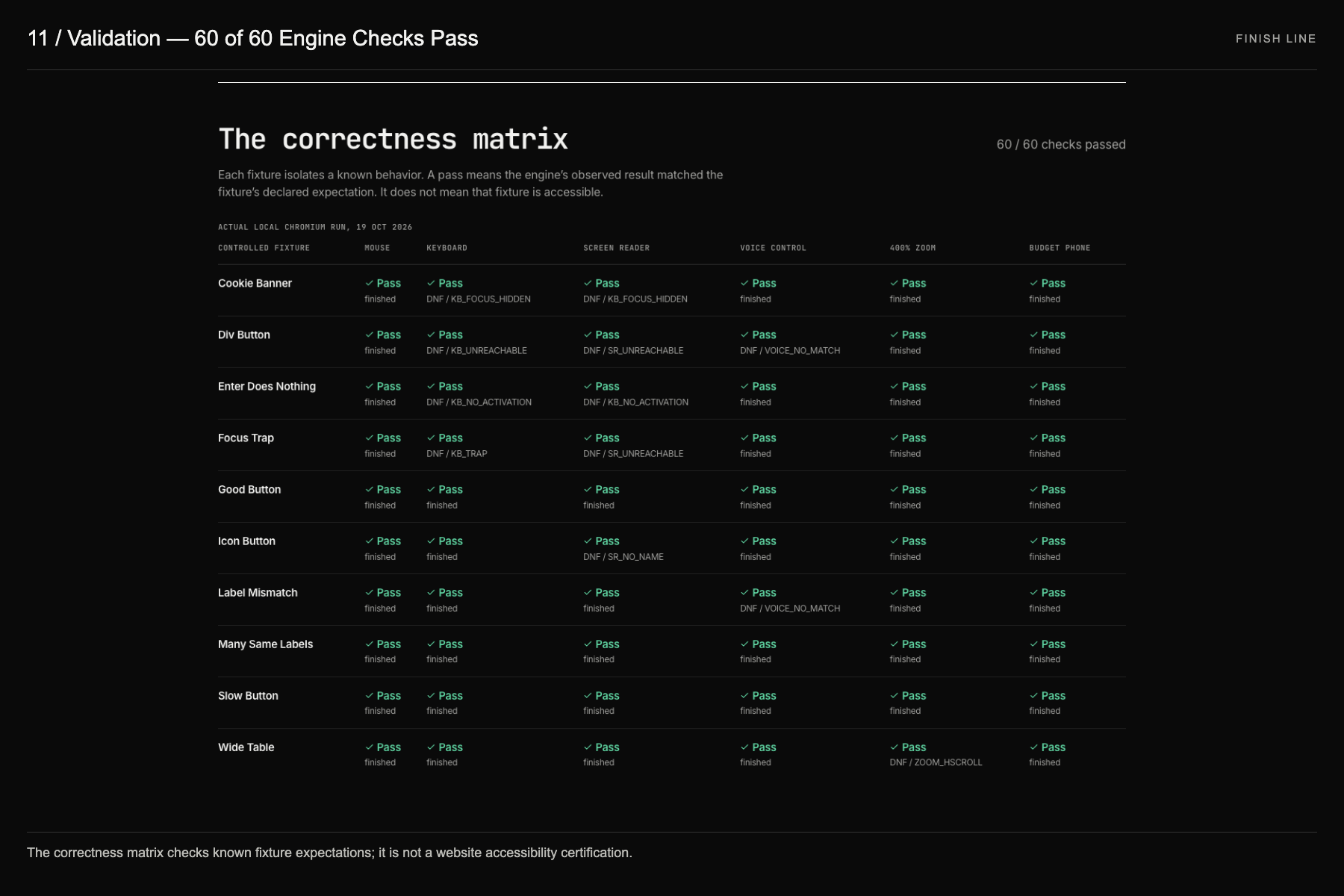
- A 10-fixture correctness matrix (60 lane expectations) checks the engine on every change. It runs in CI and is published on the Method page.
- Public URLs pass DNS checks and an IP-pinned proxy to block SSRF.
- The UI is hosted on Vercel, proxying to a Render Docker service that runs Chromium.
- We also expose
race_urlandget_raceas an MCP server, so AI agents can race a site too.
Deployxa: Finish Line connects read-only to Deployxa's MCP tools (66 discovered) to list deployments and race a deploy, with an advisory gate that flags a lane changing from Finish to DNF between deploys. A fixed zero-spend policy blocks cloud changes, rollback and AI requests.
Challenges we ran into
- Making motion truthful. Every animation either replays recorded browser events or responds to the user; the hero track, the lane runners and the terminal all read the same race data.
- Telling "inaccessible" apart from "our engine had trouble". Timeouts and load failures are reported as unknown, and a mouse failure invalidates the whole journey. For tiny free-tier servers we added an opt-in lane-concurrency setting, so lanes can run one at a time instead of starving each other.
- Contrast in a dense, technical style. Solid fills and tint colours are separate tokens, so white-on-colour text keeps at least 4.5:1 in both themes.
Accomplishments that we're proud of
- A working product, not a mockup: paste a URL and six real browsers race it.
- 60/60 engine correctness checks, plus zero axe violations across themes and breakpoints.
- An interface that explains a complex audit through one familiar metaphor.
What we learned
The most persuasive accessibility argument isn't a score; it's watching the screen-reader lane stall while the mouse lane crosses the line.
What's next for Finish Line
- Race the outputs of popular AI site builders against the same prompt (
benchmark/PROMPT.md), recorded with dated evidence. - Human screen-reader sessions to calibrate the virtual lane.
- A CI check that blocks a deploy when a lane regresses from Finish to DNF.
Built With
- axe-core
- canvas
- chrome-devtools-protocol
- chromium
- deployxa
- fastify
- model-context-protocol
- playwright
- react
- render
- server-sent-events
- typescript
- vercel
- vite
- vitest
- web-speech-api
- zod

Log in or sign up for Devpost to join the conversation.