-
-
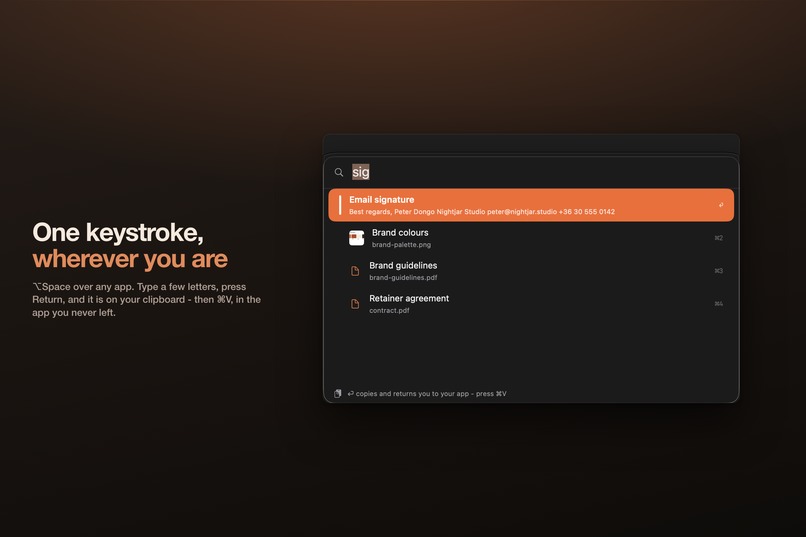
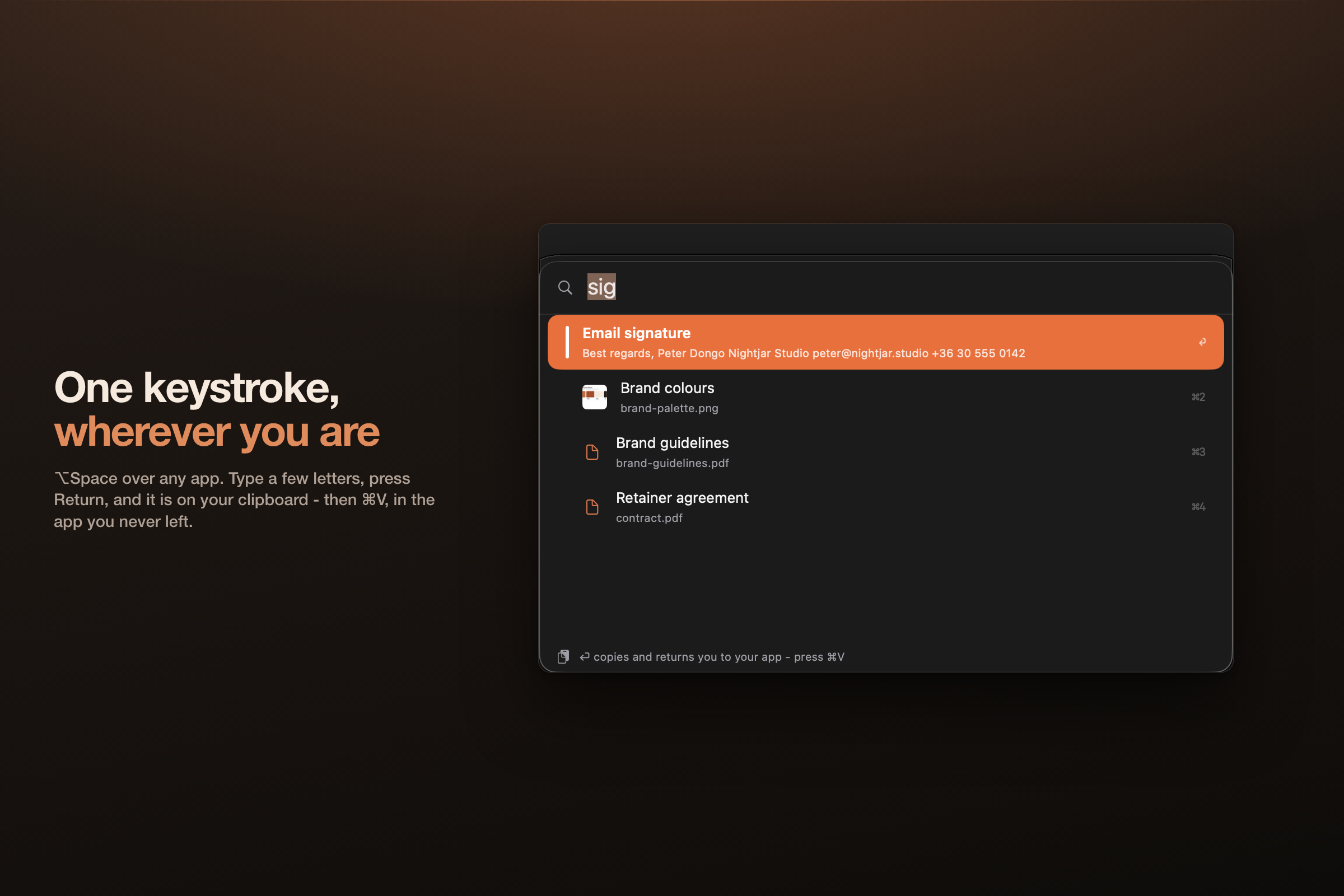
⌥Space over any app on the Mac. Type a few letters, press Return, then ⌘V. The palette is why the Mac build is a menu-bar app.
-
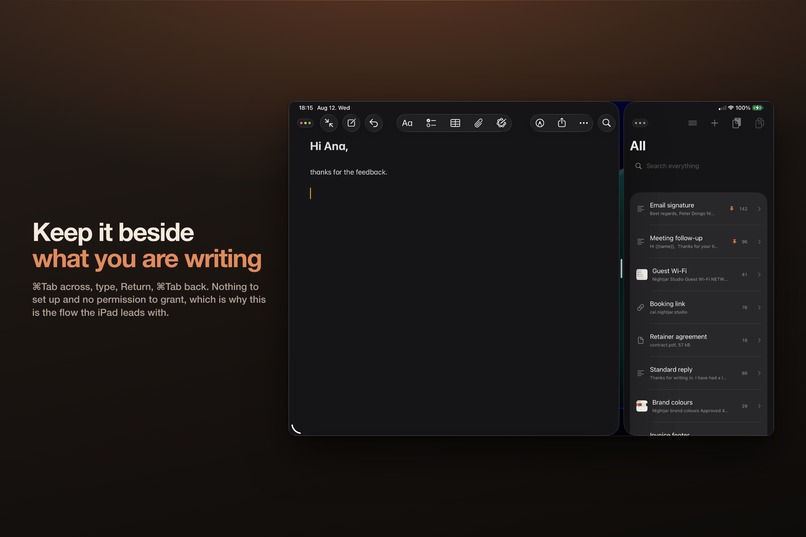
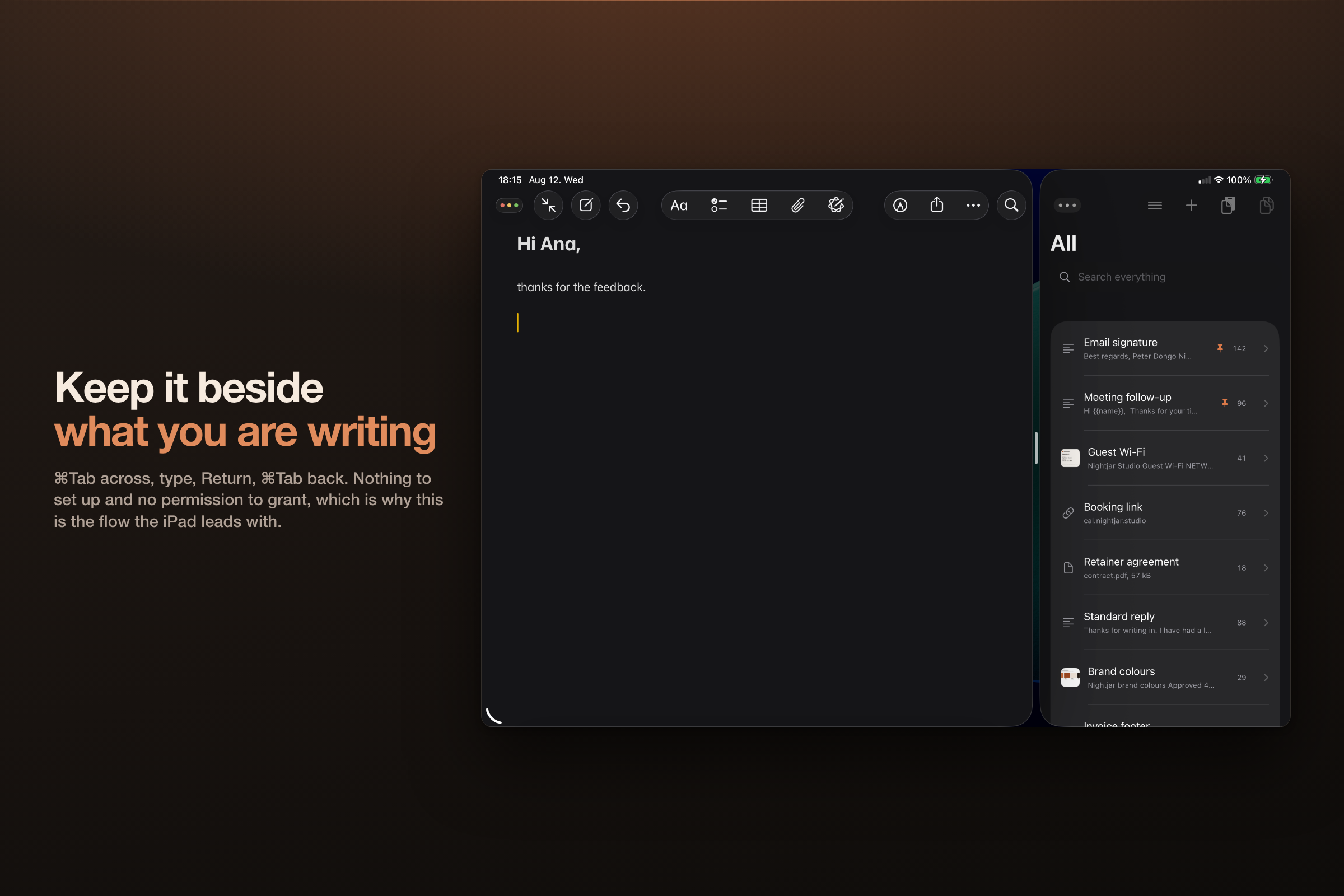
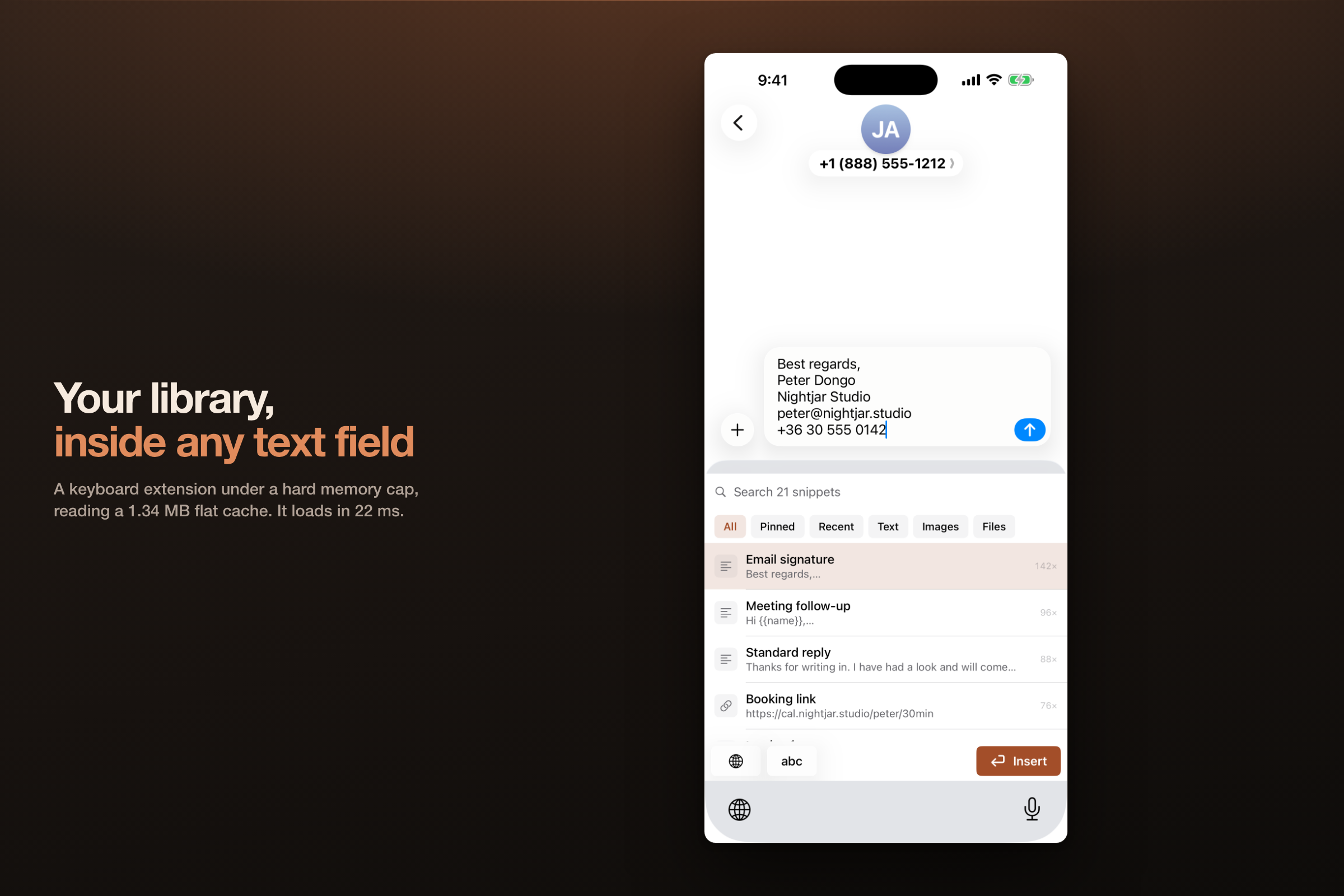
⌘Tab across, type, Return, ⌘Tab back, ⌘V. Nothing to set up and no permission to grant, which is why the iPad leads with it.
-
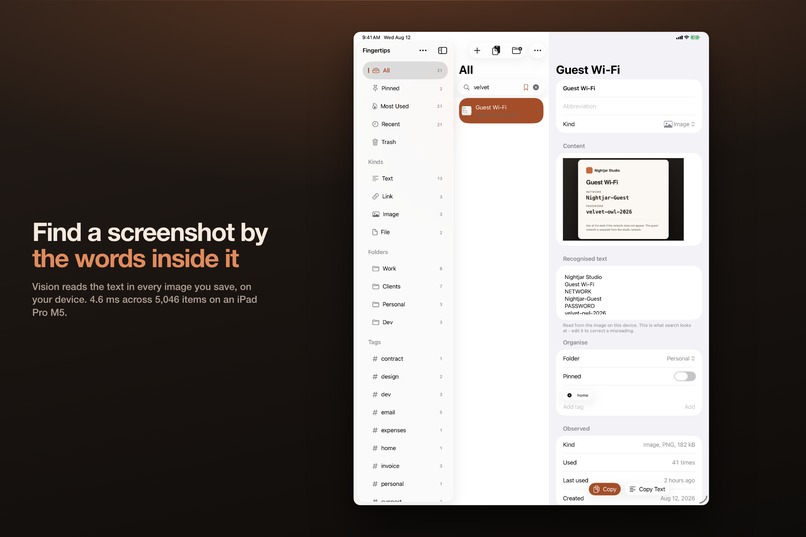
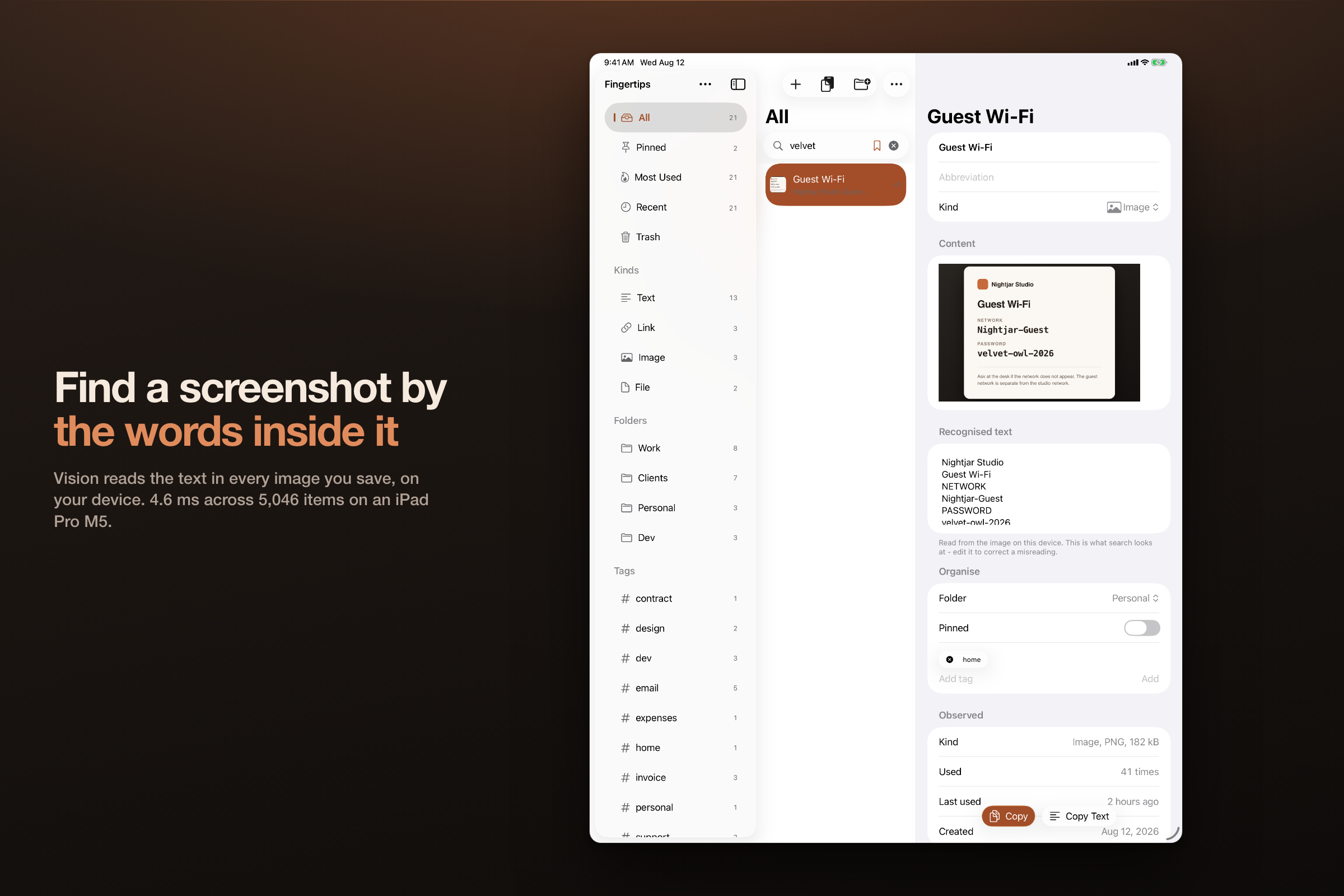
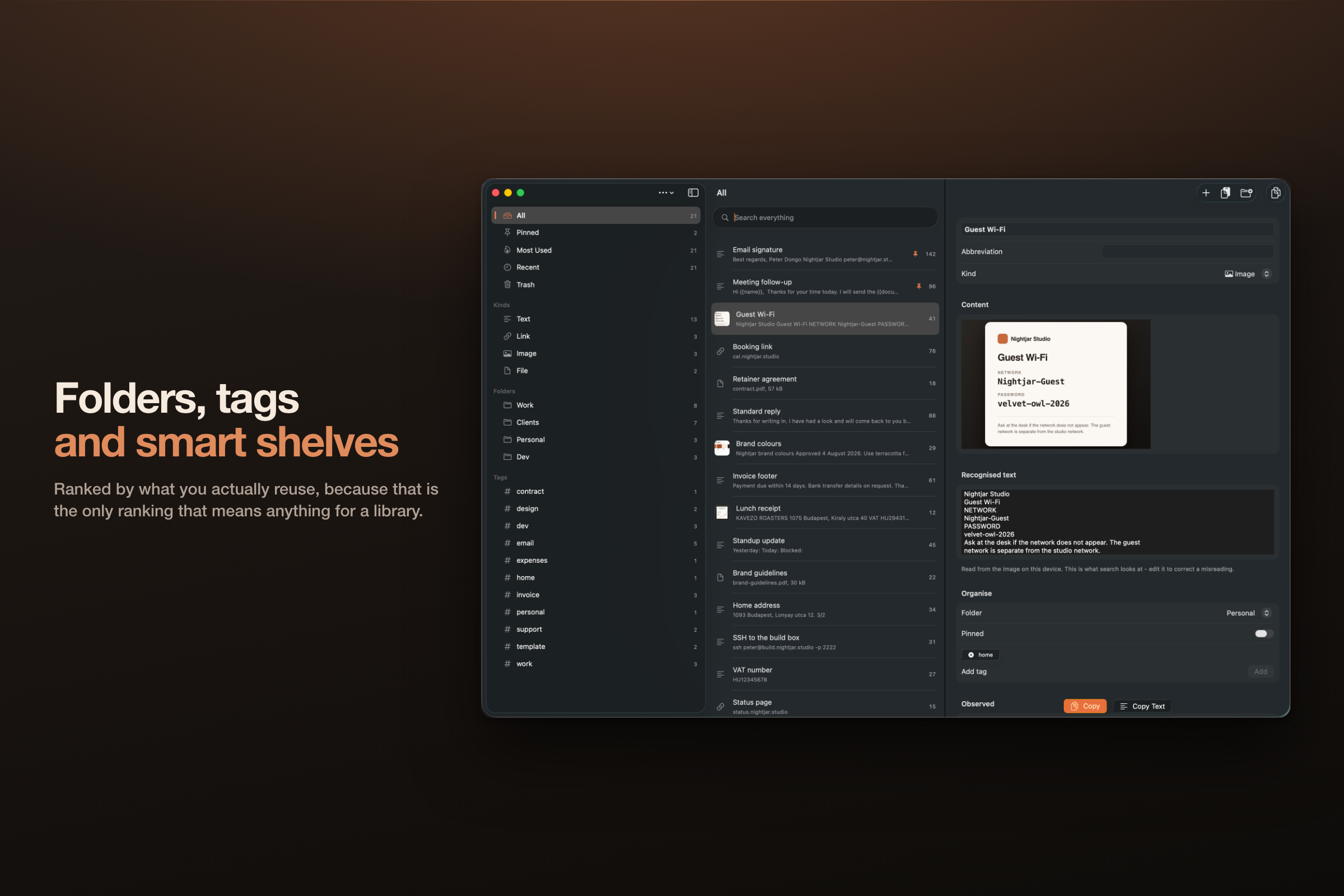
Vision reads the words inside every image you save, on device. So a screenshot is findable by text that only existed in the picture.
-
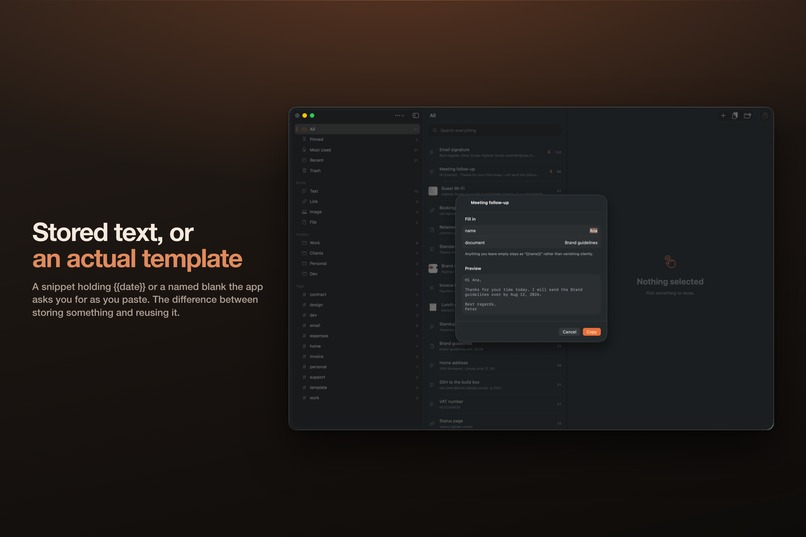
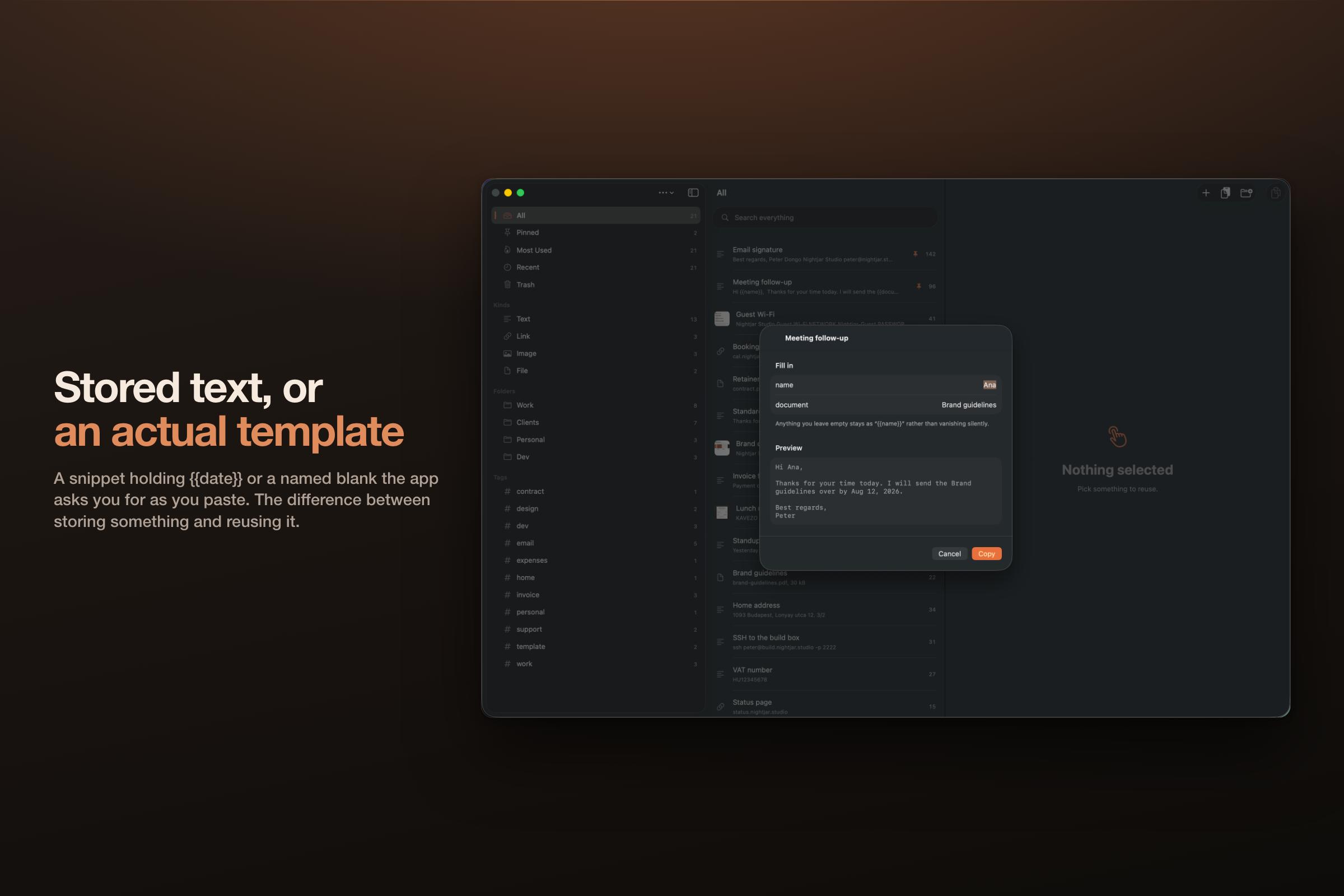
{{date}}, {{clipboard}}, or a named blank the app asks you for as you paste. That is a template rather than stored text.
-
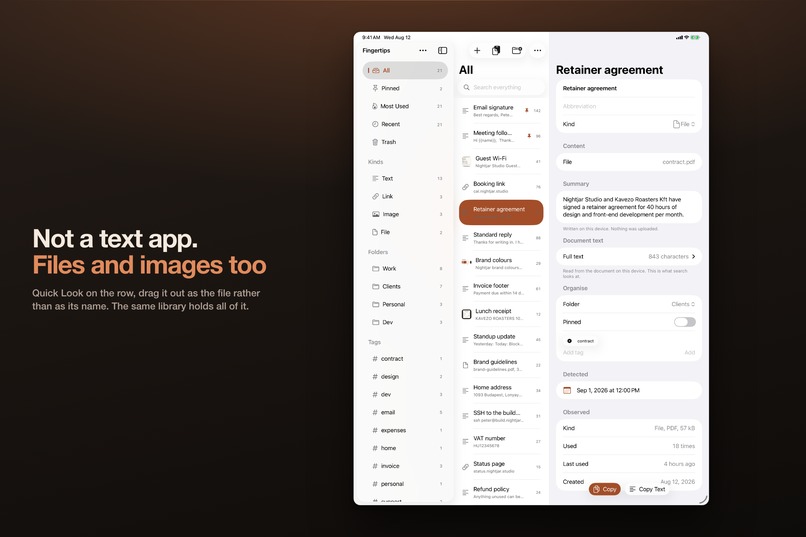
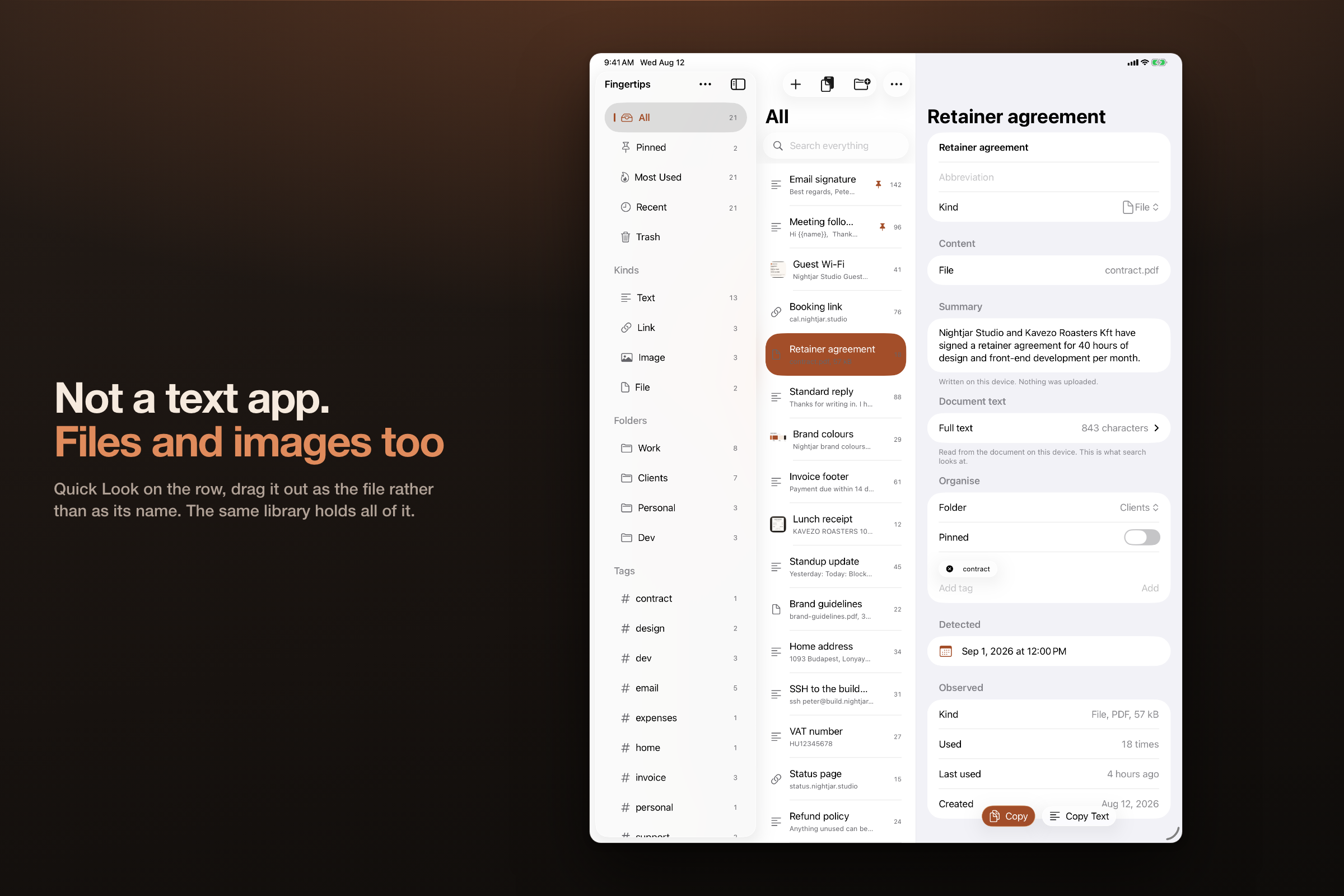
Space to Quick Look it, or drag the row out and it lands as the file itself. Text, links, images and documents in one library.
-
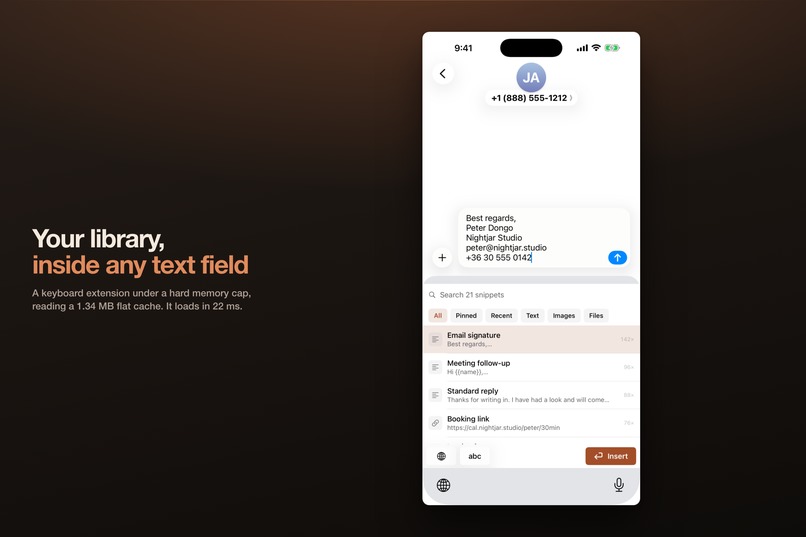
A keyboard extension cannot open SwiftData, so the app projects the library into a 1.34 MB flat file. It loads in 22 ms.
-
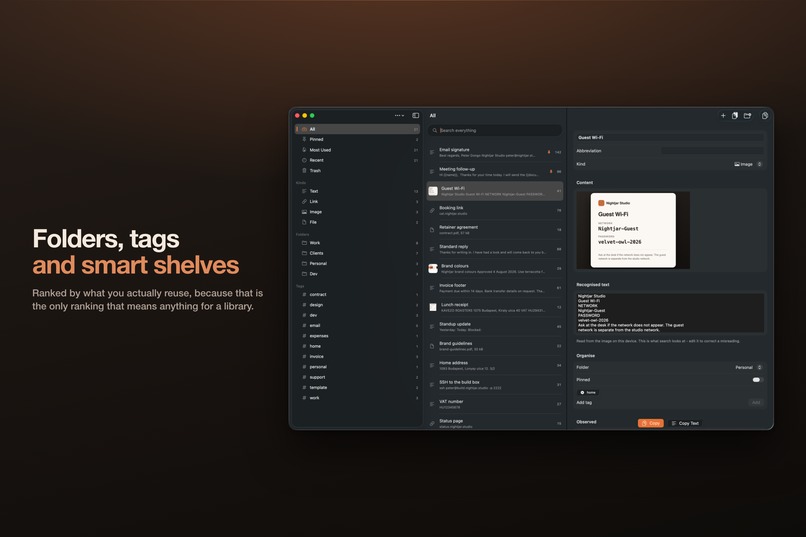
Folders, tags, and shelves that build themselves from what you do. Results rank by what you actually reuse most.
-
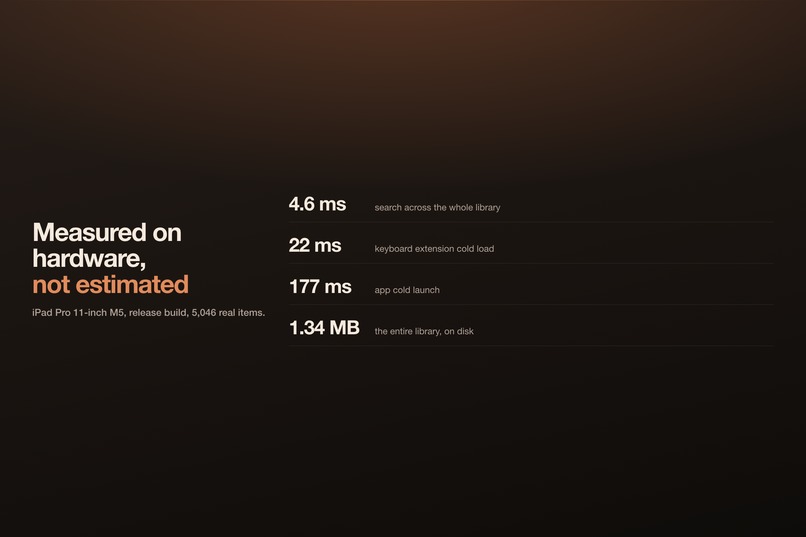
iPad Pro M5, release build, 5,046 real items. Measured on the device rather than budgeted for on a spec sheet.
-
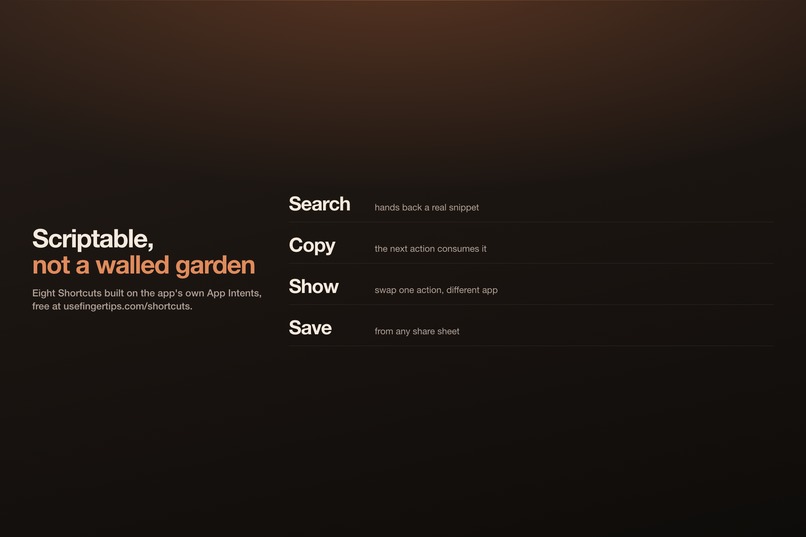
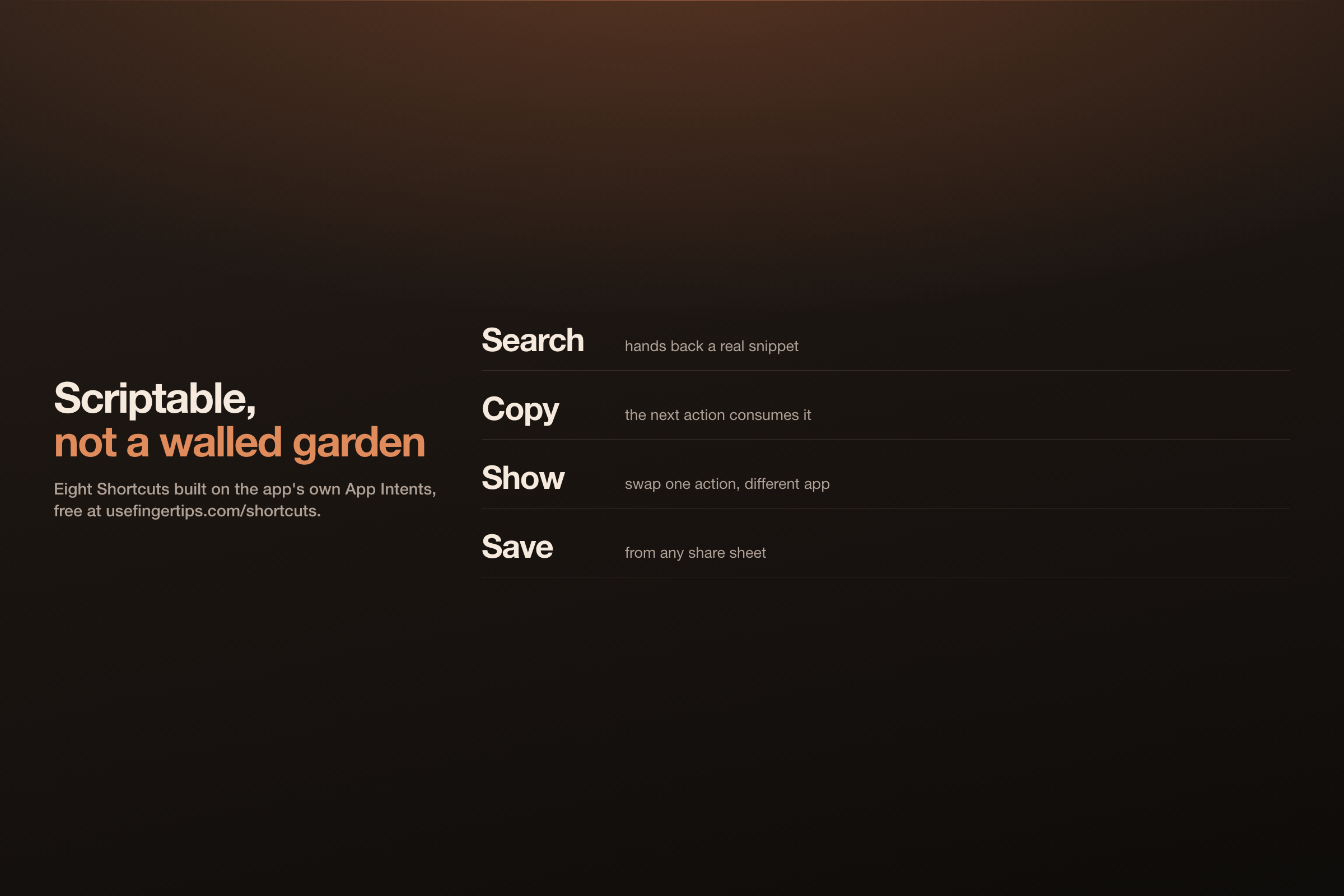
The search action hands back a real snippet that the next action consumes. Five are free to download at usefingertips.com/shortcuts.
-
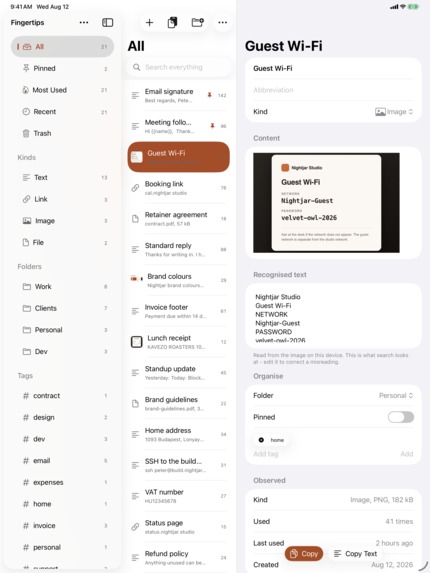
Screenshot of the iPad app
-
App icon
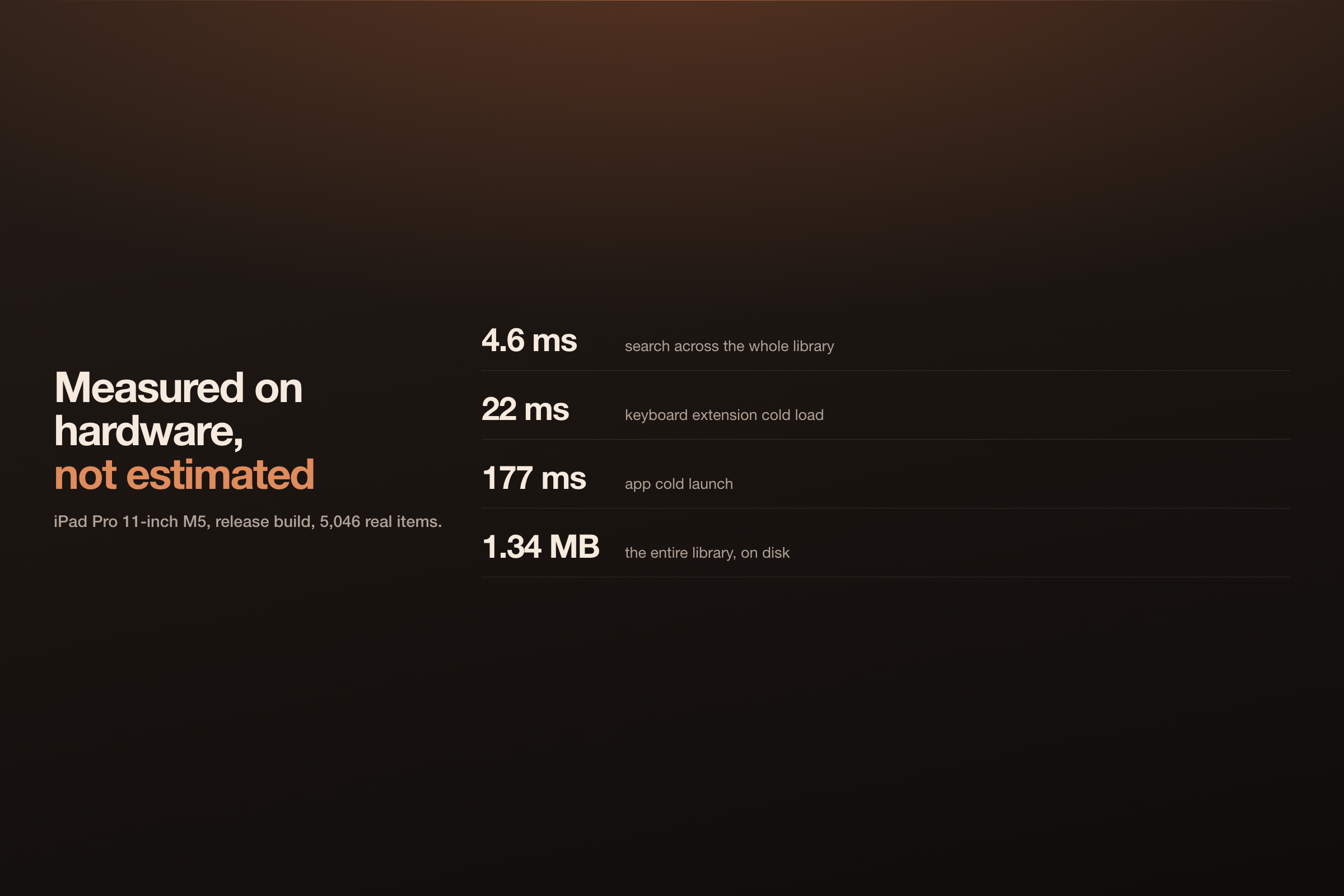
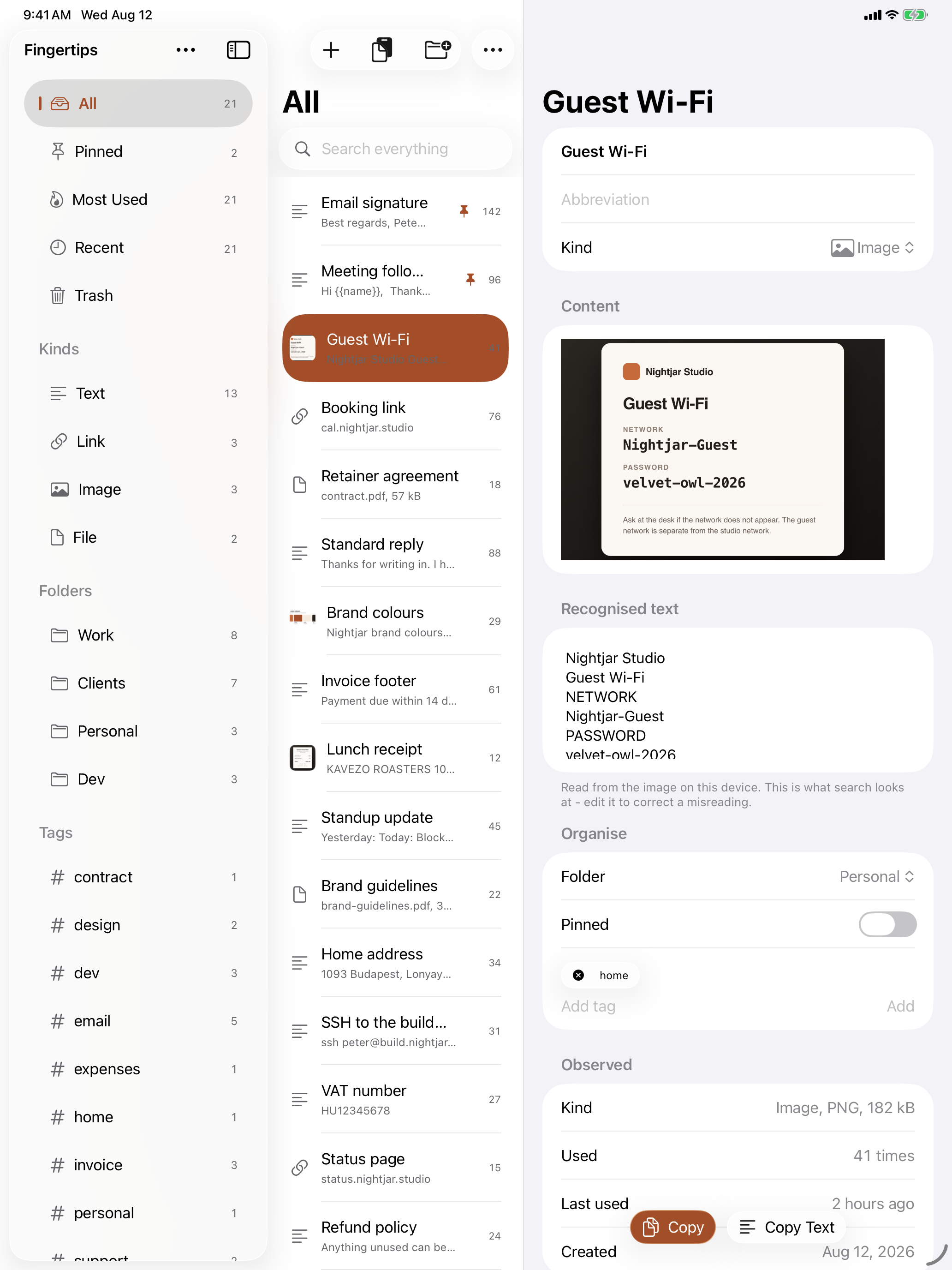

Fingertips is built around getting a saved snippet, file or image back into whatever you're typing in: a keyboard in any text field on iPhone, a ⌥Space palette over any app on the Mac, a window beside your work on iPad, plus Spotlight, Siri and Control Center. On an iPad Pro M5 with 5,046 real items, a search takes 4.6 ms.
Inspiration
Christopher Lawley's Productivity brief asked for one fast, focused place to save and retrieve reusable text, documents, files and images. The word that decided everything was reusable.
Most apps here are about transit: you pick something up, carry it between two apps, put it down, it's gone. A library is the stuff you send again and again. Your standard reply, your invoice footer, your logo, the screenshot you keep re-sending. Transit is won on the save. A library is won on the retrieve, so that's where the build went.
What it does
On the Mac, ⌥Space opens a palette over whatever you're in. Type a few letters, press Return, the snippet is on your clipboard and you're back in your app. On iPad it opens as a narrow window beside your work: ⌘Tab, type, Return, ⌘Tab back, ⌘V, with nothing to set up and nothing to grant. On iPhone a keyboard extension puts your snippets into any text field, and Control Center gets three buttons: copy a chosen snippet without leaving what you were doing, save the clipboard, or land straight in search.
On iPadOS 27, Siri copies a named snippet by voice, and you can ask your library a question and get an answer built from your own snippets, on device. Ask mode needs Apple Intelligence available on the device; nothing else in the app requires it.
It holds text, links, images and files, and ranks by what you actually reuse. Six things I'd defend hardest:
Fill-in tokens. A stored signature is just text. A snippet with {{date}} in it, or a named blank the app asks you for as you paste, is a template. That's the difference between storing something and reusing it.
Facts. A snippet that is entirely one value: an email, an IBAN, a reference number. IBANs are validated by mod-97, so the badge reads "Checked" only where a checksum agreed and "Recognised" where none exists. Collapsing those two is how a suggestion becomes something you re-verify every time.
Show mode. A snippet full screen, or as a QR code. The only way to get something onto a device that doesn't have the app: a wifi password across a desk, a reference number at a counter.
Bundles. Several items that travel as one: the logo, the rate card and the intro paragraph together, because the reply you keep sending is rarely a single thing. Copy the bundle and they all land in one paste, or step through them one at a time where only one thing pastes.
Formatted snippets. Bold, italics, links and pictures survive the round trip, so on the Mac an email signature copied out of Mail keeps its photo and pastes back formatted. Remove Formatting makes one plain again, and the keyboard still types plain text, because that's all a keyboard extension can insert.
Import from the tool you're leaving. New in 1.4: it reads snippet exports from TextExpander, Raycast, Alfred and Apple's text replacements, keywords and fill-ins included, and tags each import with where it came from, so switching to Fingertips doesn't start with an hour of retyping.
How I built it
SwiftUI, one multiplatform app target, SwiftData and CloudKit, no third-party dependencies except RevenueCat.
The architecture came out of one constraint. A keyboard extension runs under a hard memory cap and can't open SwiftData and CloudKit. So the app projects its library into a small flat file in a shared app group, with search keys lowercased at write time rather than at query time. The keyboard reads only that, and so do the palette, the widgets, Spotlight, Control Center and the App Intents, which means no two surfaces can rank the same query differently. On an iPad Pro M5 with 5,046 real items that file is 1.34 MB and a search takes 4.6 ms.
Everything clever runs on device. Vision reads the text inside saved images, so a screenshot is findable by words that only ever existed in the picture. No account, no ads, no analytics, no server holding your content, and 39 App Store locales.
Challenges
Apple told me to delete the best feature, and I did.
The Mac palette used to paste for you: type, press Return, and the text landed in the app you came from. One keystroke, no clipboard step. That was the flagship.
It went into review on 20 August and came back rejected under 2.4.5. Sending a synthetic ⌘V means CGEvent.post, macOS gates that behind the Accessibility permission, and that permission is meant for assistive software. I appealed with the reasoning written out, and lost on 27 August.
So it's gone. Paster.swift went from 190 lines to 40, and nm -u on the release binary returns nothing for AX, CGEvent or PostEvent, because "we removed it" and "we hid it" have to be different claims. The palette copies and hands focus back, you press ⌘V, and the footer says so before you press anything. The App Store description says the same in all 39 locales. It cost a day rather than a rewrite, because I'd assumed one appeal in three fails and built the fallback before the answer came.
My core thesis was wrong, and testing killed it in week one. The plan said the iPad flow was press Globe, get the keyboard, type, insert. I wrote that down as a fact and didn't test it. Attach a hardware keyboard and iPadOS suppresses the on-screen keyboard entirely, and Ctrl+Space cycles hardware input sources only, so a custom keyboard isn't in that list at all. The extension worked fine. My assumption about how you reach it did not. That's why the iPad story is a window beside your work now, and it's the better story.
What I learned
Don't write a platform behaviour into a plan without running it. That cost me a thesis, and it's happened often enough since that the project keeps a list of assumptions testing has disproved. It runs to forty-five.
And building something isn't testing it. I had eight Shortcuts that were signed, valid, and had never once been run. Running them found four bugs, three of them in the app rather than the shortcuts, and building the QR one exposed a screen with no button anywhere in the interface.
What's next
The architecture makes the next step cheap. The whole library is a 1.34 MB flat file that every surface already reads, so the next reader is a small, read-only MCP server: open source, outside the app bundle, so an agent can find your standard reply or your rate card the same way the keyboard does, ranked the same way. The hard part shipped in 1.0. This is an afternoon, and it happens the week after the deadline.
Then the things people will ask for first:
- The iPad global hotkey, set up by the app. iPadOS has one, in Full Keyboard Access, and today Fingertips documents the recipe. Next it walks you through binding a chord and installs the Shortcut behind it.
- Abbreviations everywhere. A snippet already takes a short trigger that expands in the Fingertips keyboard. Next is exporting the set into macOS text replacements, so the ten things you type most expand in every app, even the ones Fingertips isn't in.
- The interface in the rest of the locales. The App Store listing is in 39 and the app in 12. Closing that gap is the next localisation pass.
- Themes. The seven alternate icons already ship on iPhone and iPad; the rest of the look is next.


Log in or sign up for Devpost to join the conversation.