-
-
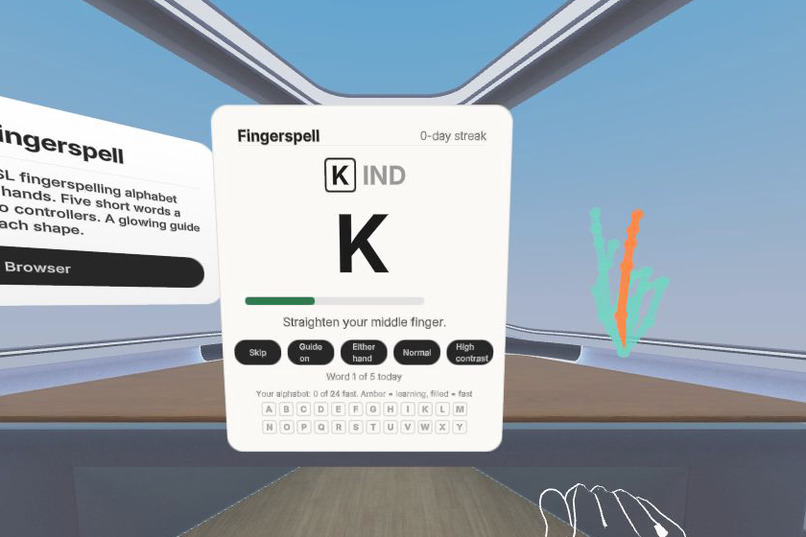
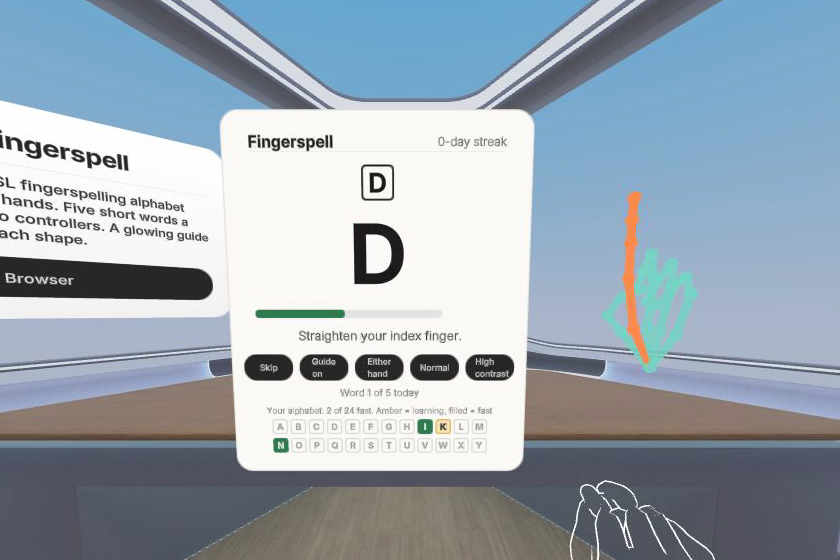
Finger coaching: the hint names the finger that is off, and that finger lights up orange on the glowing guide hand.
-
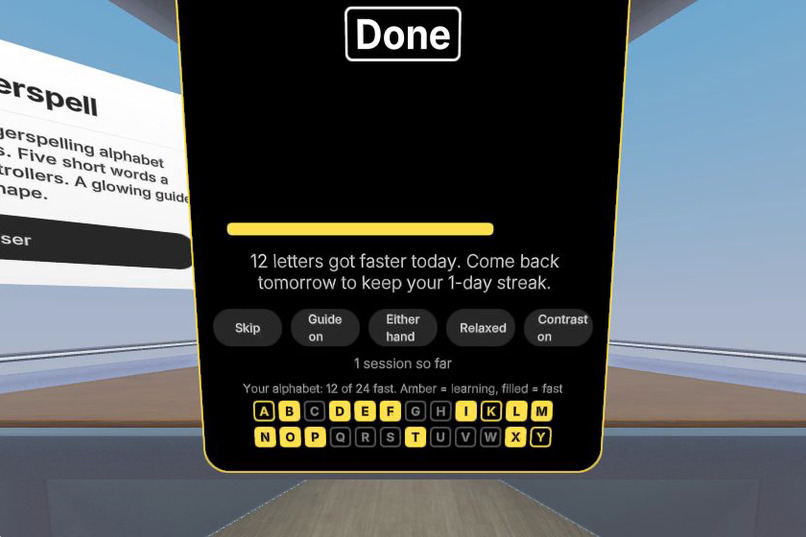
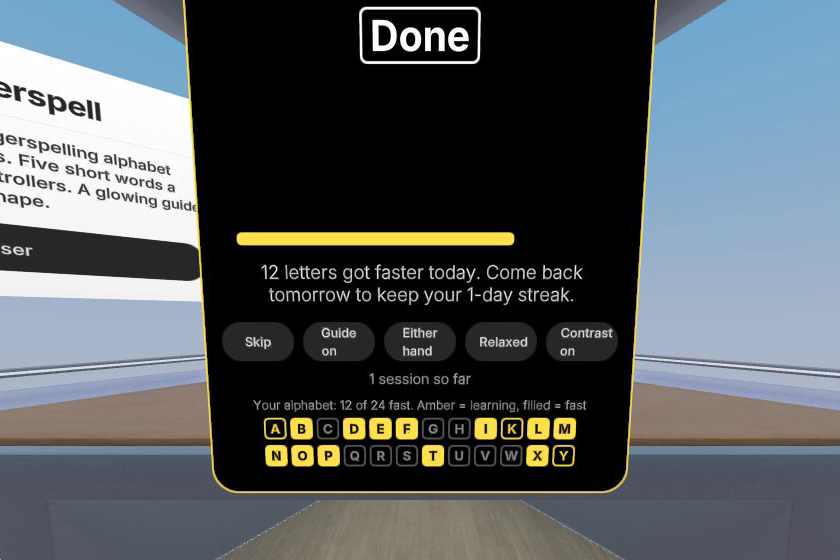
End of the day: letters that got faster, a streak to keep, and the alphabet board to fill in tomorrow.
-
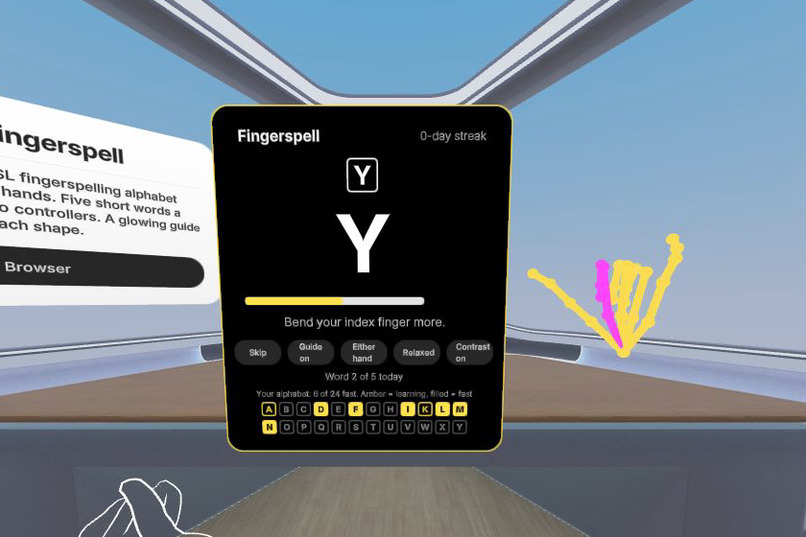
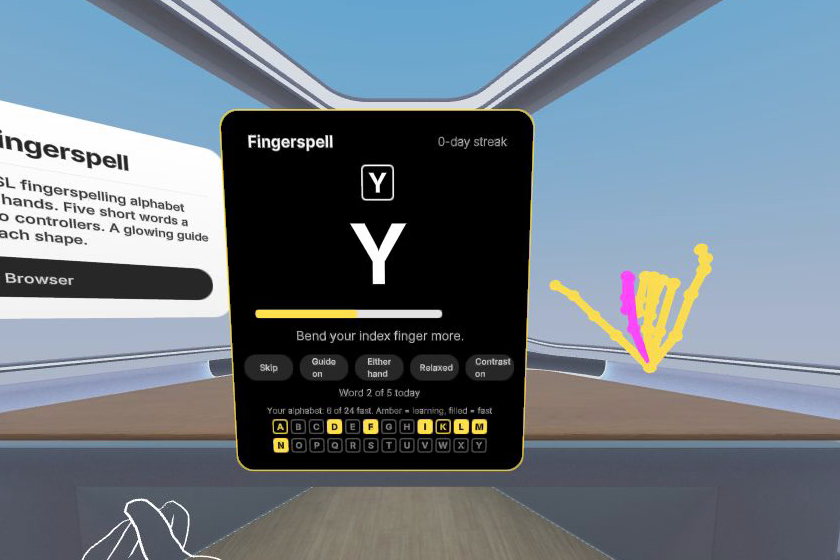
High contrast: black panel, yellow guide hand. Either hand, mirrored guides, and Relaxed matching for limited mobility.
-
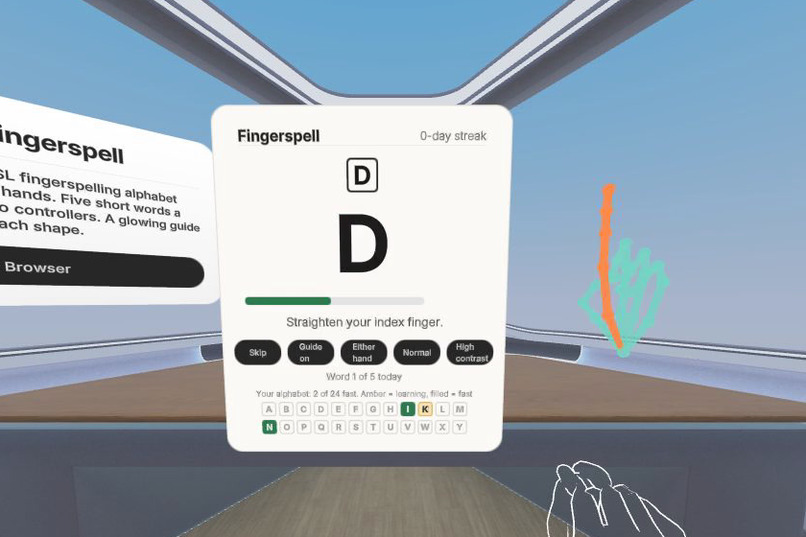
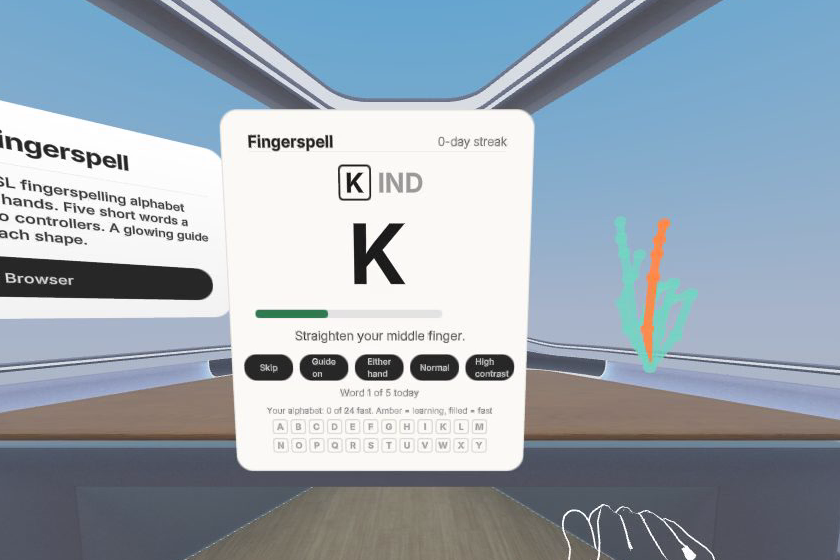
Hold the shape and the letter turns green; the alphabet board below the word fills in as letters get faster.
Inspiration
Fingerspelling is the first wall for anyone learning American Sign Language: 26 hand shapes that are hard to check alone, because a video cannot tell you whether your own hand is right. Quest already tracks every joint of both hands, so the headset can be the patient practice partner a learner never has at 11 p.m.
What it is
A seated, three-minute daily practice. Five short words appear on a panel in front of you. A glowing guide hand next to it shows the shape of the next letter, the way you see your own hand when you sign: fingers up, palm away. A meter shows how close your hand is, and when a finger is off the hint names it ("Bend your index finger more", "Straighten your pinky") while that finger lights up orange on the guide hand; hold the shape and the letter turns green, the guide hand pulses and the next letter lights up. Words are chosen from your slowest letters, and a streak brings you back tomorrow. An alphabet board shows each letter as not yet, learning or fast, so you can see your alphabet fill in from one day to the next, and the end of a session names the letters that got faster. It is a practice tool, not a translator.
Accessible by default
Hands only from start to finish. Either hand, with mirrored guides for left-handed signers, or a one-hand mode that ignores the other hand. Strict, Normal or Relaxed matching for different hand mobility and tracking conditions. High-contrast mode with a yellow guide hand on black. Every cue is visual, so Deaf and hard-of-hearing learners lose nothing; the chime is optional reinforcement. Everything fits in a two-foot radius at a desk.
How we built it
Meta's Immersive Web SDK (WebXR, three.js, ECS) with UIKitML panels. Each frame we read the 25 WebXR hand joints of each hand in that hand's own wrist space, normalise for hand size, and compare them with shapes for A to Z recorded on a Quest (Handy.js, MIT) using mean joint distance, allocation-free inside the frame loop. Shapes the tracker cannot separate reliably (A/S/T, M/N, E/O, R/U/H) count when the learner is closest to the target's twin, and the match must hold for several frames so a lucky frame never counts. We tested the whole loop without a headset by teaching IWER, the browser XR emulator, all 26 shapes, and unit-tested the matcher with tracker-level noise.
What's next
Motion letters J and Z, user-recorded calibration of each letter, a "spell your name" warm-up, and two-person practice where one signs and the other reads.
Hand interactions
Static hand-shape recognition of the fingerspelled alphabet with either hand (J and Z by their final hand shape; their motion is next); hand-ray pinch and poke on every control; no controller at any point.
Try it
Open https://fingerspell.sellerkit.workers.dev in the Quest browser and press Start practising. Hands only; controllers are never needed. Source (MIT): https://gitlab.com/globalmatchhub/fingerspell
Built by a solo developer in Korea and tested without a headset in the IWER emulator. English text was written with AI assistance.
Built With
- cloudflare-workers
- hand-tracking
- immersive-web-sdk
- three.js
- typescript
- webxr

Log in or sign up for Devpost to join the conversation.