-
-
App Logo 1024x1024x
-
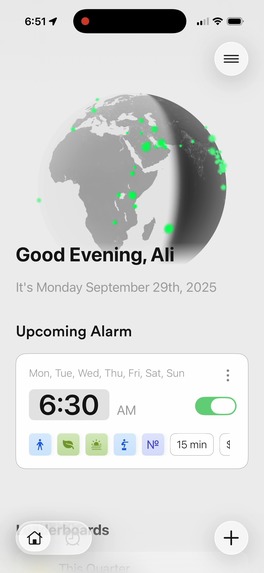
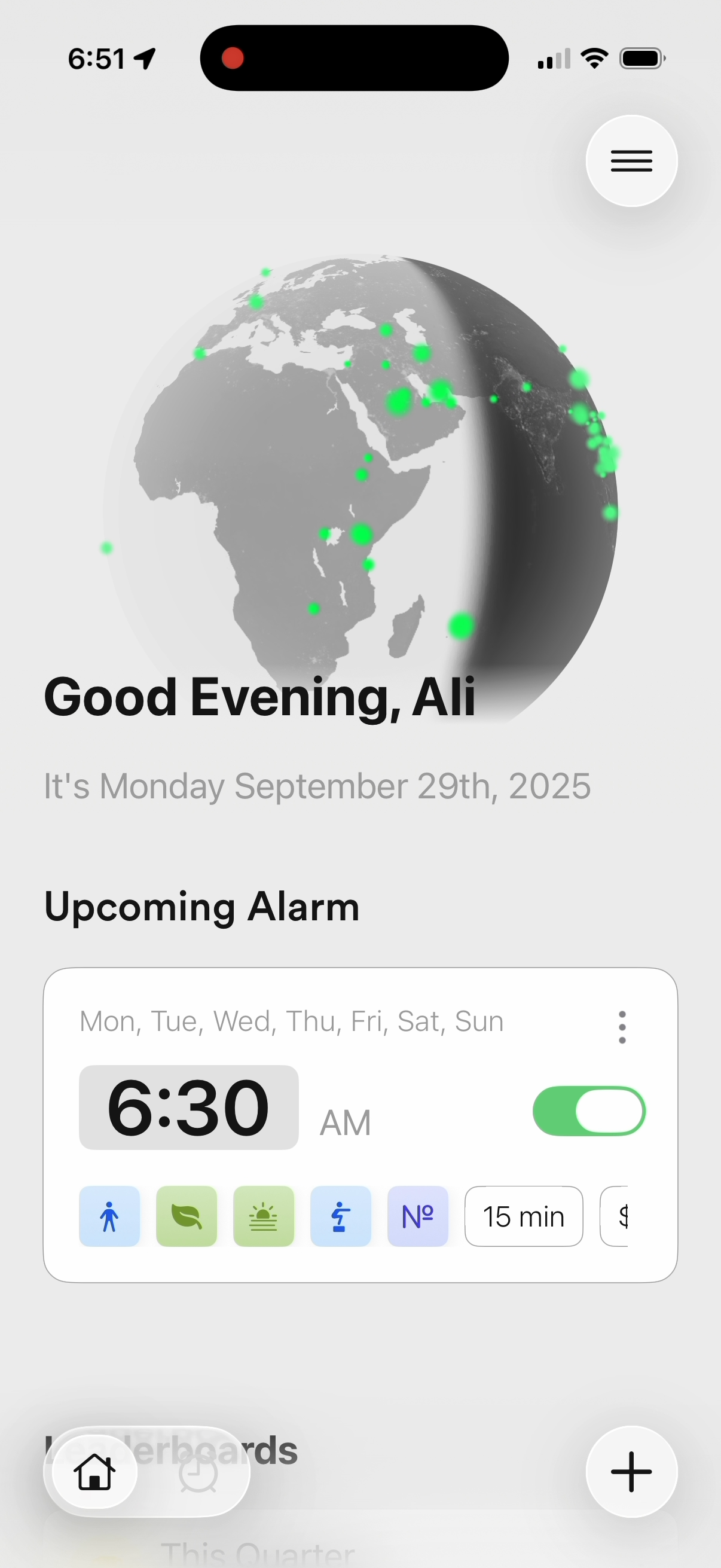
Home screen of the app with the globe to show users wordwide completing alarms.
-
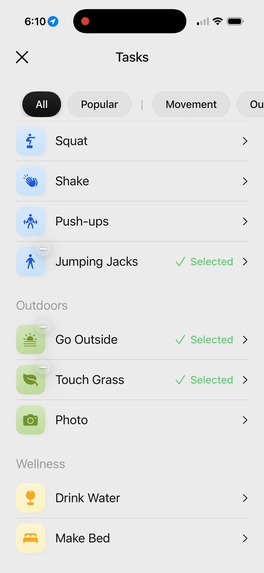
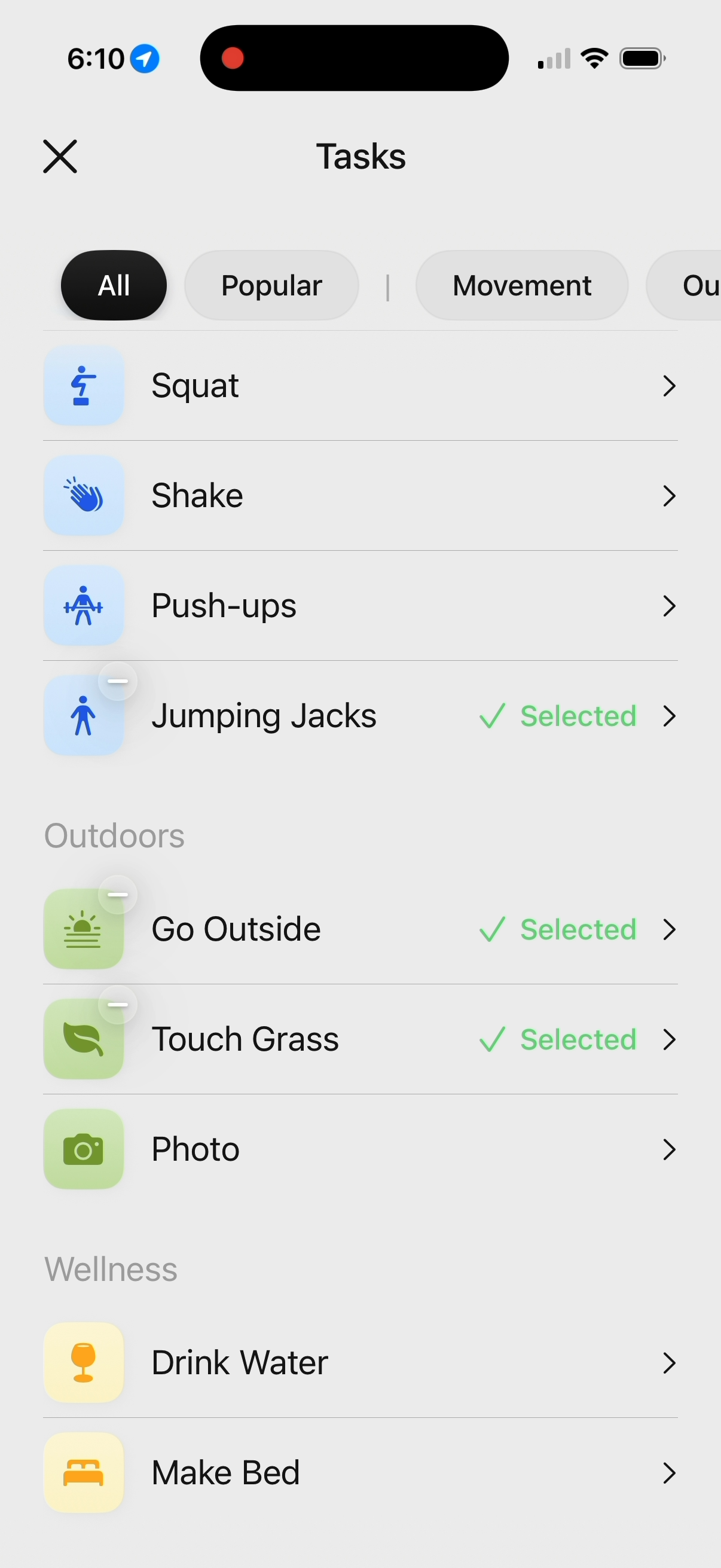
Some of the challenges our app supports.
-
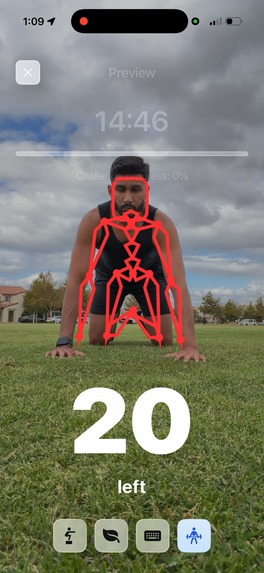
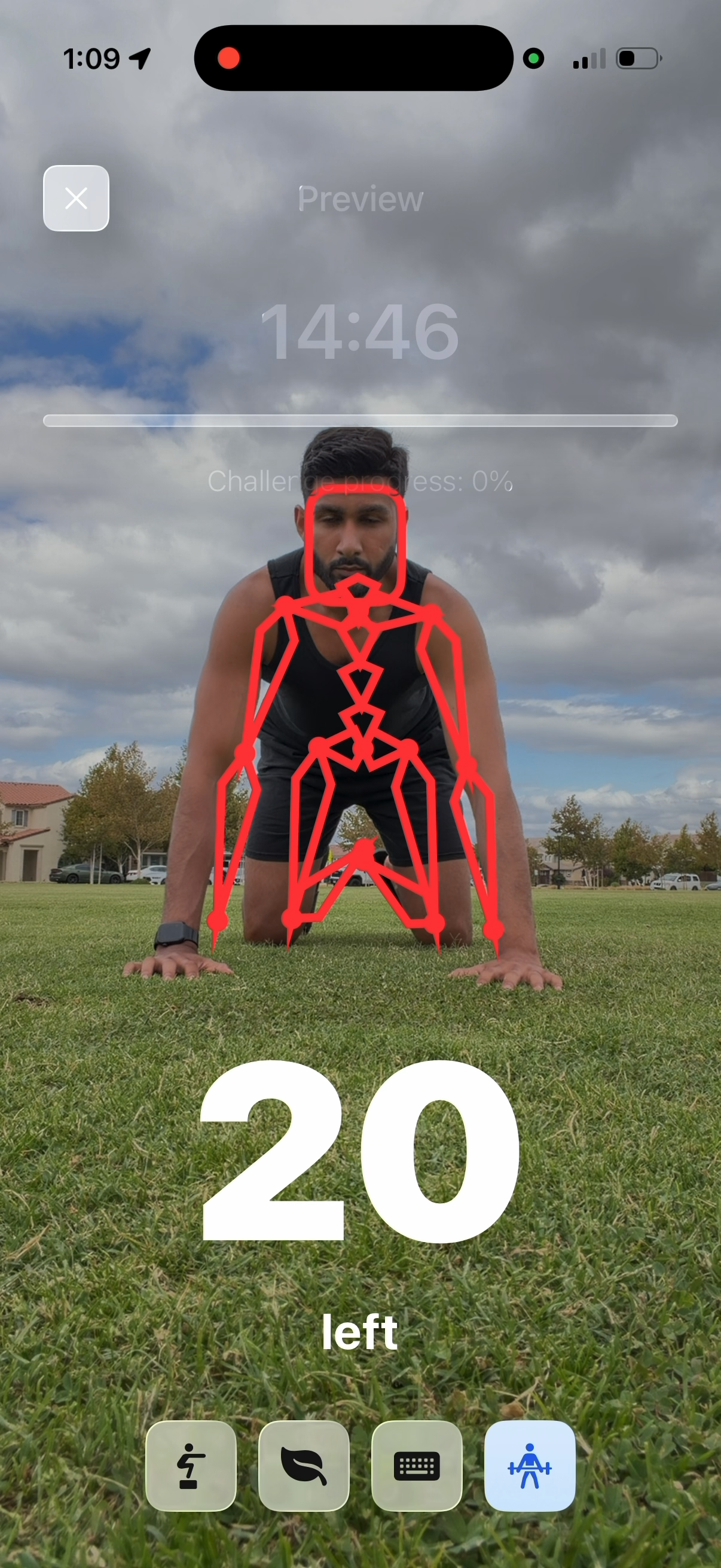
Push ups challenge detecting the user is on their knees.
-
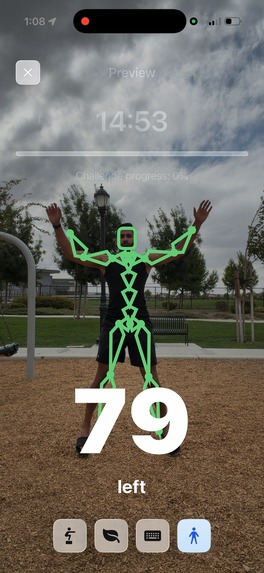
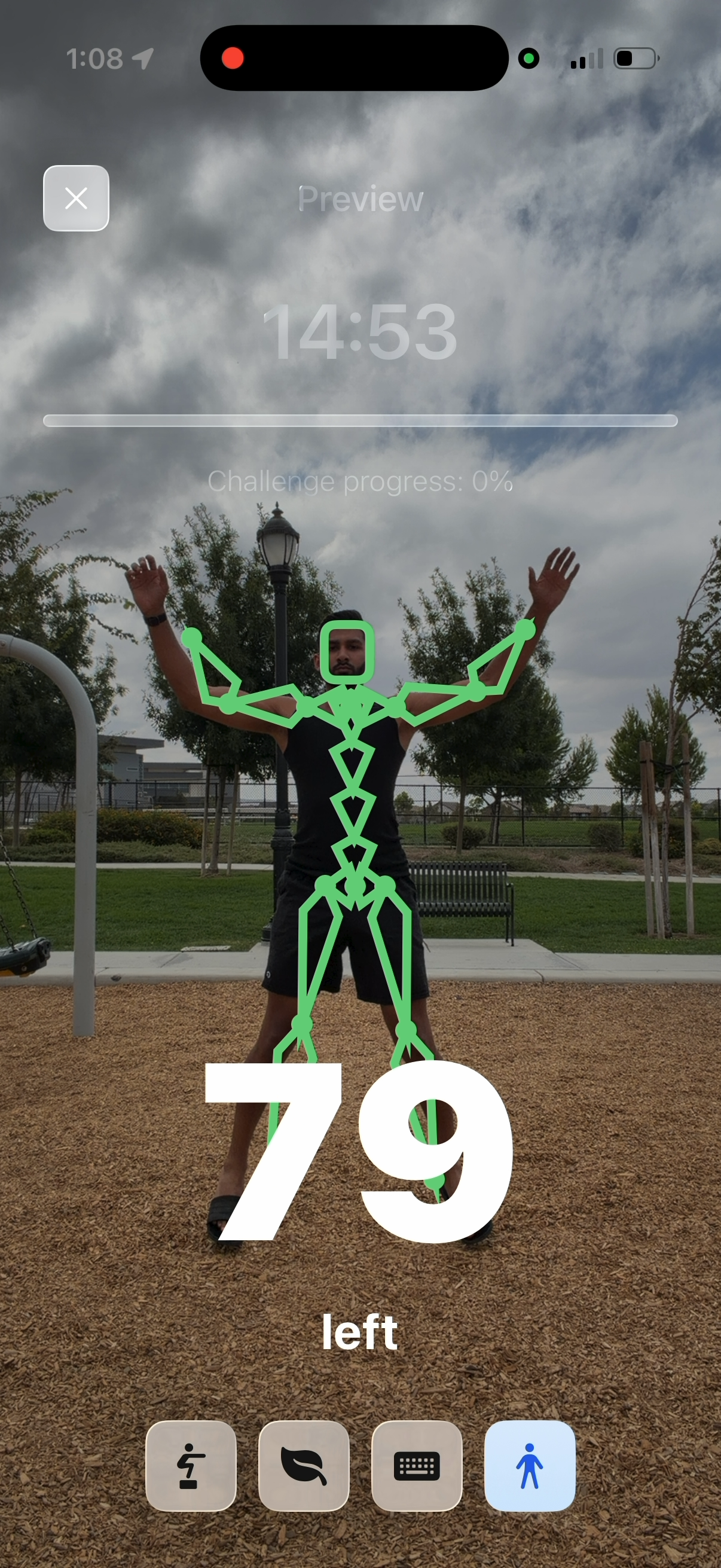
Jumping jacks challenge.
-
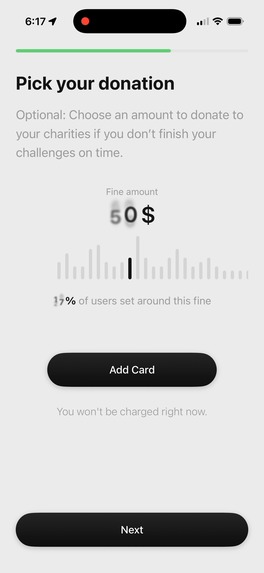
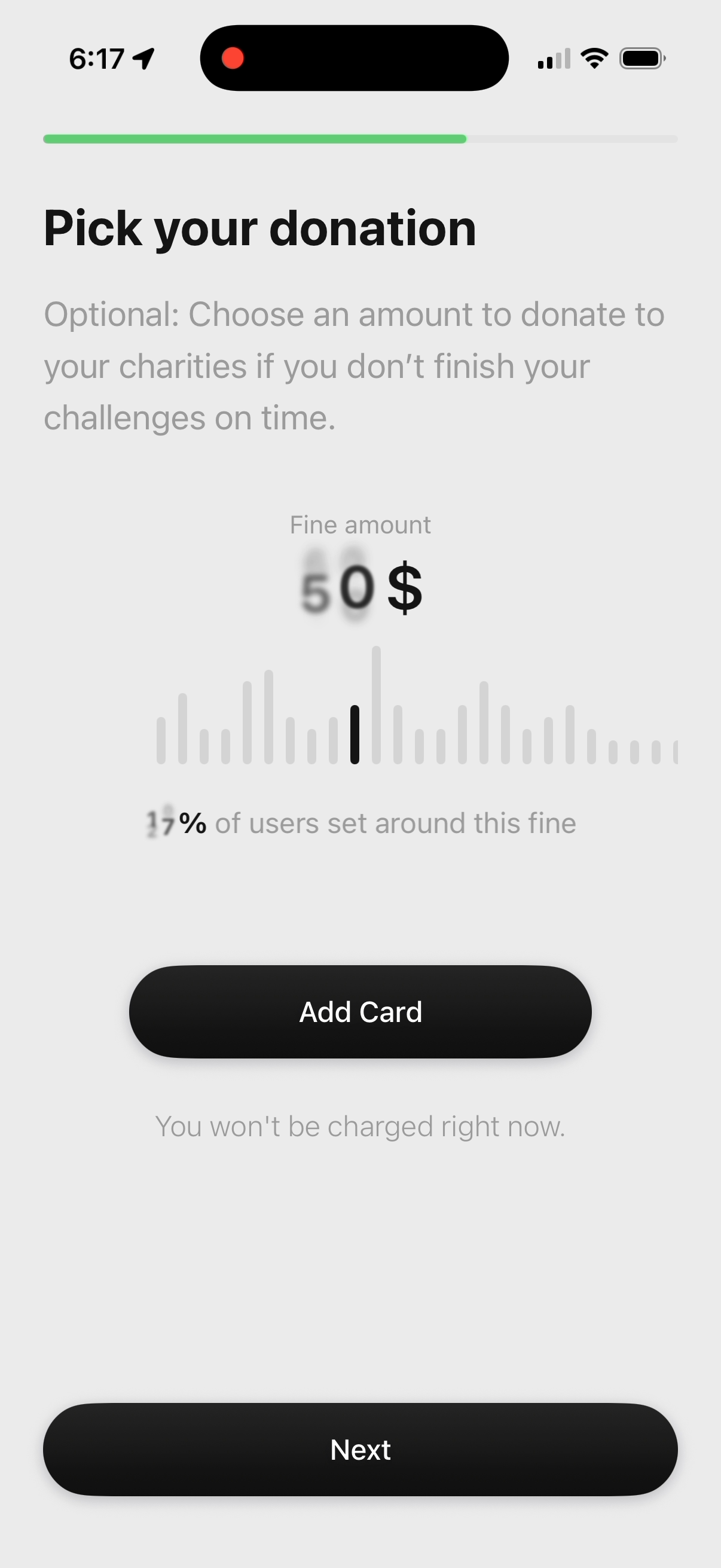
Donation amount onboarding page.
-
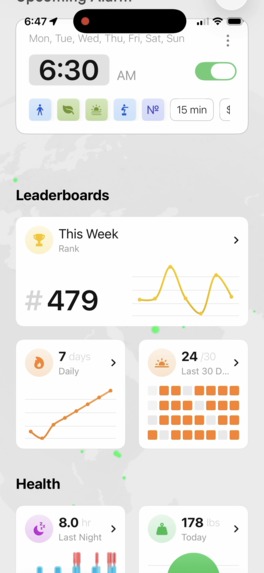
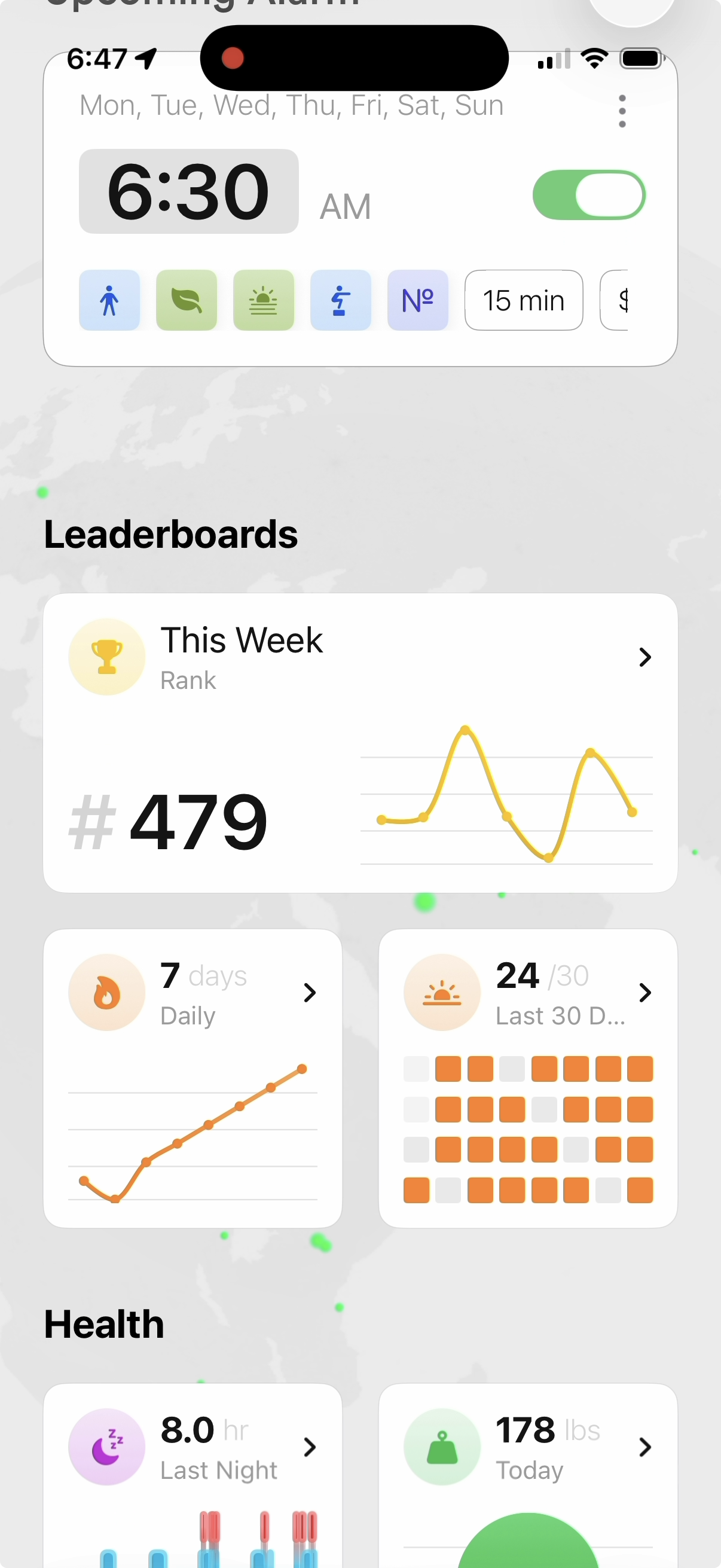
Leaderboard widgets on the home screen.
-
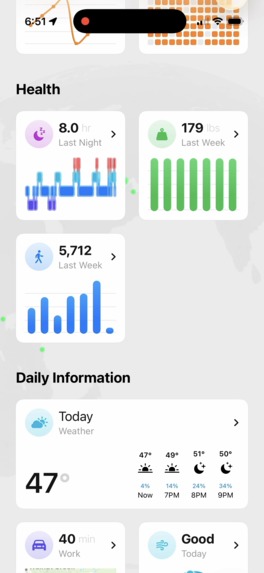
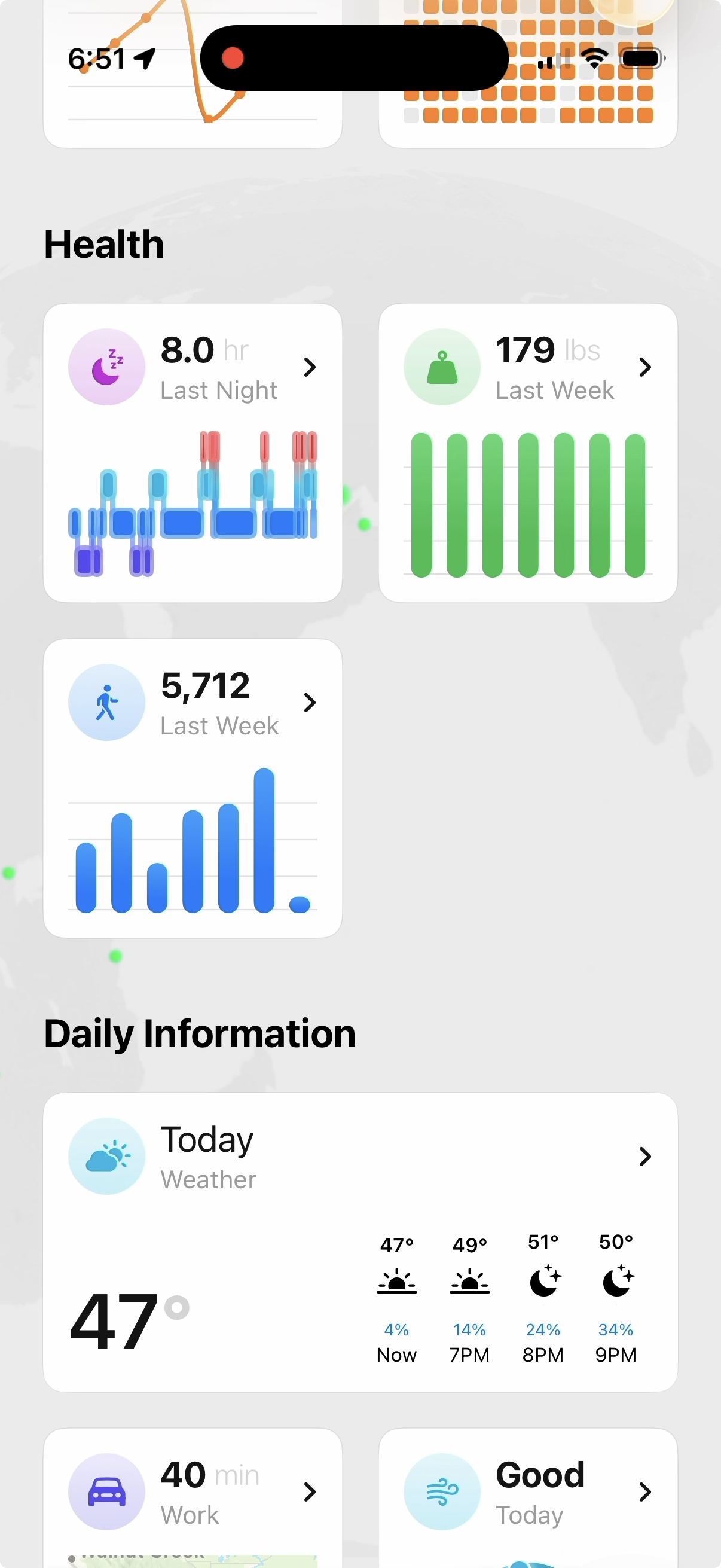
Health widgets on the home screen.
-
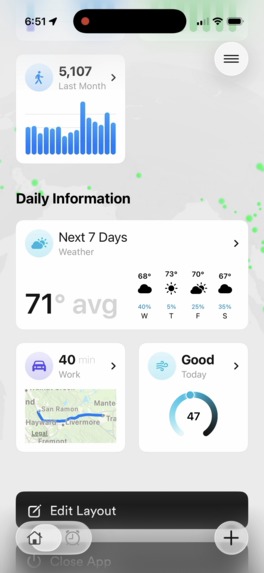
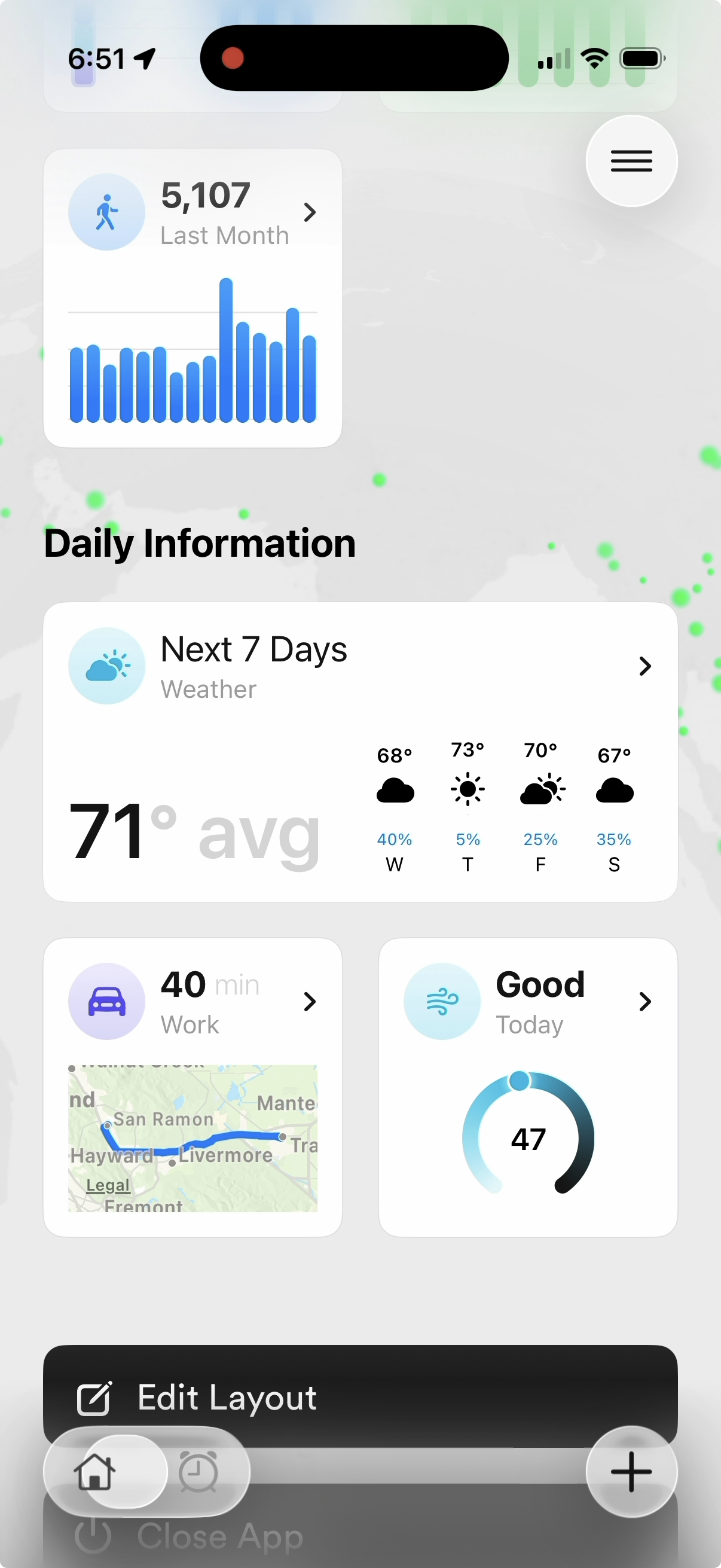
Daily info widgets on the home screen.
-
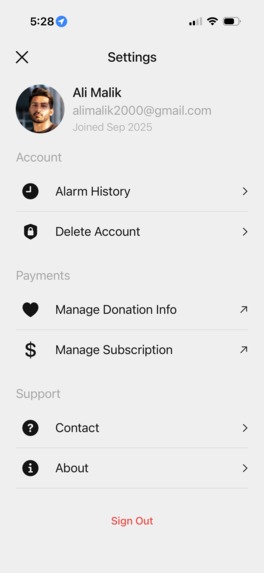
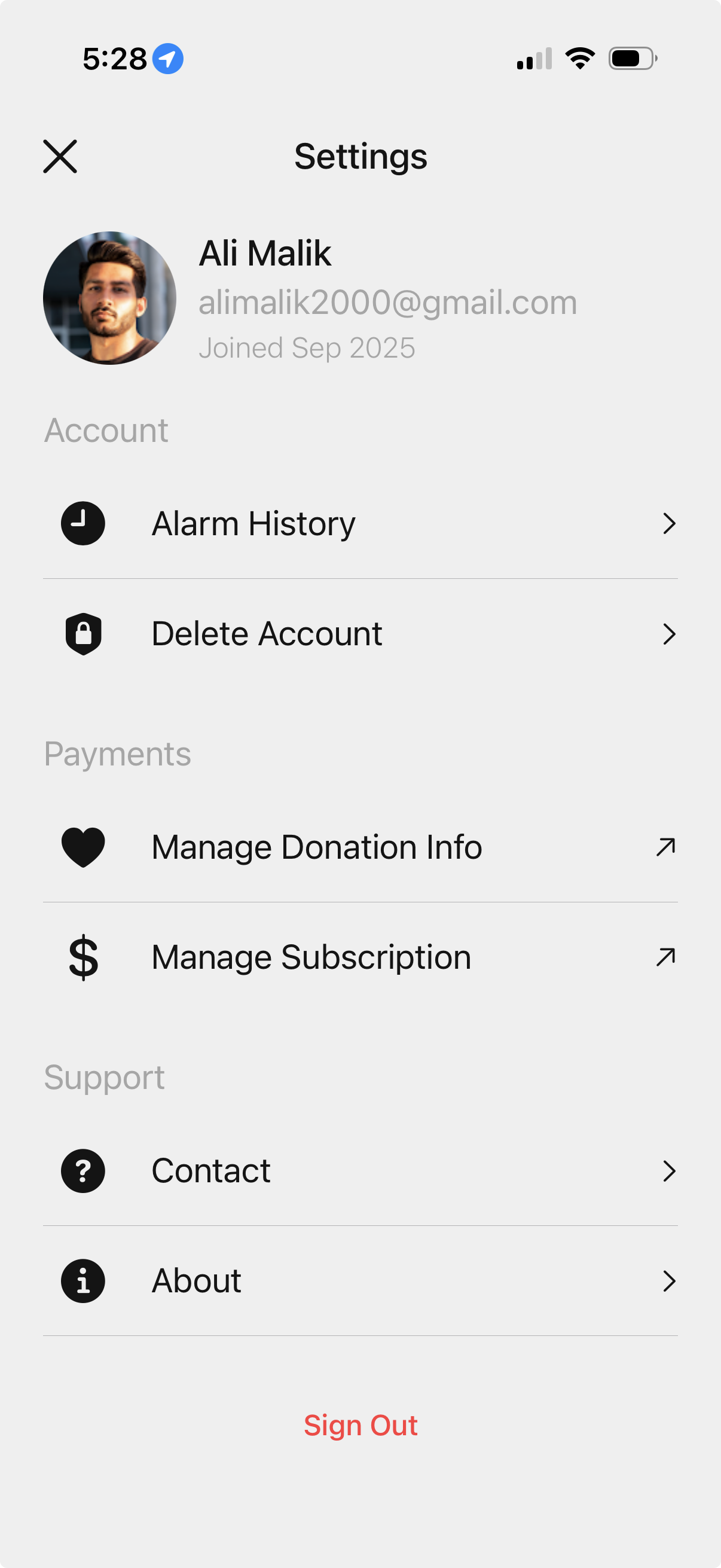
Settings Page.
Inspiration
“I’m breaking up with you.”
Two years ago, my life fell apart.
I was getting kicked out of school.
My roommates kicked me out.
I crashed my car.
My boss almost fired me.
And then my girlfriend left me.
And all of this happened in the same week.
But why? How did we end up here? Snoozing.
I snoozed through my classes so I decided to cheat on my finals - and got caught.
My roommates were done with the nonstop alarms and kicked me out.
I snoozed every morning before work. That day, I crashed my car and nearly got fired for being late again.
And then… the only good thing I had left, my girl, walked away.
That night broke me.
I wanted to win. I wanted to be successful. To be proud of being me. But snoozing was killing my future.
So I tried everything: going to bed early, putting my phone far away, buying loud alarms, clock apps.
But nothing worked. I always found a way to turn them off or cheat and then crawled back into bed.
I felt trapped.
Every morning, I failed the first test of the day. That was setting me up to fail the day.
Deep down, I know I couldn’t be the only one struggling.
And if no one else could solve this problem. I would.
What it does
FineTime is the first alarm that you can’t cheat. And it’s built on science.
Here’s how it works:
Set your alarm time. (Example: 6:00 AM.)
Pick your challenges. Science already gave us the cheat codes to wake up:
- Sunlight flips off your brain’s sleepy switch.
- Movement flips on your brain’s energy switch.
So FineTime makes you do both. Choose fun wake-up challenges like push-ups, squats, jumping jacks, touching grass, making your bed, drinking water, QR, NFC, and much more. And set a time limit to finish them by.
Add money motivation. If you don’t finish in time, you pay. That money goes to charities you choose (we suggest ones you don’t like). Suddenly, hitting snooze costs you for real.
Imagine this:
Your alarm rings. You want to snooze so bad… but then you remember: if you don’t move, you lose $55 to those groups you hate. You jump out of bed, sleepy but run outside, sunlight hitting your eyes, you do your push-ups, squats, whatever you picked.
You’re moving fast to make it in time - and boom. Alarm done. Now, as you walk home after moving and getting the sun in your eyes you realize you don’t feel tired. You actually feel really good. You’re ready to go.
Also you can’t cheat.
Alarms are saved to the cloud, so deleting the app, changing your clock, even deleting your account won’t work.
Challenges use your phone’s sensors, and we run ML algos so fake photos or YouTube videos don’t fool it.
If we don’t see proof within 7 days that you completed an alarm, our servers automatically charge you.
FineTime isn’t just an alarm. It’s a whole morning system. You can:
See a live globe of people finishing or failing alarms worldwide.
Track streaks, climb leaderboards, and win prizes.
Get morning tools: sleep stats, health stats, traffic, weather, journaling, meditation, reminders, prayers, word of the day, vision boards, and more.
FineTime doesn’t just wake you up. It transforms your mornings so you can transform your life.
How we built it
SwiftUI
- Core UI for onboarding, alarms, challenges, and dashboards, etc.
- Uses Swift Charts for clean, motivating graphs of streaks, health stats, and progress.
SwiftData
- Stores all data locally, so the app works perfectly offline.
- Users must connect within 7 days so our servers get the completion signal — otherwise, money is charged from our servers.
Firebase Datastore
- Provides the backbone for authentication and secure connections.
- Manages basic user account information and integrates with Stripe/Apple services (for saving checkout sessions, signing in with Apple, Google, etc).
Firebase Storage
- Stores large files of user-uploaded challenge data, including images (photo/puzzle challenges), text (typing challenges), audio (speak challenges), custom alarm tones, etc.
- Stores a record of all completed alarms, charge amounts, and more.
- Stores all new user defaults for charities, alarm tones, challenge explanation videos, images, etc.
Stripe Cloud Functions
- Create new customers in Stripe.
- Generate Checkout Sessions that open in Safari, where users safely enter card info (Apple doesn’t allow card entry inside apps).
- Handle charges for immediate alarm failures when donations need to be collected.
Custom Stripe Functions
- Check if a user already has a card saved, so they can set donation amount when creating/editing alarms.
Daily Cloud Run Functions
- Runs once per day to review all alarms from exactly 7 days ago.
- If a user didn’t attempt their alarm, or failed the alarm, their donation is charged through the Stripe functions.
Apple Frameworks
AlarmKit (iOS 26+)
- Powers custom alarms with personalized ringtones, deep scheduling, and system-level reliability.
- Being one of the first apps to use AlarmKit makes FineTime a true next-gen wake-up system.
HealthKit
- Pulls steps, sleep, weight, and other health metrics.
- Turns them into clean overlays and lets the user see that data in different graphs.
Vision Framework
- Validates squats, push-ups, and other movement challenges in real time.
- Uses custom in-house yaw (rotation) calculation and joint tracking so challenges work even at 45° or 90° angles, even though Vision only provides 2D points.
CoreML
- Runs custom models for challenges like drink water, make your bed, or touch grass.
- Prevents cheats like screenshots or YouTube clips.
- Uses Apple’s Image Classification to instantly recognize objects when adding QR codes and photos to prepopulate names. Users’ time is saved, so they don’t have to type things in manually.
Mapbox
- Powers interactive globes in FineTime with custom colors and simplified mini-tile versions that match the app’s design.
- Adds a terminator line to show the live day/night boundary across the world.
- Uses NASA-inspired nighttime light imagery to highlight bright city regions and create a stunning nighttime view.
- Displays real-time dots showing where users are completing or failing alarms — turning wake-ups into a shared, global experience.
- Dynamically shifts map colors on scroll, letting the globe fade smoothly between foreground and background.
Challenges we ran into
Apple Review Process
Apple is very strict about payments outside of their system. Even after multiple resubmissions explaining that charity donations are allowed, I had to speak directly with an Apple board reviewer over the phone. In the end, we redesigned our payment flow: instead of showing Stripe’s sheet in-app, users are sent to Safari to enter card details, then redirected back.
Vision Challenges
Vision only gives 2D keypoints. That meant if a user faced sideways (90°), calculations like squat knee angles broke down.
To solve this, we built a way to estimate yaw (body rotation) by comparing shoulders and waist points, then used that to create a 3D matrix from 2D data.
But that created new problems:
- What if only one arm or leg was visible?
- How do we stop users from cheating with partial poses?
- How do we block push-ups done on the knees instead of full form?
It took nearly a month of focused work to get Vision challenges right, but we solved each of these cases and many more.
Challenge Scale
Competitors have fewer than 10 challenges. We launched with 20+.
That made FineTime stand out — but it also meant 20 different validations, 20 anti-cheat systems, and 20 user flows that all had to feel seamless. It was a massive workload.
iOS 26 and AlarmKit
Before iOS 26, we had created a clever workaround: using Intents and Shortcuts to build alarms inside Apple’s Clock app. It worked beautifully and was a big differentiator.
Then iOS 26 launched with AlarmKit — which is more powerful, but also made 3–4 weeks of earlier work obsolete overnight. We had to pivot fast and rebuild.
Beyond Alarms (Widgets)
FineTime isn’t just alarms. We wanted to give users everything for their morning — sleep, weather, traffic, AQI, and more — inside a widget grid. We made it editable and resizable, just like Apple’s homescreen.
The challenge? Getting widgets to move smoothly, resize without flicker, and switch between normal and edit modes without breaking. Behind the scenes, it required a lot of hidden processes to feel simple for the user.
Firebase + SwiftData Sync
A core feature: FineTime works fully offline. Many people don’t want to connect to the internet first thing in the morning.
To make that possible, we had to:
- Sync data between Firebase and SwiftData.
- Handle tricky cases like saving different media types (images, sounds, text).
- Deal with null values (converting
niltoNSNull). - Resolve conflicts across devices (what if you succeed on one device but fail on another?).
It was one of the hardest engineering pieces to get right.
Learning iOS
This was my first-ever iOS app — and I built it alone. The learning curve was massive. But coming out the other side with a real app on the App Store — and the chance to turn it into a sustainable business — made all the late nights worth it.
What’s next for FineTime
FineTime solves a real problem — snoozing. It’s a problem I had to fix for myself, and I know millions of others want the same solution. We’re proud to be the only app on the App Store that guarantees you’ll never hit snooze again.
But FineTime isn’t just an alarm clock. It’s a science-backed wake-up system.
Here’s what’s coming next:
Smarter Morning Hub: Make our widget system even stronger — with weather, traffic, sleep, and more — so users start their day with all the right info. For example, Apple already tracks time spent in sunlight, but that data is buried in Health where most people never see it. Imagine if FineTime surfaced that data in a simple widget you could add to your dashboard.
Intelligent Alerts: Give users real-time updates — like heavy rain, traffic jams, or poor sleep — so they are prepared for the day ahead.
Social & Competition: Grow our global leaderboards and let users wake up with friends, streak together, and compete worldwide.
Deeper Health Integration: Pull richer Apple Health data into FineTime to give stronger insights into sleep, energy, and daily performance.
Cross-Platform: Expand to Android so even more people can use FineTime.
And most importantly: FineTime needs marketing. Our top priority now is content and growth — getting this system into the hands of the people who need it most.
P.S. Watch the video, It's worth it: link


Log in or sign up for Devpost to join the conversation.