-
-
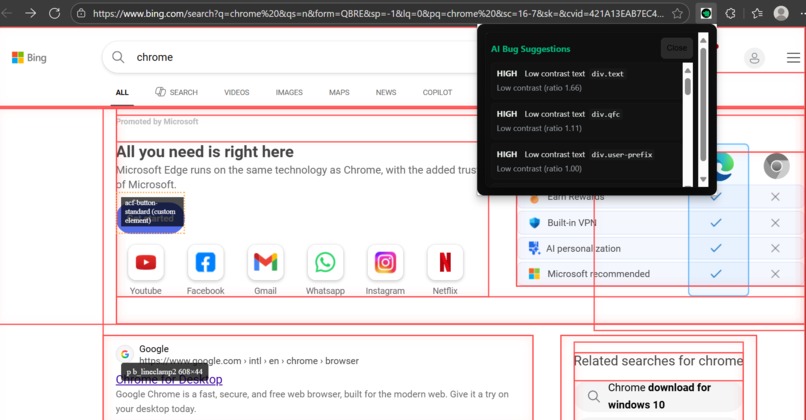
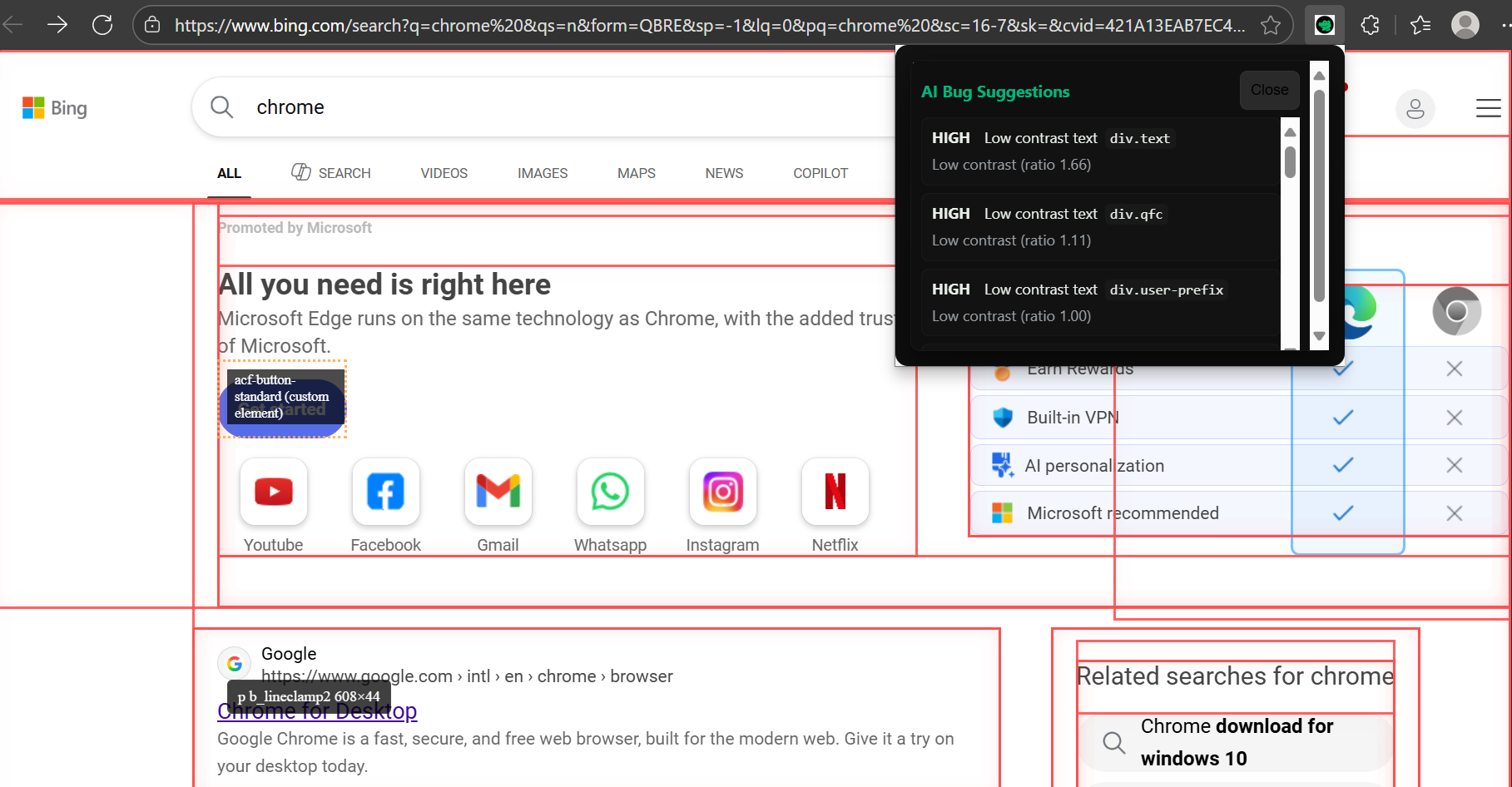
AI suggestion panel
-
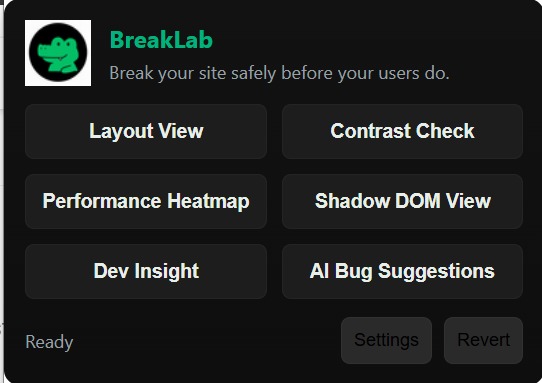
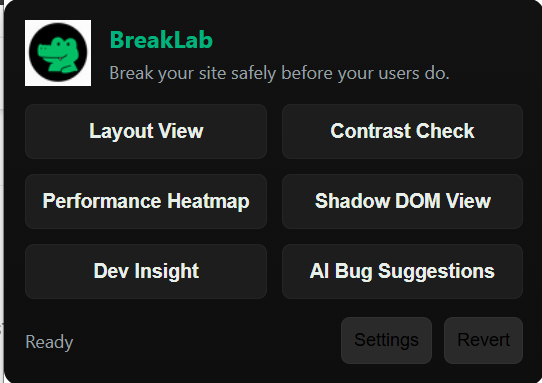
Breaklab -Popup UI
-
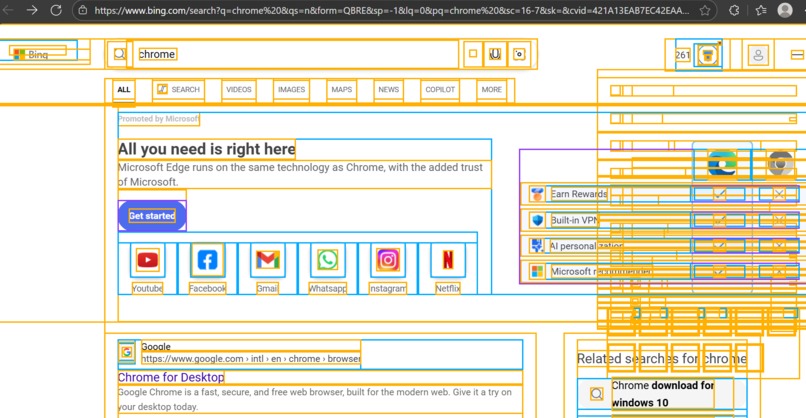
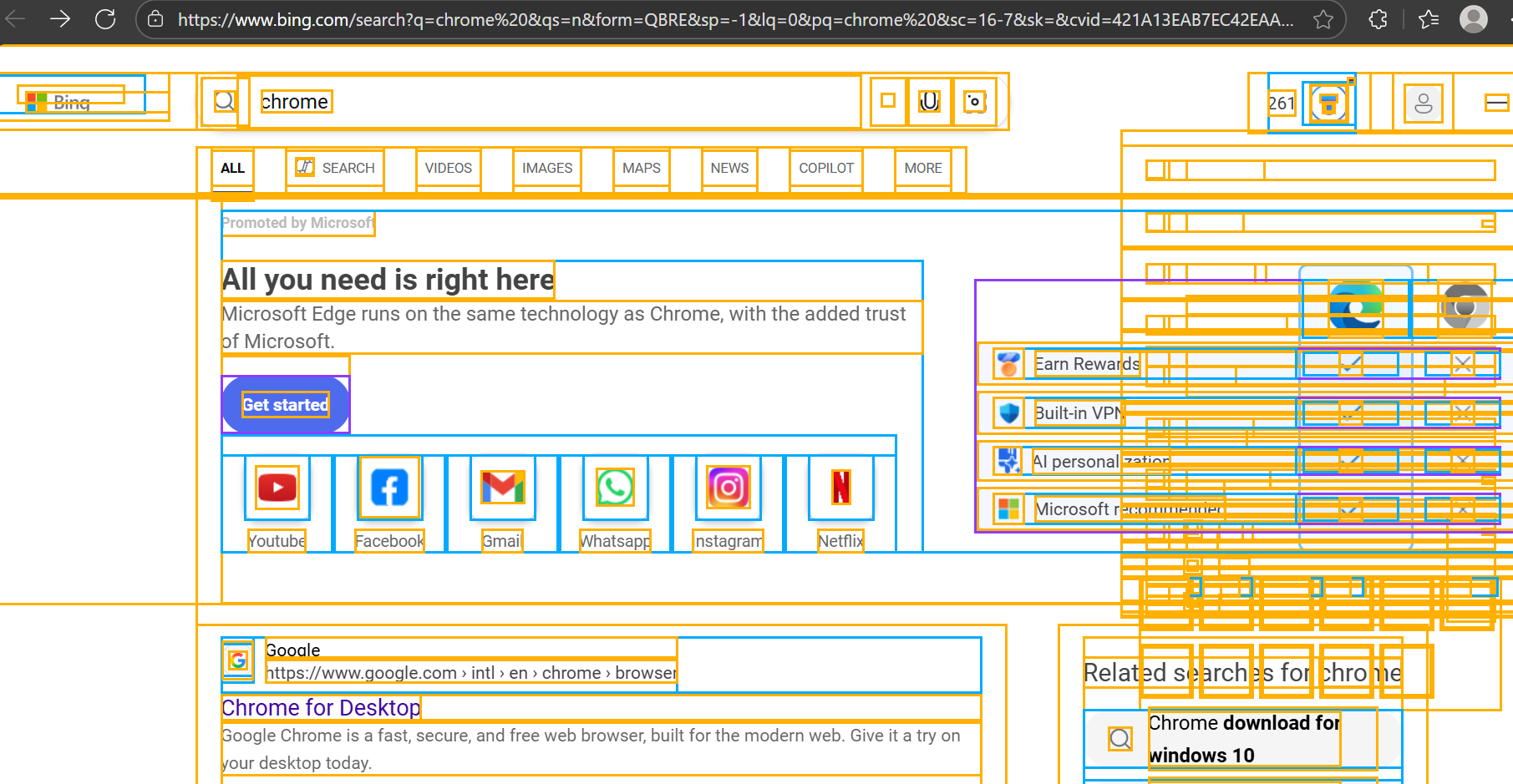
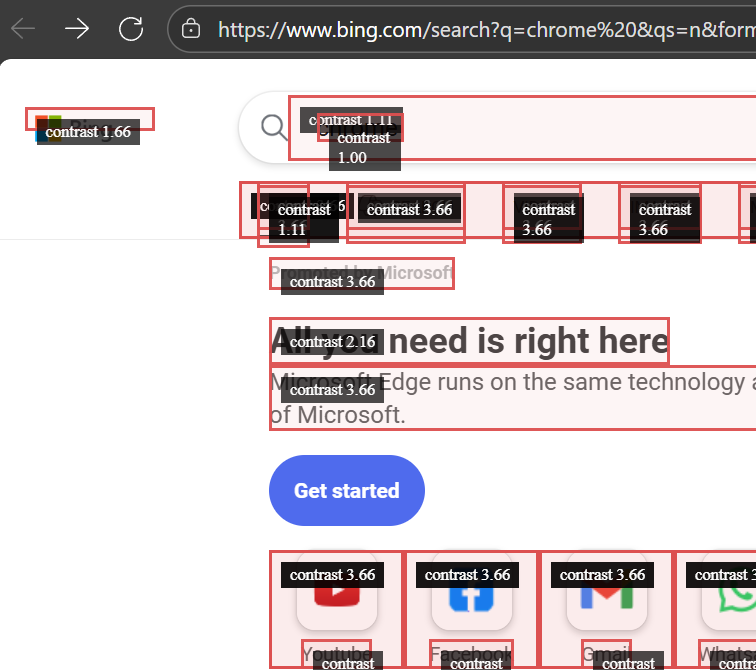
Heatmap, contrast panel applied
-
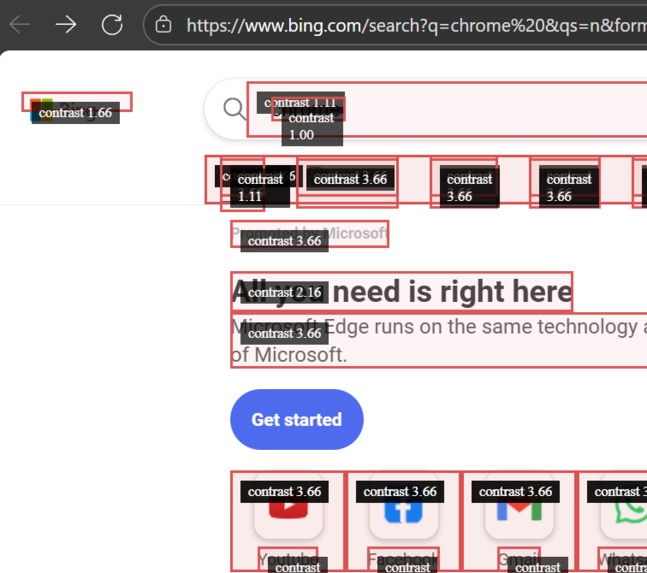
Dev Insight
-
Breaklab-banner
Inspiration
Modern web UIs break in subtle ways that are hard to reproduce: tiny localization text changes, missing alt text, unexpectedly large paint areas, Shadow DOM surprises and third-party components that behave differently in production. I wanted a tool that lets developers intentionally and safely stress their sites in situ — to see, quickly, where the fragile spots are — and share exact test profiles with teammates. BreakLab was born from the idea: “Break your site safely before your users do.”
What it does
BreakLab is a developer-focused Chrome extension that visually and programmatically inspects a live page and surfaces actionable problems. Core capabilities:
Layout View — color-coded real-time overlays showing element boxes and grouping by layout context (flex / grid / block).
Contrast Check — highlights low-contrast text blocks and annotates contrast ratios for accessibility fixes.
Performance Heatmap — flags large painted areas and expensive regions that are likely slow to render.
Shadow DOM View — reveals Shadow DOM boundaries and custom elements that may be closed or opaque.
Dev Insight — hover tooltip that shows tag, classes and measured width × height.
AI Bug Suggestions — local heuristics scan the page and produce structured suggestions; optionally, results are sent to Google Gemini / Vertex AI to produce concise, developer-friendly tickets.
Revert / Settings / Profiles — safe mode, host whitelisting, remote AI toggle, endpoint + key storage; includes a “Test Gemini” button to validate remote integration.
All overlays update live (scroll / resize / interaction) and the AI flow keeps a local fallback so the extension works without a networked model.
How we built it
High level architecture:
Manifest V3 Chrome extension with:
popup.html / popup.js — UI, settings, and orchestration.
content.js — injected content script that performs DOM analysis and renders overlays.
background.js — service worker that handles remote AI calls (Gemini / Vertex) to avoid CORS and keep credentials out of page context.
chrome.storage — persistent settings (safe mode, endpoint, key, whitelist).
Front end — minimal, accessible popup built with plain HTML/CSS; consistent colour palette and equal spacing for buttons.
Content heuristics — efficient DOM sampling (bounded to first N candidates, viewport filtering), computed style reading, contrast calculation and paint area heuristics.
Performance safeguards — throttled rendering via requestAnimationFrame, capped candidate lists, a mutation observer to detect heavy DOM churn and avoid runaway work.
AI integration — background service worker detects endpoint shape (Gemini Dev API / Vertex) and formats requests appropriately; includes Test Gemini convenience flow and robust JSON extraction logic for common response shapes.
Key implementation notes:
Overlays use position: fixed and extremely high z-index to remain visible above page content.
Contrast uses WCAG-style luminance calculations and flags ratios under 4.5 (with a severity bucket)
Challenges we ran into
Cross-site script injection and CSPs: Many sites use restrictive Content Security Policies. To handle this we attempt to inject the content script when a feature is activated and gracefully notify the user if injection is blocked.
Performance vs. fidelity tradeoffs: A naïve full-page scan causes lag. We limited candidate elements, used viewport filtering, and throttled overlay updates to keep the page responsive.
Shadow DOM interrogation: Open shadowRoots are inspectable but closed ones are opaque — BreakLab detects custom elements and marks them as potentially problematic without breaking encapsulation.
Remote model variability: Different provider endpoints (Gemini Developer API vs Vertex) expect different request/response shapes. We implemented heuristic detection and a fullRequestBody override so the extension can work with multiple endpoint shapes.
Auth & security: Storing API keys locally is necessary for quick testing but is unsafe for published extensions. We added a “Test Gemini” flow and documented the need for a server-side proxy for production.
Live updates while scrolling: Making overlays follow while the page moves required careful use of requestAnimationFrame and event listeners for scroll and resize. We also ensured overlays are recalculated when DOM mutations spike.
Accomplishments that we're proud of
A fully working, performant popup + content script system that overlays live pages without significant lag.
Robust local heuristics that detect accessibility, layout and perf issues and return actionable suggestions.
Seamless integration with Google Gemini / Vertex APIs through a background service worker, with a one-tap Test Gemini tool to validate endpoint and credentials.
Intelligent fallbacks — if remote AI is unavailable, BreakLab shows local heuristics immediately.
Clean, developer-centric UI with equal button spacing and focused workflows (Layout, Contrast, Perf, Shadow, Dev Insight, AI).
The extension can generate a shareable “profile” (JSON of settings & heuristics) to reproduce a test across teammates (easy to extend into a one-click share link).
What we learned
The finer points of Chrome Manifest V3: service workers, scripting API, messaging patterns, and why background tasks must avoid blocking operations.
Practical DOM performance engineering: limit candidate sets, avoid reflow triggers, and throttle expensive reads/writes.
How to produce robust heuristics that are useful without producing noise (deduping, severity buckets, max results).
The complexity of integrating multiple remote AI endpoint shapes and why a proxy/server is recommended for production usage.
UX lessons for developer tools: minimal, clear outputs; interactive highlights; and fast, reversible actions are more valuable than many flashy features.
What’s next for BreakLab
Prioritized roadmap:
Dimension labels in Layout View — live width × height annotations for selected elements (with toggle).
Profile sharing & replay — export/import JSON profiles and generate a secure one-click shareable link for teammates.
Secure AI proxy — set up a small Cloud Run/Cloud Function proxy that keeps API keys server-side and exposes a limited endpoint for the extension to call.
Streaming & richer parsing — support streaming model responses (for longer rewrites) and parse structured suggestions back into discrete ticket items.
Automated screenshot + report export — Capture current viewport, attach heuristics JSON and console logs into a single zip or issue-template.
Unit tests & CI — headless tests for the content heuristics (JSDOM-based) and integration tests for popup↔content↔background messaging.
Accessibility improvements — keyboard navigation for the popup and better contrast in the UI itself.
“Built to break beautifully.”

Log in or sign up for Devpost to join the conversation.