Inspiration: Job hunting today is exhausting and demotivating. Candidates spend 30–60 minutes per application, often applying to 100+ jobs, and repeatedly filling out the same information across different portals. Many lose track of applications, miss recruiter responses, or struggle to follow up. From user interviews, we learned that frustration stems from wasted time, disorganization, and lack of tracking tools. FindIt was born out of this need to make job applications faster, easier, and more organized.
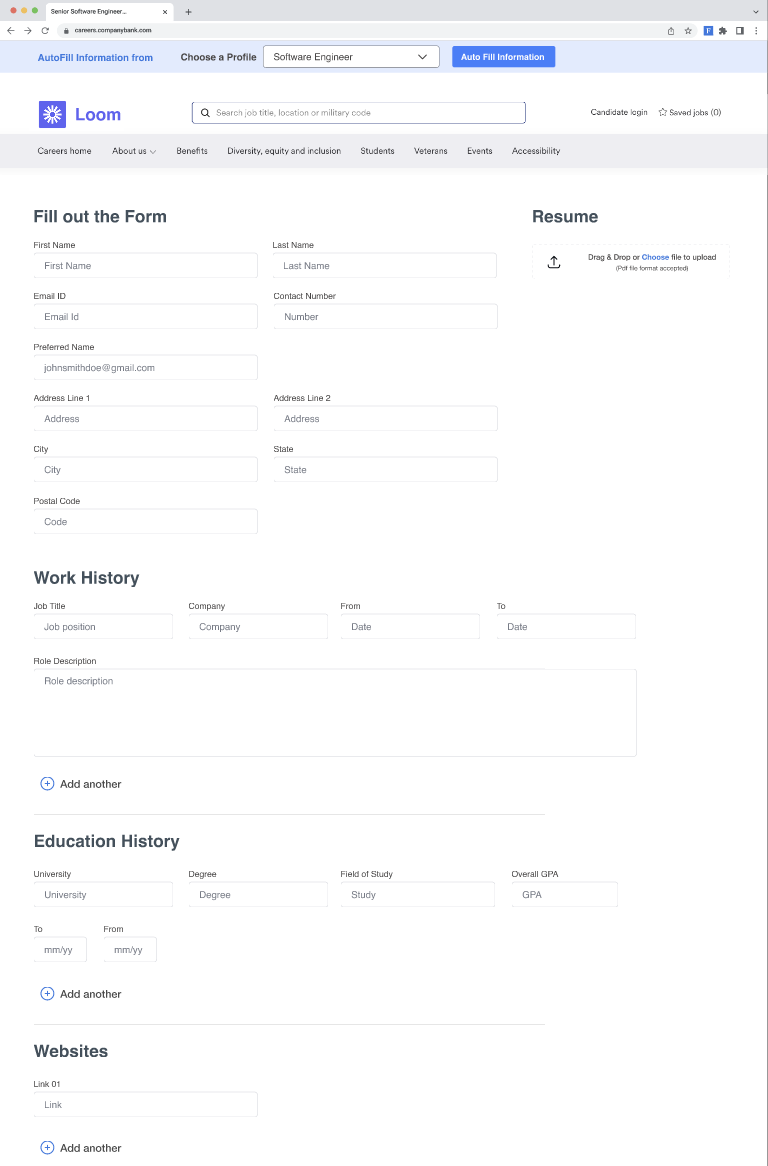
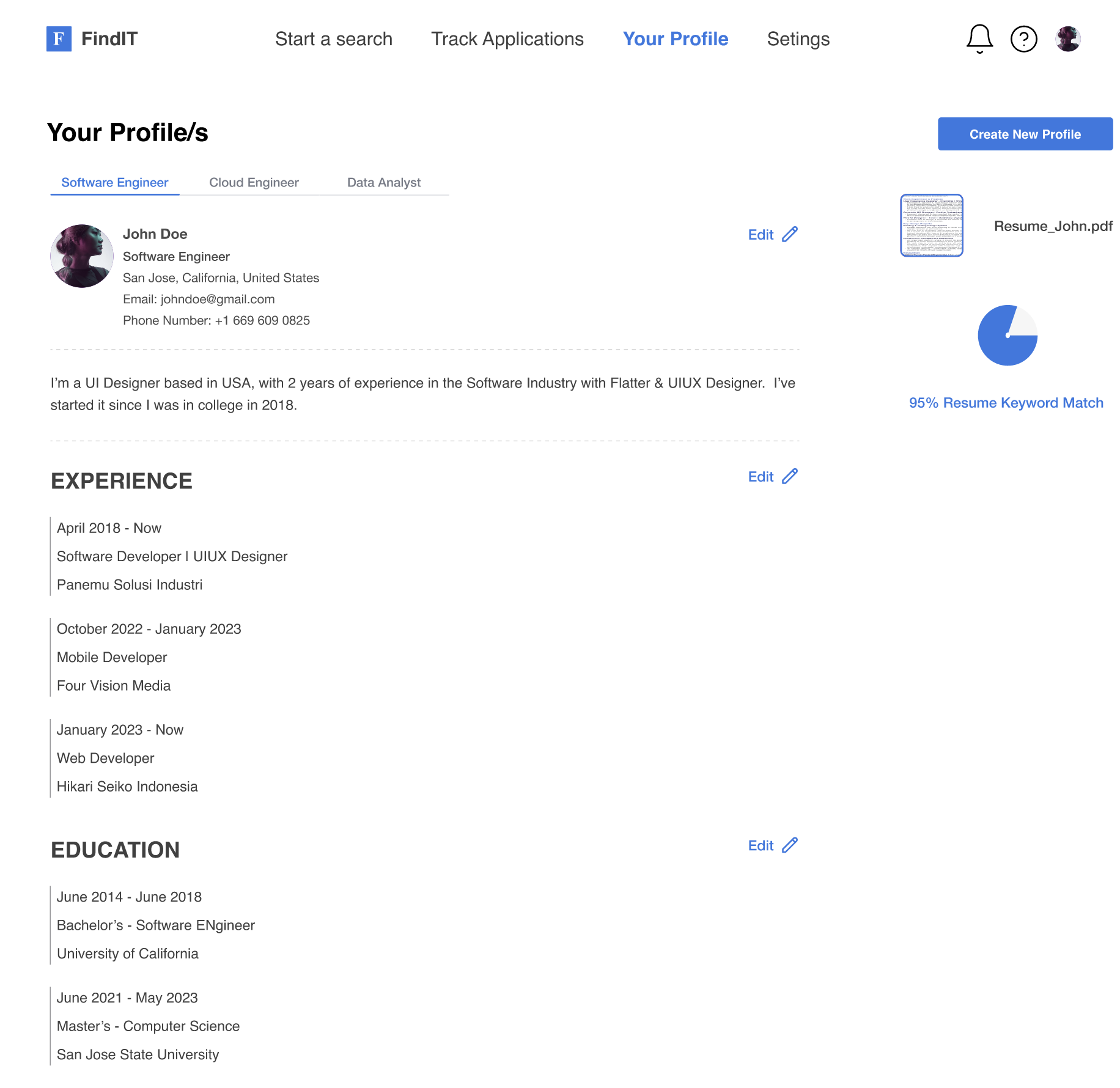
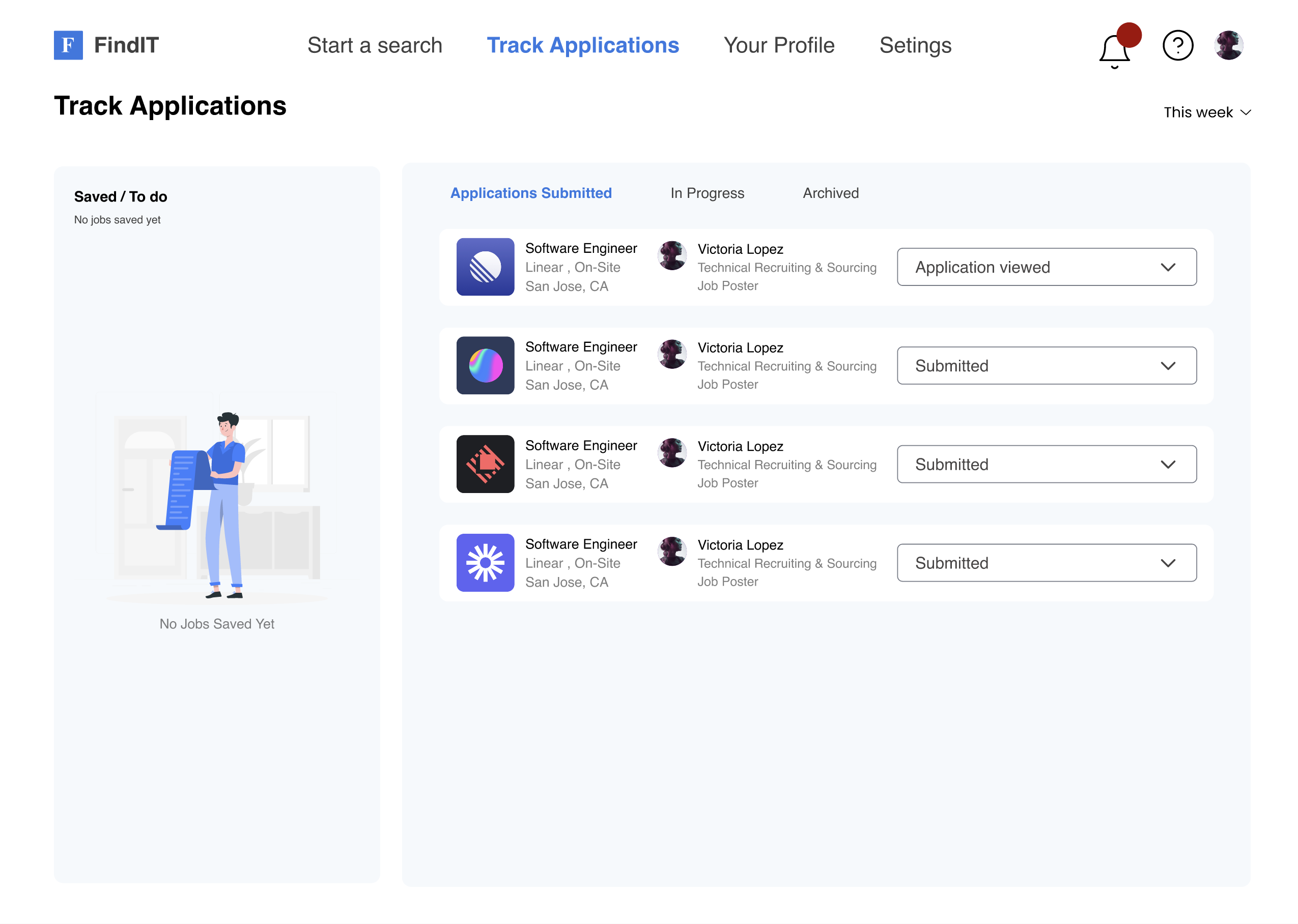
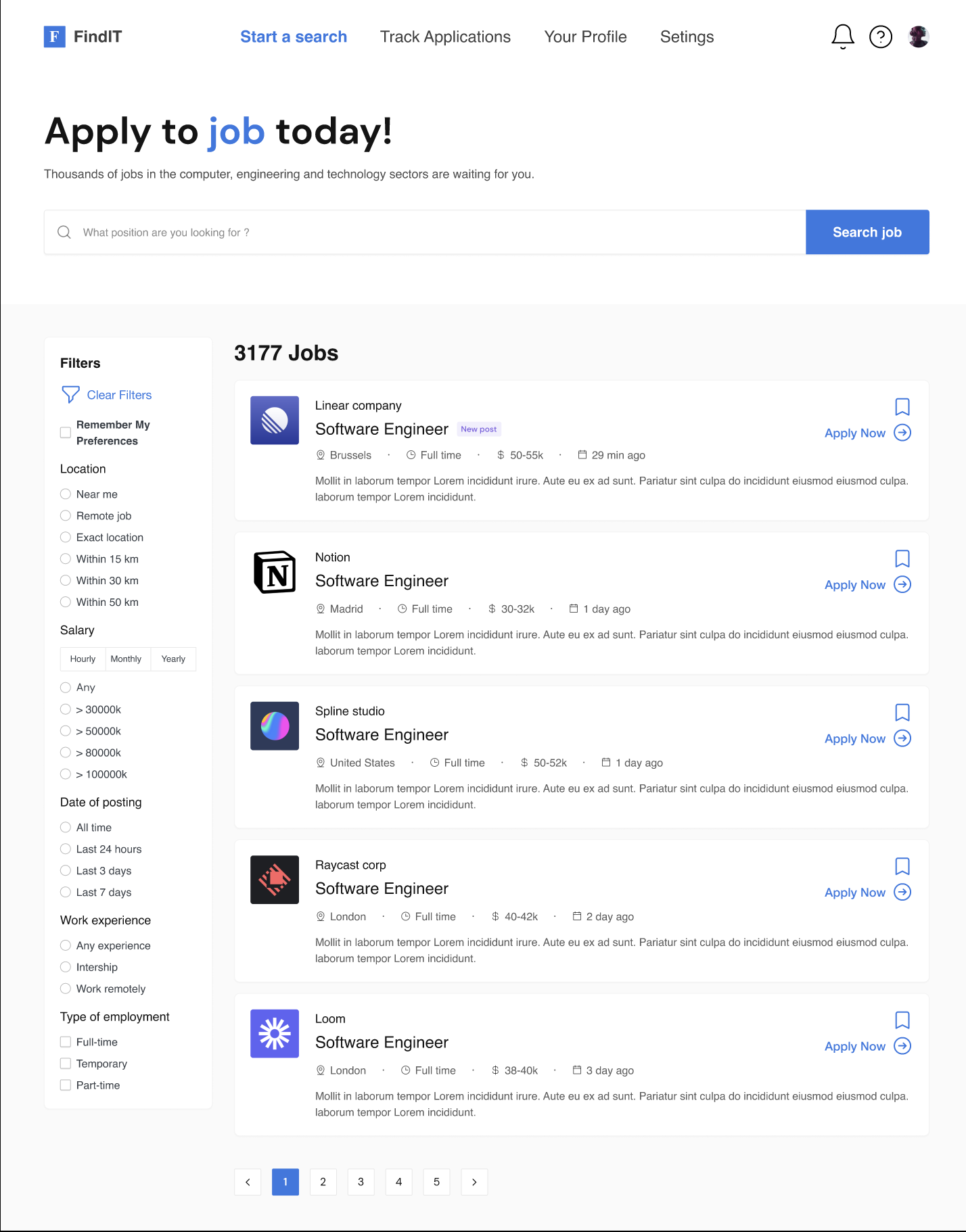
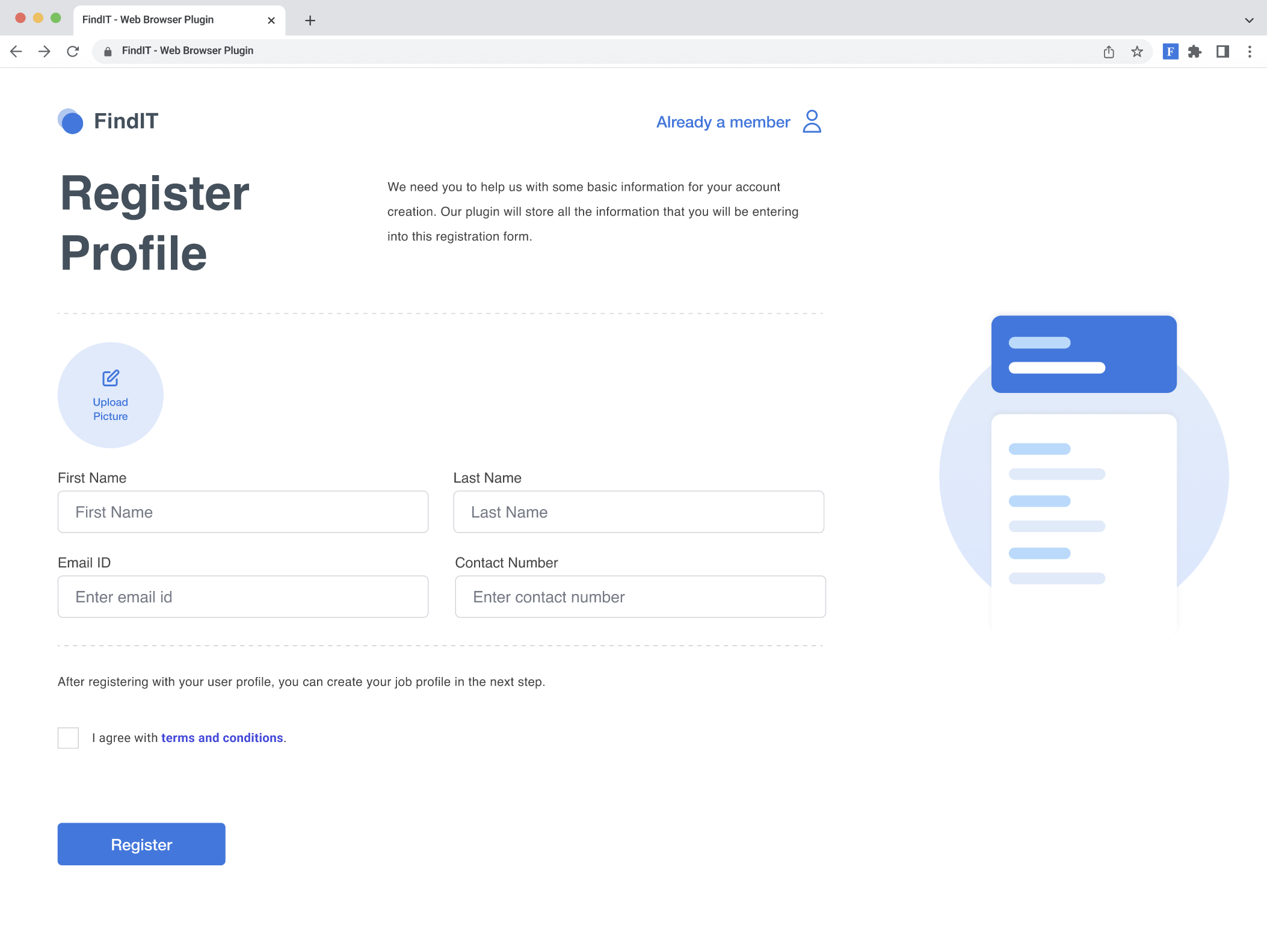
What it does: FindIt is a web portal and plugin that centralizes the job application process. Users create a single profile with their personal, education, and work details, which the platform uses to:
- Auto-fill forms on external company websites using a browser plugin.
- Pull application data from linked job portals like LinkedIn or Indeed.
- Track and visualize application statuses in one dashboard.
- Manage multiple tailored profiles for different job titles (e.g., Software Engineer, Data Analyst).
- Offer time-saving tools like keyword match checking and resume editing directly within the portal.
How I built it: I followed a User-Centered Design (UCD) process:
- Research – Conducted Google surveys and interviews with job seekers (mostly grad students) to understand frustrations and expectations.
- Personas & Journey Maps – Built a persona (“Jennifer”) to represent target users, mapped their job application journey, and identified pain points like repetition and poor tracking.
- Prototyping – Created low-fidelity sketches, then wireframes and high-fidelity designs in Figma.
- Usability Testing – Ran one-hour sessions with 8 participants. They completed tasks like signing up, applying to jobs, checking notifications, and editing profiles.
- Iterations – Incorporated feedback (e.g., clearer sign-up flow, better notifications, search and filter improvements) into final design updates.
Challenges I ran into: Ensuring resume parsing worked correctly across different job portals.
- Designing an intuitive sign-up and profile creation flow—early users found “Create Profile” confusing.
- Making notifications and tracking statuses more visible and actionable.
- Balancing advanced features (resume editing, multiple profiles) while keeping the UI clean and simple.
- Limited time allowed for only one round of usability testing, leaving less room for multiple iterations.
Accomplishments that I am proud of:
- Built a fully interactive high-fidelity prototype in Figma.
- Achieved an 87.8% average task success rate and 4.2/5 satisfaction rating in usability testing.
- Developed innovative features users loved, like auto-fill for external applications and multiple job profiles.
- Simplified a complex, chaotic process into a centralized, organized, and user-friendly portal.
What I learned:
- Repetition and disorganization are the top pain points of job seekers.
- Small design choices (button placement, notifications, filter hierarchy) have a huge impact on usability.
- Iterative testing with real users is essential for refining flows and reducing confusion.
- Features like resume editing on-the-go and keyword matching were unexpected but highly valued suggestions from users.
What's next for FindIt:
- Implement a full resume keyword checker and in-portal editing feature.
- Broaden integration with more job portals beyond LinkedIn/Indeed.
- Develop a mobile app version to make tracking portable.
- Conduct multiple rounds of usability testing to refine flows and validate new features.
- Explore data visualization improvements to give users clearer insights into their application progress.
Built With
- figma

Log in or sign up for Devpost to join the conversation.