-
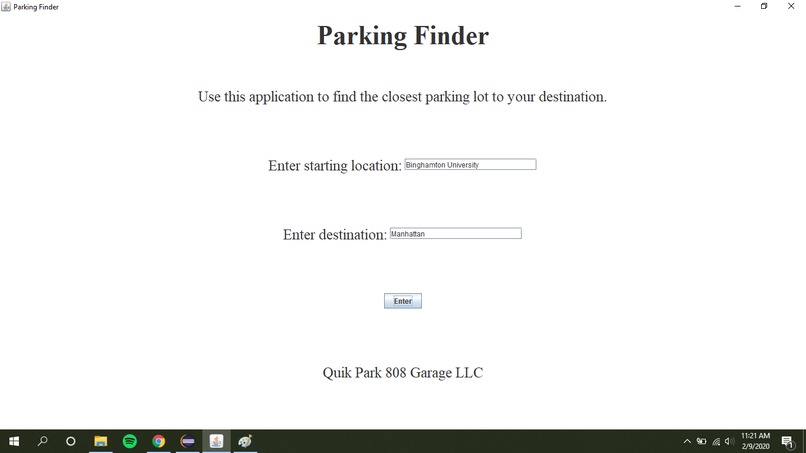
GUI
-
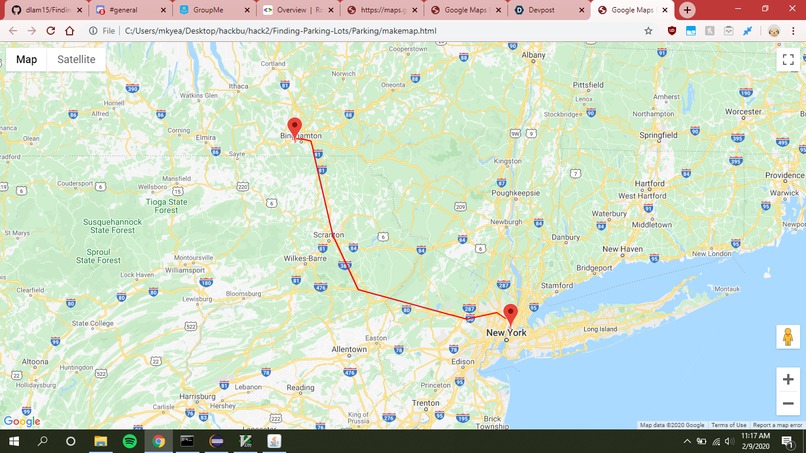
Map and route
-
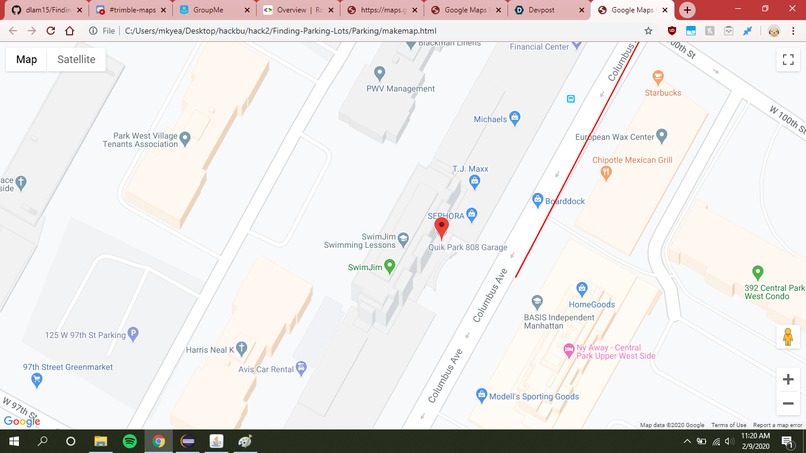
Parking Lot near destination

Inspiration
We decided early on that using an API would be a good idea, and would have practical applications. After a little thought and seeing Google Maps as a potential API, we thought a program that could find specific parking spots near a location would be useful, but difficult to see if a spot is open or not. So, we narrowed our scope and decided that the problem of finding a parking lot near a destination would be challenging, but possible to solve within 24 hours.
What it does
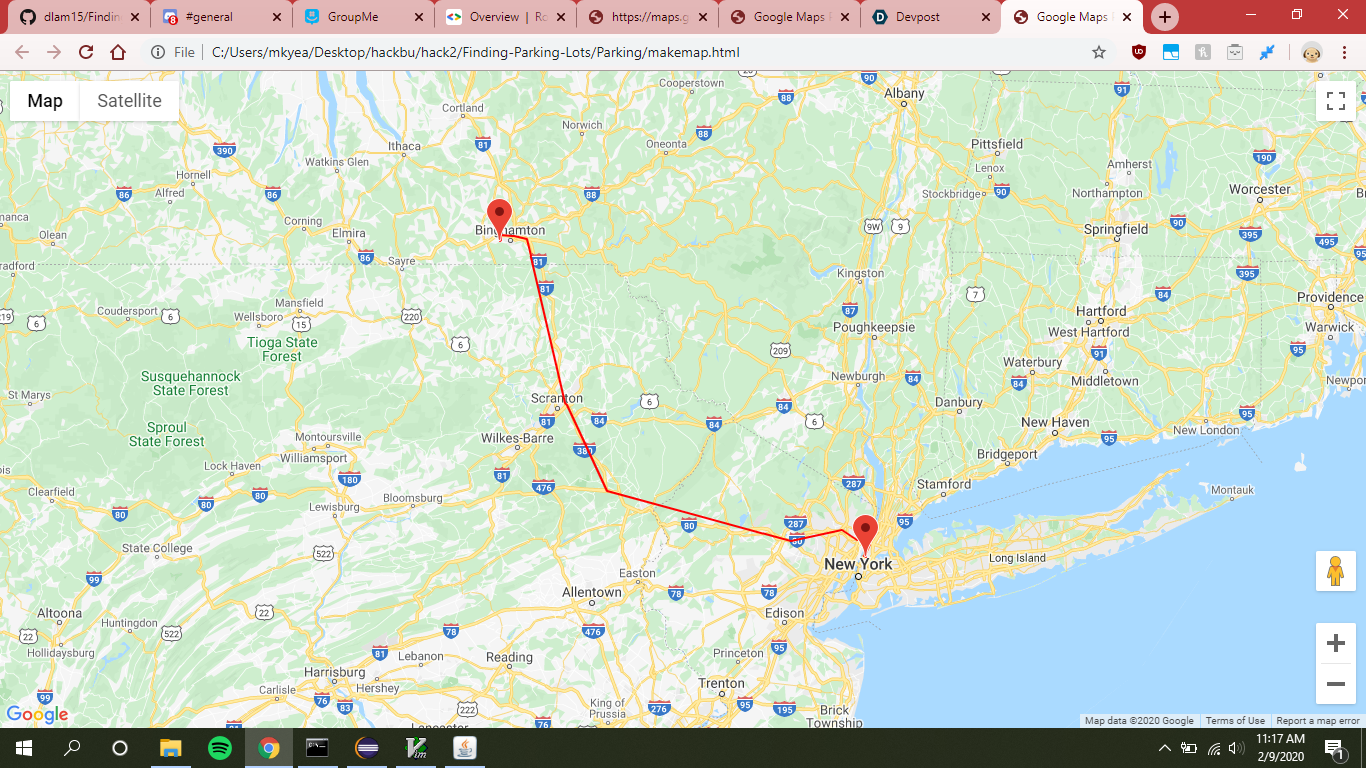
The user enters their start location and destination into a GUI, and the program returns the name of the parking lot closest to the the destination. It also opens a html page in the users browser containing an interactive map showing the start location, destination, and a general path between them.
How I built it
By using documentation from Google Maps API, we were able to learn how to make requests based on our location parameters to return JSON files containing parking lots and routes. We began by finding the route from our start to our destination. Then, we do a search for locations labeled by Google as "parking," and return a list of parking areas within 5000 meters. We then find the coordinates for the closest parking lot, and finally request the route from our starting location to the parking lot. We use the coordinates of the route to mark a path between each turn indicated by Google, which is done in a Javascript file that is run by an HTML file that pulls up an interactive map showing the start, end, and approximate path.
Challenges I ran into
We ran into quite a few hurdles while creating the project. Firstly, none of us had ever working with an API before, so it took us a while to learn how to make requests in Java. Then, we ran into issues with finding actual parking lots: for example, Walmart has a parking lot, but that area is not defined by Google as an actual lot, limiting our program to working best with locations designated as actual parking lots. We find that the program works best in cities, where people need to park in actual parking garages. Finally, the last challenge we had was drawing the path: Google can give us the coordinates of each turn/direction we need to take from our start to end, but we did not have enough time or the paid API privileges to ensure that the path actually follows a road. Most roads have turns and twists, and our program gives the straight line between each turn in the route.
Accomplishments that I'm proud of
We are proud that the program works in general: we spent a lot of time looking at documentation for Google, and it seemed like a daunting task at the beginning, when we had no idea what an API is. We are also happy that we were able to go past what we originally imagined: we thought it would be almost impossible to display a map on the screen, but we were able to show our locations on the map and even draw a route, which I didn't think we'd be able to accomplish when we started.
What I learned
We all learned a lot: how to use an API (specifically Google Maps), the relationship between a GUI and logic, how to run a basic HTML file containing Javascript, and how to modify examples from documentation to meet our specific needs.
What's next for Finding Parking Lots
We would like to add a lot to the program. Firstly, we would like to improve the route, and show how to follow an actual road to the destination. Another ambitious feature would be to identify locations that are parking lots even when they are not labeled as such by Google. One idea we saw to do this would be to take a satellite image of the location, and train a computer vision algorithm to detect potential parking lots that we could provide our program with. We would also like to show which spots specifically are available in a parking lot, but we are unsure how to achieve this.


Log in or sign up for Devpost to join the conversation.