-
-
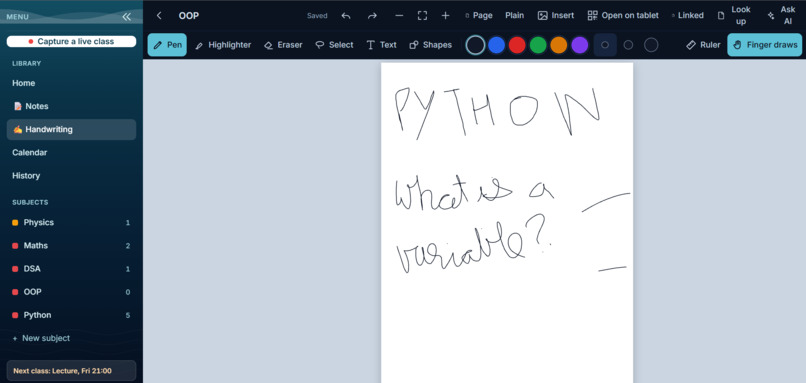
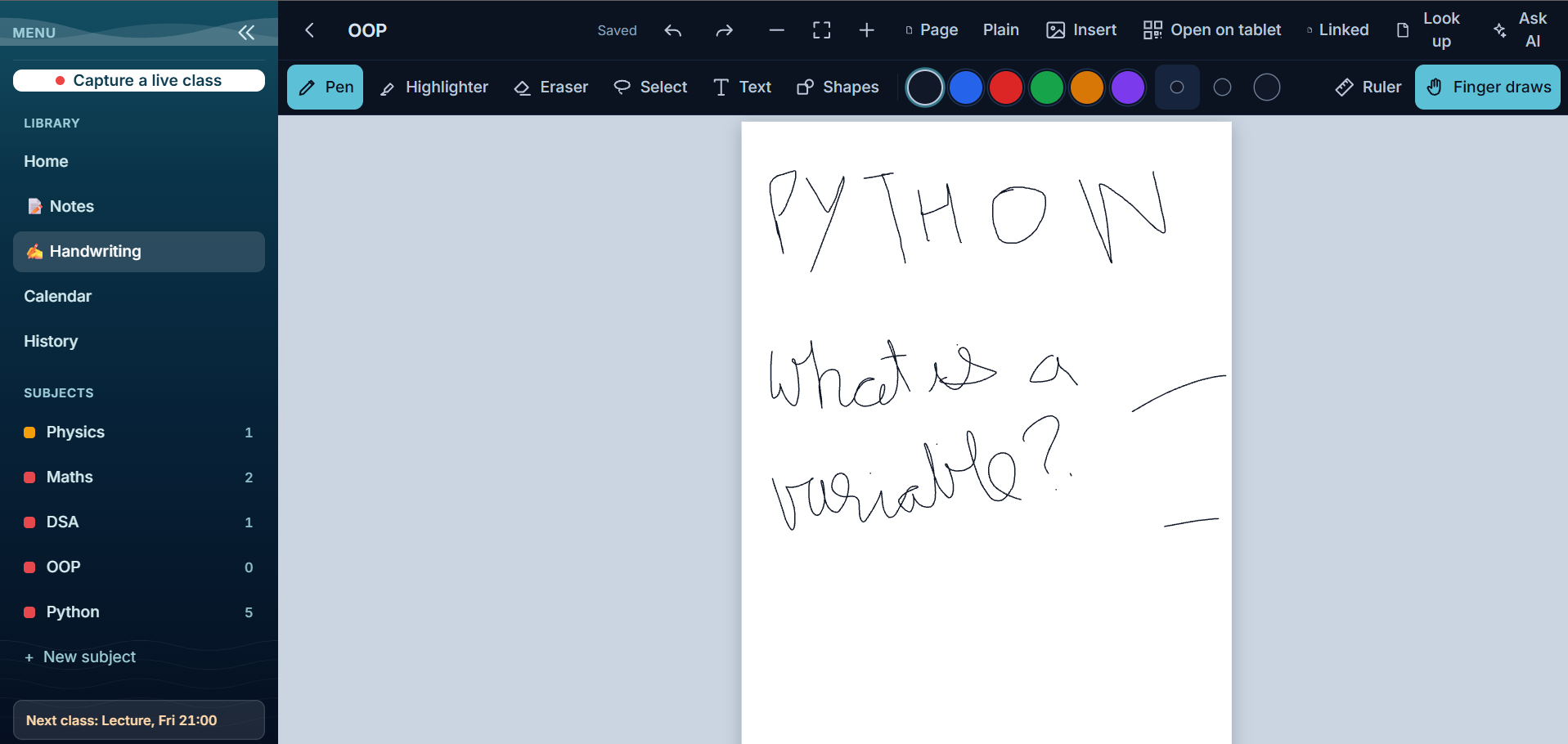
Handwriting: A notes app for tablets and phones. Write by hand, and the AI reads it and uses it in your study sheets.
-
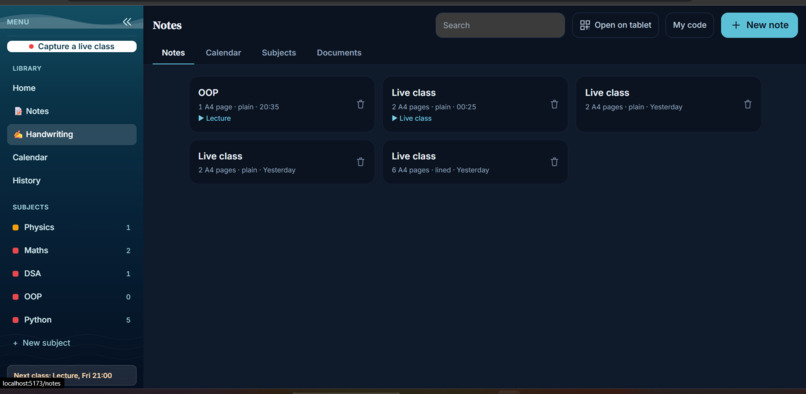
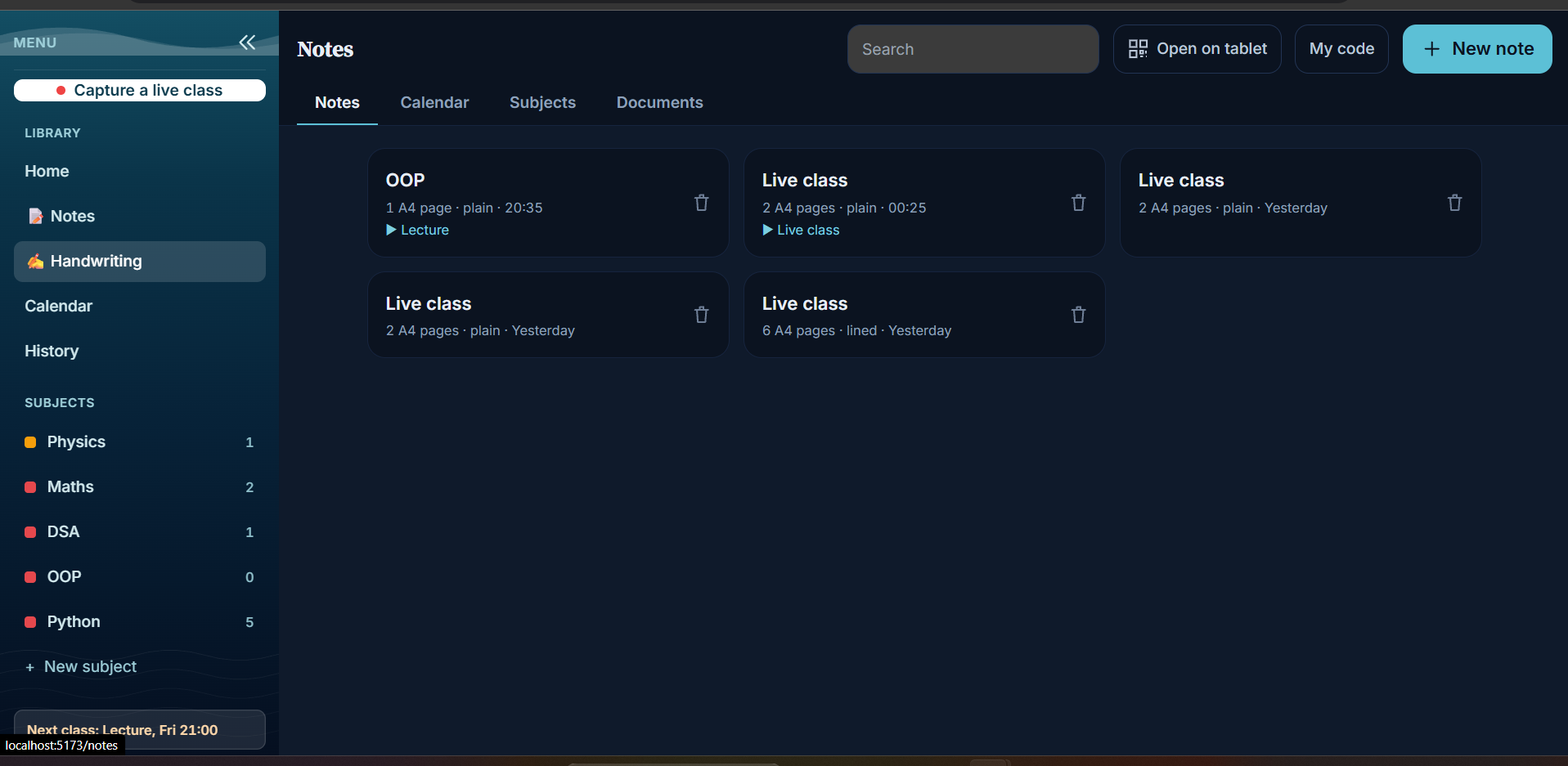
Notes list: All your handwritten notes in one place, linked to lectures and subjects, on the computer and the tablet.
-
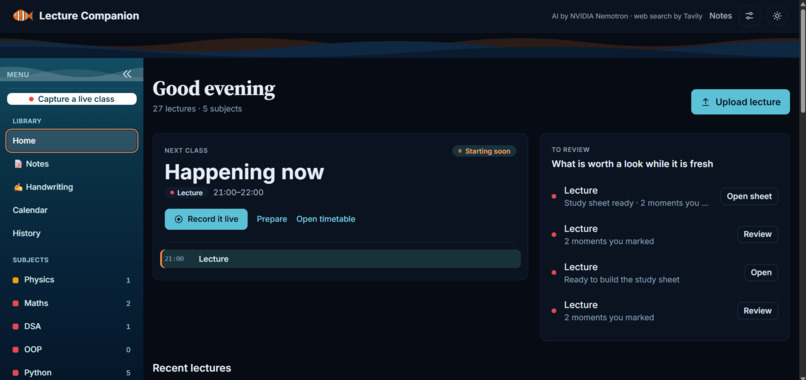
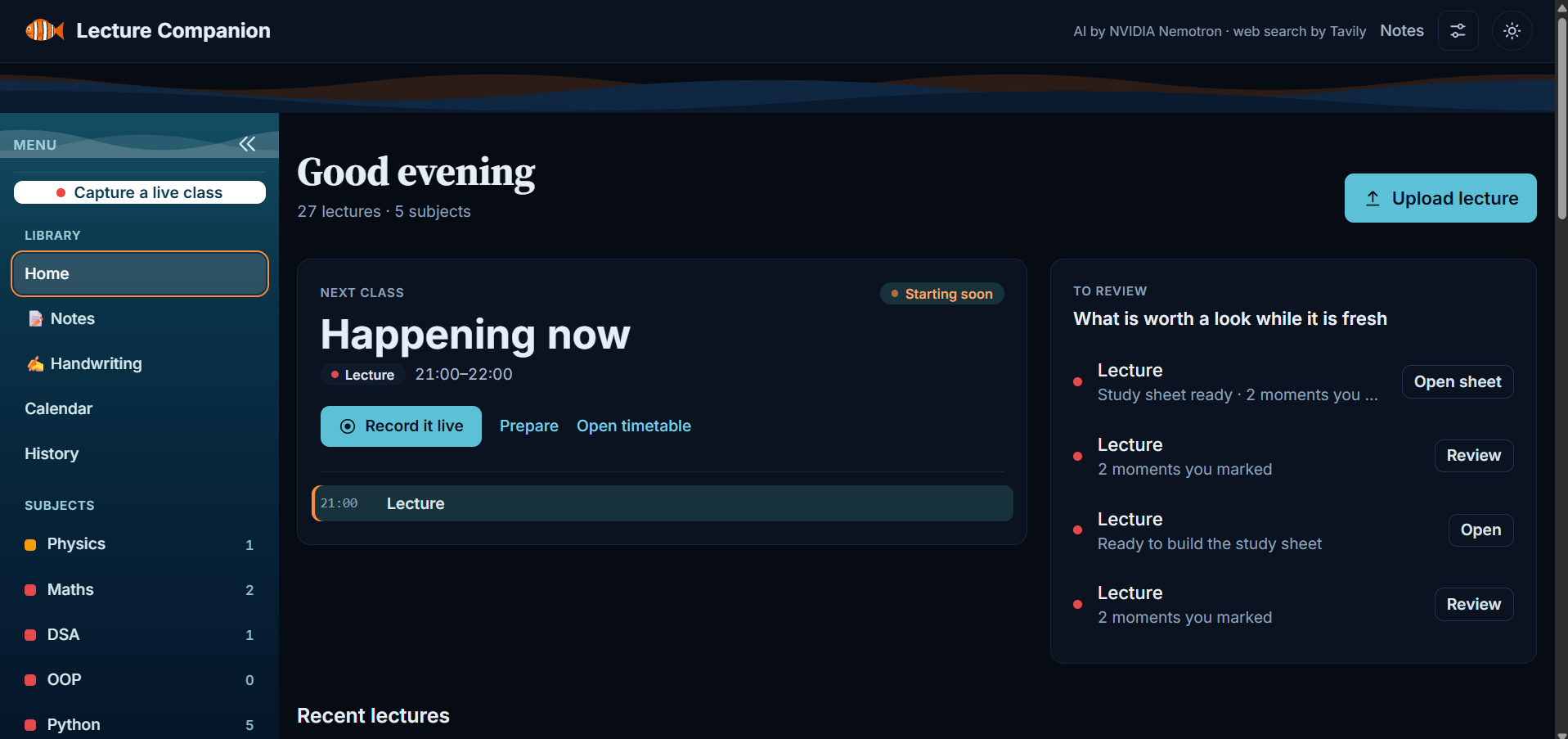
Home: Your day at a glance: the next class, and the lectures worth reviewing while they’re fresh.
-
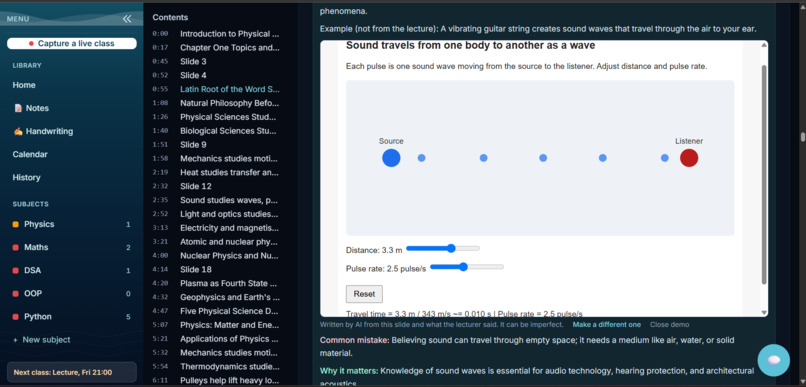
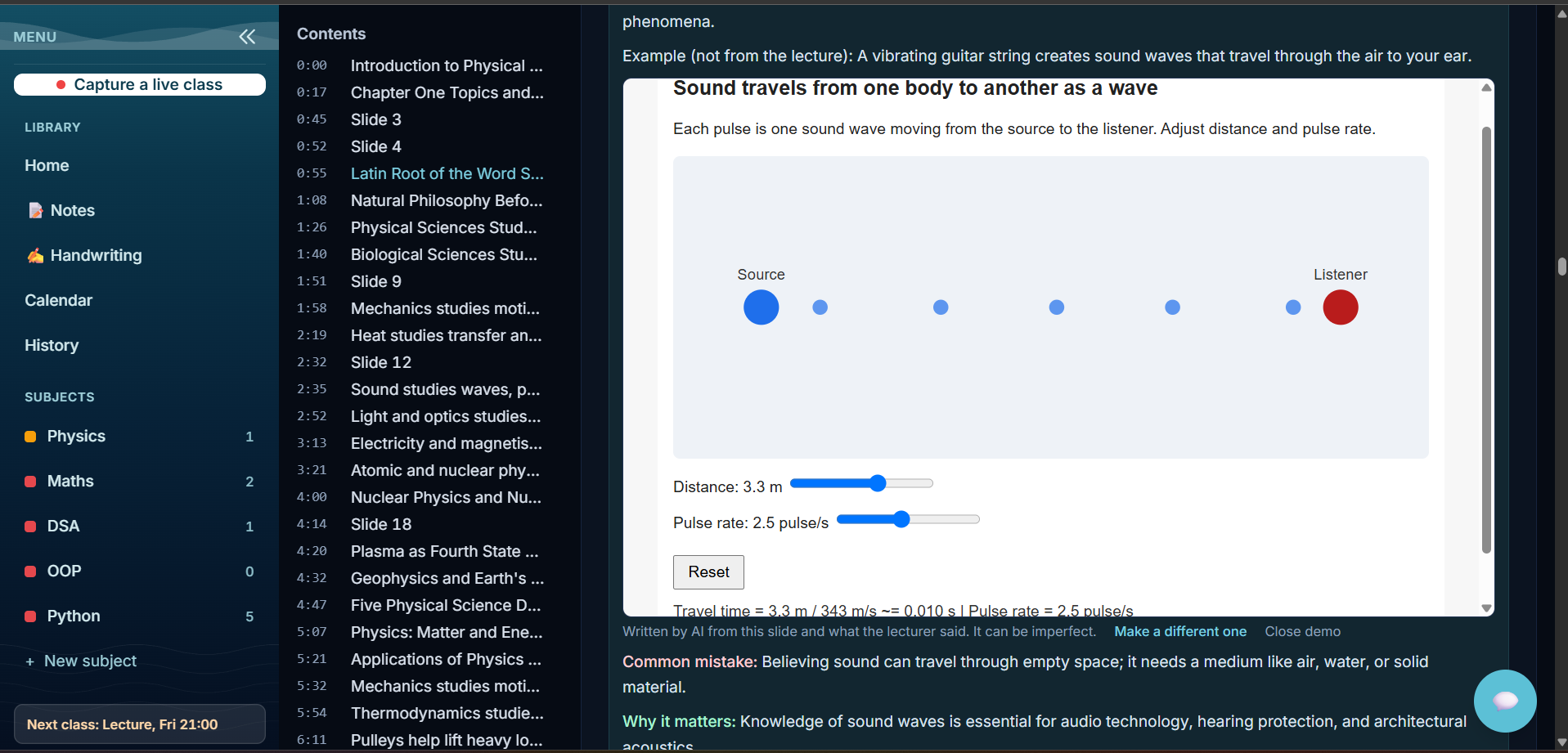
Interactive demo (sound): The AI turns a slide into a small playable demo with sliders. Here: how sound travels from a source to a listener.
-
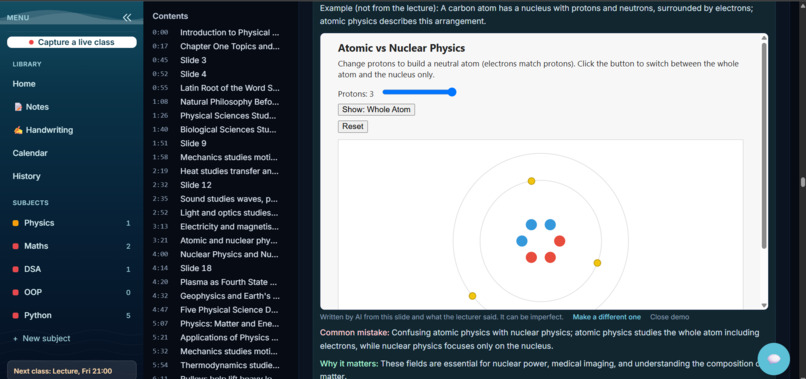
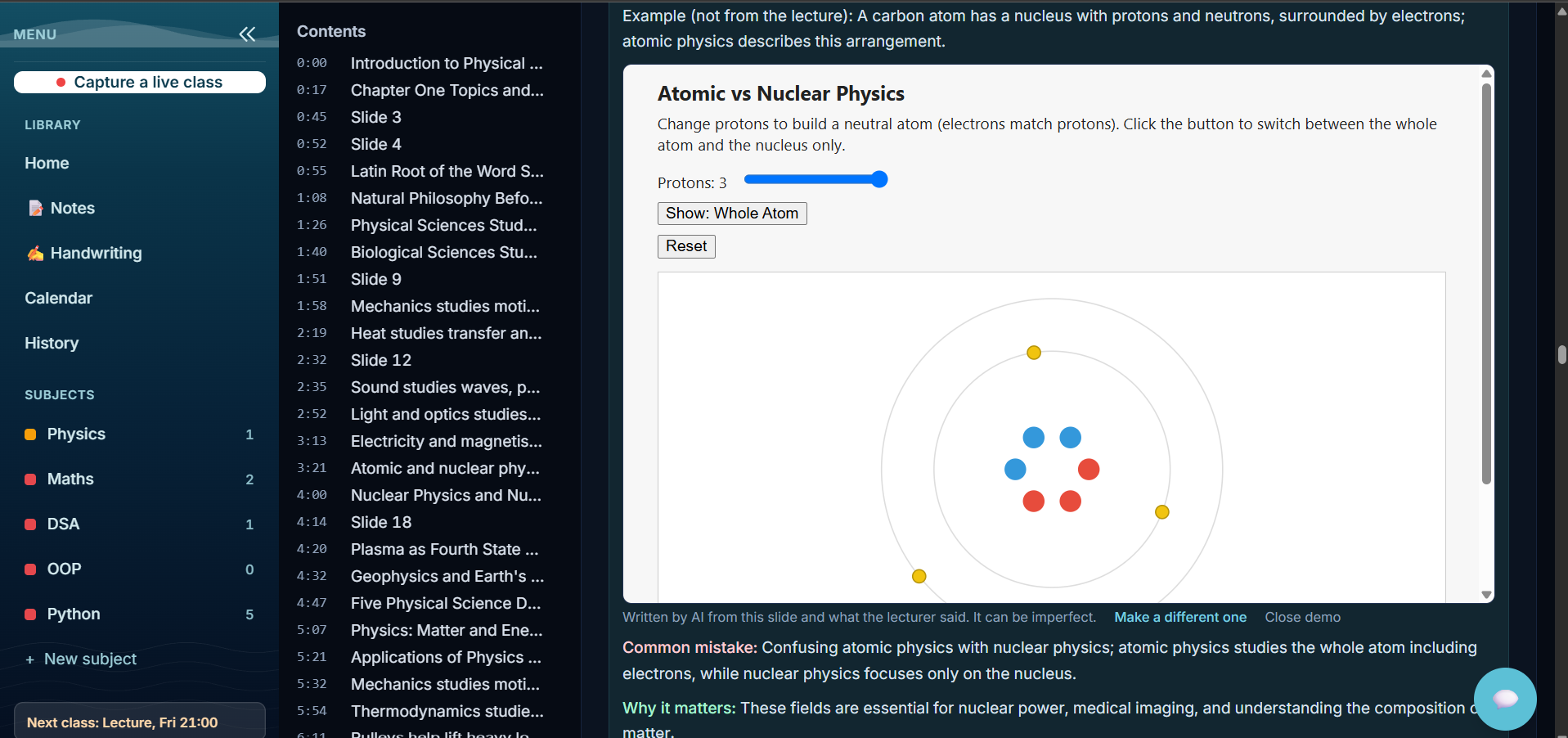
Interactive demo (atom): AI-made playable demo: change protons, switch atom and nucleus.
-
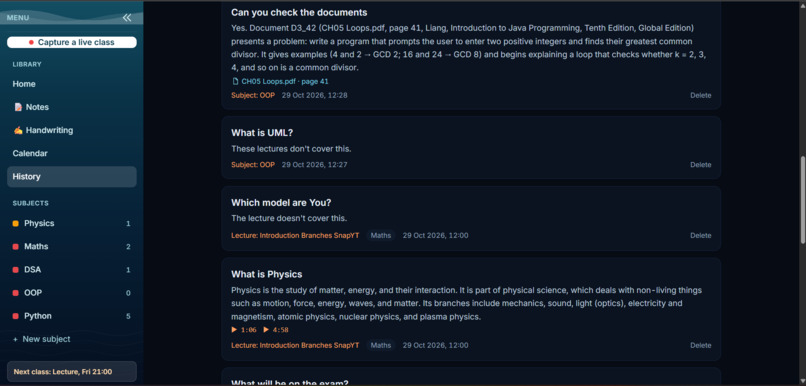
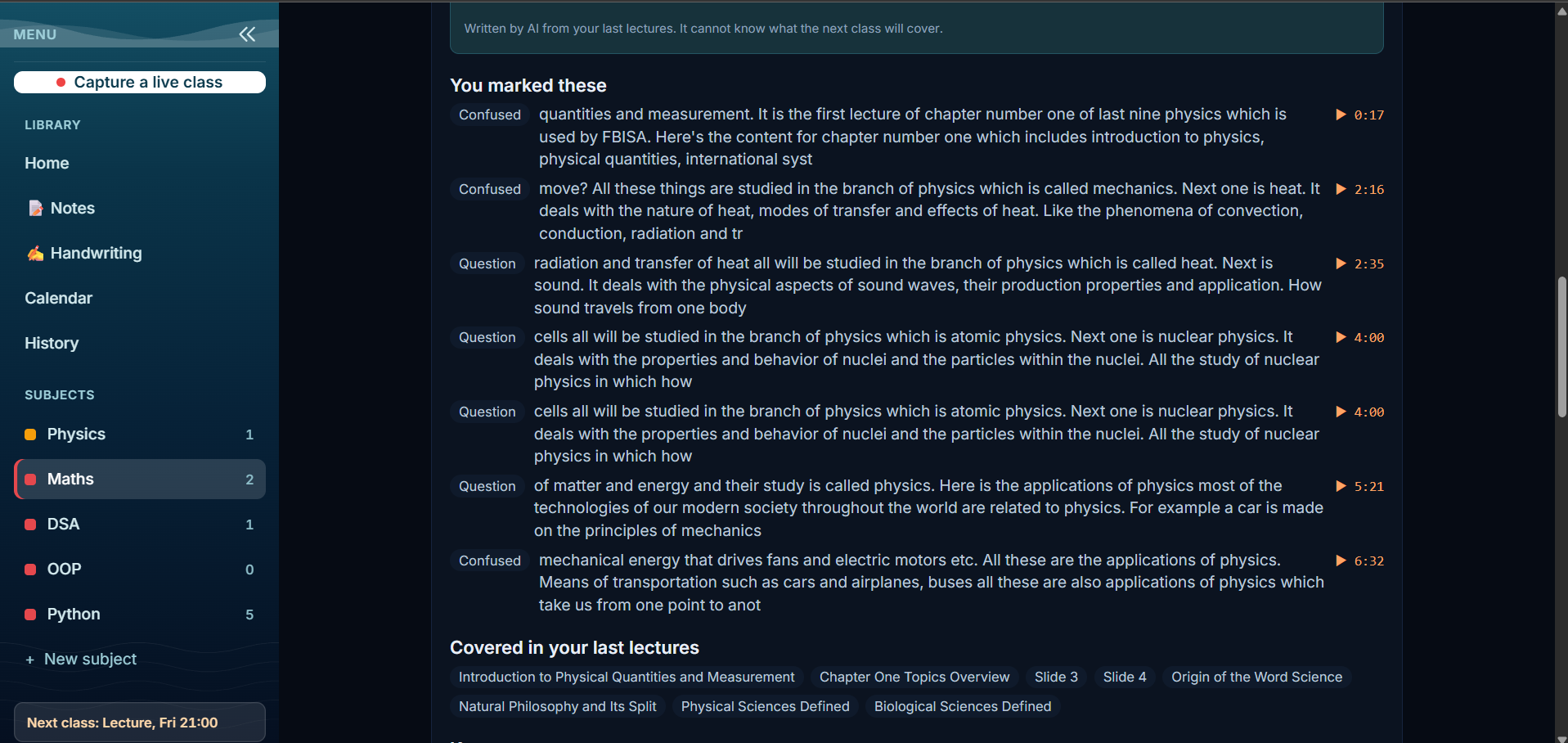
You marked these: Moments you marked Confused or Question while watching, each linked to the exact time in the recording.
-
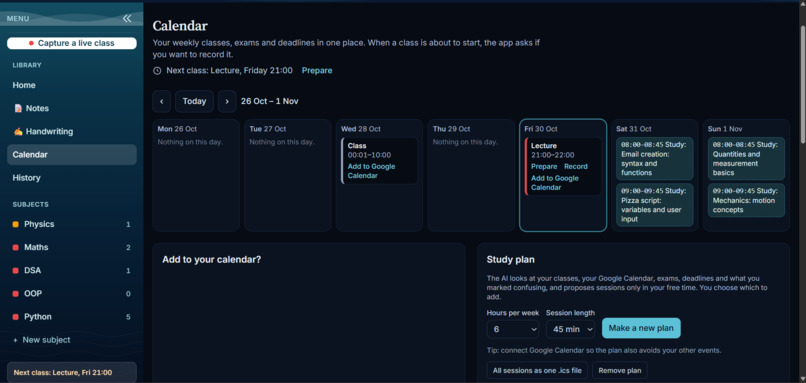
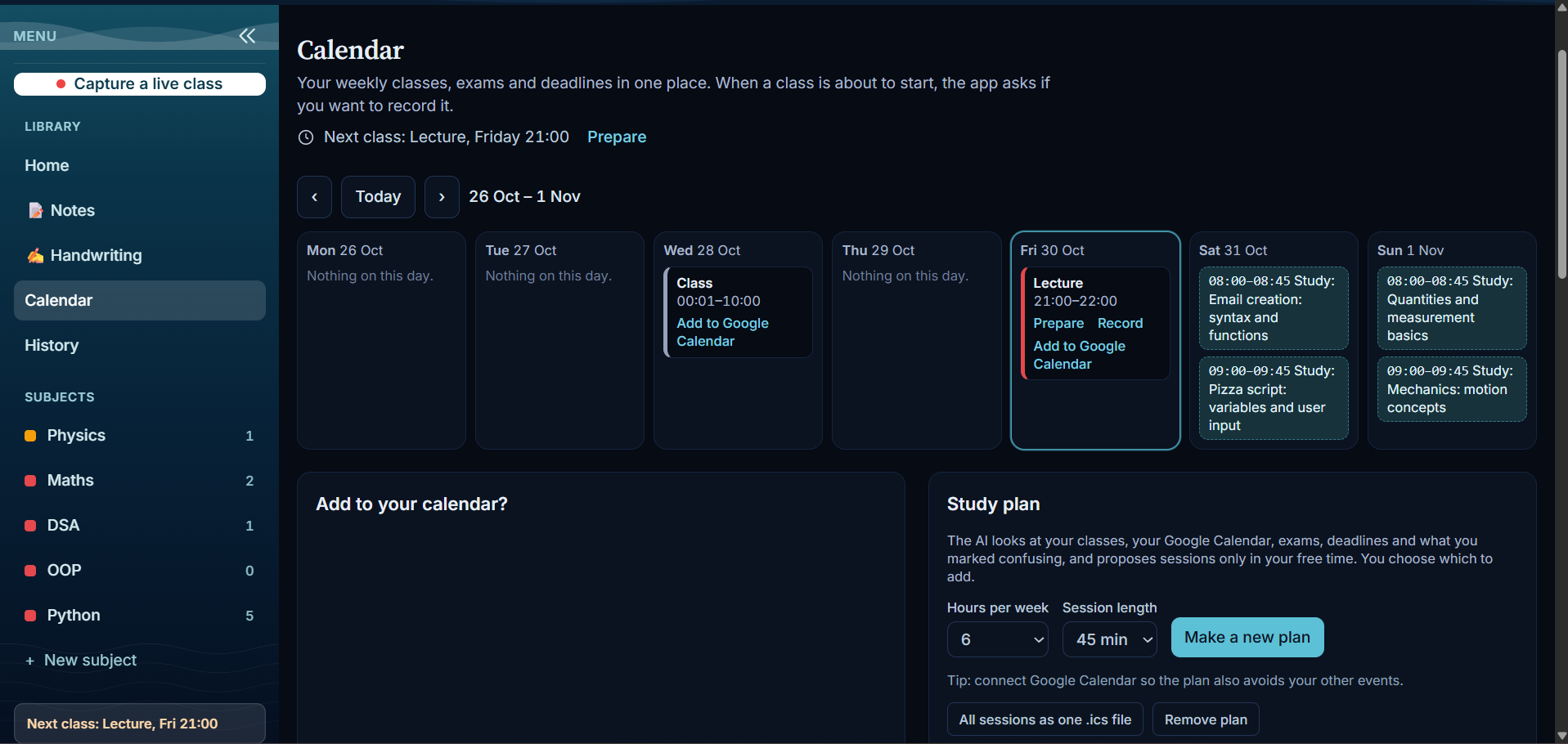
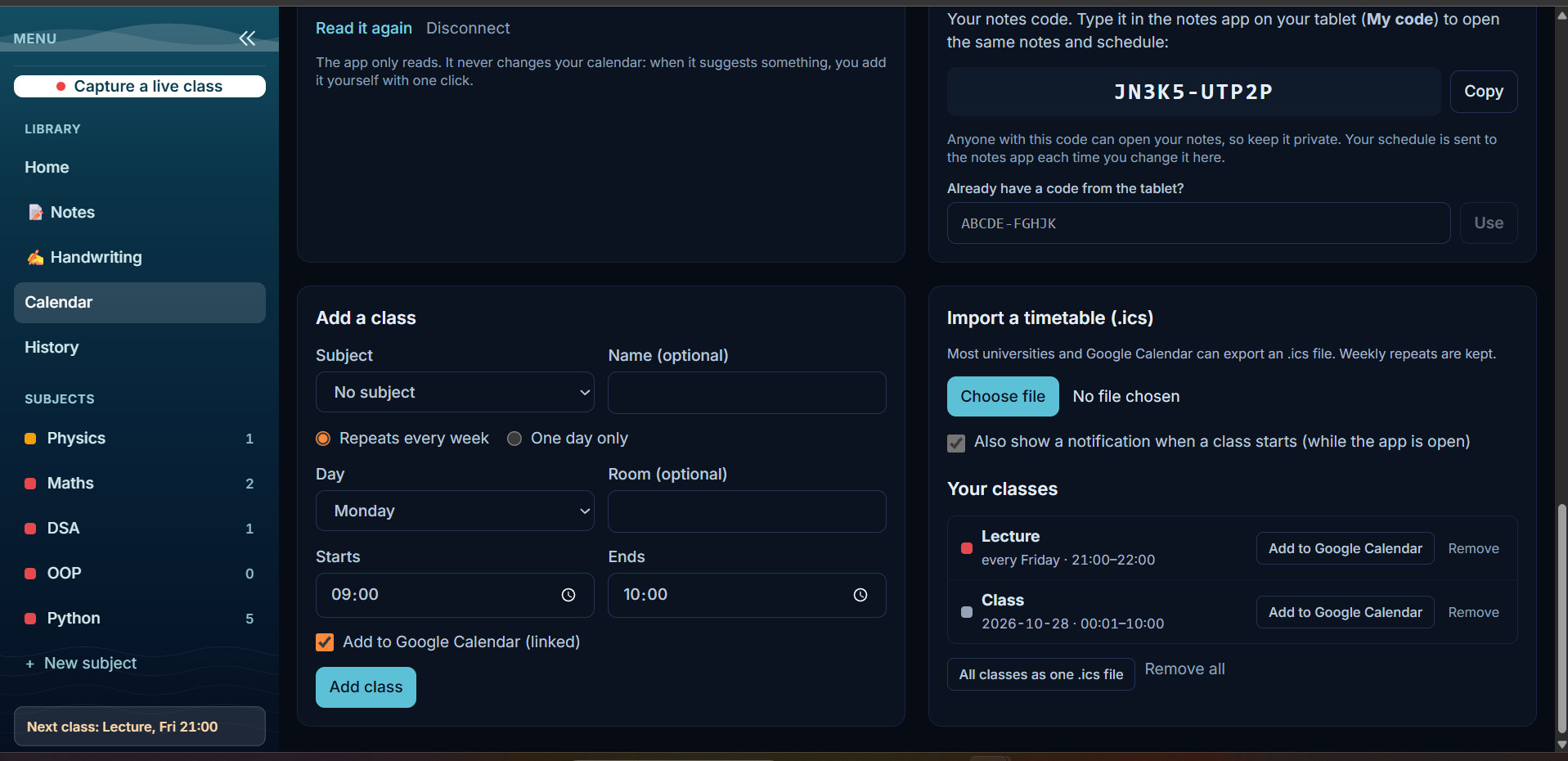
Calendar setup: Add classes, import a timetable, link Google Calendar. Read-only.
-
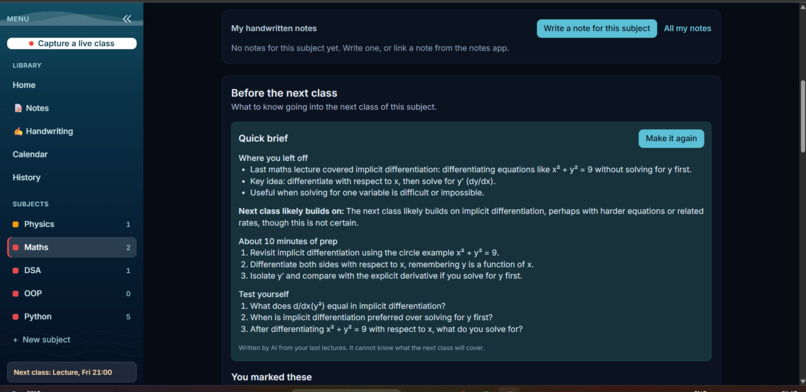
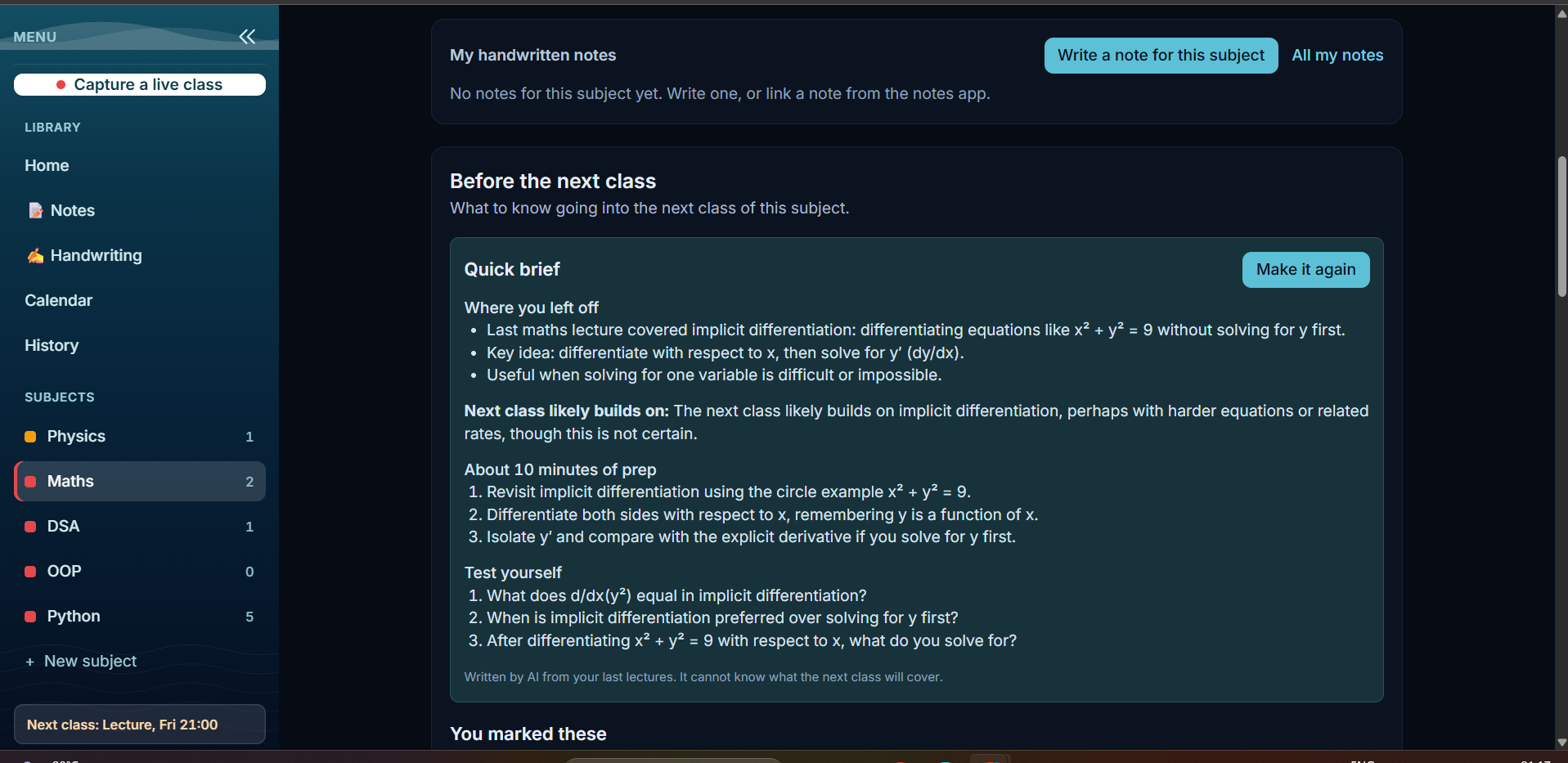
Before the next class: A quick brief with where you left off, 10 minutes of prep and questions to test yourself.
-
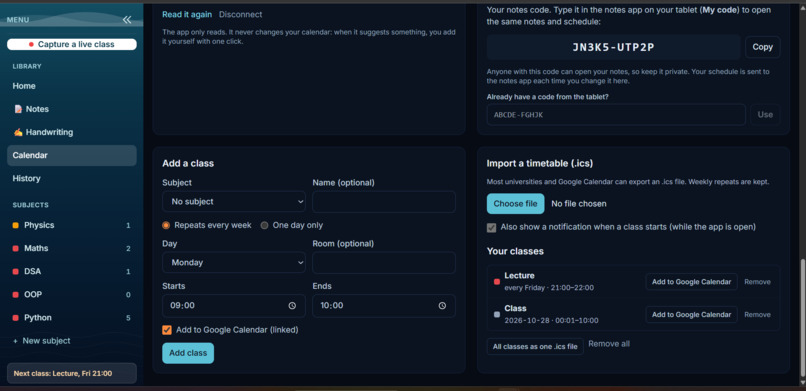
Study plan: AI plans revision only in your free time. You choose what to add.
-
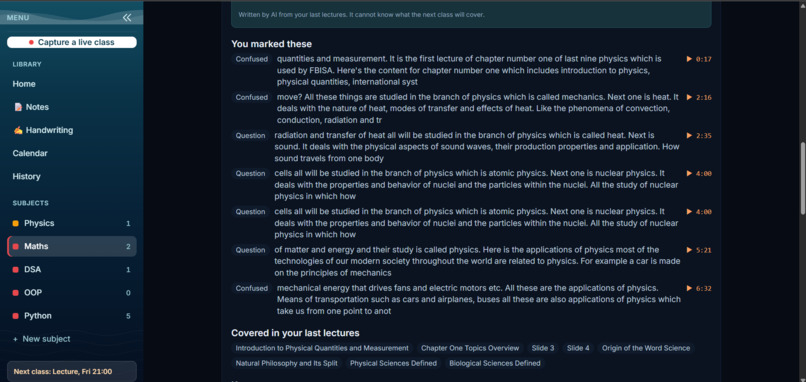
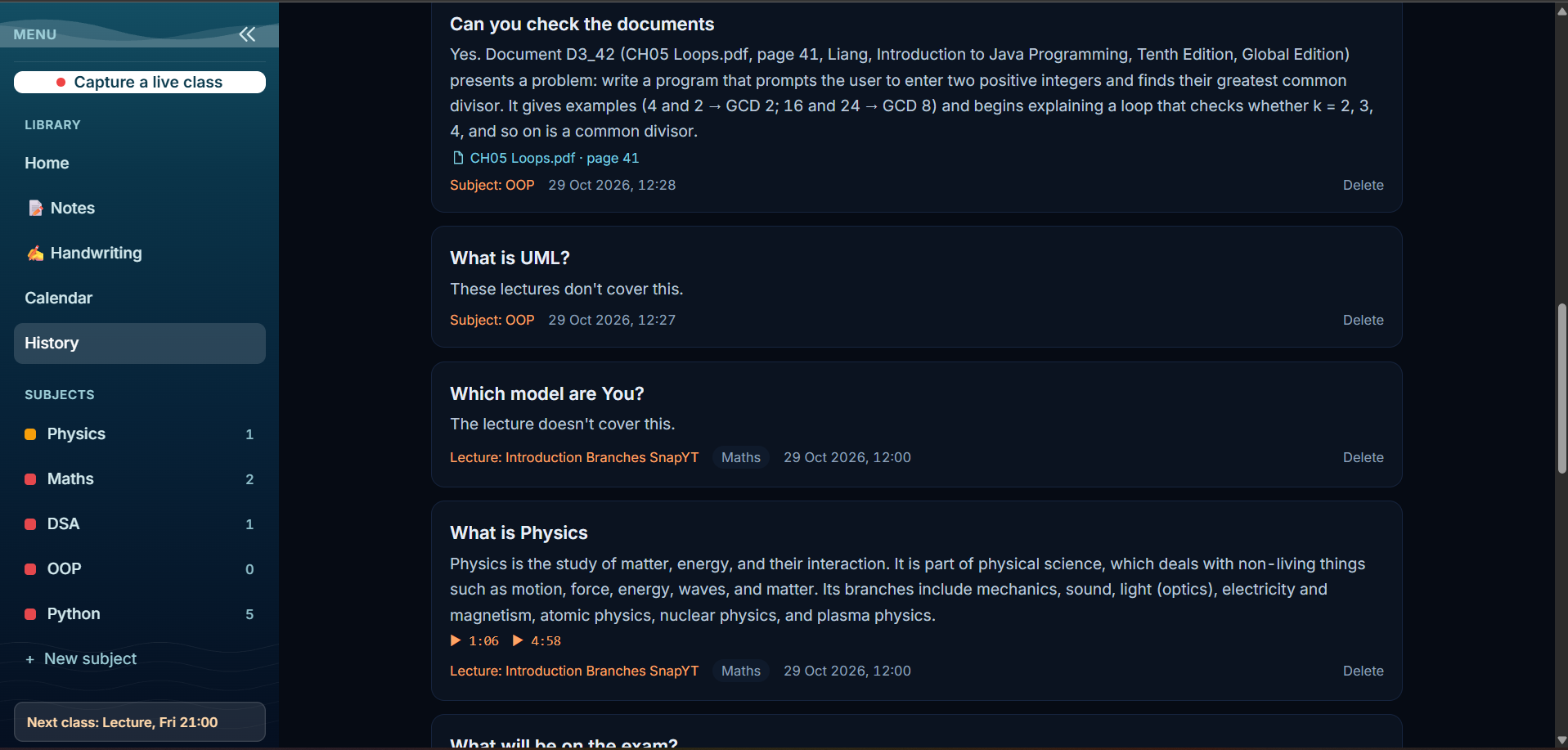
History: Every question saved with its answer and source page.
-
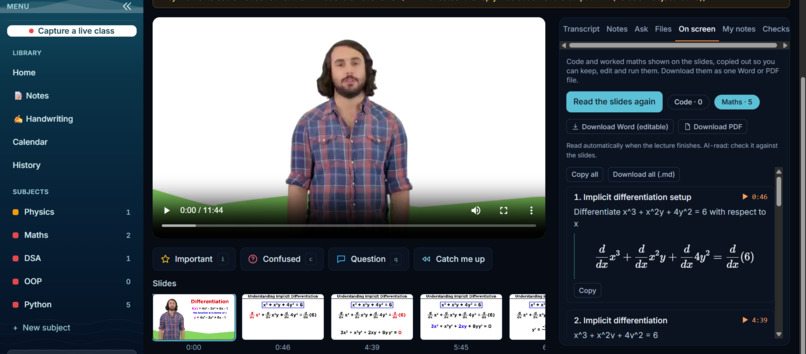
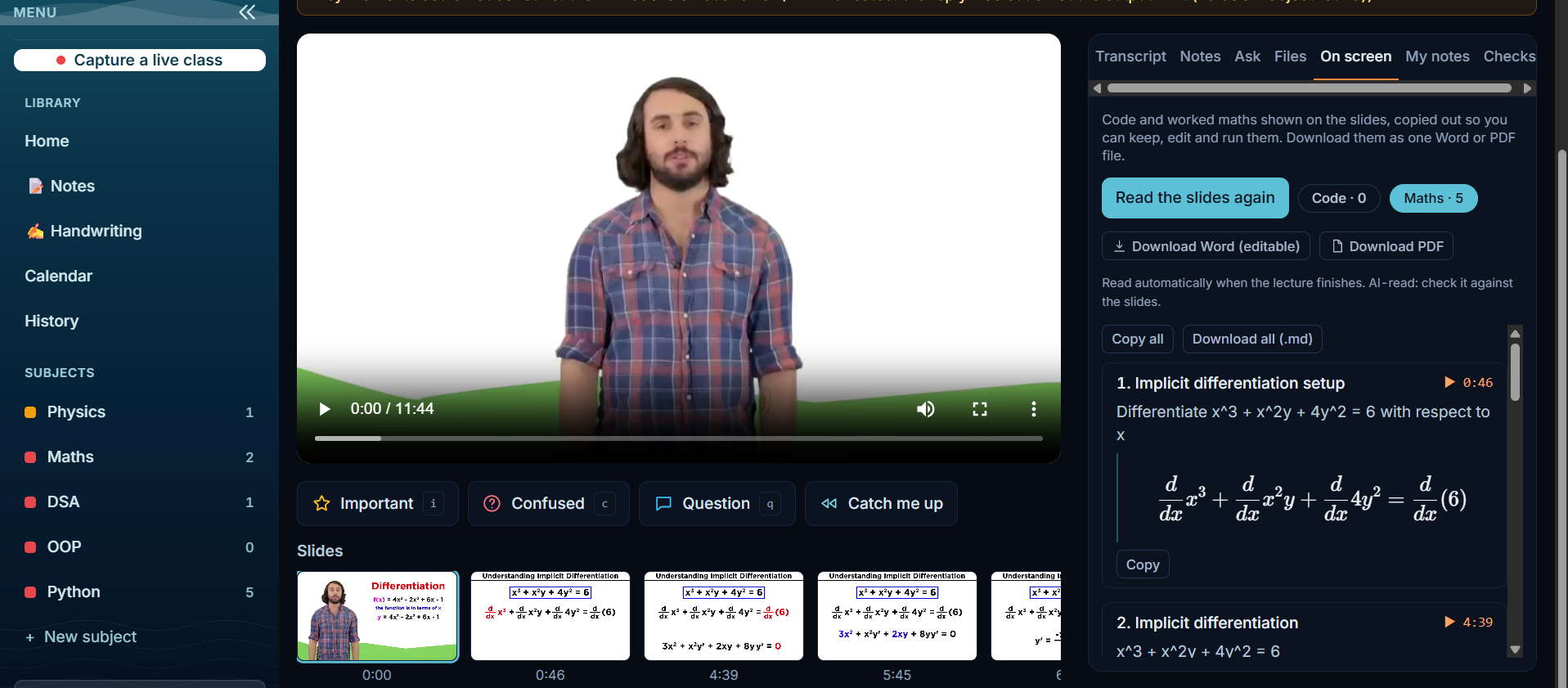
On screen: Maths and code are read from the slides, kept editable, and can be downloaded as Word or PDF.
-
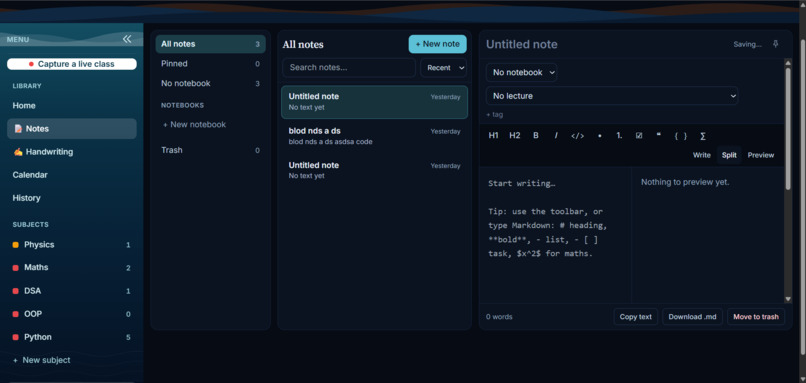
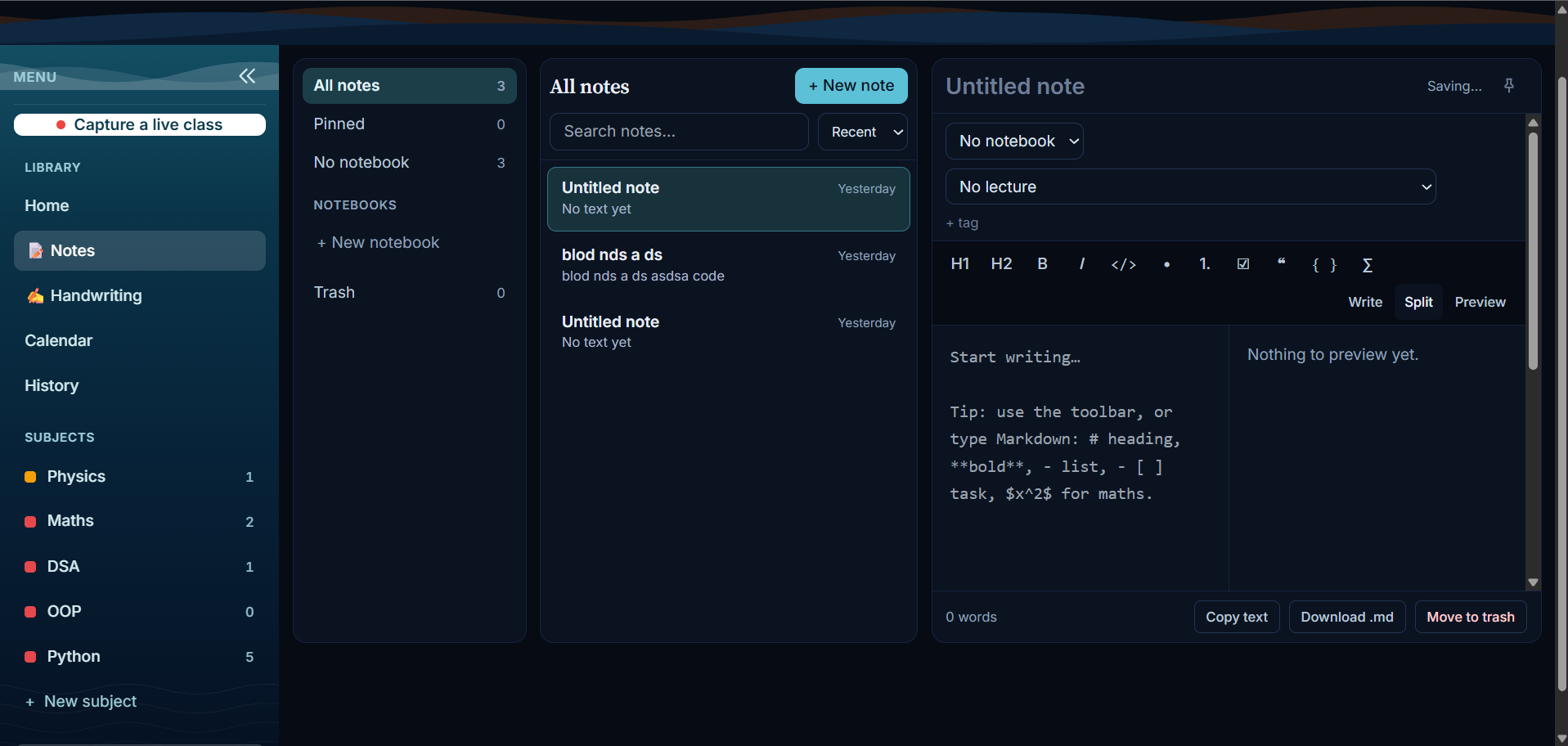
Typed notes: Markdown notes with code and maths, linked to lectures.
Inspiration
Students sit through a lecture, scribble rough notes, and afterwards can't find where the lecturer actually said the important thing. The slides are in one place, the recording in another, the notes in a third. When something confuses them, they rarely go back and fix it. We wanted one place where the slides, the speech and the student's own notes sit on the same timeline, and an AI that does the tedious after-class work.
What it does
Lecture Companion turns a lecture recording into a study sheet.
- Upload a lecture (or capture a live class). It finds every slide, transcribes the speech, and puts both on one timeline with the video.
- Take rough notes and press one key (
iimportant,cconfused,qquestion) while watching. - Press "Build study sheet". A Nemotron agent running on Nebius Token Factory writes a summary and key points for every slide, cleans up the student's notes, and builds flashcards and deadlines.
- Confused moments get answered. The agent first searches the lecture's own transcript; if the lecture doesn't explain it, it searches the web with Tavily and writes the answer with sources, clearly labelled "From the web".
- Ask the lecture. Every answer links to the exact moment in the video.
- A notes app, subjects and a calendar. Notes (typed or handwritten with a stylus), grouped by subject, with the student's Google Calendar read-only so the schedule and study plan fit around real life.
- Export the study sheet as one self-contained HTML file that also prints to PDF.
How we built it
- Backend: FastAPI (Python). One background worker runs ffmpeg to prepare the video, detects slide changes from one frame per second, and transcribes speech locally with faster-whisper.
- AI: every model call goes through a single wrapper to Nebius Token Factory (OpenAI-compatible API) using NVIDIA Nemotron models: Super-class models write the summaries and run the tool-calling agent; the design routes cheap scans to Nano. The wrapper handles retries, caching, JSON repair and usage tracking, so the app shows which model did what.
- Agent: a tool-calling loop (search transcript, search the web, add explanation, add deadline, add flashcard) with a fixed fallback pipeline if the agent fails.
- Frontend: React, TypeScript, Vite and Tailwind, installable as a PWA, built mobile-first.
- Run it anywhere: one command starts the whole app from the GitHub repo (see the README).
Challenges we ran into
- Slide detection on plain slides. Comparing the average pixel difference found only one slide on white, text-only slides, because the change is tiny. We switched to measuring the share of the picture that changed, which separates real slide changes from video noise.
- Screenshots taken mid-fade. Slide images were sometimes captured during a transition. We now pick the last steady frame of each slide, which also helps code slides.
- Real AI behind a hard budget. We made the agent batch slides, cap requests, cache every answer and fall back gracefully, so a sheet can be built on limited credits and one failed call never ruins the whole sheet.
- Token Factory details. Models are served per region, so a model that exists at one address returned "not found" at another, which cost us time to diagnose.
- No hosted demo. Free hosting couldn't run ffmpeg and Whisper, so we made the project easy to run yourself from GitHub with a single command.
Accomplishments we're proud of
- Real Nemotron calls on Token Factory for summaries, the agent and Q&A, with a visible usage page.
- A study sheet where every claim links back to the moment in the video.
- The agent that knows when the lecture doesn't explain something and goes to the web, citing sources.
- Hundreds of automated tests (backend and frontend type checks).
What we learned
- Tool-calling agents need a fixed fallback and strict output checks to be dependable.
- A cache and a usage log are as important as the prompts when credits are limited.
- Measuring the right thing matters: the slide-detection fix came from testing realistic slides, not from tuning numbers.
What's next
- A hosted public version, stricter rate limits, more languages, and a phone companion for notes during class.


Log in or sign up for Devpost to join the conversation.