-
-
Starting image of the app
-
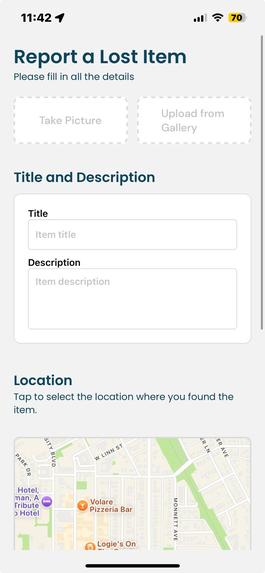
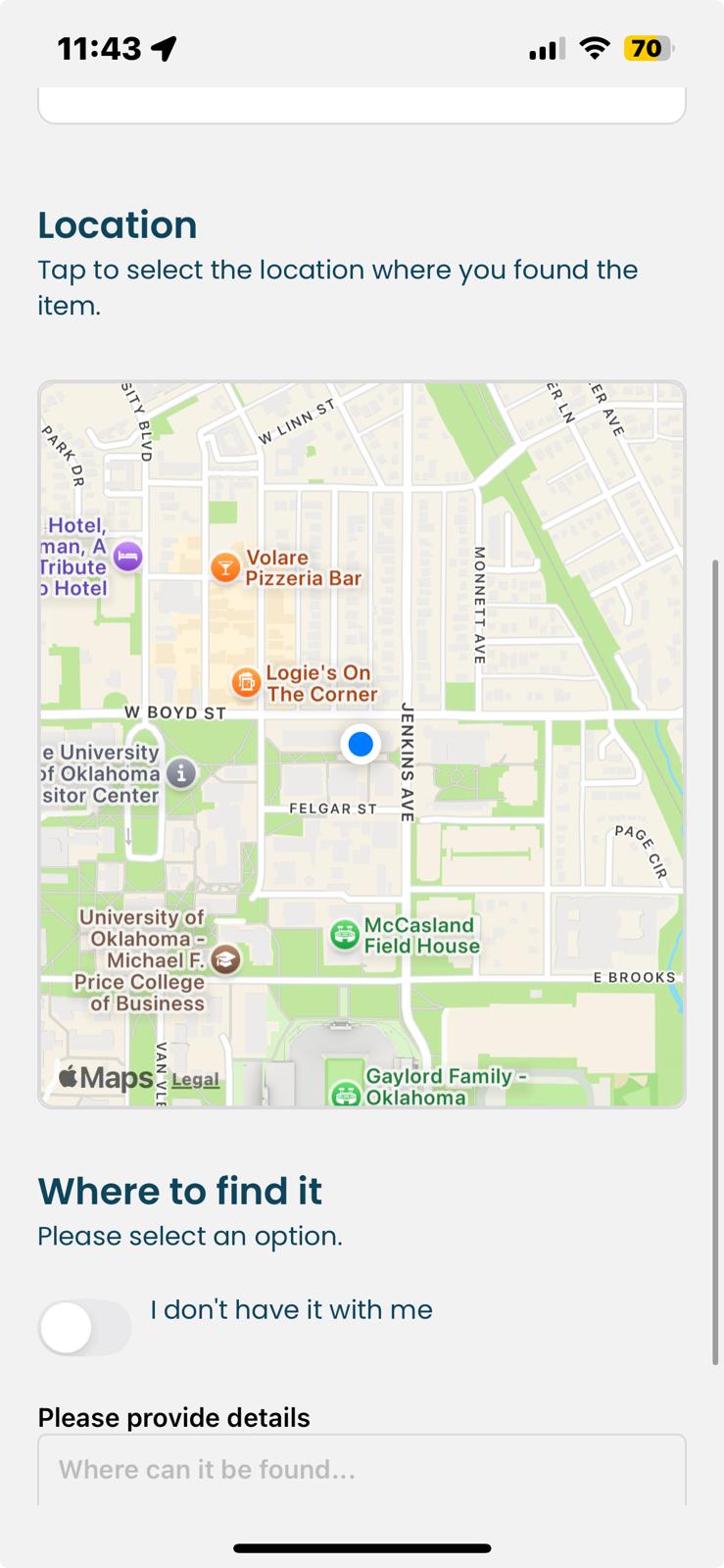
Interface to add item on map
-
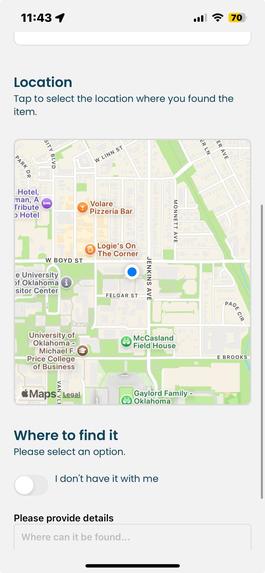
Interface to add item on map
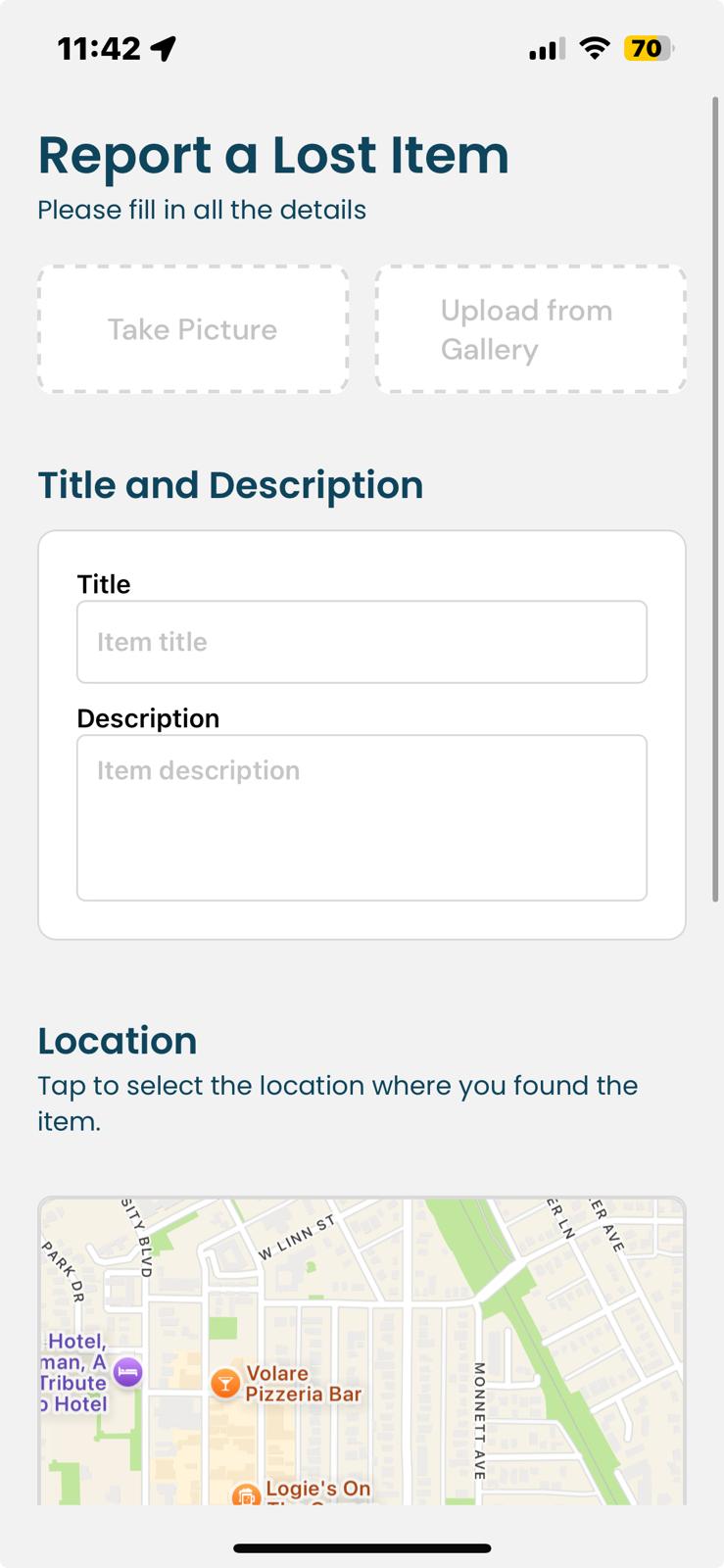
Inspiration
We all know the feeling of sudden panic when you realize something is missing. You check your pockets, your bag, retrace your steps, but it’s nowhere to be found. Now imagine that happening all the time—that’s life for one of our team members. He’s lost his AirPods in a coffee shop, lost his glasses to the Kansas wind, and misplaced more things than we can count.
Instead of just sympathizing (by endlessly teasing him), we decided to do what Comp Sci students do best—solve the problem with tech. Our Solution? A mobile app designed specifically for college students to report lost items, map their locations, and connect with finders in real time.
While we can’t change our friend’s clumsiness, we can make losing things a little less stressful and finding them a whole lot easier.
What it does
This mobile app makes it easier for people to find and return lost items. When someone finds a lost item, they can take a picture, upload it to the app, and pin its location on a map.
The app uses OpenAI Vision API to analyze the image and generate a description. It then stores important details like the lost date, location, and item description in a database.
If someone is looking for their lost item, they can enter a description in the app. In the background, the app uses fuzzy logic to match their input with reported found items. If there’s a match, the app pinpoints the item’s location on the built-in map, making it easy for the owner to retrieve it.
How we built it
We started by designing a user-friendly interface using React Native, ensuring smooth performance on both iOS and Android. The app integrates react-native-maps to allow users to pin lost and found items on a map and Expo Camera for capturing item images. User can also use image from gallery to list it on map.
On the backend, we use ExpressJS to manage API requests and PostgreSQL to store lost and found item details, including location, images, timestamps, and user information. For secure authentication, we implemented Firebase and Twilio, allowing users to verify their phone numbers before submitting or claiming items.
To make item matching more efficient, we leveraged OpenAI Vision API, which analyzes uploaded images and extracts useful descriptions. When a user searches for their lost item, the app uses fuzzy logic to compare their input with existing entries in the database and provides the best possible matches.
By combining these technologies, we created a streamlined system that helps students quickly report, locate, and retrieve lost items.
Challenges we ran into
Map Integration Issues Initially, we implemented Mapbox, but it had major compatibility issues with Expo, making it difficult to integrate into our app. After spending significant time trying to make it work, we decided to switch to react-native-maps. However, even after react-native-maps started working, we encountered another problem—it relied on Google Maps as the provider, which caused issues on iOS devices. We resolved this by modifying the provider settings and ensuring cross-platform compatibility.
Database Fetching Issues in React Native We encountered a problem when trying to fetch data from our PostgreSQL database into React Native, as HTTP fetch requests are not supported in React Native by default. To work around this, we used Ngrok as a temporary hosting service, allowing us to port the database from localhost to a secure HTTPS link, making data retrieval seamless. Despite these challenges, each obstacle helped us improve our problem-solving skills and led to a more refined and robust app.
UI & Keyboard Overlapping Bugs The scroll functionality wasn’t working correctly, making it difficult to navigate the app. Additionally, when the keyboard appeared on the screen, it covered the text input box, preventing users from seeing what they were typing. We fixed this issue by modifying the CSS component, adjusting layout behavior, and ensuring the keyboard didn’t obstruct important fields.
Authentication Issues with Twilio & Firebase We faced difficulties in setting up authentication using Twilio with Firebase. Retrieving user ID information through Twilio was a challenge, causing issues with user verification. After troubleshooting, we successfully integrated Firebase Authentication, ensuring a smooth and secure sign-in process.
Accomplishments that we're proud of
We are incredibly proud to have built a real-world solution that helps people find their lost belongings—especially our clumsy friend, who inspired this project. What started as a fun idea quickly turned into a fully functional mobile app in just 24 hours. Despite the tight timeframe, we successfully integrated multiple technologies, including React Native, Firebase, PostgreSQL, and OpenAI Vision API, to develop an app that features authentication, real-time mapping, AI-powered image recognition, and a database-driven matching system.
One of our biggest achievements was overcoming major technical challenges in such time-constrained environment. We pride ourselves in making app user-friendly both for the finder and claimer. The finder doesn't have much to do other than taking a picture and uploading it while claimer can easily locate their lost item on map with few descriptions of item. Everything seems easy on top while complex task is done by algorithm of the app.
At the heart of this project is our desire to help people recover lost items more efficiently. Whether it’s a student who misplaced their keys or someone who lost their AirPods in a busy café, our app provides a simple yet effective platform for lost-and-found tracking. We started this journey to solve a personal problem, but by the end, we realized we had created something that could benefit students and communities everywhere.
What we learned
Throughout this project, we gained valuable technical skills while working with new technologies for the first time. We learned how to integrate Twilio OTP for authentication, work with react-native-maps to add mapping functionality to a mobile app, and troubleshoot compatibility issues between various frameworks. Many of the challenges we faced pushed us to think critically and find creative solutions under time constraints.
However, the most important lessons weren’t just technical, they were behavioral and strategic. We learned how to make critical decisions about project scope, deciding when to push forward and when to pivot. One of the biggest takeaways was understanding the trade-off between perfecting functionality and completing a working product. We had to make tough choices, such as abandoning map with more functionality after investing significant time in it, and shifting our focus to simple working map to ensure progress. This experience taught us the importance of knowing when to let go of an idea that isn’t working, even after significant effort, in order to prioritize the overall success of the project.
This project reinforced not only our technical expertise but also our ability to make effective decisions, work efficiently under pressure, and adapt to challenges—skills that go far beyond just coding.
What's next for Finders-keepers
Smart Notifications for Lost Items Currently, if a user loses something, they can add it to the app even if it hasn’t been found yet. In the future, we want to implement real-time notifications, so when someone finds and reports the lost item, the original owner will be instantly notified that their item has been pinned on the map. This will make the recovery process even faster and more efficient.
🚫 Preventing False Claims & Improving Security To ensure fairness and prevent misuse, we plan to introduce a stricter claim verification system. If someone falsely claims an item that doesn’t belong to them, they will be banned from the app, ensuring that the platform remains trustworthy and reliable for all users.
These improvements will make Finders-Keepers more secure, efficient, and user-friendly, ensuring that lost items always find their way back to the right owners.
Built With
- axios
- fetch
- firebase
- javascript
- ngrok
- openai-vision
- postgresql
- react-native
- twilio


Log in or sign up for Devpost to join the conversation.