-
-
-
-
-
-
-
-
-
-
-
Icon
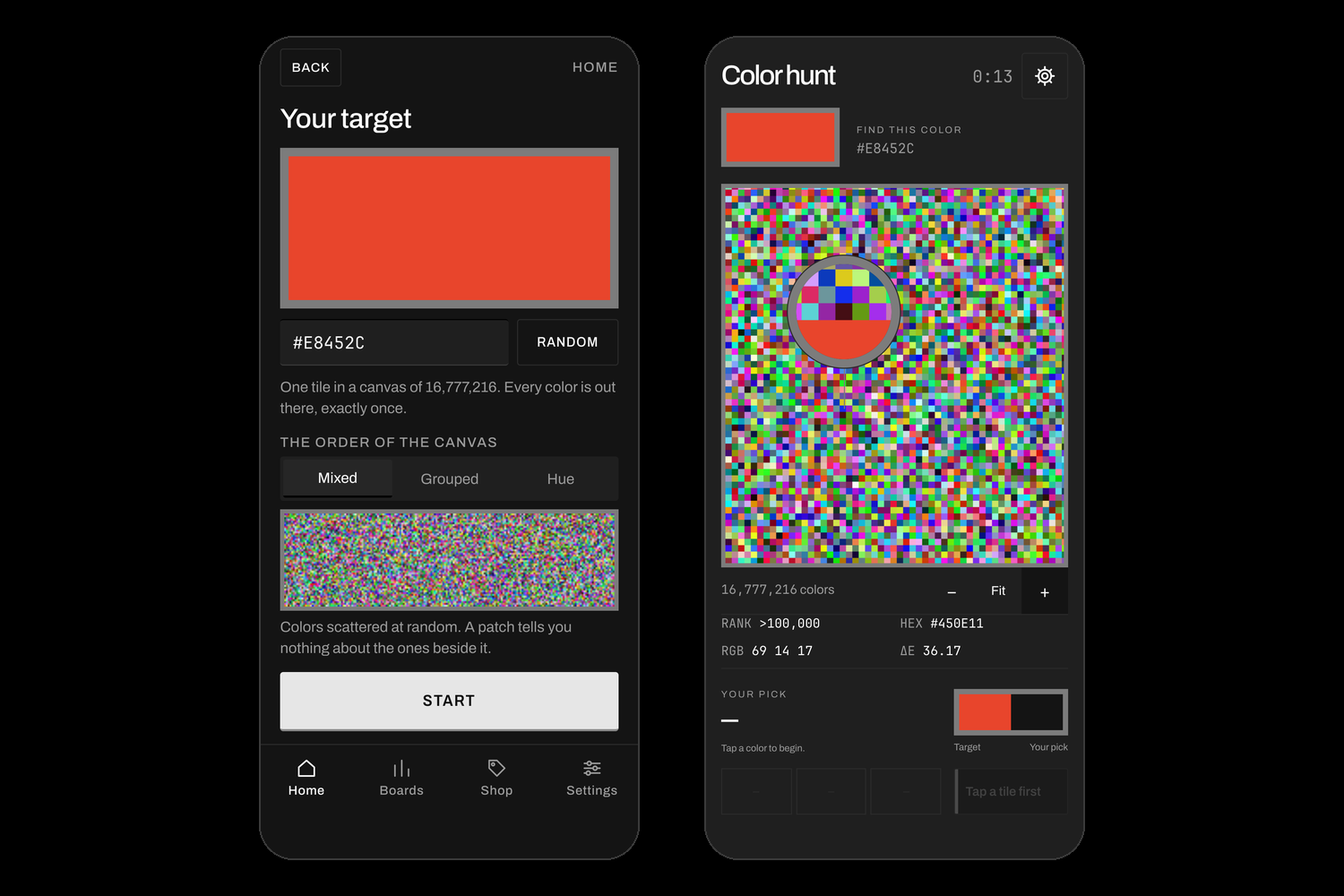
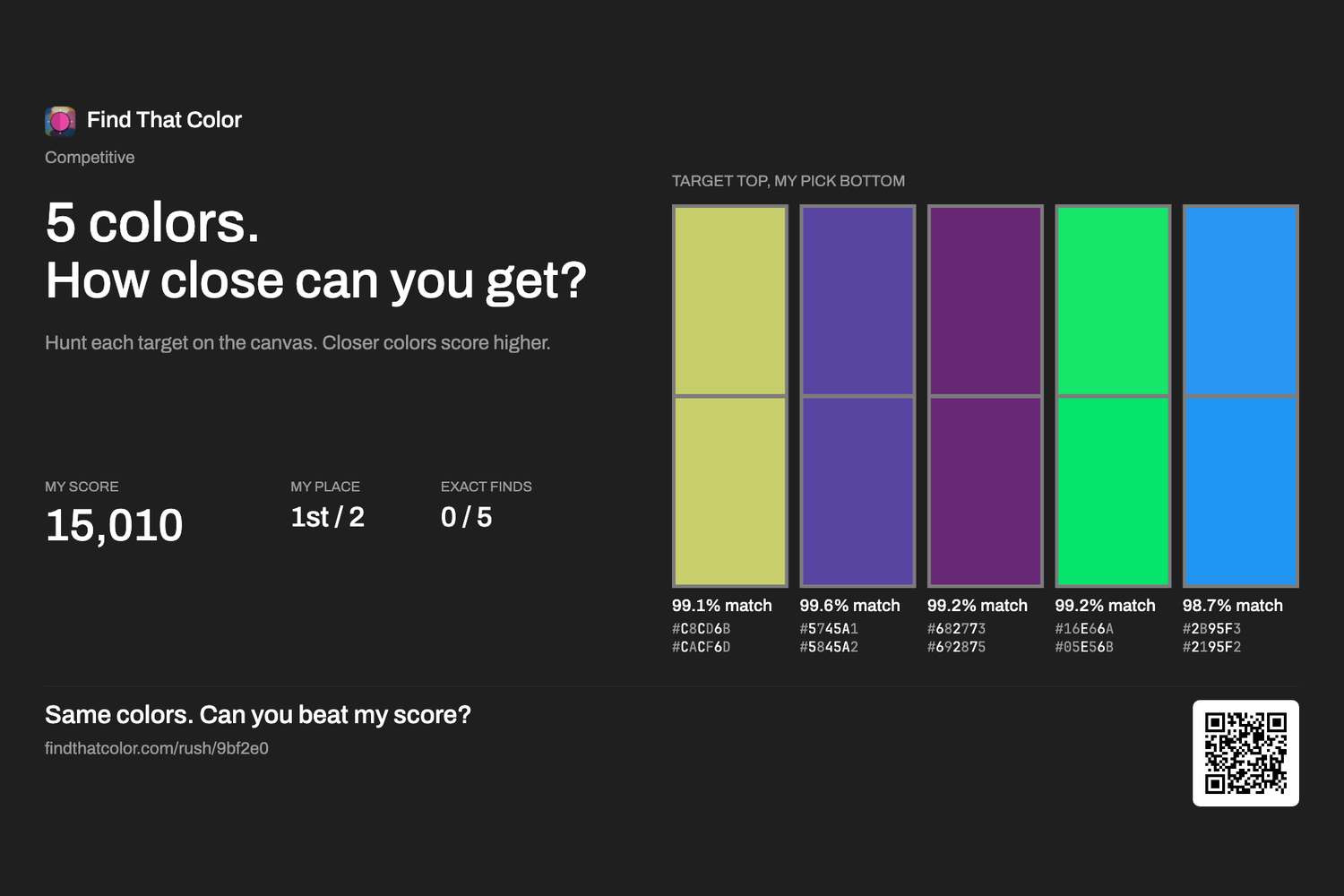
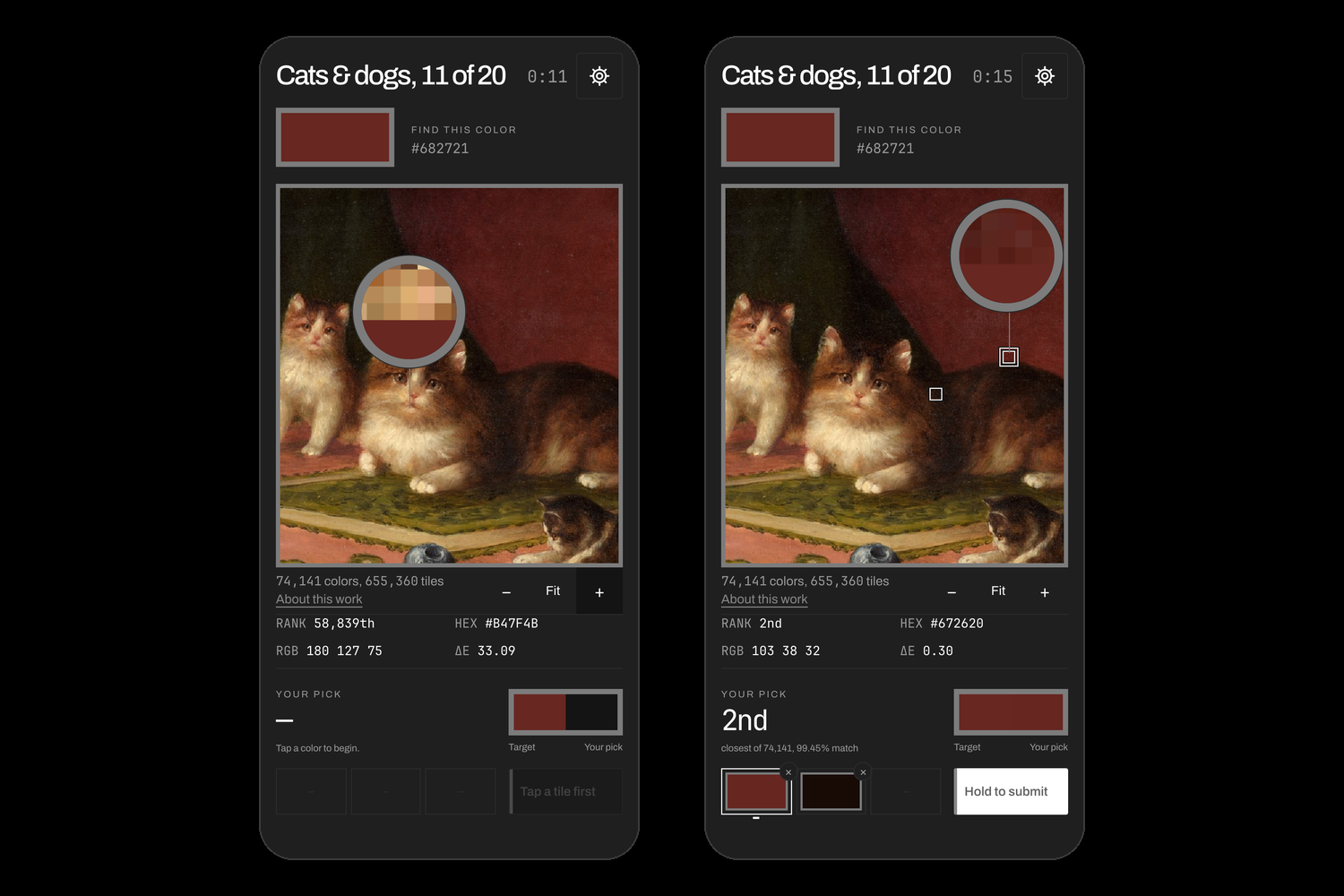
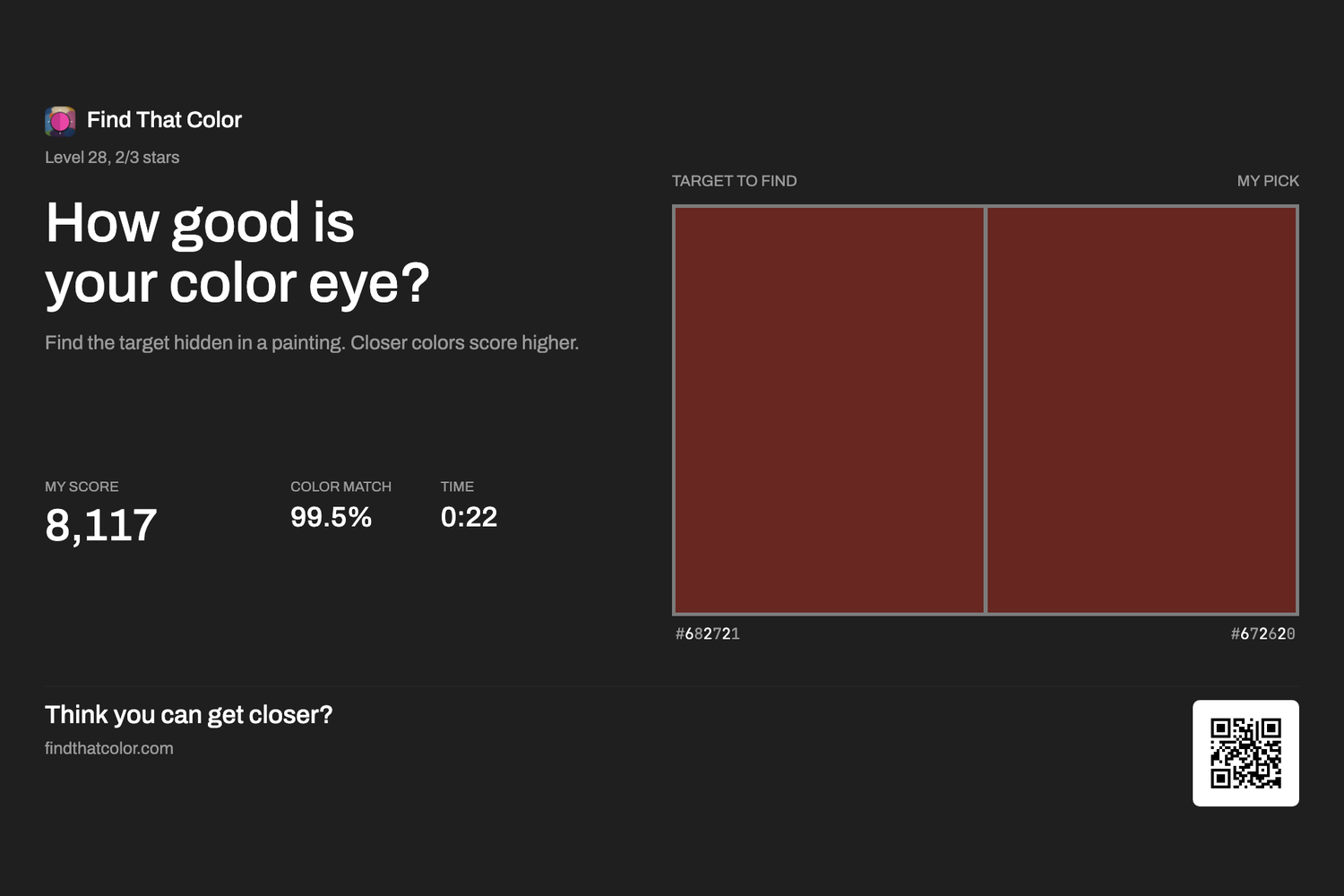
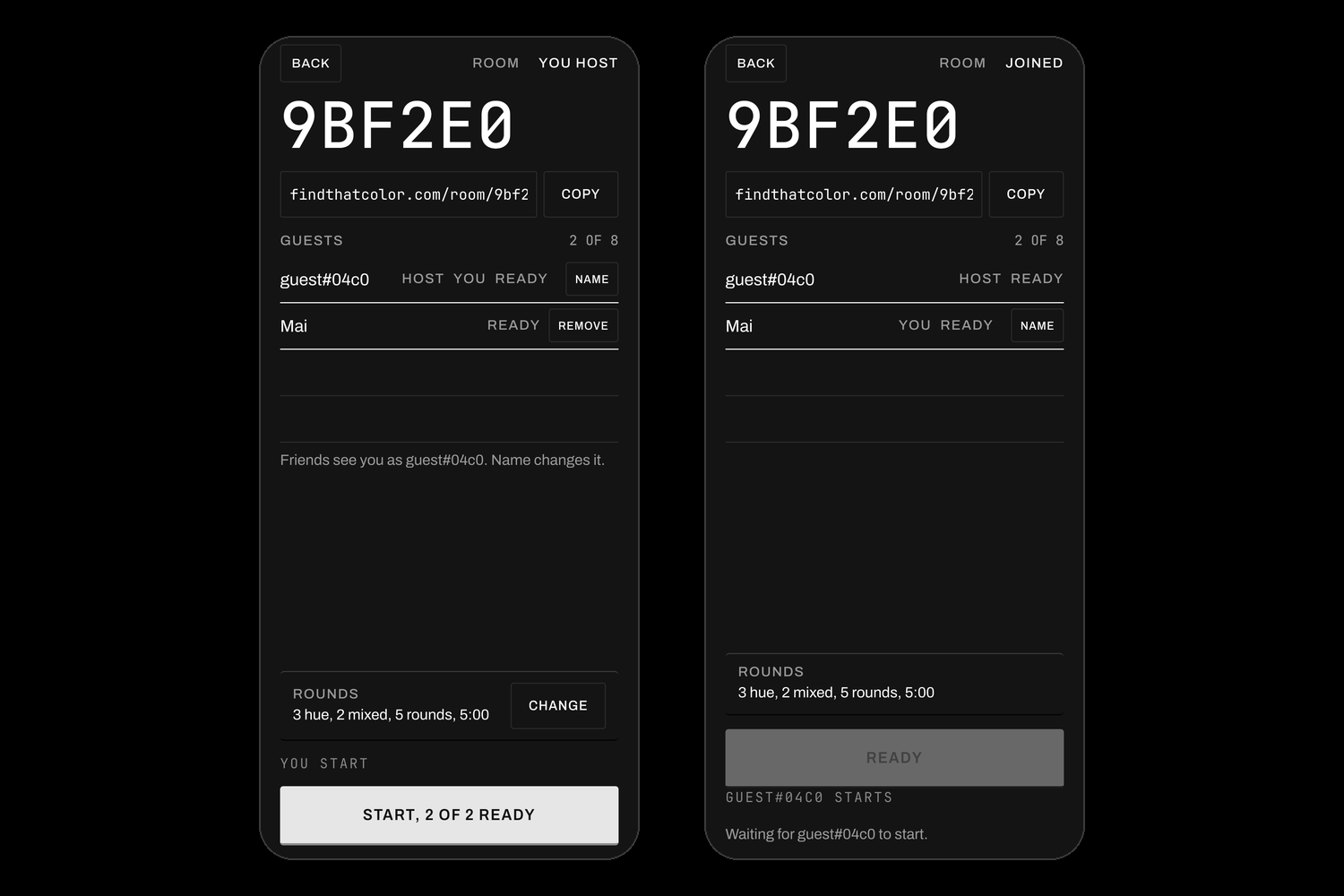
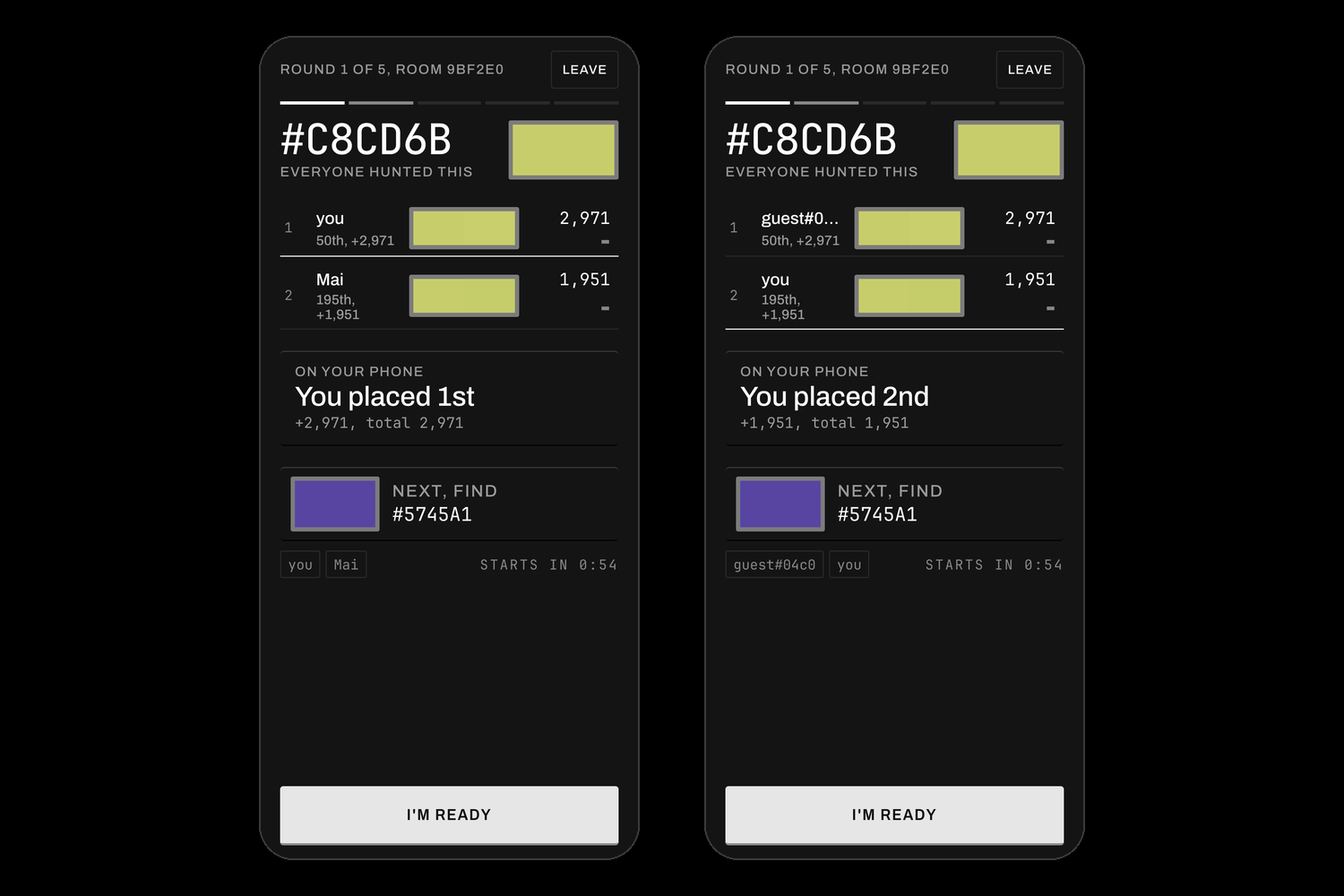
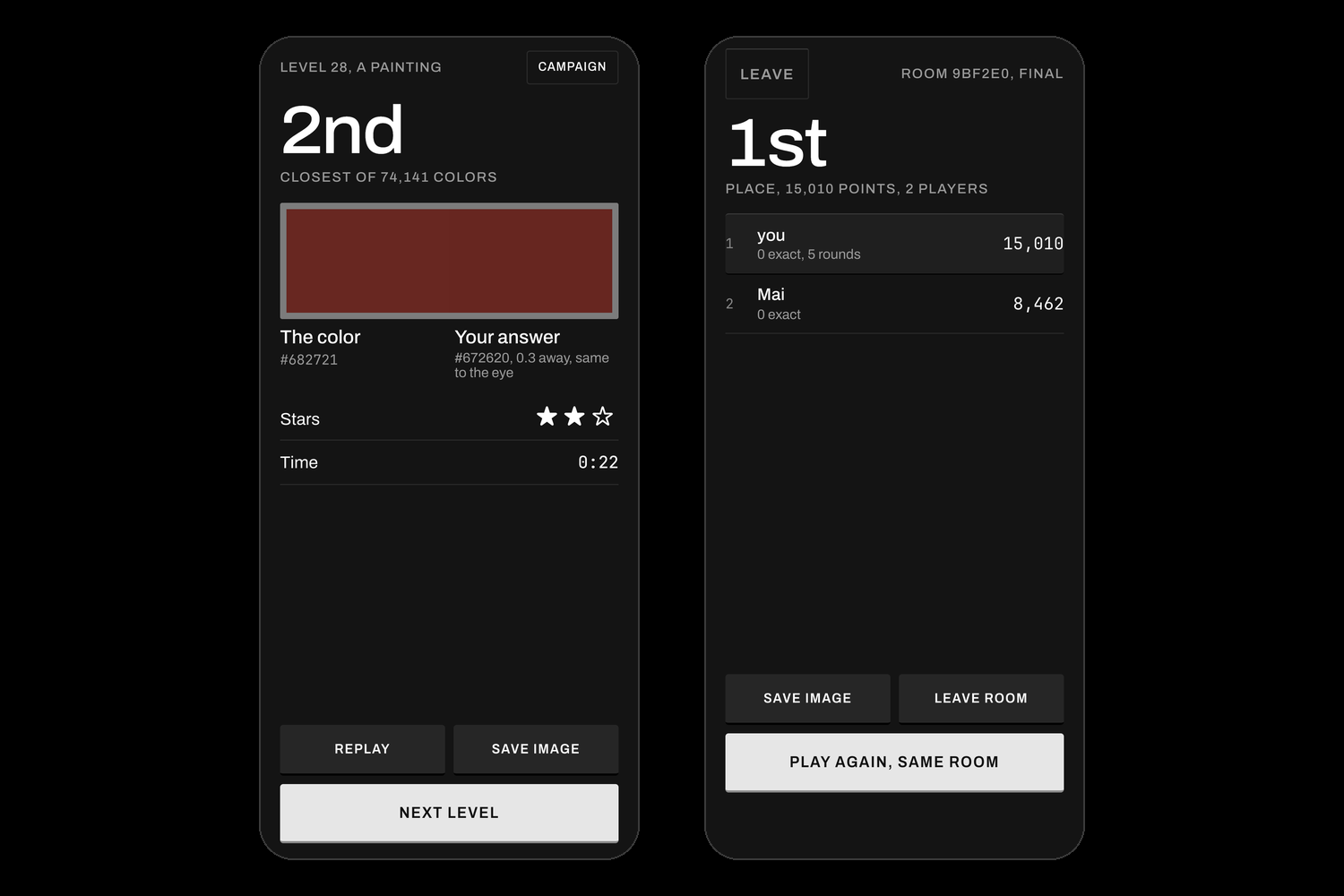
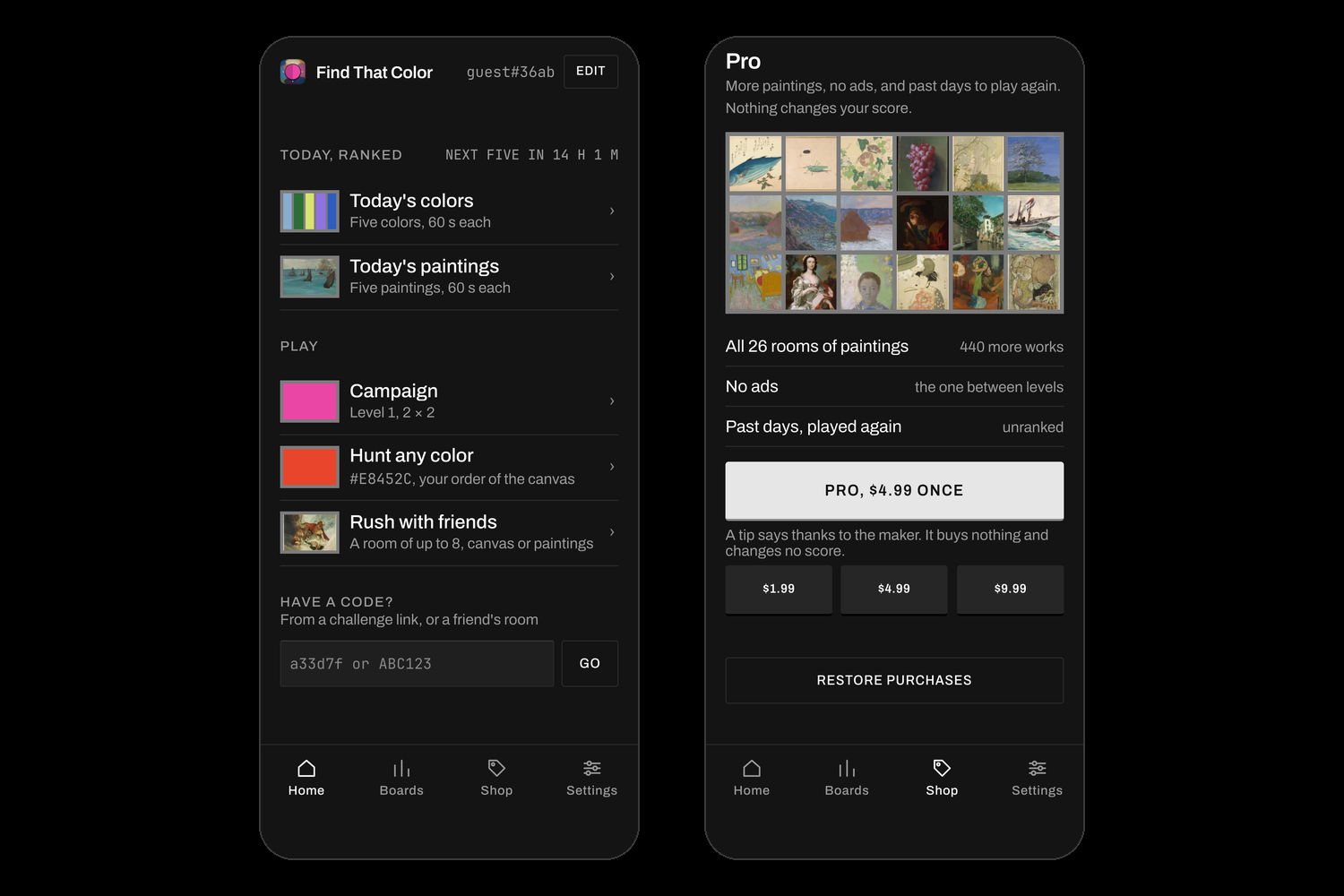
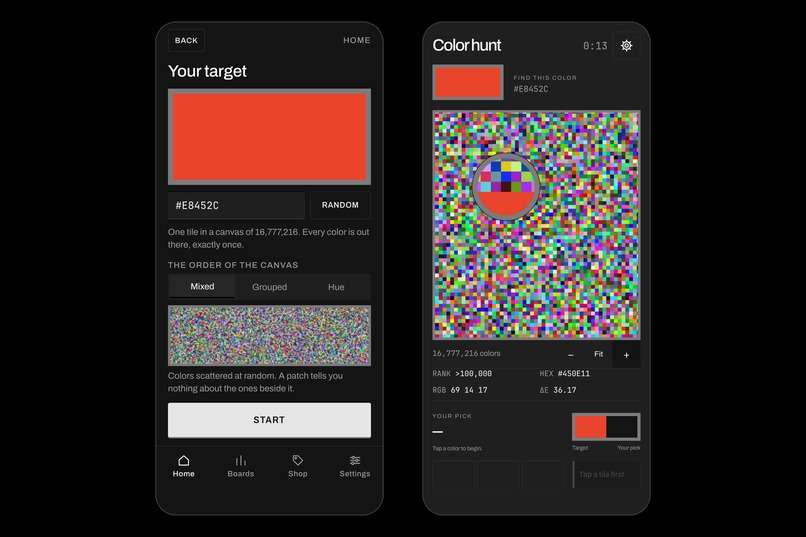
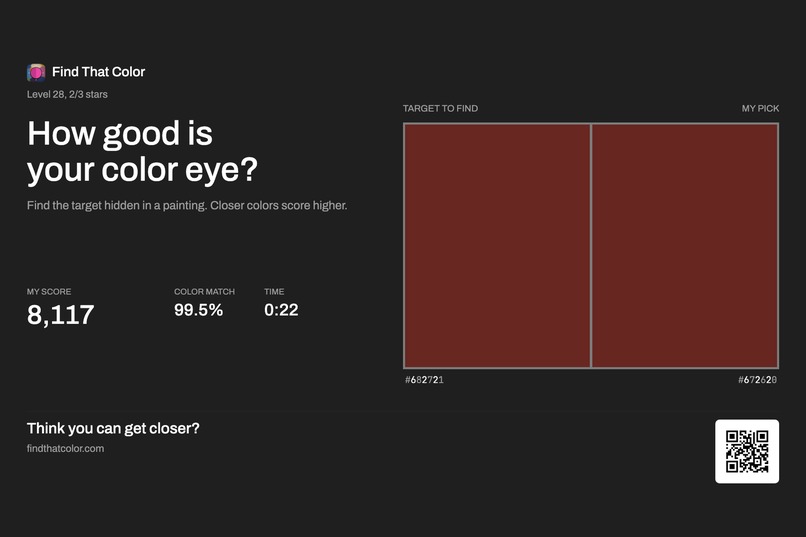
Find That Color gives you one color and a picture that hides it: a board of up to 16,777,216 colors, or one of 520 real paintings. Tap to test a tile. Every tap is ranked against every color on the board, so you always know how close you are, down to "118th of 16,777,216". Play alone or with up to 7 friends, on iPhone, Android or the web: the same rooms and the same daily board on every device. Or share your result, and its QR code gives a friend the exact same hunt to beat, whenever they play.
Inspiration
We've all had this moment. Someone asks for "a bit more black" or "make it green". But my black isn't the same as yours, and your green isn't the same as mine. The same word can mean a hundred different colors.
I wanted to turn that into a game and see how far it could go. So I went all the way: every one of the 16,777,216 colors a screen can show, 520 real paintings, and a game that tells you exactly how close your eye got.
What it does
You get one color to find, on a board or inside a painting. It sounds simple, but many colors look almost the same side by side. Most color games ask you to mix or match a color. This one asks you to find it, and tells you exactly how close you came.
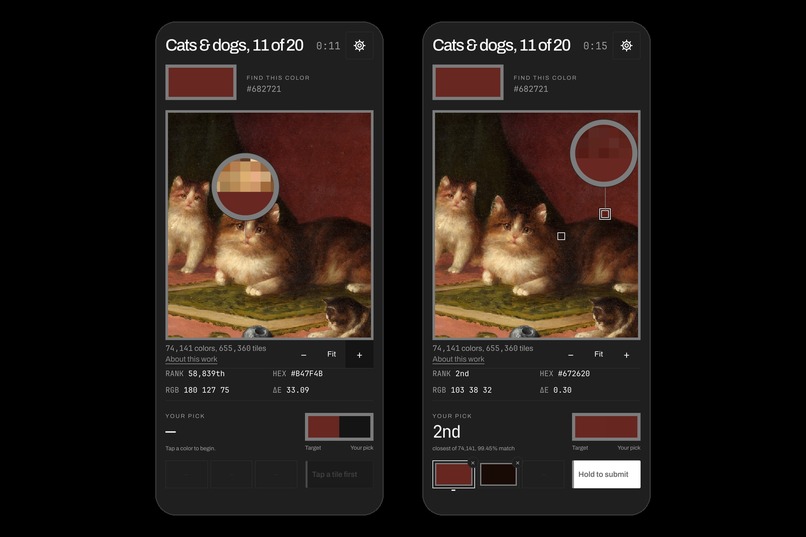
You can pan, zoom and use a magnifier to look around, and tap to test a color. The game keeps your five best picks, and the closest one is your answer. It compares your answer with every color on the board, so you see exactly how close you got. You don't need the exact color to get a good score.
There are three ways to play:
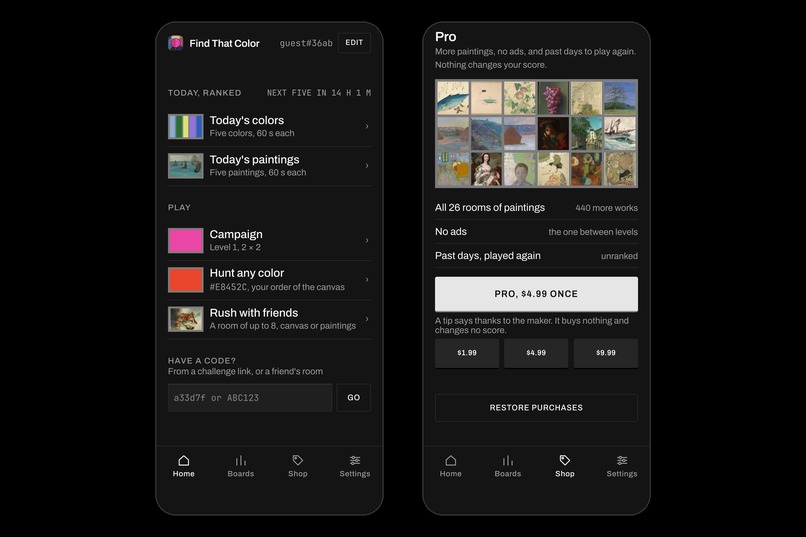
- Campaign: 17 levels, from just four tiles up to 2,048 colors. Then 520 public-domain paintings in 26 rooms, where you find colors inside each painting.
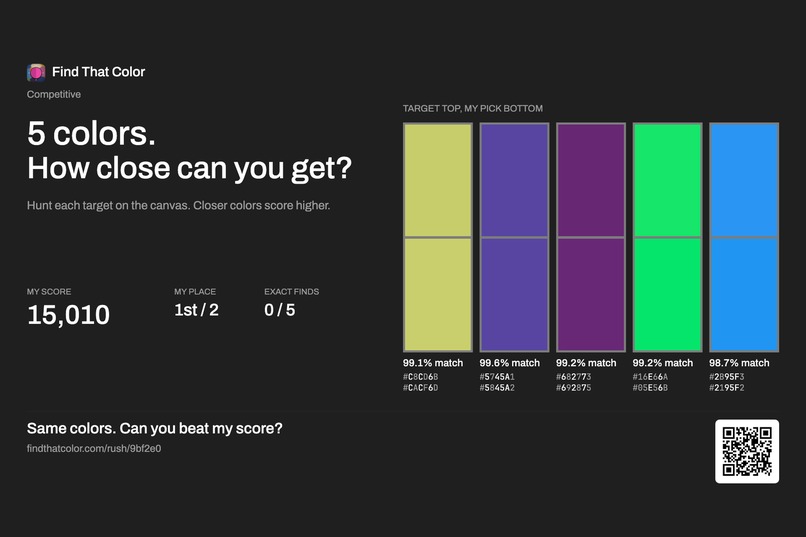
- Rush: Five colors, 60 seconds each. Everyone gets the same five colors each day and shares a leaderboard. The boards keep every day, the best of all time and your own runs, and every player sees their place.
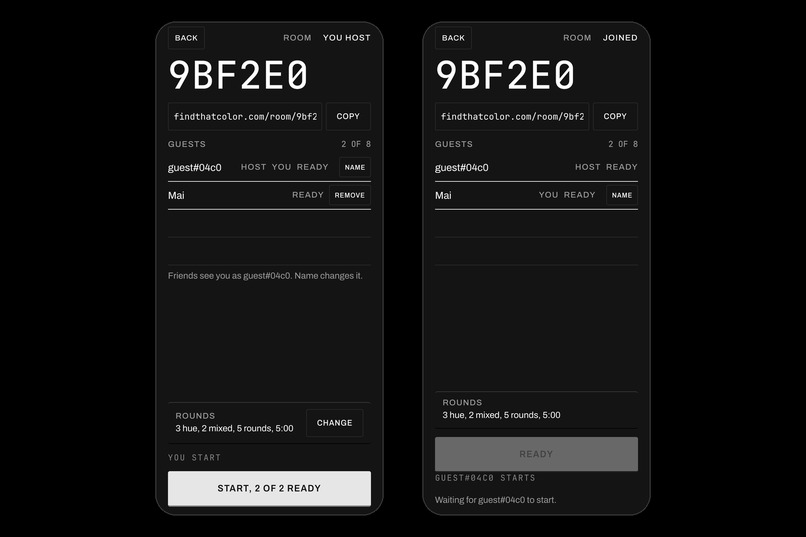
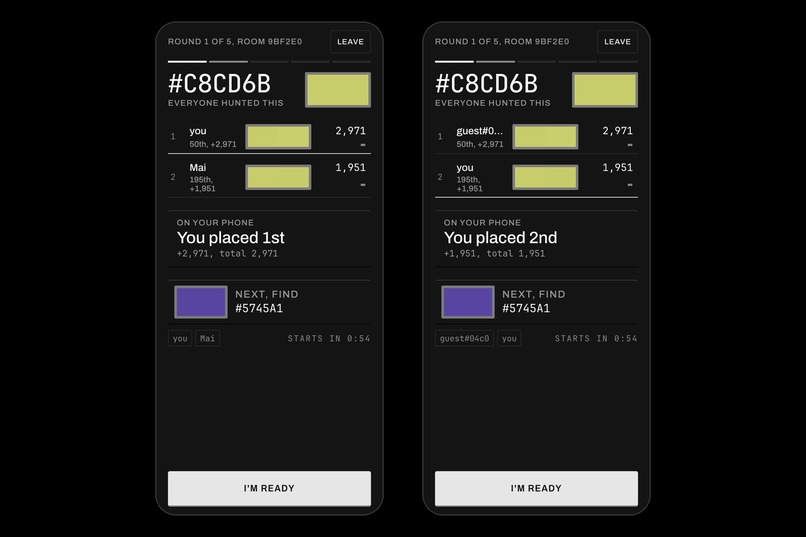
- Rush with friends: Two to eight people join through a link, play the same rounds at the same time and see the results together.
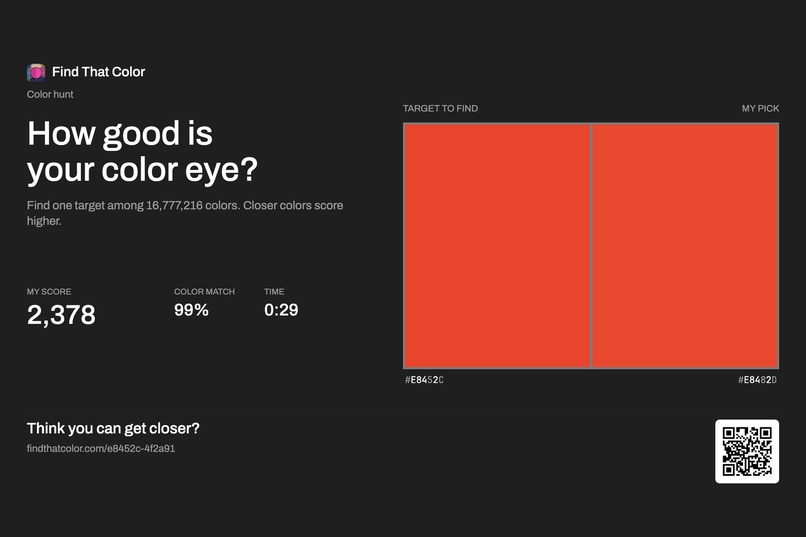
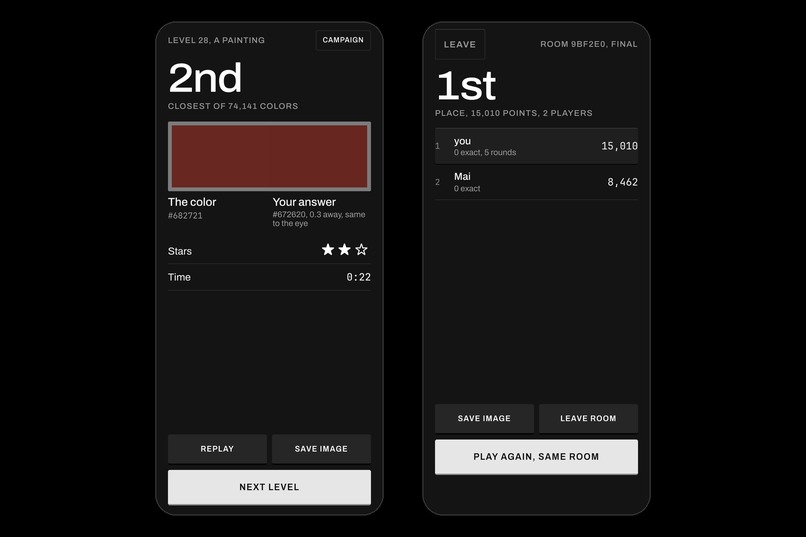
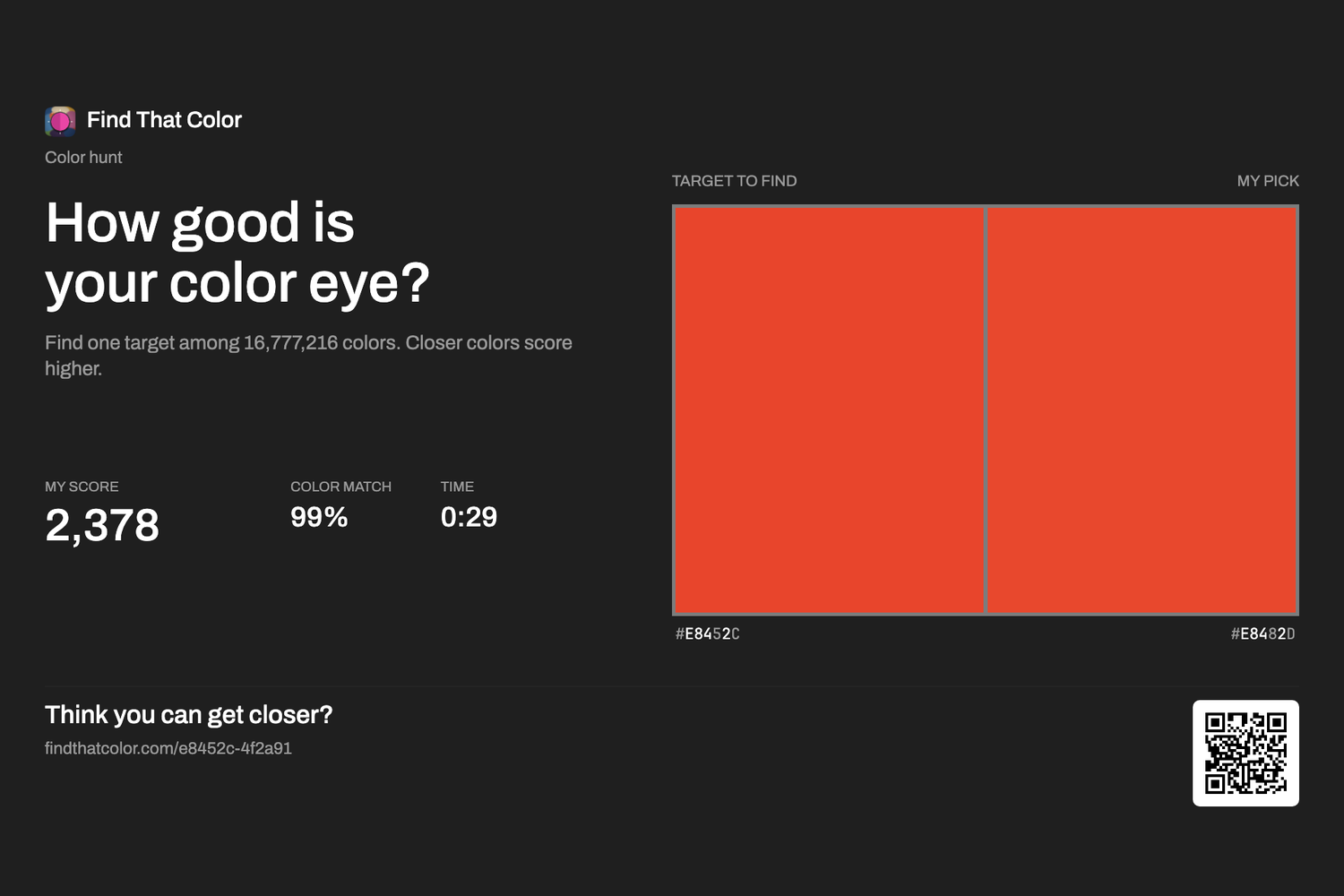
Every run ends on a poster with the target color, your pick and your score, free to save to your photos or share. The poster is also a challenge. Its QR code and link open the exact same hunt, the same color on the same board, so a friend can play your game any time and try to beat your score. You don't need to be online together. A Campaign level's poster opens the game itself.
The game is free, with four painting rooms included. Pro is a one-time $4.99 purchase through RevenueCat. It unlocks the other 22 rooms, removes ads and lets you play past days again. There's also a tip jar. Nothing you pay for changes a score.
Free players see one kind of ad: a full-screen ad between campaign levels, at most every third level. It never shows in the first levels, in Rush or in a room with friends, so it never breaks a hunt or a game with other people. The ads aren't personalised, so there's no tracking prompt.
After an ad, the screen stays plain grey until you tap Continue. Your eyes adjust to whatever colors the ad showed, and the next hunt needs them back to neutral.
How we built it
I built it with TypeScript, WebGL2 and Capacitor. I'm working solo, so one codebase for the web, iOS and Android made the most of the time I had.
RevenueCat handles Pro and the tips, which saved me from building the purchase flow separately for each store.
Ad revenue goes to RevenueCat too, so ads, Pro and tips show up in one place. RevenueCat's ad tracking has no Capacitor plugin, so I wrote a small native bridge for iOS and Android. It passes every paid impression from AdMob to the RevenueCat SDK, tagged with where in the campaign it showed.
The leaderboard, the multiplayer rooms, the scores and the round timing run on the server, so everyone plays under the same conditions.
Challenges we ran into
Most of the game came from playing it, finding what didn't feel good, and changing it.
- Too hard: Finding one exact color out of 16.7 million was almost impossible. So I added scoring based on how close your pick is. Even if you don't find it, you can try to beat your last score.
- Too long to play: That became Rush, with 60 seconds per color. After that I wanted people to play together, so I added rooms.
- Hard on the eyes: A canvas full of colors got tiring after a while. I tried paintings instead: the same idea, but much nicer to look at. It's now the mode I play most.
- Multiplayer disconnects: Building the next round used so much CPU that everyone in the room got disconnected. I had to move that work out of the room server.
The idea came at the end of August, so time was short too. I used tools I already knew to get it done.
Accomplishments that we're proud of
I'm happy I finished it on three platforms in about four weeks. It started as a canvas full of colors and became a game I still want to play myself.
- Multiplayer works on real phones, with the same scoring code on the phone and the server.
- 520 public-domain paintings, each credited to the museum it came from.
- A game with no losing. You might be far from the answer, but you can always try again and get closer. I like that about it.
What we learned
- Making a prototype early helped a lot. The idea sounded good in my head, but playing it showed me what was actually wrong with it.
- Watching other people play helped even more. The scoring, Rush and the painting mode all came from problems I found testing the game myself and with others.
- A closed test with 20 testers on 20 Android phones found 7 things I had missed, like a Submit button that looked broken because it needs a hold. All 7 were fixed in the next builds.
- I had to be realistic about time. For a project this short, tools I already knew made it possible to finish.
What's next for Find That Color
- More pictures, including art made with code.
- Feedback from players on the stores and social media, and improving the game from there.
Built With
- admob
- android
- capacitor
- ciede2000
- cloudflare-d1
- cloudflare-workers
- durable-objects
- firebase-analytics
- google-sign-in
- ios
- oklab
- partyserver
- playwright
- public-domain-art
- revenuecat
- sign-in-with-apple
- typescript
- vite
- vitest
- webgl2
- websockets


Log in or sign up for Devpost to join the conversation.