-
-
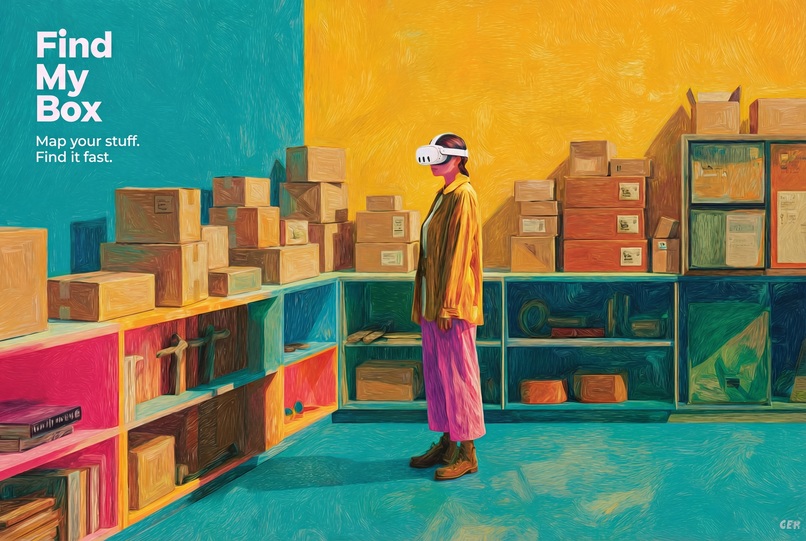
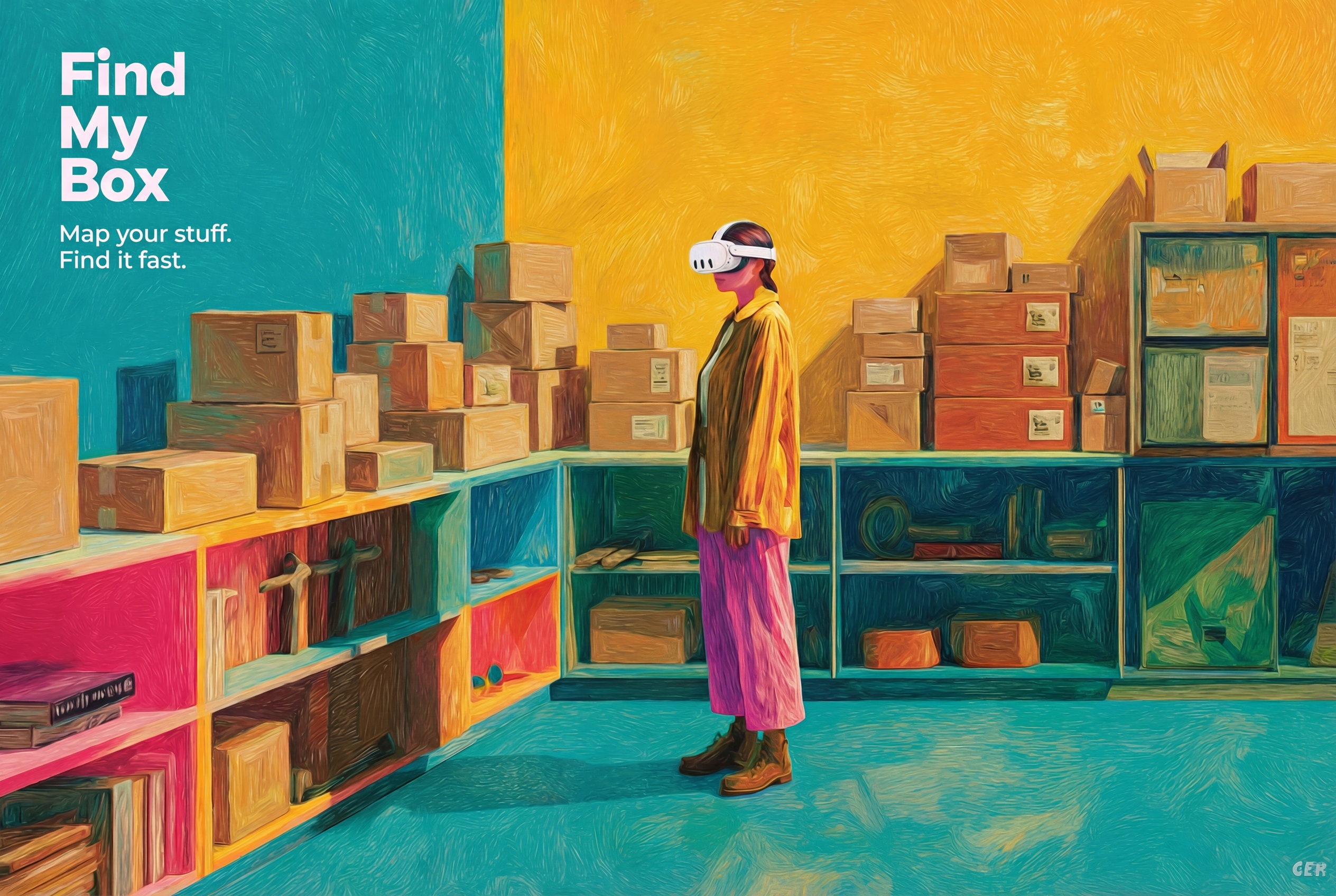
Map your stuff. Find it fast. – Find My Box turns your messy storage into a smart, searchable space.
-
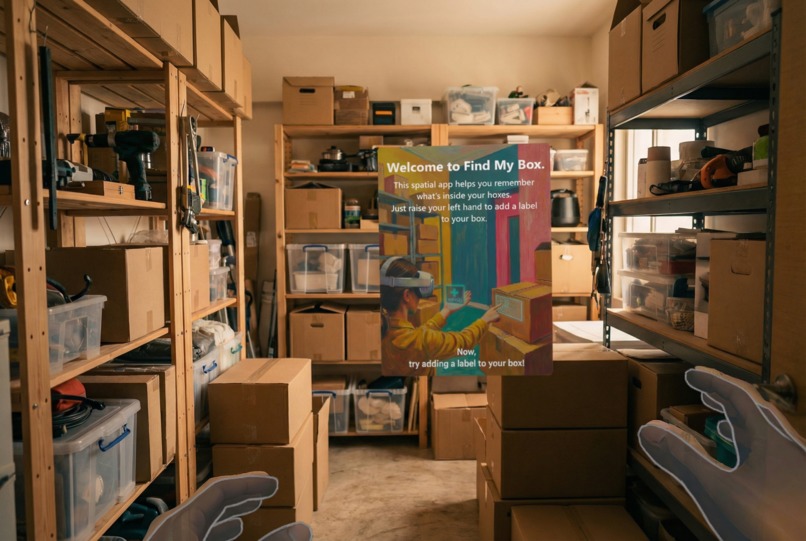
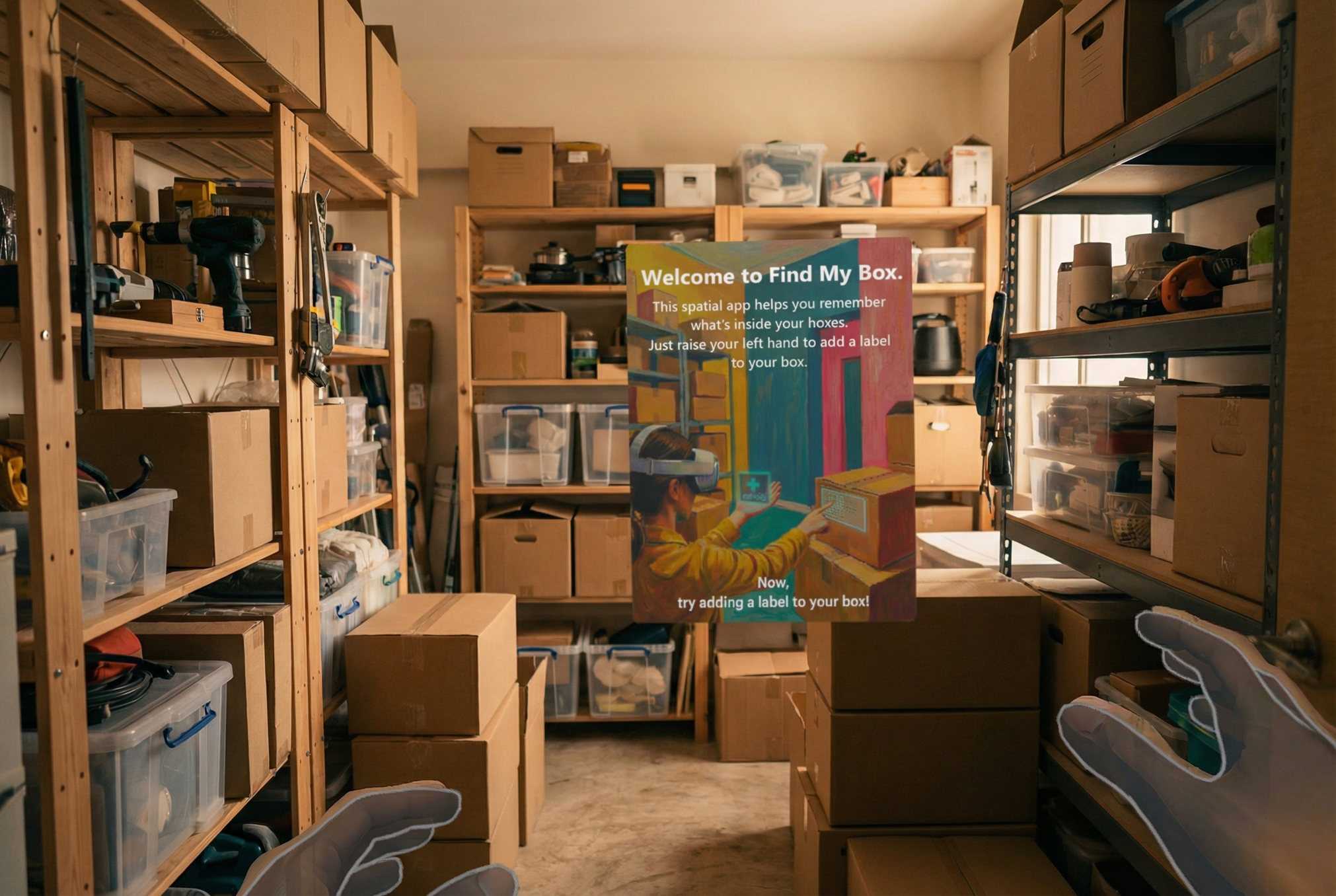
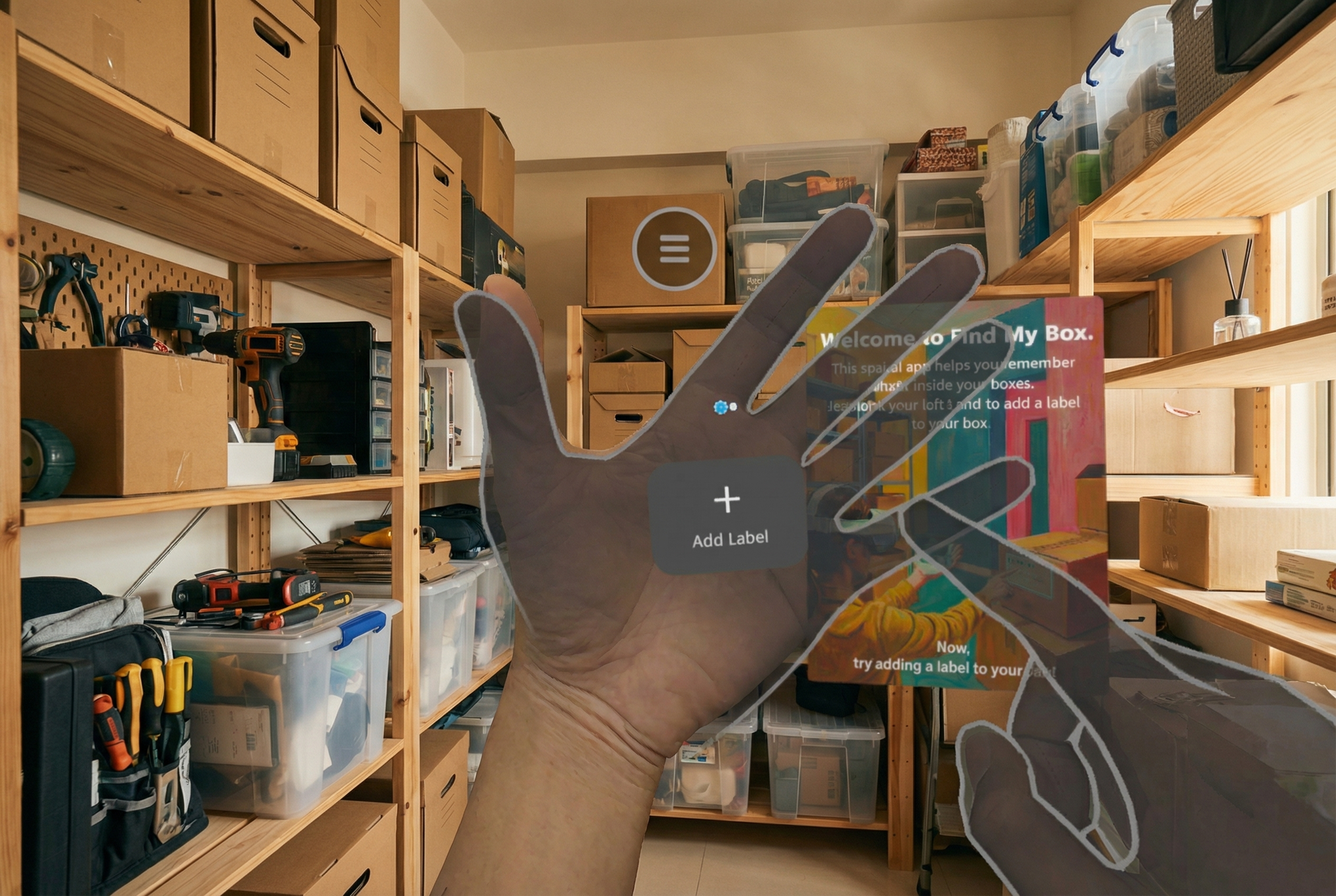
Welcome to Find My Box – See your real storage space through Passthrough and start labeling in seconds.
-
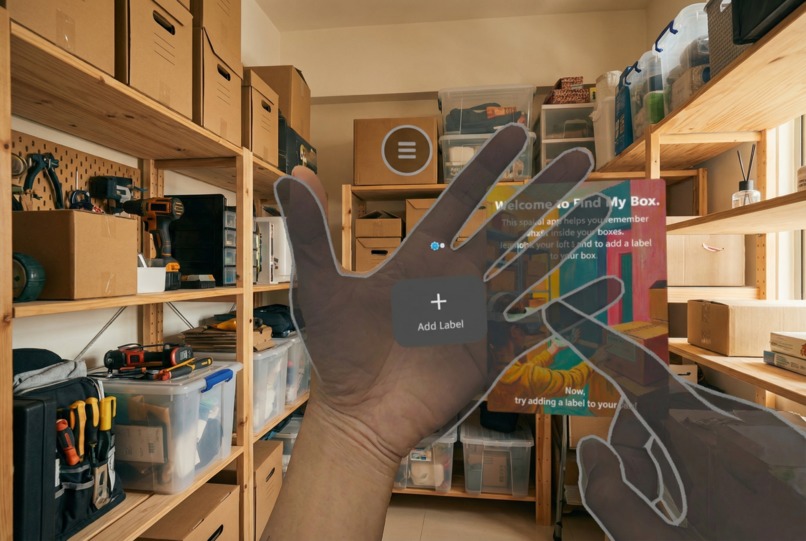
Raise your hand, summon a label – Use the hand-mounted UI to create new labels instantly. No controllers needed.
-
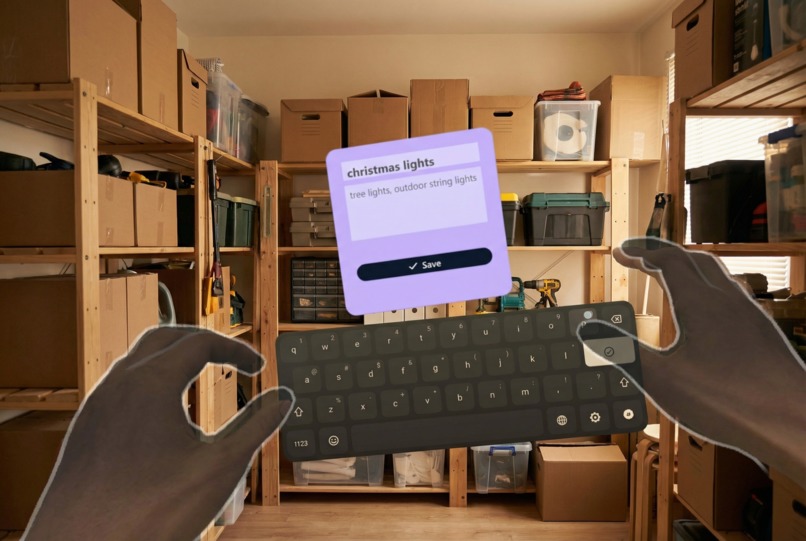
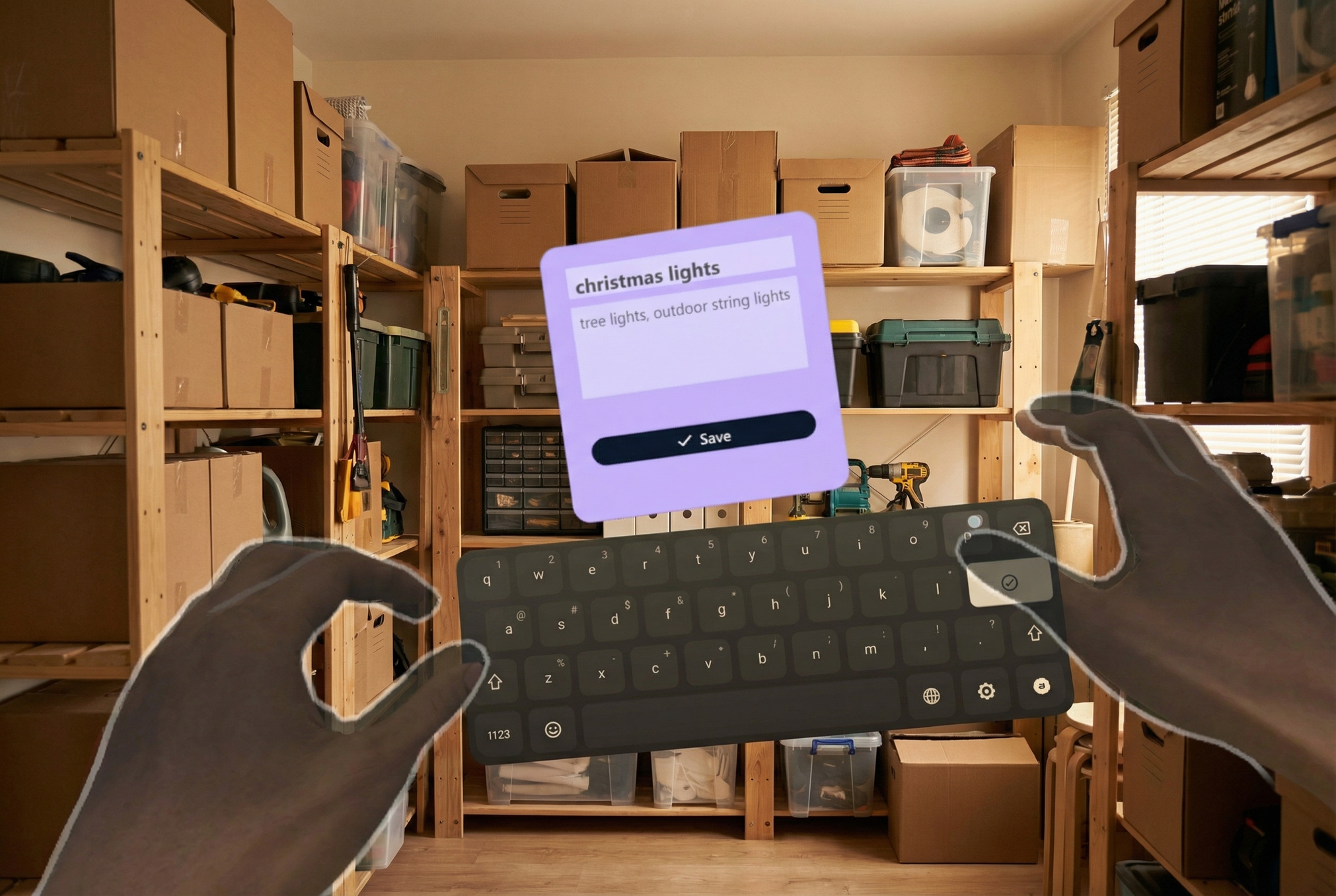
Add details with ease – Type a title and description using the virtual keyboard to remember what's inside.
-
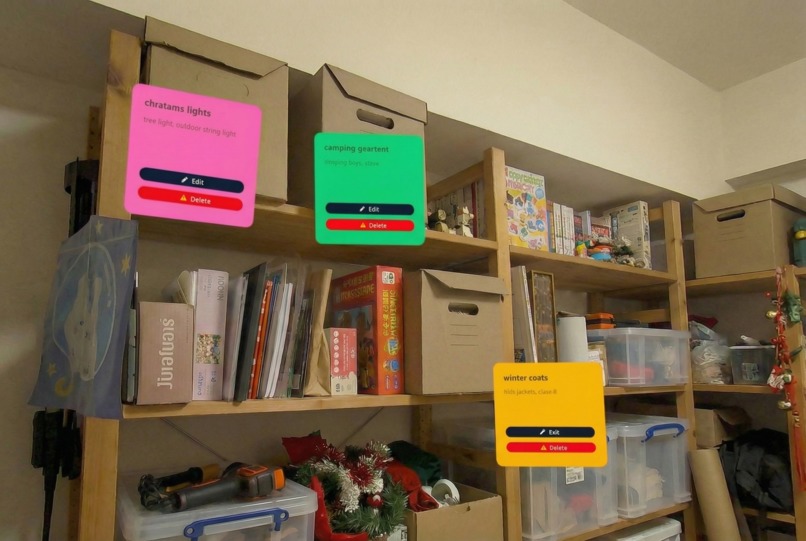
Colorful labels, real-world locations – Each label stays anchored exactly where you placed it. Edit or delete anytime.
-
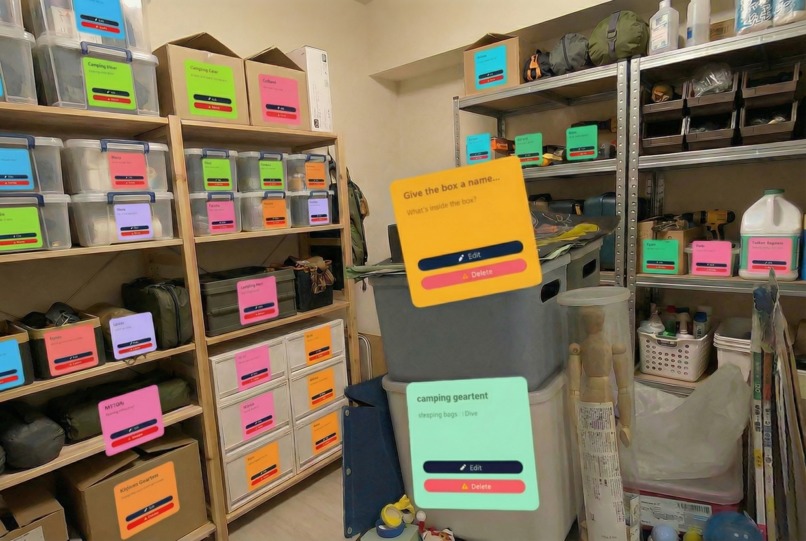
Your entire storage, fully mapped – See all your boxes at a glance. No more guessing, no more digging.


About the project
Inspiration
Garages, attics, and storage rooms are where things go to disappear.
Every move, every season change, families in the US and Australia stack more cardboard boxes into the same corner of the garage. Months later, they can’t remember which box has the winter coats, which one has camping gear, and which one has that one cable they need right now. It’s often faster to buy a new thing than to find the one they already own.
There are already many phone-based home inventory apps, but almost all of them live in 2D: lists, folders, QR labels. They help you log “Box A – Christmas decorations – shelf 3”, but they don’t help your spatial memory. You still need to mentally translate a list into a real-world location.
As a Quest developer, I kept thinking: Meta Quest can see the real world with Passthrough and understand space with Spatial Anchors. What if I could give people a second brain for their garage, so that the place itself remembers what’s inside every box?
That’s how Find My Box was born. I’m submitting it under the Lifestyle track, because it’s all about helping people get things done in their daily lives and making home storage less painful.
What it does
Find My Box turns your garage or storage room into a spatially-aware inventory.
- You put on your Meta Quest and see your real garage through Passthrough.
- You point at a cardboard box and place a virtual label exactly where that box lives in the real world.
- You type or dictate what’s inside:
- “Christmas lights”, “Kids’ winter clothes 6–8 years”, “Camping gear – tent + stove”.
- “Christmas lights”, “Kids’ winter clothes 6–8 years”, “Camping gear – tent + stove”.
- Behind the scenes, the app creates a Spatial Anchor at that location and binds your label and metadata to that anchor.
The next time you walk into the same garage with your Quest on:
- The app reloads the anchors and overlays each box with its label.
- You can look around and immediately see what each box contains, without opening anything.
- You can search by voice:
- “Where are the Christmas lights?” → the app highlights the right box in mixed reality and can draw a subtle arrow or glow to guide your attention.
The vision is:
Instead of a messy wall of anonymous cardboard, you see a clean, organized layer of MR labels that make your storage space feel understandable again.
In future iterations, a companion mobile app could let family members search from their phone (“Which box has the air pump?”) even when they don’t have the headset on.
How we built it
For this prototype, I’m building Find My Box with:
- Unity as the main engine
- Meta XR SDK for Unity for Passthrough, hand tracking, and Spatial Anchors
- Passthrough Camera Access to blend the real garage with MR labels
- Spatial Anchors / World-locking to pin labels to real-world boxes
- Hand interactions so users can work controller-free
High-level architecture:
Space setup & scanning
- On first use in a new garage, the user does a short scan/walk around while Passthrough is on.
- The app establishes a stable world-locked frame and creates a small set of “root” anchors for that space.
- On first use in a new garage, the user does a short scan/walk around while Passthrough is on.
Creating a box label
- The user points at a box using hand ray or direct touch.
- The app raycasts against a simple proxy mesh or depth data and places a label prefab.
- An
OVRSpatialAnchor(or equivalent) component is attached, and the anchor is saved. - The label UI pops up (simple world-space panel) where the user can:
- type on a virtual keyboard, or
- dictate the contents via speech-to-text (planned next step).
- type on a virtual keyboard, or
- The user points at a box using hand ray or direct touch.
Data layer
- Each spatial anchor has a UUID.
- I store a record
{ anchorId, title, description, tags, photos, createdAt }in a local database, with a path to sync to a cloud backend later. - The anchor itself (the spatial data and environment features) is stored using Meta’s Spatial Anchor storage, with support for reloading across sessions.
- Each spatial anchor has a UUID.
Returning to the space
- On app launch, the system loads anchors associated with the current “SpaceId” and calls localization to snap them to the current environment.
- Once localized, the app instantiates MR labels at each anchor position and binds the correct metadata by
anchorId.
- On app launch, the system loads anchors associated with the current “SpaceId” and calls localization to snap them to the current environment.
Search & highlighting
- A simple search UI lets users filter boxes by text or tags (e.g. “Christmas”, “kids”, “camping”).
- Matching boxes are visually emphasized in MR with a glow, outline, or pulsing icon.
- A simple search UI lets users filter boxes by text or tags (e.g. “Christmas”, “kids”, “camping”).
This implementation is designed to line up with the Lifestyle track and take advantage of Meta’s Passthrough and Spatial capabilities highlighted in the competition resources.
Challenges we ran into
Working on Find My Box surfaced a few interesting challenges:
Designing for real garages, not clean demo rooms
- Garages and storage rooms are cluttered, dusty, badly lit, and full of repeating shapes (lots of similar boxes and shelves).
- That makes both user experience and localization trickier than the usual “living room MR demo”.
- I had to think about:
- How many labels can be on screen before the view becomes noisy?
- How do I avoid covering important real-world hazards (stairs, tools, cars) with UI?
- How many labels can be on screen before the view becomes noisy?
- Garages and storage rooms are cluttered, dusty, badly lit, and full of repeating shapes (lots of similar boxes and shelves).
Anchor stability in long, repetitive spaces
- Shelf after shelf of almost identical boxes can confuse spatial mapping.
- I needed to plan for:
- Using a sensible density of anchors
- Grouping anchors by sections of the room
- Encouraging users to add “distinctive” areas or markers to help localization
- Using a sensible density of anchors
- Shelf after shelf of almost identical boxes can confuse spatial mapping.
Onboarding without making it feel like a chore
- If I ask users to “map the whole garage” for 20 minutes before they see any benefit, they’ll uninstall.
- I focused on letting people start small:
- “Tag three boxes you care about right now”
- Then gradually expand over time.
- “Tag three boxes you care about right now”
- If I ask users to “map the whole garage” for 20 minutes before they see any benefit, they’ll uninstall.
Hands-first interaction
- It’s tempting to just use controllers, but the competition highlights hand interactions and microgestures.
- Designing a simple, comfortable gesture to “point at box → confirm → label” without accidental triggers took a few iterations.
- It’s tempting to just use controllers, but the competition highlights hand interactions and microgestures.
Accomplishments that we're proud of
Even at this prototype stage, there are a few things I’m excited about:
A clear, focused use case for MR in everyday life
- Many MR demos are cool but vague.
- Find My Box has a very concrete promise: “Help me remember what’s inside my boxes.”
- That aligns tightly with the Lifestyle track’s goal of helping people “get things done” in their daily routines.
- Many MR demos are cool but vague.
A clean, repeatable user flow
- Put on Quest → see your real garage → point at a box → add label → take off headset.
- Come back later, put on Quest again → labels are exactly where you left them.
- Put on Quest → see your real garage → point at a box → add label → take off headset.
A technical foundation that can grow
- By building on Meta XR SDK, Passthrough, and Spatial Anchors from day one, the project is ready to:
- Support shared spaces and colocation later
- Sync anchor metadata to other devices
- Integrate AI for smarter search and auto-labeling
What we learned
Building (and even just designing) Find My Box taught me a few key lessons:
MR has to respect real-world friction
- If the benefit (finding things faster) doesn’t clearly outweigh the setup cost (wearing a headset, scanning, labeling), people won’t use it.
- That pushed me to ruthlessly simplify interactions and minimize required steps.
- If the benefit (finding things faster) doesn’t clearly outweigh the setup cost (wearing a headset, scanning, labeling), people won’t use it.
Spatial memory is as important as the inventory itself
- Traditional inventory apps prove that people want to know “what” they own.
- Working on this project showed me how powerful it is to also support “where exactly, in physical space”.
- It’s not just a database problem; it’s a cognitive one.
- Traditional inventory apps prove that people want to know “what” they own.
Meta Quest’s unique features really matter
- Passthrough, hand interactions, and Spatial Anchors are not just “nice to have” APIs here — they are the core of the product.
- Thinking with these capabilities from the beginning changes the design in a good way.
- Passthrough, hand interactions, and Spatial Anchors are not just “nice to have” APIs here — they are the core of the product.
What's next for Find My Box
Looking ahead, there are several directions I’d like to explore:
Companion mobile app
- Let users search and browse their inventory on their phone:
- “Show me all boxes tagged ‘Christmas’”
- “Which shelf is the camping gear on?”
- “Show me all boxes tagged ‘Christmas’”
- The Quest app would remain the most immersive way to create and visualize space-aware labels, while mobile becomes the daily quick-access tool.
- Let users search and browse their inventory on their phone:
Multi-user households & shared spaces
- Support multiple family members in the same home, each with their own Quest or profile.
- Use shared spatial anchors so everyone sees the same labels in the same place.
- Support multiple family members in the same home, each with their own Quest or profile.
AI-assisted labeling and search
- Use computer vision and language models to suggest labels when you look at a box or take a quick photo:
- “Looks like: Christmas decorations, tree lights, ornaments.”
- “Looks like: Christmas decorations, tree lights, ornaments.”
- Smarter queries like:
- “Show me anything related to camping that I haven’t used in over a year.”
- Use computer vision and language models to suggest labels when you look at a box or take a quick photo:
Professional organizer / moving company use cases
- Give professional organizers a Quest-based tool to set up Find My Box in clients’ garages and storage units.
- Later, let clients explore the space with either Quest or mobile.
- Give professional organizers a Quest-based tool to set up Find My Box in clients’ garages and storage units.
Deeper use of Meta features for future award categories
- More expressive hand interactions and microgestures for labeling.
- Richer use of Passthrough Camera Access with AI to contextually highlight hazards (e.g., “Don’t stack heavy box here”).
- More expressive hand interactions and microgestures for labeling.
Ultimately, my goal is to make Find My Box the app that finally answers the question:
“I know it’s somewhere in the garage… but where, exactly?”


Log in or sign up for Devpost to join the conversation.