-
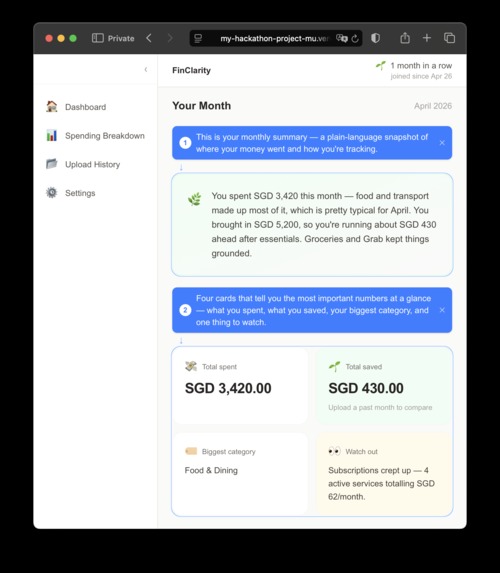
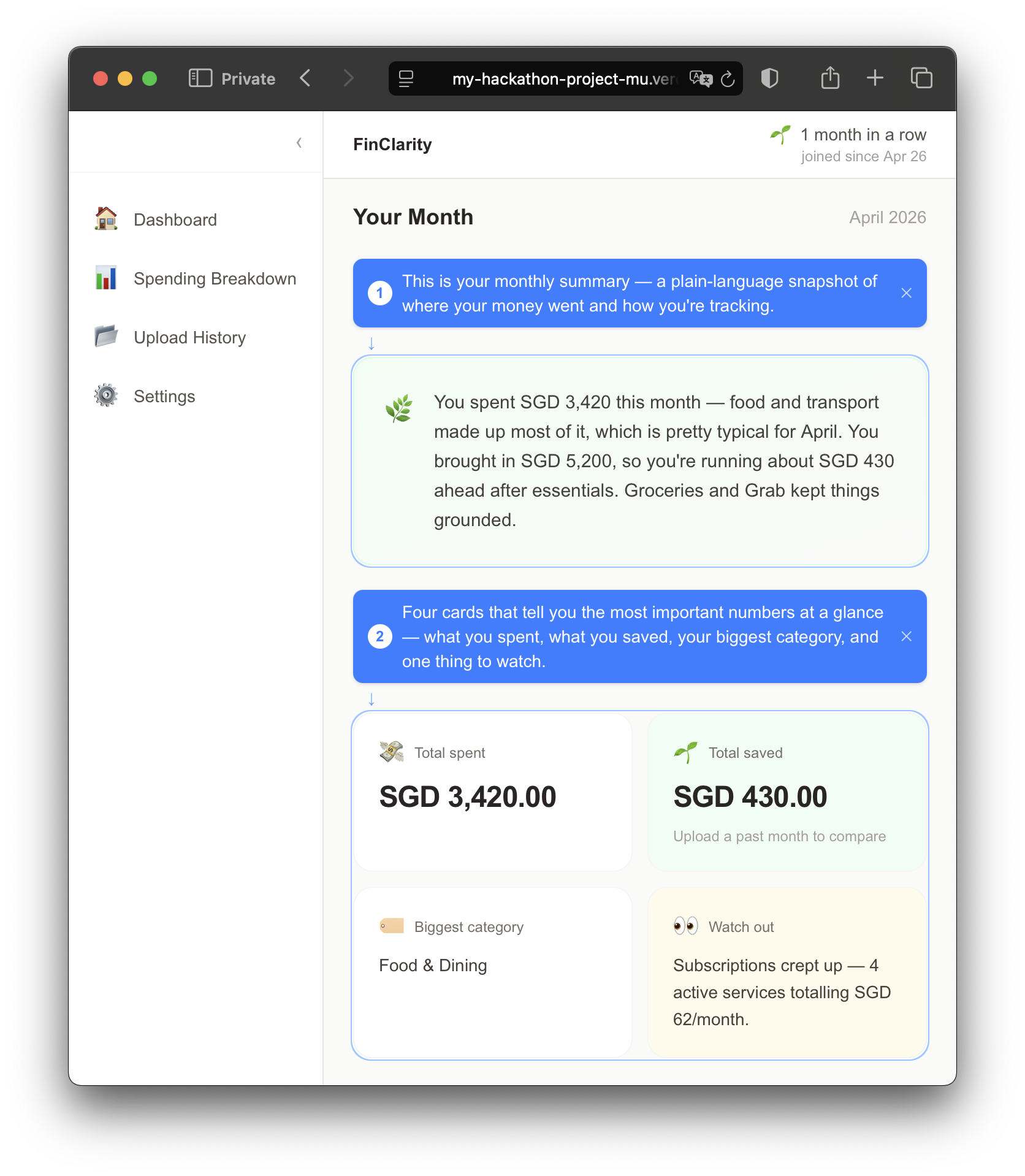
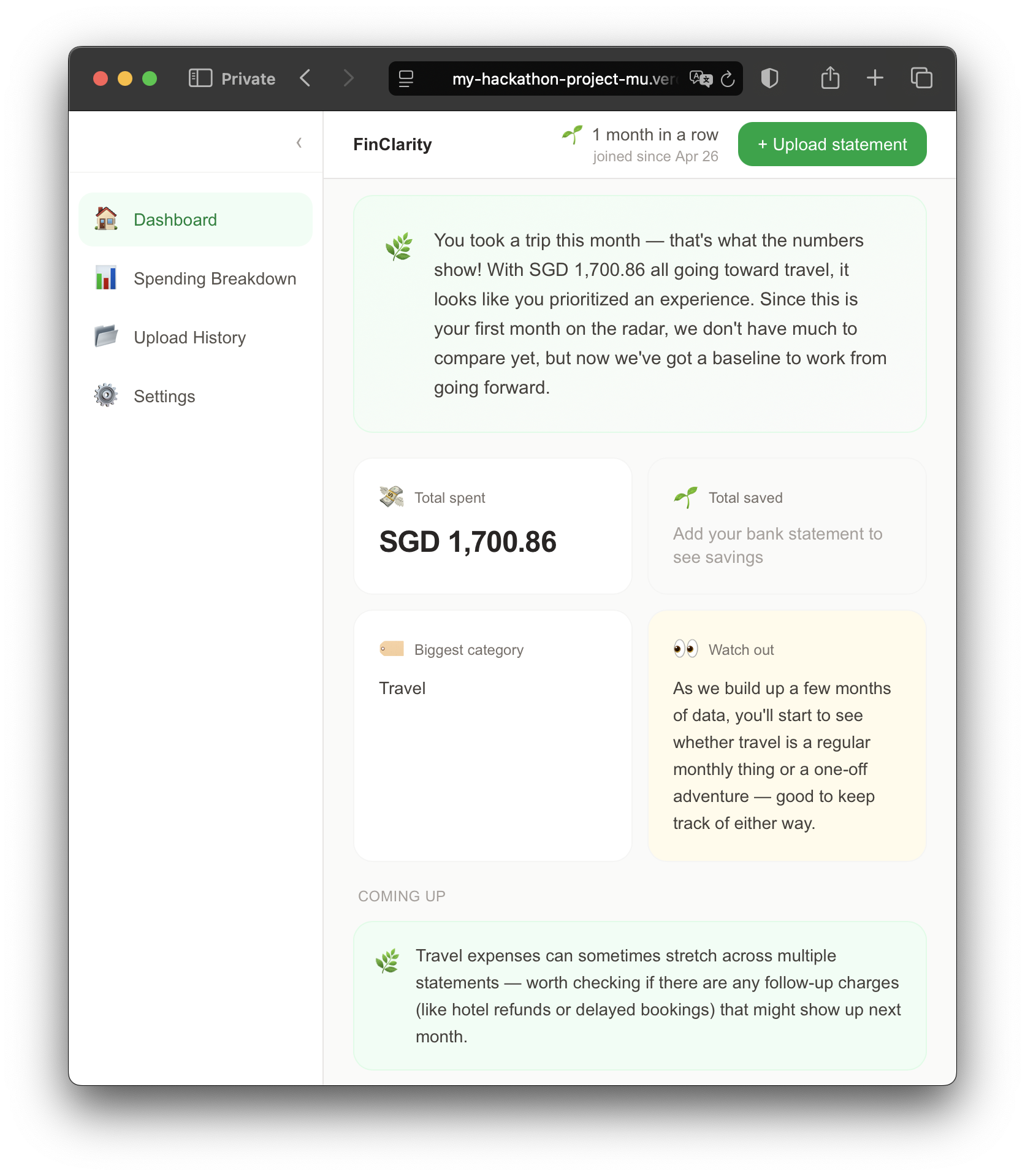
Demo page - first time users see this
-
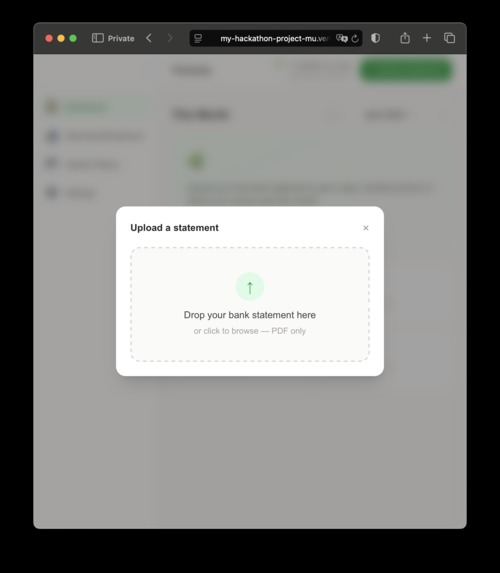
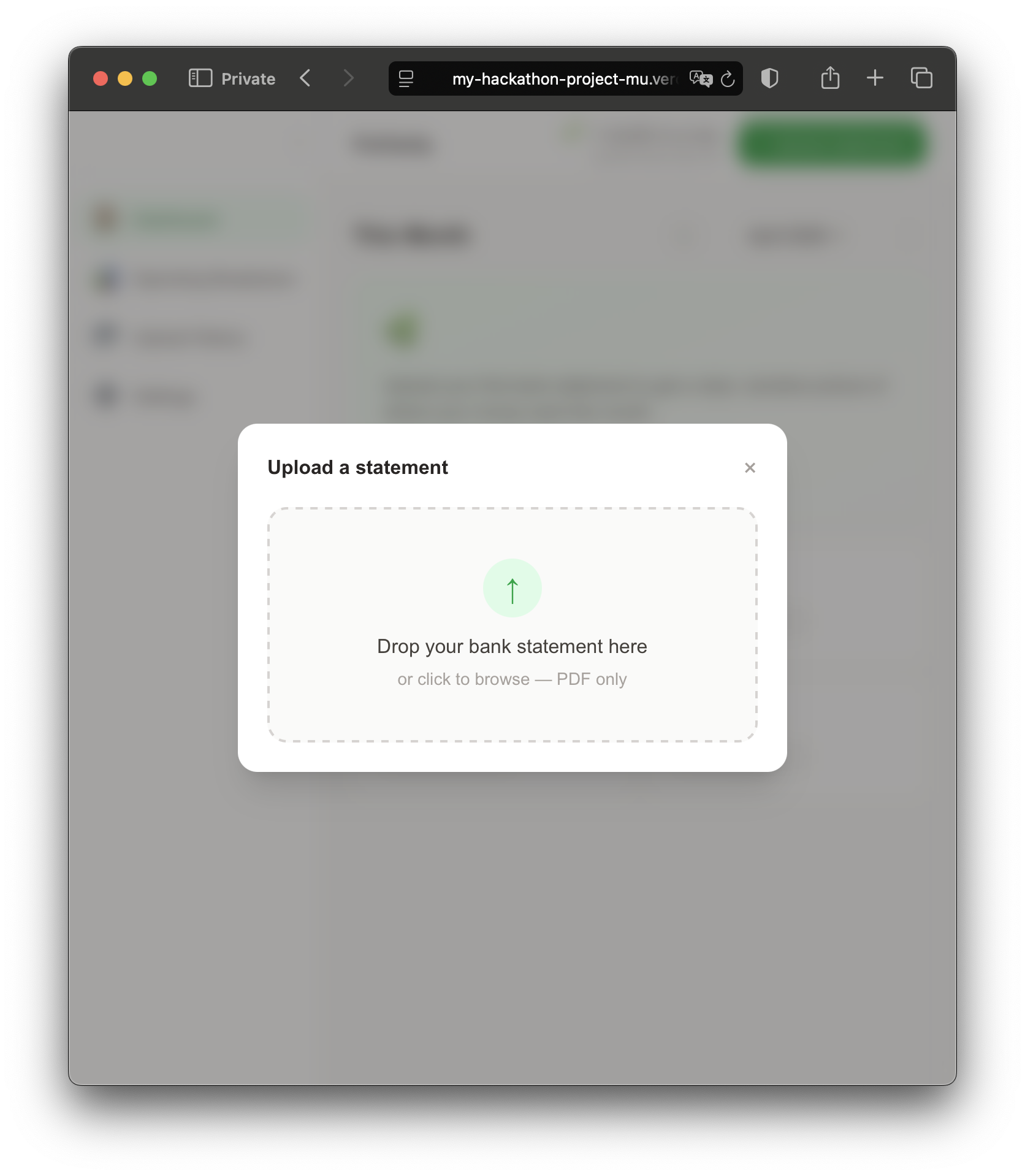
Upload pdf modal
-
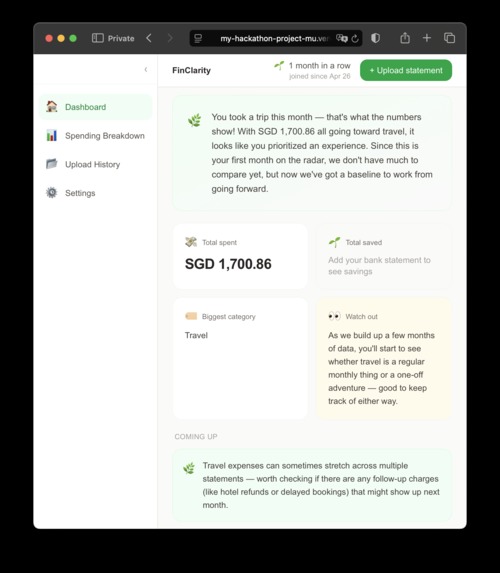
AI text narrative on user's financial standing
-
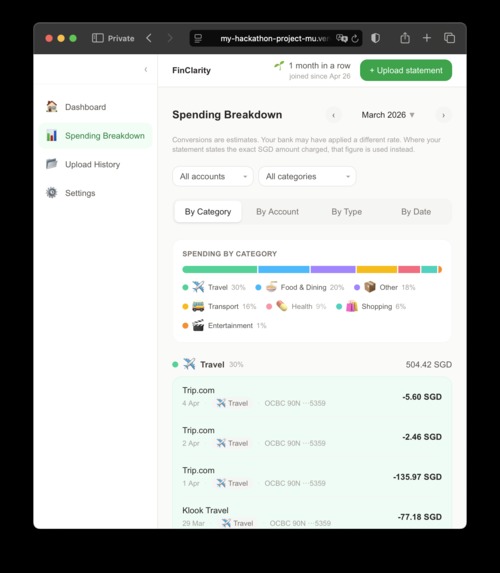
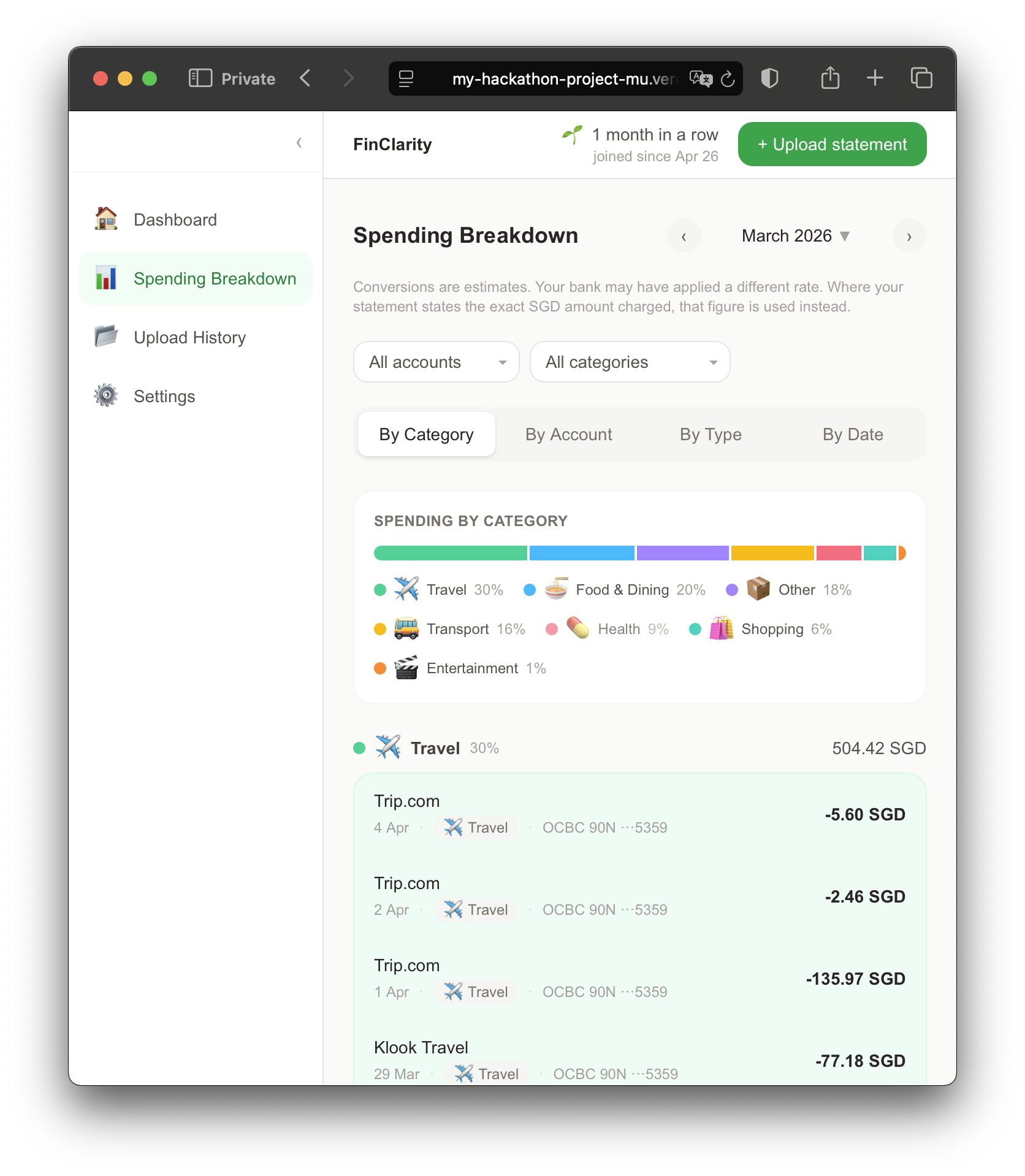
Breakdown of expenditure and income 1
-
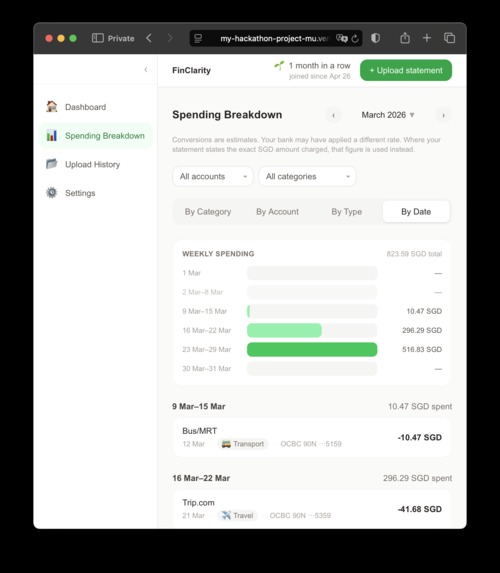
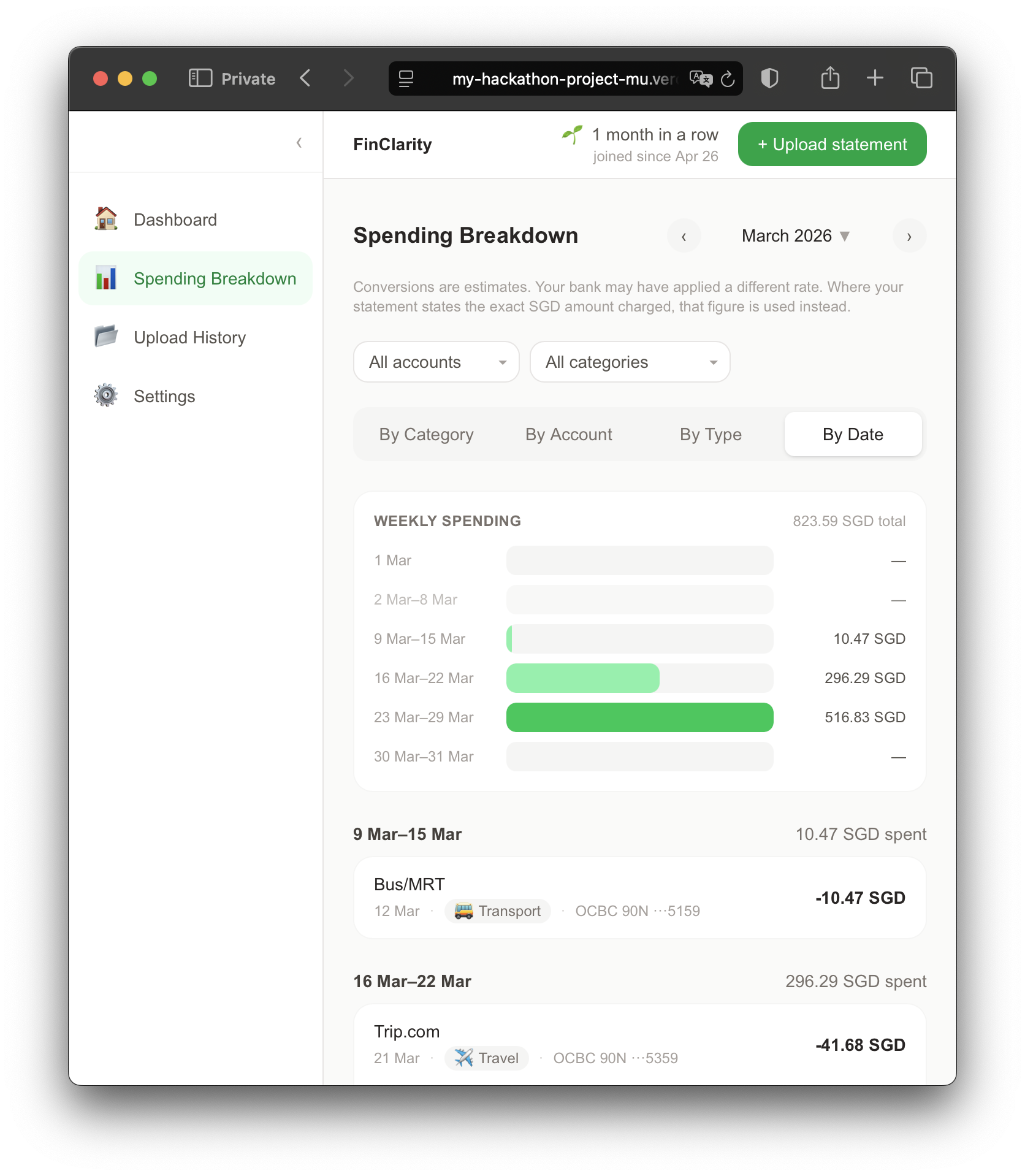
Breakdown of expenditure and income 2
-
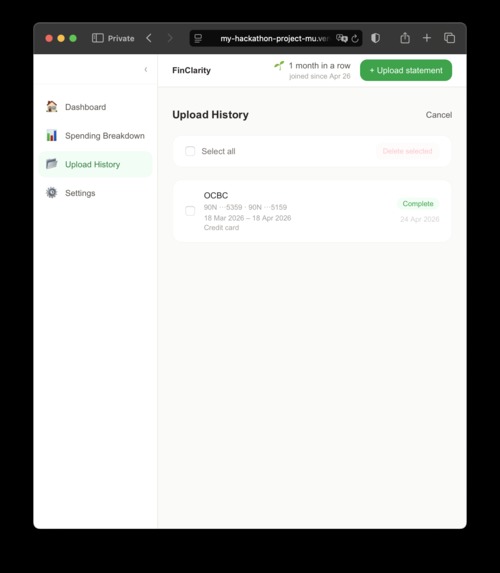
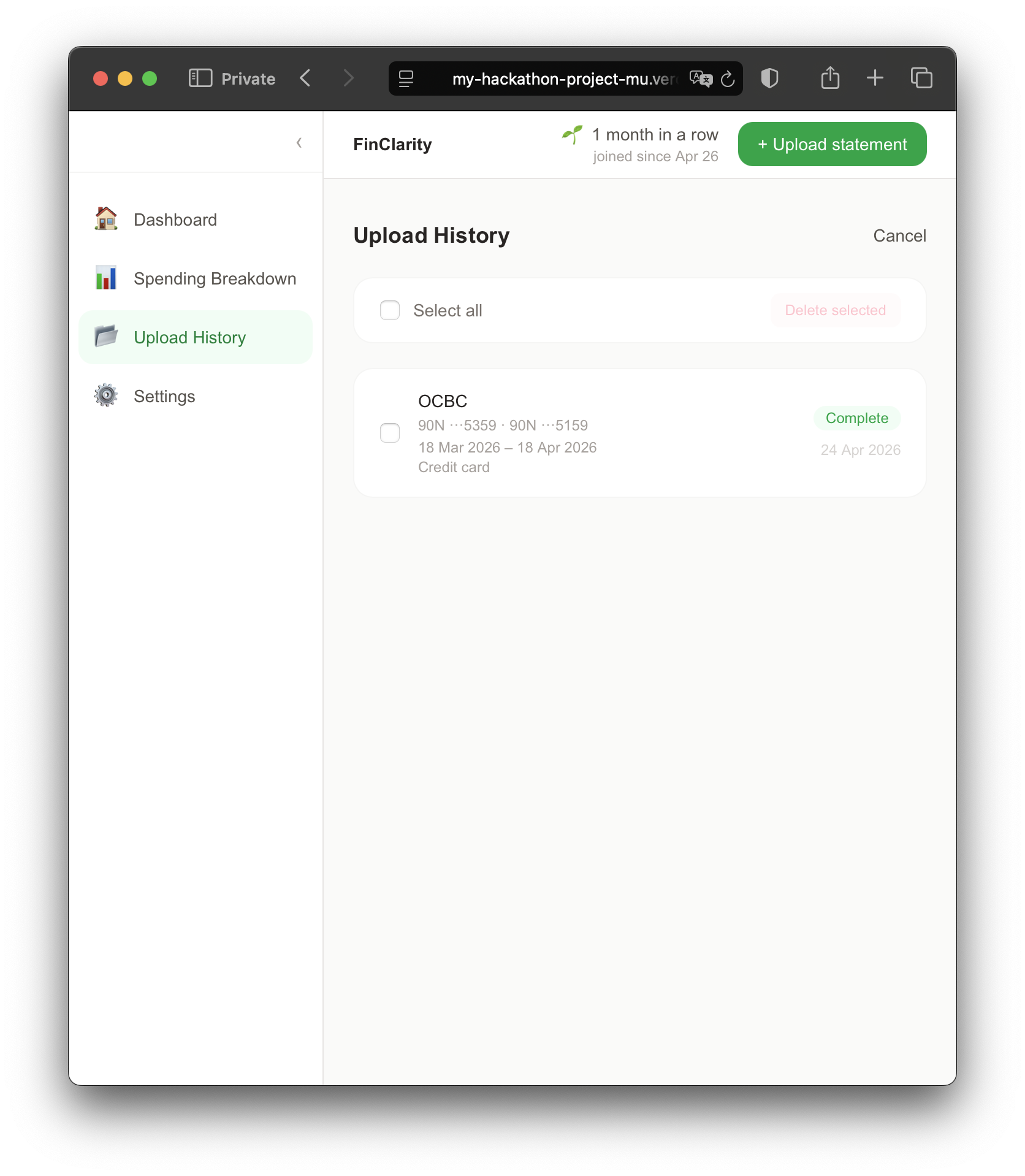
Upload history page
-
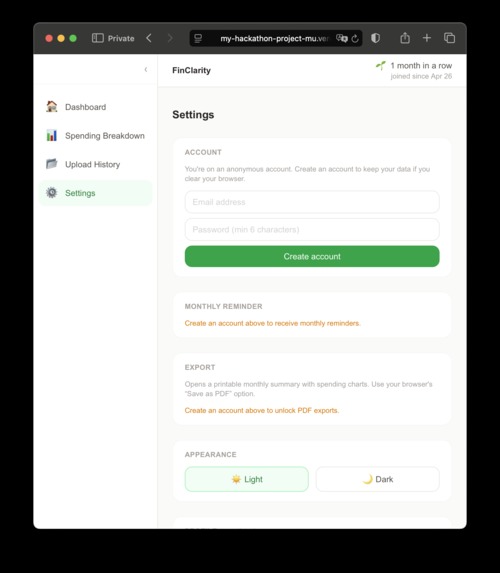
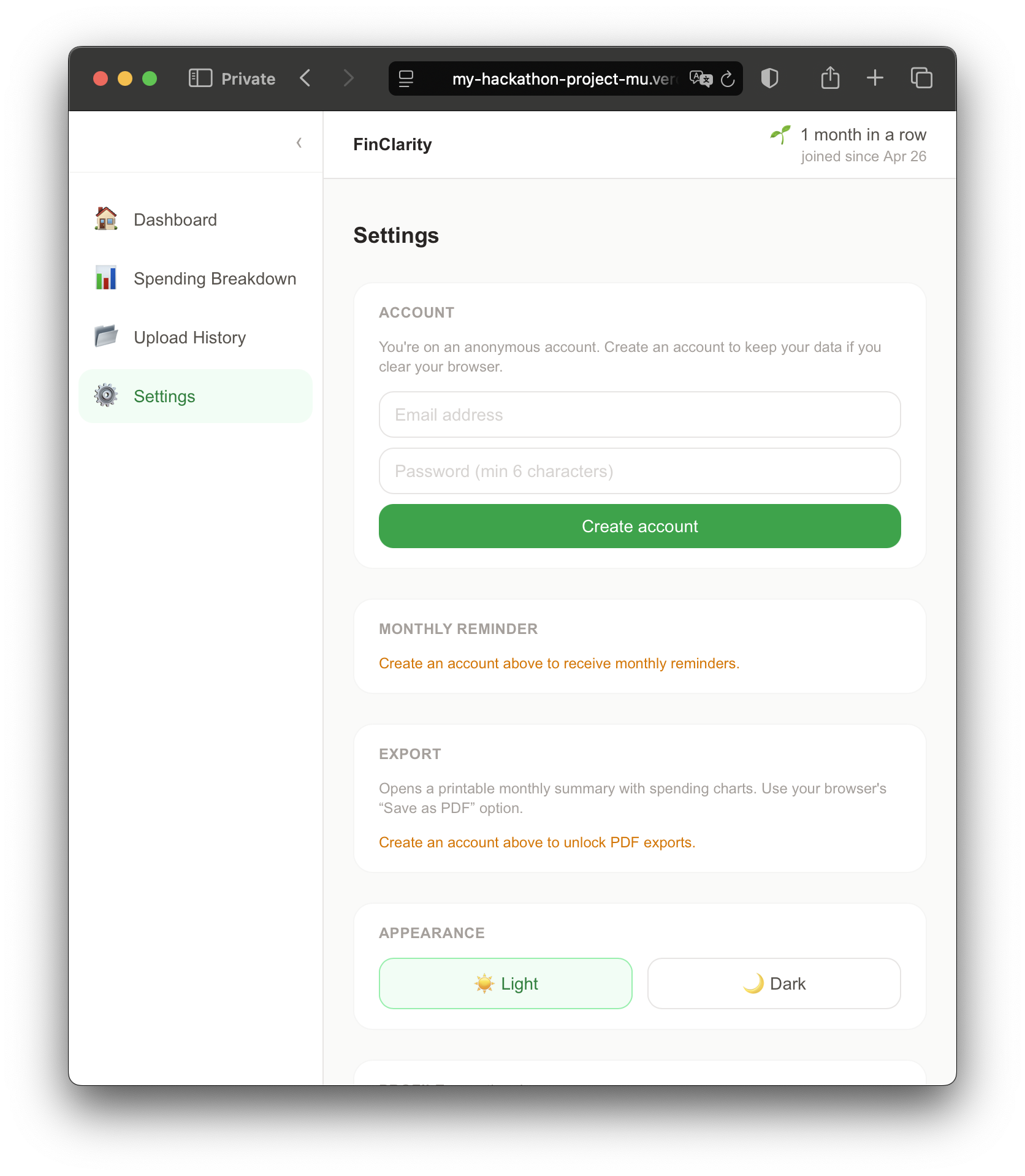
Settings page
The Problem
Most people know they overspend — they just don't know where. Bank apps show transactions but not patterns. FinClarity turns a PDF bank statement into a plain-English monthly picture: what came in, what went out, where it went, and one honest thing to watch for next month.
What It Does
Upload a statement. FinClarity extracts every transaction using Claude (no PII stored, password discarded immediately), detects internal transfers automatically, and generates a short narrative in plain language — not a wall of numbers.
The dashboard shows:
- 4 summary cards — total spent, total saved, biggest spending category, one forward-looking watchout
- Collapsible observations panel — retrospective flags in warm, conversational language
- Detailed breakdown by category, account, transaction type, and week
- Monthly streak mechanic — rewards the habit of showing up, not the size of your balance
How We Built It
- Next.js 16 — full-stack, App Router, server-side PDF pipeline
- Supabase — anonymous auth from first visit, no account required to see value
- Claude Haiku — transaction extraction with explicit PII exclusion, plain-English narrative generation
- pdfjs-dist — PDF parsing and password detection
- Resend — monthly check-in email reminders
- Vercel — deployment and cron jobs
No PDF is ever stored. No PII leaves the extraction step. Passwords are
discarded immediately after the file is opened.
The Moments That Matter
Two things make FinClarity feel different:
- Watching a raw PDF become a readable narrative in under 30 seconds
- Seeing your streak counter tick up when you check in the following month —
the app rewards consistency, not wealth
Challenges We Ran Into
PDF parsing in a serverless environment. pdfjs-dist v5 is ESM-only and incompatible with Next.js serverless functions out of the box. We ended up switching to the legacy build and polyfilling DOMMatrix (a browser API that doesn't exist in Node.js) before the import. Not obvious, not documented — took real debugging to land on.
Silent pipeline failures. Next.js 16's after() function — designed to run work after a response is sent — swallowed errors silently in development. We lost hours thinking the pipeline was working when it wasn't. The fix was switching to synchronous execution so errors would actually surface.
Bank statement formatting is a mess. OCBC exports raw merchant codes instead of readable names (NETS FLASHPAY, IBG TRFR, strings of digits).Claude's extraction prompt had to be iterated multiple times to produce usable category data. Even then, "Other" was the dominant category for a real statement — a problem we're solving properly in v2.
Foreign currency transactions aren't on one line. OCBC splits the foreign currency amount onto a separate line from the SGD charge. Capturing both required multiple rounds of prompt engineering to reliably associate the two lines before extraction.
The API key had a typo. A paste error prepended a y to the Anthropic API key. The key was technically valid — it just didn't work. This one took longer than it should have.
Accomplishments We're Proud Of
The pipeline actually works. Upload a real PDF, get a real narrative in under 30 seconds. Watching "You brought in SGD 9,580.10 this month..." appear from a raw bank statement for the first time was the moment the whole thing felt real.
No data stored that doesn't need to be. The PDF never touches the database. The password is discarded the moment the file opens. extraction prompt explicitly excludes names, addresses, and ID numbers Privacy wasn't an afterthought — it was designed in from the first prompt.
Anonymous auth from the very first visit. Users see a personalised demo, upload a statement, and get a real dashboard — all before being asked to create an account. The "save your progress" prompt comes after they've already seen the value. No signup gate, no friction at the front door.
Internal transfer detection. Matching debit/credit pairs across accounts within ±3 days and ±2% amount — so paying your credit card bill doesn't inflate your spending total. This is the kind of thing that makes the numbers actually trustworthy.
The streak mechanic is values-driven. It rewards showing up, not spending less. The counter goes up because you checked in, not because your balance went up. A small design decision that says something about what kind of financial app this is.
What's Next
- Returning user login — right now users can sign up after their first upload, but can't log back in on a new device. A proper auth flow is the most immediate gap.
Merchant name normalisation — some banks (OCBC in particular) export raw merchant codes instead of readable names. Better normalisation means cleaner categories and more accurate narratives.
Merchant drill-down — tap any category to see the individual merchants behind it, ranked by spend.
Benchmarking — opt-in comparison against anonymised aggregates ("people in your age bracket spend X on food on average"). No individual data shared, k-anonymity enforced.
Wrapped-style export — a shareable annual summary image, like Spotify Wrapped but for your spending habits.
Multi-currency improvements — live exchange rate sync and better handling of statements with many foreign currency transactions.
Native app — the streak and check-in mechanic is designed for mobile. Push notifications when it's time to upload would close the habit loop properly.
Built With
- claude-api
- next.js
- supabase
- tailwind-css
- typescript
- vercel

Log in or sign up for Devpost to join the conversation.