-
-
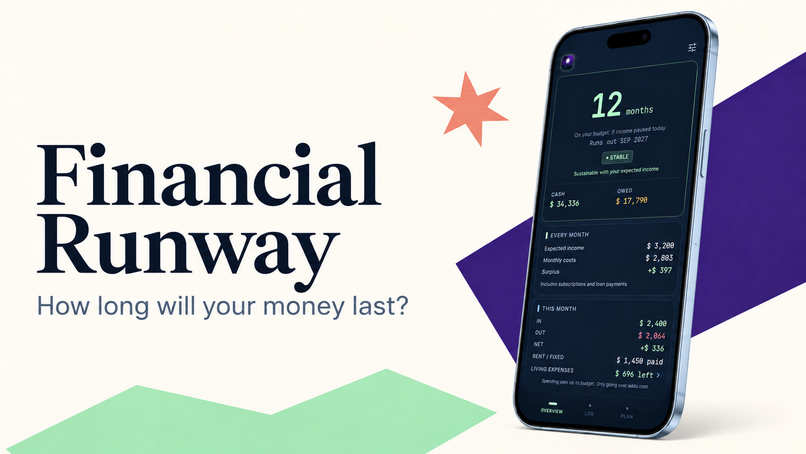
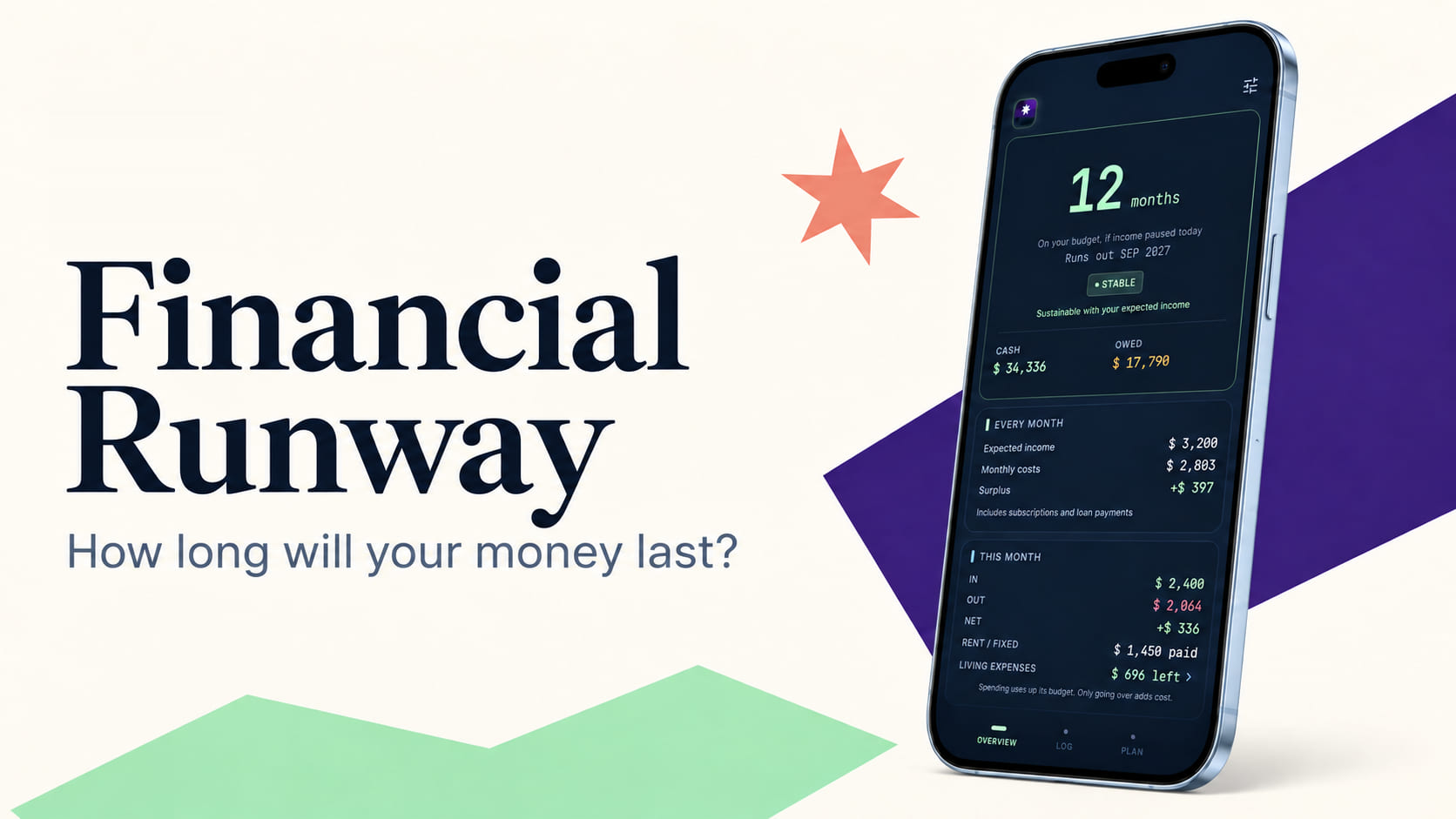
Financial Runway. How long will your money last?
-
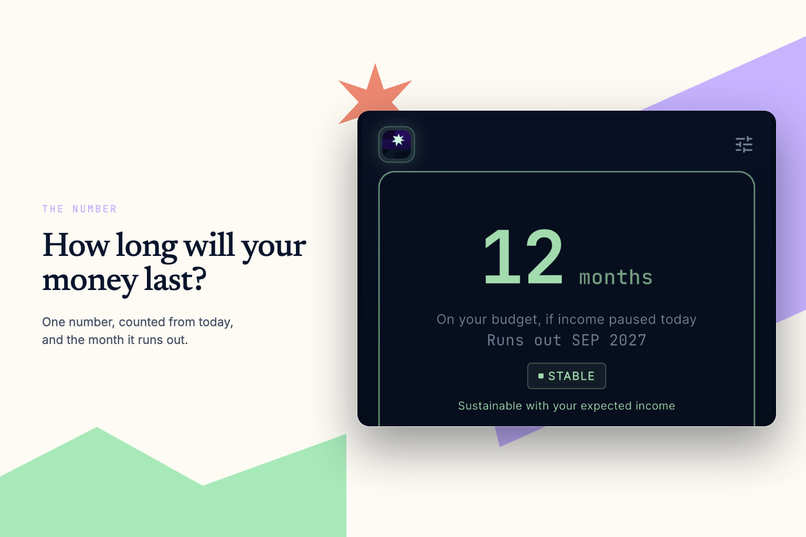
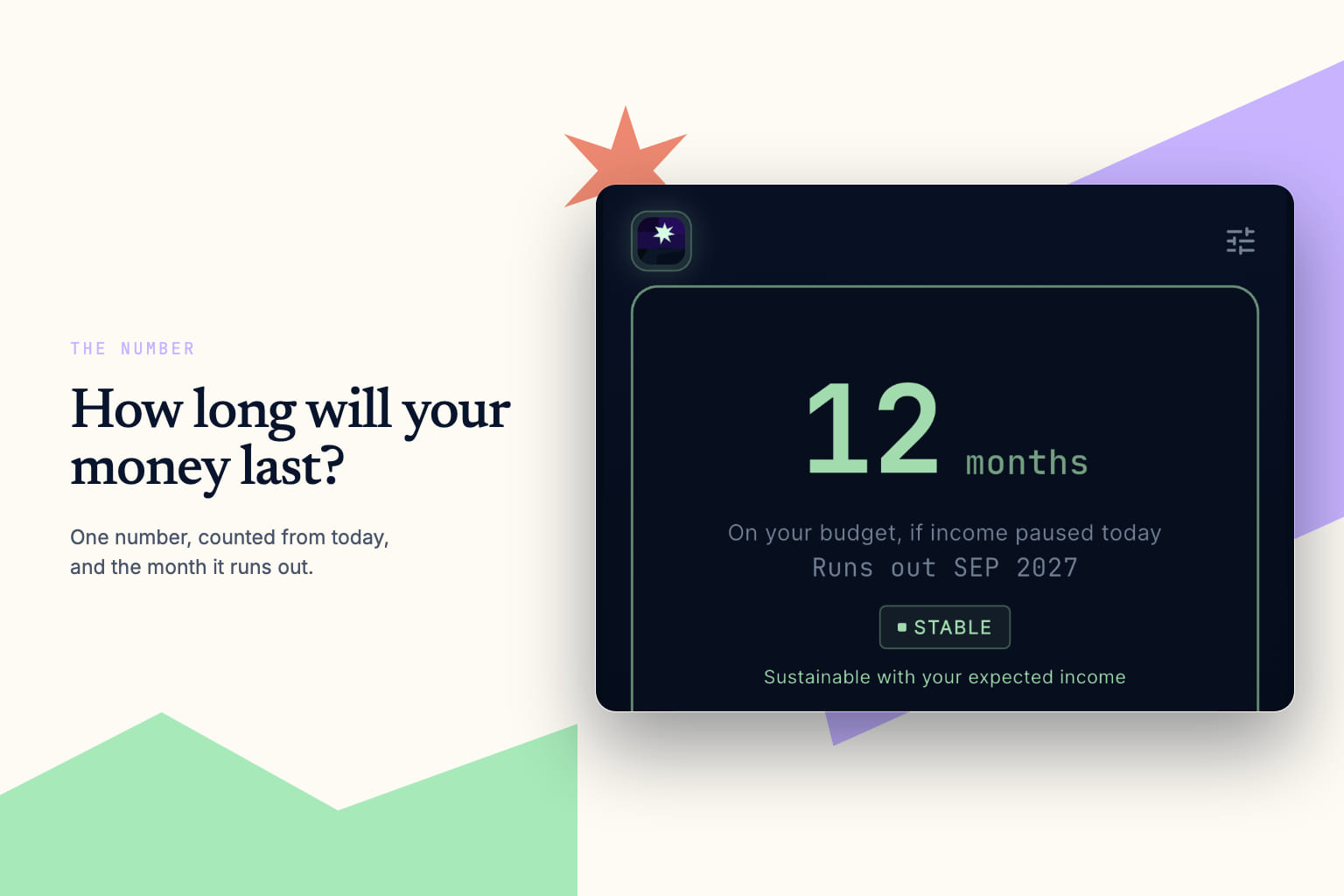
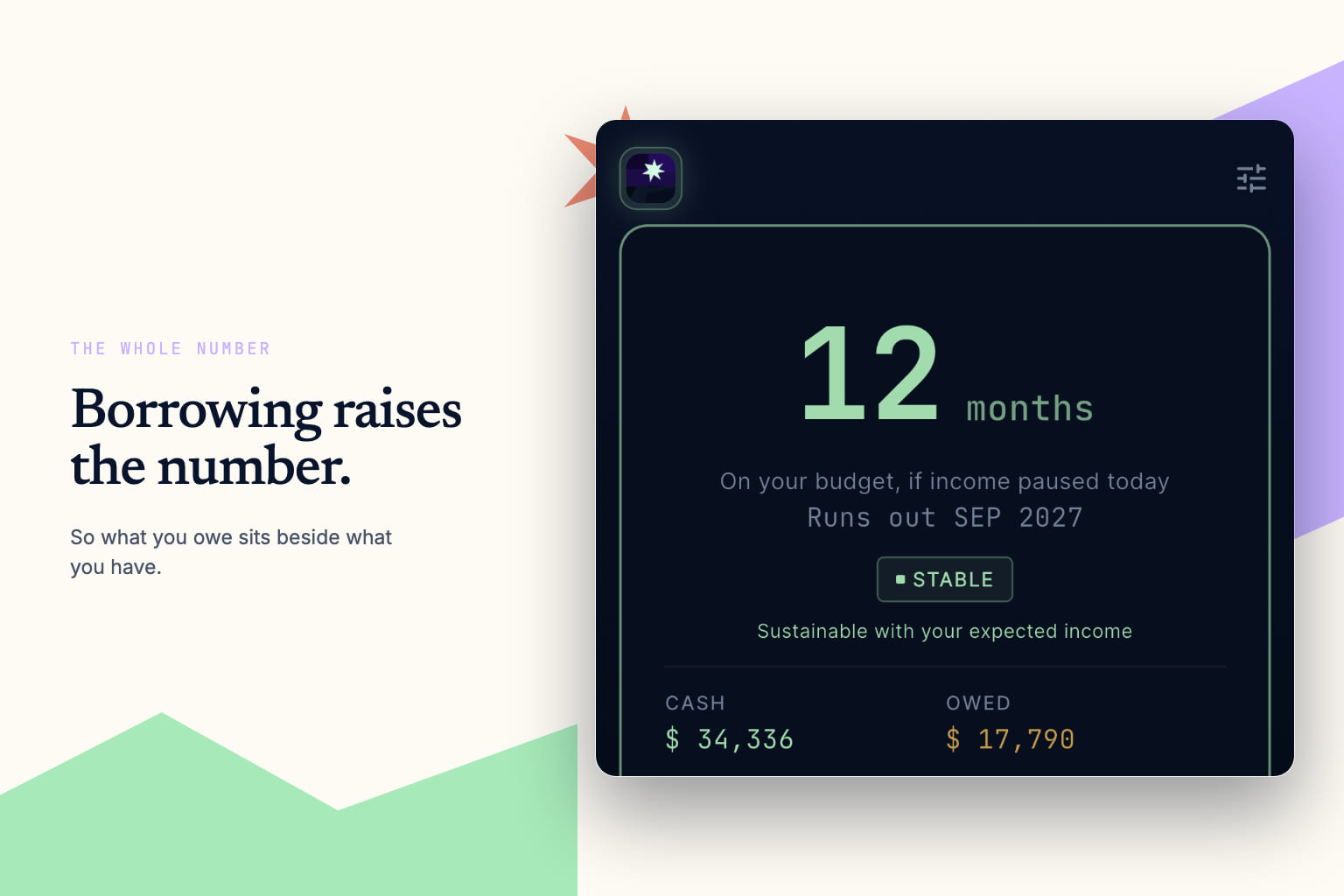
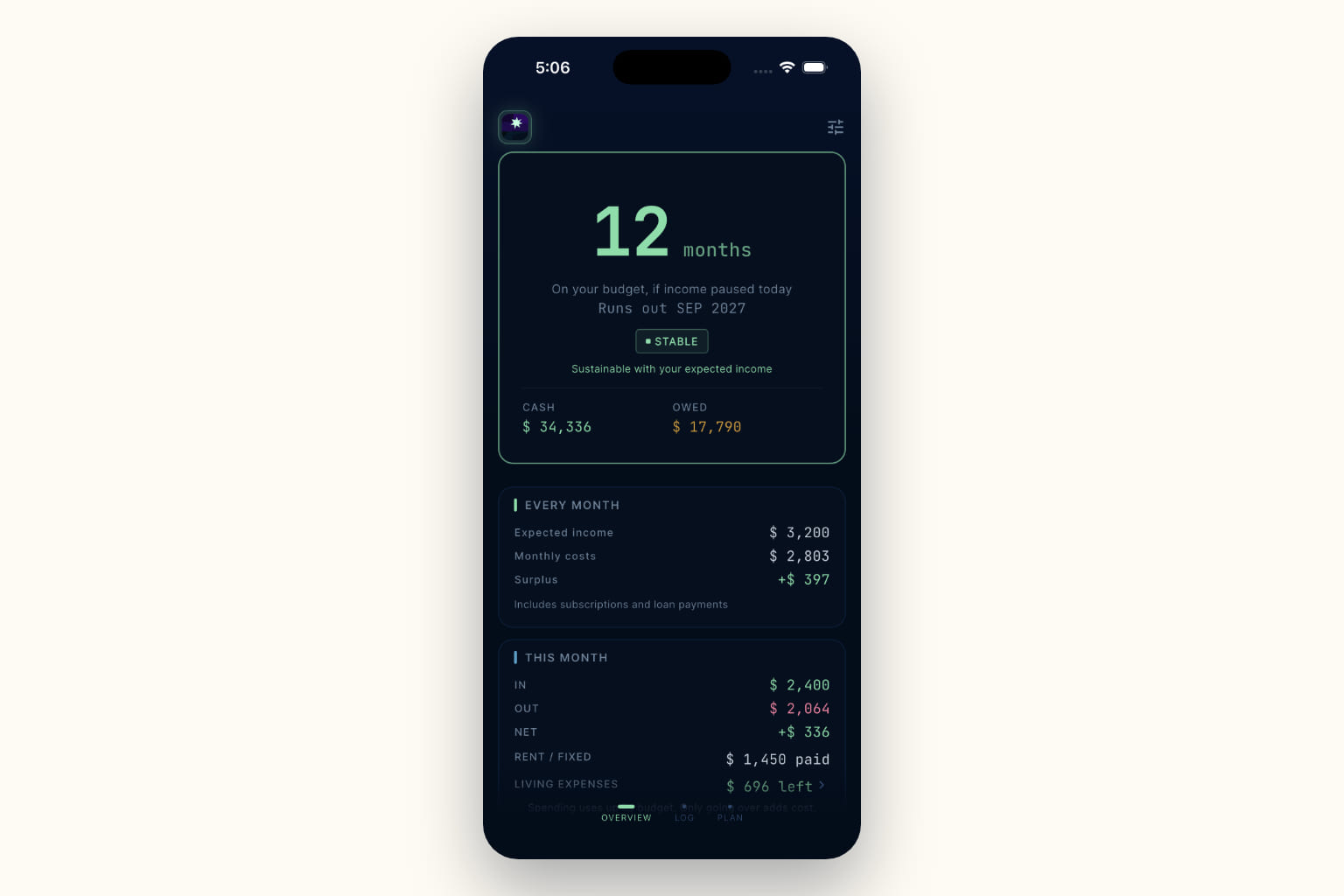
The number: How many months your money lasts on your budget, and the month it runs out.
-
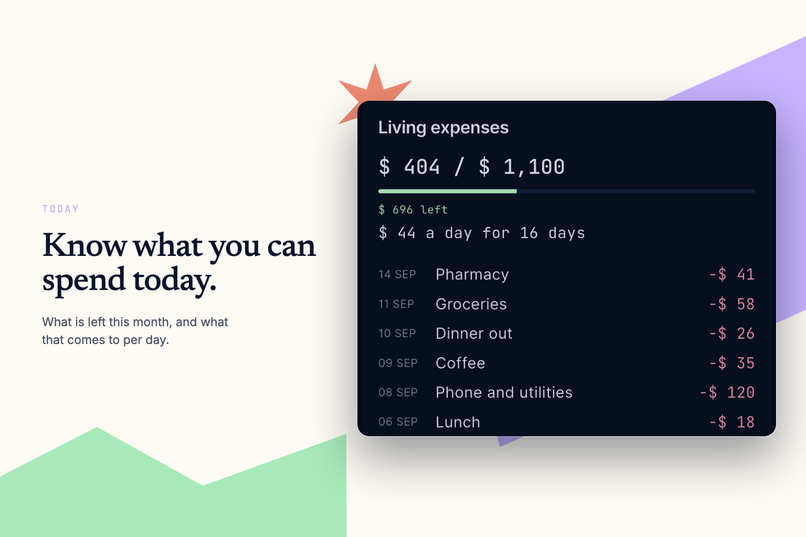
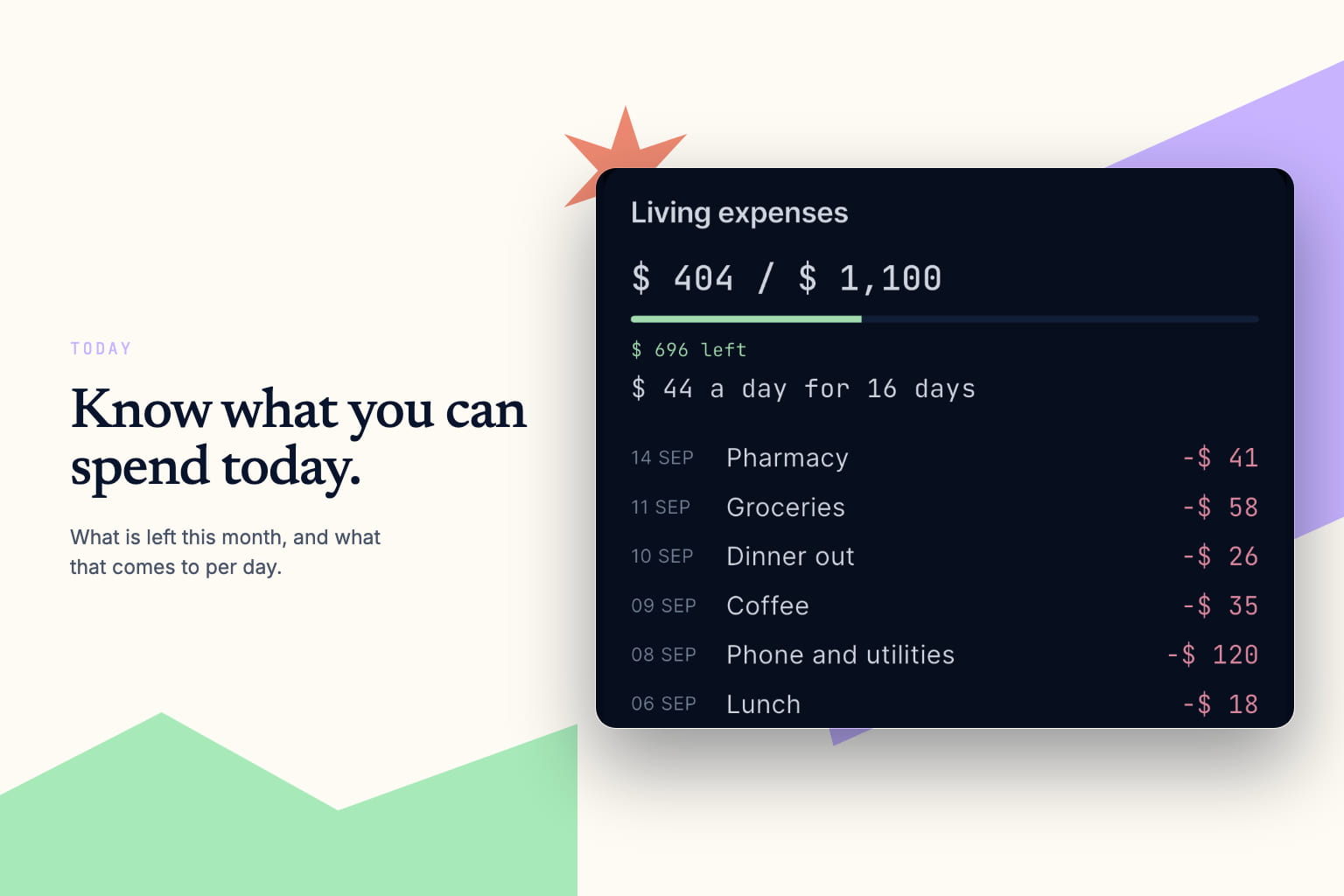
Today: What is left to spend this month, and what that comes to per day.
-
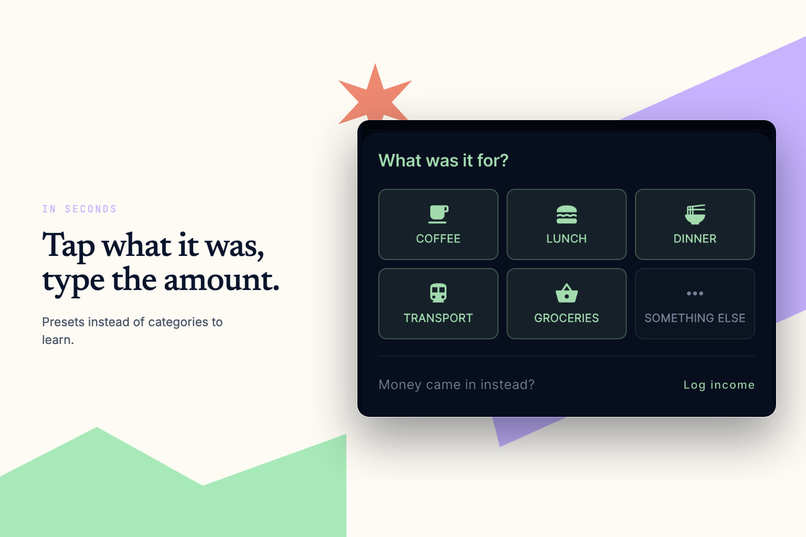
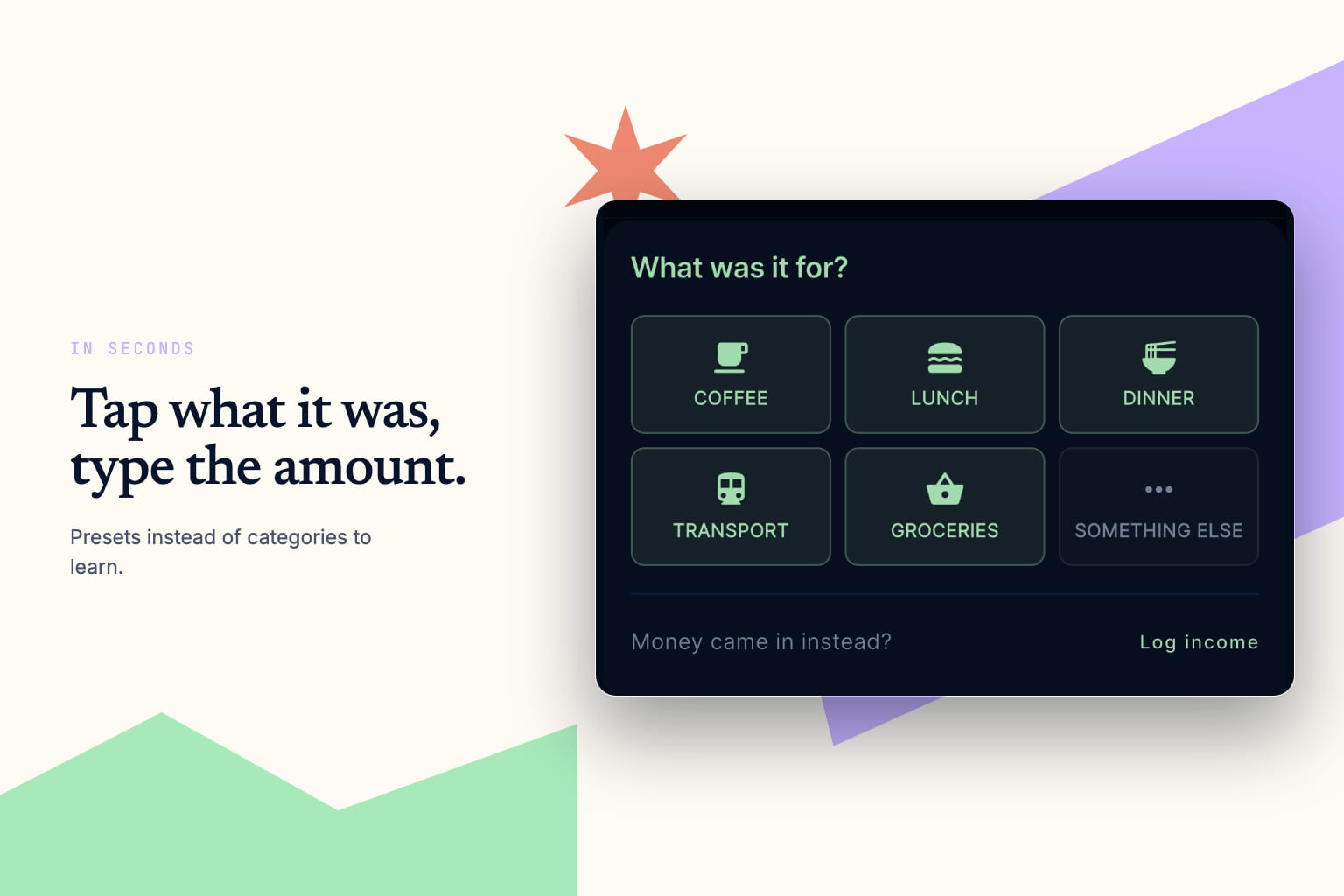
Speed Dial: Logging a spend is a tap and a number. Presets instead of categories to learn.
-
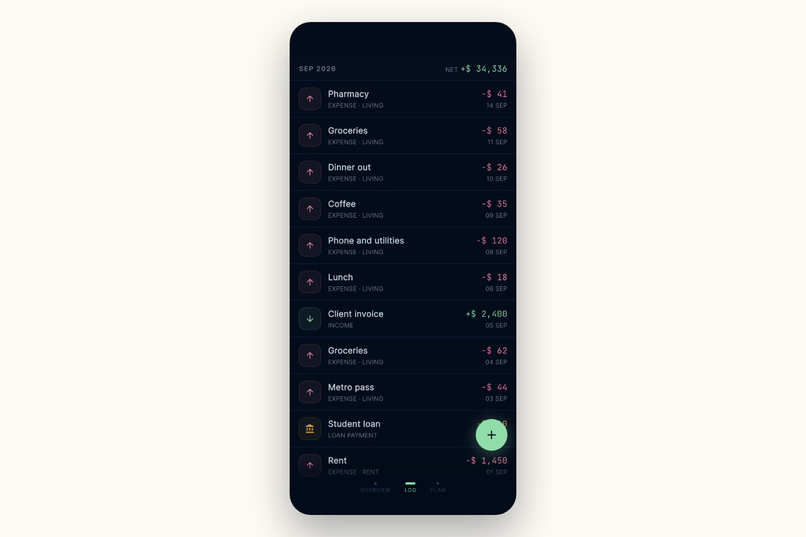
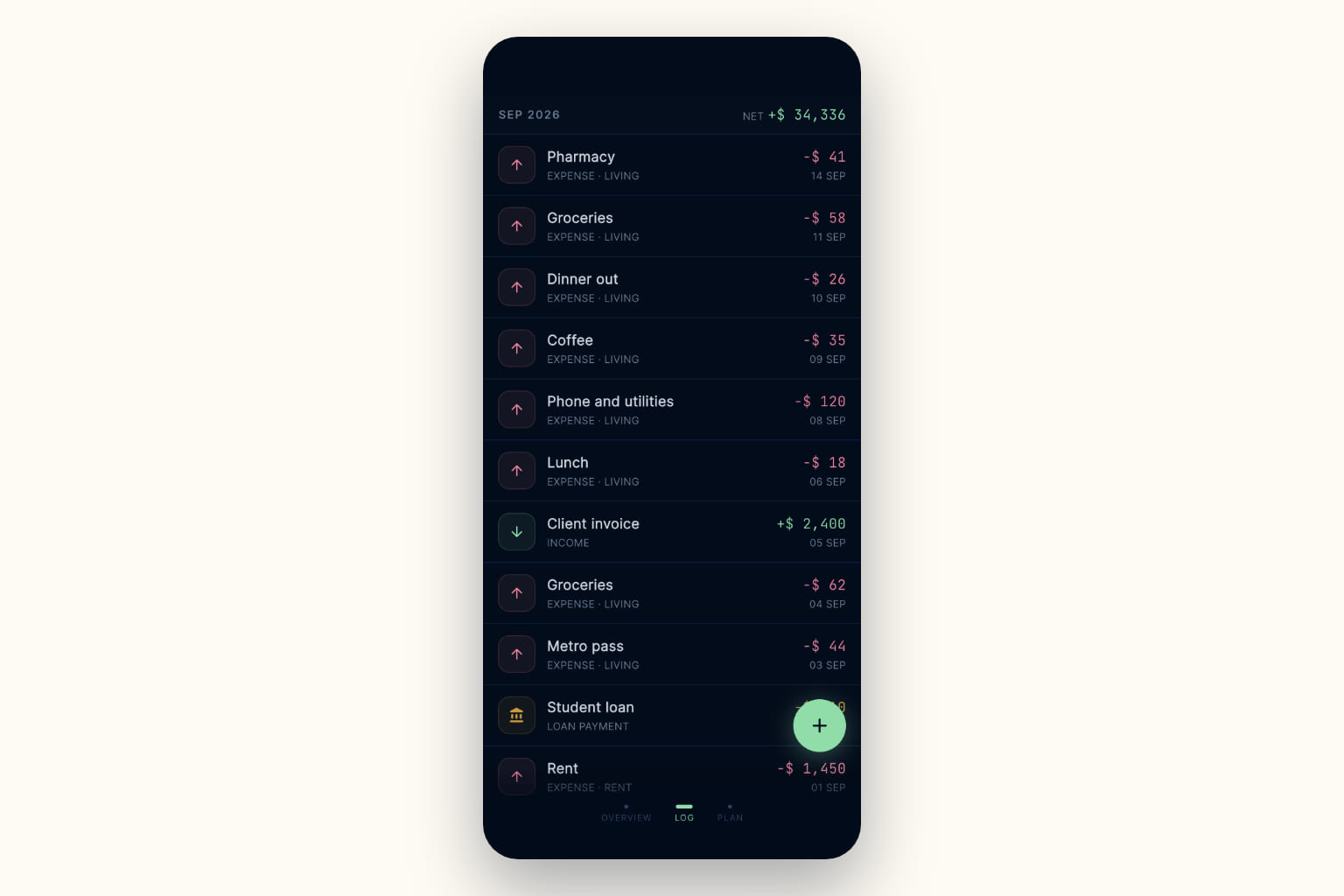
The Log in one list: Income, expenses and the loan payment, with the running net.
-
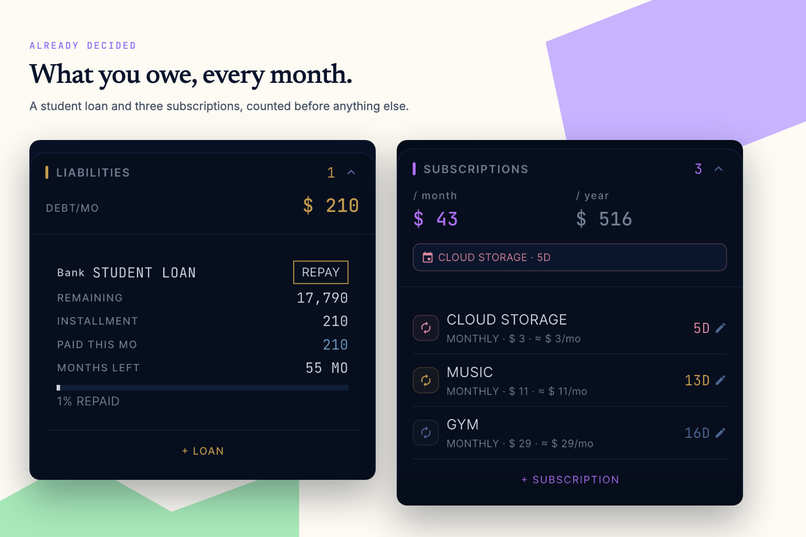
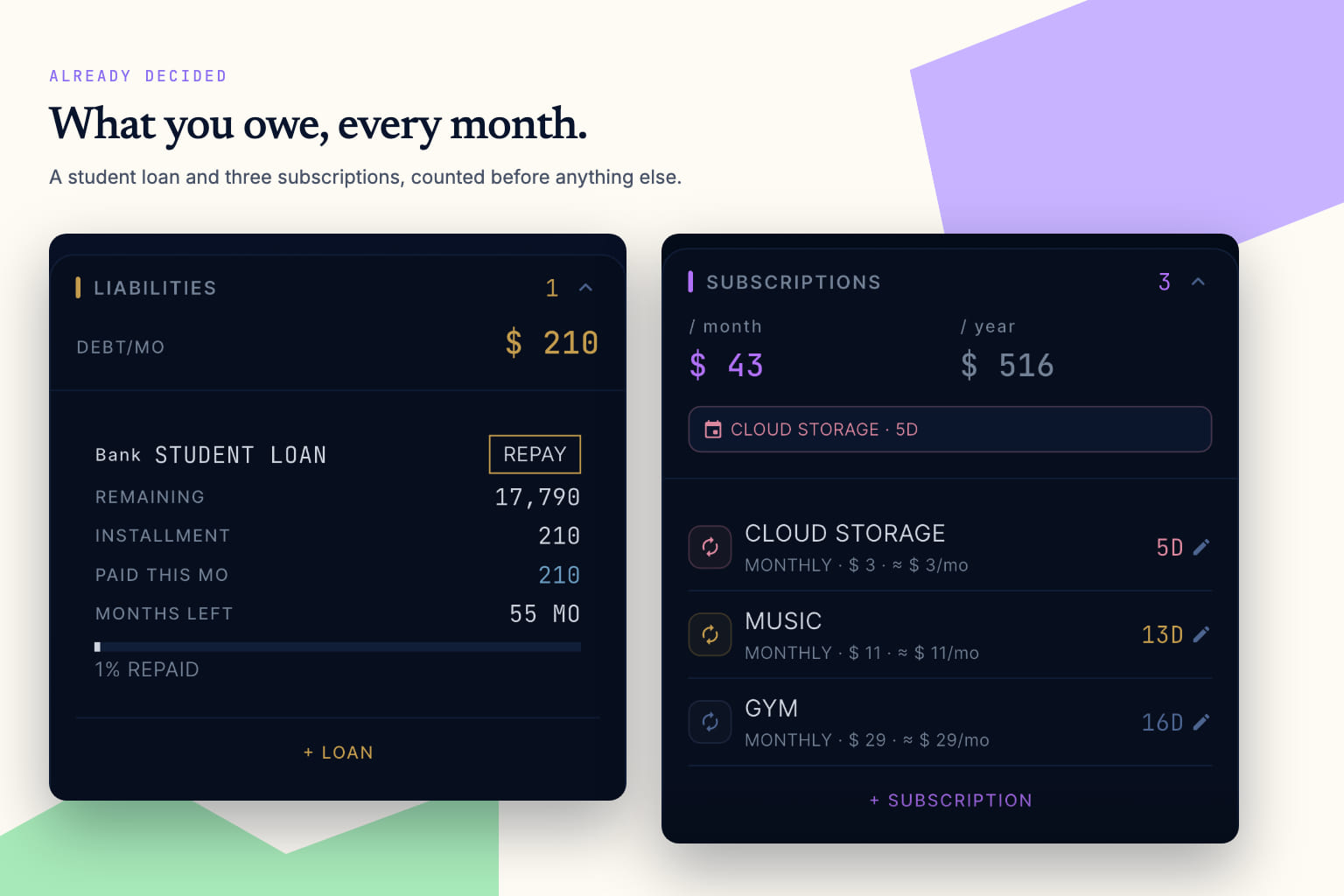
Committed costs: Loan payments and subscriptions in one place, counted before anything else.
-
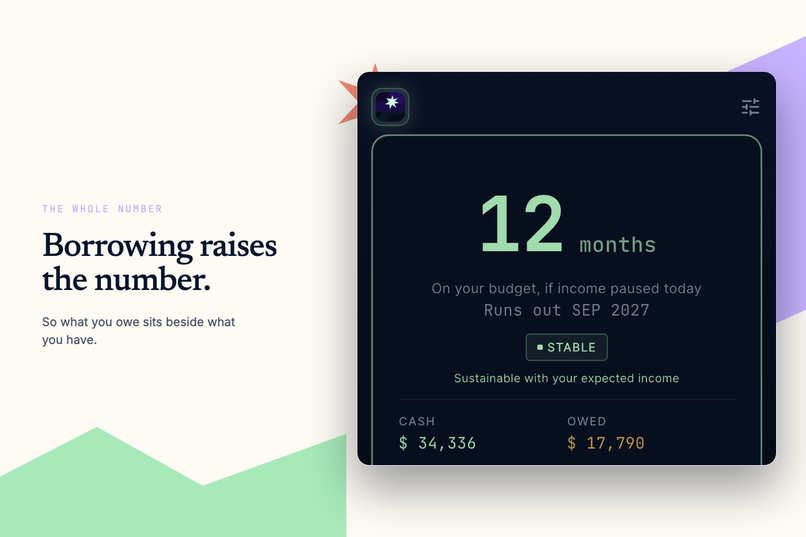
Borrowing: What you owe sits beside what you have, so the runway counts the whole picture
-
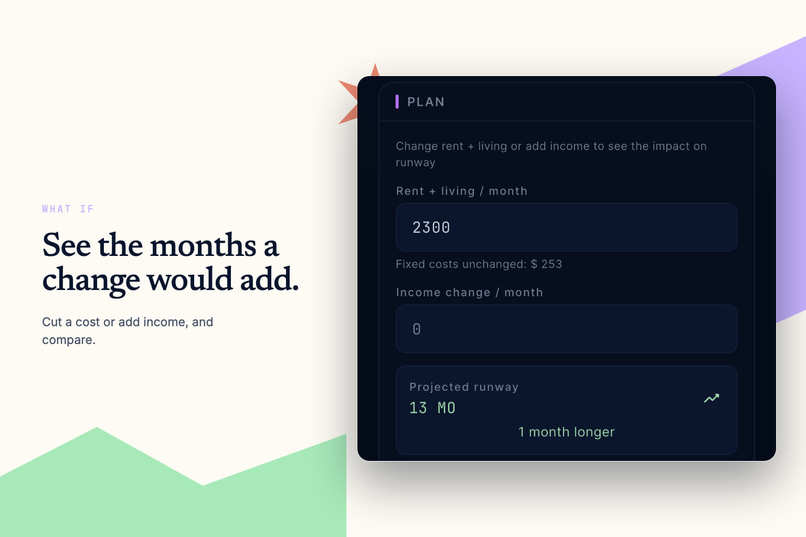
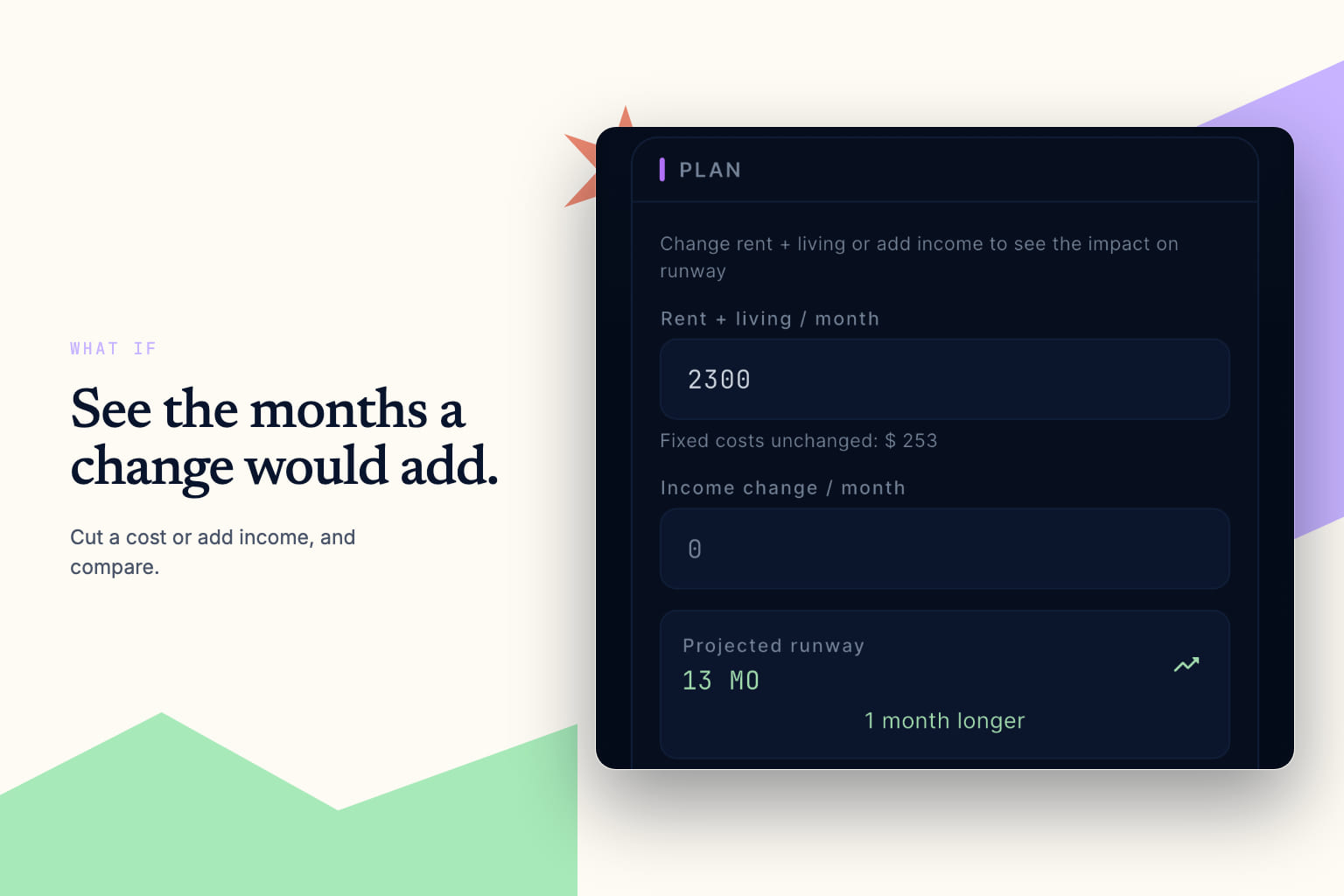
What if: Try a lower cost or extra income and see how many months it buys, before you commit.
-
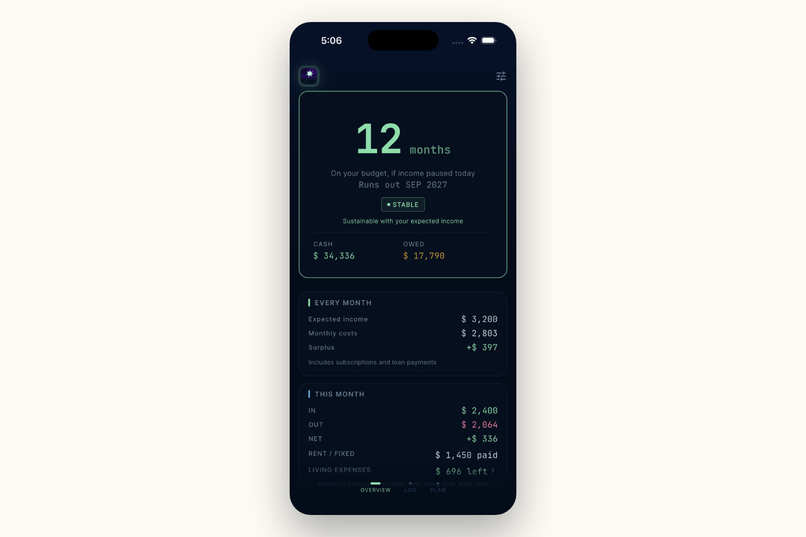
The home: the runway, what repeats every month, and where this month stands.
-

The icon: a star over dark ground. It is the thing you look up to find out where you are. (1024 x 1024)

Inspiration
I was planning two years abroad on savings, and I worked it out in a spreadsheet. A spreadsheet does the job. It is just not my thing. I wanted the answer on my phone in two seconds, so I built that. I have not opened the spreadsheet since.
It came from Breath of the Wild. It is the best-designed survival game I know. Hearts and stamina are there so you can keep going, not to stop you. Keeping it going is the whole game.
The runway number looks like a countdown. It isn't. It is how long you can keep going.
What it does
Financial Runway shows how many months your money covers, counted from today, and the month it would run out. Knowing your runway is an opportunity to adjust.
Two kinds of cost, not twenty categories. Some costs are already decided: rent, loan payments, subscriptions. The living budget is what you plan to spend. Logging a coffee uses that budget up instead of adding to your costs, so the number only moves if you go over. What you do not spend comes back at the end of the month.
It asks instead of assuming. The app knows when a subscription should have billed and what a loan payment should be, but only you know what actually left the account. A subscription either billed or it did not. A loan leaves the amount to you, because you can pay more than the schedule.
Logging is three taps and a number. Tap the button, tap what it was for, type the amount. A line under the tiles takes you straight to logging income instead.
Set a goal in months, and see the cash it needs. The app turns that into a cash target, shows how much is still to go, and tells you the months of cover left to build.
Plan it before you do it. Change a cost or your income, run it, and see the months move.
The number tells you how it is doing before you read it. Above six months of cover it is mint, between three and six it turns amber, and under three it goes pink. A soft glow behind it keeps time with the same three states: slow and faint when you are stable, quicker and brighter as the cover shortens. Turn on Reduce Motion and it holds still instead of pulsing.
How it's built
Flutter, Drift, SQLCipher. A local database on the phone, locked with a key made on the device and kept in the Keychain.
The maths is ordinary bookkeeping. You set a budget for rent and one for living. If you spend more than a budget, the bigger number counts. Add subscriptions and loan payments, and that is your monthly cost. Runway is your cash, minus what is still due this month, divided by that, counted from today. Income works on the same scale, so the simulator can show a cost cut and a pay rise in the same unit: months.
No account and no server. Your data stays on your phone and I never see it, so you do not have to take my word for how careful I am. The app sends no analytics events of its own: not an amount, not a balance, not even which screen you opened. Firebase is initialised, so Google's SDK collects its standard app-level signals such as session starts, and that is the whole of what leaves. Pro is the exception, and it belongs to the Apple ID rather than the app, so Delete all data cannot take away what you paid for.
A lot of it was vibe coding, so most of the work was checking. Claude Code wrote most of the app and I used Codex for the visuals. I described what I wanted and kept what worked. That is the only reason this got built in the time I had. It is also where most of the bugs came from. So there are checks for the things I cannot see by looking:
- The database is asked which cipher it is running, and refuses to open if the answer comes back empty.
- Tests hold the signing setup and the languages the App Store will list.
- Tests hold the contrast of every colour pair, and cap how many raw colours one screen may use.
Challenges
Getting the tone right. It started as a game: hearts and EXP for keeping your runway going, and a rank worked out from your number. The ranking was the part that had to go.
A rank turns a fact about your month into a verdict about you.
So I cut anything that scored you, and changed the words too: burn and survive became monthly costs and months covered.
A loan had no obvious place to sit. It arrives as money you can spend, so it lifts the runway. It leaves every month, so it is also a cost. And it is still owed. My first version worked like a bank: principal, balance, interest rate, schedule. That was a mistake. What matters is how much leaves each month and when it stops. Modelling it that way turned up a bug: a loan dropped out of monthly costs as soon as the principal was repaid, with payments still to go. I thought about warning you not to spend it all, and left it out: what you owe sits beside what you have. A loan does not add runway. It borrows it.
It is a rough number, and it still has to be right. Your cash divided by your costs. Nobody spends in even months and nobody knows the next one, so it was never going to be exact. Close enough is fine. Wrong is not. A typo put the run out date in the year 275360. Someone whose cash really is zero should see zero months, not a negative number. And before any costs are entered the answer is not an error. It is unlimited.
What went right
Narrowing it down. I wanted it to handle every situation I could think of. Most of the work turned out to be deciding what not to build. Onboarding went from five pages to three, and then to one. A chart was cut. The runway number moved above everything else and became the only big number in the app.
I use it. Not to check how I am doing, which is what the spreadsheet was for. To decide: whether this month can take a flight, whether I can turn work down. That was the whole ambition, and it is done.
It left my laptop. One number, a few screens, six languages, and a real app submitted to the App Store instead of a prototype in a folder. Simple took longer than any of it.
What's next for Financial Runway
- Capture without connecting. The cost of no bank connection is typing, and that is the fair objection to everything above. The answer is not a bank login, it is making capture cost almost nothing. Subscriptions should record themselves: the app already holds the date and the amount of the next charge, which beats a bank feed, because a feed learns afterwards and a schedule knows in advance. Spending should be loggable by voice from the Lock Screen without opening anything. A receipt should scan, exactly in Taiwan where the fiscal QR carries the date and the total, and by text recognition elsewhere. A statement should import once at the start, so the first runway is true rather than provisional. All of it runs on the device, so none of it adds an account, a server or a credential.
- The income half. Costs have four screens. Income has an entry field. You can log what arrives and see each entry, but nothing shows whether it is growing, and that is the other half of the answer.
- Not credit cards. A card spend leaves your cash when the bill is paid, not when you tap, so there is a real bookkeeping case for deferring it. I worked it through and dropped it. The runway lands on the same number either way, and counting the spend on the day you make it is the point: cards erode awareness precisely because the money leaves without you feeling it. Better bookkeeping that reproduces the problem is not an improvement.
- Fewer numbers, better joined. A dozen figures, each added for a good reason, which is how a screen gets crowded. The app knows your cash lasts 12 months while the loan has 43 to go, and leaves you to notice. Saying it would be worth more than most of the figures it replaces.
Everything above this is a guess until there are users. I built this for my own problem and I think other people have it too. Asking does not settle it, because people say yes to things they never open. So the order is: publish, be loud enough to be found, then let real use decide what gets polished and what gets cut. Building it was the quiet half. The noisy half is next: going to the people who already count months rather than budgets, on work-exchange and volunteering placements, career breaks, long stretches between contracts, and asking the organisations they pass through for a line on a resources page rather than a discount nobody needed.

Log in or sign up for Devpost to join the conversation.