Inspiration
This month, I’ve been participating in several online hackathons at the same time, including YouCam, Meta, SPECS, UGREEN, and Build with AI Basics. The problem is that each one can list its deadline in a different time zone, such as Eastern Time, Pacific Time, or Spanish local time.
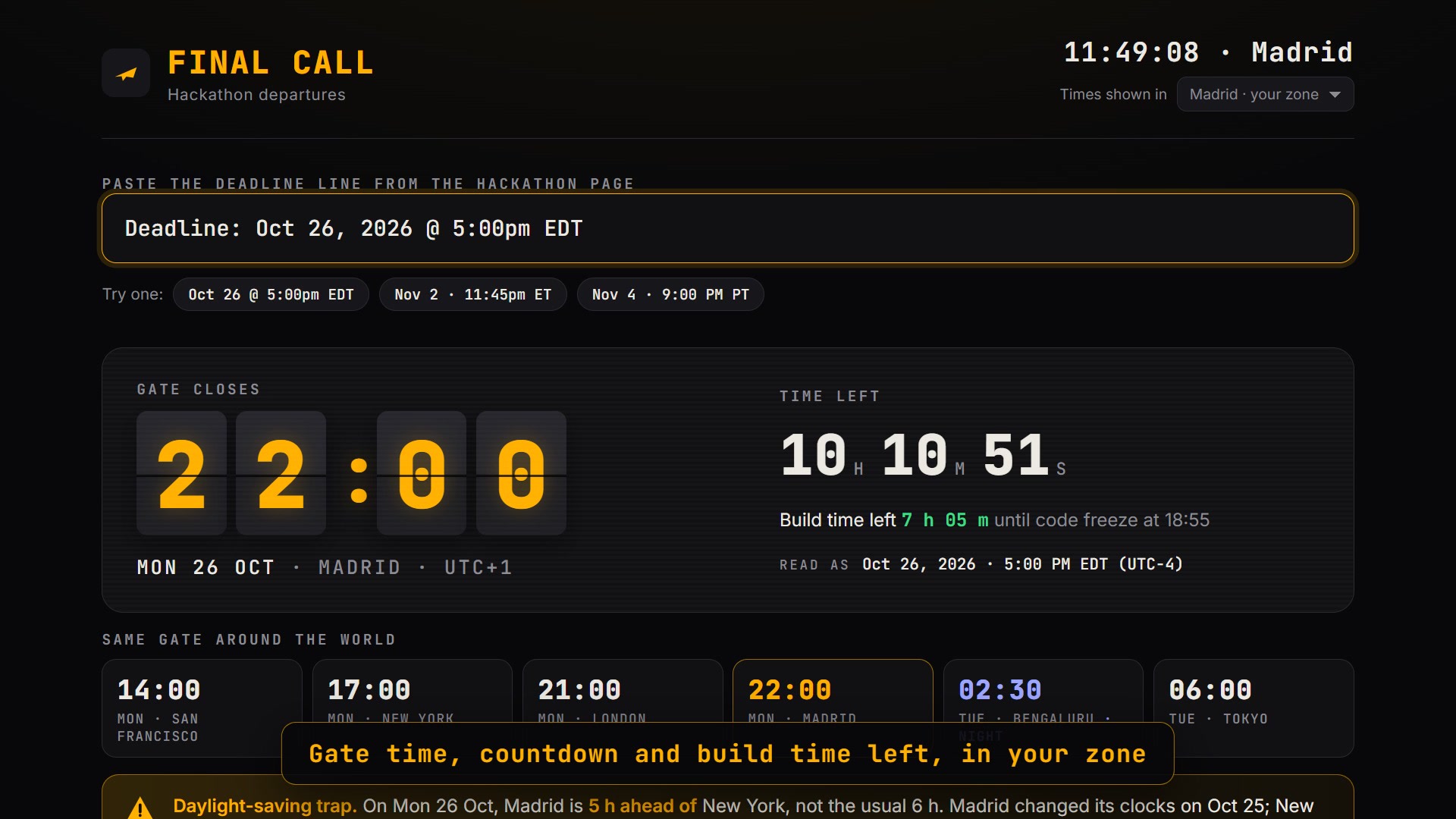
I realized how easy it is to miscalculate a deadline, especially around daylight saving time changes. For example, on the week when Europe changes its clocks before the United States, Madrid is only five hours ahead of New York instead of the usual six. That difference can mean losing an entire hour without realizing it.
I explored this problem with Claude and decided to turn it into a practical tool. I also wanted to address another issue: knowing the deadline is not enough if you leave recording the demo, uploading it, and completing the submission form until the last minute.
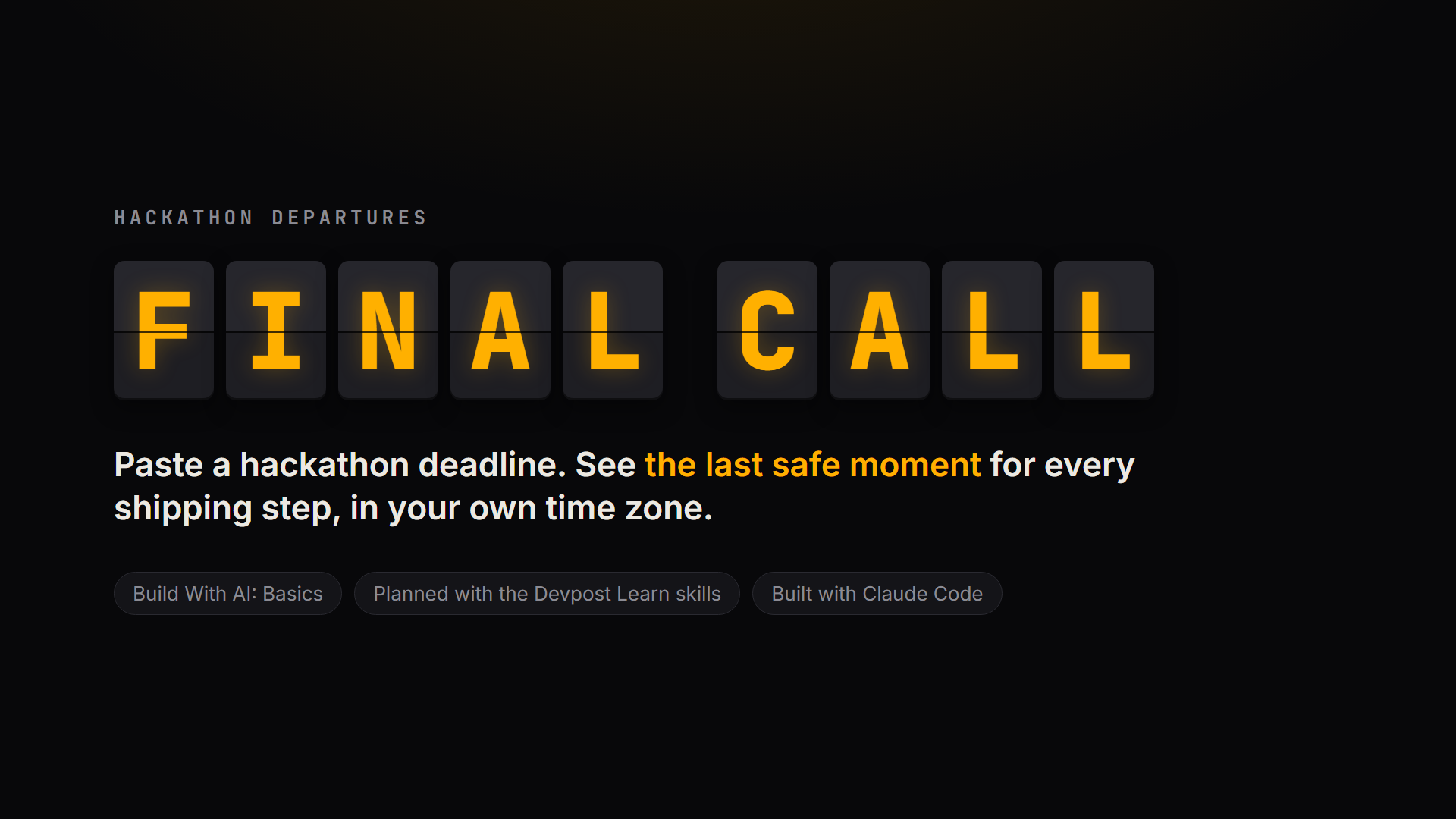
That’s how Final Call came to life: a tool that treats a hackathon submission like a flight you cannot afford to miss.
What it does
Final Call turns a deadline into an actionable plan.
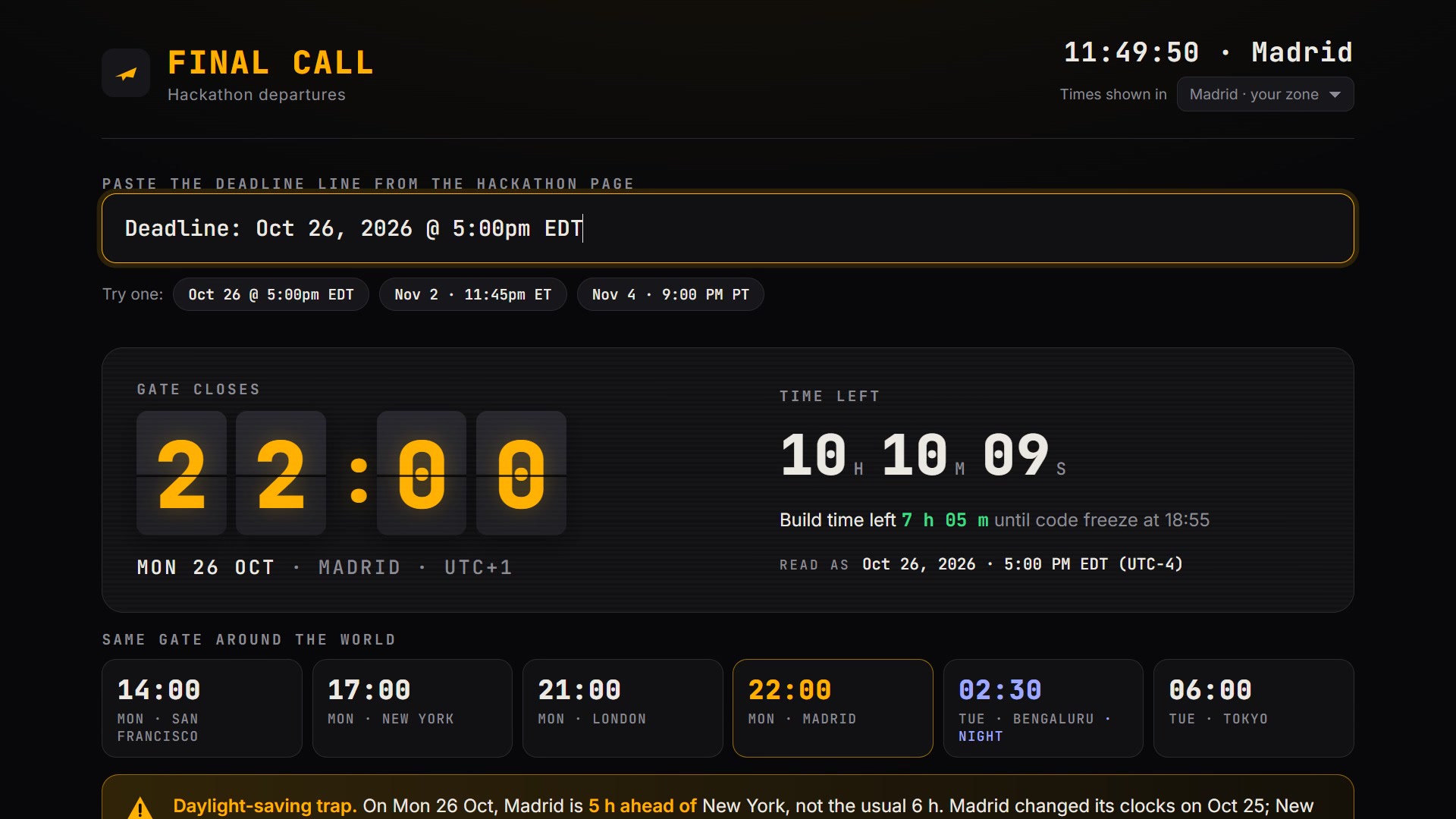
Users can paste a deadline exactly as it appears on a hackathon website. The app recognizes different date and time formats and asks for the time zone when it is missing.
Instead of displaying just a date and time, Final Call presents an airport-style departure board with amber flip-board typography, a live countdown, and the time remaining to work.
Its main features include:
- Local deadline conversion: See the actual submission deadline in your local time.
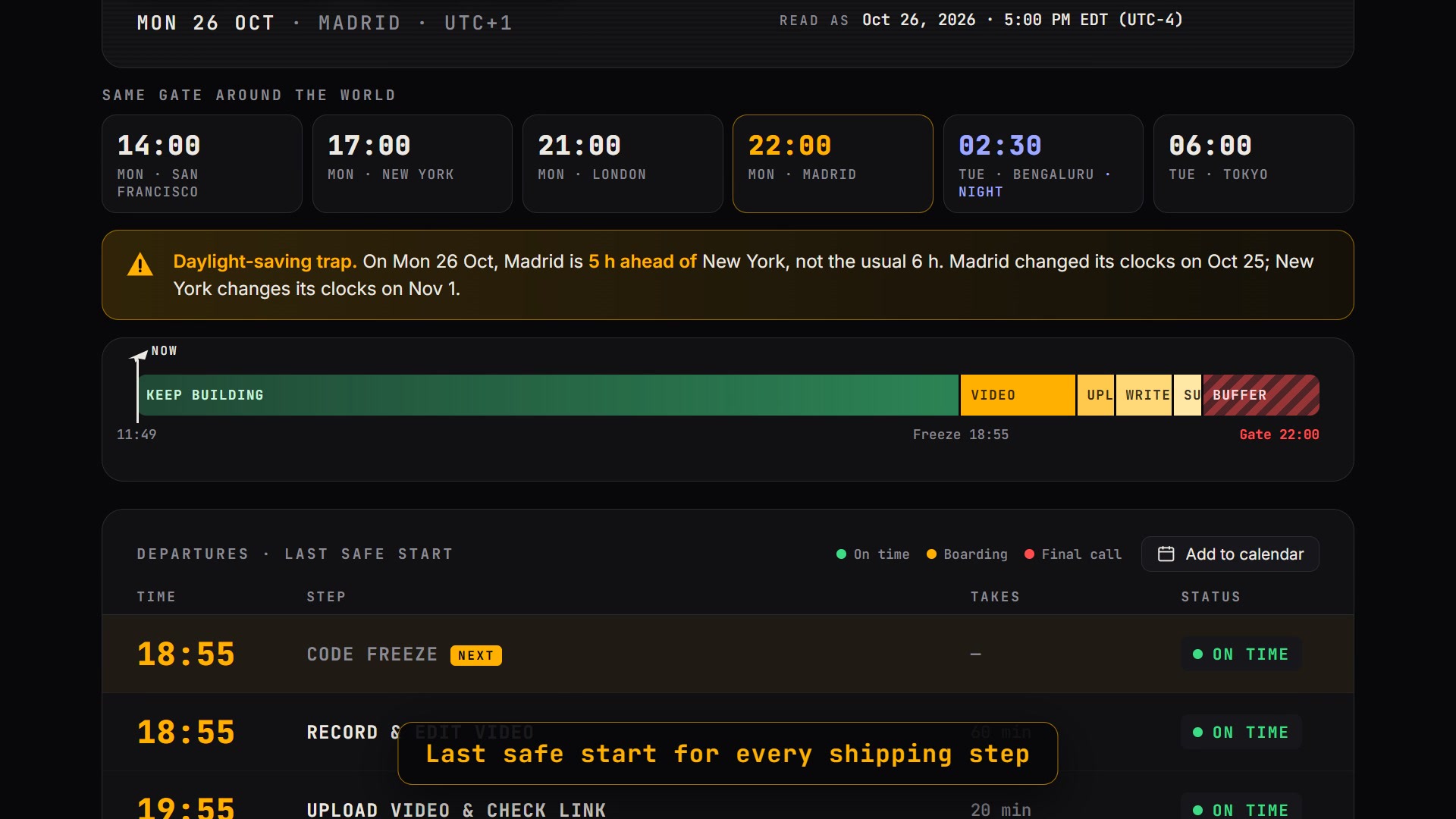
- Daylight saving warnings: Detect unusual differences between time zones and flag potentially incorrect time-zone abbreviations.
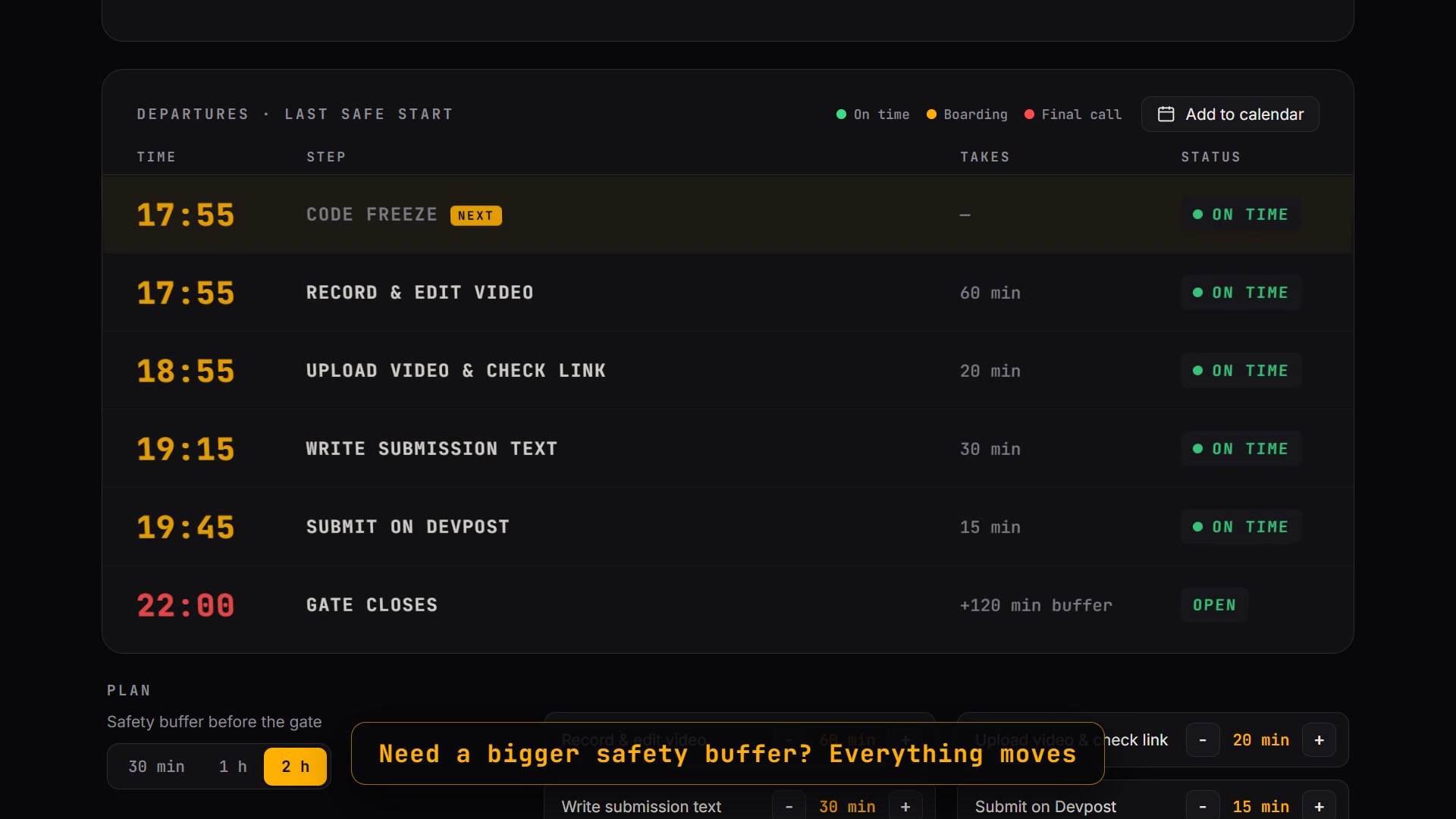
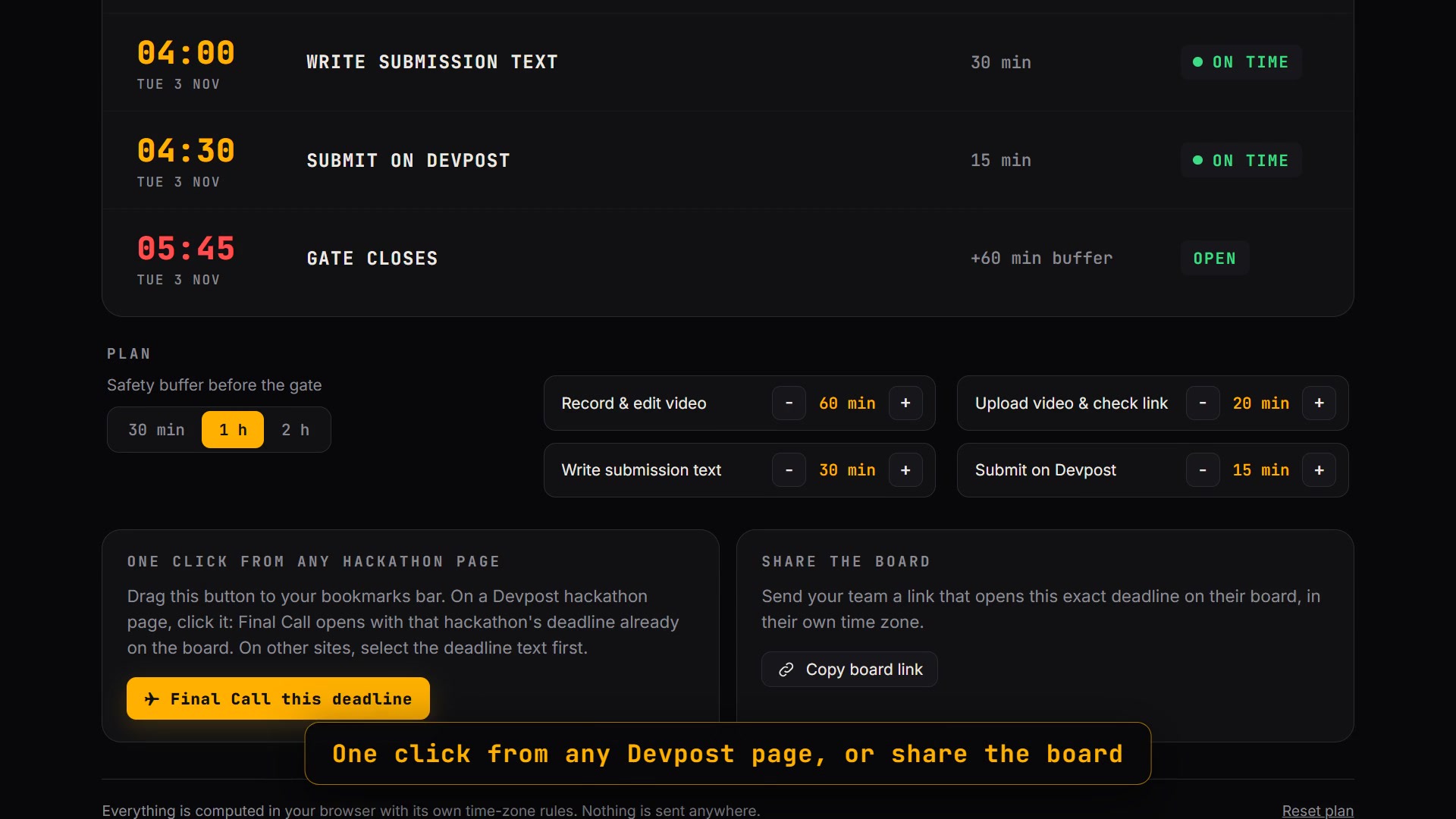
- A backward-planned schedule: Calculate the latest safe time to freeze the code, record the demo, upload the files, write the submission text, and submit the form.
- Live task statuses: Each step moves through On time, Boarding, Final call, and Departed.
- A visual timeline: See the time remaining until the deadline.
- Useful extras: Check times in other cities, export a calendar event as an
.icsfile, share a deadline through a link, and use a bookmarklet to capture deadlines from Devpost.
Privacy was also an important consideration. There are no user accounts or backend server. The application runs in the browser and stores deadline information locally on the user's device.
How I built it
I followed the structured development workflow taught in the Devpost course, using AI as an active part of the development process.
Rather than starting with code, I organized the project into several planning and implementation stages:
- Scope: Defined the target user, the core problem, the essential features, and what would deliberately remain out of scope. Features such as user accounts, notifications, and directly reading hackathon websites were excluded to keep the project manageable.
- PRD: Described the user journey and the expected behavior of each feature.
- Technical specification: Defined how the application would parse deadlines, calculate time differences, and generate a backward plan.
- Incremental implementation: Built the application in four usable stages: deadline parsing and conversion, daylight saving warnings, the live task plan, and finally error handling, local persistence, and calendar export.
- Testing and deployment: Used 11 automated tests with Node.js to check deadline parsing, time calculations, and planning logic before publishing the application through GitHub Pages.
The application uses plain HTML, CSS, and JavaScript, without requiring installation or a backend. It relies on the browser's Intl API for time-zone rules.
I used Claude Code and the course skills to carry out the implementation. Given the same-day deadline, I directed the process, made scope and product decisions, and delegated much of the coding work to the AI agent. The demo video was recorded using a dedicated demo mode that reproduces the user journey consistently.
Challenges I faced
One of the most challenging parts was handling daylight saving time correctly.
There are two different problems that can look similar to users: the temporary mismatch between European and American clock changes, and a deadline that uses a time-zone abbreviation inconsistent with its date. Initially, the warnings did not distinguish these cases clearly enough. Testing helped identify the issue, and I separated them into two different warnings.
Parsing deadlines was another challenge. Different hackathon websites use different formats, sometimes including a year, sometimes omitting the time zone, and sometimes using offsets such as UTC+2. The application needed to handle these variations without silently making incorrect assumptions.
I also had to decide what not to build. Direct website integration and mobile notifications would have been useful, but including them would have made the project considerably larger. I focused instead on making the core experience reliable and useful.
Finally, everything had to come together in a single day. That made a clear scope, incremental development, and automated testing especially important.
What I learned
This project showed me why planning before coding matters, particularly when working with AI coding tools.
Writing the scope, PRD, and technical specification helped turn a broad idea into smaller, testable requirements. It also made it easier to decide which features were essential and which could wait.
I also learned that AI-generated code still needs to be tested against real-world edge cases. Time zones are a good example: a feature can appear to work correctly under normal conditions but fail during the week when Europe and the United States change their clocks on different dates. The automated tests helped validate the expected behavior and exposed cases that needed more attention.
Another lesson was that using AI effectively is not simply about asking it to write code. It also involves defining the problem, setting constraints, reviewing behavior, and making decisions about what the product should do.
Because the deadline was so tight, I delegated most of the implementation to Claude Code while guiding the process. In a longer project, I would spend more time exploring edge cases, testing with a wider range of real deadlines, and refining the user experience.
What's next
There are several improvements I would like to explore:
- Multiple deadlines in one dashboard: Manage several hackathons simultaneously instead of tracking each one separately.
- Direct deadline capture: Extract deadlines from hackathon websites without requiring users to copy and paste them.
- Mobile notifications: Provide reminders before critical submission milestones.
The goal is to make Final Call a reliable companion for anyone participating in online hackathons across different time zones.
Project links
Built With
- claude-code
- css3
- devpost-learn-skills
- github
- html5
- intl-api
- javascript
- node.js

Log in or sign up for Devpost to join the conversation.