-
-

Running a task: only the current task, full screen. It never auto-advances
-

Home: one number — the time your whole day is done
-

Report: what actually happened, with no scolding and no streak
-

History: past days, kept entirely on the device
-

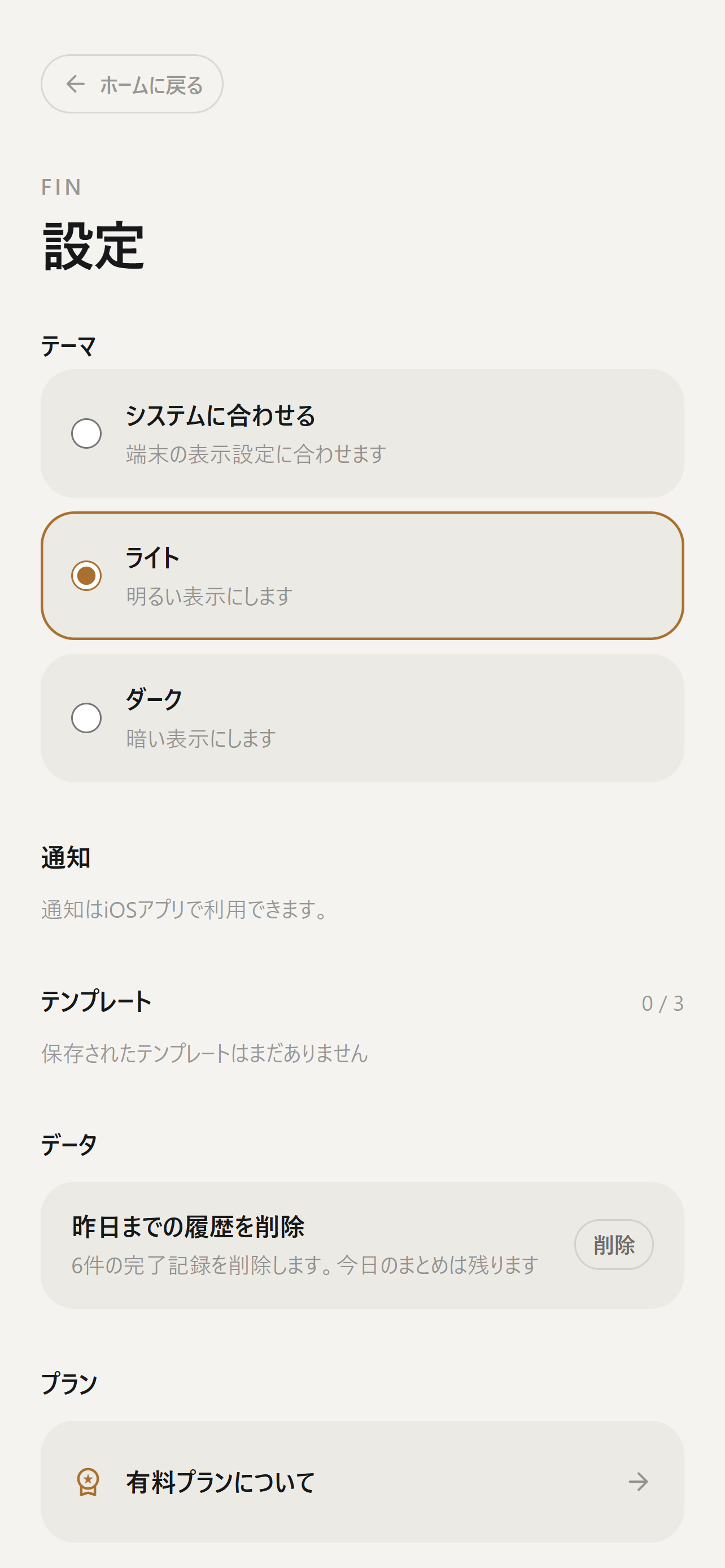
Settings, including the Pro subscription handled by RevenueCat
-
App icon (1024x1024, uncropped)




Inspiration
Most task managers answer "what should I do?" I kept needing an answer to a different question: "when will this actually be over?"
A to-do list of ten items tells you nothing about your day. It just sits there, growing. For people who struggle to start — including people with ADHD — that open-ended list is exactly the thing that makes starting impossible. You can't begin something with no visible end.
I also noticed that most productivity apps are built to push you: streaks, red overdue badges, "you failed today" summaries. The people who need the most help are the people who already feel bad about themselves. An app that scolds you gets deleted on the day you need it most.
So I built the opposite.
What it does
Fin asks one extra thing when you add a task: how many minutes will it take?
From that, it shows you a single number — the time your whole day will be done. Add a task, the number moves later. Finish one early, it moves earlier. That one number turns an infinite list into a day with an end.
When you start working, Fin shows only the current task, full screen, counting down. Nothing else is visible. It does not auto-advance to the next task — you decide when you're ready.
What Fin deliberately does not have:
- No streaks, no combos, no "you broke your chain"
- No red overdue warnings, no guilt screens
- No feeds, no social, no gamification
The whole design brief was one word: don't blame the user.
How I built it
- Next.js 15 + React 19 for the app itself, deployed on Vercel — which means it also runs as a full web app with no install required. You can try the entire thing in a browser before ever downloading anything.
- Capacitor 7 wraps the same codebase as a native iOS app.
- RevenueCat (
@revenuecat/purchases-capacitor) handles Pro — monthly, yearly (with a 7-day trial) and a one-time lifetime purchase. - Codemagic builds and ships to App Store Connect, so the whole iOS pipeline runs without owning a Mac.
- Tasks are stored locally on the device. No account, no sign-up, no server holding your tasks.
Challenges I ran into
Designing restraint is harder than designing features. Every instinct as a developer says "add a stat, add a chart, add a streak." Each one I added made the app feel more like every other productivity app, and more like something that would eventually make the user feel bad. Cutting them back out took longer than building them.
The screenshot problem. A "calm, spacious, low-contrast" app is exactly the app that disappears in an App Store search grid. I had to design the store screenshots almost inversely to the app: one huge number per frame, hard contrast, no explanatory text.
Shipping iOS without a Mac. Capacitor plus Codemagic made it possible, but the feedback loop on native config issues is long, and each mistake costs a full build cycle.
Accomplishments that I'm proud of
The app does one thing, and the one thing works. There was a real temptation to launch with more, and not doing that was the hardest and best decision in the project.
It also runs fully in the browser, so the distance between "saw a link" and "used the app" is a single tap. No install, no account.
What I learned
Constraints are a feature. Deciding who this is not for made every other decision faster.
Also: the users who most need a tool like this are the ones most likely to have been let down by tools like this. Tone is not decoration — it is the product.
What's next for Fin
- Shipped: on the App Store since 2026-08-13; version 1.3 is live now
- Getting it into the hands of people who actually struggle to start, and rebuilding around what they say
- Android via the same Capacitor codebase
Built With
- capacitor
- codemagic
- css
- ios
- next.js
- react
- revenuecat
- swift
- typescript
- vercel


Log in or sign up for Devpost to join the conversation.