-
-
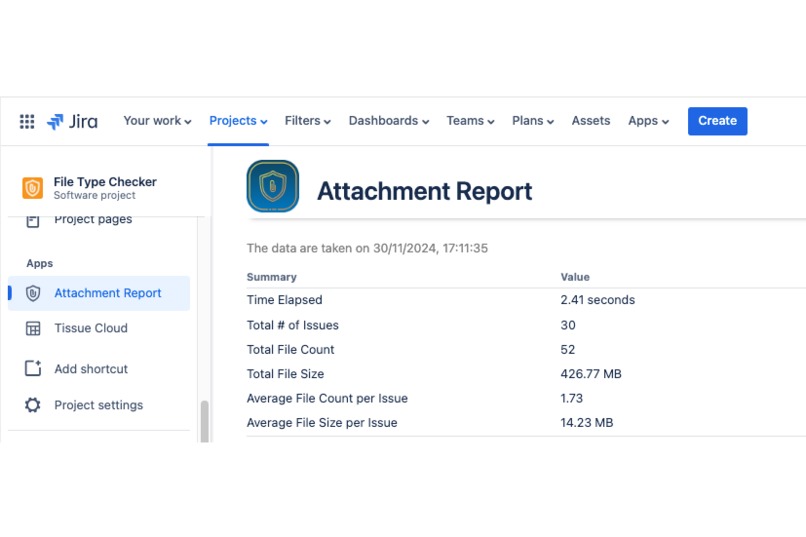
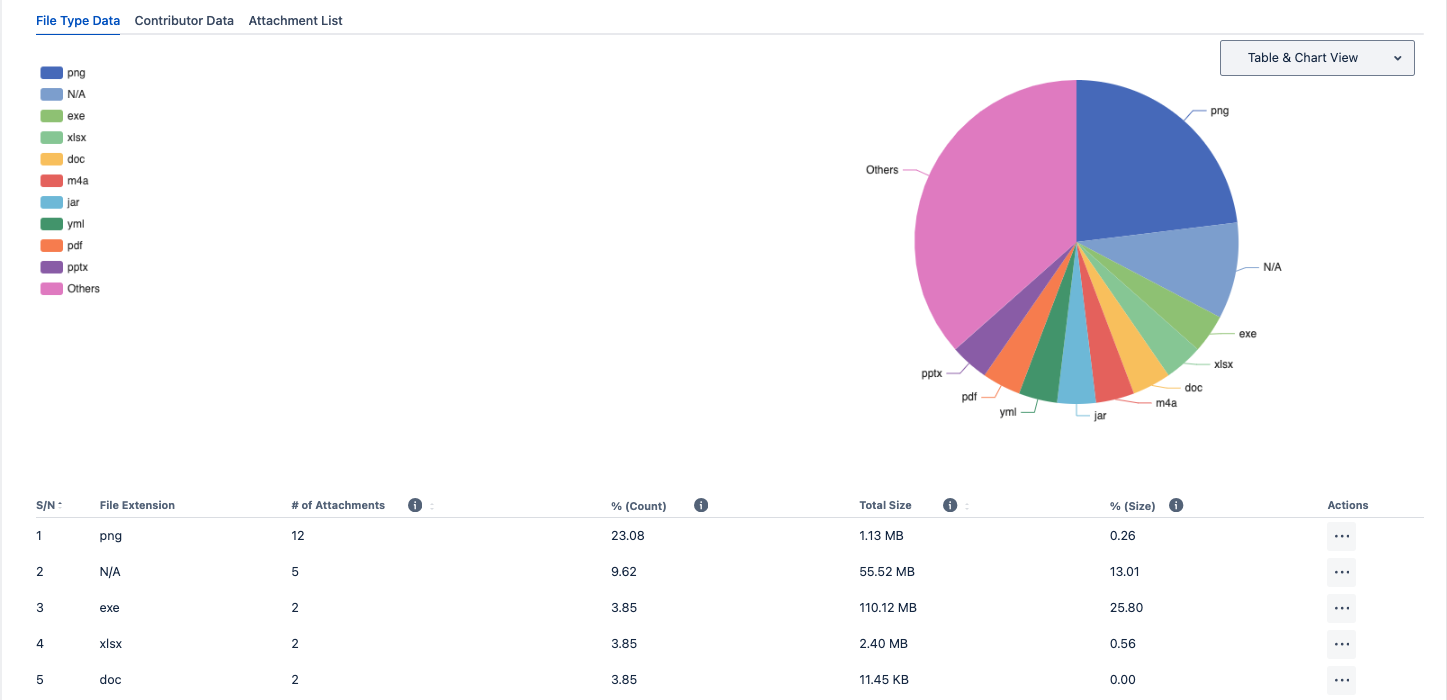
A summary of the attachments in the Jira project
-
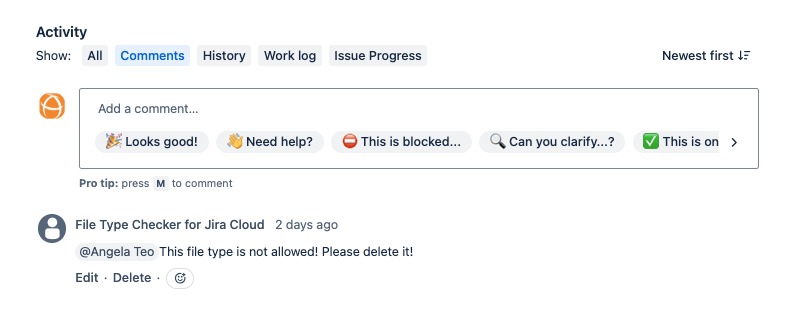
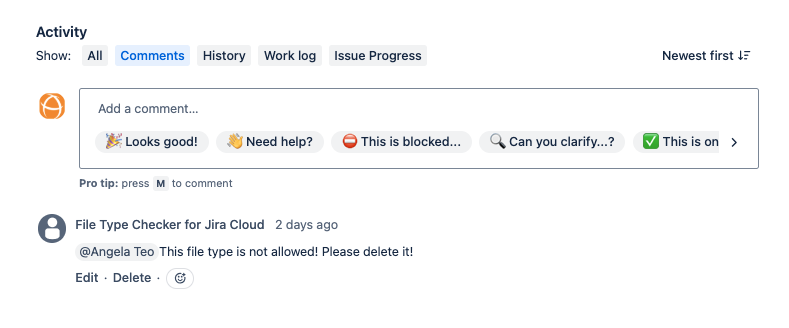
Comment to alert users when they uploaded a restricted page
-
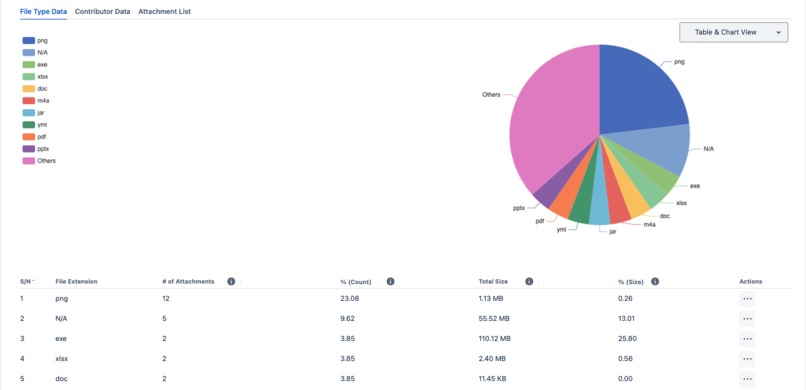
Check the composition of attachments in your Jira project
-
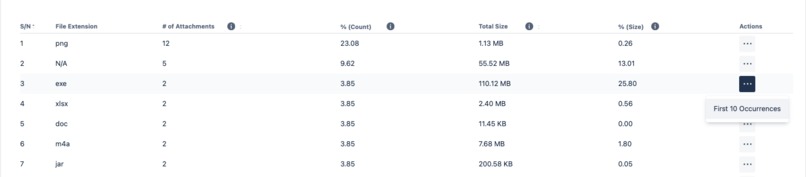
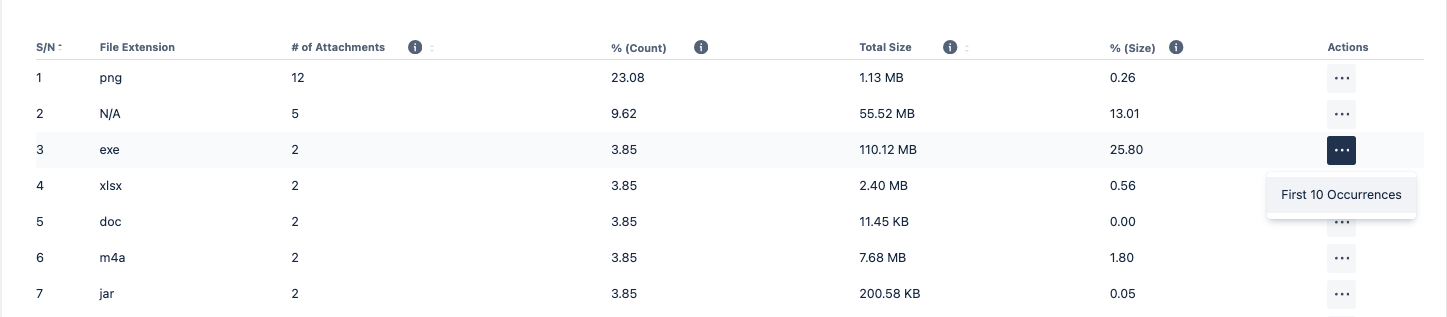
Drill in to see occurrences of the denied file type from the issues
-
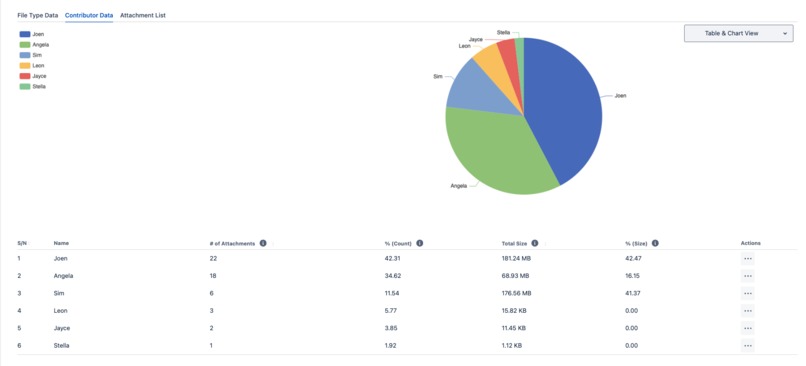
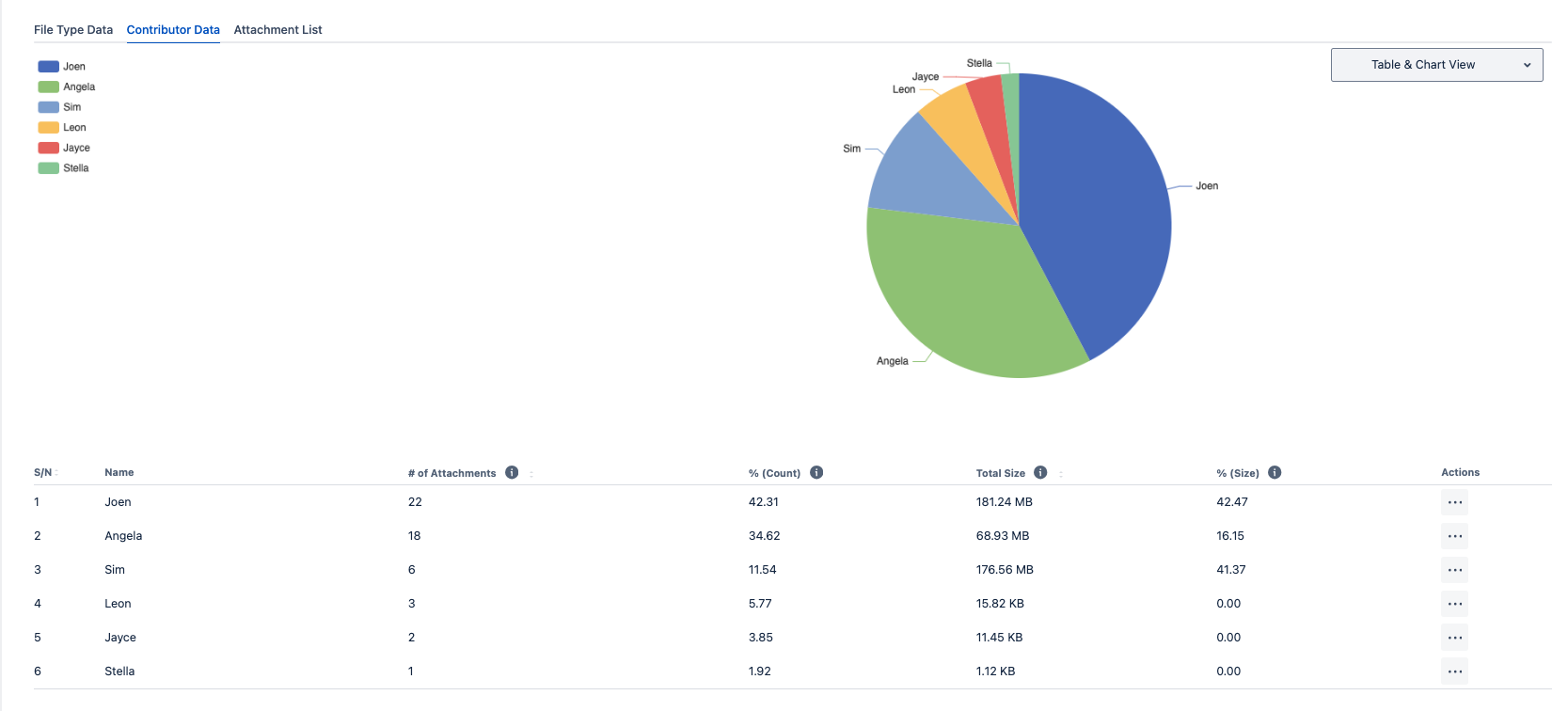
Identify the users who have been uploading files for the project
-
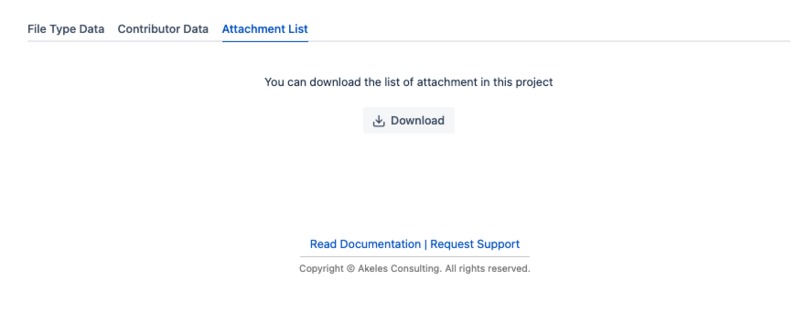
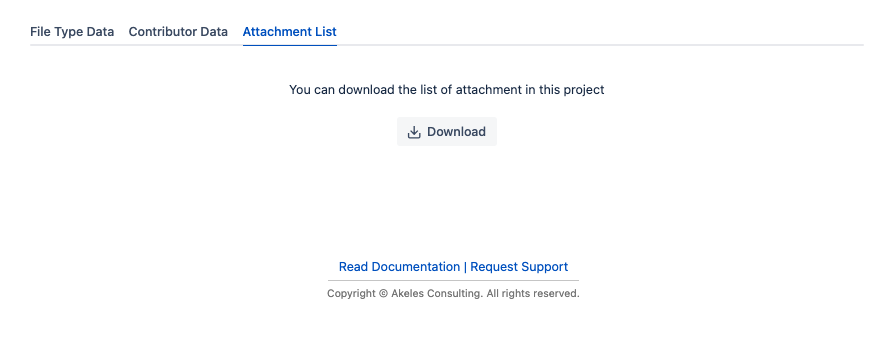
Download the list of attachments with metadata for advanced reporting
-
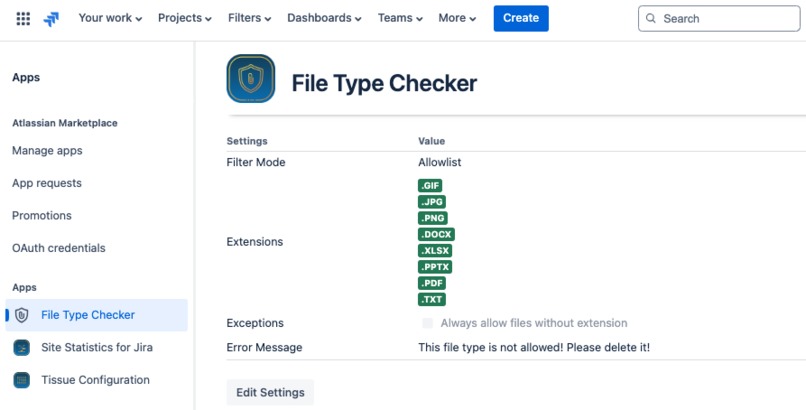
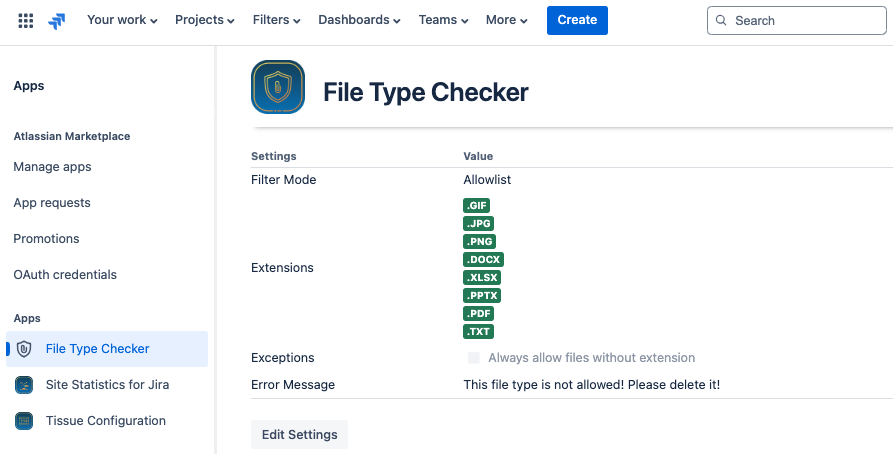
File Type Checker configuration page
-
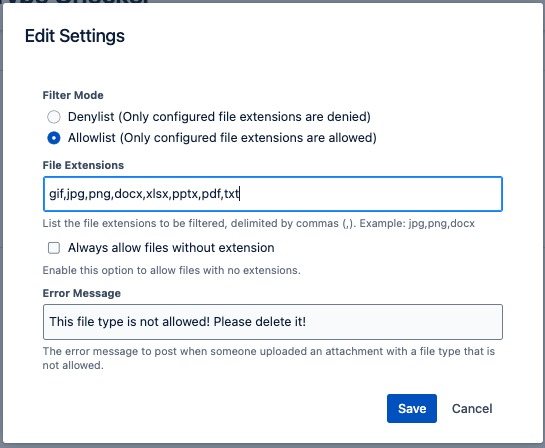
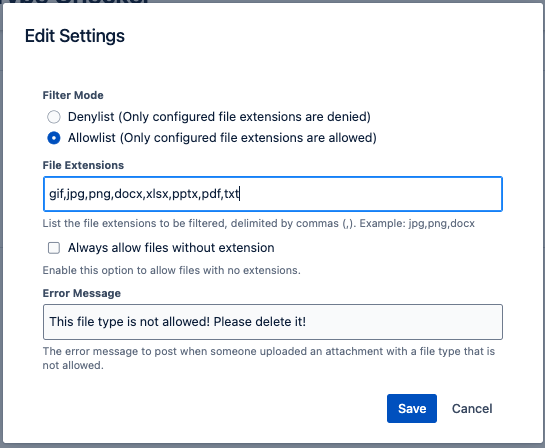
Configurable list of file extensions for flexible attachment policy
Inspiration
Many of our users who are migrating to Atlassian Cloud have asked for a Cloud edition of the Attachment Checker for Jira.
Previously, we were concerned about the data security risks associated if the files are processed outside Atlassian infrastructure.
As the Atlassian Forge framework matures, it became viable to build a Jira Cloud app to identify malicious/unwanted attachment file uploads. Forge is a suitable framework since it supports zero data egress as well as data residency.
What it does
File Type Checker helps to implement an attachment security policy on Jira Cloud.
It will alert users when they uploaded a file that is not allowed by posting a comment in the Jira issue.

Jira Admins can configure the mode (allowlist/denylist) and specify the file extensions for the list
A bonus feature is that Project Admins can view reports which answers the commonly asked questions
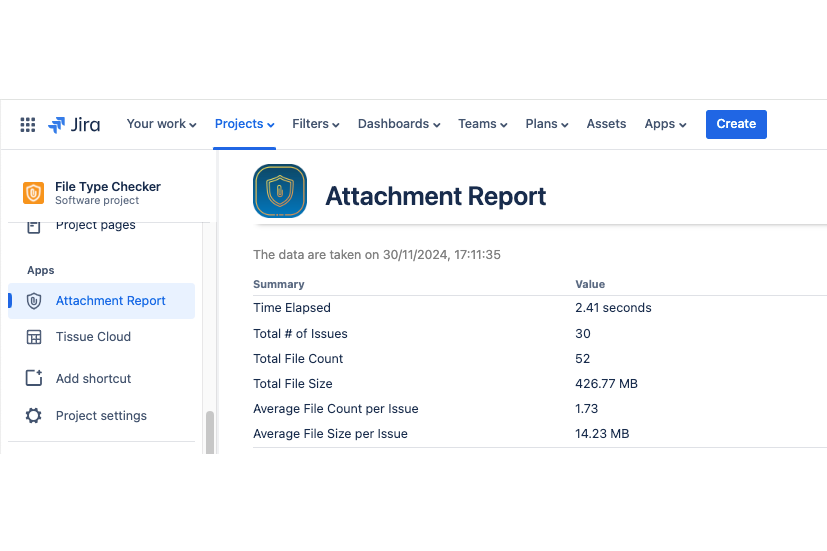
- How many attachments are there in the project and how much disk space is used?
- What is the composition of file types within the project?
- How to find the issues containing the unwanted file types?
- Who are the users who have been uploading a lot of files?
- Can I download the full list of attachments for this project?
How we built it
File Type Checker for Jira Cloud is built on Atlassian Forge Platform using nodeJS and Javascript.
Challenges we ran into
The first blocker is that we are unable to implement MIME type checking to idenfify users who purposely change the file extension to skip through checks.
The MIME type returned in the REST API response seems to be derived from the file extension. Changing the file extension of an exe file to jpg will cause Jira to return image/jpeg
Nevertheless, it is fairly safe since the file will not auto execute until the file extension is reverted.
Another challenge is how to list all the issues which contains an unwanted file type. It may not be scalable for very large Jira instances since the app does not have direct access to the Jira database.
Then we realised malicious files should be an exception rather than a norm. So we addressed the challenge by displaying only the first 10 occurrences of each identified file extension.
Accomplishments that we're proud of
We are quite pleased with ourselves that we manage to cook up a feature-packed app within a short duration (since Codegeist 2024 was announced).
I think this is also partially because of our experience with Forge, given that we already have 11 Forge apps listed on Atlassian Marketplace and our previous Codegeist participation over the years.
We are happy with the improvements the Forge development team has added, which made the features possible for us to implement.
What we learned
Don't let perfection become the enemy of good
We would not get across the challenges if we insist on 100% precision.
There are many ways to solve a problem. File Type Checker will not be possible if we wanted to replicate all the features from Attachment Checker. By looking from a different perspective, it gave us freedom to design afresh.
Hence we decided to give the app a new name (instead of calling it Attachment Checker) to reflect its different approach in tackling attachment security.
What's next for File Type Checker for Jira Cloud
There are many more features planned in our roadmap, but we want to get feedback from the users since we are trying out some new ideas.
Hence our immediate priority will be to list the app on Atlassian Marketplace.
If the Jira Cloud users find this beneficial, we can also implement something similar for Confluence Cloud too! 😁


Log in or sign up for Devpost to join the conversation.