-
-
Intro
-
Demo
-
Explore
-
Connect
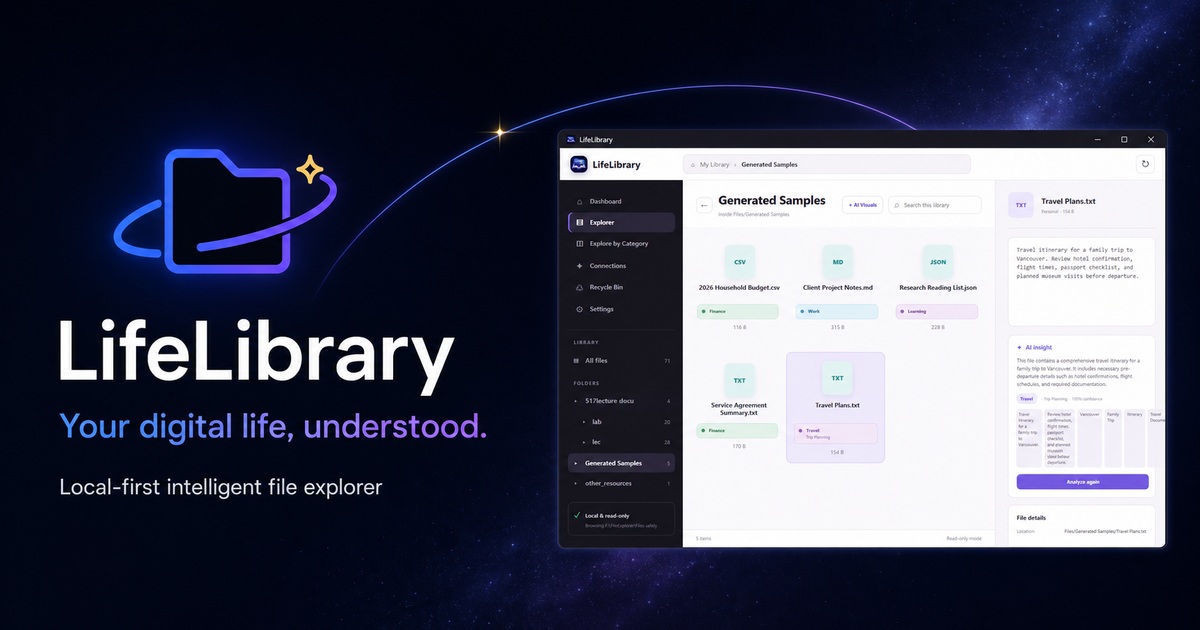
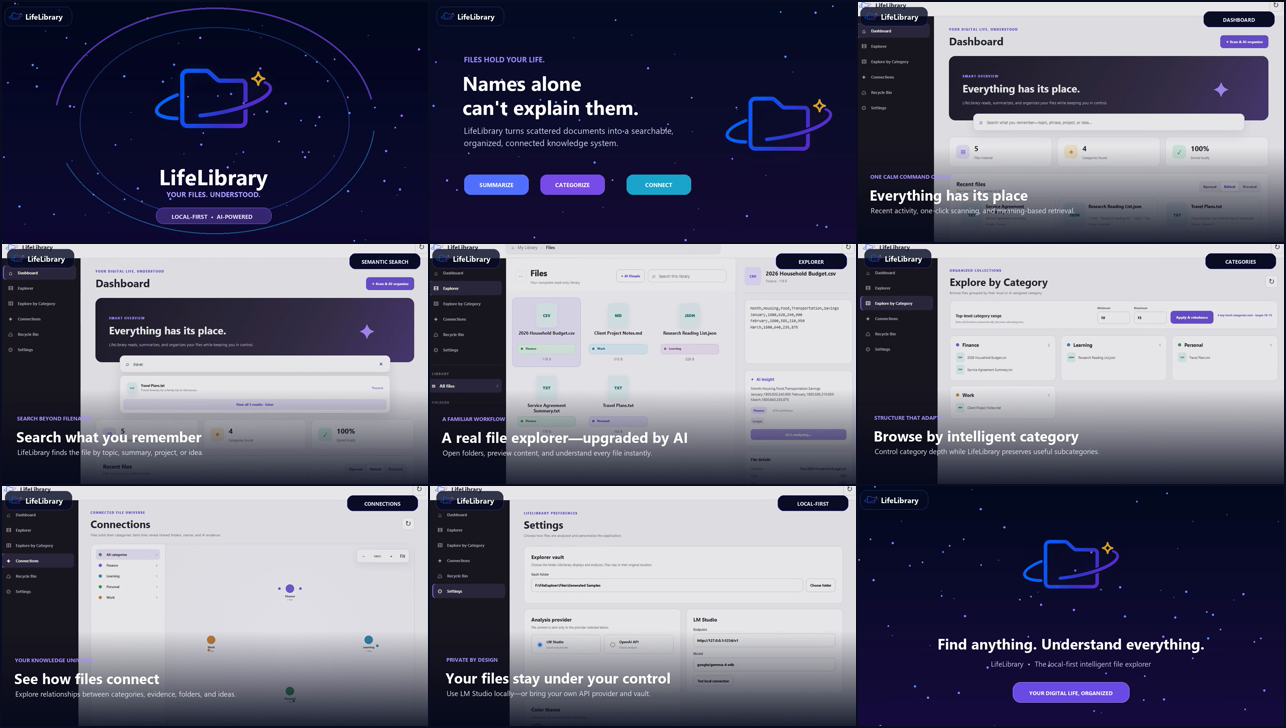
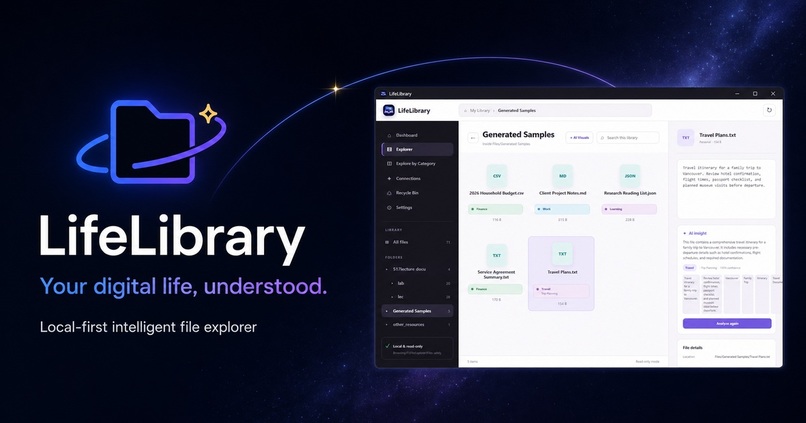
Your files already contain a life of knowledge. LifeLibrary makes it understandable, searchable, and connected.
MADE WITH CODEX 5.6
Explore the LifeLibrary website · View the source on GitHub
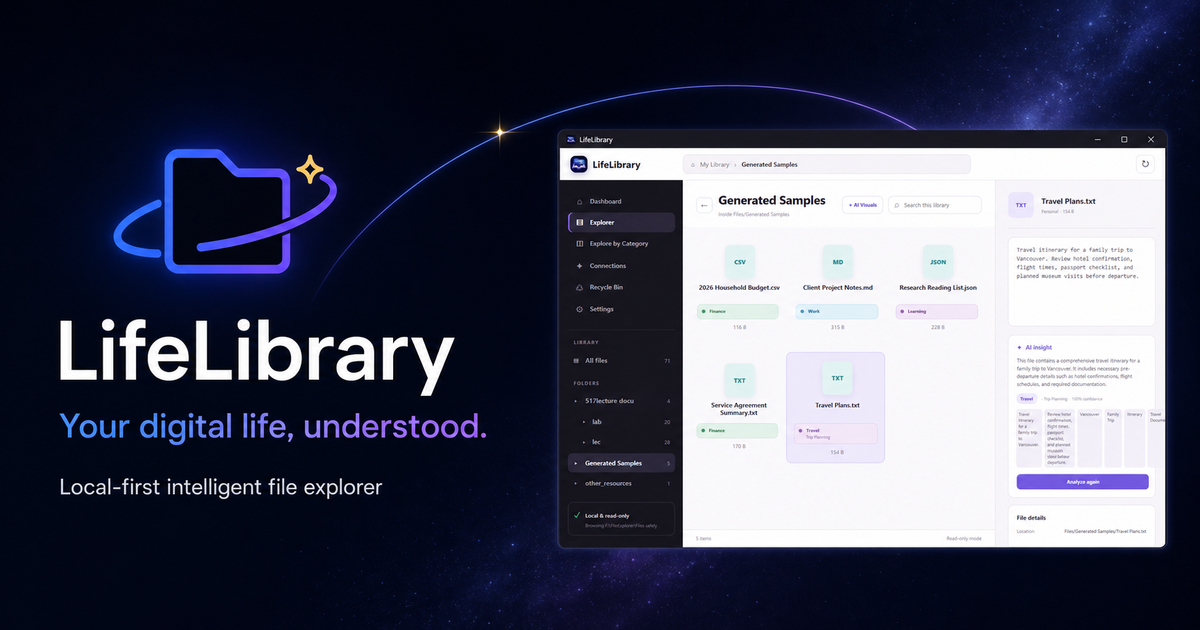
At a glance
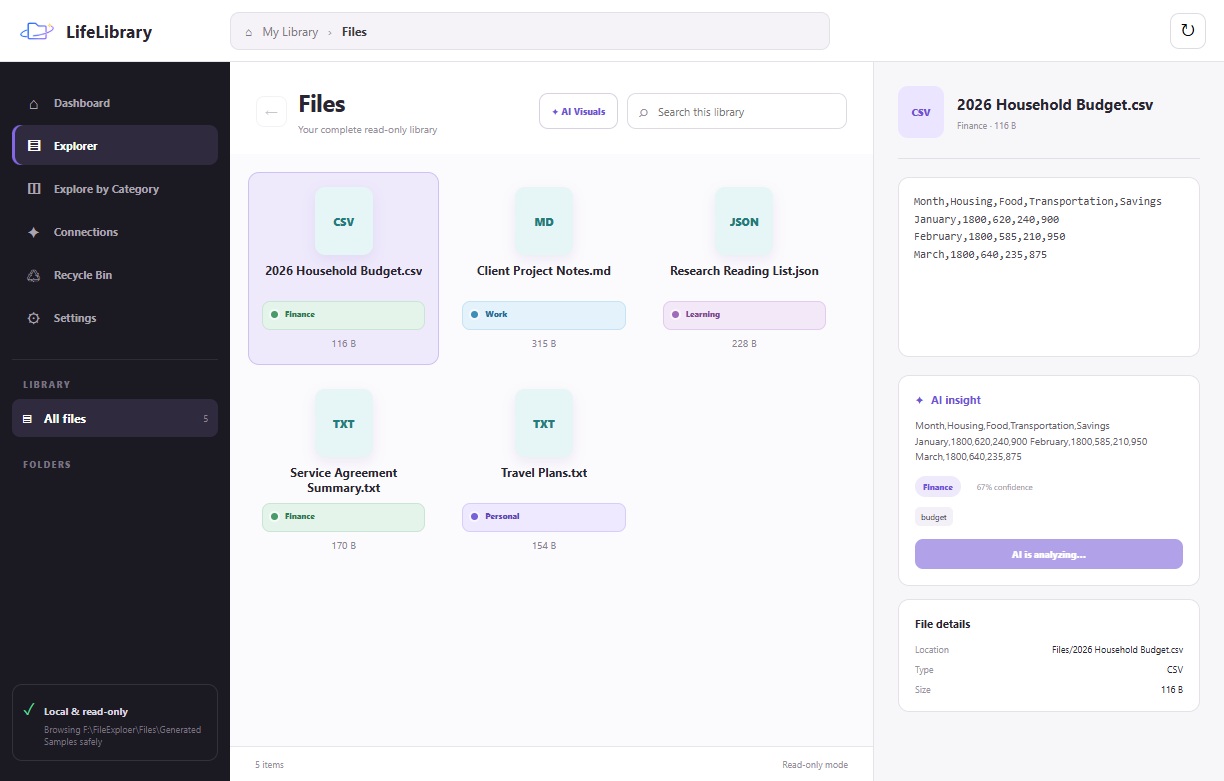
- A real desktop file explorer: browse folders, preview files, and open originals with familiar interactions.
- AI that explains itself: every analyzed file can include a summary, category, subcategory, confidence, tags, and supporting evidence.
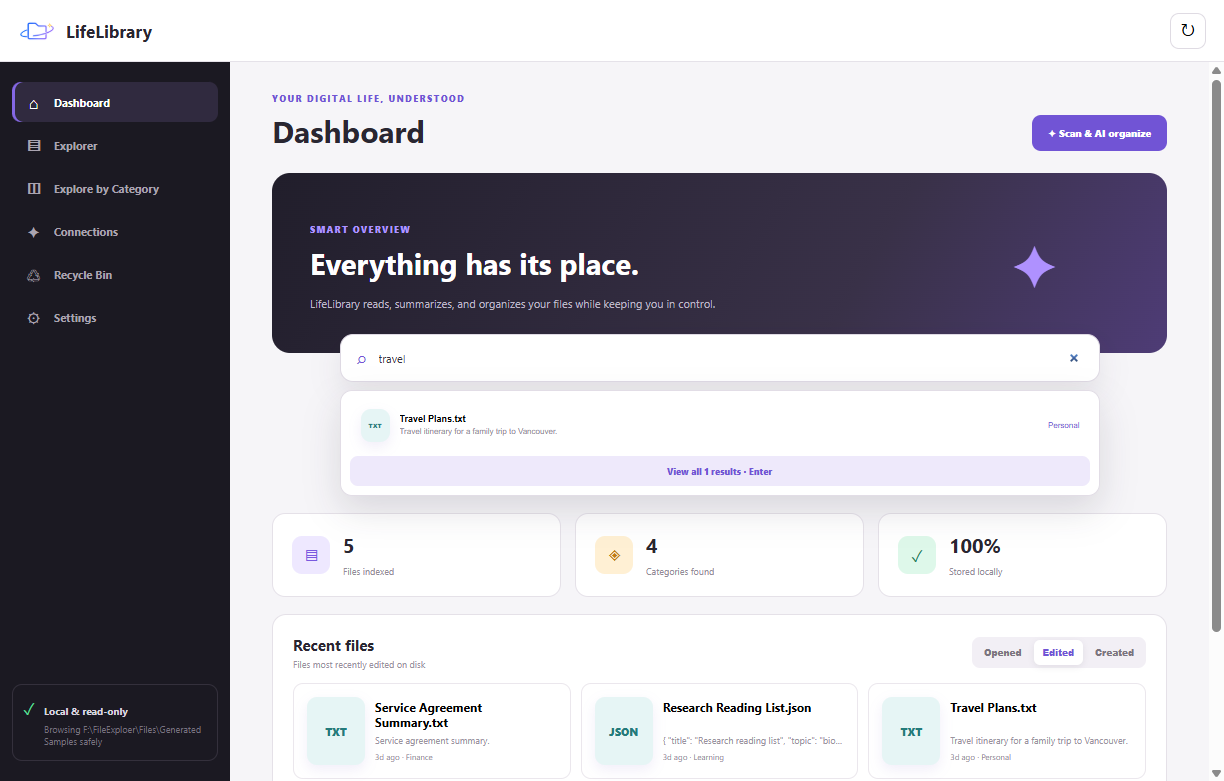
- Search by meaning: find a document from what it was about, even when you cannot remember its name or location.
- Private by choice: run analysis locally through LM Studio or opt into an OpenAI-compatible cloud model.
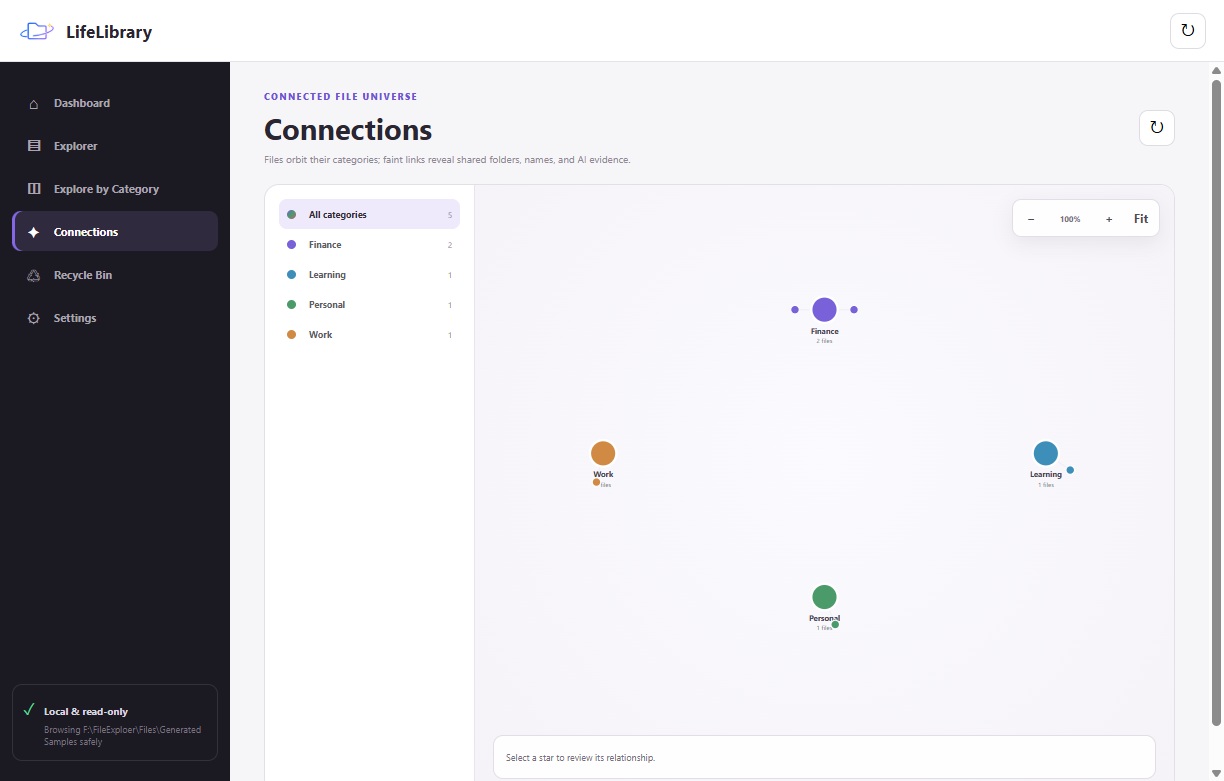
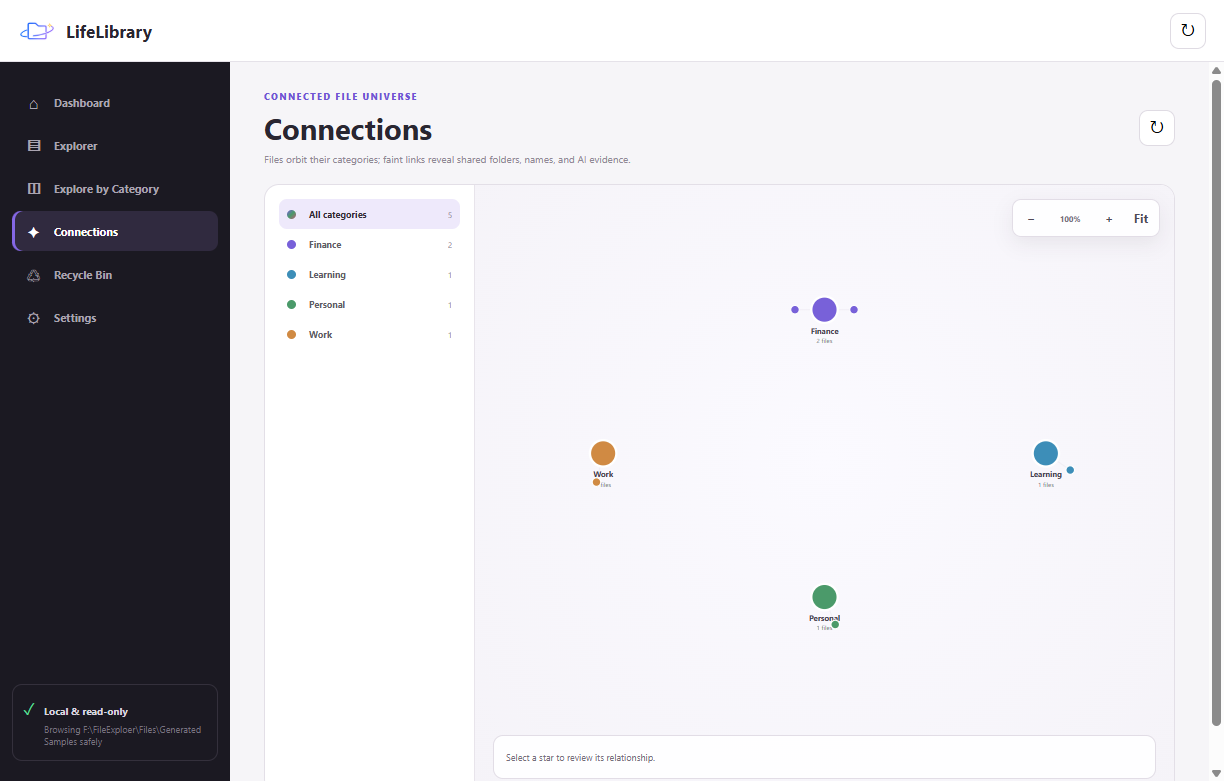
- Knowledge, not clutter: explore categories and see relationships between files in a zoomable visual universe.
Product showcase
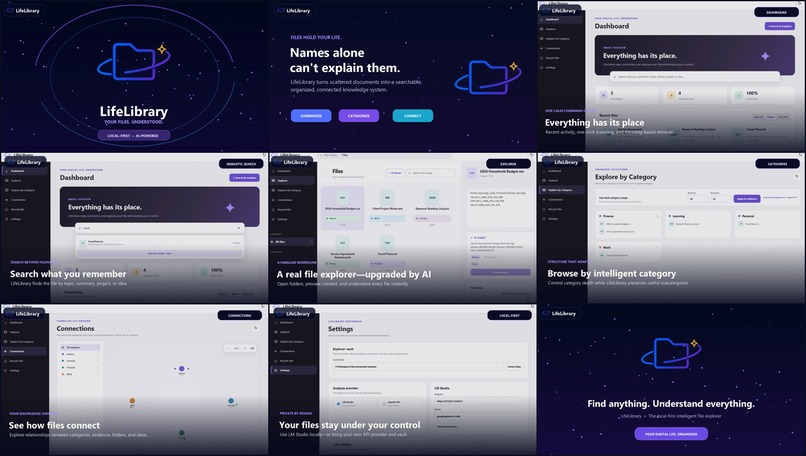
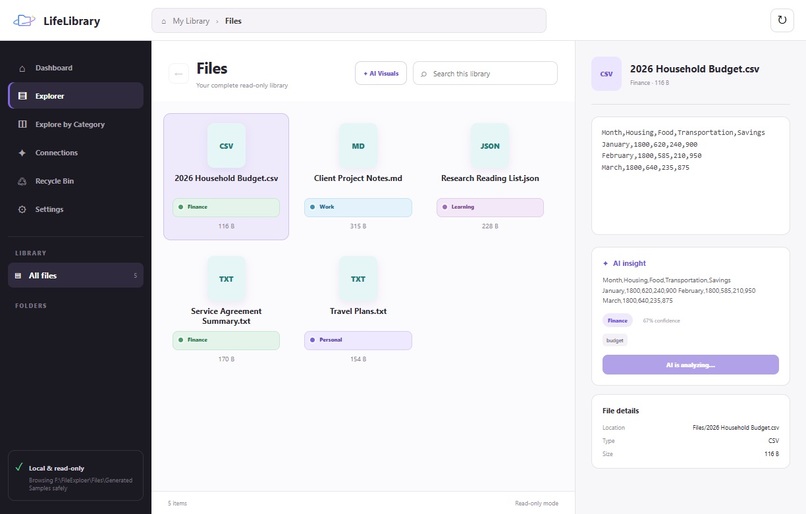
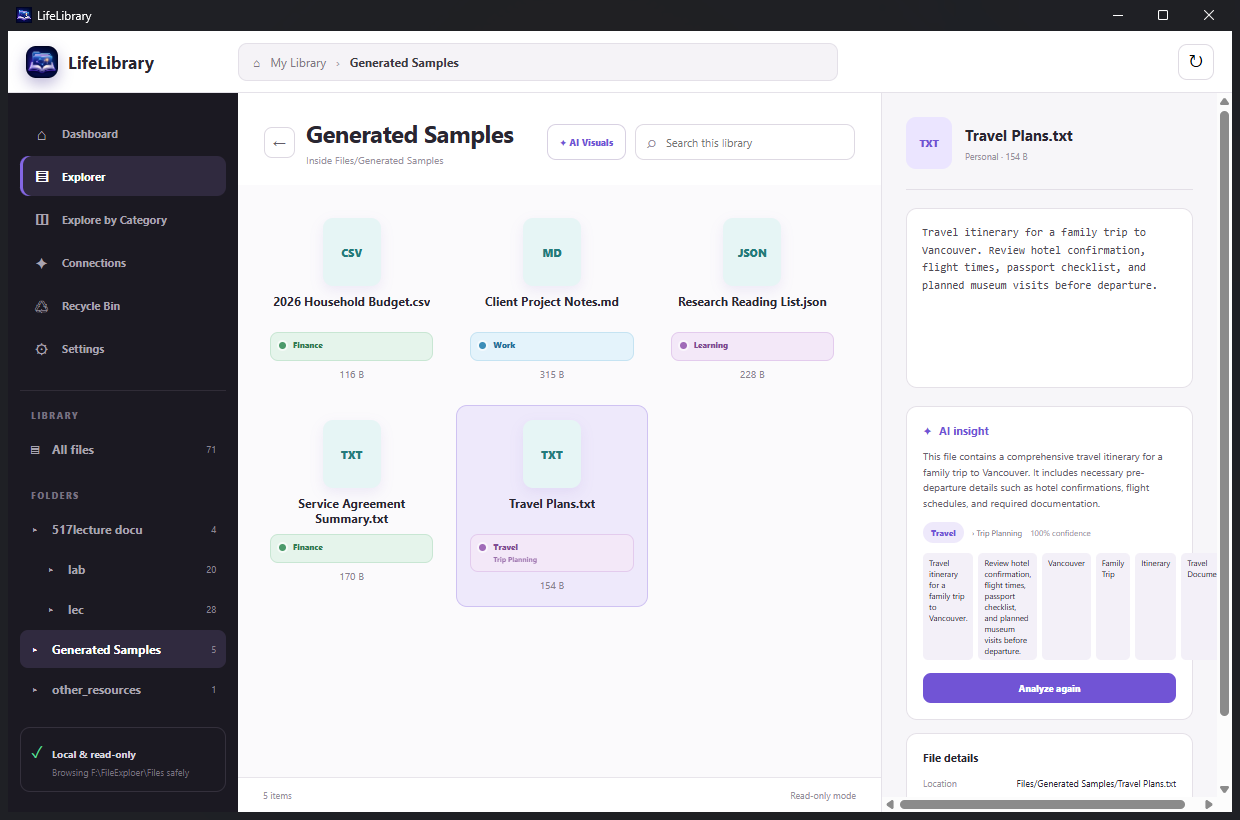
A real intelligent file explorer
Search by meaning, not only filenames
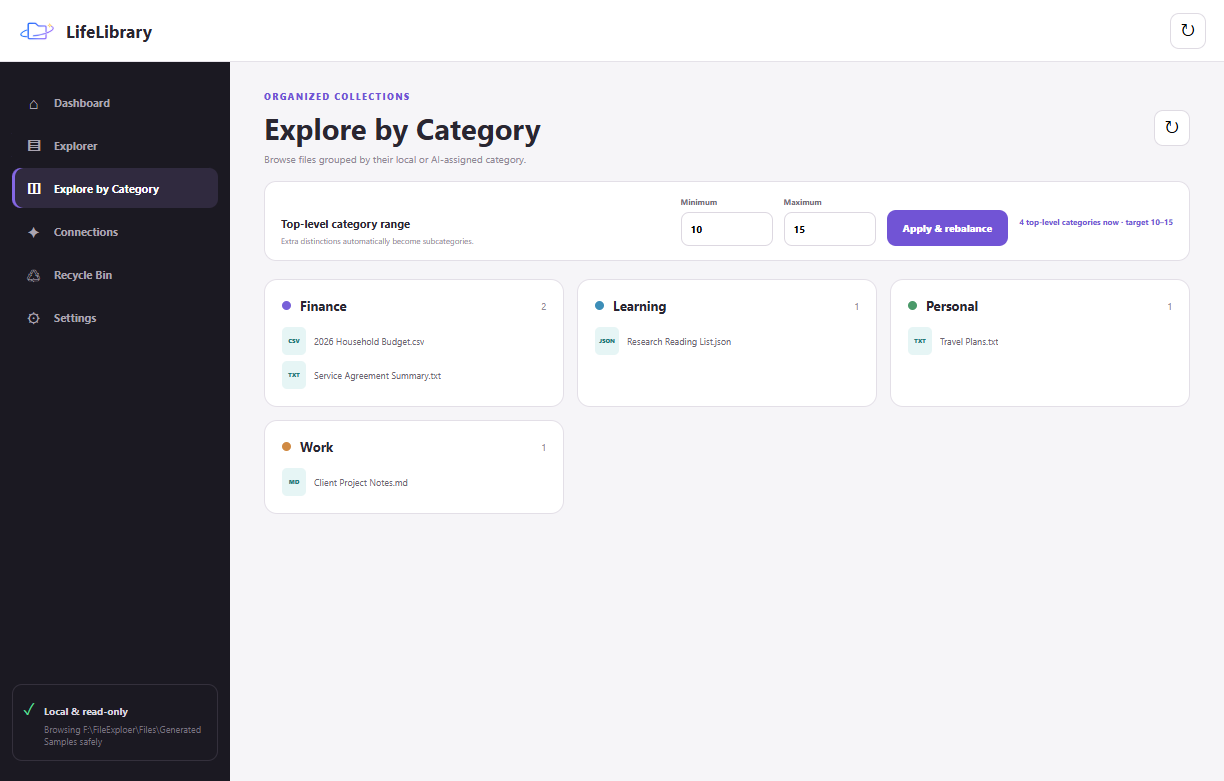
Browse an adaptive category system
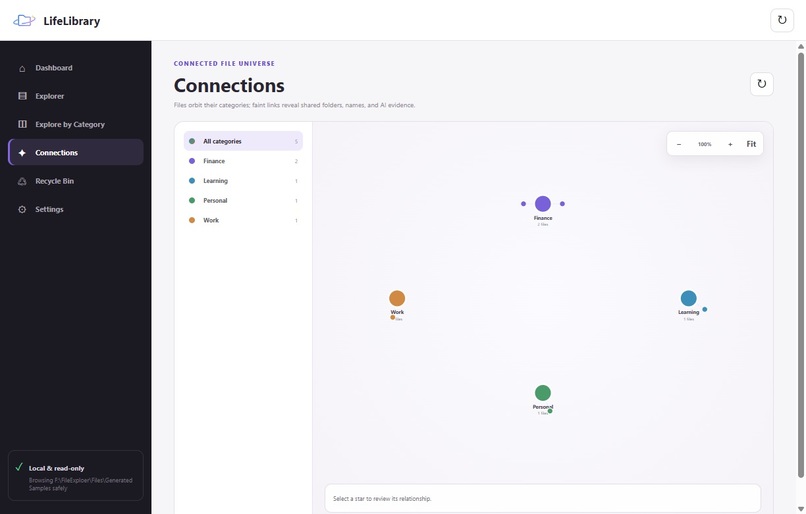
See relationships in the file universe
Inspiration
Most people do not lose files because the files are gone. They lose them because they cannot remember the exact filename, folder, or date. A student remembers “the lab with the recovery graph,” a parent remembers “the form we used last summer,” and a designer remembers “that blue reference image”—but the operating system asks for literal names and paths.
LifeLibrary rethinks the file explorer as a personal knowledge layer. It preserves the directness and trust of folders while adding enough intelligence to understand what every file is about.
What it does
LifeLibrary is a Windows desktop file explorer that adds intelligence without replacing the filesystem people already understand.
- Summarizes and categorizes documents with a local or OpenAI-compatible model.
- Extracts useful content from PDF, DOCX, PPTX, CSV, JSON, Markdown, and plain-text files.
- Displays real folders and files in an icon-based Explorer with previews and native open behavior.
- Searches across filenames, summaries, categories, tags, and AI evidence.
- Remembers AI classifications across rescans instead of returning files to Uncategorized.
- Builds a controlled set of top-level categories while preserving specific topics as subcategories.
- Surfaces recently opened, edited, and created files.
- Visualizes clusters and cross-category relationships in a zoomable file universe.
- Preserves real image thumbnails and creates document-specific visual cards for non-image files.
- Supports rename, reveal, recycle, restore, and permanent-delete workflows inside a validated library boundary.
The result is not a scanner that produces a report. It is a file explorer people can use every day.
How it works
- Choose a library. The user selects the folder LifeLibrary is allowed to browse.
- Extract safely. The app reads a bounded amount of useful text and metadata, keeping large documents responsive.
- Understand and remember. The selected AI provider returns structured summaries, categories, subcategories, tags, confidence, and evidence. LifeLibrary validates and stores the result locally.
- Explore naturally. The user can browse folders, search by meaning, inspect categories, discover relationships, and open the original file at any time.
Why it matters
Digital clutter affects almost everyone, but existing solutions often force a tradeoff between rigid manual folders, cloud upload, enterprise complexity, and opaque AI automation. LifeLibrary is built around three principles:
- Familiar: files remain files, folders remain folders, and double-click still opens the original item.
- Explainable: AI categories are supported by summaries, confidence, tags, and evidence.
- Private by choice: users can analyze entirely through LM Studio or explicitly opt into a cloud provider.
This makes LifeLibrary useful to students, researchers, creators, families, freelancers, and small teams. The same foundation can grow from a personal desktop utility into an intelligent knowledge layer for every place people store files.
How we built it
LifeLibrary uses Electron, Node.js, HTML, CSS, and JavaScript to deliver a native-feeling Windows desktop experience.
- Desktop architecture: a context-isolated preload bridge exposes a deliberately small IPC surface to the renderer.
- Document extraction: bounded parsers pull useful context from PDFs, Office documents, structured data, and text without loading every page of a large file.
- AI pipeline: the configured model returns a structured taxonomy record containing category, subcategory, summary, confidence, evidence, and tags.
- Persistent index: validated results are stored locally so categorization survives rescans and powers semantic search, recent activity, and visual exploration.
- Adaptive taxonomy: a category layer limits top-level complexity and moves narrower concepts into subcategories without discarding meaning.
- Connections: a lightweight knowledge graph combines folders, categories, filenames, tags, and shared AI evidence.
- Filesystem safety: every file operation resolves and verifies its path before it can run inside the selected library boundary.
The packaged Windows build keeps settings and indexes in the user’s application-data directory and uses a dedicated Documents library by default, so it does not depend on the development workspace.
How Codex and GPT-5.6 were used
Codex was the development partner across architecture, Electron IPC, filesystem safety, document extraction, persistent indexing, local-model integration, semantic search, category visualization, file-universe interactions, automated tests, UI iteration, privacy review, and Windows packaging.
LifeLibrary also includes an OpenAI-compatible provider path for GPT-5.6-class structured analysis. The same interface can run locally through LM Studio when privacy is the priority.
Challenges we ran into
The hardest design problem was adding intelligence without taking control away from the user. We rejected an “AI scan report” approach and built a real Explorer instead.
Other challenges included fitting long categories into a compact icon grid, persisting classifications across rescans, extracting enough signal from large Office and PDF files without sacrificing responsiveness, and making destructive actions recoverable and safely contained.
Accomplishments that we're proud of
- A coherent, runnable Windows desktop product—not a static concept.
- Local and cloud AI provider modes behind one analysis workflow.
- Real document extraction with persistent, explainable categorization.
- Semantic search and recent-file recovery workflows.
- An adaptive category browser and zoomable relationship universe.
- A recycle bin and validated filesystem boundary.
- A tested Windows installer with branded iconography.
What we learned
AI becomes more useful when it appears inside an interaction people already understand. The breakthrough was not generating more metadata; it was placing that metadata exactly where people make file decisions: Explorer cards, previews, search results, category shelves, and relationship maps.
We also learned that trust is a product feature. Local inference, visible evidence, persistent results, recoverable actions, and strict folder boundaries matter as much as the model itself.
What's next for LifeLibrary
- Multiple user-selected libraries.
- Embedding-based retrieval across larger collections.
- Duplicate and version detection.
- Permission-aware team knowledge spaces.
- Encrypted metadata sync across devices.
- Automatic filing suggestions with preview and undo.
- Accessibility, localization, and macOS support.
The long-term opportunity is a personal knowledge operating layer: software that understands a person’s documents without forcing them to abandon the filesystem.
Built With
- codex
- css
- electron
- gemma
- gpt-5.6
- html
- javascript
- lm-studio
- node.js
- nsis
- officeparser
- openai-api

Log in or sign up for Devpost to join the conversation.