Inspiration
File Fit started from a simple personal problem: my Downloads folder was becoming a mess. I had multiple files with similar or identical names, related files scattered across different formats, and no easy way to understand what I already had.
Instead of manually sorting everything, I wanted a system that could understand relationships between files and organize them automatically. That idea started as a personal tool to solve my own problem and eventually evolved into a complete file-organizing product.
What it does
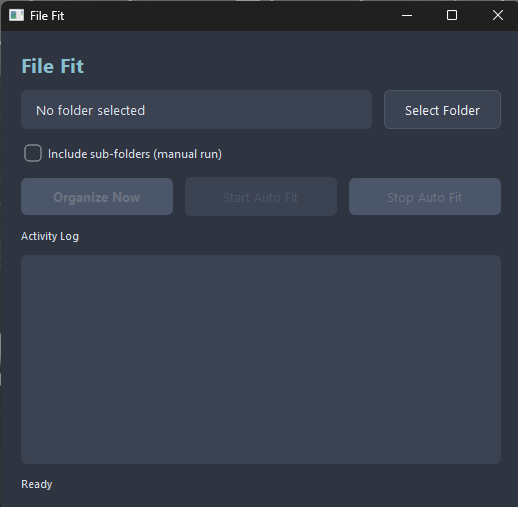
File Fit is a real-time file organizer that groups related files based on their names rather than simply sorting them by file type.
It continuously watches a folder for changes. When a file is added or removed, File Fit automatically updates the organization and either places the file into an existing group or creates a new one when necessary.
The key features are:
Real-time organization: File Fit reacts to file additions and removals as they happen. Completely offline: It does not depend on LLMs, external AI APIs, or an internet connection. Lightweight processing: Instead of reading the complete contents of every file, it primarily uses file names, making the process much less resource-intensive. Semantic grouping: Files are grouped based on what they are about, not simply their extensions. A PDF, DOCX, or PNG related to the same topic can belong to the same group.
The idea is simple: files should be organized by their value and relationship, not just by their format.
How we built it
File Fit uses TF-IDF vectorization to convert file names into numerical representations and HDBSCAN to identify groups of related files.
The application also uses Watchdog to monitor the target directory for filesystem changes. Whenever a file is created, modified, or removed, File Fit reacts to the event and updates the organization accordingly.
The combination of TF-IDF and HDBSCAN allows File Fit to perform local, unsupervised grouping without relying on an external AI service or a large language model.
Challenges we ran into
One of the biggest challenges was making the organization happen in real time while keeping the application lightweight.
A traditional approach could repeatedly scan and analyze every file whenever something changes, but that would become inefficient as the number of files grows. We therefore had to think about how to respond to filesystem events and update the existing organization without unnecessary processing.
Another challenge was getting meaningful groups from file names alone. File naming can be inconsistent, ambiguous, or extremely short, so the quality of the resulting organization depends heavily on the information available in the names.
Balancing accurate grouping, real-time updates, and low resource usage became an important part of the development process.
Accomplishments that we're proud of
What started as a small personal utility became a working product capable of continuously organizing files in real time.
We are particularly proud of building a system that can perform meaningful file grouping without relying on LLMs, cloud services, or external APIs.
The fact that it can work completely offline while handling a large number of files is another major accomplishment. We also found that grouping files by their names rather than their extensions creates a more useful organization system because related files can stay together regardless of whether they are PDFs, documents, images, or other formats.
Most importantly, File Fit solved the original problem that inspired it—and became something useful beyond that initial use case.
What we learned
File Fit taught us that useful products do not always need complicated AI models. Traditional machine-learning and information-retrieval techniques such as TF-IDF and HDBSCAN can solve practical problems effectively when the problem is defined correctly.
We also learned the importance of designing around real-world constraints. Real-time applications need to react efficiently to changes, and offline applications need to carefully balance accuracy with computational cost.
Most importantly, we learned that a project can start from a very simple personal frustration and evolve into a genuinely useful product when the underlying problem is worth solving.
What's next for File Fit
The next major feature we plan to add to File Fit is a rollback system.
Currently, File Fit automatically reorganizes files in real time, but it does not maintain enough information about the previous file structure to easily undo those changes. Once files have been grouped and reorganized, manually restoring the original structure can be difficult.
The rollback system will keep track of File Fit's organizational changes, allowing users to undo or restore previous file arrangements when needed.
This will make File Fit safer to use and give users more control and confidence when letting the application automatically organize their files.
Built With
- hdbscan
- python
- tf-idf
- watchdogs

Log in or sign up for Devpost to join the conversation.