-
-
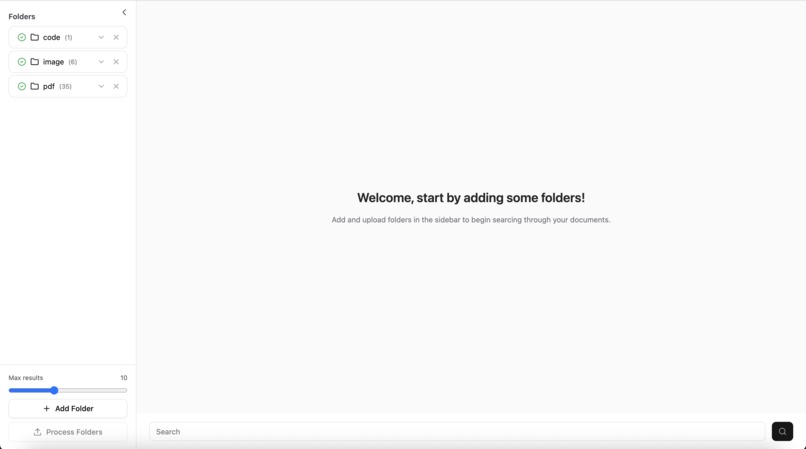
Home Page
-
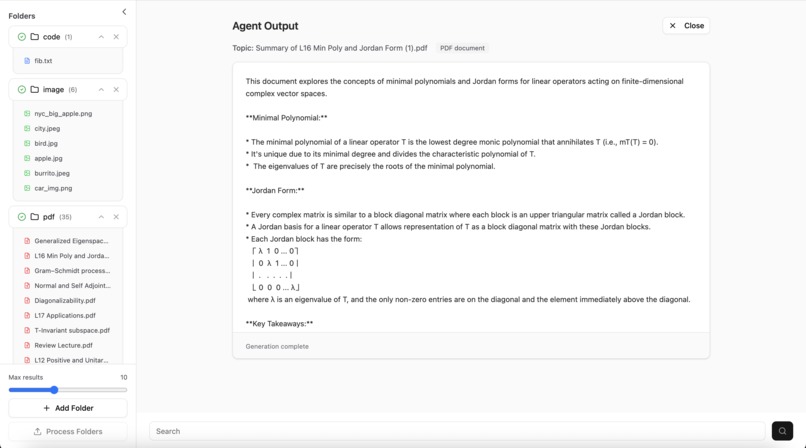
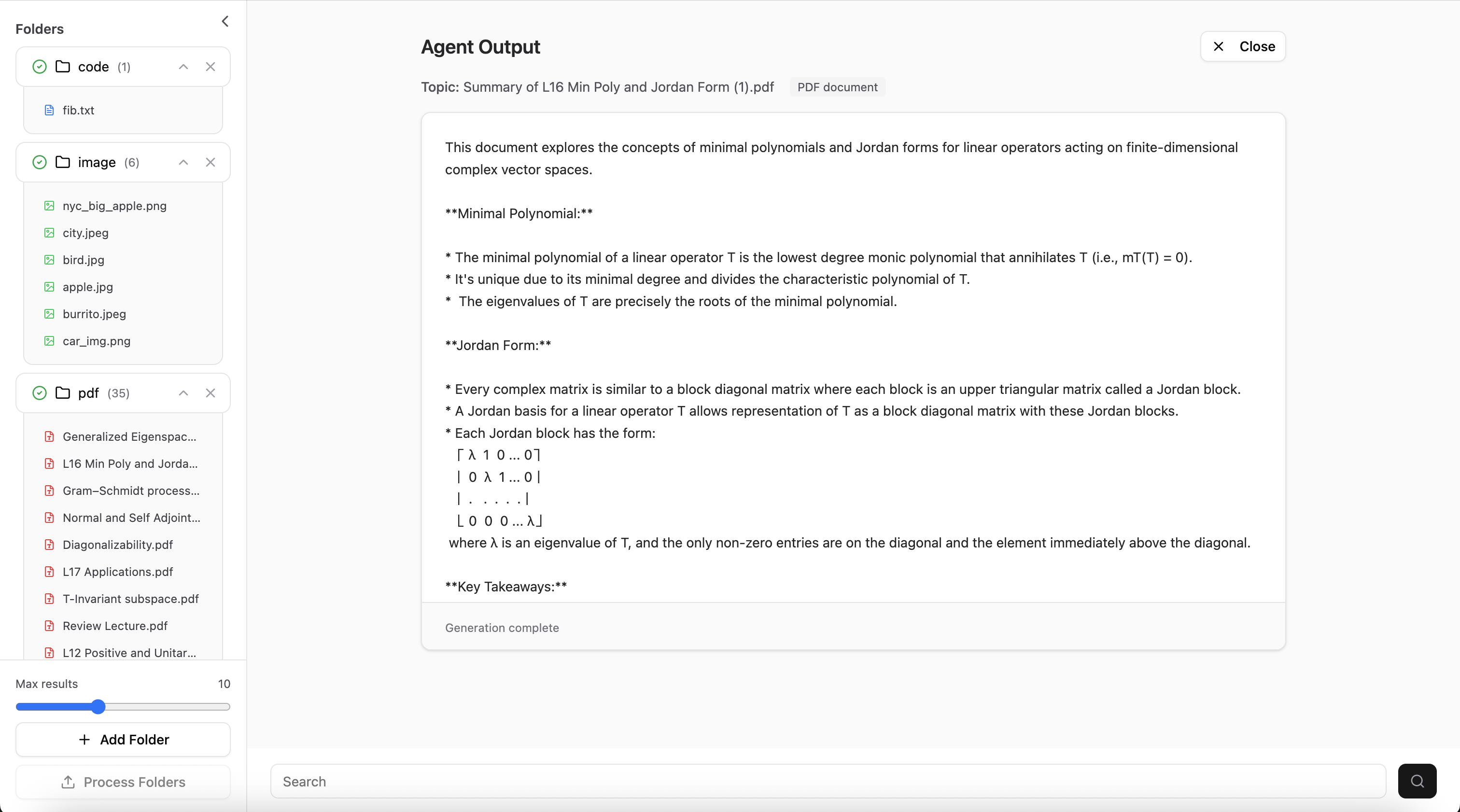
Agent Output
-
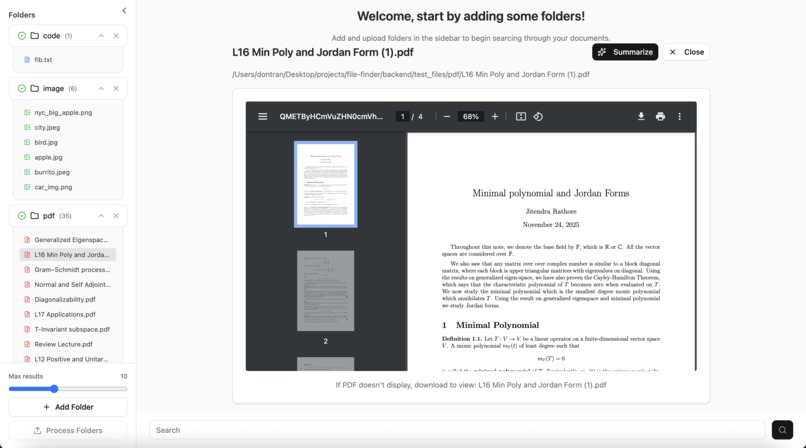
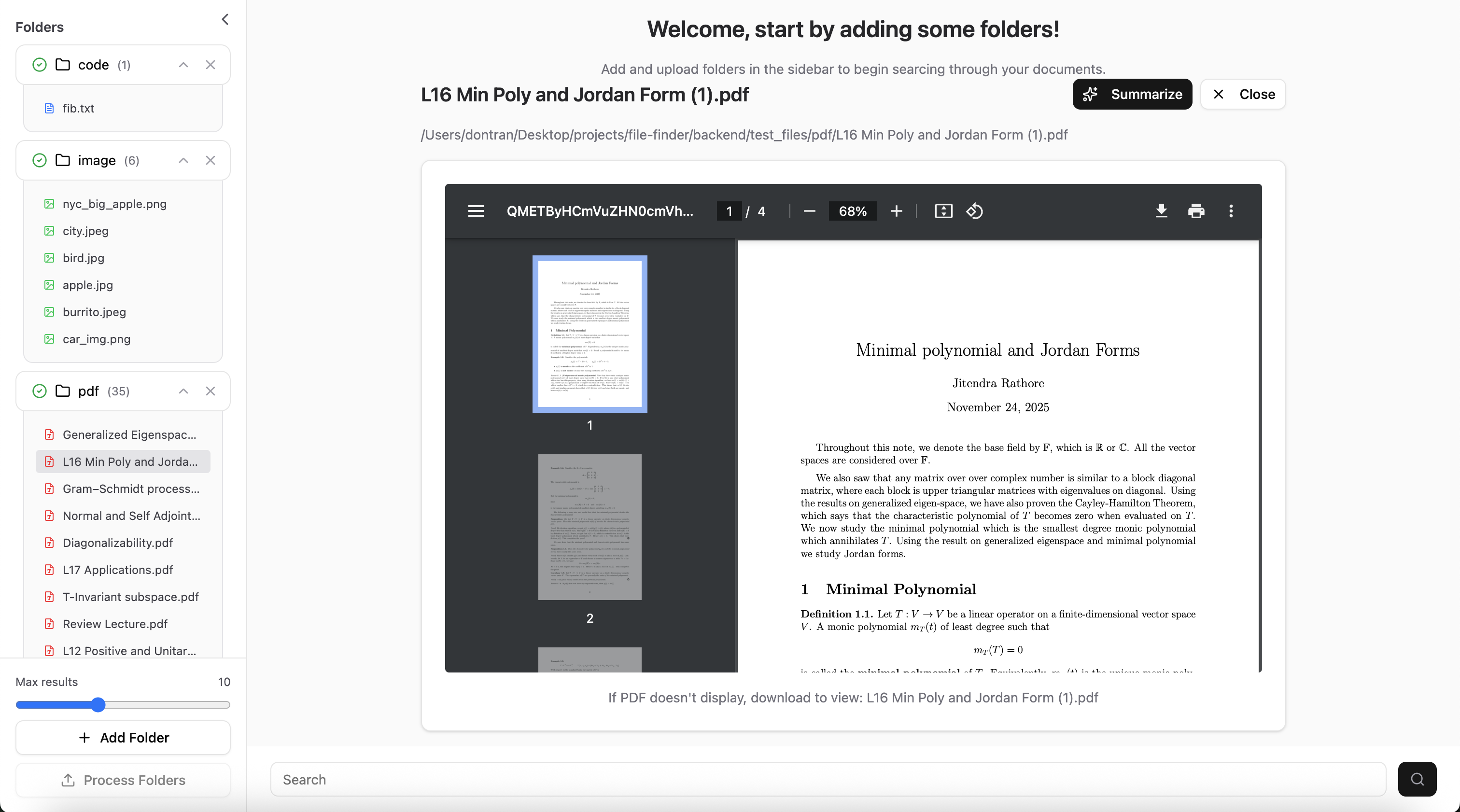
File Viewer
-
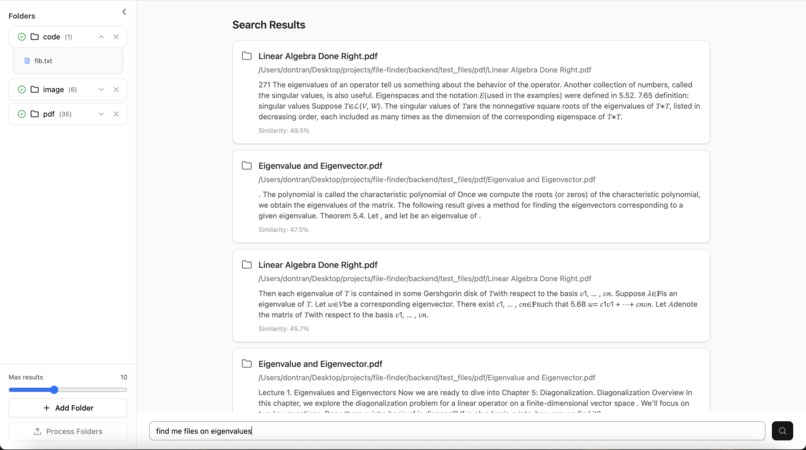
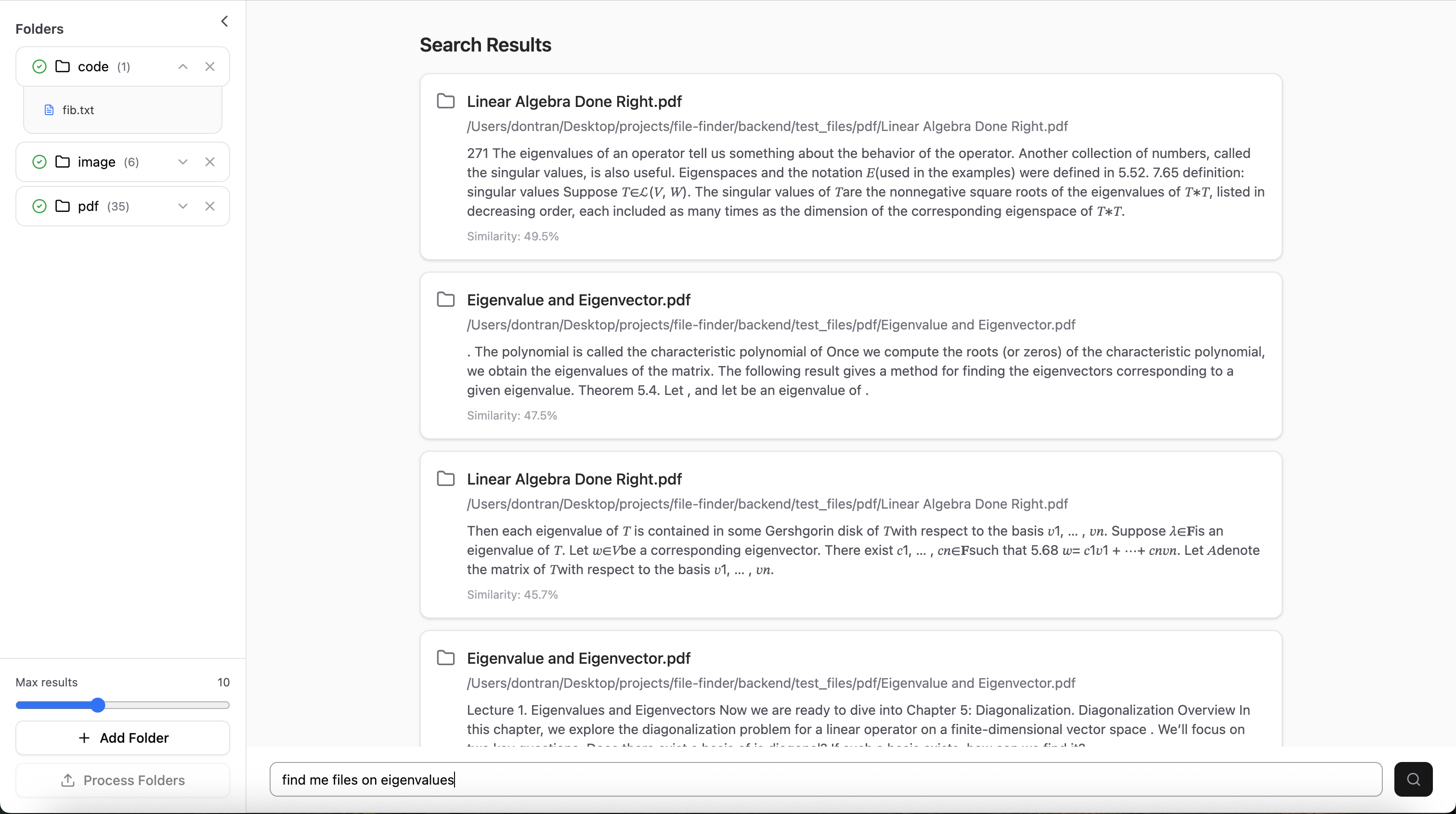
Search
-
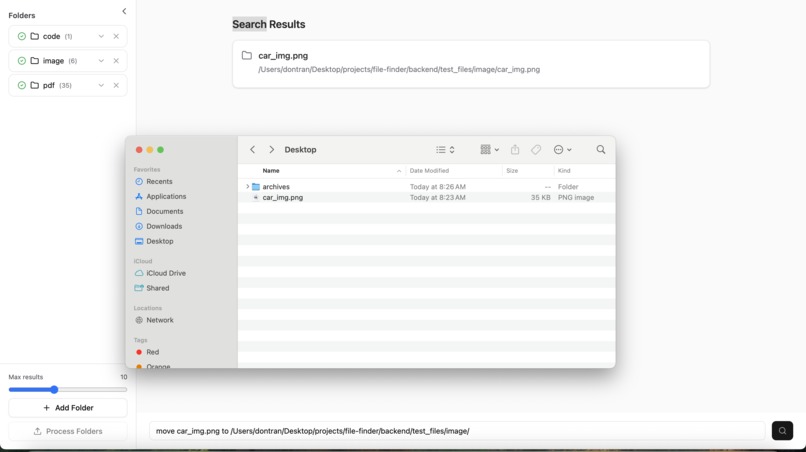
MCP Calls

Inspiration
Throughout our daily lives, we found it a common issue that our computers were constantly cluttered with folders filled with dozens of files. Trying to find important documents like our resumes, school notes, and pictures was a really tedious process, having to comb through so many files with just the file name to rely on. Even the standard search could only find exact matches, which wasn't very helpful in the context of images or broader meanings. Files have so much more information than just their name, so we wanted to take advantage of their content in order to make searching much more efficient.
What it does
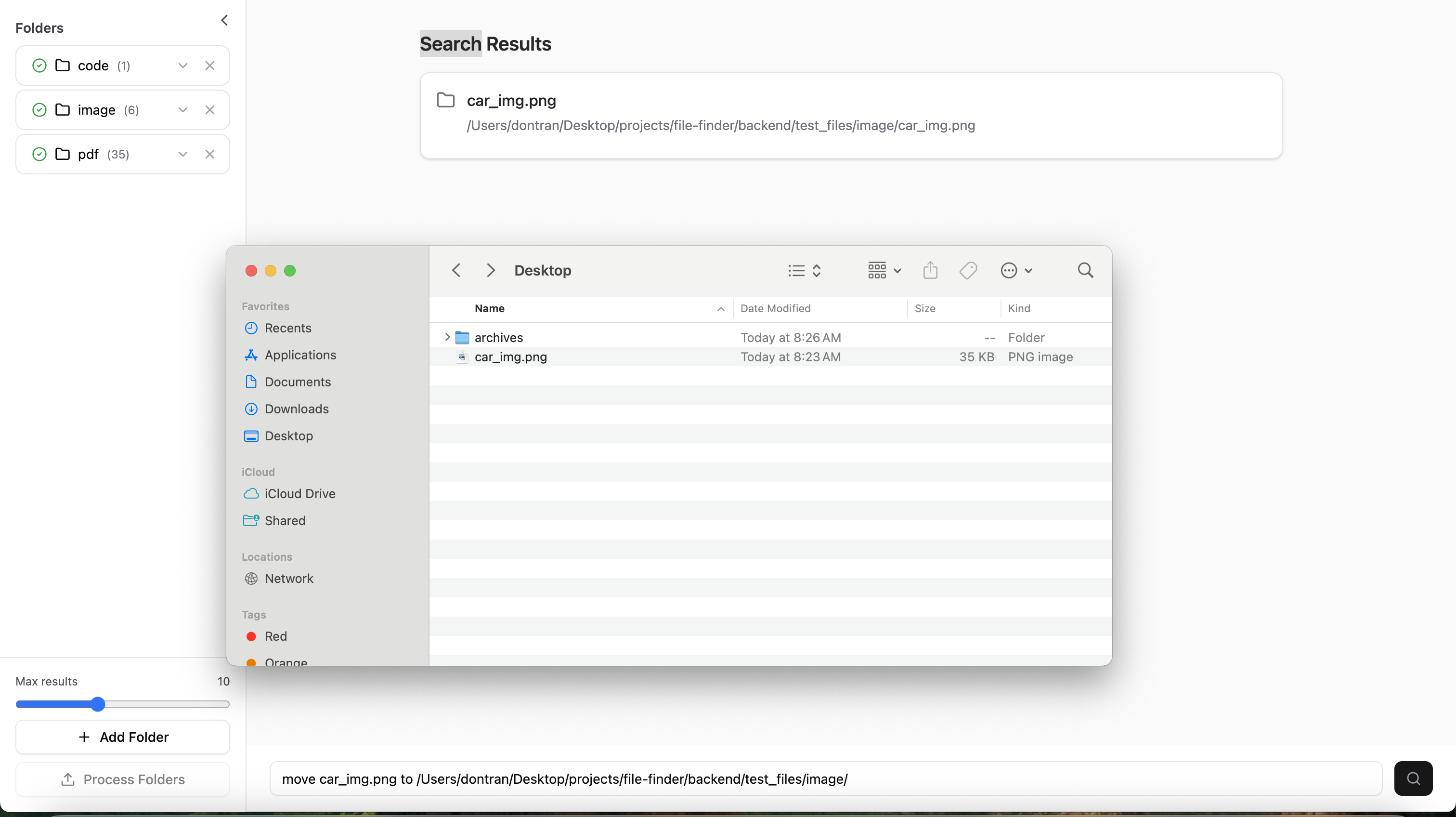
DeepFind is a fully offline desktop application that utilizes AI to make searching through folders much easier. First, the user uploads a list of folders from their computer, then the user presses a button to process all of the folders using a vector database, and then the user can enter any kind of query into the search bar and the app will return the most semantically relevant files, provide augmented summaries, and help you manage all of those pesky files with the power of NLP.
How we built it
The app itself comprises of a React frontend deployed with Vite and Electron along with a local FastAPI backend. As for the search functionality, our key idea is that we can use an embedding model to generate a vector embedding for any file, which effectively creates semantics. To account for files of huge size, we chunk up the data and create vector embeddings for each of these "chunks". After repeating this for all the files in a folder (which are stored as chunks in a Supabase SQL database), any user-submitted query can also be turned into a vector embedding, so then relevant files are simply just the shortest distances between the query vector and a given file vector (to be technical it's actually the similarity score for each chunk that's being calculated). We use a variety of models for preprocessing various files formats into a vector embedding (Whisper, Blip, SentenceTransformer, etc.), all saved locally so the application can be used without the Internet.
Challenges we ran into
The RAG functionality was surprisingly simple since it was simply finding distances to a single vector embedding and then sorting that list by shortest distance. On the other hand, preprocessing was a difficult process since each file format required a different process and model. For example, .txt files were easy since we could simply use SentenceTransformer directly, however for an image file we have to use the BLIP model to generate a text caption and then we can use the SentenceTransformer on the generated caption.
Accomplishments that we're proud of
We're really proud of how smooth the overall user experience is and our integration with a bunch of different tools. The GUI is extremely clean and simple, making it incredibly easy to add new folders, process them, and run a query on a folder. As for the tools, we drew from many different models to process a wide variety of common file formats that most people will have, unifying them using vector embeddings stored in a Supabase database. Each component is atomic and won't interfere with other parts of the application, making it easy for us to update the functionality while retaining its wide scope of features.
What we learned
We found that most of our work came from designing the actual system, both before and during the coding process. During ideation, we came up with the basic structure of the pipeline (i.e. preprocessing files => storing vector embeddings into Supabase => compare queries with the vector embeddings), but during the actual coding process we realized there were a lot of implementation details that had to be planned out. For example, we realized we couldn't just process an entire pdf file on its own; the resultant vector embedding would likely be too general and unable to catch any specific queries even if the file did have the correct information. Therefore, we realized we had to chunk up large files in order to preserve semantics.
What's next for DeepFind
There are a lot of features that we could add in the future to improve ease of accessibility. For example, if a folder were to be updated while it was being read by the application, we could account for the new file or the deleted file. Additionally, we could allow the application to read from multiple folders at once for a single query.

Log in or sign up for Devpost to join the conversation.