-
-
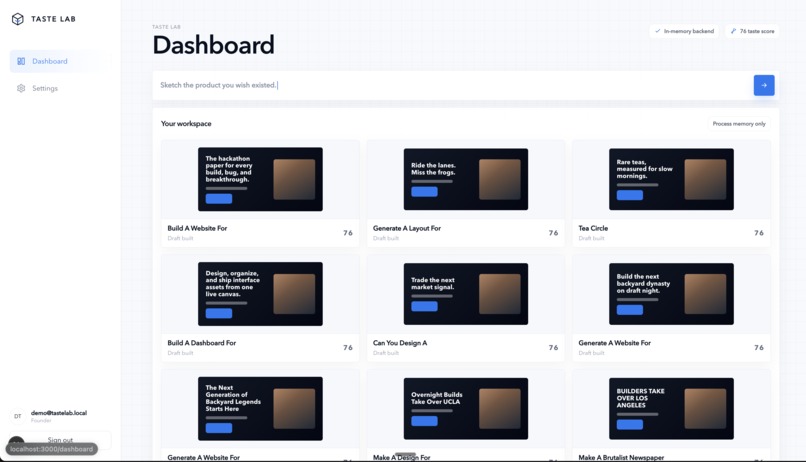
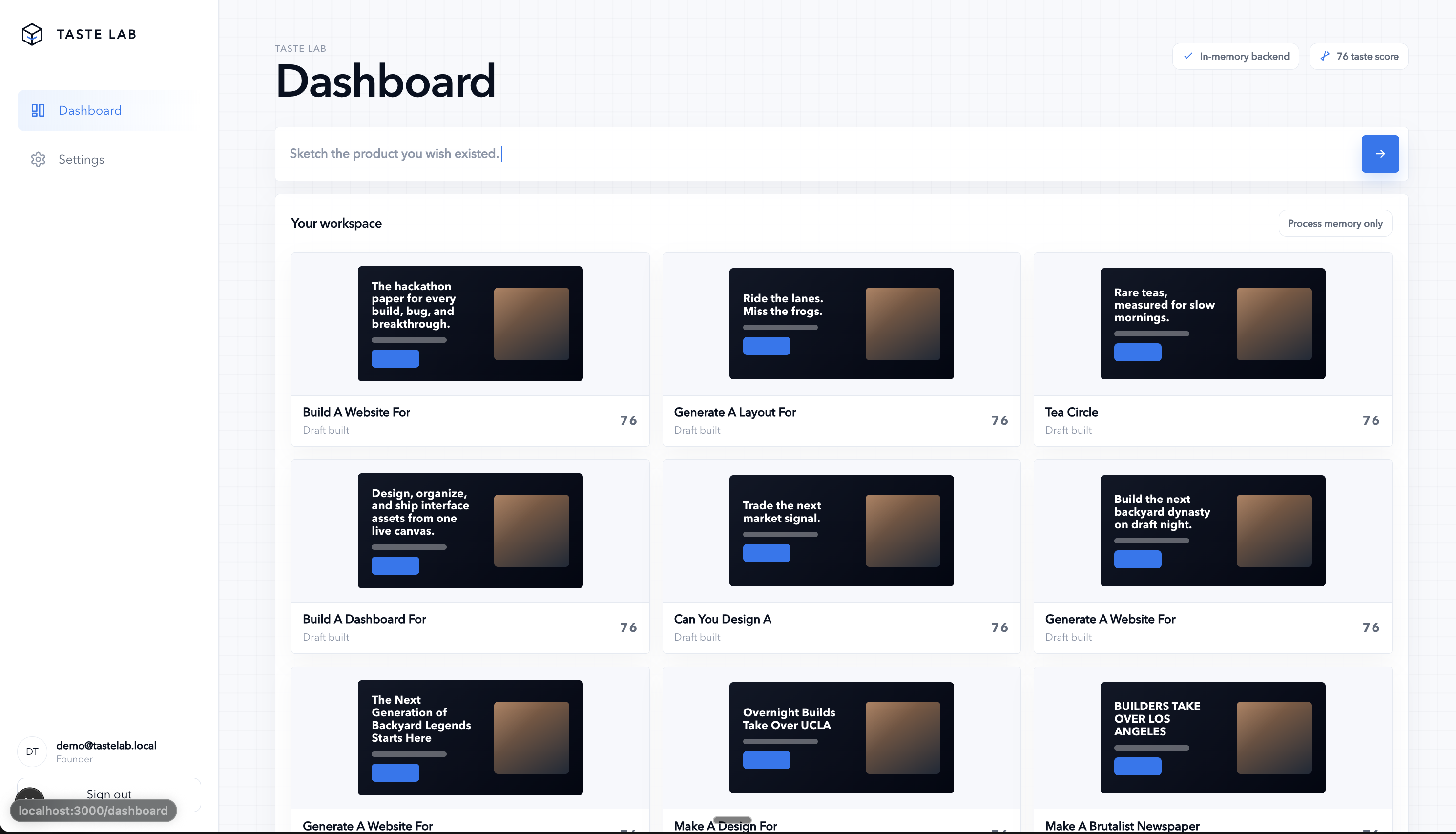
Dashboard
-
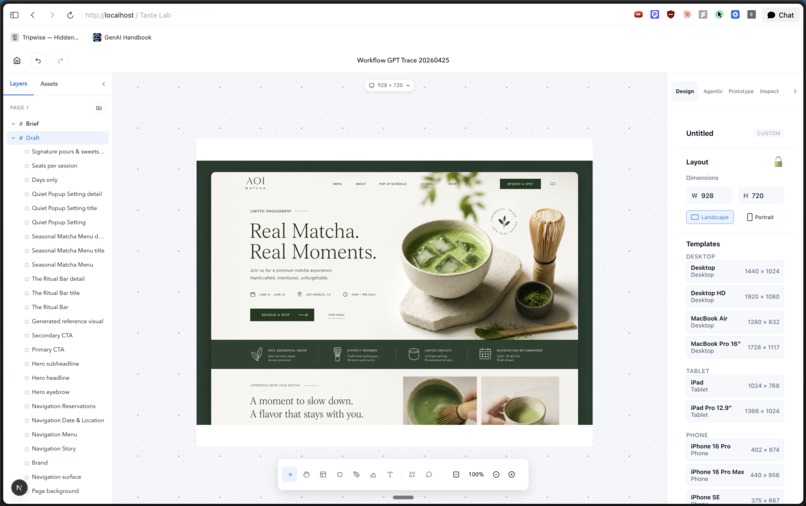
Editor
-
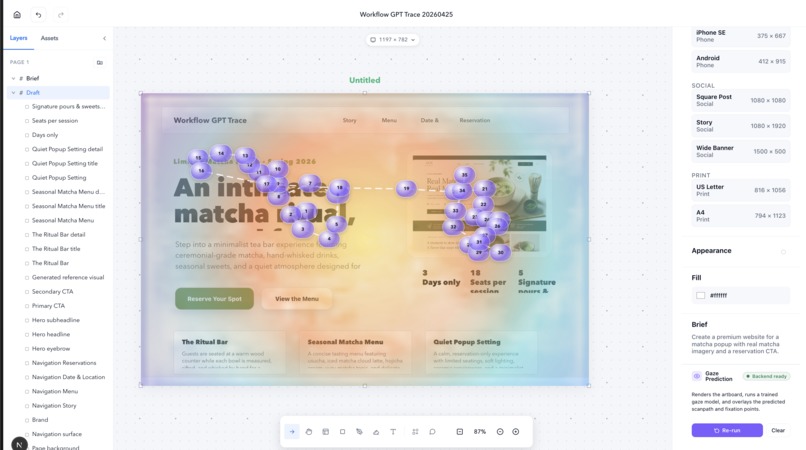
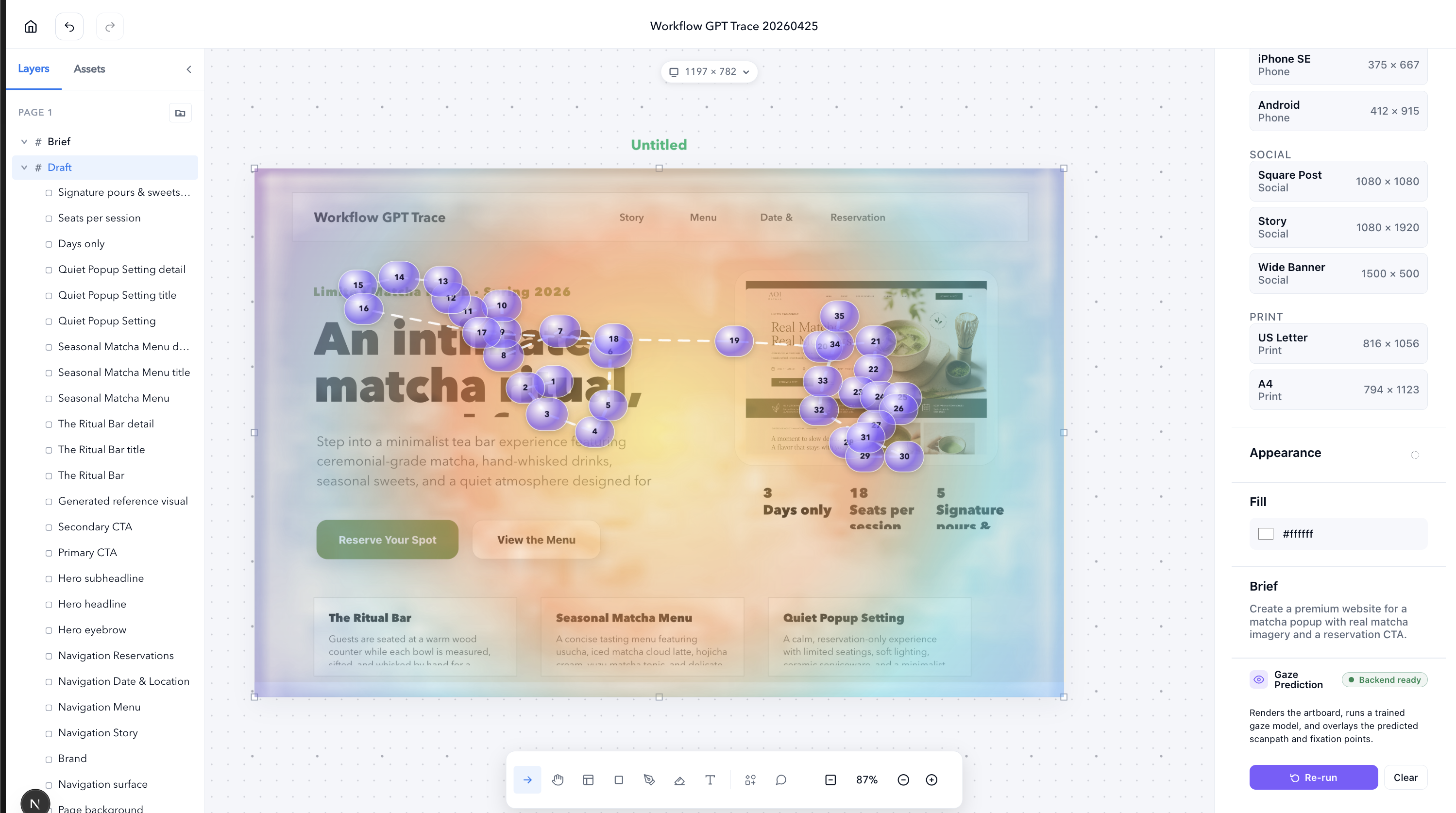
Gaze Predictor Heatmap
-
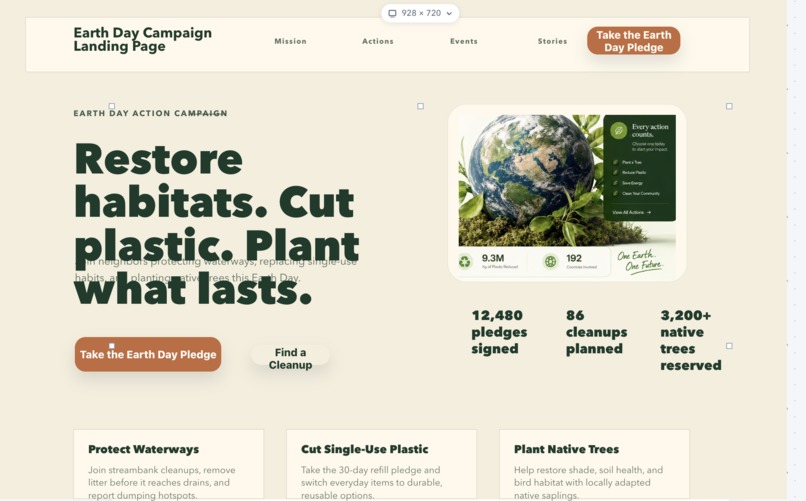
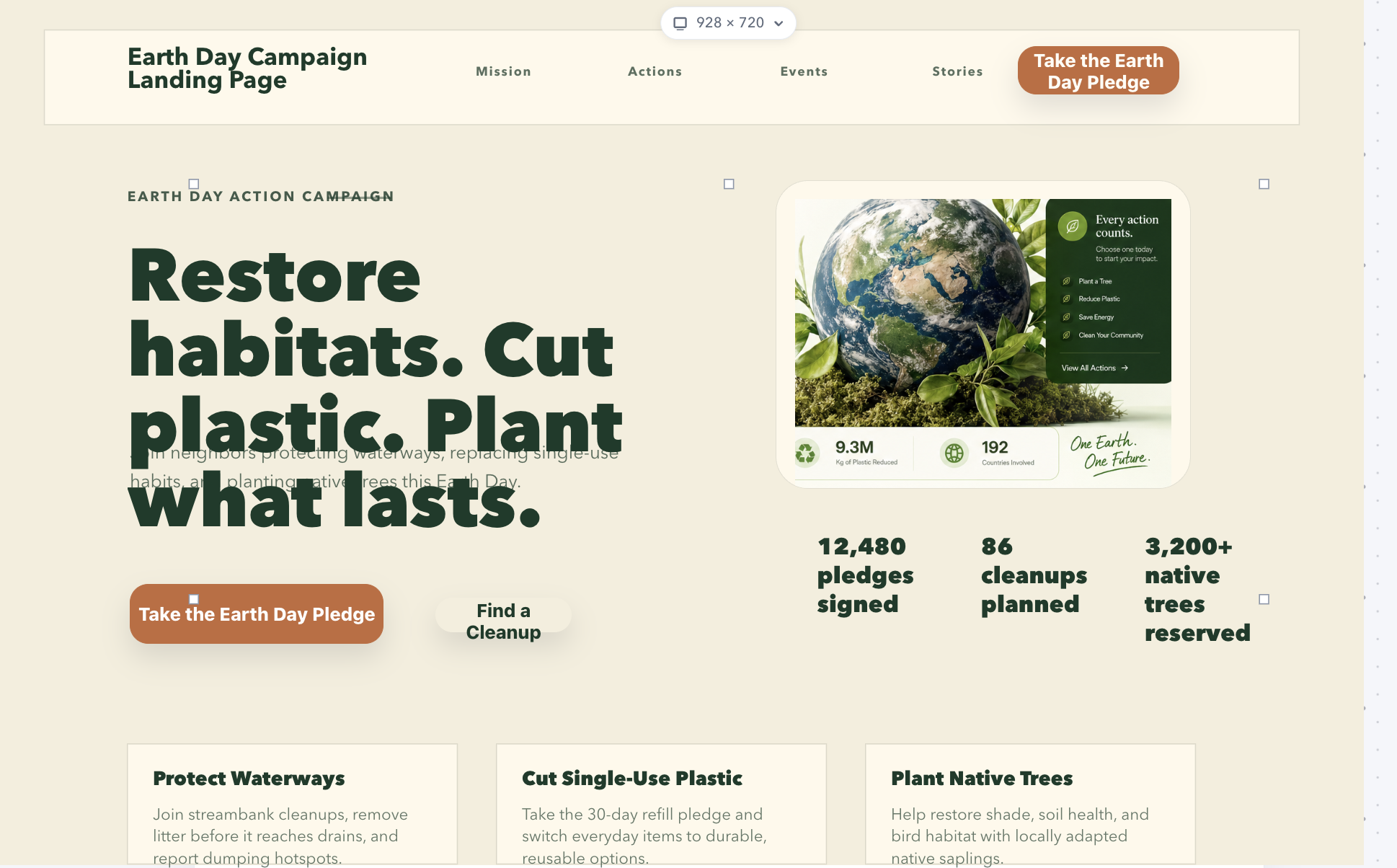
Generated Earth Day Website
-
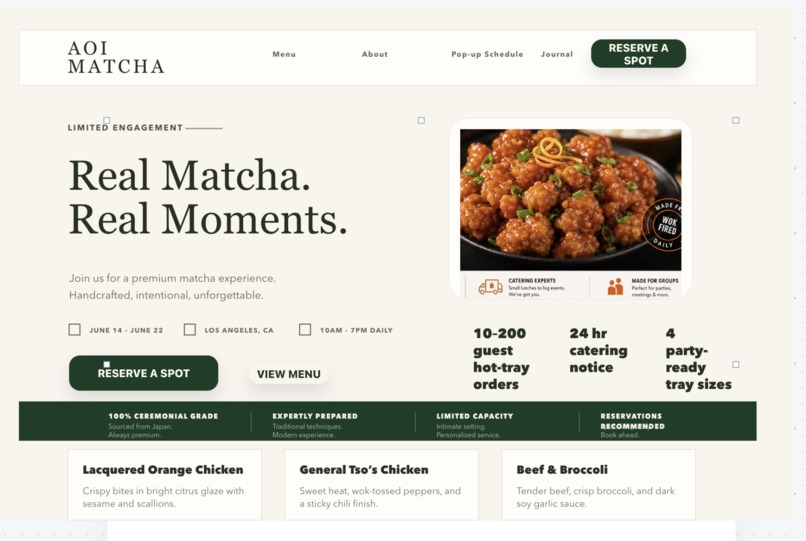
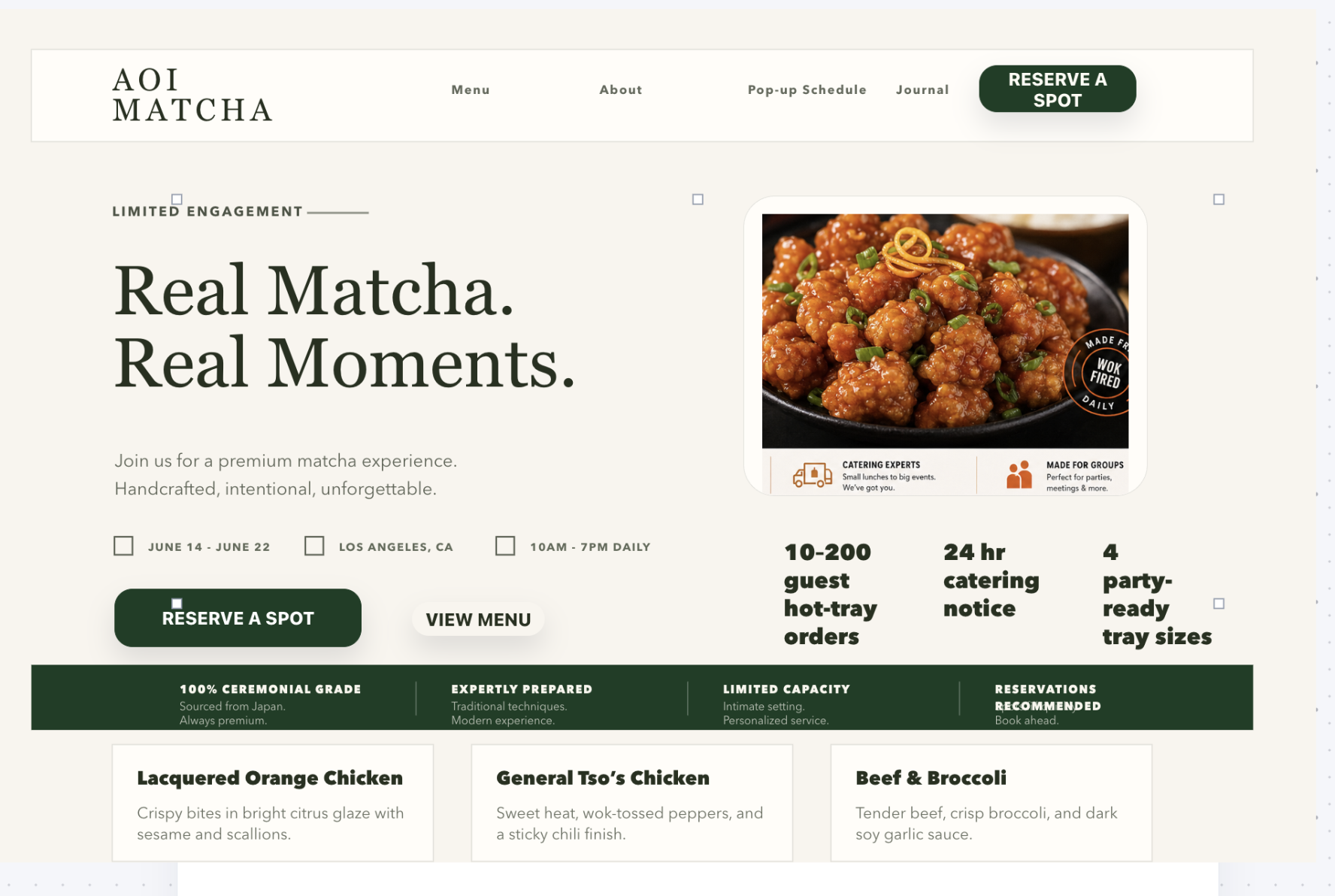
Generated Matcha + Orange Chicken Website

Inspiration
We've all watched AI design tools generate something that technically matches the prompt and technically looks fine but still feels off. The headline is buried, the CTA disappears, and the eye lands on a decorative blob instead of the product. The model has no idea what a human would actually look at first.
That's the taste gap. Models can render pixels, but they can't see their own output the way a person does. Designers squint at their own work, asking "where does my eye go?" and nudging the hierarchy until it answers correctly.
We wanted to give that instinct to the agent. So we built a design tool where the AI generates, sees what it generated through a model trained on real human attention, and then edits with that evidence in hand.
What it does
Taste Lab is a Figma-style design editor with a gaze-prediction model wired into the loop.
- Real editable canvas. Frames, text nodes, images, shapes, and pen strokes all live as document nodes you can select, move, restyle, and reorganize through a layers panel. It isn't a flat screenshot or a one-shot mockup.
- An agent that edits the document, not a copy of it. Prompt it with something like "make the CTA more dominant, fix the hierarchy" and it writes back into the same model the designer is using. Every change lands as real layers you can keep editing by hand.
- A gaze-prediction encoder we trained ourselves. Click Predict gaze and the artboard runs through our ResNet-50 UNet plus transformer decoder. You get a saliency heatmap and ordered fixation pins that show what a real viewer would look at, in what order, and for how long.
- A closed loop. The gaze result isn't just a pretty overlay. We hand it back to the agent as evidence (first fixation, dwell hotspots, ignored regions) and it does another pass on the actual design document covering hierarchy, contrast, spacing, copy, and CTA weight. The agent stops guessing at taste and starts editing with proof.
How we built it
The dataset. Gaze data over common websites.
- We built a quality set of website UIs spanning landing pages, product pages, and advertisements with strong visual hierarchy, then collected the data on ourselves.
- We mapped our own gaze in
data/collect_mouse.pyusing a mouse cursor as a proxy for visual fixation over a fullscreen letterboxed display. - We fed the collected data through the preprocessing pipeline (
model/data/preprocess.py) to turn raw gaze files into fixed training sets.
The model (model/). A two-stage gaze predictor we trained from scratch:
- UNet saliency stage. ResNet-50 encoder, U-shaped decoder, predicts a per-pixel attention heatmap.
- Transformer scanpath decoder. Autoregressively generates ordered fixation points conditioned on the heatmap, producing a believable viewing path with dwell times.
- Trained on attention data we collected and processed through
data/collect_mouse.pyand the preprocessing pipeline inmodel/data/. The final checkpoint (gaze_epoch250.pt, 53M params, val_loss 0.407) ships with the repo. - Inference runs in 0.3 to 1s on CPU and 30 to 80ms on CUDA. It auto-detects
cuda → mps → cpu.
The backend (apps/api/). A FastAPI service that loads the checkpoint once and exposes /predict/heatmap, /predict/scanpath, /predict/decoder, and /health. Single multipart image upload in, JSON with base64 overlays plus ordered fixations out.
The editor (apps/web/). Next.js 16 and React 19 dashboard with a custom canvas document model covering frames, text nodes, images, shapes, pen strokes, layers, selection, and transforms. We borrowed heavily from Figma's primitives so the agent has a real schema to write into. html-to-image rasterizes the artboard region for the model, and a Next.js proxy at /api/gaze/* forwards to FastAPI.
The agent. A skill-driven architecture where each capability is a focused contract over the canvas document: update-text, update-style, create-element, apply-design-diff, targeted-canvas-edit, evaluate-design, gaze-guided-improvement, style-expansion, interface-spacing-vision, generate-reference-image, and build-portfolio-workflow. Gaze results route through gaze-guided-improvement, which converts attention evidence into concrete document edits (layout, scale, contrast, copy, crop, spacing, visual weight) instead of generic critiques.
Stack at a glance.
- PyTorch
- FastAPI
- Next.js 16
- React 19
- TypeScript
- better-sqlite3 for project storage
- OpenAI for agent planning and reference image generation
- A custom Figma-like document model gluing it all together
Challenges we ran into
The hardest part was getting the agent to have actual taste. Out of the box, it defaulted to the same generic fonts, the same boilerplate hero layouts, and the same "AI startup template" feel. That produced a real gap between what it generated and what we'd accept on the canvas.
We closed the gap with custom design skills that guardrail the output:
- A curated typography catalog (Taste Sans, Editorial Serif, Display Condensed, and so on) that the agent must map into instead of inventing one-off fonts.
- Layer-aware skills (
create-element,update-style,apply-design-diff,targeted-canvas-edit) that force the agent to reason about real document primitives like frames, text nodes, fills, and type ramps instead of freestyling markup. - Anti-template skills (
style-expansion,interface-spacing-vision,evaluate-design) that flag generic AI patterns and push toward distinctive hierarchy and spacing. - Copy standards in
update-textthat ban filler words like "unleash," "elevate," "seamless," and "next-gen," and require concrete, product-specific language.
The other big challenge was the agent's blank-page problem. Asking it to design from scratch produced average results. We built a reference-image-first pipeline where generate-reference-image produces a high-quality target image for the page, then apply-design-diff and build-portfolio-workflow translate that image into editable canvas layers. The agent stops generating from nothing and starts working from a strong visual reference, preserving its hierarchy, crops, and section order on the way down to real document nodes.
The result is an agent that edits with a real point of view rather than one that defaults to the average of its training data.
Accomplishments that we're proud of
- Designed and built the Figma-style UI from scratch, along with the supporting tools and an agent that drives the editing loop.
- Trained our own model end-to-end so the taste signal is ours rather than borrowed from an off-the-shelf API.
- Wired everything together into one working flow with model, agent, tools, and UI all talking to each other.
What we learned
- How to fine-tune custom agent workflows specifically for asset creation, where "good output" is a moving target.
- How to push an agent past generic results and toward stronger taste through better prompting, tool design, and selection between candidate outputs.
- A lot about where the seams are between model, agent, and UI, and which decisions belong at which layer.
What's next for Taste Lab
- Sharpening the agents and skills so they can close the loop and produce the exact image the user is iterating toward, not just something close.
- Adding real-time collaboration so multiple people can shape a design together inside the same session.
- Exporting to code and deploying straight to live sites, so a Taste Lab session can ship a real page instead of stopping at a mockup.


Log in or sign up for Devpost to join the conversation.