-
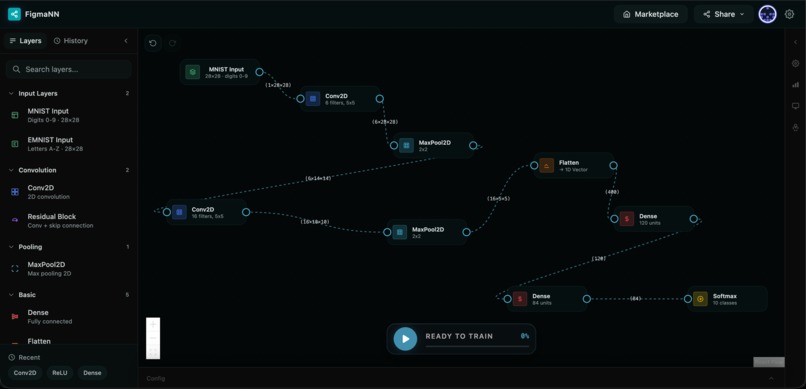
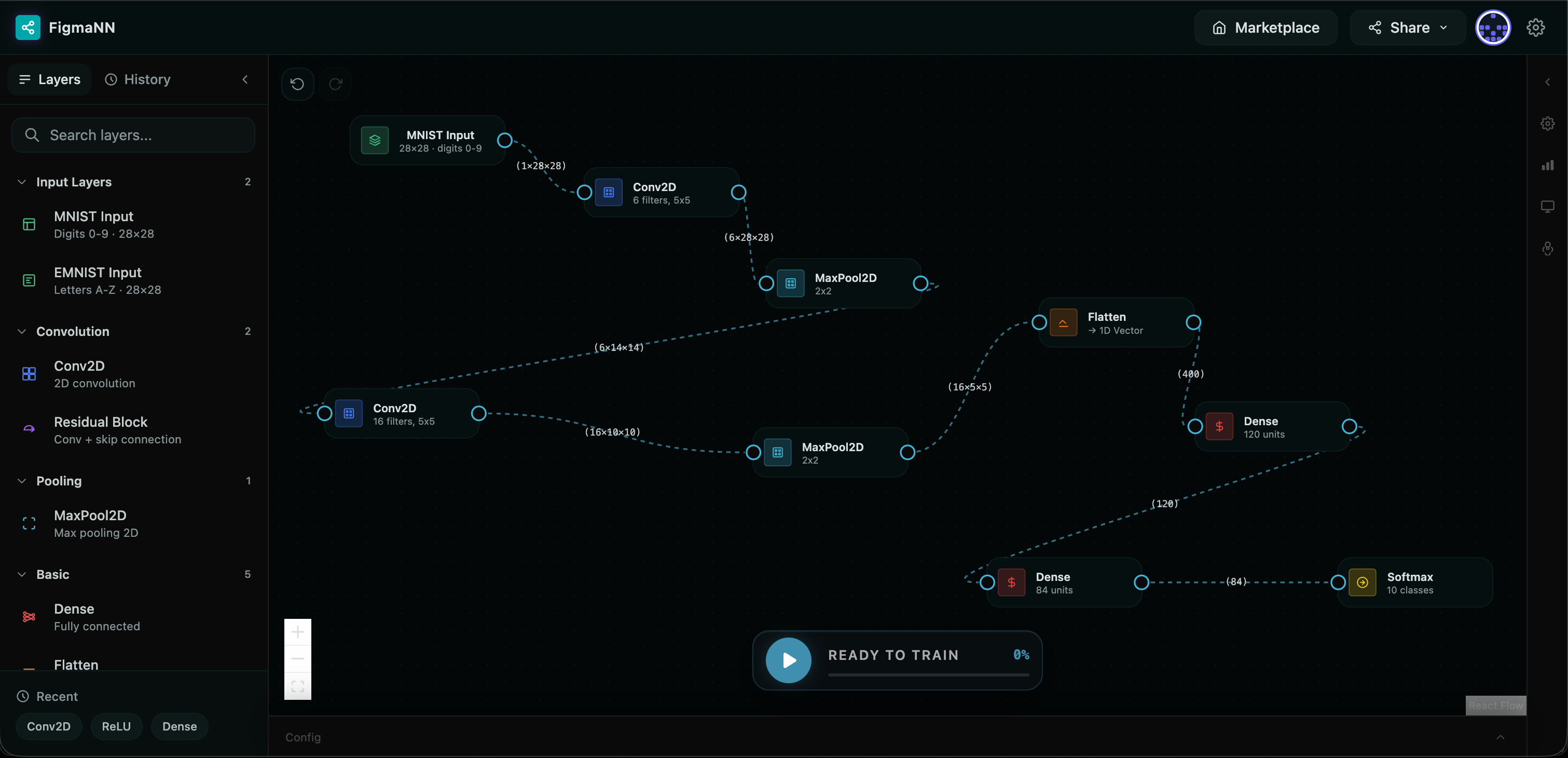
Canvas with Deep CNN preset
-
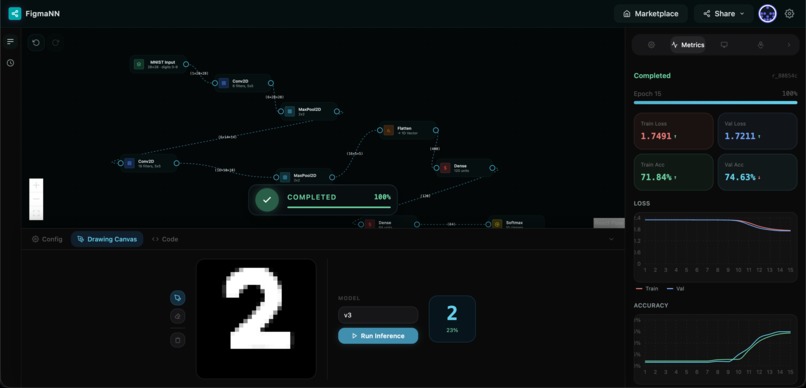
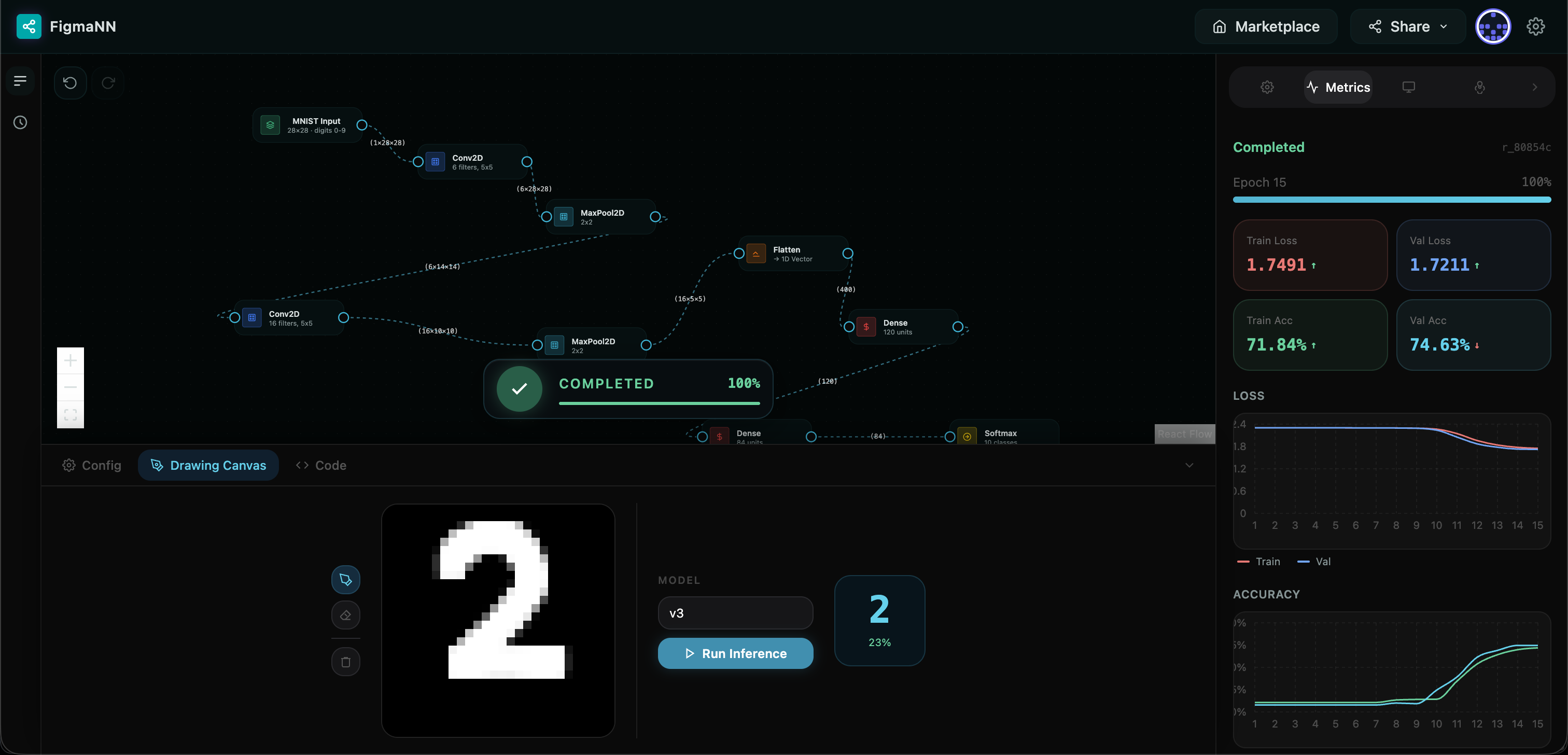
Architecture with drawing canvas and metrics
-
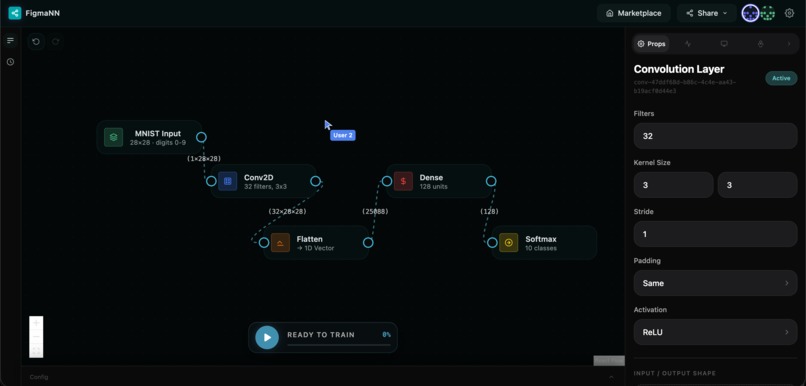
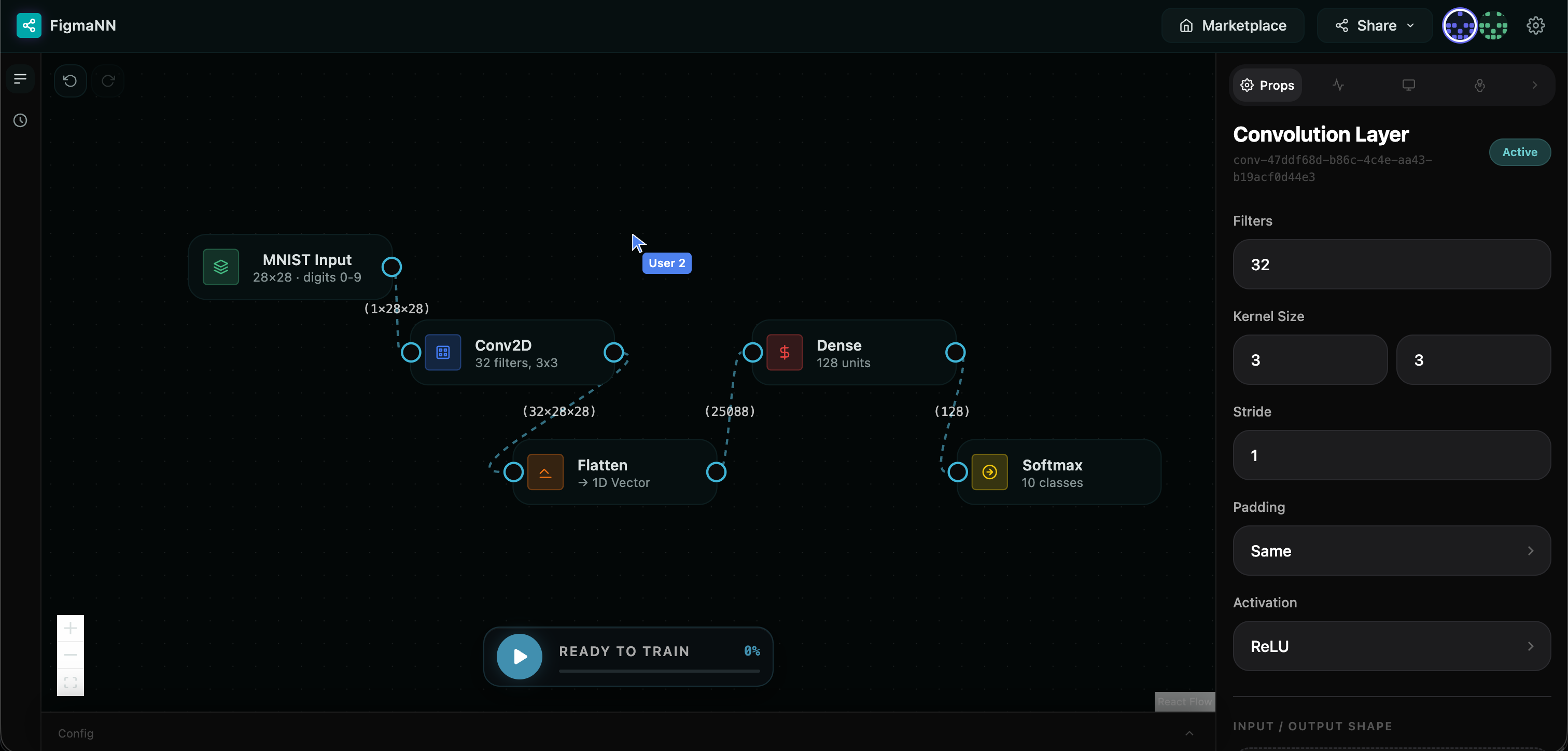
Live collaboration with second cursor
-
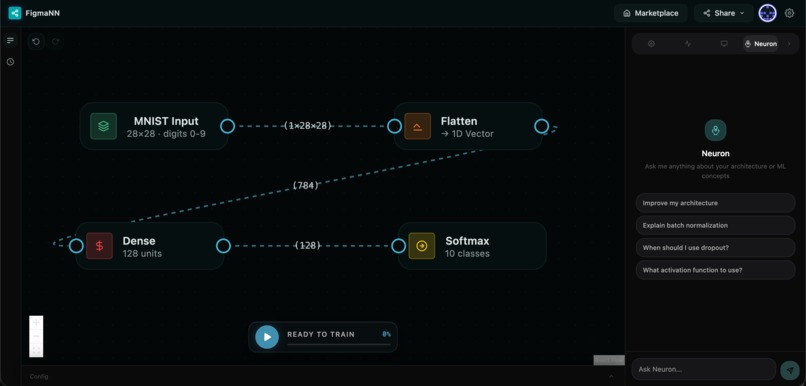
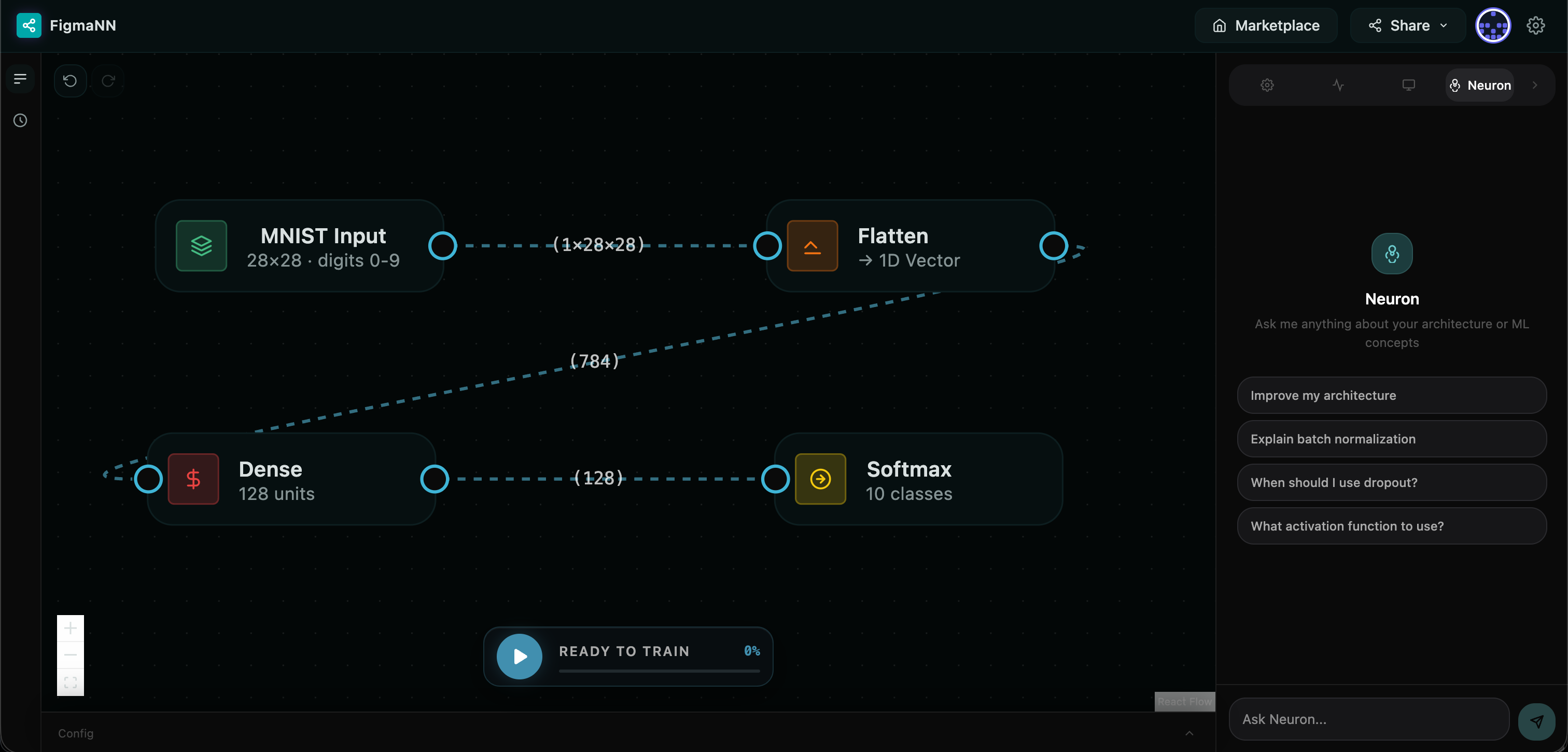
Neuron AI assistant
-
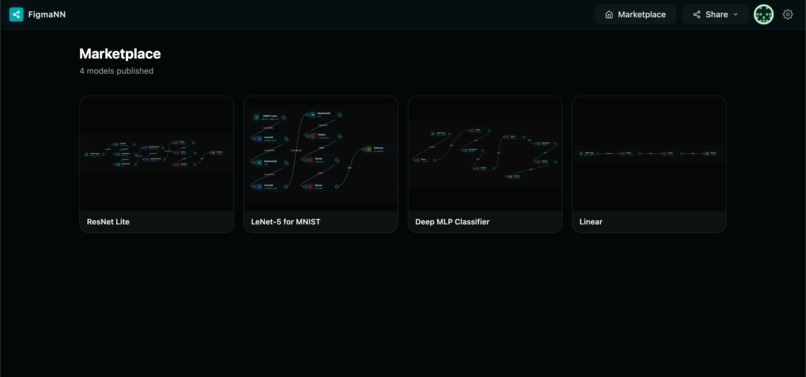
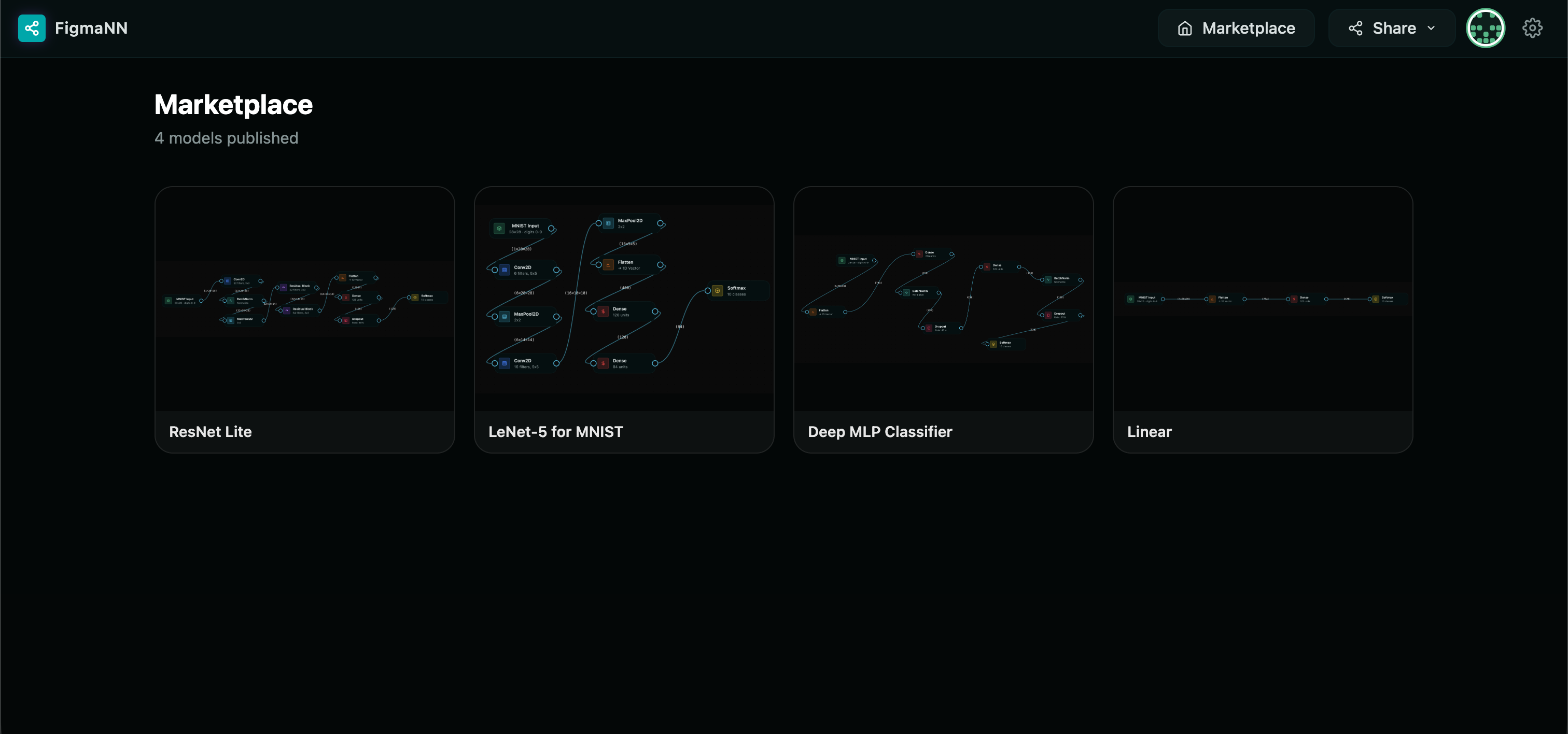
Marketplace
-
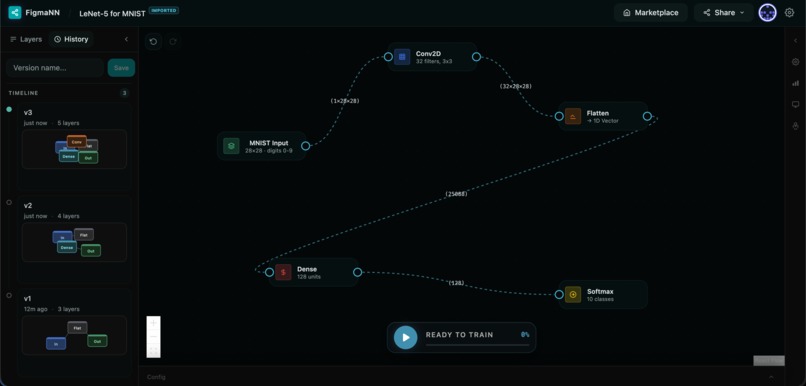
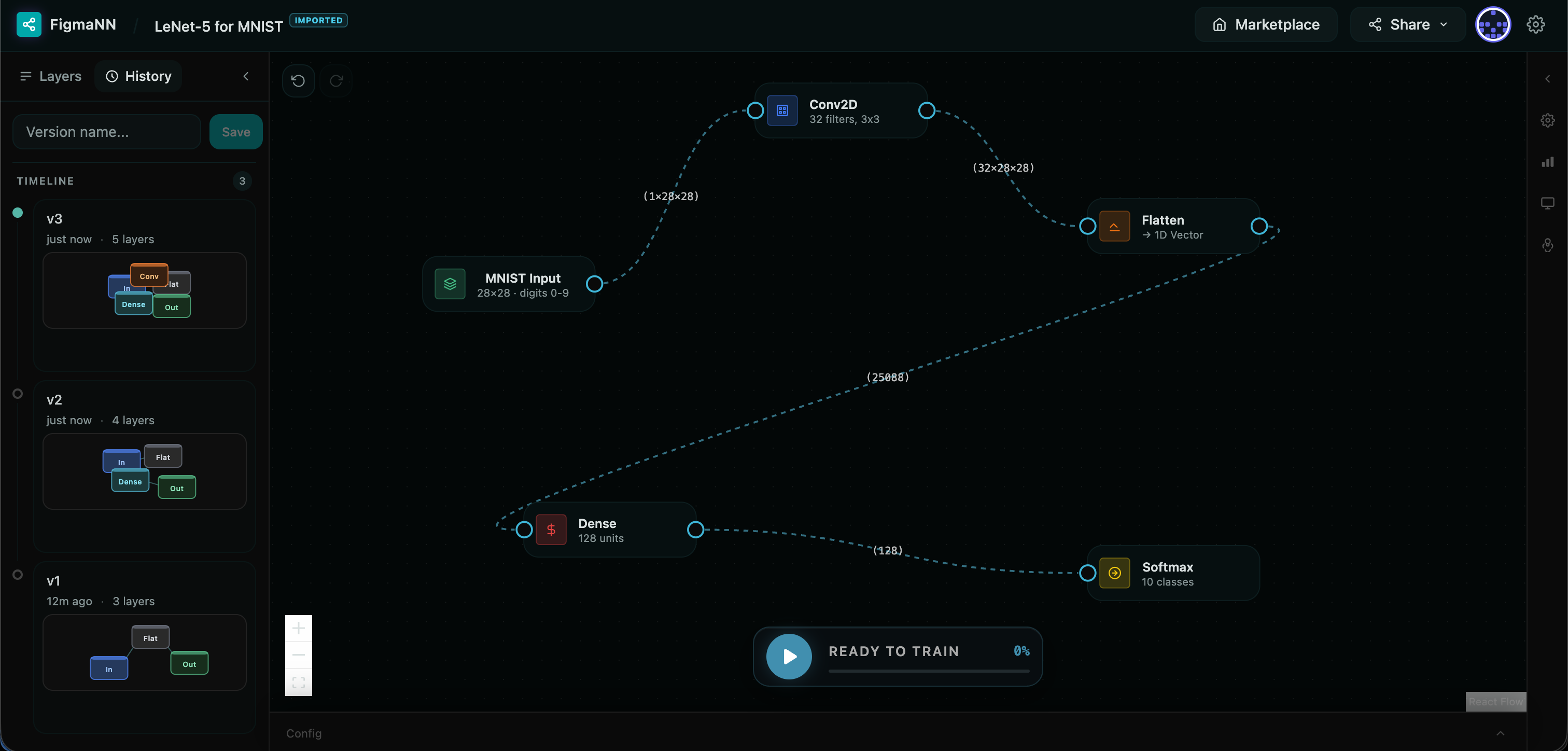
Version Control History
Inspiration
Most people who want to learn or experiment with neural networks hit the same wall: you either use a high-level library that hides everything, or you write PyTorch from scratch and spend more time debugging tensor shapes than actually thinking about architecture design.
We wanted to close that gap. The idea was to build something that feels as immediate as Figma, where you see the result of every decision in real time, but for neural networks. Design visually, understand what is happening structurally, and get real trained results without writing a single line of boilerplate.
What It Does
Figma NN is a browser-based neural network builder with a drag-and-drop canvas. You pull layers from a sidebar, connect them, configure hyperparameters, and train directly in the browser against MNIST or EMNIST.
Real-time shape inference. Every edge on the canvas shows the tensor shape flowing through it (e.g. 32 x 13 x 13). You see immediately if a connection is valid or will break.
Live training. Loss and accuracy charts update epoch by epoch via a streaming SSE connection to the PyTorch backend. You can cancel mid-run.
Draw and test. After training, open the drawing canvas, sketch a digit or letter, and run inference against your own model.
Version history. Git-style manual snapshots of your architecture. Name a version, save it, and restore any previous state with full undo support.
AI architecture assistant. An integrated chat panel called Neuron that understands your current architecture and can propose changes. Proposals show as a side-by-side diff before you apply them.
Real-time collaboration. Multiple people can build on the same canvas simultaneously. Every operation syncs via Socket.IO, with live cursors and a presence strip.
Marketplace. Publish trained architectures with a screenshot and description. Anyone can browse and import them directly into their own canvas.
Code export. The canvas auto-generates valid PyTorch code at all times. Download it as model.py or copy it to clipboard.
How We Built It
Frontend: React + TypeScript + Vite. The canvas is built on React Flow, which handles node rendering, edge connections, and viewport management. State is managed entirely with Zustand, including a per-user version history persisted to localStorage. Training charts use Recharts. The real-time collaboration layer uses the Socket.IO client.
Backend: Flask with Flask-SocketIO. Training runs on PyTorch in a background daemon thread, streaming metrics to the frontend via Server-Sent Events. The collaboration server maintains a shared in-memory graph state and relays operations to all connected clients. The marketplace uses SQLite for persistence.
Shape inference: We wrote a topological graph traversal that computes output tensor dimensions for every layer type in real time, following the same dimension formulas PyTorch uses internally. This runs on every graph change and feeds the edge labels.
Architecture compilation: The visual graph is compiled into a backend-compatible JSON format before training. This handles edge cases like automatically injecting a Flatten layer when a Dense layer follows a convolutional block.
AI assistant: The backend supports OpenAI, Anthropic Claude, and Google Gemini interchangeably via an environment variable. The frontend parses the streamed response to detect when the model is proposing a schema change, extracts the JSON, and renders the diff view.
Challenges We Ran Into
Compiling a visual graph into a valid PyTorch model. The canvas is a freeform graph where users can place layers in any order, leave nodes disconnected, or create architectures where a Dense layer directly follows a Conv block. Translating this into a sequential PyTorch model required a topological traversal that handles disconnected subgraphs gracefully, detects when a Flatten layer needs to be automatically injected (e.g. a Dense after a Conv without an explicit Flatten), and computes the correct in_features for each layer based on the inferred output shape of the previous one. Getting this compiler to be robust across all the combinations users could construct, without crashing or producing a silently wrong model, took considerable iteration.
EMNIST data rotated 90 degrees. Our model trained fine but predictions were completely wrong. Every letter came back as a different letter with high confidence. After ruling out label mapping and architecture issues, we visualized the raw pixel data and found the EMNIST dataset is stored rotated 90 degrees and mirrored. We had to apply a transpose and a flip to every image during data loading. Once fixed, accuracy jumped significantly
Double-broadcasting in collaboration. React Flow has a built-in Delete key handler
that fires onNodesChange with a remove operation, but we also had a custom window
keydown listener for the same key. This caused every delete to broadcast twice, so
collaborators would receive the operation, apply it, and then receive it again. The fix
was disabling React Flow's native deleteKeyCode and routing all deletions through
our own handler.
Tensor shape edge cases. Getting shape inference right for every combination of
layer types, padding modes, and strides took significant iteration. The same vs
valid padding modes for Conv and Pool layers use different formulas, and BatchNorm
behaves differently depending on whether it receives image or vector input.
SSE parsing reliability. The streaming SSE response from the AI assistant sometimes arrived in chunks that split across JSON boundaries. We had to implement a line buffer that accumulates partial frames before attempting to parse them.
Accomplishments We Are Proud Of
The shape inference system works correctly across all nine layer types, including the ResidualBlock with its skip connection, and updates live as you build.
Real-time collaboration with live cursors works correctly across pan and zoom because we subscribe directly to React Flow's internal viewport transform store, so cursor positions recompute on every viewport change and not just on mouse move.
The version history restore integrates cleanly with undo. Restoring a snapshot pushes the current canvas to the undo stack first, so Ctrl+Z after a restore brings you back to where you were.
The AI assistant diff view renders two fully interactive React Flow canvases side by side, with nodes color-coded by whether they are added, removed, modified, or unchanged.
What We Learned
Socket.IO's in-memory pub/sub model is well suited to real-time graph sync, but you have to be deliberate about preventing echo loops. A ref flag that marks when a remote operation is being applied was the simplest and most reliable solution.
With third-party datasets, always visualize the raw data before training. The EMNIST rotation bug would have taken much longer to find if we had only looked at loss curves and predictions rather than the actual pixel values.
Streaming responses from LLMs require careful frontend parsing, especially when the response contains structured data embedded in prose. A simple string search for a sentinel phrase turned out to be a reliable way to split the conversational text from the schema payload.


Log in or sign up for Devpost to join the conversation.