-
-
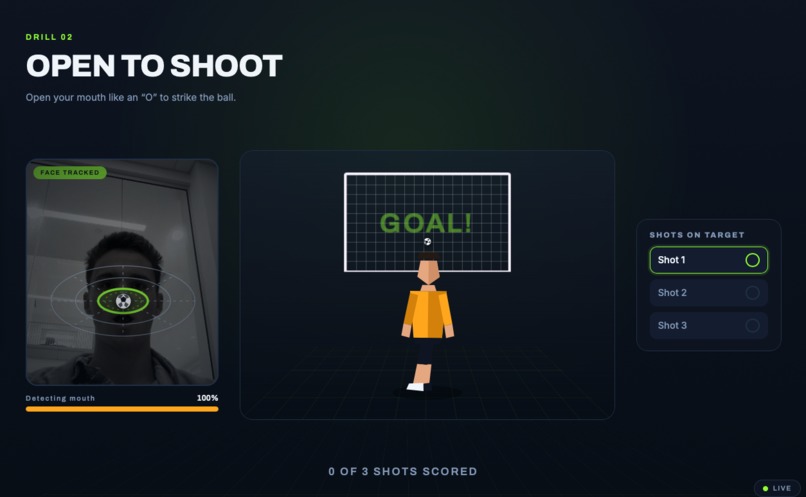
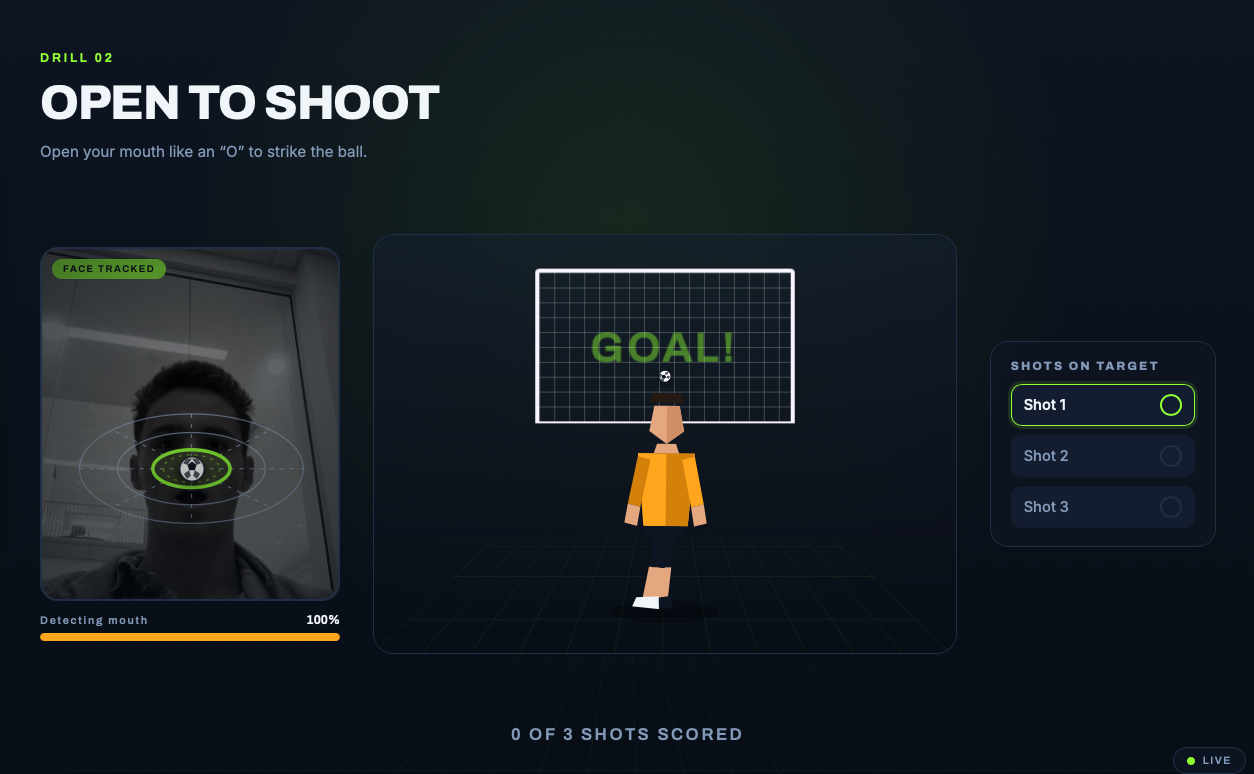
Training to shoot
-
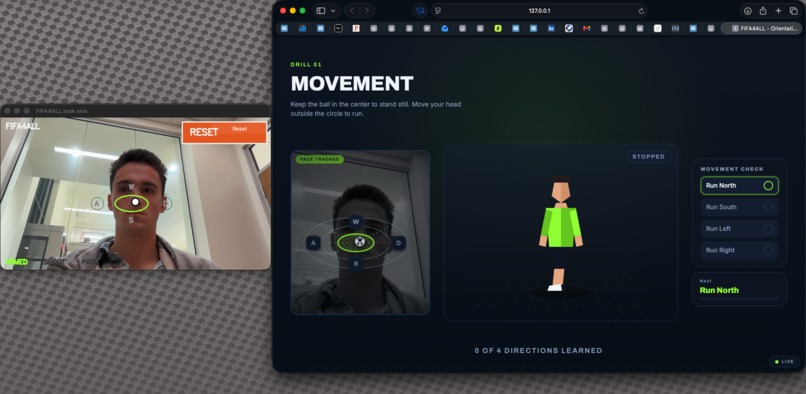
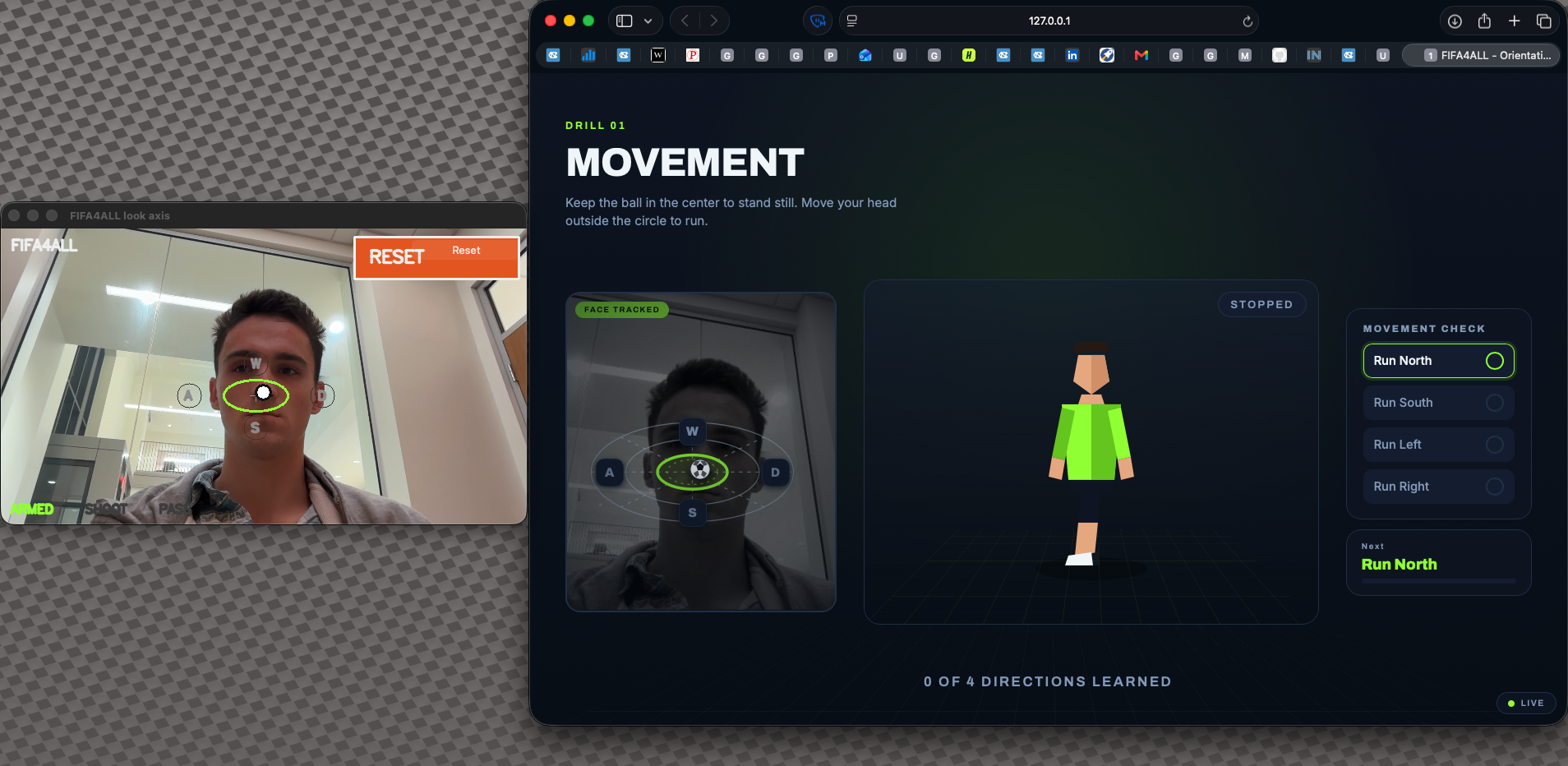
Training for movement
-
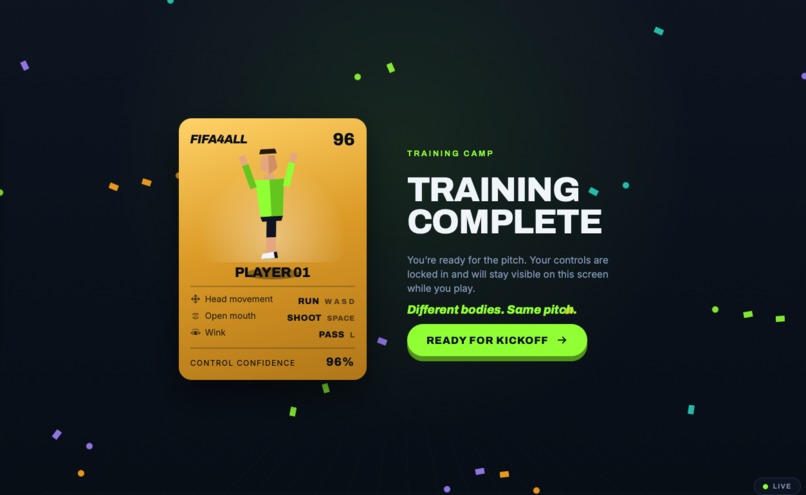
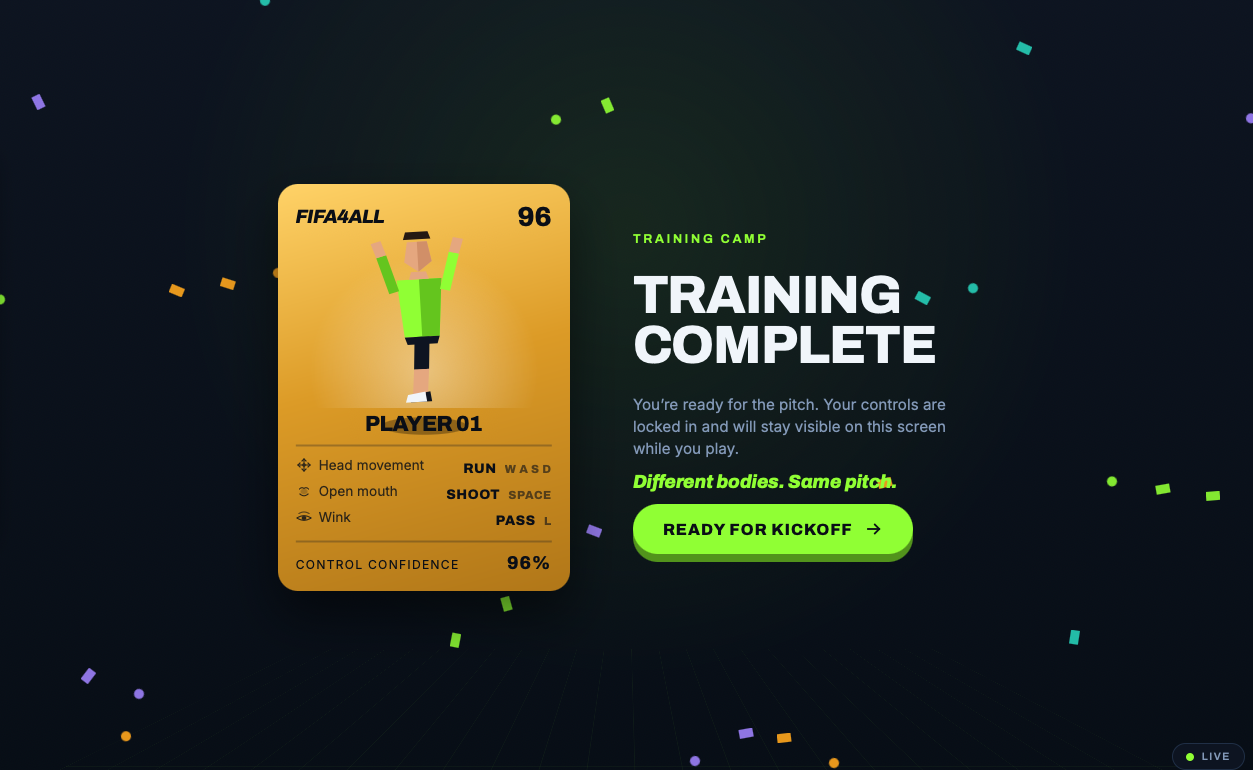
Training complete
-
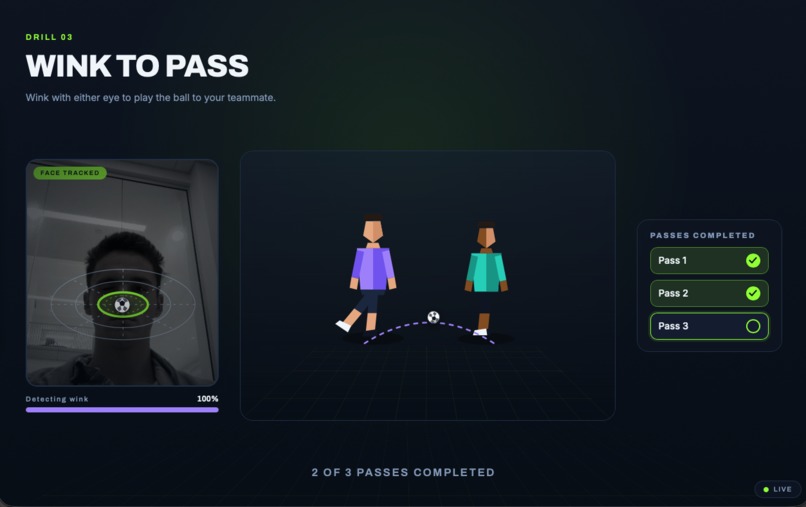
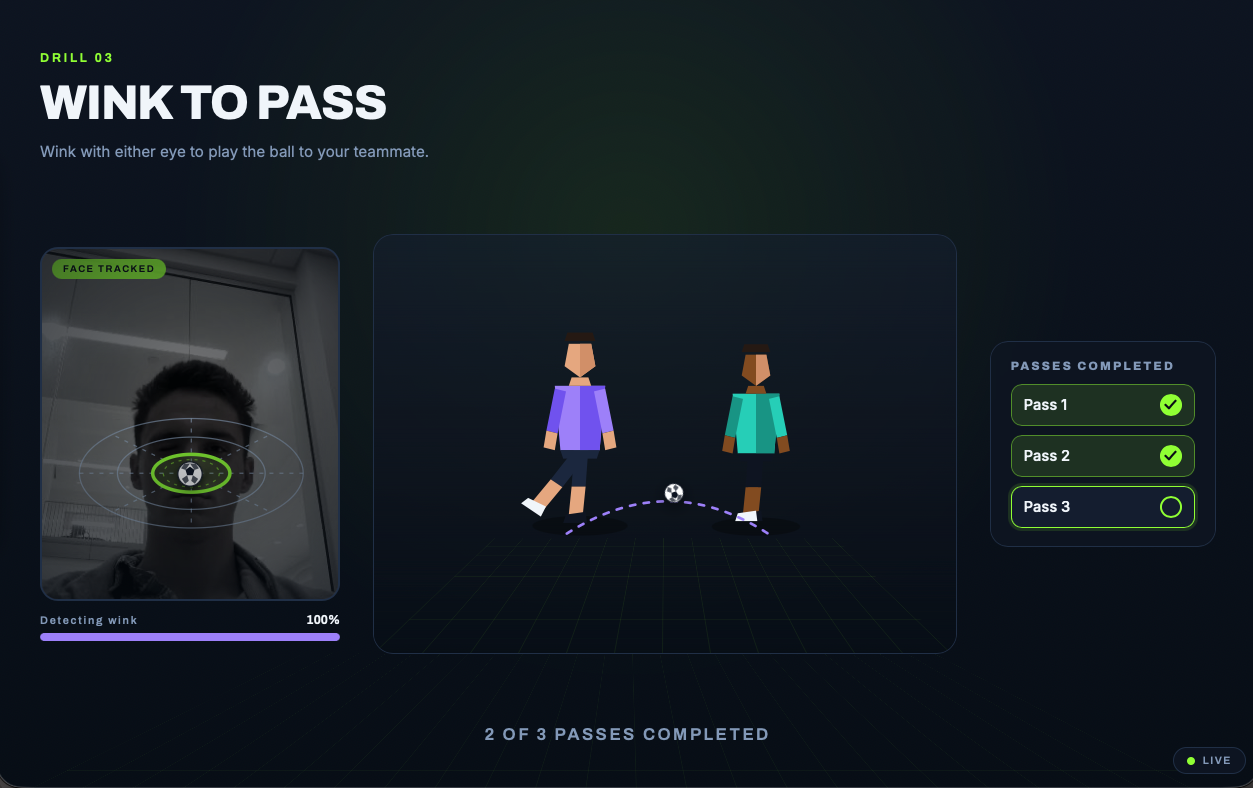
Training to pass
-
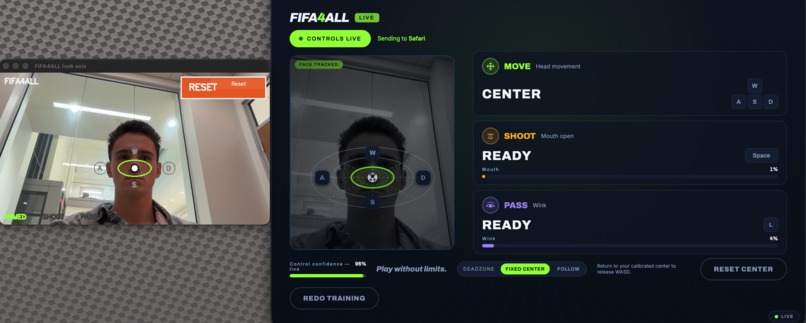
Mid-game stats
Inspiration
We built FIFA4ALL because sports games should be playable by more people than traditional controllers allow. EA Sports FC is familiar, competitive, and social, but standard play assumes two hands, fast button presses, and precise controller movement. We were inspired by Code for the Cup and bringing our love of soccer to people who normally wouldn't have the opportunity to enjoy it.
What it does
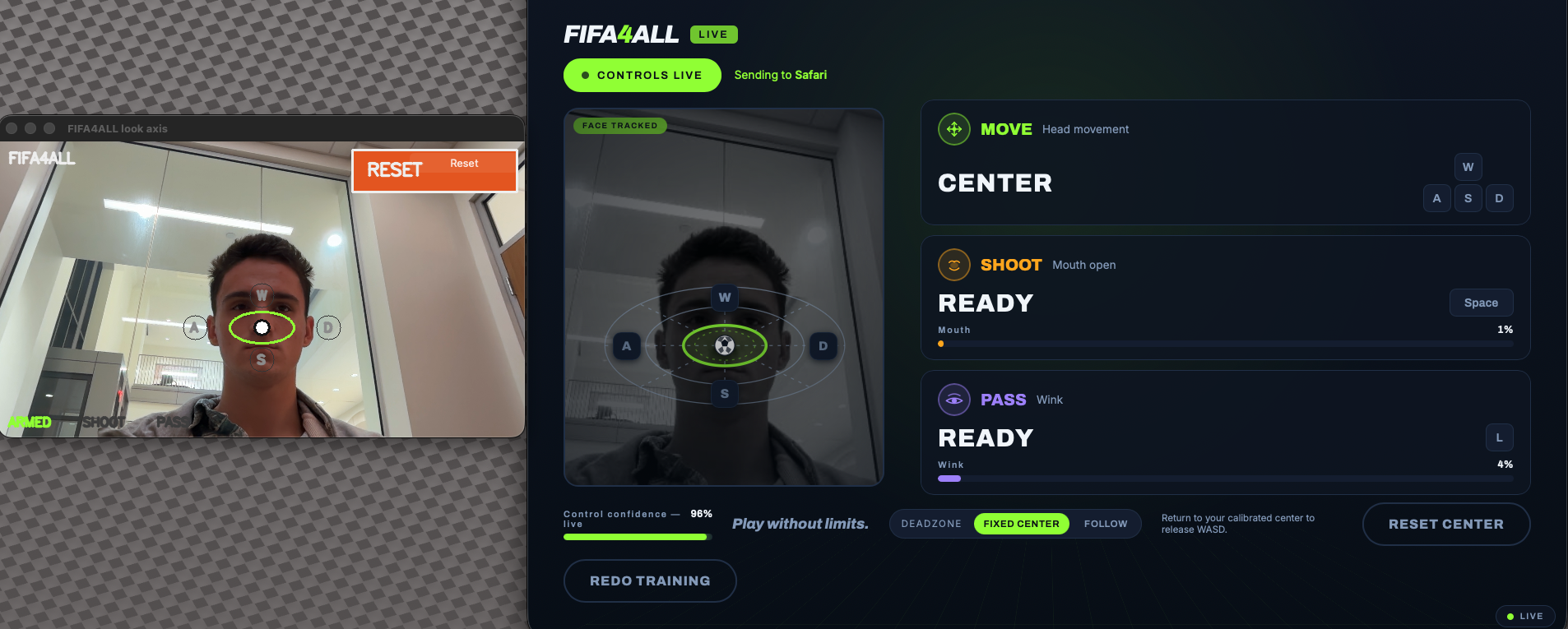
FIFA4ALL lets a player control EA Sports FC on Amazon Luna using face movements through a MacBook webcam.
The current system maps:
- Head / nose movement to movement keys:
W,A,S,D - Mouth open to
Spacefor shooting - Longer mouth-open holds to longer shot charge
- Wink to
Lfor passing - Tracking loss to release all held keys for safety
The player’s nose acts like a virtual joystick. The first valid face position becomes the neutral center. Returning to center stops movement, and moving outside the visible zones triggers movement directions, including diagonals.
How we built it
We built FIFA4ALL with Python, MediaPipe FaceMesh, OpenCV, macOS Quartz key events, and a React/TypeScript onboarding interface.
MediaPipe tracks facial landmarks from the built-in Mac camera. Our tracking pipeline turns those landmarks into control signals like nose position, mouth opening, and wink detection. The control layer maps those signals into game intent. The output layer uses macOS Quartz HID events to hold and release keys in Google Chrome while Amazon Luna is running.
We also built a second-monitor onboarding and telemetry experience. It teaches the controls, shows live input state, supports calibration/reset, and helps spectators understand what the player is doing.
Challenges we ran into
The hardest part was making the project behave like a real controller instead of just a camera demo.
We ran into issues with:
- Getting FIFA to run on a Mac
- MediaPipe compatibility on newer Python versions
- macOS camera permissions
- macOS Accessibility permissions for synthetic key events
- noisy face tracking
- neutral-position drift
- mouth-open thresholds accidentally holding
Space - making wink detection avoid false repeated passes
- ensuring keys release when tracking is lost
- making sure key events go to Luna instead of the overlay or onboarding UI
A major lesson was that accessibility controls need safety behavior. If tracking fails, the player should not keep running forever. FIFA4ALL releases all active inputs when tracking is lost, disarmed, or stopped.
Accomplishments that we're proud of
We are proud that FIFA4ALL works with the real game path instead of only a mock demo.
We built:
- Live MediaPipe face tracking on macOS
- A nose-based virtual joystick
- Visible WASD control zones
- Diagonal movement support
- Mouth-open shot charging
- Wink-based passing
- macOS key injection through Quartz
- Tracking-loss input release
- A second-monitor onboarding and telemetry UI
- Automated tests for tracking, control mapping, bridge behavior, and output
We also improved tracking latency from roughly (100\text{ ms}) per frame to about (34\text{ ms}), making the controls feel much closer to real-time.
What we learned
We learned that accessible input is not just about detecting gestures. It is about comfort, trust, calibration, and recovery.
A movement can be technically detectable but still uncomfortable for a player. That is why FIFA4ALL is designed around personalization: different players should be able to use different movements and thresholds without changing source code.
We also learned that game streaming adds unique challenges. Since Amazon Luna runs inside Chrome, focus matters. If the wrong app is frontmost, key events go to the wrong place. Our match HUD warns about focus so the player and helper know when the game is ready to receive input.
What's next for FIFA 4 ALL
Next, we want to make FIFA4ALL more personal and more reliable.
Our next steps are:
- Test with more players and different comfort profiles
- Add saved user profiles
- Improve calibration for mouth, wink, and movement thresholds
- Add a stronger pause mechanism
- Improve menu navigation or helper handoff
- Tune tracking for glasses, lighting, and different camera angles
- Continue reducing latency
- Polish the onboarding and match HUD
- Validate longer EA Sports FC play sessions through Amazon Luna
The goal is for two different players to use the same app with different calibrated movements, without editing code.
Built With
- amazonluna
- codex
- easportsfc
- github
- mediapipe
- opencv
- python
- quartz
- react
- typescript
- vite

Log in or sign up for Devpost to join the conversation.