Inspiration
Calculus is where many people decide maths is not for them. The ideas are spatial: slopes, hills, swirling fields, flux through a surface. But we teach them on flat paper. VR can put those ideas in front of you, and hand tracking means you can touch them. We wanted a seated, hands-only game where you learn by doing, not by reading.
What it does
Fieldwalker is a hands-only, seated WebXR calculus game for Meta Quest. No controllers are ever needed.
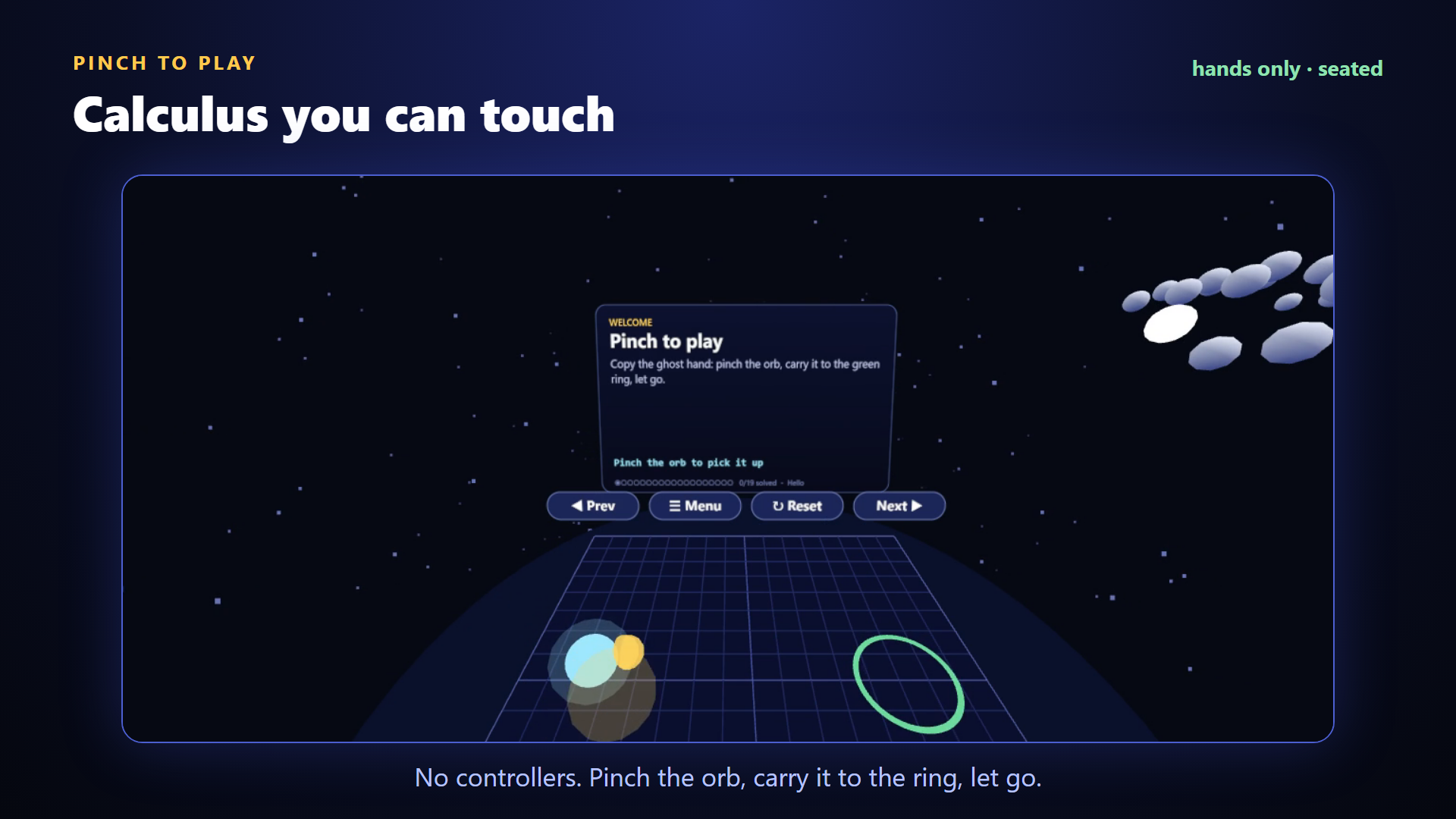
- Pinch an orb and carry it to a ring to learn the one gesture the whole game uses.
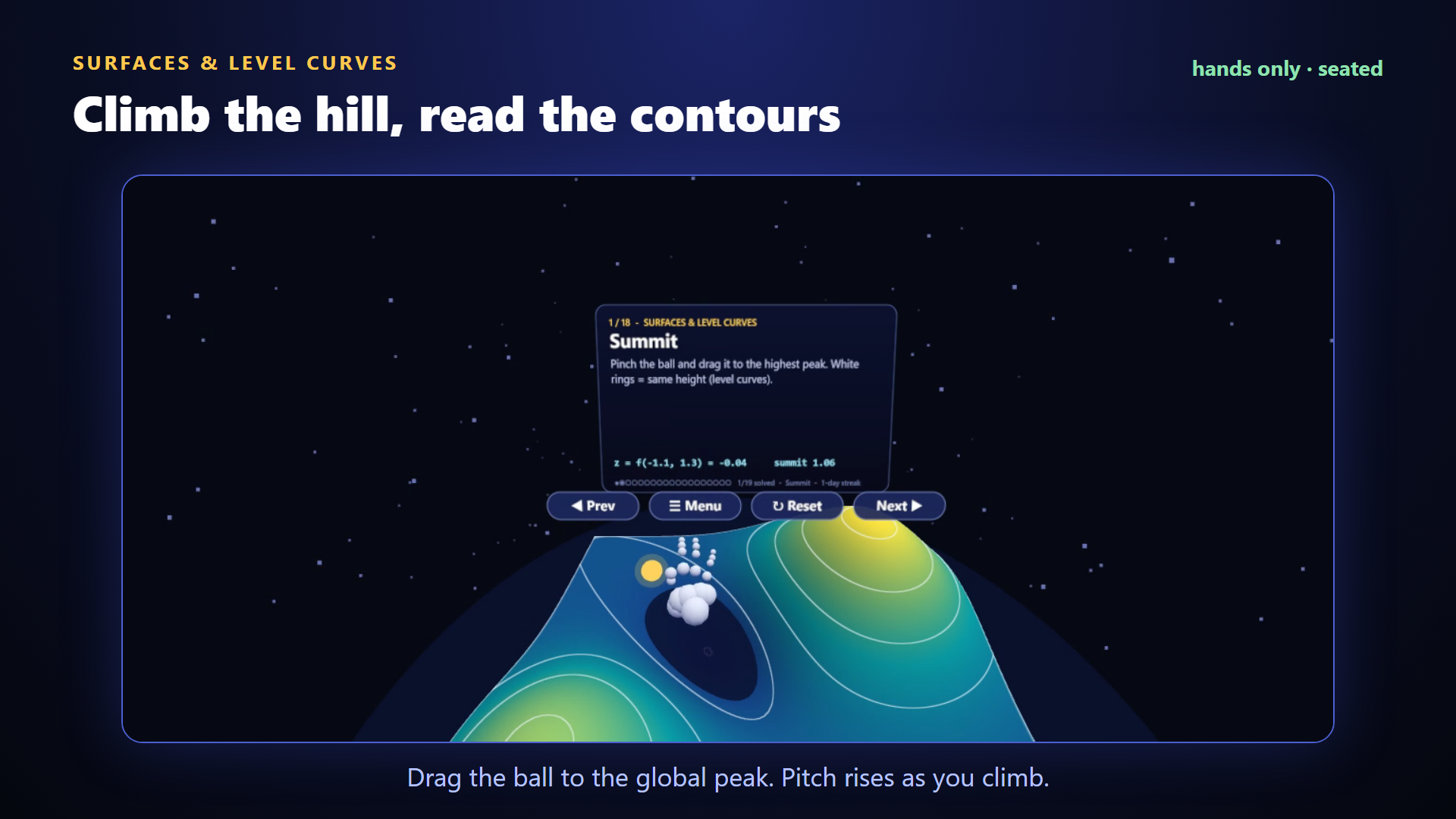
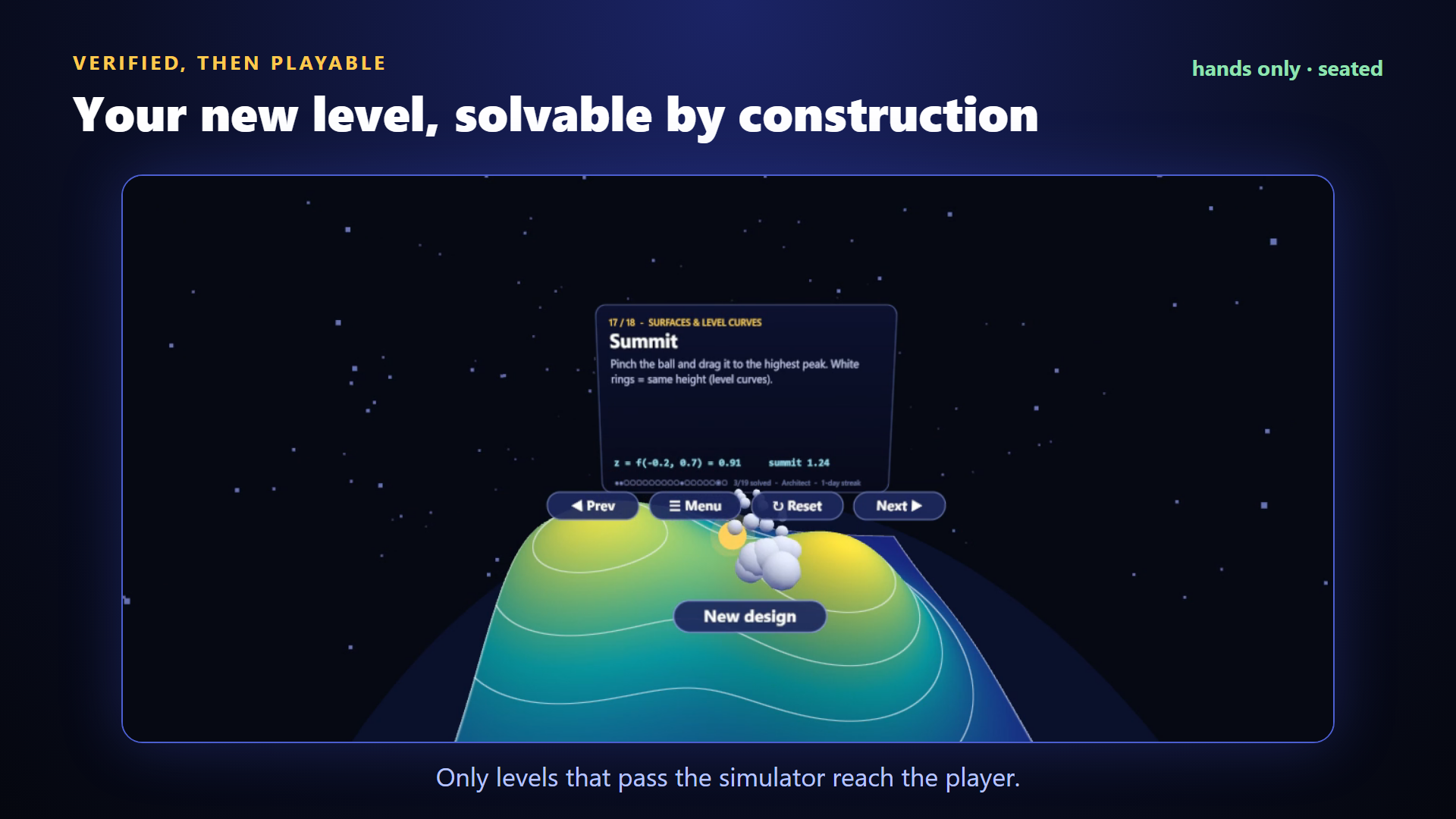
- Drag a ball up a surface to find the global peak. White contour rings show level curves, and the pitch rises as you climb.
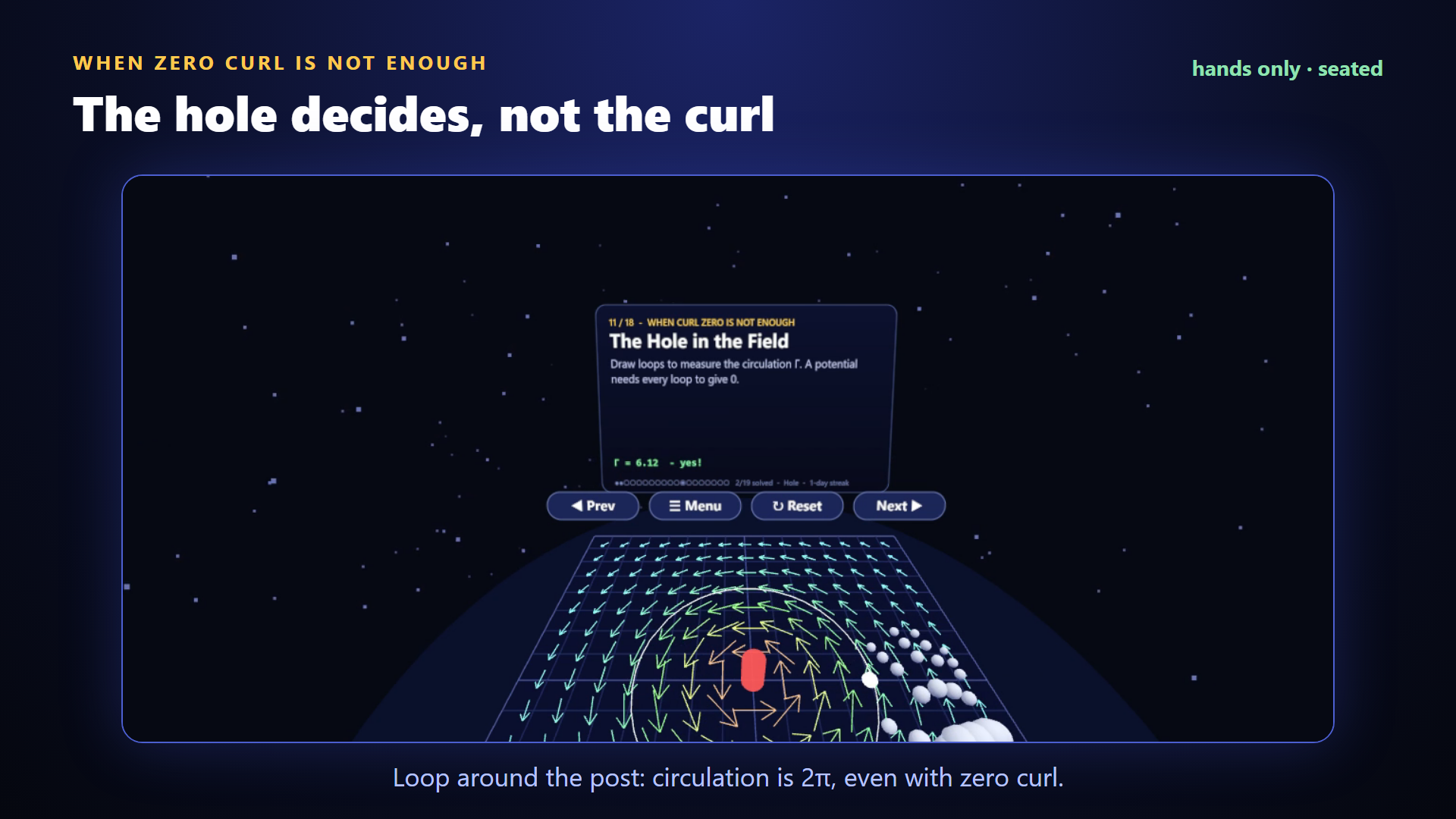
- Draw loops in a vector field. A field with zero curl can still have circulation of 2π if your loop goes around the hole.
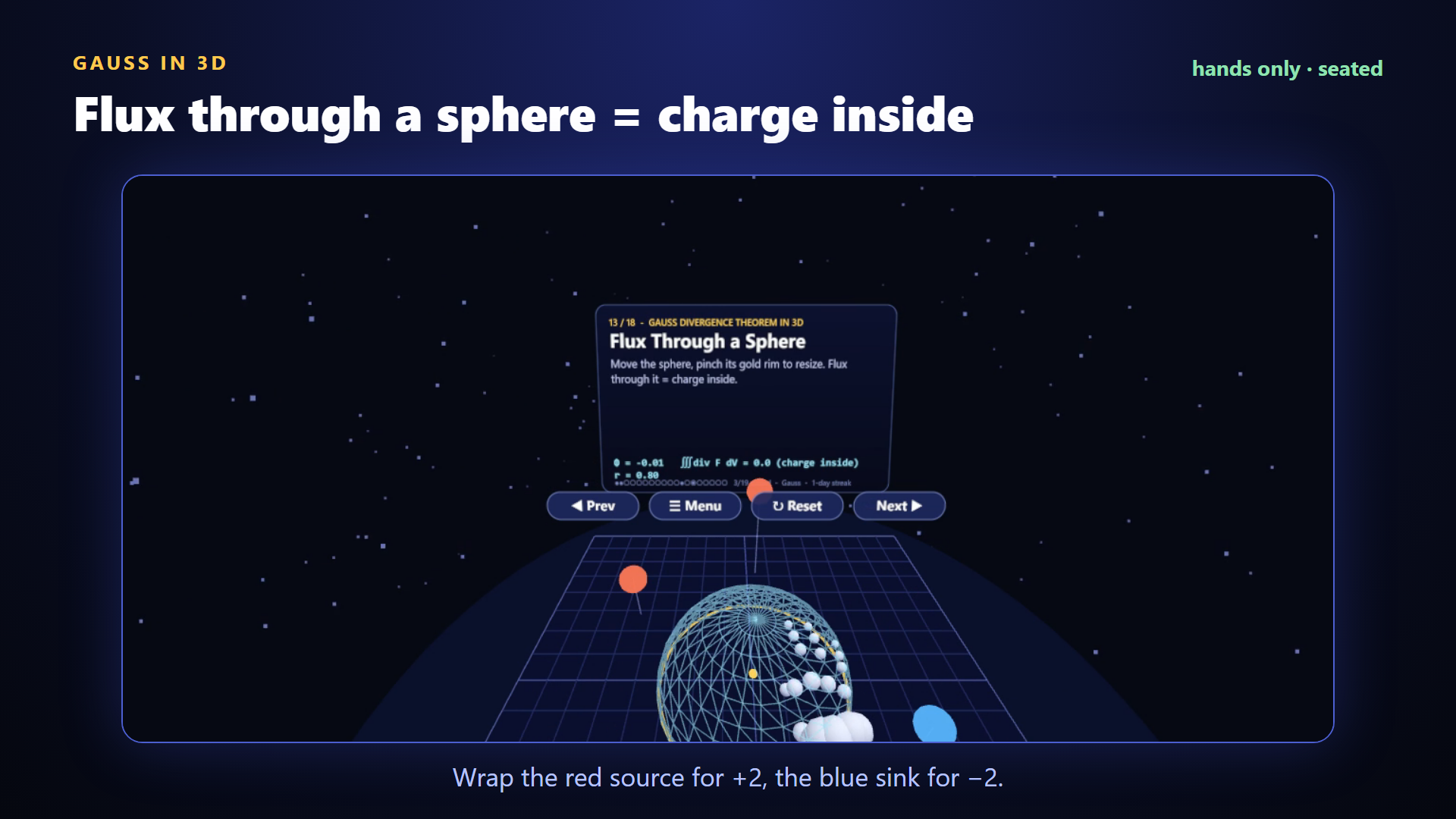
- Wrap a sphere around a source or a sink and watch the flux match the charge inside (Gauss).
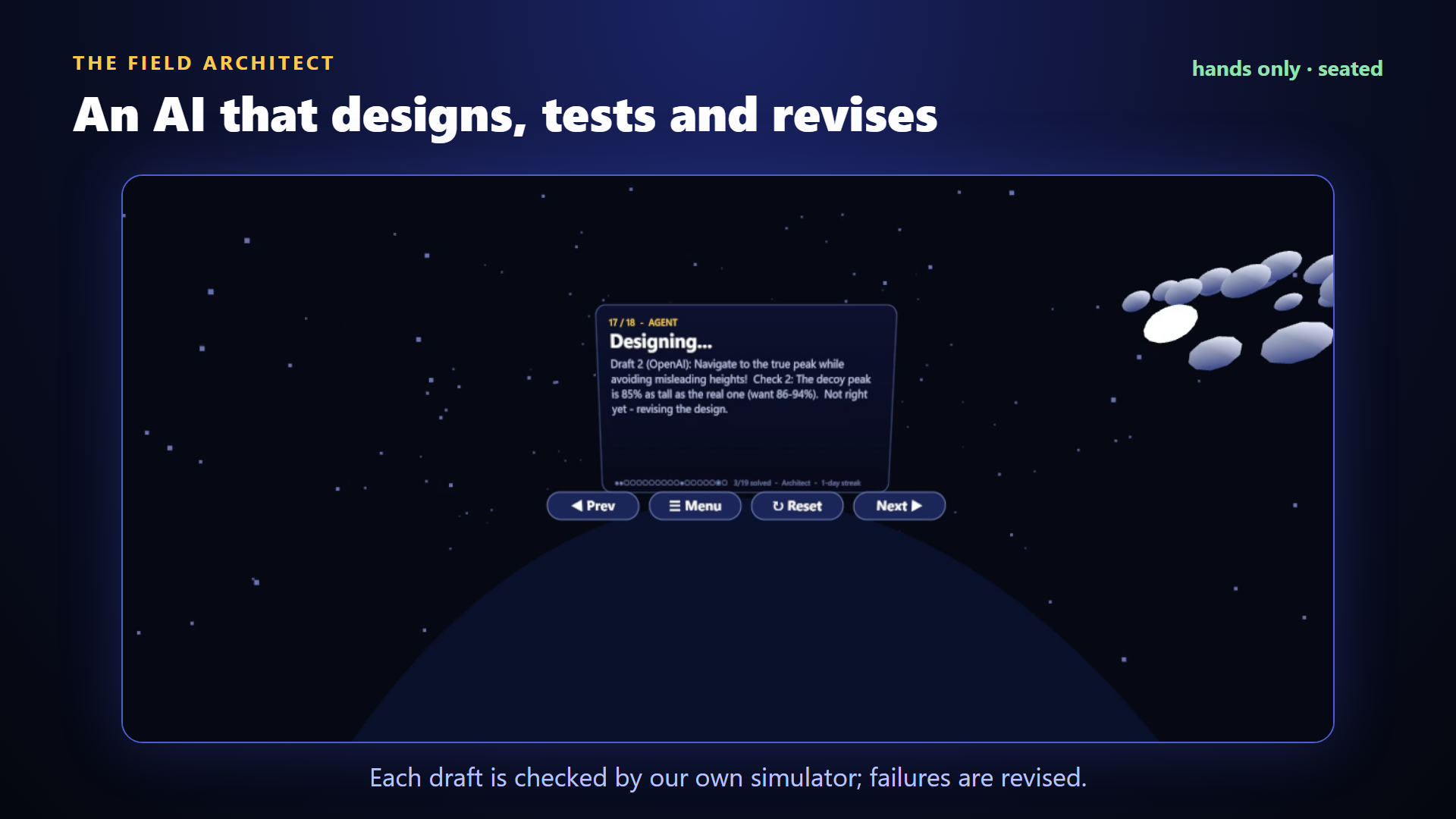
- The Field Architect is an AI level designer. Pick a topic and a difficulty. It drafts a level, tests it in its own simulator, revises when the check fails, and only then hands it over.
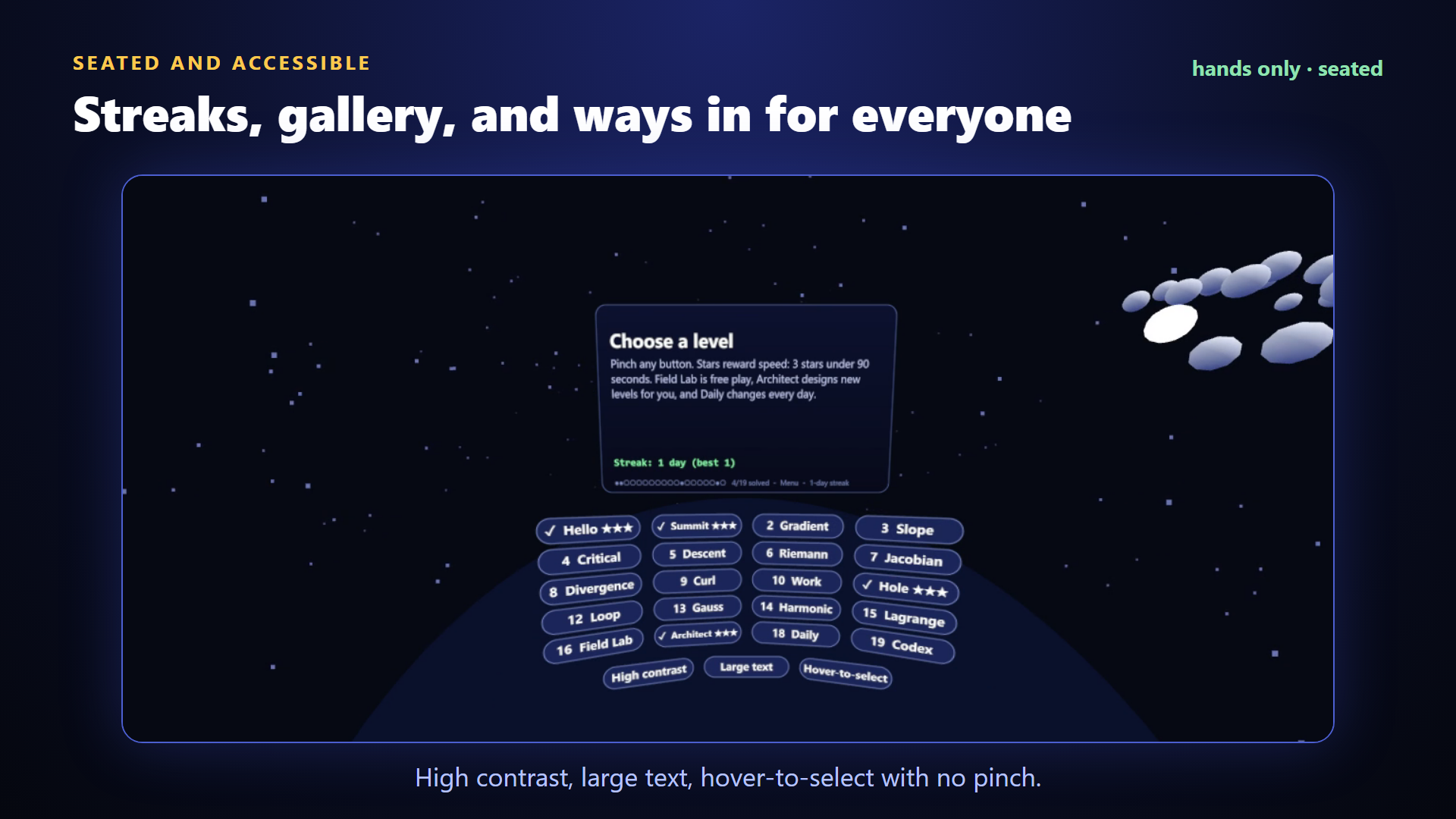
There are 19 levels, daily levels, streaks, a gallery of AI-made levels, and mastery stars. Accessibility options include high contrast, large text and hover-to-select, so no pinch is needed.
How we built it
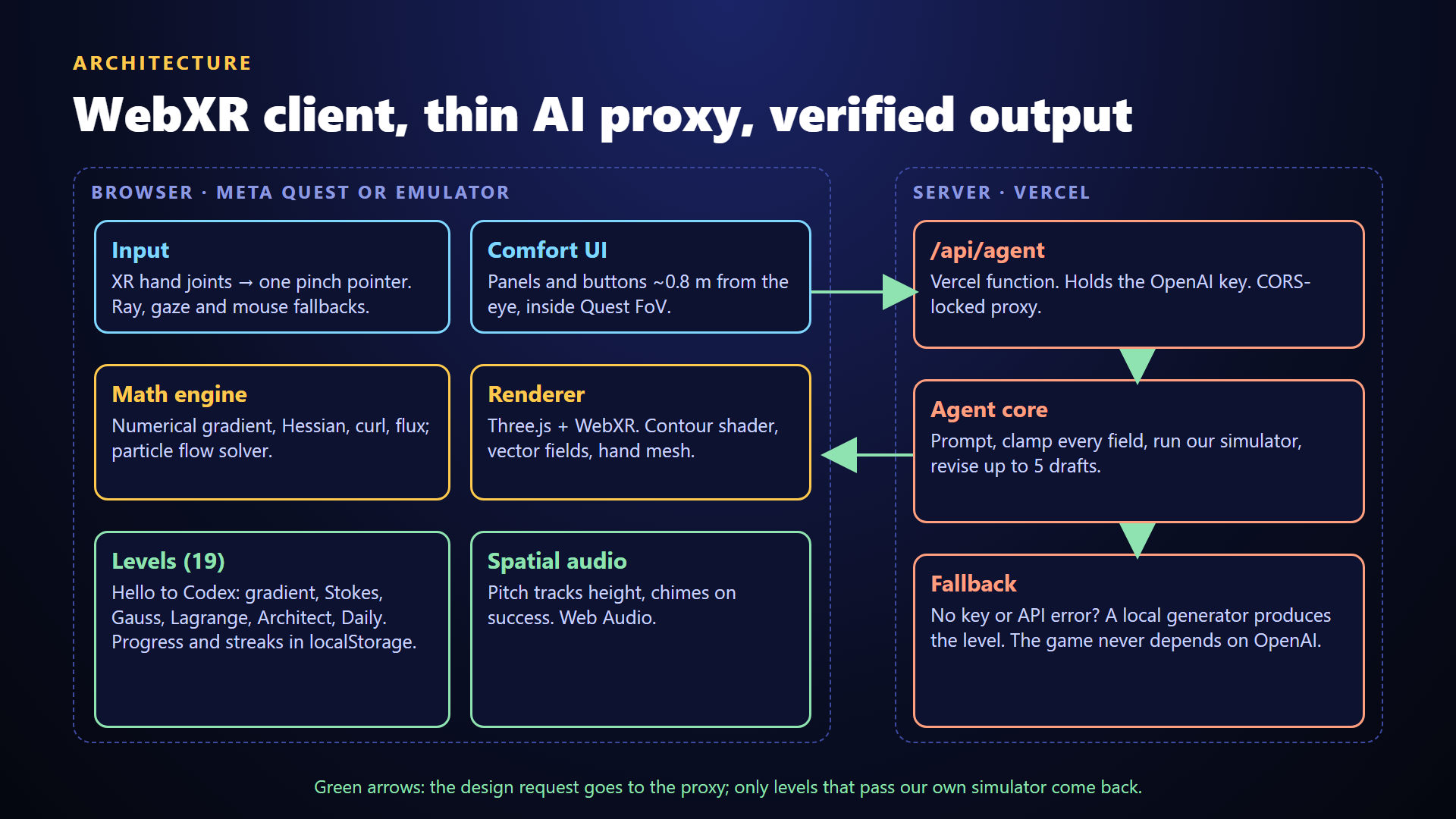
- Client: WebXR and Three.js with Vite, written from scratch: a contour-line shader, numerical gradient, Hessian and curl, a flux calculator and a particle flow solver.
- Input: XR hand joints become one pinch pointer, with ray, gaze and mouse fallbacks.
- Seated comfort: every panel and button sits about 0.8 m from the eye, inside the Quest field of view, and an in-game audit checks it.
- AI: a thin Vercel function proxies OpenAI, so the key never reaches the browser. Every model output is clamped and re-verified by our own simulator, with up to 5 revisions. If there is no key, a local generator takes over. The game never depends on OpenAI.
- Testing and video: we built an automated demo mode that plays the game with a scripted hand and records it in the Immersive Web Emulator.
Challenges we ran into
- Making UI comfortable by hand: buttons that were close together pressed their neighbours, so we added nearest-button selection and moved the UI about 20% closer.
- Keeping the AI honest: models propose levels that look fine but are unsolvable or unfair. Building a simulator that checks the level, and loops until it passes, was the real work.
- Testing without a headset: we recorded and tuned everything in the Immersive Web Emulator with a virtual hand, including camera framing and narration timing.
Accomplishments that we're proud of
- A full hands-only loop from first pinch to AI-designed levels, with no controller path.
- An AI feature that is verified rather than trusted: the player only sees levels that pass the simulator.
- A level that teaches something counter-intuitive: zero curl, nonzero circulation.
- It plays free in the browser, with no install.
What we learned
- Hand-first design lives or dies on distances, target sizes and forgiving selection.
- Use AI to propose, and ordinary code to verify.
- Short, visual explanations of one idea per level beat long text in VR.
What's next for Fieldwalker
- Testing and tuning on real Quest hardware. So far everything has been built and recorded in the Immersive Web Emulator.
- Passthrough mode: put the board on your real table.
- True 3D Stokes and surface integrals on real surfaces.
- Teacher mode: share custom fields by link.
- Co-solving: two players, one field.
Built With
- github
- glsl
- hand-tracking
- immersive-web-emulator
- javascript
- meta-quest
- node.js
- openai
- three.js
- vercel
- vite
- web-audio-api
- webxr
