-
-
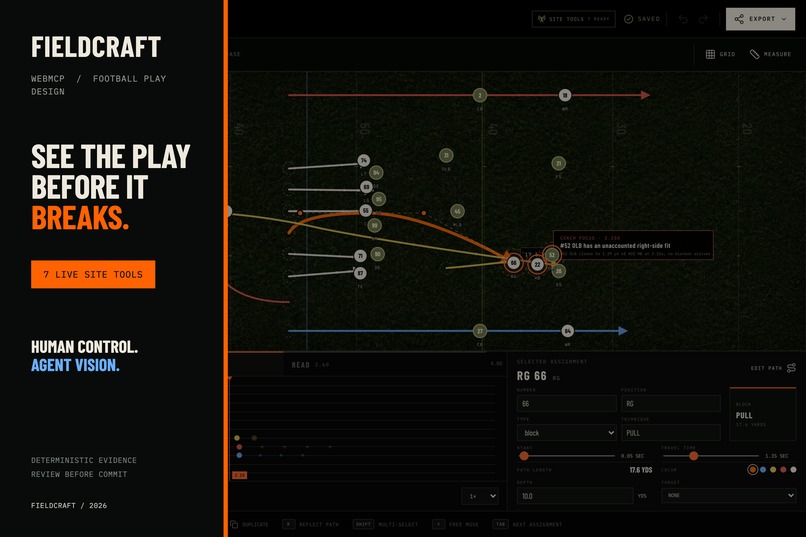
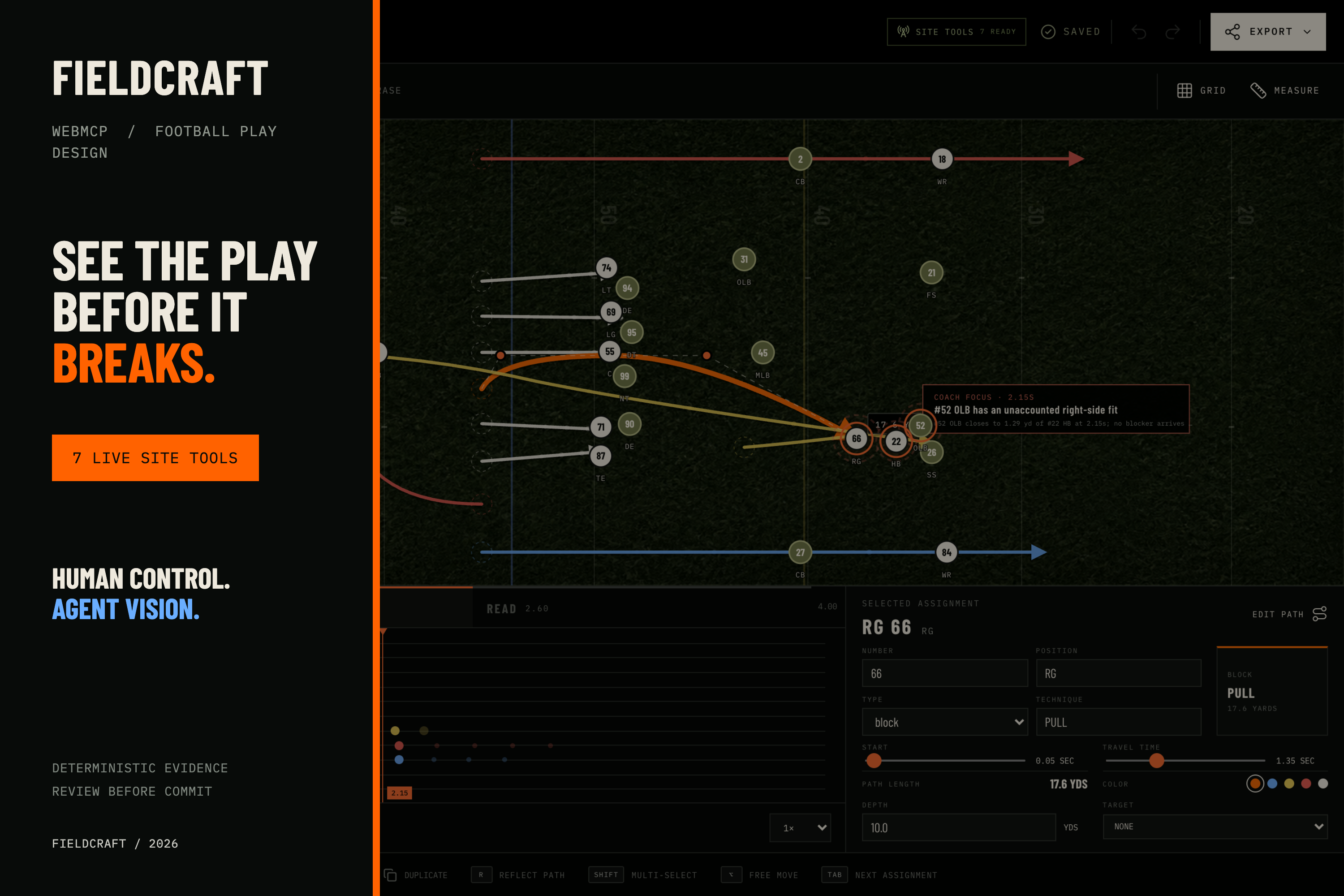
Thumbnail overview of FieldCraft
-
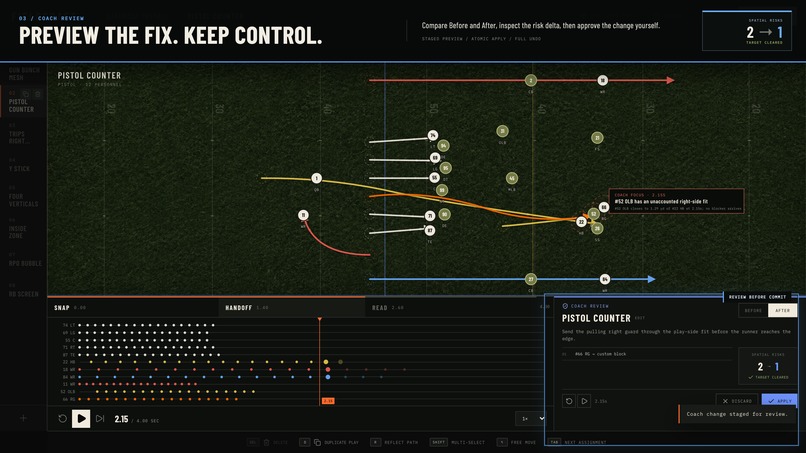
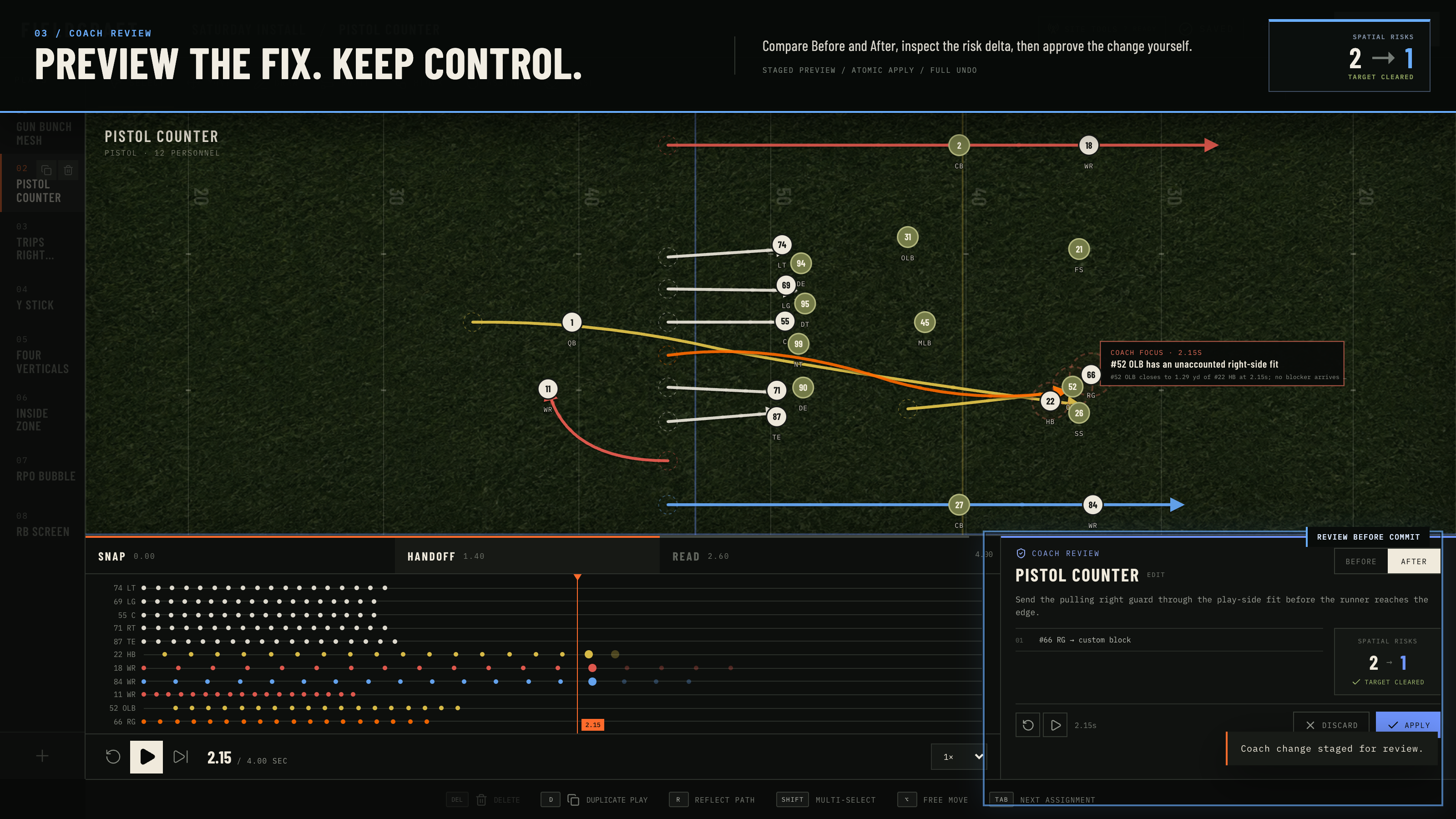
Agent suggestions remain staged in a playable Before/After review the coach sees the risk change from 2 to 1 and decides whether to apply it
-
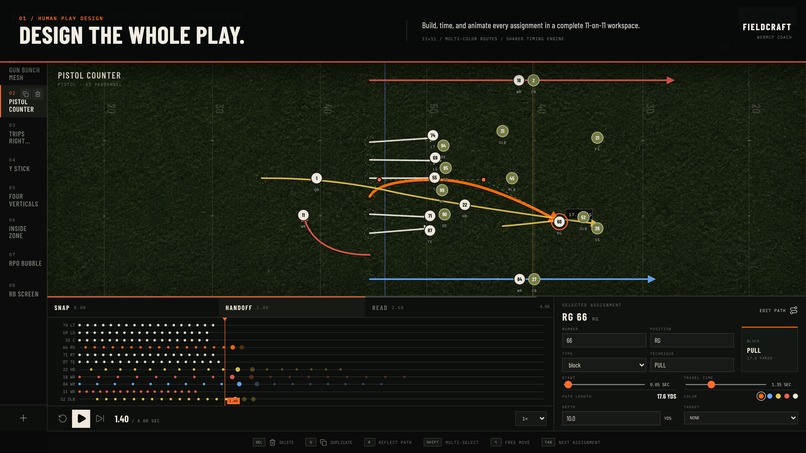
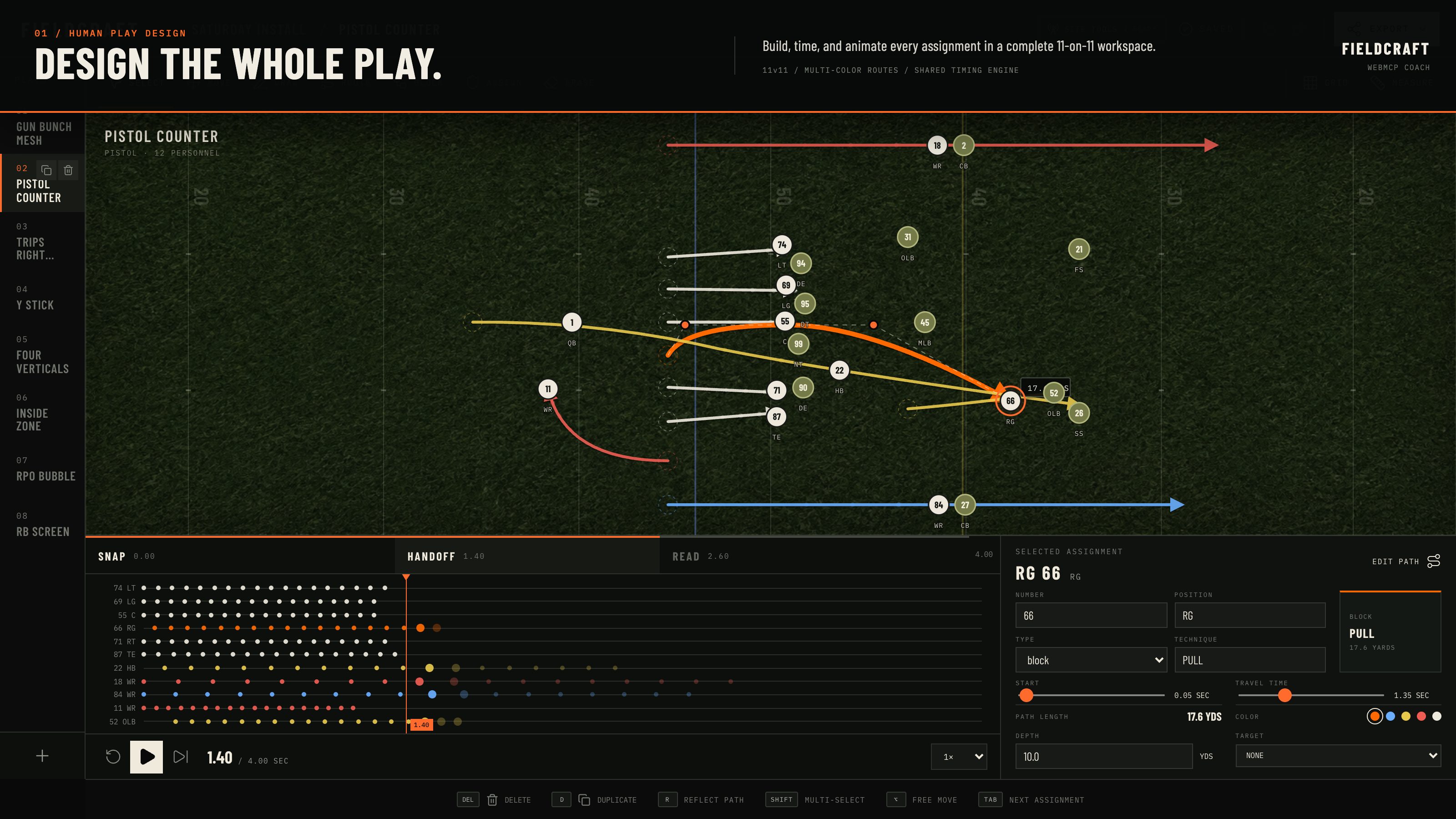
Design, time, animate, and export complete 11-on-11 concepts in a coach-first play workspace
-
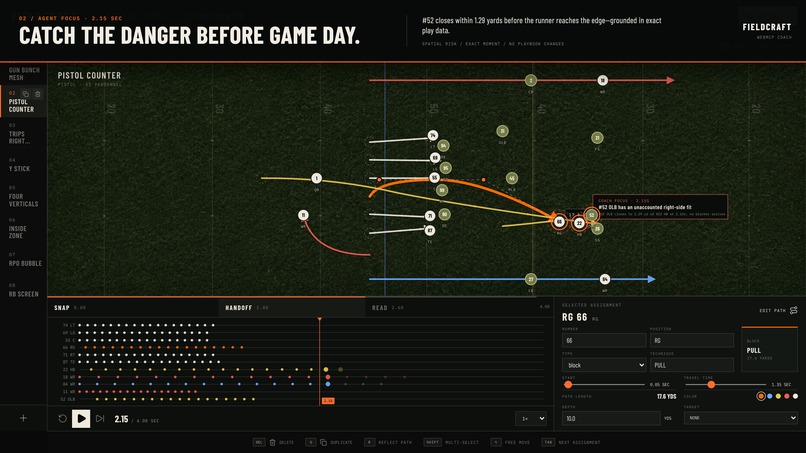
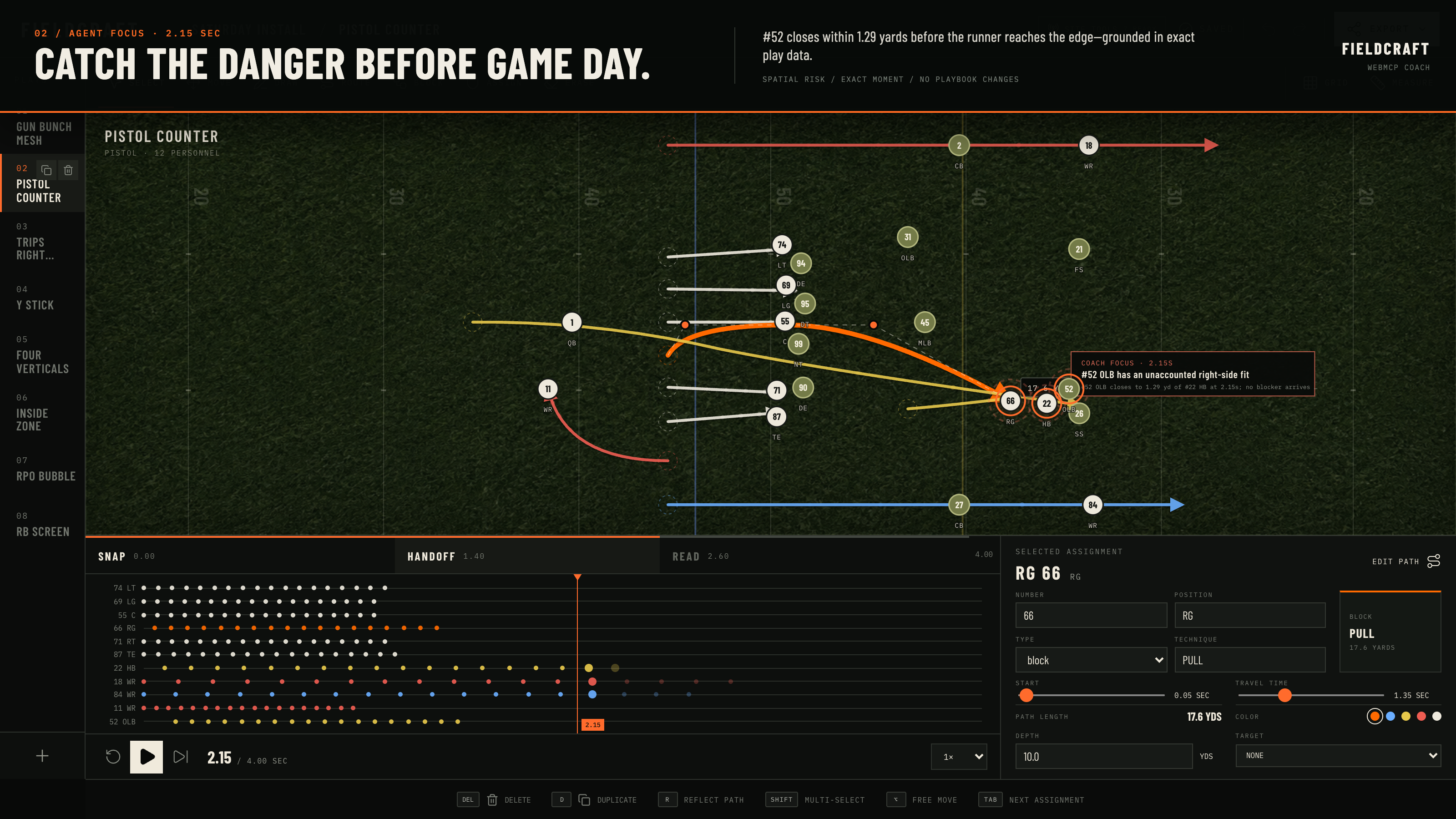
Fieldcraft's WebMCP tools identify the exact 2.15-second window where #52 can close the play-side lane, then focus the evidence on the field
Inspiration
A football play can look perfect on a whiteboard and still fail because one defender reaches the point of attack half a second before the blocker.
Most play-design tools help coaches draw assignments. I wanted to build one that could also expose timing and spacing problems without pretending to predict the outcome of a game. I started with a strict rule: Fieldcraft had to be useful without AI. The agent would assist the coach, not replace the product or the coach’s judgment.
What it does
Fieldcraft is a complete 11-on-11 American football play designer. Coaches can:
- Start from eight editable common play presets
- Move players and build routes, runs, blocks, and motion
- Animate every assignment on a shared timeline
- Retiming assignments and immediately see every player’s dot trail update
- Edit Bézier paths, timing, technique, depth, color, and targets
- Undo, redo, duplicate, import, export, and save locally
- Export a clean play sheet as a PNG
When Fieldcraft opens inside a WebMCP-compatible browser, it exposes seven site tools to ChatGPT or Codex. The agent can read the exact play state, run deterministic spatial checks, focus the field on a dangerous moment, and stage a proposed repair.
My main demonstration starts with Pistol Counter. The analysis finds that #52 OLB can close within 1.29 yards of the halfback at 2.15 seconds before a blocker arrives. The agent focuses on that exact moment and proposes a new path for #66 RG.
The proposal opens in a playable Before/After Coach Review. The coach can compare both versions and see the detected risks change from 2 to 1. Nothing enters the saved playbook until the coach explicitly approves it.
All findings are presented as spatial and timing risks, not outcome predictions.
How I built it
Fieldcraft uses React 19, Vite 6, TypeScript, Zustand, Motion, and an interactive SVG field.
The editor stores positions in football coordinates across a 40-by-53.3-yard surface. Playback, field trails, timeline dots, and spatial analysis all use the same interpolation engine, so the evidence shown to the agent matches what the coach sees.
The analysis engine samples each play every 0.05 seconds. It checks for:
- Runner and defender threat windows
- Early, late, or absent blockers
- Rush and blitz pressure near the quarterback
- Sustained route congestion
- Uncovered route terminals
- Assignments extending beyond the play duration
The page registers seven tools through document.modelContext.registerTool():
get_playbookget_playanalyze_playfocus_findingstage_play_changescommit_play_changesdiscard_play_changes
Every human and agent edit crosses the same typed command boundary. Agent proposals remain separate from the canonical playbook, validate against the play revision, and become one undoable command only after approval.
There is no embedded chatbot, model API, backend, or account system. The browser agent handles tactical reasoning while the site supplies structured play data, geometry, validation, and safe editor actions.
Challenges I ran into
The tactical canvas was the first major challenge. At shorter desktop heights, the field could compress until players, paths, and labels overlapped. I reworked the layout and field scaling so the editor remains legible at both 1440×1024 and 1280×800.
The second challenge was keeping the analysis honest. An agent can describe a screenshot convincingly while getting the geometry wrong. I separated deterministic evidence from model reasoning and made every finding include player IDs, a time window, minimum distance, timing margin, and focus time.
The hardest product decision was how agents should change a play. Direct edits were too easy to lose track of. Fieldcraft instead stages an immutable proposal, locks normal editing during review, supports Before/After playback, rejects stale revisions, and requires explicit confirmation before committing.
Accomplishments that I'm proud of
- Fieldcraft remains a polished, useful editor when WebMCP is unavailable
- The agent and coach work on the same live page and the same play state
- All 22 players remain independently editable across eight starter concepts
- Analysis, animation, and the timeline share one timing engine
- Agent changes are visible, reversible, revision-safe, and undoable
- The complete application runs client-side with no external runtime dependencies
What I learned
Useful agent tools need narrower boundaries than ordinary application APIs. Reading a bounded section, focusing on one finding, and staging a review gives the agent enough control without hiding consequential changes from the user.
I also learned that visual feedback matters as much as the tool call. Scrubbing to 2.15 seconds and drawing the danger directly on the field makes the agent’s reasoning understandable in a way that a paragraph alone cannot.
What's next for Fieldcraft
I want to add more defensive shells, coach-defined rules, coverage-specific analysis, reusable install packages, and cloud playbooks for staff collaboration. A future server-side MCP integration could support playbook work when the webpage is not open, while WebMCP remains the best interface for live visual review.
Built With
- codex
- openai
- react
- svg
- typescript
- vite
- webmcp

Log in or sign up for Devpost to join the conversation.