-
-
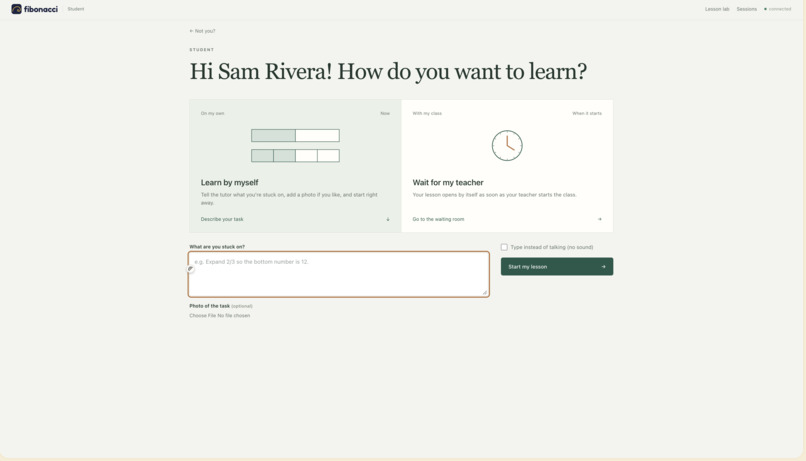
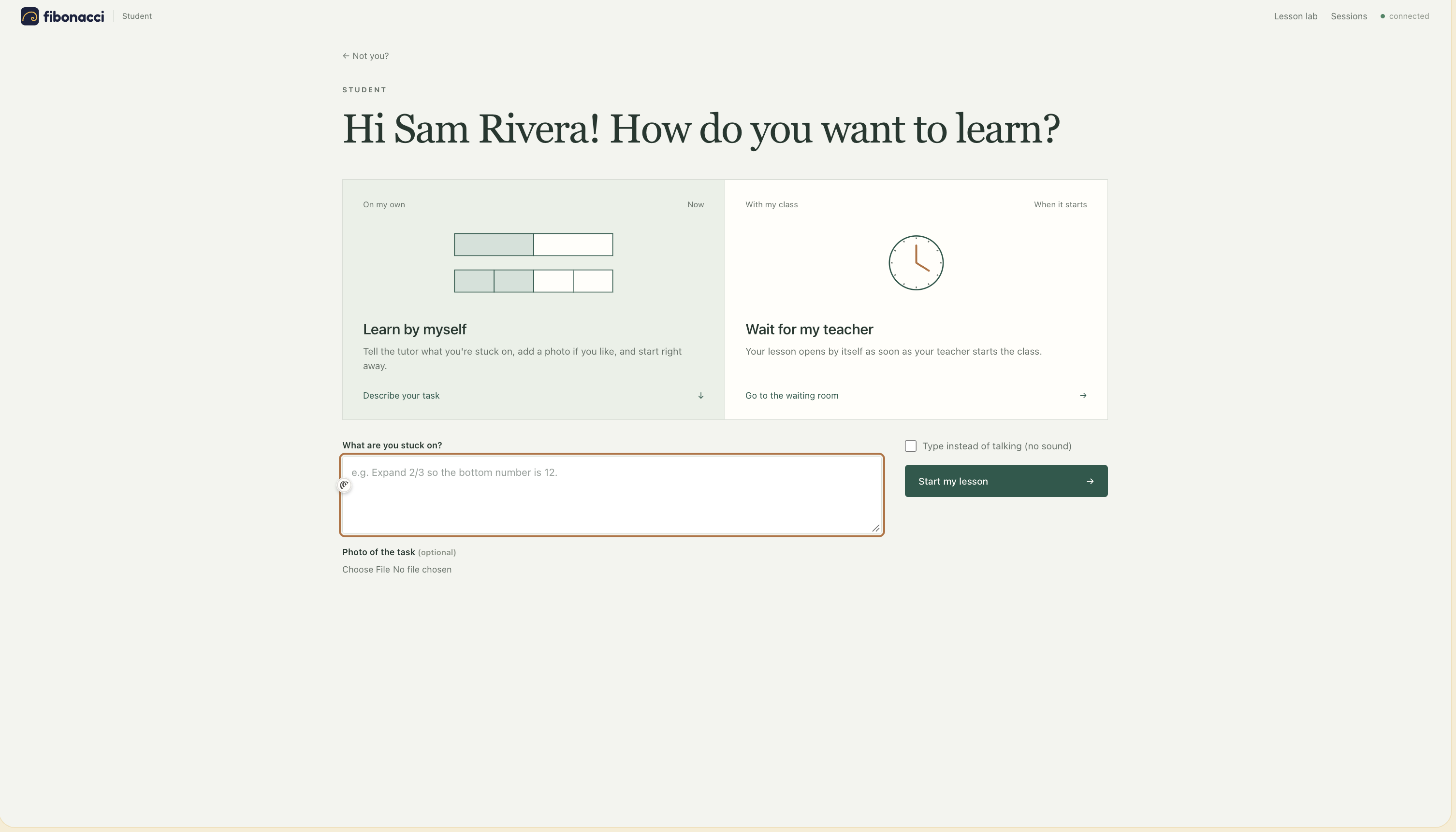
Student View: Select learning mode - unsupervised or class
-
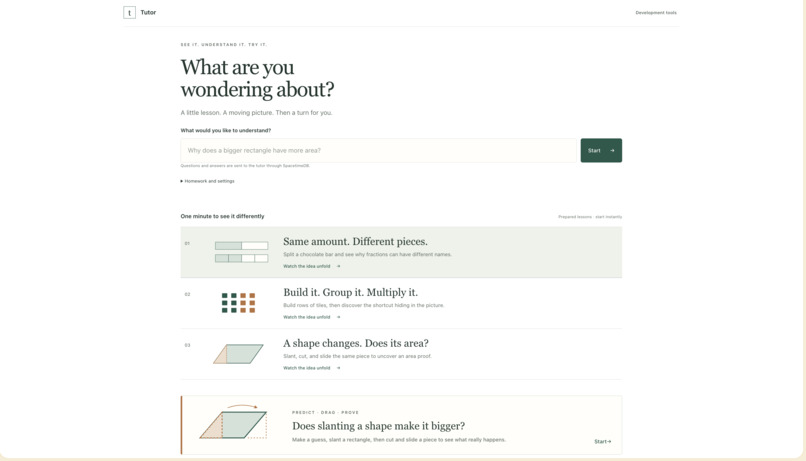
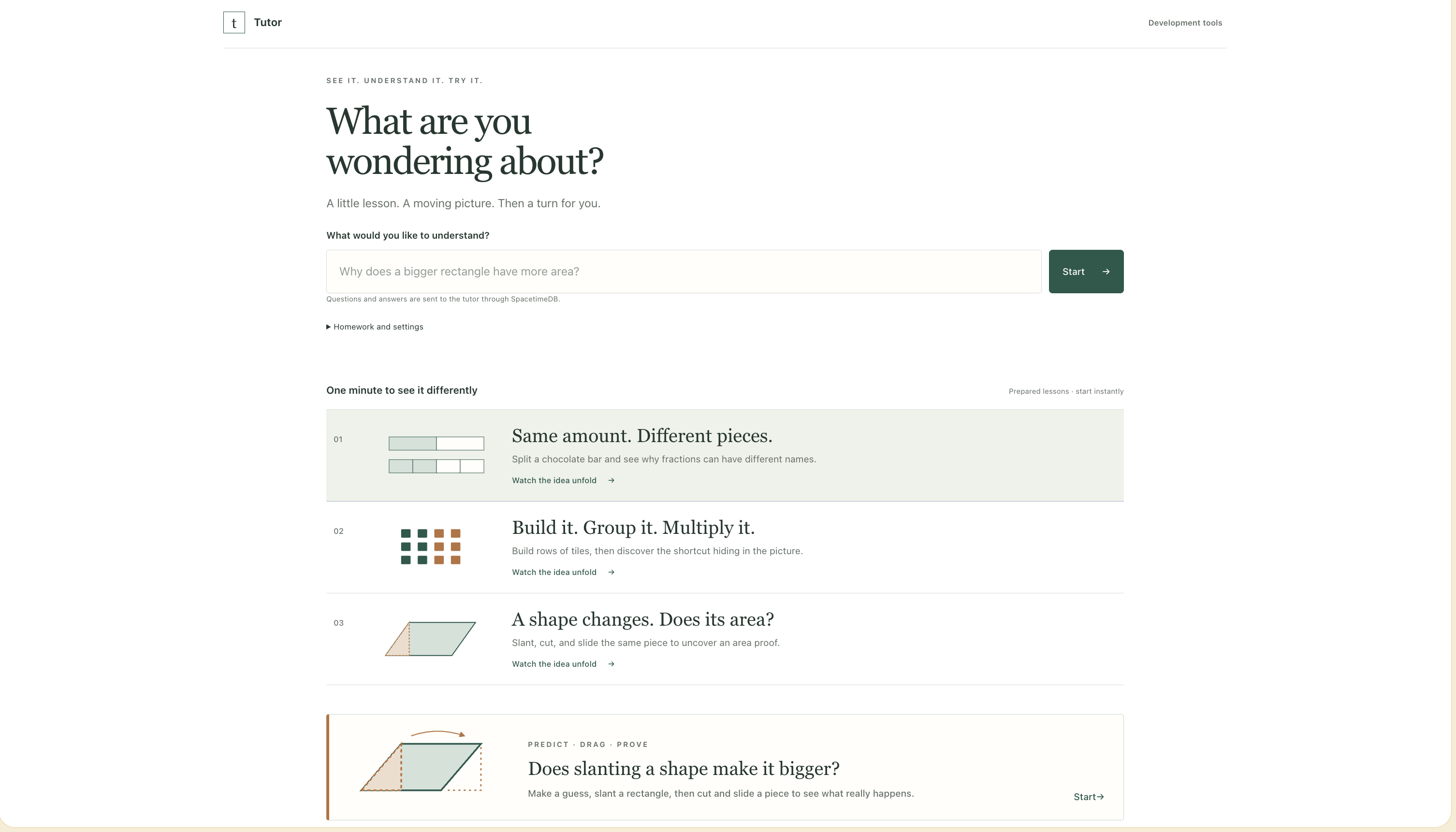
Student View: Start learning a topic independently
-
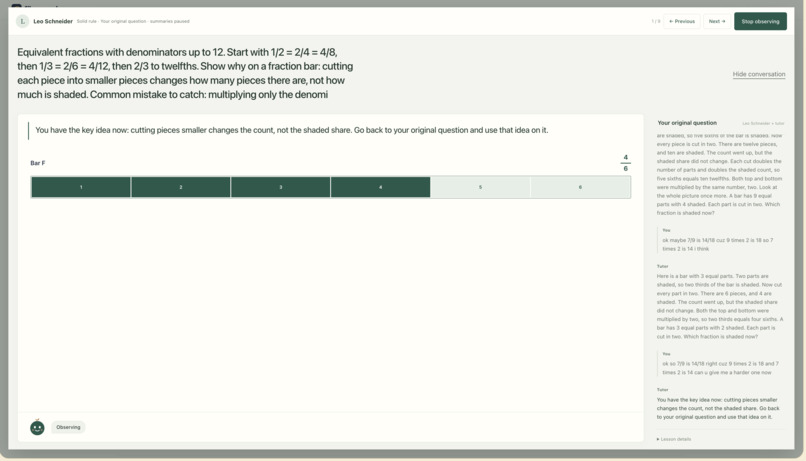
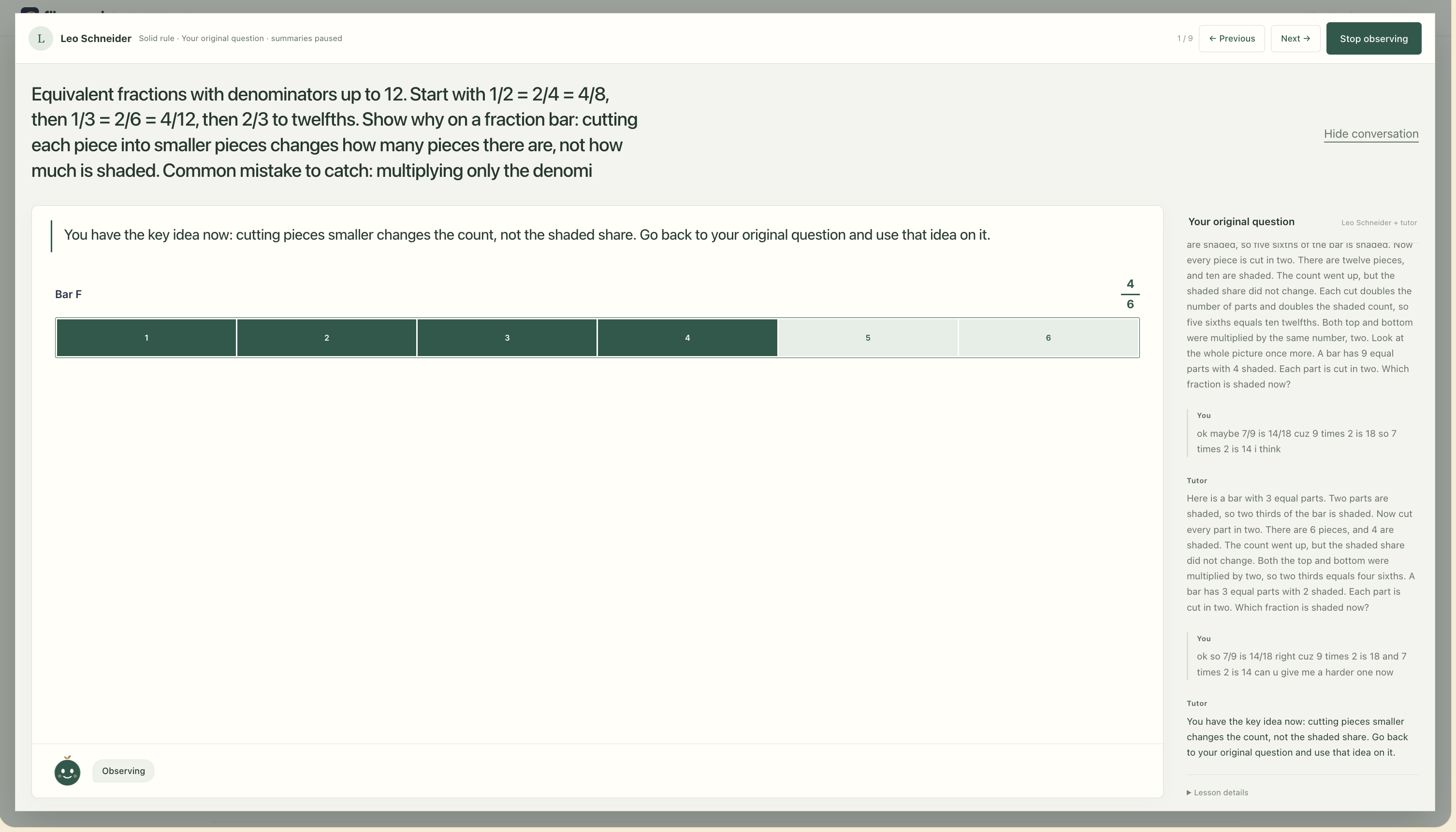
Teacher Dashboard: Observing student view/Student View Learning
-
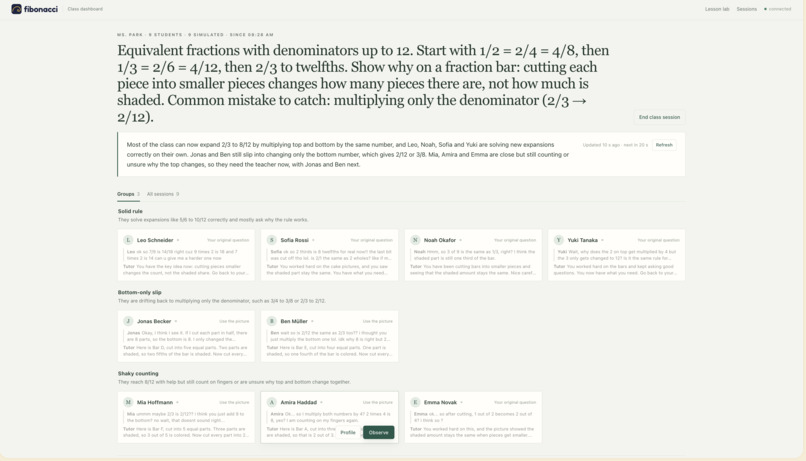
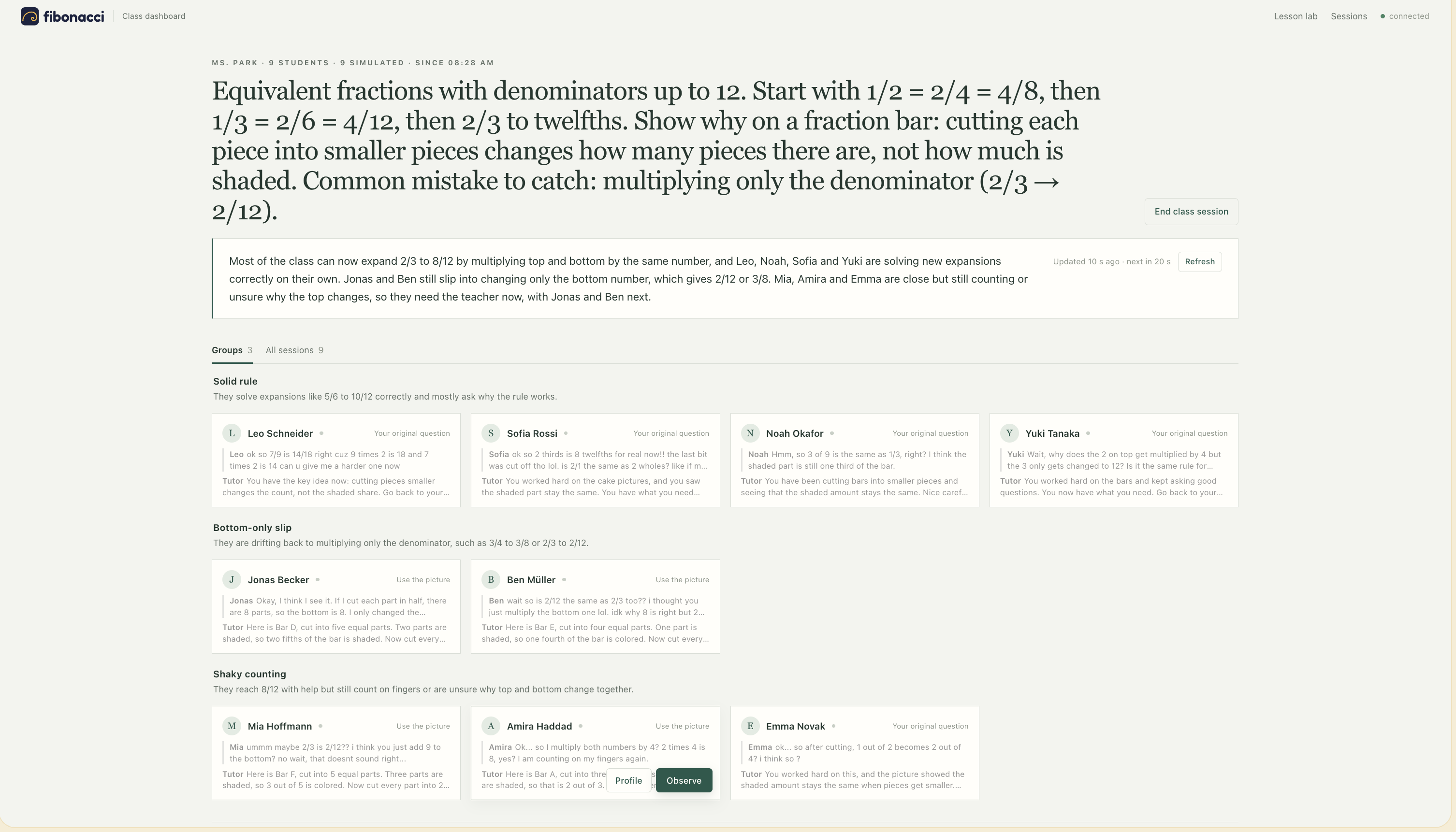
Teacher Dashboard: Observing a class working on a common goal
-
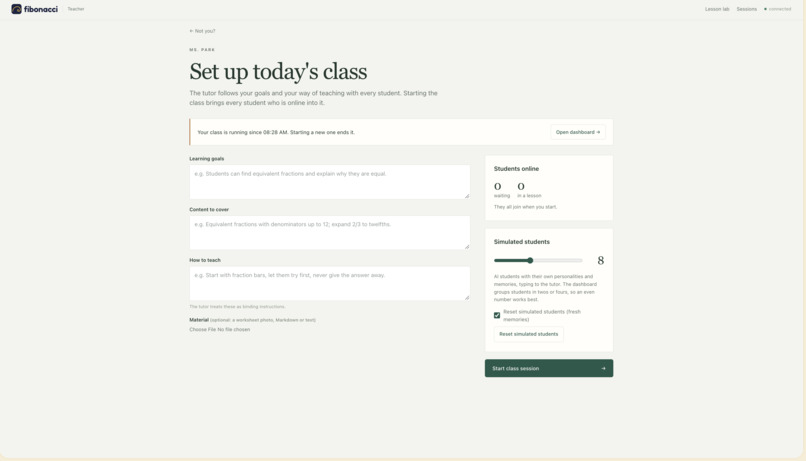
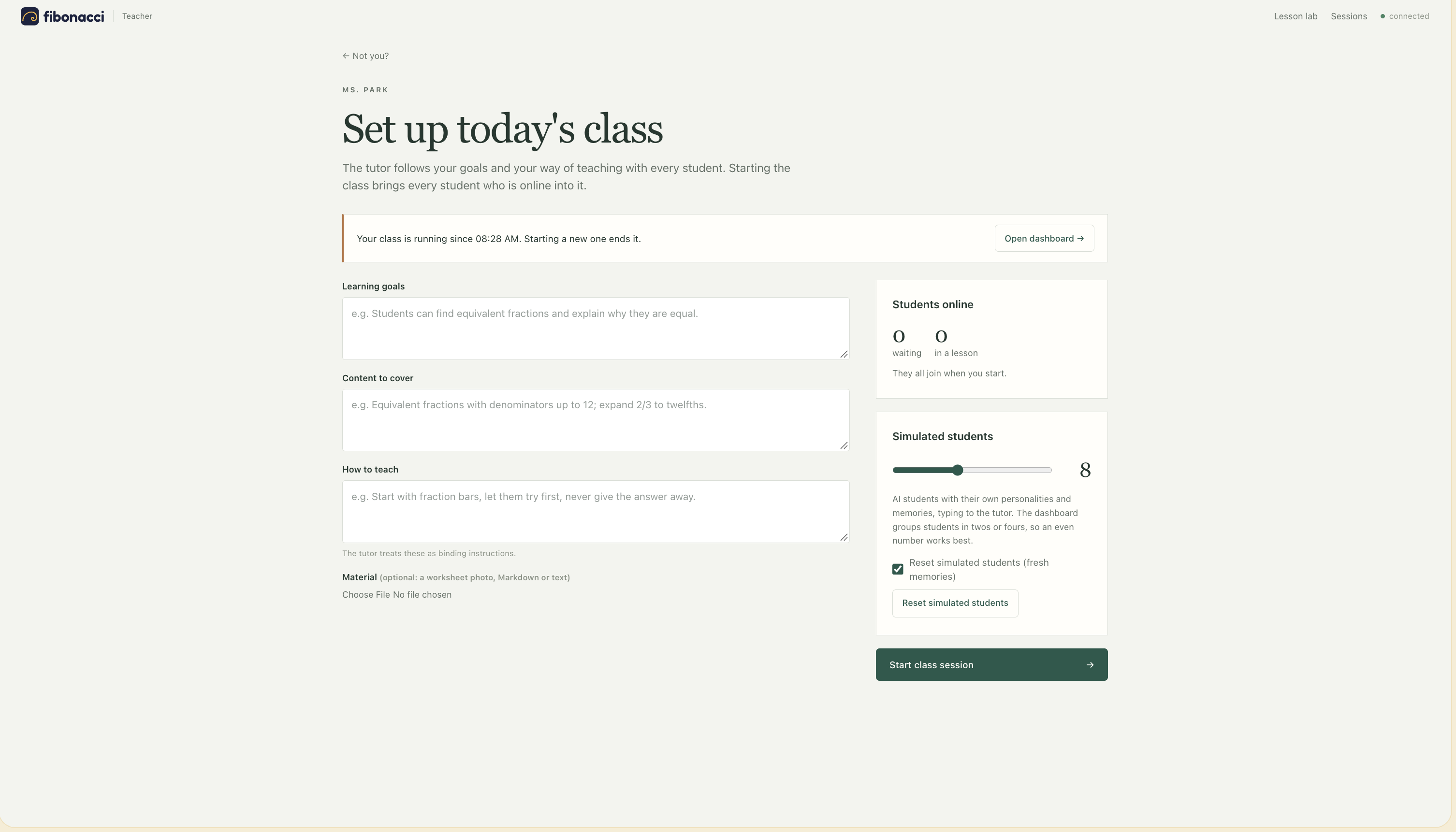
Teacher Dashboard: Initiate a class
-
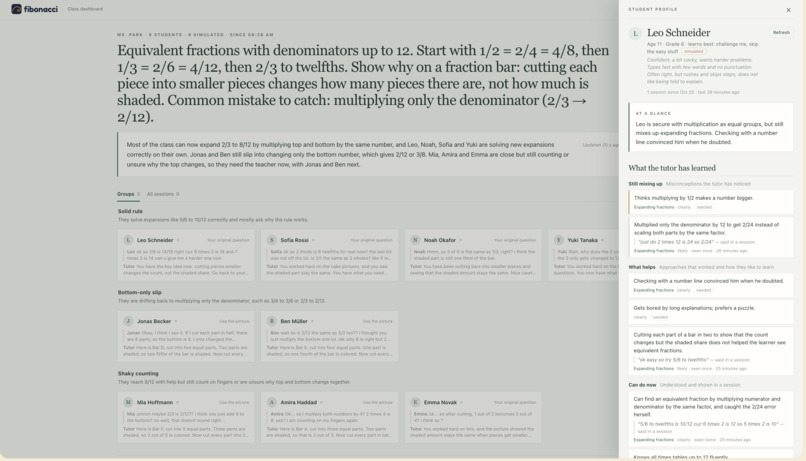
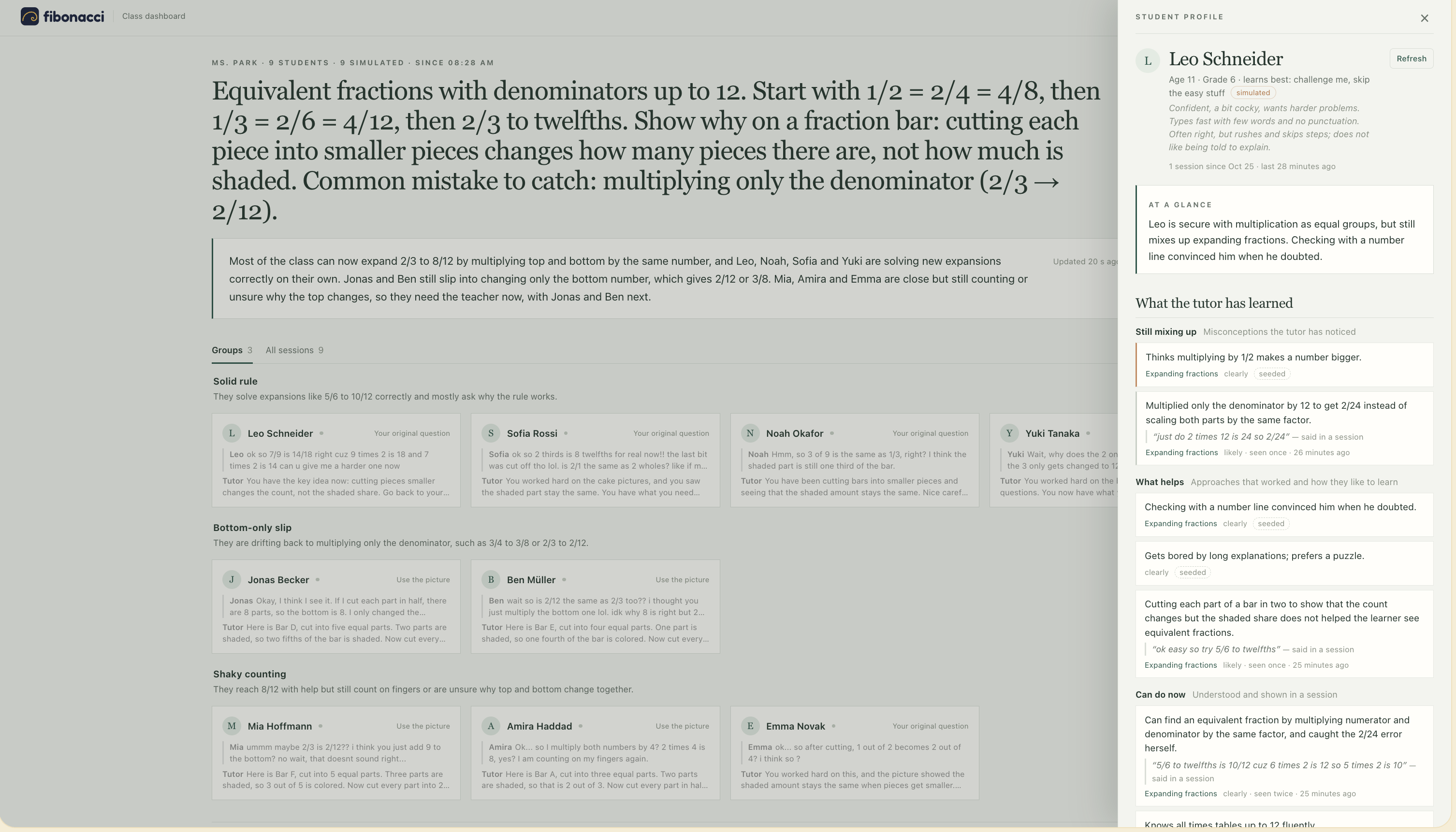
Teacher Dashboard: Student profile
-
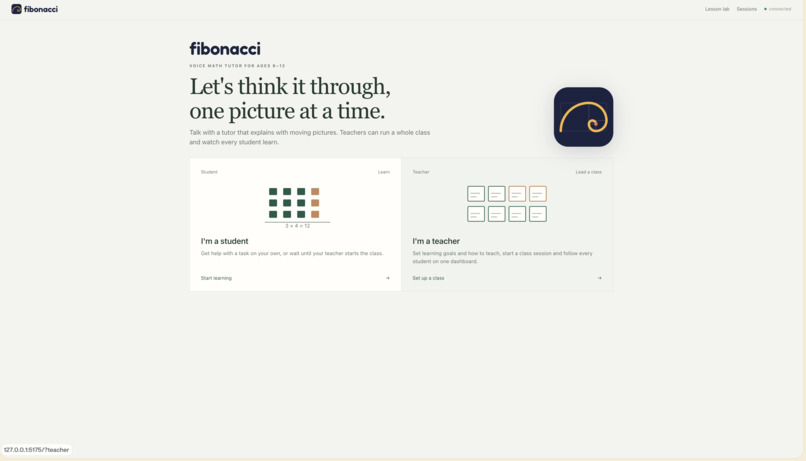
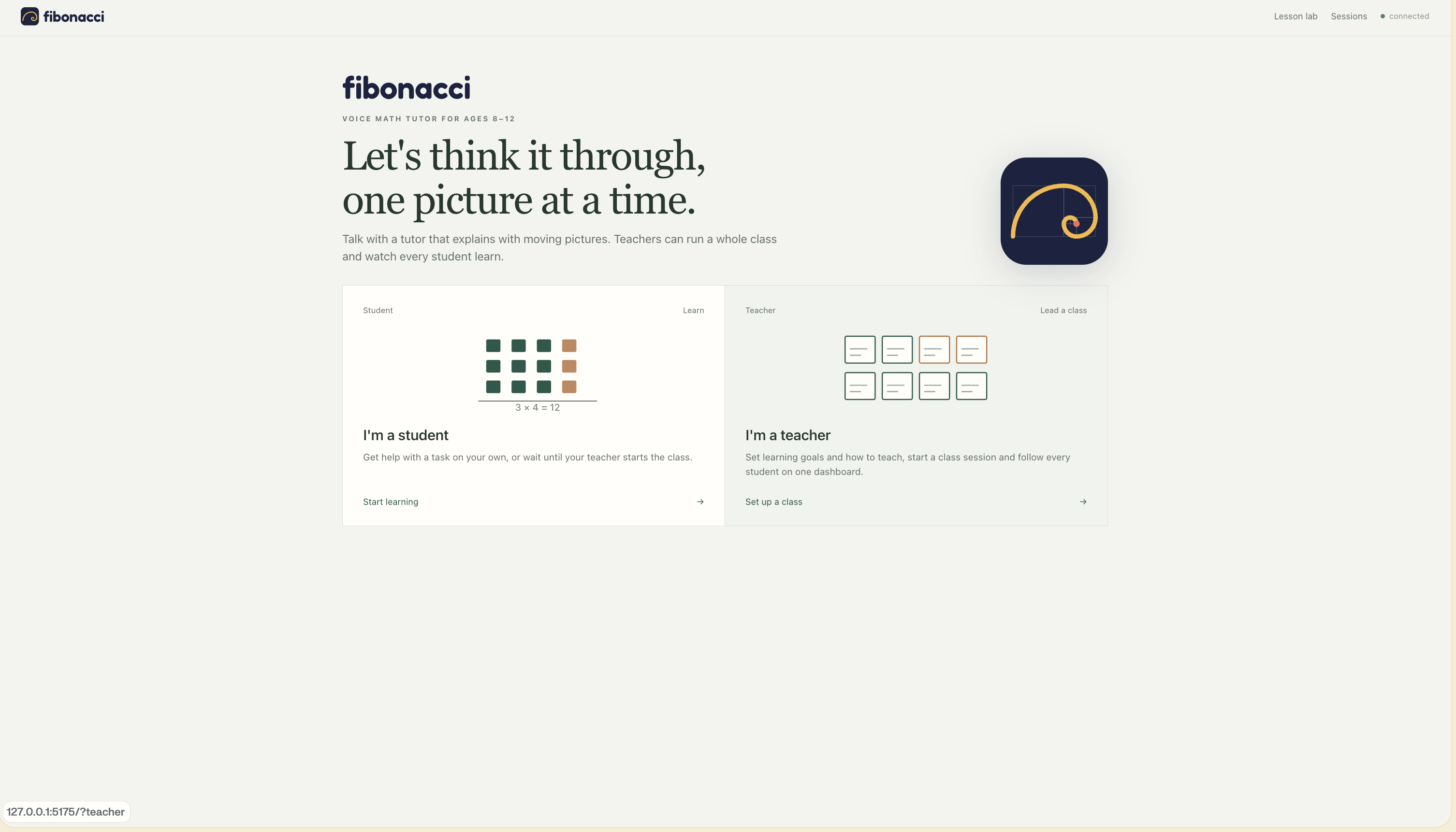
Fibonacci: Select role - student or teacher
Fibonacci
A voice math tutor that draws while it talks, explaining the why behind homework to kids aged 8–12, with a live classroom view for their teachers.
Inspiration
Most of us remember sitting over math homework, stuck on something that just didn't make sense, with nobody around who could explain it.
That's the problem. Kids rarely get stuck on arithmetic. They get stuck on the idea. A child writes 1/4 + 2/4 = 3/8 because nobody showed them what a quarter looks like. When no adult at home can explain it, "help" means the answer, which skips the understanding. And a teacher with 25 students can't see who is stuck on what until the test comes back.
What it does
For students. A child types or photographs their homework and starts talking. Fibonacci answers by voice and draws on a canvas, with each piece appearing on the exact word it's saying. Every lesson follows the order teachers use: a picture first, then the notation, then a similar task with different numbers that the child solves alone, and finally their own homework handed back. It never solves the homework for them. A wrong answer gets one smaller step instead of the solution, the child can interrupt the tutor mid-sentence, and private notes on what each child mixes up shape the next lesson.
For teachers. A teacher sets the goal and how they want the topic taught, then starts a class. A live dashboard shows a class summary and groups of students who are stuck the same way ("adds the denominators"), refreshed every 30 seconds. The teacher can click any student and watch their screen live. For the demo, Claude plays up to 20 simulated students with typical misconceptions, and they talk to the real tutor.
How we built it
- SpacetimeDB is the entire backend. Audio goes in as reducer calls. Speech-to-text, speech, memory, simulated students and the dashboard run as scheduled procedures inside the database. Every screen is a subscription to rows, so watching a student live needed no extra code.
- Cartesia for hearing and speaking. Ink transcribes each phrase while the child is still talking, and Sonic's word timestamps decide when each part of the picture appears.
- Claude Haiku 5.5 plans each lesson and writes what the tutor says, streamed moment by moment. It also writes the memory notes, the simulated students' messages and the teacher's summary.
- The model proposes, code decides. Every lesson moment is validated against the live canvas in a reducer before the child sees it, answers are graded deterministically, and equations are computed from the picture.
- React + Vite client with in-browser voice detection, Smart Turn for end-of-turn detection, barge-in, and our own animated math canvas.
Challenges we ran into
- Streaming out of a database. SpacetimeDB procedures can't stream yet, so we moved only the LLM streaming into a small worker and had the database check each moment as it arrives.
- Latency. Our first version took 4.3 s from the end of the child's speech to the tutor's first word. Streaming the lesson planner brought that down to about 2.75 s, of which only about 100 ms is our own code.
- Kids pause and say "um". Early versions split one answer into two turns until we tuned voice detection and added Smart Turn.
- Keeping voice and picture in sync. The canvas used to run ahead of the voice and spoil the lesson. Now each piece appears only when its sentence plays.
Accomplishments that we're proud of
- One SpacetimeDB module is the whole backend, and the app is just static files.
- About 2.75 s from the end of speech to the first tutor audio, with real Claude and Cartesia.
- 8/8 end-to-end voice tests passing, with zero rejected lesson moments.
- 8 simulated students held 64 turns with the real tutor in about 2 minutes.
- A tutor that teaches the idea and hands the homework back instead of solving it.
What we learned
A database with subscriptions, scheduled jobs and validating reducers covers most of what a voice agent needs; only streaming still needs its own process. Letting Claude be creative is safe for kids when the math and the screen are checked in code. And writing our teaching method down as rules the database enforces made the tutor far more consistent than prompting alone.
What's next for Fibonacci
- Pilot it in real classrooms with teachers and parents.
- Add accounts, consent and data deletion.
- Cut latency further by streaming the first sentence's audio.
- Pair students who are stuck on the same idea.
- Go beyond fractions to decimals, multiplication and area.
Built With
- anthropic
- cartesia
- claude
- node.js
- react
- spacetimedb
- typescript
- vite


Log in or sign up for Devpost to join the conversation.