-
-
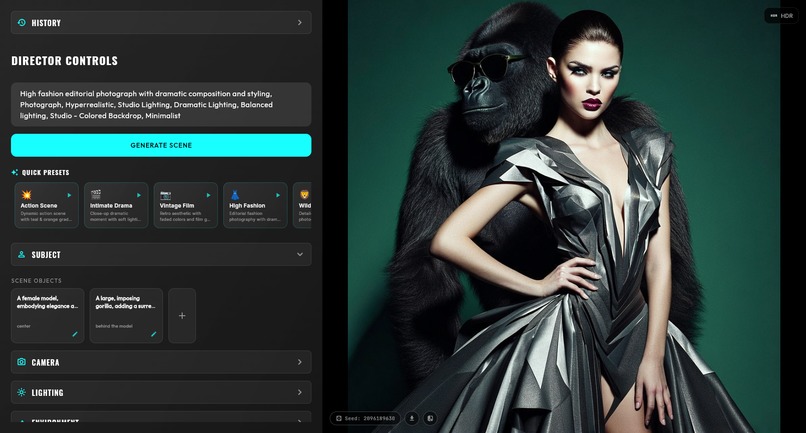
Gorilla girl - fibo director
-
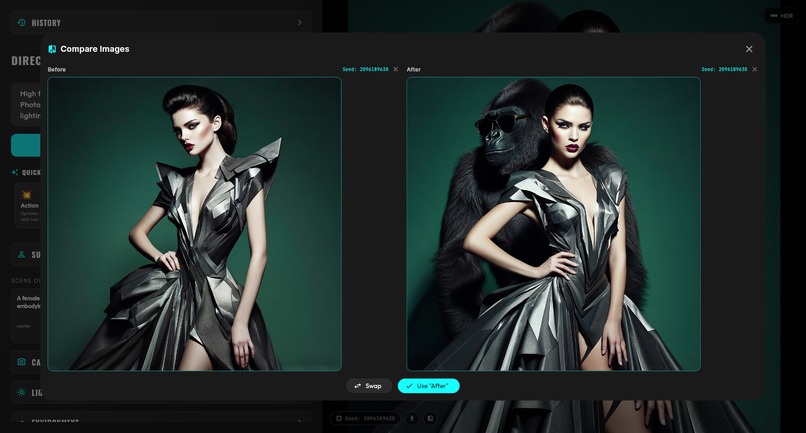
compare images - fibo director
-
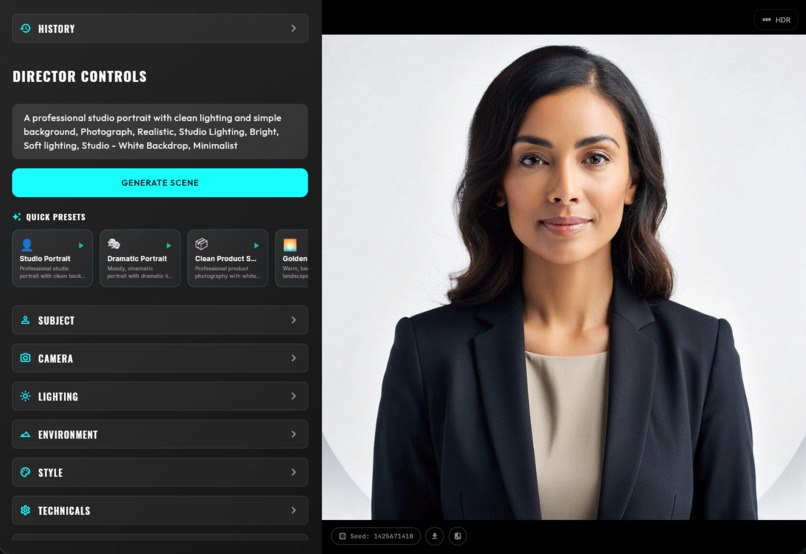
portrait image - fibo director
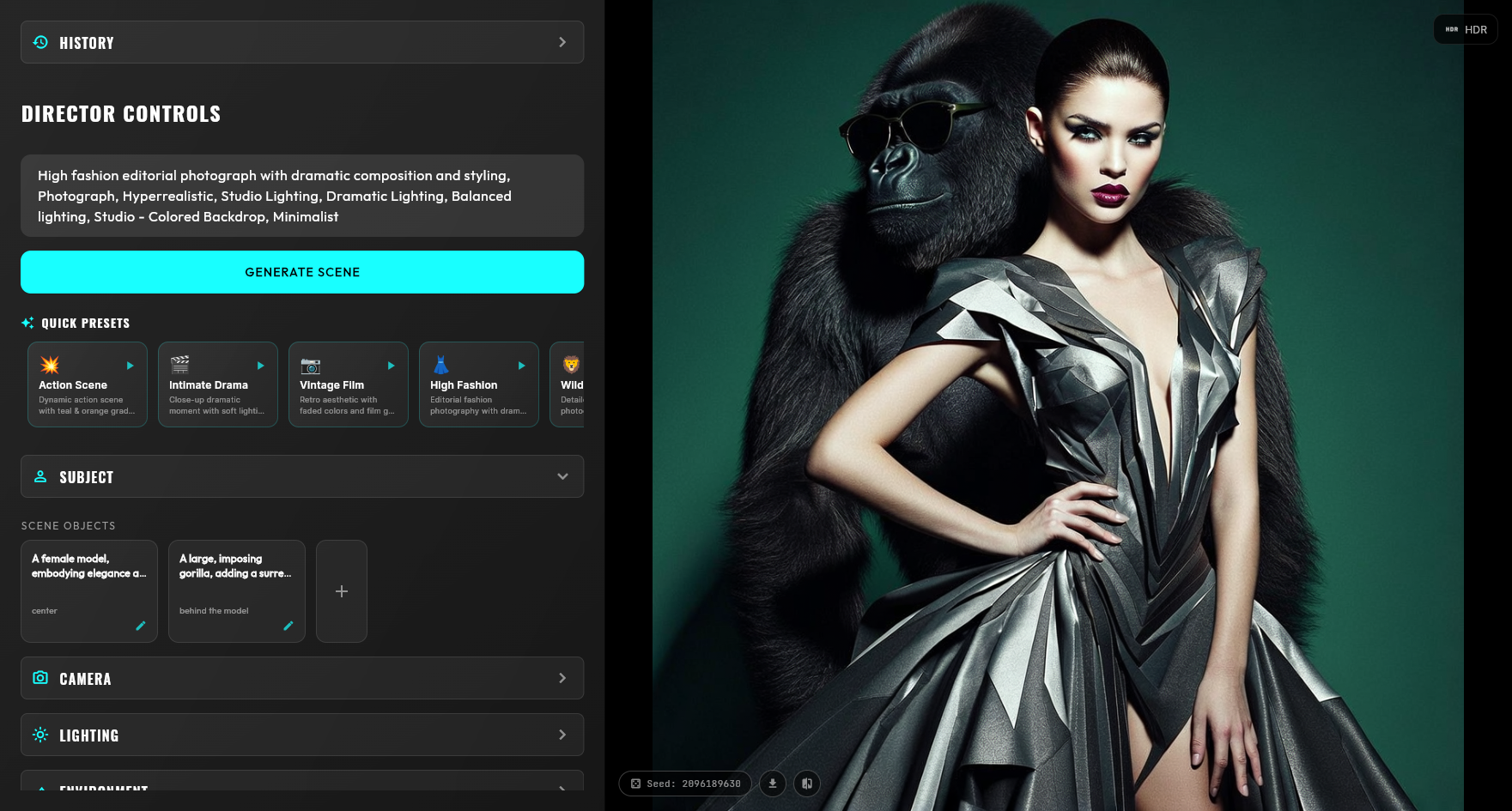
About FIBO Director
Inspiration
Every AI image generator today works the same way: you write a prompt, hit generate, and hope for the best. If the result isn't quite right, you tweak your words and try again. It's prompt roulette.
When I discovered FIBO's JSON-native architecture, I saw something different. Here was a model that didn't just accept text — it understood structured parameters. Camera angles, lighting conditions, color palettes — all as deterministic controls that "always work the same way."
The problem? That power was locked behind raw JSON. I wanted to unlock it.
What if generating AI images felt less like gambling and more like directing a film? What if you could say "change the lighting to golden hour" and actually get just the lighting changed, with everything else preserved?
That's what inspired FIBO Director: turning FIBO's JSON-native control into a visual, intuitive experience that anyone can use.
What it does
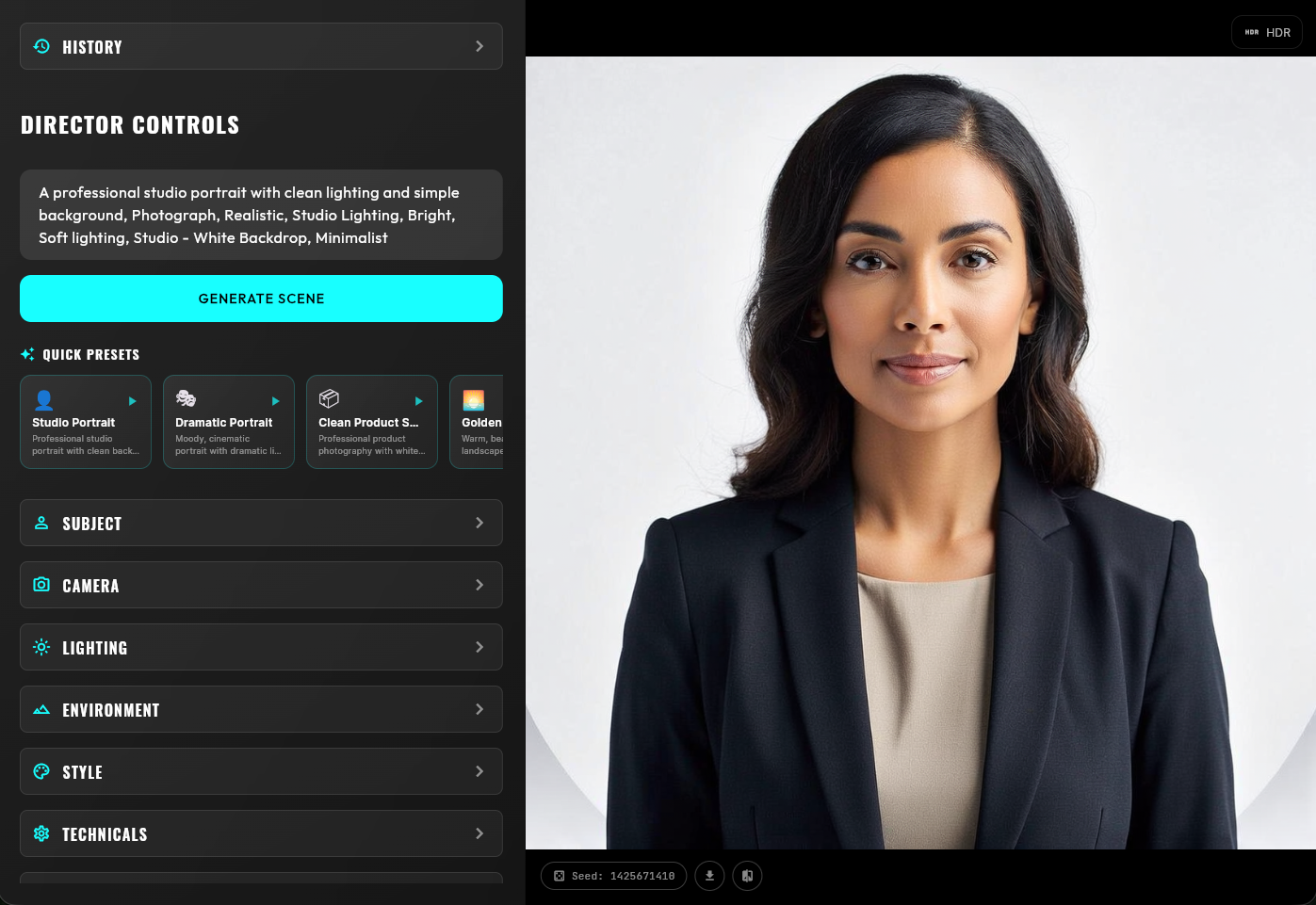
FIBO Director is a professional visual direction interface for Bria FIBO. It transforms every FIBO parameter into a visual control:
- Camera Controls — Shot type, focal length, depth of field, focus
- Lighting Controls — Conditions, direction, shadows with presets like "Golden Hour" and "Studio Lighting"
- Environment Controls — Setting, time of day, weather
- Style Controls — Artistic style, medium, mood, color scheme, composition
- Subject Controls — Add, edit, or remove objects in your scene
The key innovation is incremental refinement. When you change any parameter, FIBO Director:
- Detects exactly what changed
- Generates a natural language description ("Change lighting to Golden Hour")
- Sends
seed+structured_json+change_promptto FIBO - Result: The same base composition, with your changes applied
HDR Mode generates three exposure brackets (underexposed, normal, overexposed) from any image — all using the same seed for consistent composition. Download them for professional HDR compositing workflows.
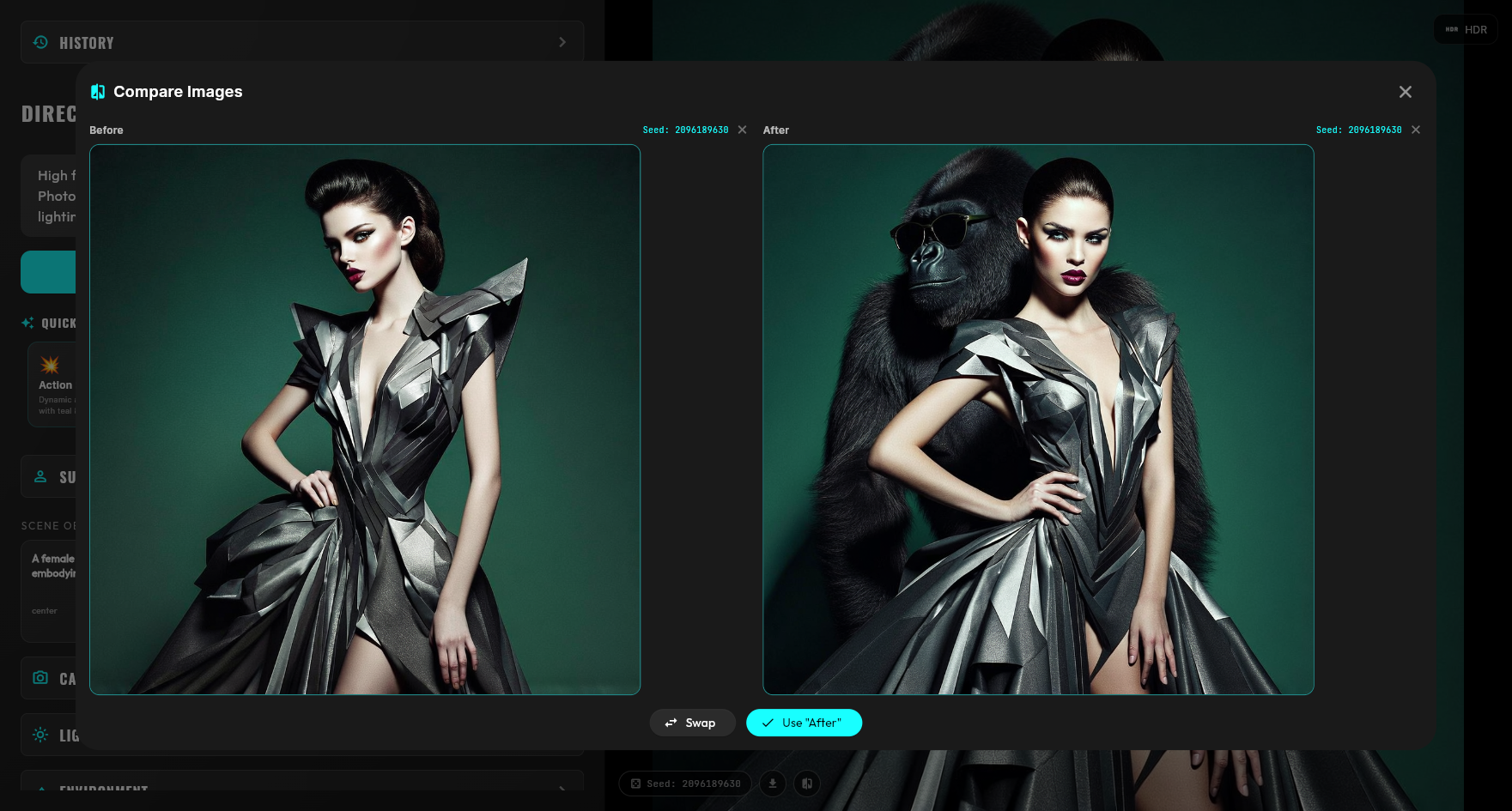
History & Comparison saves every generation, organized by seed, with side-by-side comparison of any two images.
How I built it
Stack:
- Flutter (Web) for the interface
- Riverpod for state management
- Freezed for type-safe structured prompt models
- Hive for persistent local storage
- Dio for API communication
- Bria FIBO API for generation
Architecture:
The app is split into two panels: the Director Controls (left) and the Preview Panel (right). Each control section maps directly to FIBO's structured json schema — photographic_characteristics, lighting, aesthetics, objects[], etc.
The magic happens in the DirectorNotifier. When you click "Refine", it compares the current structured json to the original, identifies every changed field, and generates a human-readable change description. This gets sent alongside the seed and structured json, enabling FIBO's disentangled generation to modify only what you asked for.
For HDR, I generate three variants by modifying only the lighting parameters while keeping the seed locked — producing exposure brackets that maintain consistent composition.
Challenges I ran into
1. Maintaining consistency during refinement Early on, changing one parameter would sometimes cascade into unexpected changes elsewhere. I solved this by implementing strict change detection that explicitly tells FIBO what changed, rather than relying on implicit differences.
2. Syncing UI state with API responses FIBO returns its own interpretation of the structured json. I had to carefully sync local state with API responses without overwriting user edits mid-refinement.
3. HDR bracket consistency Getting three exposure brackets to maintain consistent composition required experimenting with how to modify lighting parameters. The key was using the same seed and only changing lighting-specific fields.
4. Web storage limitations Storing image history on web required using Hive with IndexedDB, which has different constraints than native storage. I optimized by storing URLs rather than image data.
Accomplishments that I'm proud of
True incremental refinement — Change one thing, get one thing changed. No more regeneration lottery.
Automatic change detection — The app understands what you modified and communicates it to FIBO in natural language.
HDR from text-to-image — I believe this is one of the first implementations of exposure bracketing for AI-generated images.
Professional-grade UI — Preset chips for quick selection, text fields for custom values, accordion panels for organization. It feels like professional creative software.
Add subjects to existing scenes — Generate a portrait, then add a gorilla behind them. Same seed, same lighting setup, new subject in the scene.
The "Stop prompting. Start directing." workflow — I genuinely changed how I think about AI image generation while building this.
What I learned
FIBO's disentanglement is real — When you combine
seed+structured_json+promptcorrectly, you get genuine control over individual parameters. This isn't marketing speak; it works.Structured > Unstructured — JSON-native generation isn't just a developer convenience. It's a fundamentally better paradigm for controllable generation.
The UI matters — FIBO's capabilities were always there. Making them accessible through visual controls transforms the user experience completely.
Seed is powerful — The seed is what enables iterative refinement. Lock it, and you can build on your image without losing the base composition.
What's next for FIBO Director
ControlNet integration — Use reference images for pose, depth, or edge control alongside structured parameters
Batch generation — Generate multiple variations with systematic parameter sweeps (e.g., same scene, five different lighting conditions)
Export presets — Save and share favorite parameter combinations
Collaborative mode — Real-time collaboration for creative teams
Mobile support — Responsive layout for tablet use on set
API mode — Expose FIBO Director as an API for integration into existing creative pipelines
I believe FIBO Director represents the future of AI image generation: not prompt engineering, but visual direction. I'm excited to keep building.
Built With
- appwrite
- dart
- flutter

Log in or sign up for Devpost to join the conversation.