-
-
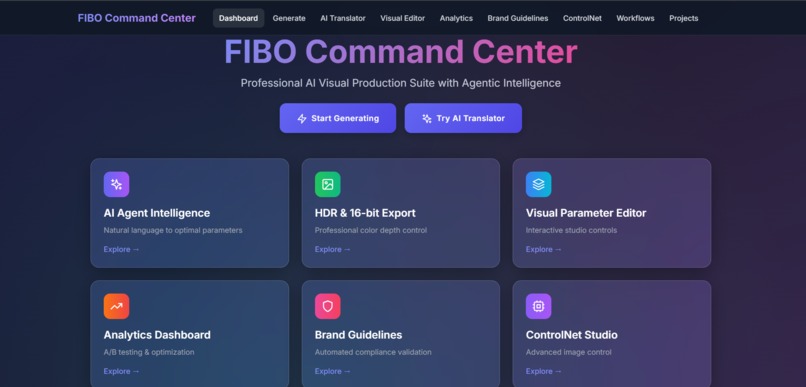
Dashboard
-

Images genarated
-

Images genarated
-

Images genarated
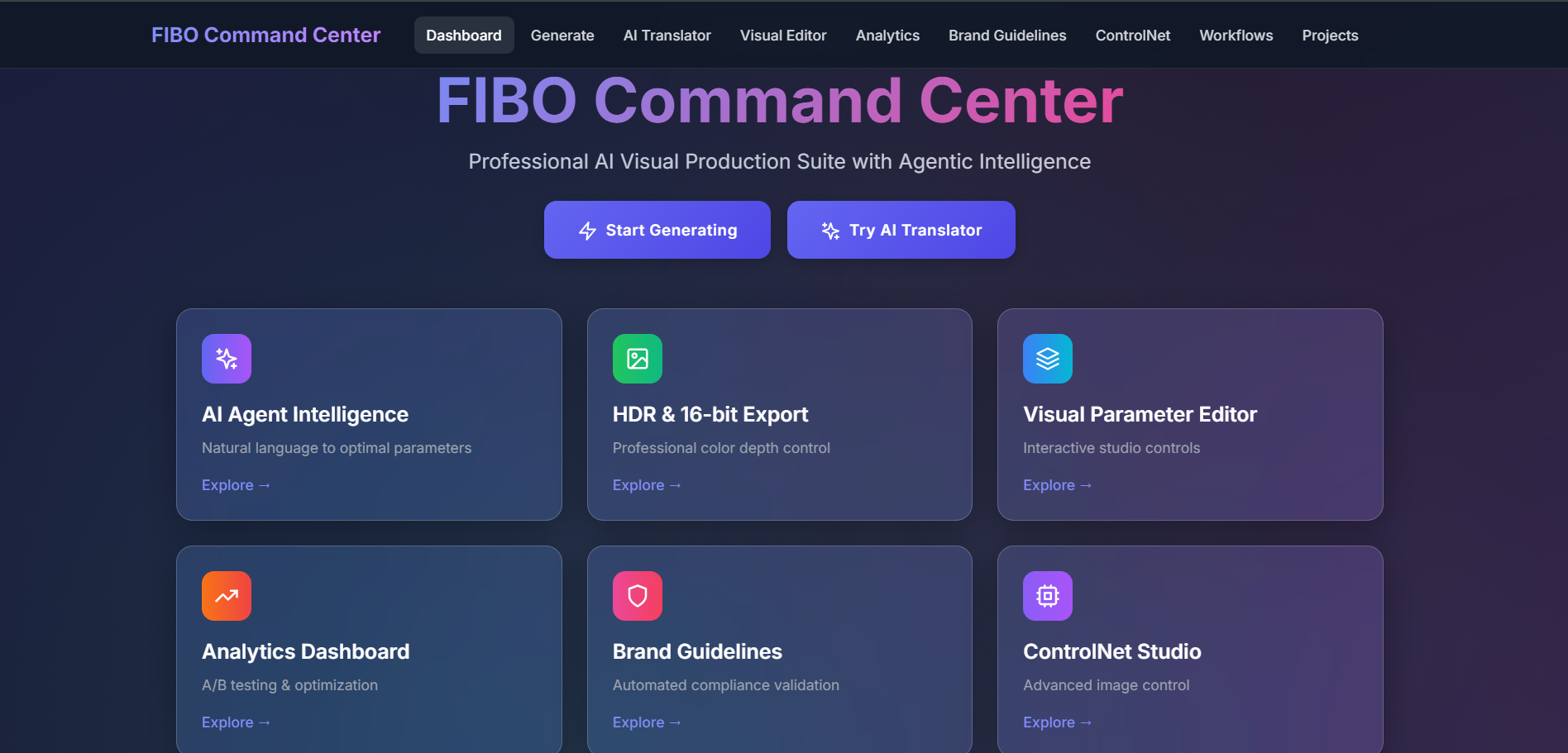



Inspiration
Visual content creation often requires precise control over parameters like camera angles, lighting, and composition. FIBO's JSON-native architecture enables deterministic control, but translating creative intent into structured parameters remained a challenge. We built FIBO Command Center to bridge this gap with AI-powered translation and intelligent workflows.
What it does
FIBO Command Center provides 6 integrated features for visual production:
1. AI Prompt Translator
- Converts natural language to FIBO JSON parameters
- Supports 3 AI providers (GPT-4, Groq, Gemini)
- Provides confidence scoring and reasoning
- Detects intent, mood, and creative direction
2. Visual Parameter Editor
- Interactive controls for camera angle, FOV, lighting, color palette, composition
- Parameter locking and preset management
- Real-time JSON preview and validation
- Import/export workflows
3. HDR & 16-bit Export
- 4 tone mapping algorithms (Reinhard, Filmic, ACES, Uncharted2)
- Multiple color spaces (sRGB, DCI-P3, Rec.2020, Adobe RGB)
- 8/16/32-bit depth support
- Professional print-quality output
4. Brand Guidelines System
- Automated brand compliance validation
- Document parsing (PDF/DOC)
- Compliance scoring with violation detection
- Multi-brand management
5. Analytics Dashboard
- A/B testing for parameter optimization
- Quality score tracking
- Performance metrics by category
- AI-powered recommendations
6. ControlNet Studio
- 6 preprocessing types (Canny, Depth, Normal, HED, Scribble, Pose)
- Control strength adjustment
- Multi-control composition
How we built it
Architecture:
- Backend: FastAPI (Python 3.11) with async processing
- Frontend: React 18 with Tailwind CSS
- Database: PostgreSQL for persistence, Redis for caching
- AI Integration: OpenAI, Groq, Google Gemini APIs
- Image Processing: OpenCV, NumPy, Pillow
Key Technologies:
- BRIA FIBO API for JSON-native generation
- LangChain for AI orchestration
- React Query for state management
- Modern glassmorphism UI design
Workflow:
- Natural language input → AI translation → FIBO JSON
- Parameter validation and optimization
- Image generation with BRIA FIBO
- Post-processing (HDR/tone mapping)
- Quality analysis and storage
Challenges we ran into
- Parameter Translation Accuracy: Mapping creative intent to precise JSON values required multiple AI models and confidence scoring
- HDR Processing Pipeline: Implementing proper tone mapping while preserving image quality across different bit depths
- Real-time Validation: Building fast brand compliance checks without slowing down generation workflows
- Multi-AI Provider Support: Handling different API formats and rate limits while maintaining consistent results
Accomplishments that we're proud of
- Generated 30 real production images across e-commerce, social media, and gaming
- Implemented 3 free AI provider options (Groq and Gemini) for accessibility
- Built complete HDR pipeline with 16-bit workflow and tone mapping
- Created agentic workflows with AI-powered translation and optimization
- Delivered production-ready code with comprehensive error handling and documentation
What we learned
- FIBO's JSON-native approach provides true deterministic control compared to text prompts
- Disentangled parameters (camera, lighting, composition) enable precise creative direction
- Structured generation enables automated workflows impossible with traditional text-to-image
- AI translation layers make advanced controls accessible to non-technical users
- HDR and 16-bit support are crucial for visual production workflows
What's next for FIBO Command Center
- Batch Processing: Queue system for high-volume generation
- Workflow Templates: Pre-built JSON templates for common use cases
- Advanced ControlNet: Multi-control composition and custom models
- Team Collaboration: Shared presets and brand guidelines
- API Integration: Webhook support for automated pipelines
- Extended Analytics: Cost tracking and ROI analysis
Built With
- artificial-intelligence
- bria-ai
- fastapi
- json
- llm
- machine-learning
- numpy
- openai
- opencv
- postgresql
- python
- react
- redis
- tailwind-css

Log in or sign up for Devpost to join the conversation.