-
-
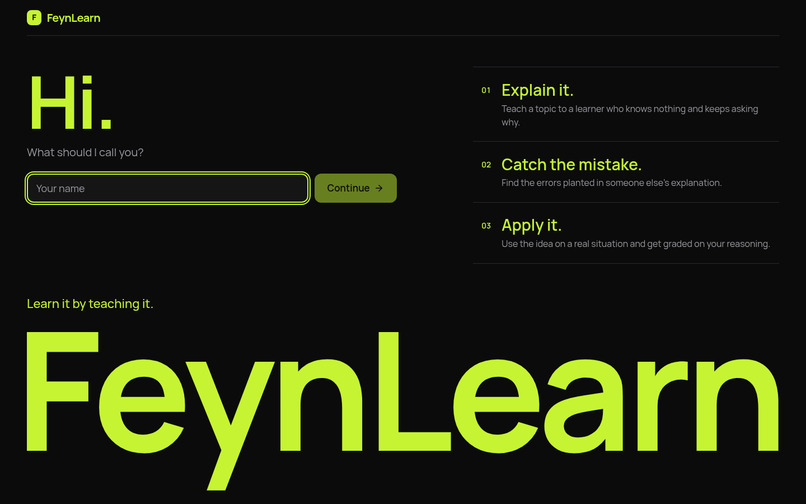
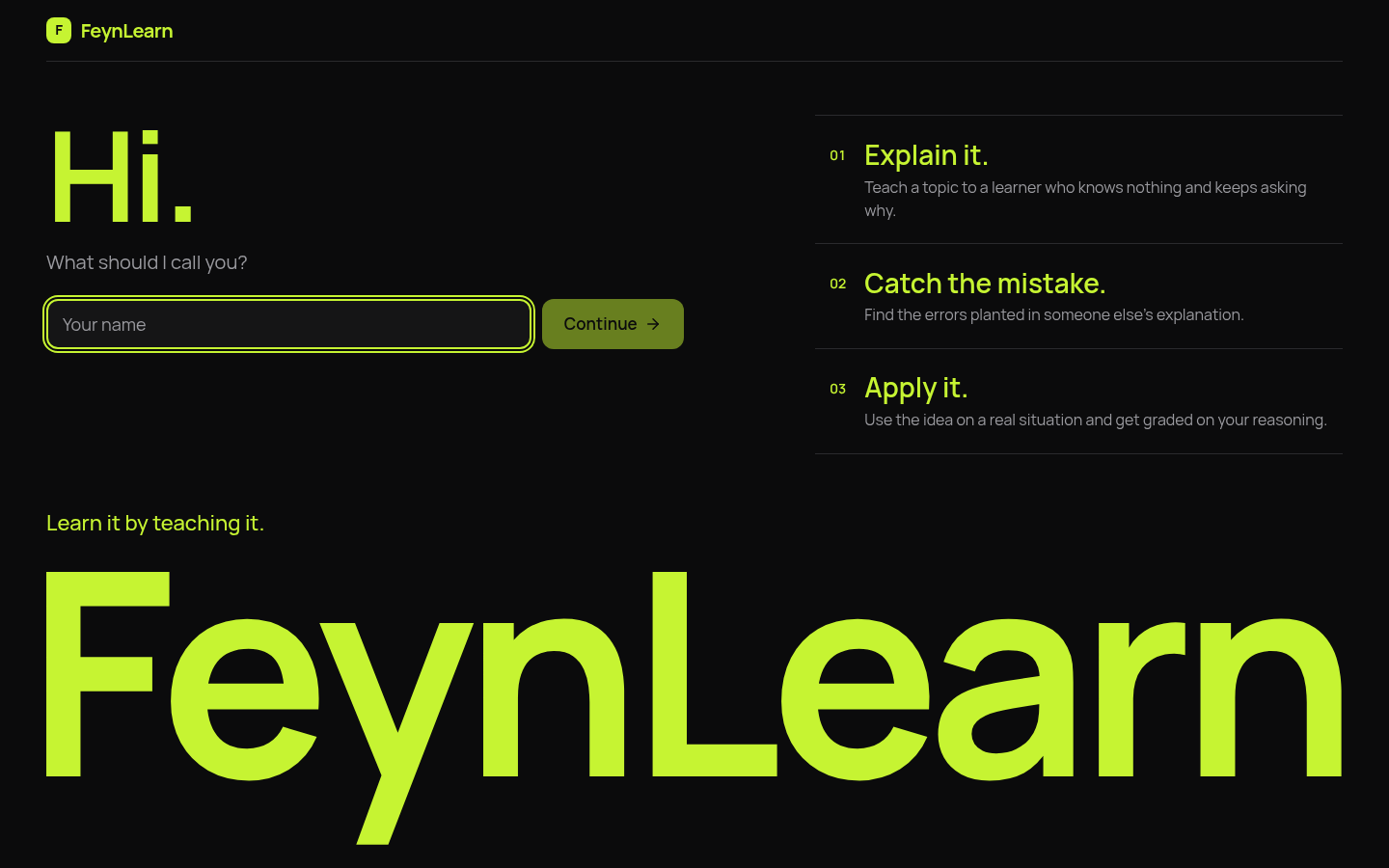
Welcome page
-
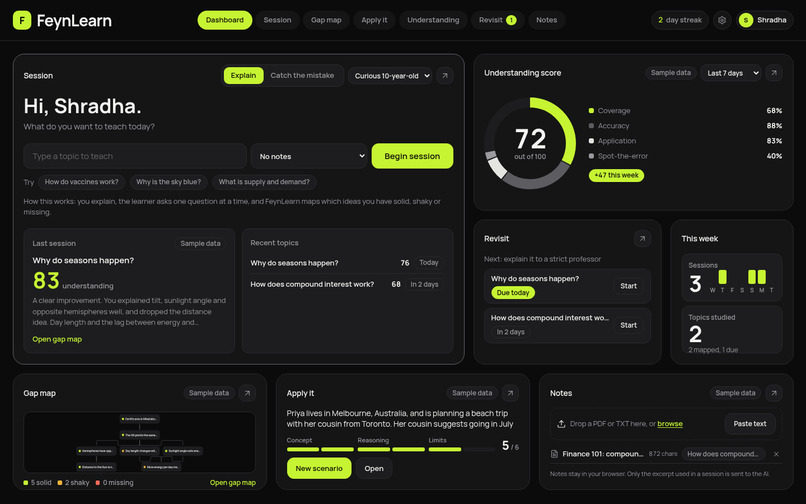
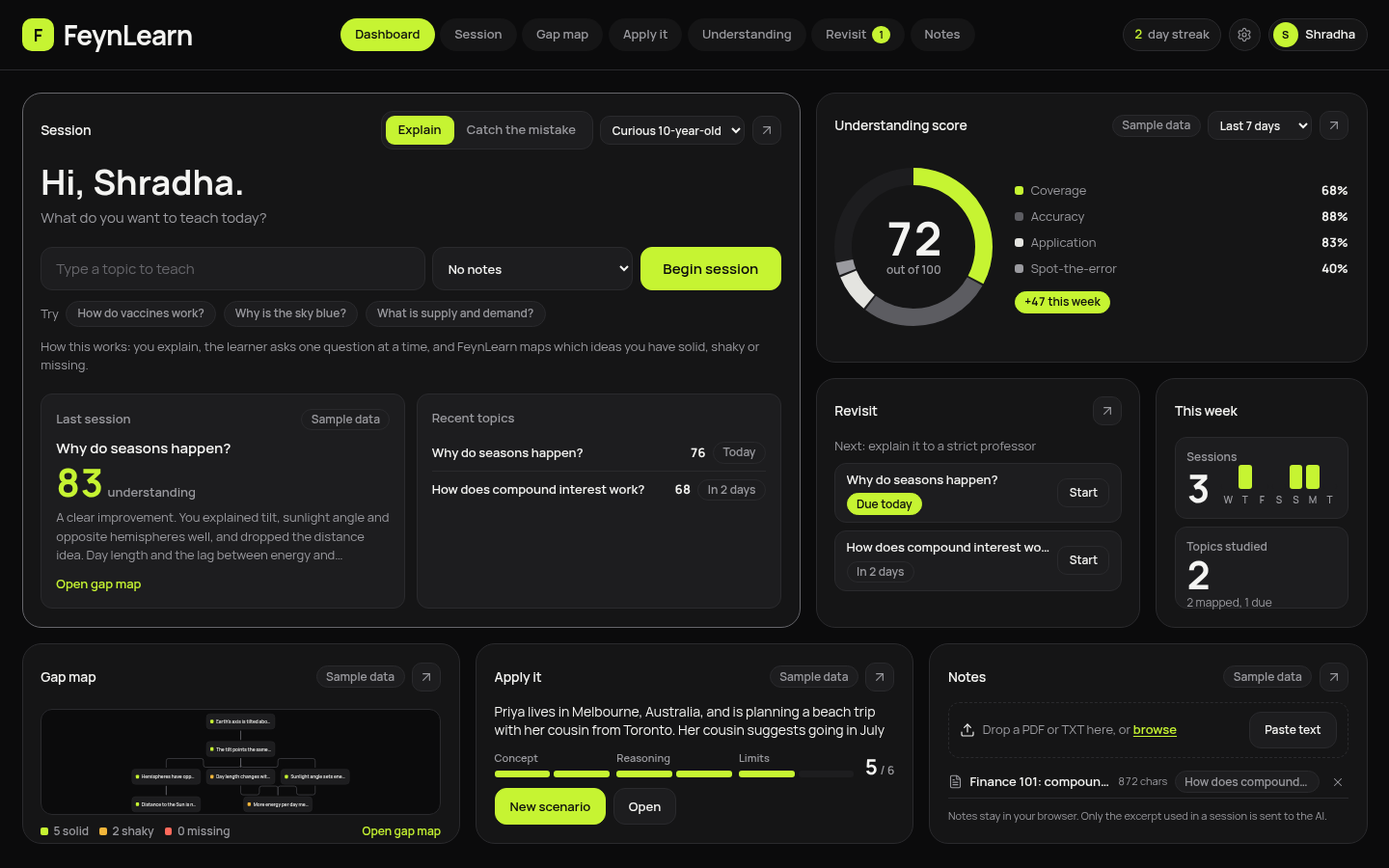
Dashboard
-
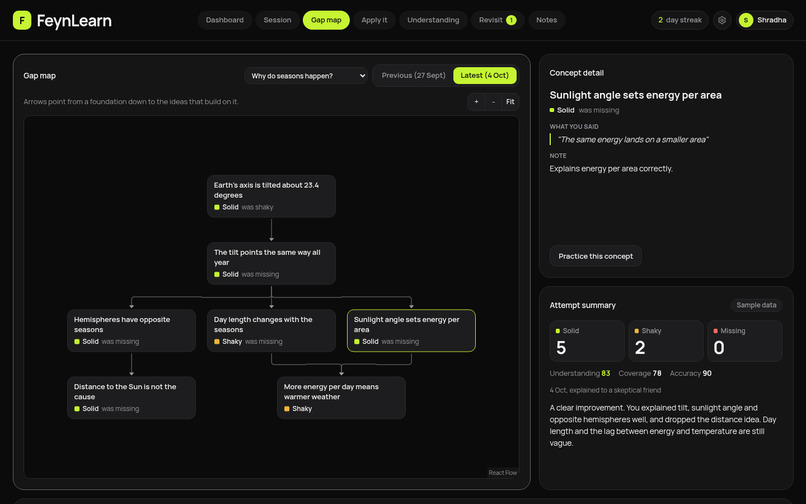
Gap-map
-
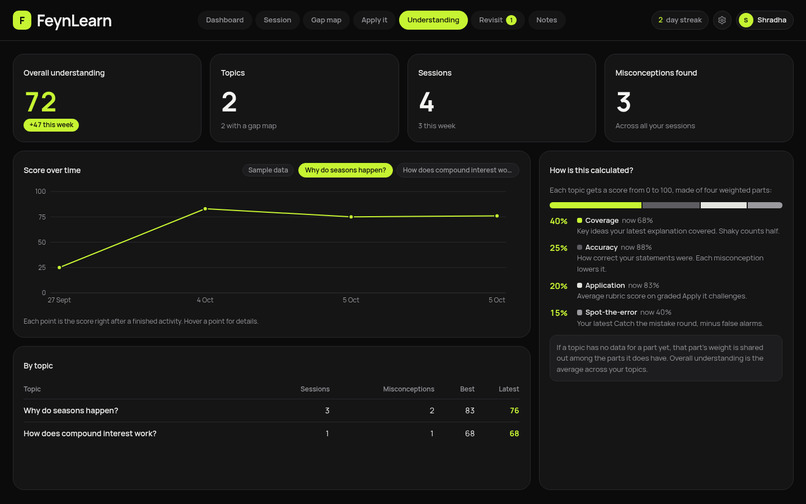
understanding
-
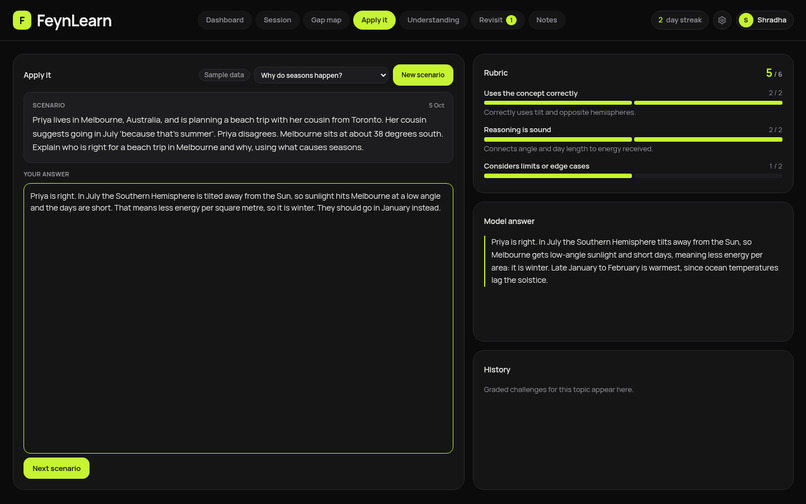
apply it
-
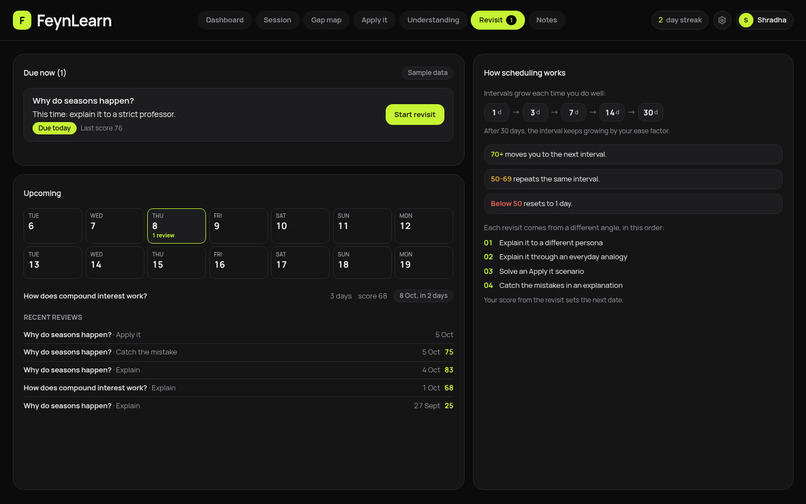
revisit
-

Dashboard mobile view

Inspiration
Most students can recite a definition and still can't explain why it's true. Flashcards and multiple-choice quizzes reward recall, so the gaps stay hidden until an exam or a real problem exposes them. Richard Feynman's technique says that if you can't explain something simply, you don't understand it yet. It works, but it's hard to do alone, because you can't tell what you're skipping over. We wanted a patient listener who asks the questions a curious beginner would ask and shows you exactly where your understanding breaks.
What it does
FeynLearn helps students move beyond memorization by making them teach.
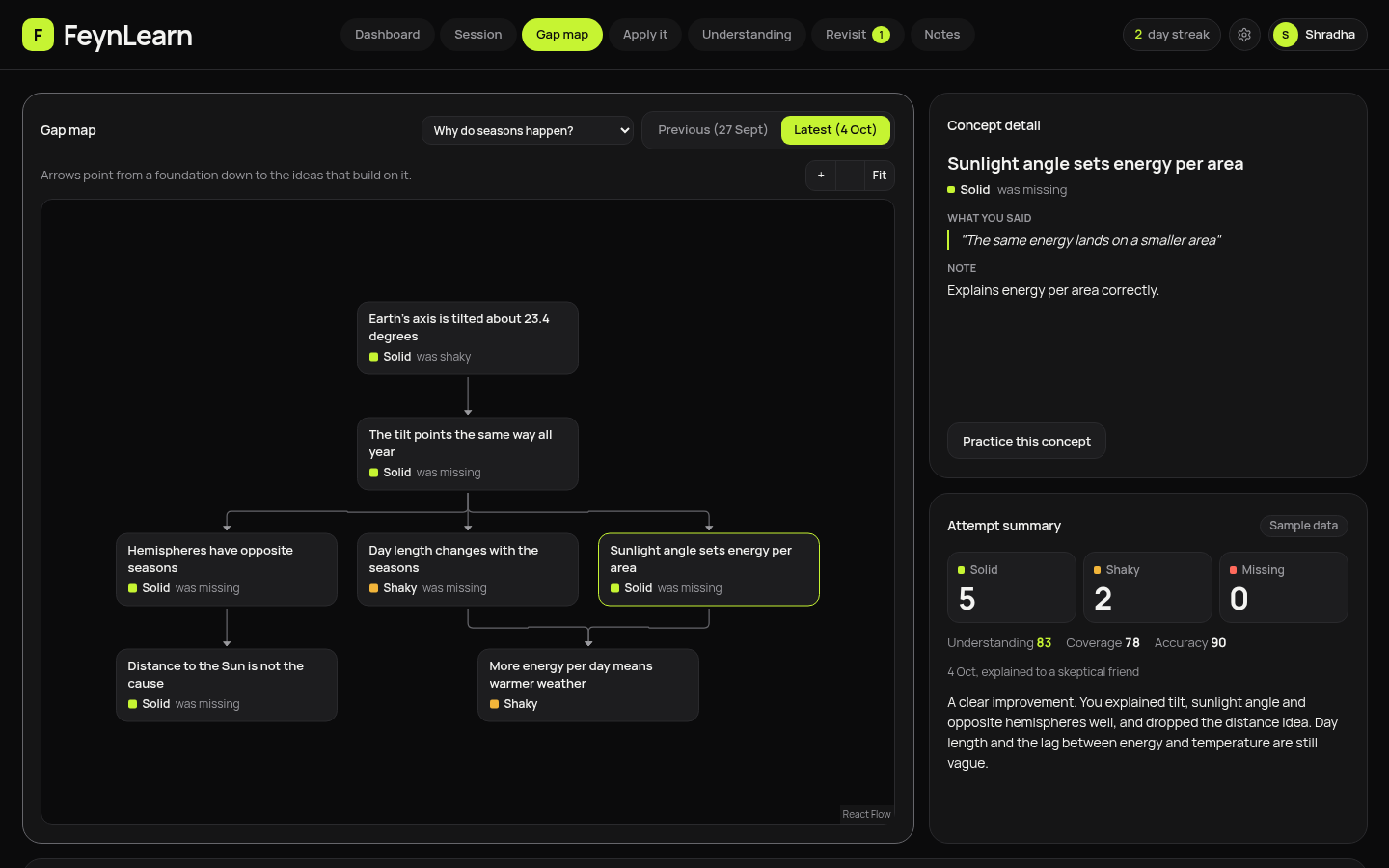
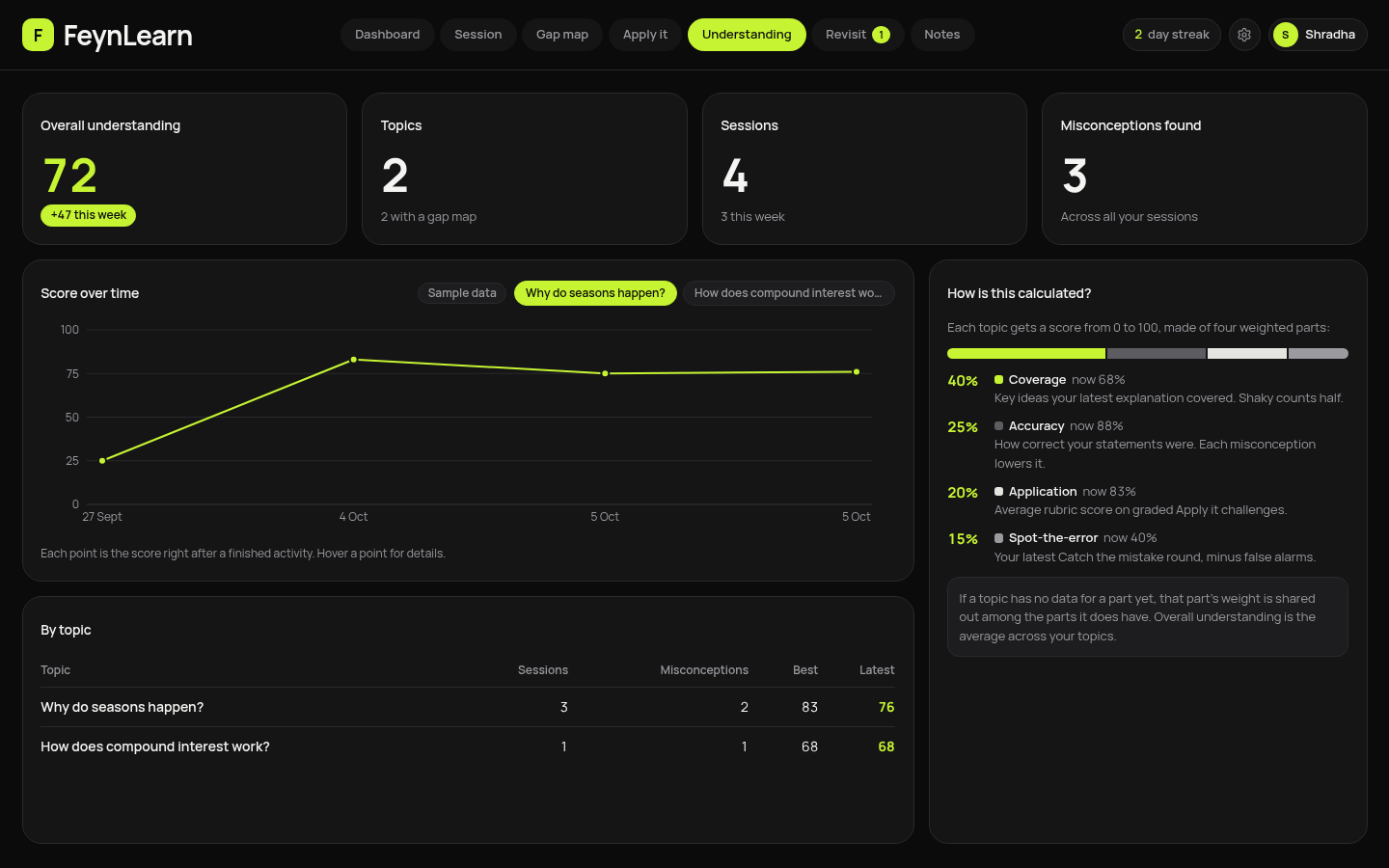
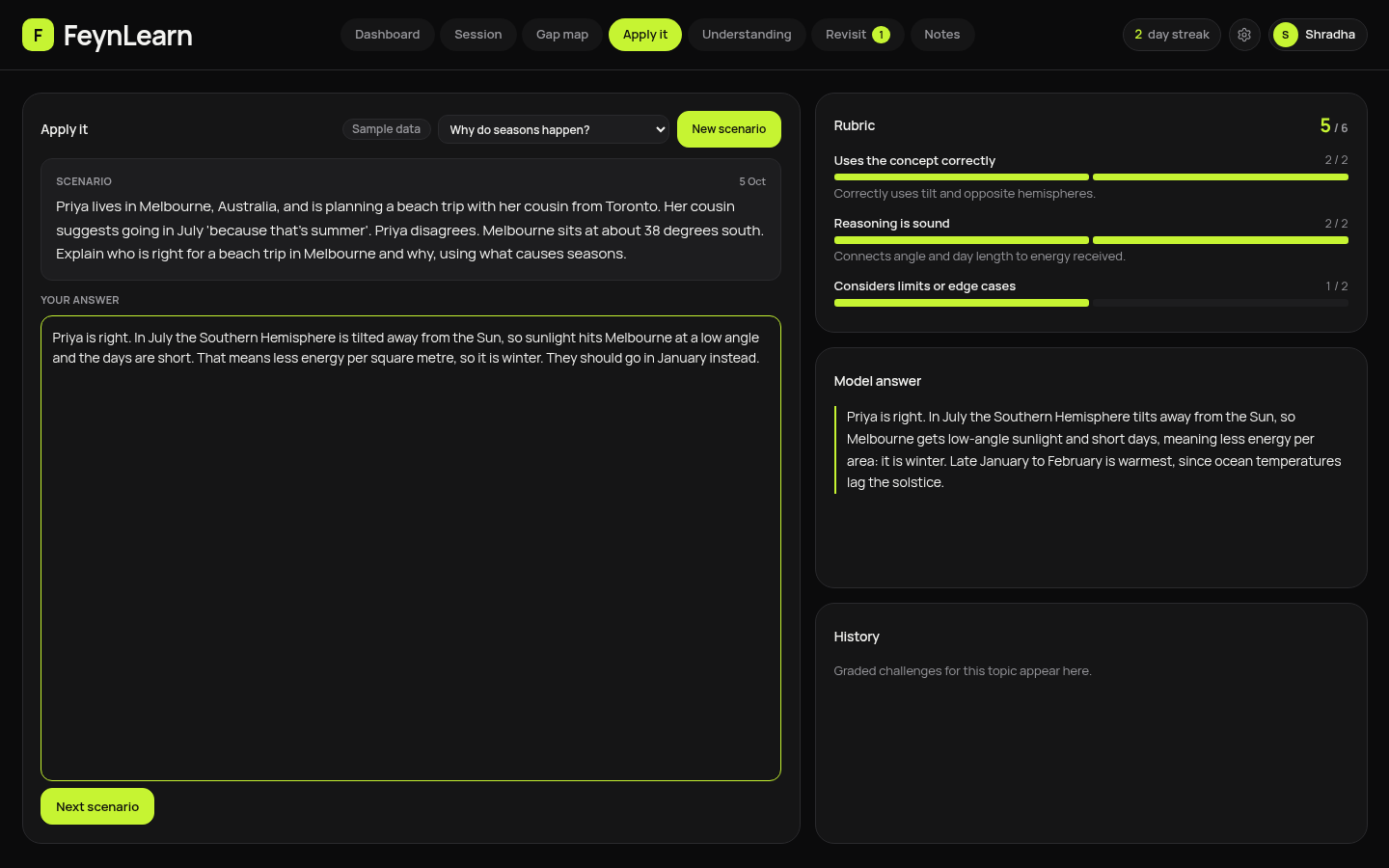
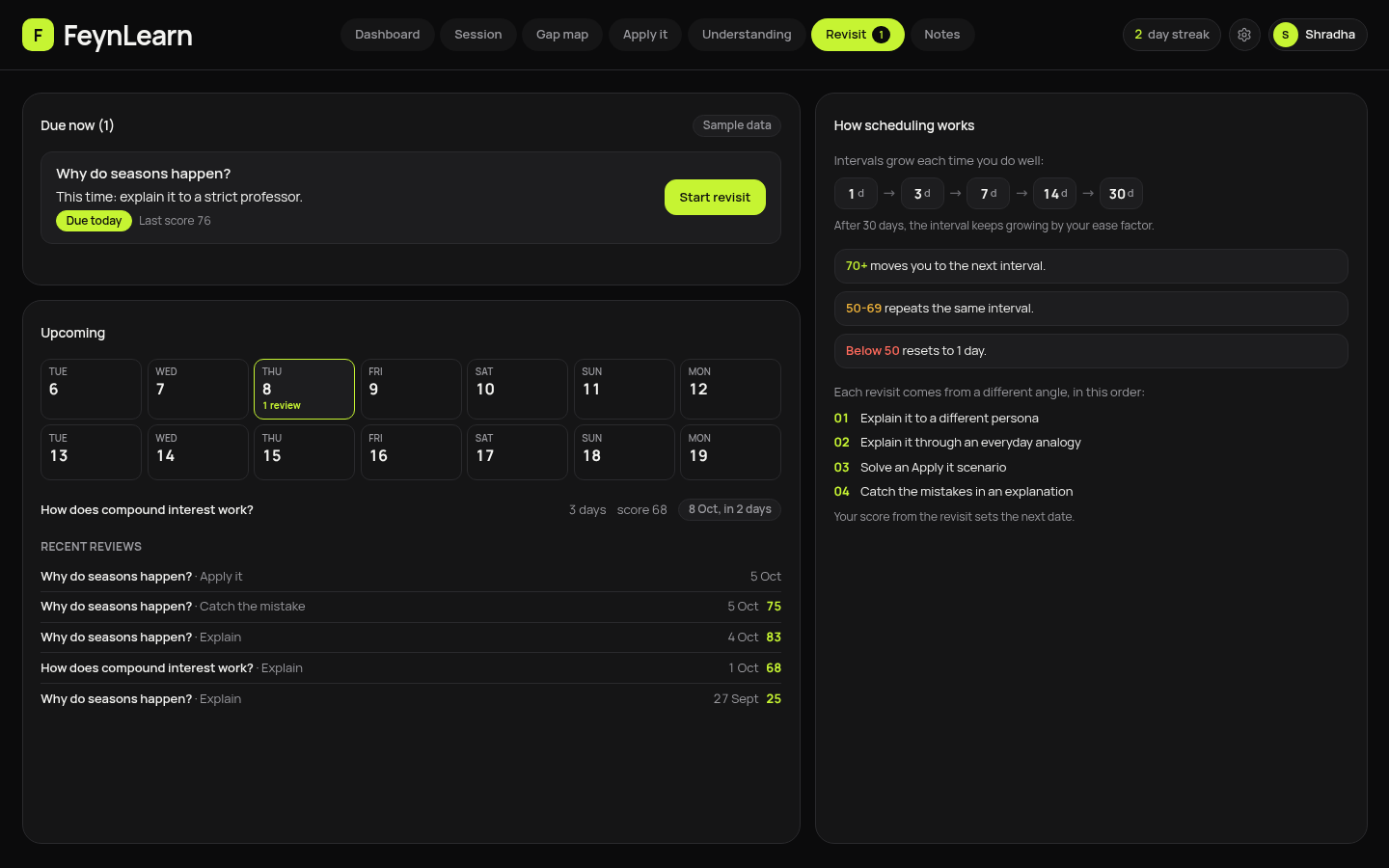
Explain: You teach a topic to a simulated learner (a curious 10-year-old, a skeptical friend, or a strict professor). It asks one question at a time and flags misconceptions as they appear. Voice input and read-aloud are supported. Catch the mistake: The AI writes an explanation with 1-3 planted errors. You flag them and explain why, then see what you caught, missed, or flagged wrongly. Gap map: After a session, a graph of 5-8 key concepts is marked solid, shaky, or missing, using your own words as evidence. A before/after view shows progress between attempts. Apply it: A realistic scenario is graded on a 3-criterion rubric, with a model answer. Understanding score: One score per topic, tracked over time. Revisit: Spaced review at 1, 3, 7, 14, and 30 days, each time from a new angle (a different persona, an analogy, a scenario, or a spot-the-error round). Notes: Upload a PDF or paste text, and the AI uses it as the reference for that topic.
How we built it
Frontend: Next.js (App Router), React, TypeScript, and Tailwind CSS, with a dark, lime-accent bento dashboard. AI: Google Gemini through the Vercel AI SDK. Four server routes (chat, analyze, reverse, challenge) are the only server code, which keeps the API key secret. Structured output: Every model response is validated with Zod and retried once if malformed. Concept graphs are cleaned in code (unique ids, dropped unknown dependencies, broken cycles) before they're drawn. Visualization: React Flow with dagre layout for the Gap map, and Recharts for score charts. Storage: Dexie (IndexedDB), so progress persists with no accounts or database. Notes and voice: pdf.js extracts PDF text in the browser, and the Web Speech API handles voice. Learning logic: We wrote our own spaced-repetition scheduler (SM-2 style) and a weighted understanding score that combines concept coverage, accuracy, apply-it results, and spot-the-error performance. Hosting: Vercel's free tier.
Challenges we ran into
Making the AI useful instead of impressive. A learner that lectures defeats the purpose. We tuned the prompts so it asks one short question per turn, probes vague words, and never explains the topic itself. Keeping results trustworthy. Model-generated scores can drift, so coverage is computed from the concept statuses rather than taken from the model, and accuracy is capped for each misconception found. Hiding the answers in Catch the mistake. The server knows which paragraphs contain errors, but the browser must not reveal them early. We kept that data out of the rendered page until the reveal. Free-tier reliability. Gemini models were sometimes overloaded, and one model we planned to use was no longer available to new keys. We added a fallback model and clear "try again" messaging. Messy model output. Concept graphs sometimes had duplicate ids, broken links, or cycles, so we built a cleanup step. Design. Our first interface felt generic, so we redesigned it as a flat, dark dashboard with no gradients, glow, or shadows. Deployment. The production build failed on Google Fonts under Turbopack, and we fixed it by self-hosting the font.
Accomplishments that we're proud of
A complete learning loop of explain, find gaps, spot errors, apply, and revisit, all working end to end. A Gap map that compares attempts, so students can see their understanding improve. No login or backend database, so a student can open the link and start learning immediately. Accessibility checks with axe-core on every page, with status always shown as text and not color alone. Unit tests for the scheduler, score formula, graph cleanup, and notes handling. A design that doesn't look like a template.
What we learned
Structured output only becomes reliable once you validate it, retry it, and clean it up in code. Computing the numbers that matter in code, instead of asking the model for them, makes the product more honest. Free-tier AI needs graceful failure handling to survive a live demo. Good educational AI is mostly about restraint, such as asking questions instead of giving answers. Small build details, like font loading and bundler quirks, can break a deployment late in the process.
What's next for FeynLearn
Optional accounts and cloud sync, so progress follows students across devices. A teacher view showing where a class is struggling, without exposing individual explanations. More languages, so students can explain in the language they think in. Support for diagrams and handwritten work, plus OCR for scanned PDFs. Streaming replies and a faster, more natural voice conversation. Deeper links between topics, so the Gap map connects ideas across subjects. A study-group mode where friends take turns being the learner. Testing with real students to measure whether understanding improves between attempts.
Built With
- api
- dagre
- dexie
- gemini
- next.js
- pdf.js
- react
- recharts
- tailwindcss
- typescript
- vercel
- zod

Log in or sign up for Devpost to join the conversation.