
Inspiration
Burst mode and re-takes mean the average camera roll is full of near-copies: the same shot four times, one of which is the good one. Every cleaner I tried either flattened that into "delete duplicates" and got it wrong, or bolted photo cleaning onto a bundle of unrelated tools — contacts, mail, charging animations, widgets — because that is what sells.
I wanted one that does photo de-duplication and nothing else, and does it well enough that you trust it with the delete button.
What it does
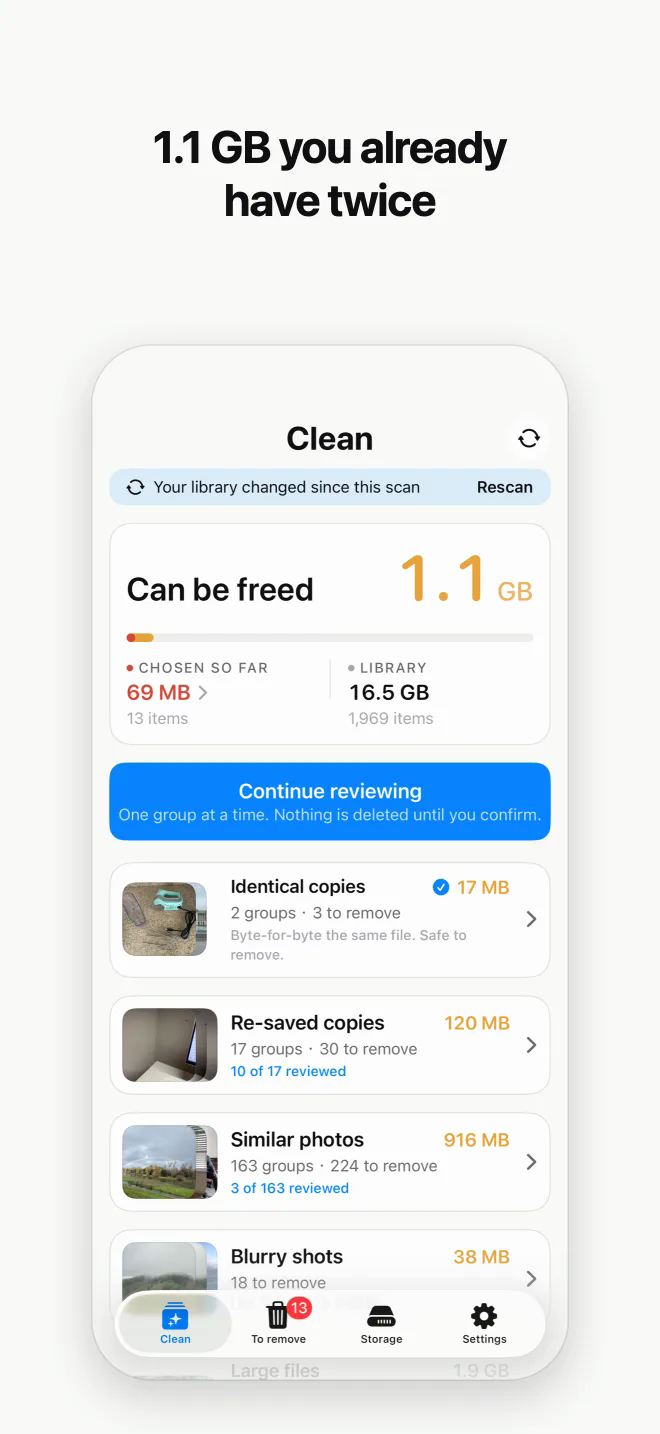
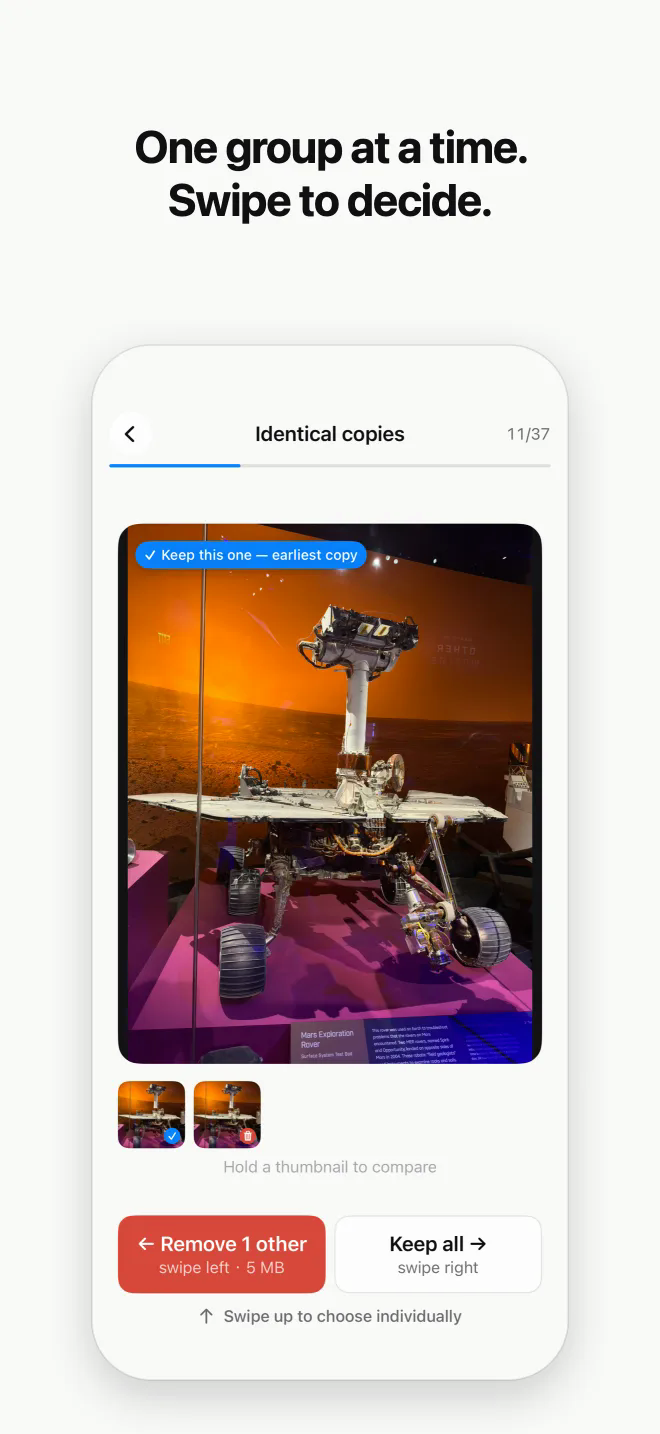
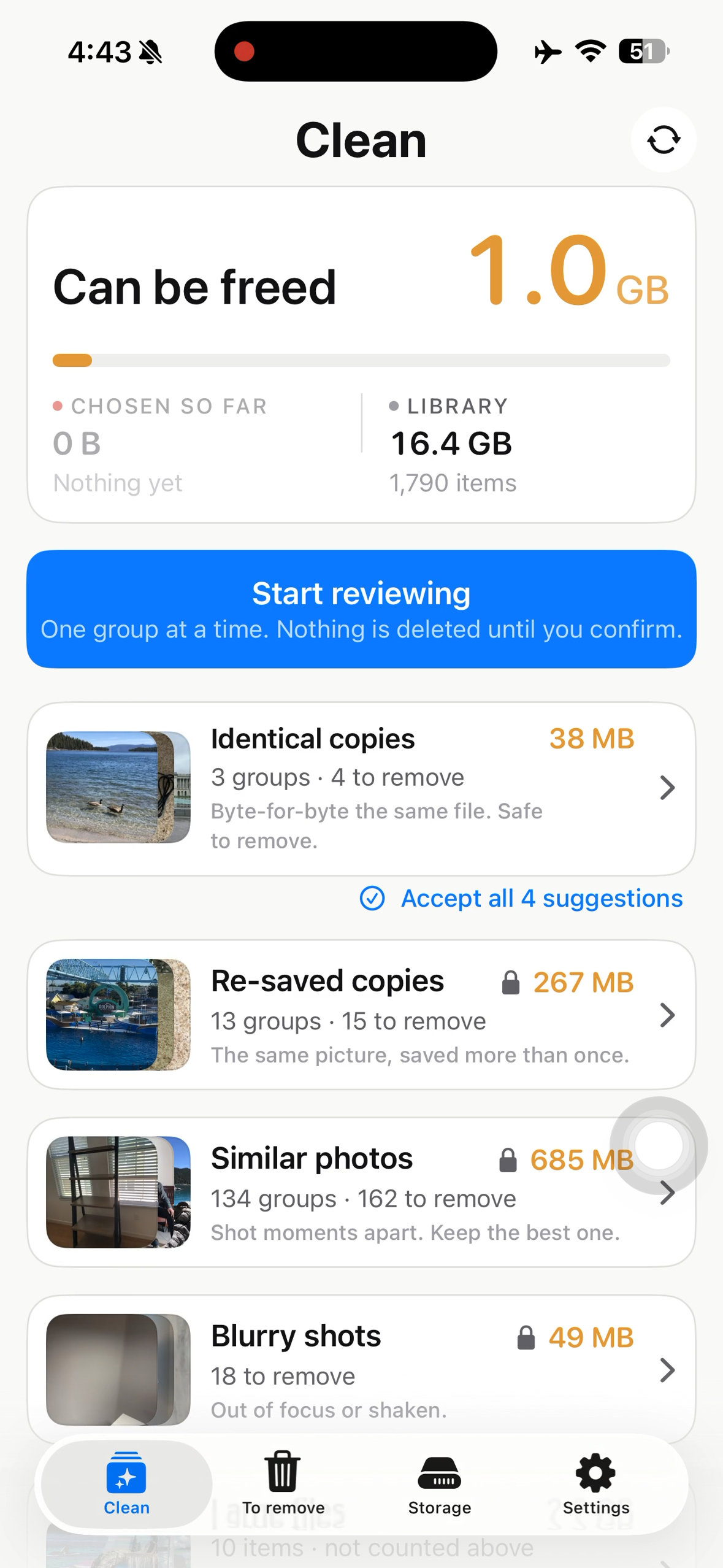
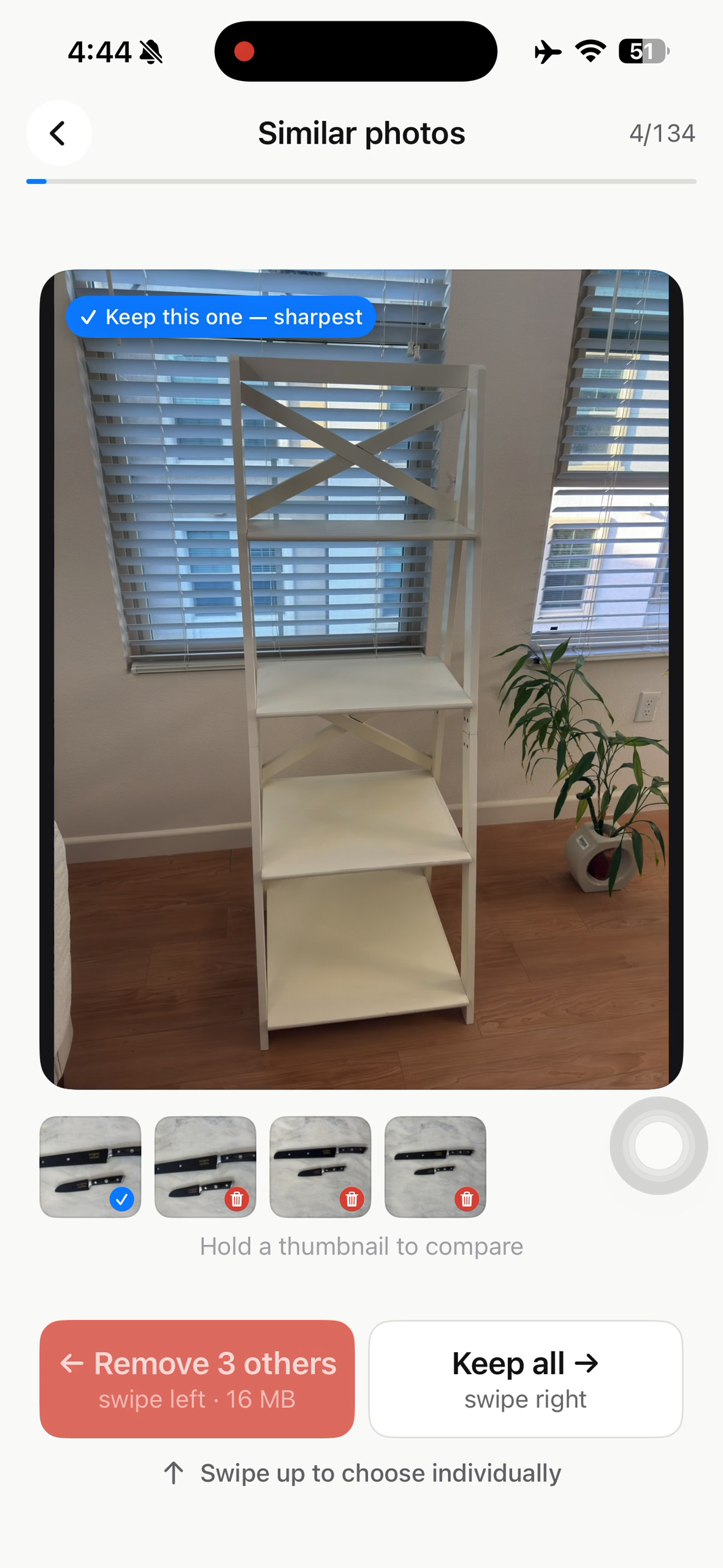
Scans the library, groups photos and videos that are the same or nearly the same, and proposes which ones to remove.
- Identical copies, found by content hash
- Near-identical shots: burst frames, re-takes, the same scene photographed four times
- Blurry frames and screenshots
- Large files, presented as a browse list rather than a proposal
Nothing is deleted without an explicit confirmation, and the card flow only ever marks. Everything runs on the device. There is no account and no backend; the only network call in the app belongs to RevenueCat.
How I built it
Swift and SwiftUI, with the matcher isolated into a Core layer that is forbidden from importing Photos, Vision, UIKit or SwiftUI. It takes plain values and returns plain values, so the whole matcher is verifiable against constructed inputs in milliseconds. Expensive comparisons enter as injected closures.
The one decision worth knowing: similarity is found inside shooting sessions, not across the library. Assets are sorted by capture time and cut at a 90-second gap, and Vision FeaturePrint comparisons only happen within a run. That is what makes an O(n²) signal affordable, because most photos are alone in their session and never get a FeaturePrint computed at all.
The tempting alternative does not work. A perceptual-hash prefilter to bucket candidates sounds obviously correct, but re-takes of the same scene move dHash by 10 to 20 bits, so any bucketing tight enough to be selective drops exactly the pairs you are hunting.
Challenges I ran into
Every bug in this app produced a silent wrong answer rather than a crash, which for a cleaner means either "your library is spotless" or a proposal to delete something you wanted.
A scan that finished in 0.3 seconds and reported a clean library. PHImageResultIsDegradedKey is not a "wait for something better" signal. With .fastFormat, PhotoKit marks its delivered image degraded, so filtering on it discards every thumbnail and the pipeline analyses nothing.
Thresholds that were chosen instead of measured. The blur cutoff was calibrated against synthetic test images and set to 55. Real photographs run a first percentile of 246 and a median of 1,725, so it selected 3 assets out of 1,900 — which reads as a tidy library rather than a broken number. Every tunable now lives in one place and is re-calibrated against real libraries.
A hash that cannot tell white from black. Both aHash and dHash normalise brightness away, so on flat images they agree unconditionally. A separate mean-luma check is what separates them, and a unit test records this because it looks like redundancy.
Stage 0 was almost entirely one undocumented call. PHAssetResource.assetResources(for:) does not parallelise; PhotoKit serialises it internally at about 1.33 ms per asset, and spreading it over six workers changed nothing. The fix was to stop calling it — byte size and edited state are persisted, so a rescan skips the stage entirely. 2.63 seconds to 0.12.
A photo you hearted after the scan was still deleted. The scan result's protection flag is a snapshot. Protection is now re-checked against PhotoKit at deletion time, live.
The scan died when the screen locked, with no error and no progress, which looks exactly like a hang.
Accomplishments that I'm proud of
Refusing to grow. Contacts, mail, charging animations and widgets are what the category leaders bolted on, and each one costs weeks and carries its own external dependency. This app has one third-party dependency and one network call, both of them RevenueCat.
And a rule I have not broken: never tell the user space was freed. Deleted items sit in Recently Deleted for thirty days. The app says so, and shows the real figure from the filesystem instead of the satisfying lie.
What I learned
That the dangerous failure in this category is not a crash. It is a plausible answer. A cleaner that under-reports looks like a tidy library, and a cleaner that over-reports takes a photo you wanted. Both look fine in a screenshot, which is why the matcher had to be pure enough to test exhaustively without a photo library in the loop.
What's next
An Android version, and better calibration data. The thresholds are only as good as the libraries they were measured against.

Log in or sign up for Devpost to join the conversation.