-
-
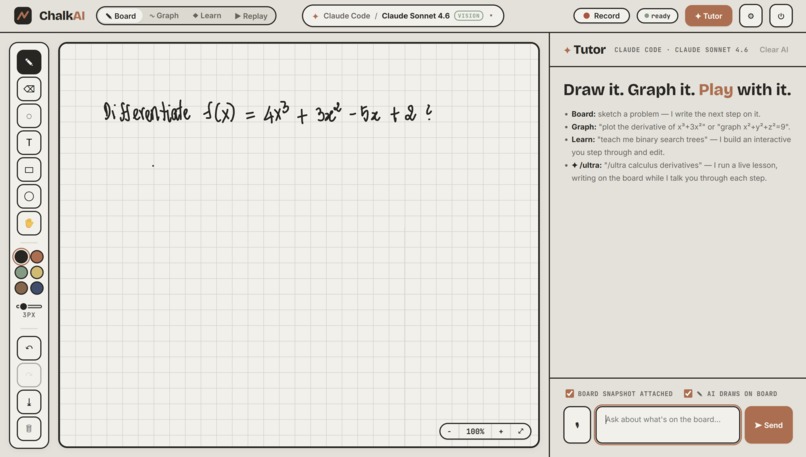
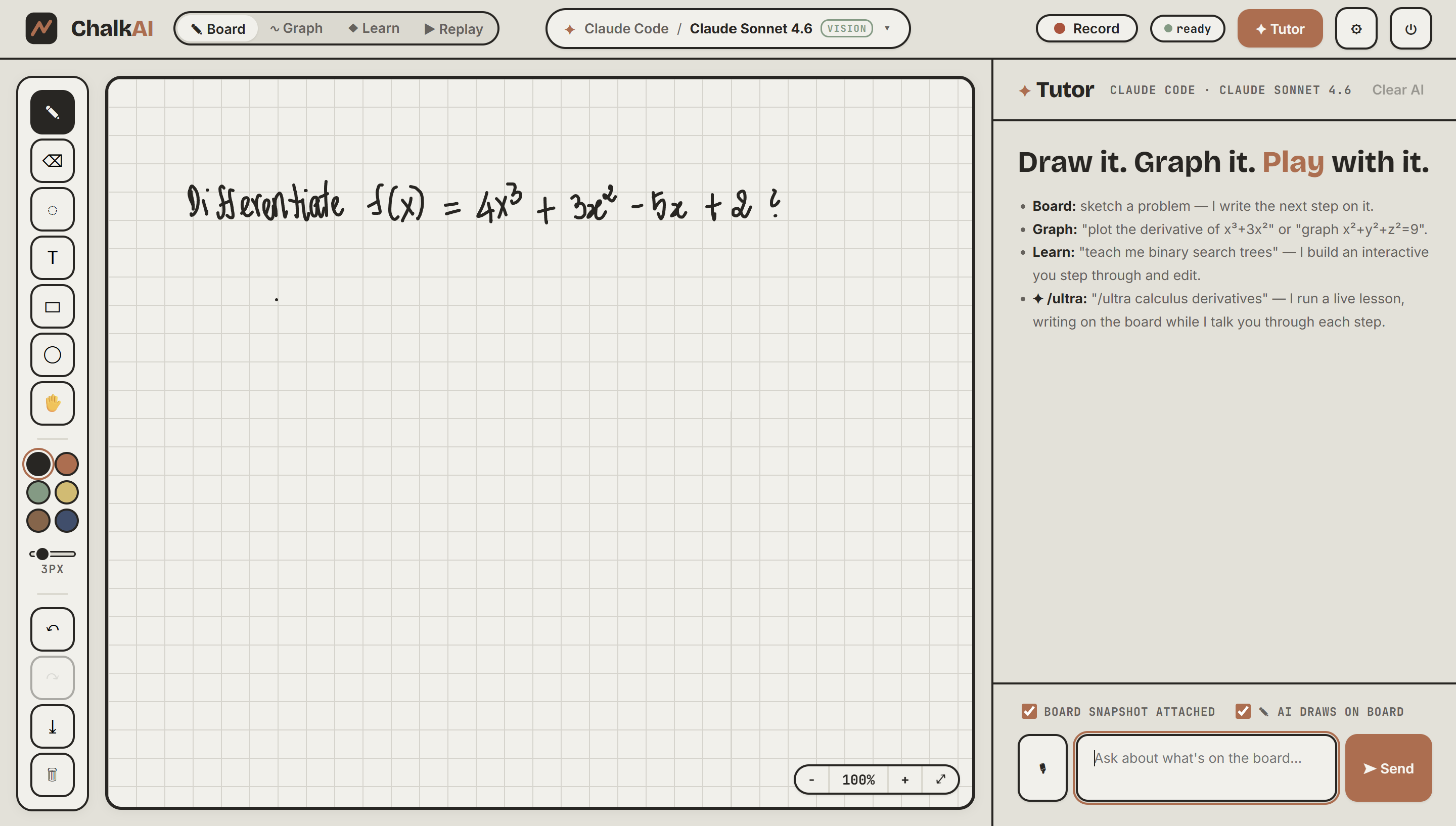
Write a problem by hand, the AI reads your board.
-
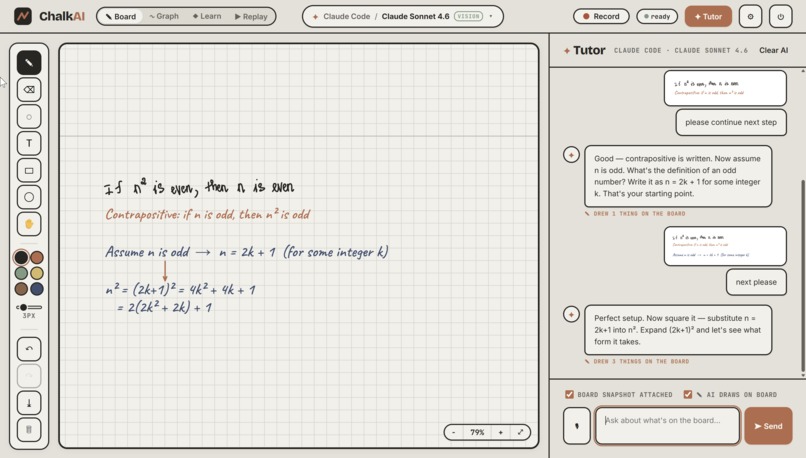
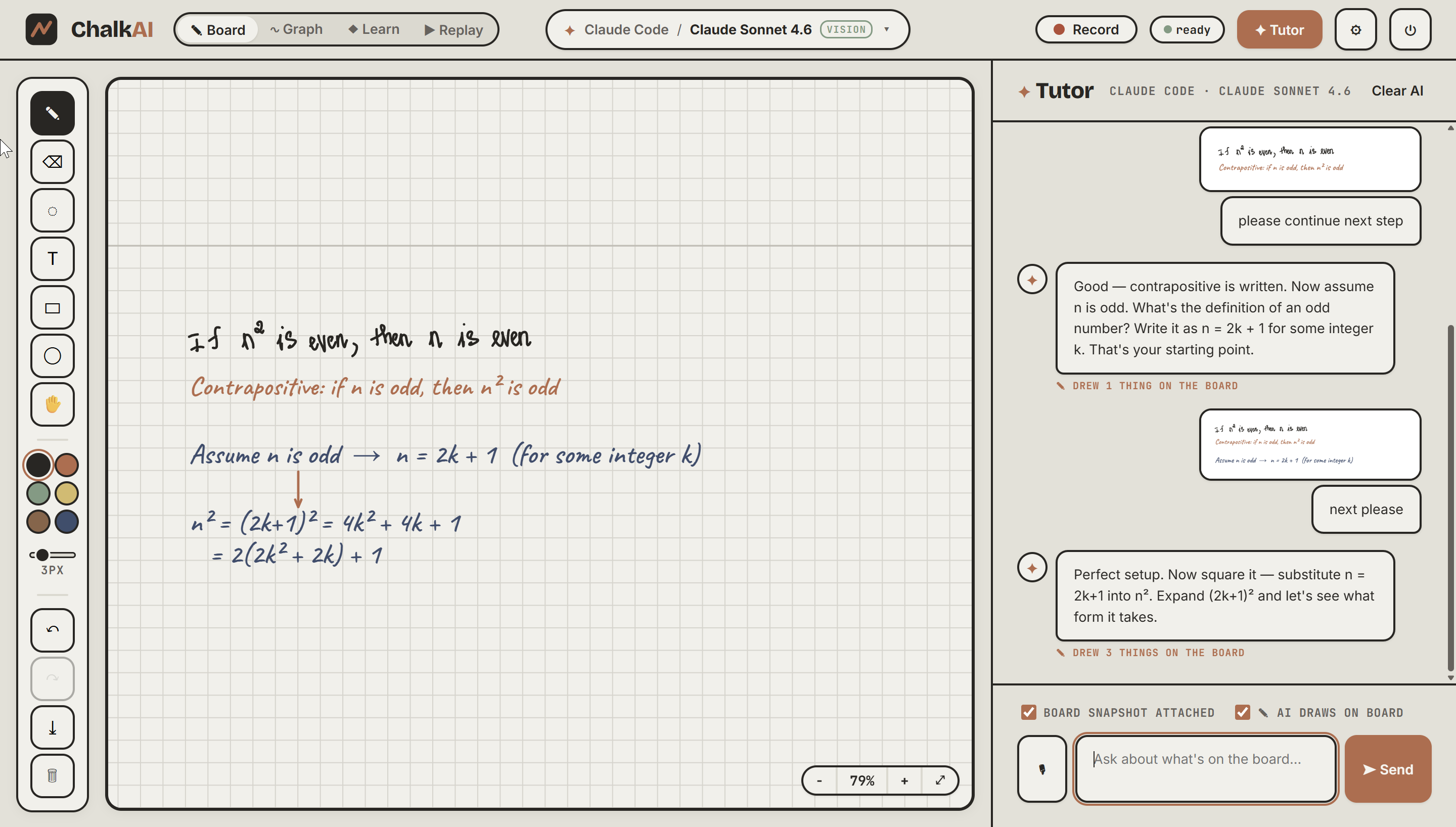
Write a problem by hand, the AI reads your board and interact with it
-
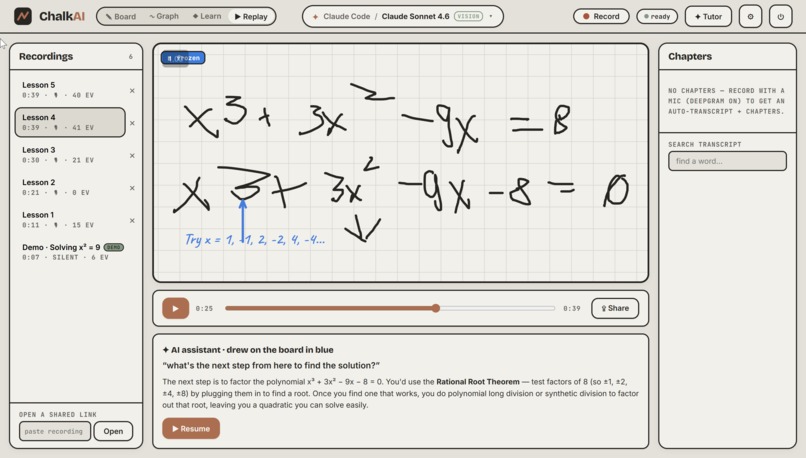
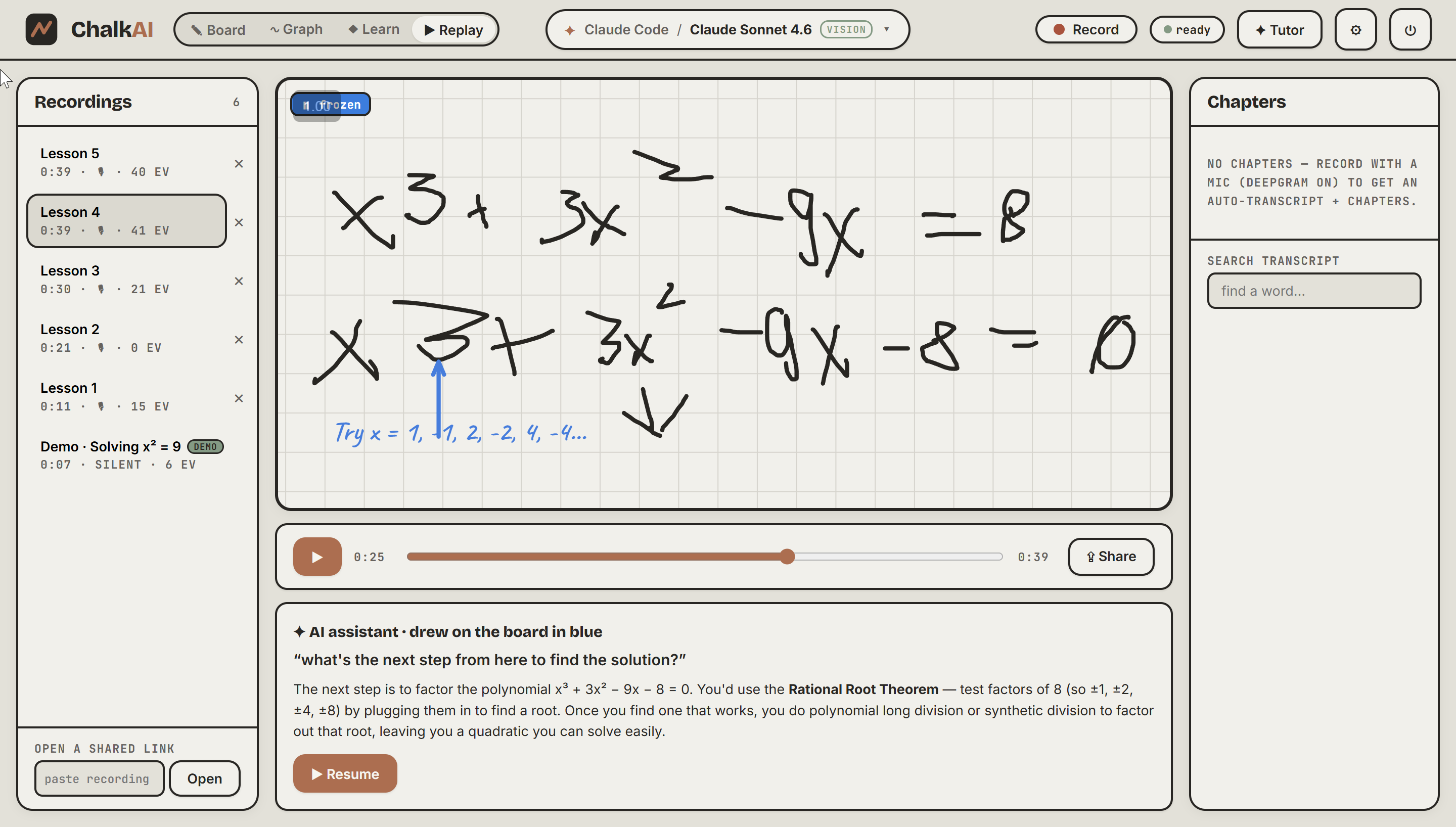
Pause any replay and ask a question. The board freezes, you ask by voice or text, and the AI answers out loud while annotating in blue.
-
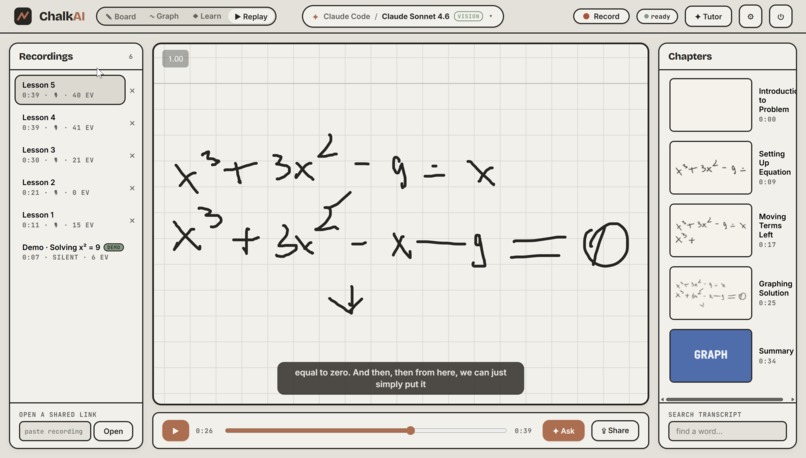
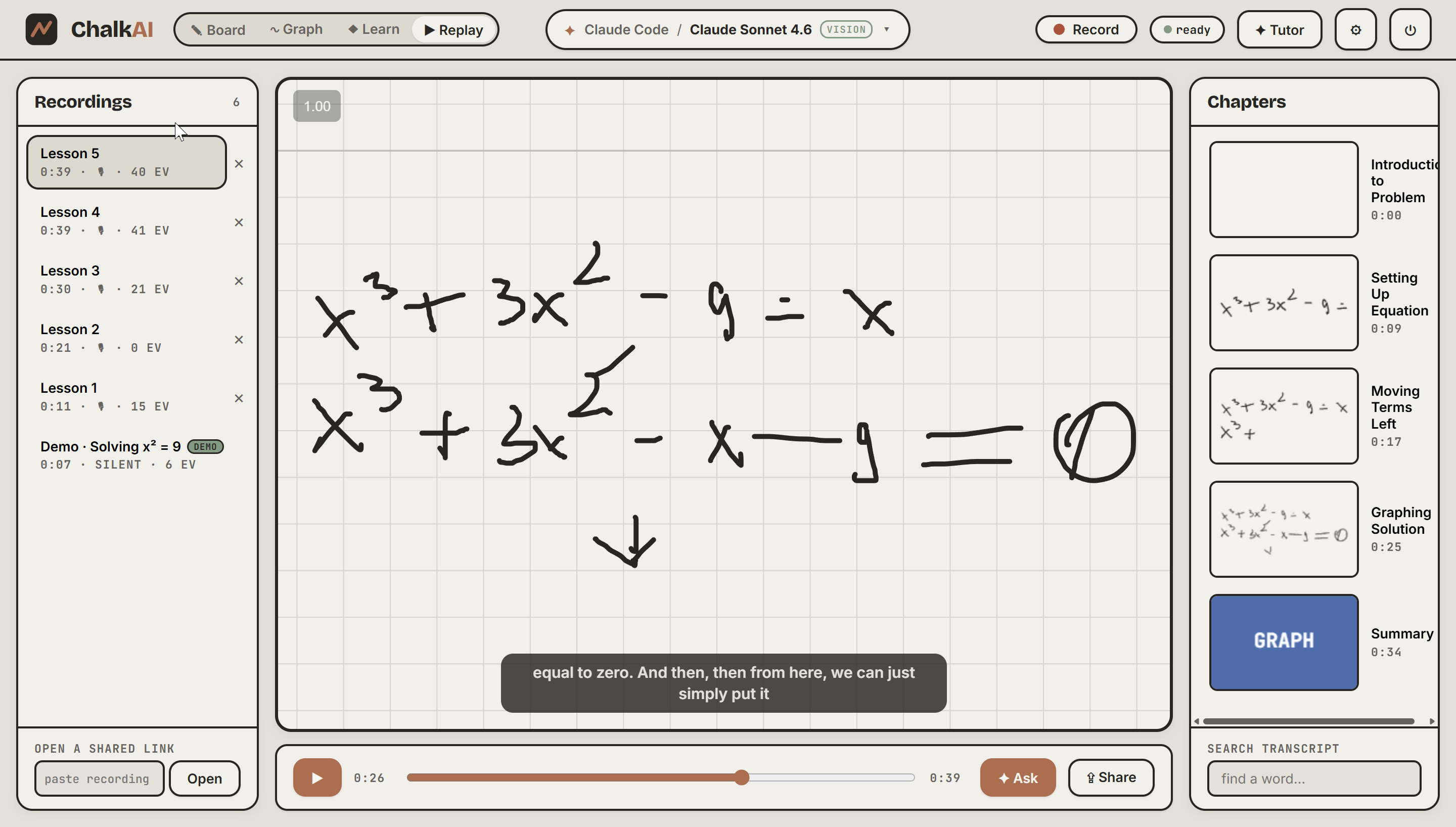
Every lesson is recorded and replayable, with synced voice, live captions, auto-generated chapters, and full transcript search
-
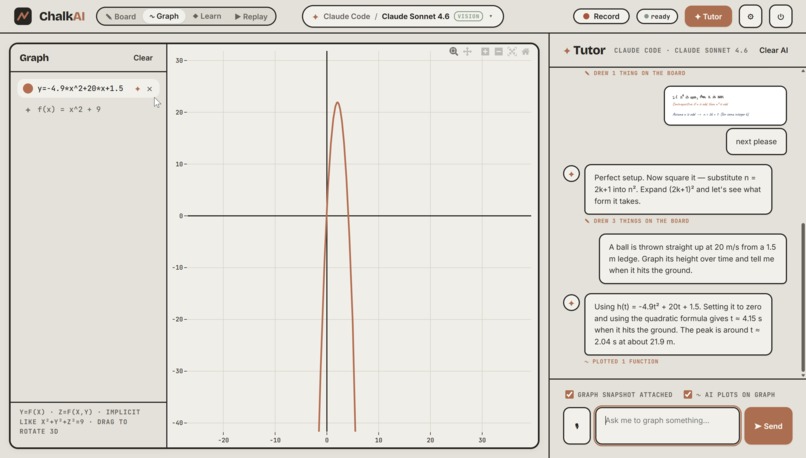
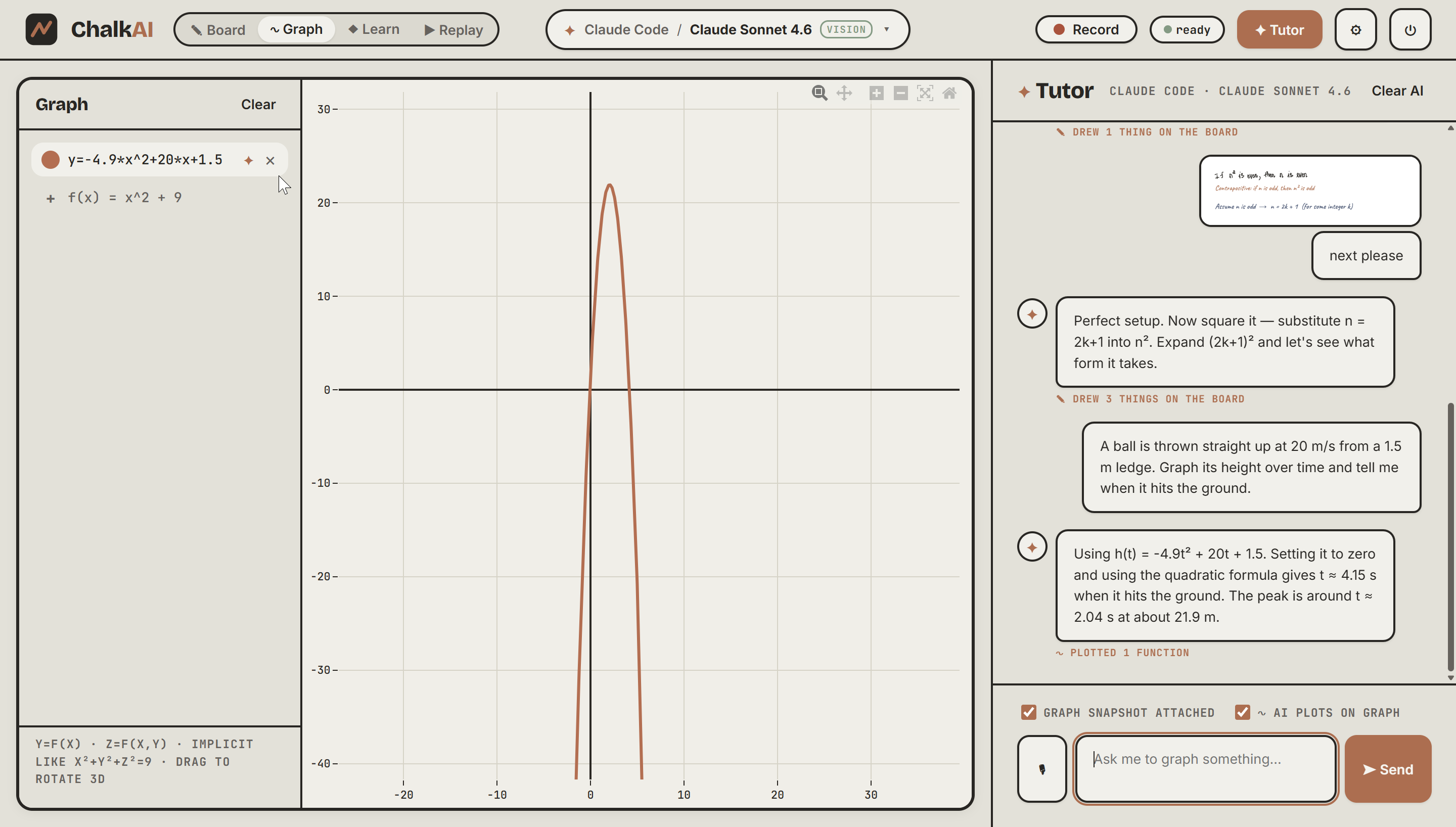
Plain-English word problem to a modeled, plotted answer.
-
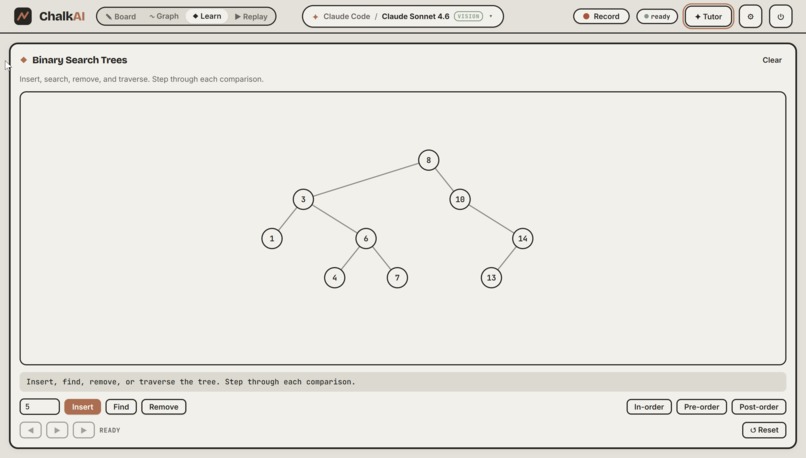
Plain-English word problem to a modeled, plotted answer.
Inspiration
Most learning tech feels passive. You watch a video or scroll through text while an AI explains things at you. Great teachers do something different. They stand at a whiteboard, work through each step by hand, explain their thinking out loud, and slow down the moment a student looks confused.
Ferb AI was built to feel more like that kind of teaching. The goal was to create an AI tutor that teaches on a whiteboard instead of inside a chat box, while still letting students replay lessons, jump back to specific moments, and ask questions in the middle of a recording.
What it does
Ferb AI is an AI tutor built around a live infinite whiteboard.
- A student can sketch a problem, and the tutor writes the next step by hand in a chalk-style font while explaining it out loud. The audio is synced to the writing so it feels like a real teacher working at the board.
- The system reads the current whiteboard using vision, so it can respond to the actual problem on screen instead of a separate text prompt.
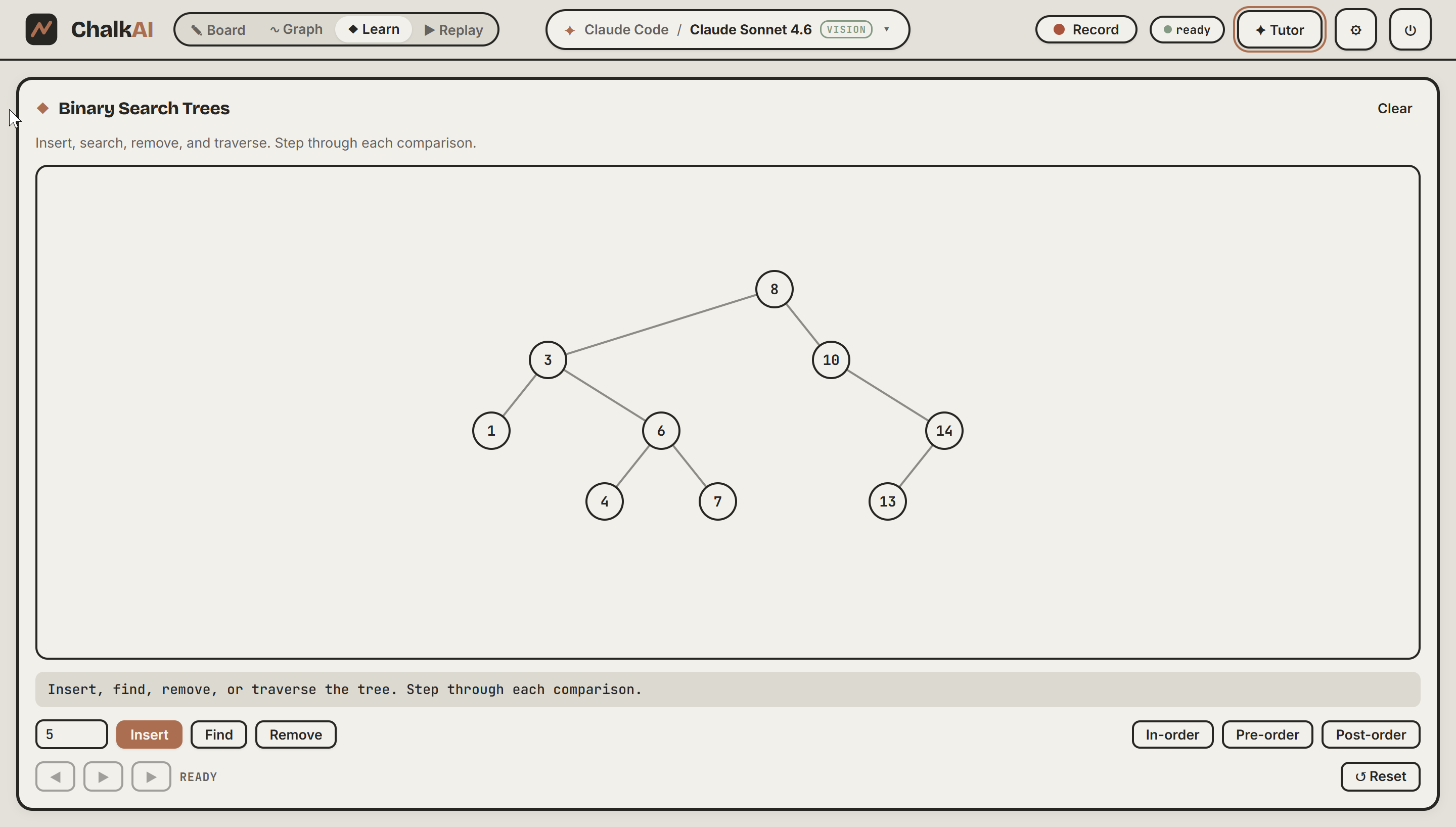
- It can switch into a graphing window to plot 2D and 3D functions, then move into a Learn tab that generates interactive visualizations students can drag through and explore step by step.
- Students can talk to it using hands-free voice input through Deepgram or type normally.
- Once signed in, every lesson is saved to the user's account, including the recording, audio, transcript, and auto-generated chapters.
- A lesson can be shared through a link, and only signed-in students with access can open it.
- During playback, students get auto-chapters, live captions, transcript search, and full scrubbing.
- There is also an "ask the recording" feature. A student can pause a replay, ask a question by voice, and the AI responds out loud while annotating the frozen board in blue. When the question is done, those annotations fade and the lesson can continue.
- Every AI call is traced and evaluated with Arize so teaching quality can be monitored instead of guessed.
How it was built
Frontend
The frontend uses React, TypeScript, and Vite. It includes a custom infinite whiteboard with pan and zoom support, hand-drawn strokes, text, and shapes. It also includes a Plotly graphing window powered by mathjs for 2D and 3D plotting, plus a sandboxed iframe renderer that safely runs AI-generated interactive widgets.
Backend
The backend is a Node and Express proxy. It streams Anthropic Claude responses with server-sent events and handles voice, data, and authentication services so secrets never reach the browser.
AI system
Claude acts as the core reasoning model. It reads a snapshot of the whiteboard and returns structured action blocks that the app can render directly. Those actions may tell the app what to write on the board, what equations to graph, or what interactive experience to build.
Voice
Deepgram handles both speech-to-text and text-to-speech. Live microphone input is streamed through a server-side WebSocket relay, and text-to-speech uses the aura-asteria-en voice. A custom math-to-speech normalizer was added so expressions sound natural, like reading x^2 as "x squared" instead of "x caret two."
Auth, database, and storage
Supabase turns the project into a real product instead of a one-off demo.
- Email authentication is protected with Row Level Security so each user only sees their own recordings.
- Recordings are stored in Postgres as JSONB, including the event stream, scene snapshots, transcript, and chapters, so lessons can be replayed accurately.
- Audio is stored in a private Supabase Storage bucket, and the backend creates short-lived signed URLs so private audio can still be streamed securely.
- Shared recordings are rechecked on the server for ownership and sharing permissions before audio is served.
- A fallback save path keeps a local copy of a lesson if a cloud save fails, which helps prevent data loss.
Recording and playback
The replay engine uses a scene model that stores board elements, graph equations, visualization specs, and the active view as incremental events plus periodic snapshots. A sceneAt(t) reconstruction model restores any point in time, while a requestAnimationFrame loop driven by the audio clock keeps the visual playback tightly synced.
Observability
Arize AX is used for observability and evaluation. OpenTelemetry tracing exports spans to Arize for lesson generation, chapter generation, and recording Q and A. A second evaluator agent scores the tutor on engagement, scaffolding, tone, goal alignment, and grounding to what is actually on the board.
Challenges
Several parts of the build were harder than expected.
- Deepgram browser token limits caused live transcription failures, so the speech-to-text pipeline had to be redesigned around a server-side WebSocket audio relay.
- Deepgram text-to-speech does not provide word-level timestamps, so syncing speech with handwriting had no obvious timing source.
- The solution was to split narration into beats, measure each audio clip's real duration, and let the voice timing control the writing speed.
- Keeping narration synchronized while switching between the whiteboard, Plotly graphs, and interactive demos required careful state and timing logic.
- Supabase introduced real production concerns like email rate limits, Row Level Security policies, private audio access, signed URL streaming, and reliable cloud saves.
- Arize integration also took significant work because tracing design, evaluator spans, and automated scoring had to be meaningful rather than just technically connected.
A lot of the process involved debugging undocumented API limits, rendering edge cases, and synchronization issues that took many iterations to solve.
Accomplishments
A few parts of Ferb AI stand out.
- The handwriting and voice sync feels genuinely close to a teacher explaining at a board, and the pacing is driven by the spoken audio itself.
- The full account, record, replay, and ask-the-recording loop works end to end with authentication, persistent recordings, private audio, sharing, captions, chapters, and voice follow-up questions.
- The system does not just generate tutoring sessions. It also evaluates them with Arize using an automated rubric for engagement, scaffolding, tone, and goal alignment.
- The product combines three teaching surfaces, the board, graphing tools, and interactives, into one continuous experience.
What was learned
This project taught a few clear lessons.
- Real APIs often force architecture changes, not just quick configuration fixes.
- Using voice as the timing source is a clean and effective way to synchronize speech with animation.
- Shipping an actual product means solving authentication, privacy, persistence, and sharing, not just building a clever interface.
- Observability matters for AI products because teaching quality should be measured and improved over time.
- Prompting an AI that acts by writing, graphing, and building is a different design problem from prompting one that only chats.
What's next
Ferb AI started in education because teaching on a live whiteboard is especially useful there, but the underlying system can go much further.
- Expand into subjects like math, physics, computer science, and chemistry with richer topic-specific interactive tools.
- Build a team of specialized agents where one lesson director coordinates graphing and visualization specialists in parallel.
- Add deeper Arize dashboards and regression alerts to track teaching quality over time and across domains.
- Support classrooms and teams with progress tracking, assignments, teacher dashboards, and shared content libraries.
- Make the experience more mobile-friendly so lessons can happen on any device.
The broader vision is not only an education tool. It is a reasoning system for any field where an expert would normally explain something visually, such as medicine, finance, engineering, legal analysis, policy, or employee training.
Built With
- anthropic
- arize
- claude
- deepgram
- express.js
- html5
- javascript
- math.js
- mcp
- node.js
- opentelemetry
- plotly
- postgresql
- react
- supabase
- typescript
- vite
- web-audio
- websockets

Log in or sign up for Devpost to join the conversation.