Inspiration
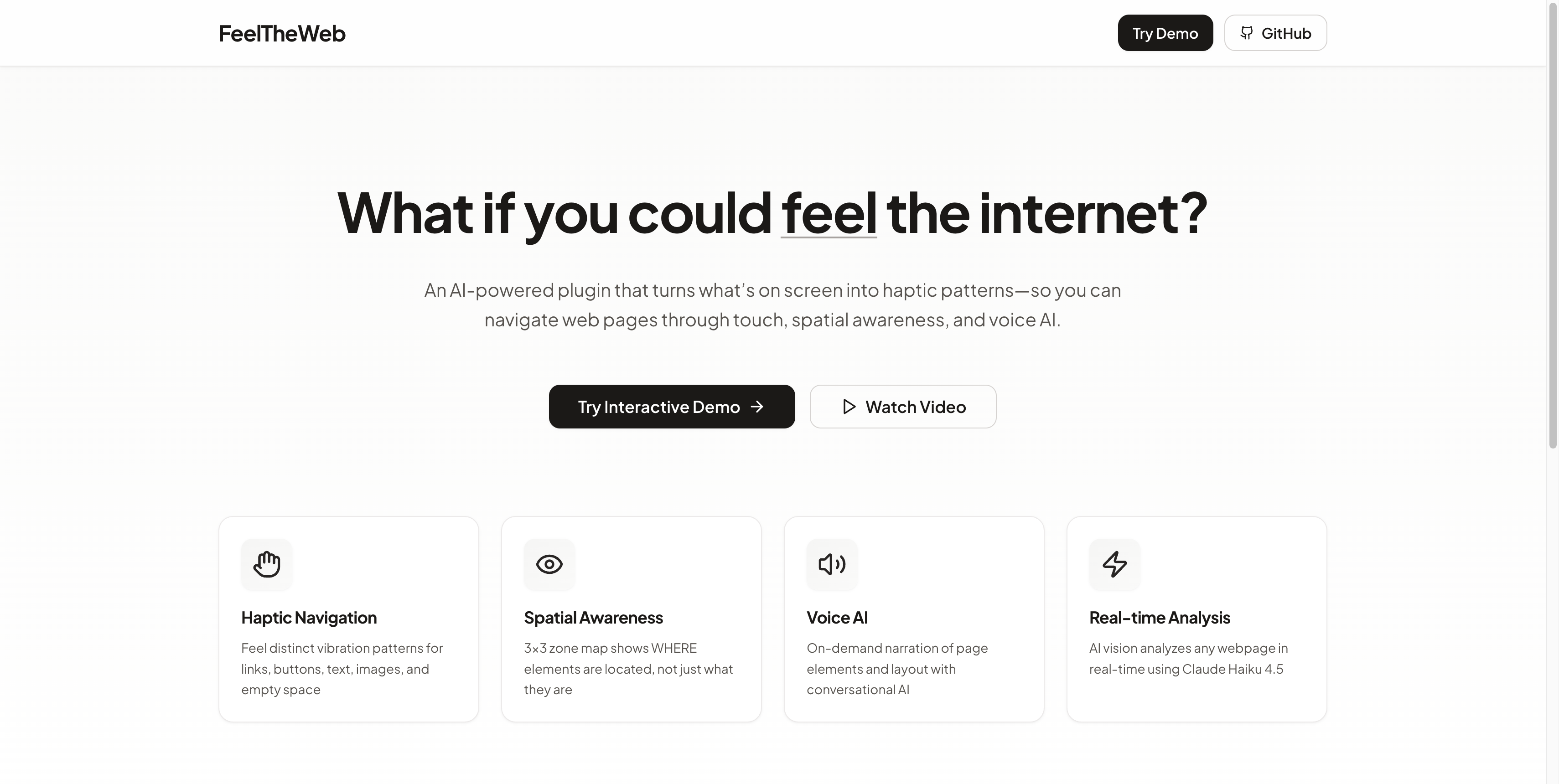
What if you could feel the internet?
2.2 billion people worldwide have low or no vision. Screen readers tell you what is on the page — they read content aloud in a flat list — but they don’t tell you where anything is. You lose the spatial layout that sighted users get at a glance. That gap makes everyday tasks like checking email, reading news, or shopping online slow and frustrating.
We were inspired by a simple question: Can we give that spatial context back through touch? Logitech’s MX Master 4 has a haptic motor that’s barely used in the plugin ecosystem. The MX Creative Console has 9 LCD buttons that could show a live map of the page. Modern AI vision can understand any screen in real time. We wanted to combine those into one experience: navigate the web by feeling it.
FeelTheWeb is our answer — an accessibility plugin that turns MX hardware into a multi-sensory interface so users can physically feel links, buttons, text, and images under their cursor and build a mental map of any page.
What it does
FeelTheWeb is a Logitech Actions SDK plugin that turns MX hardware into an accessibility navigation system with three modes:
1. Haptic navigation (MX Master 4)
As you move the mouse, the haptic motor fires different vibration patterns for each element type: three quick pulses for links, a strong click for buttons, a gentle wave for text, a rolling pattern for images, and silence over empty space. You feel the structure of the page through your hand.
2. Spatial zone map (MX Creative Console)
The 9 LCD buttons show a real-time 3×3 map of the current screen. Each button shows the dominant element type in that zone (nav, header, main content, links, etc.), element counts, and highlights when your cursor is in that zone. Press a button to snap the cursor to that zone.
3. AI voice assistant (dial)
Press the dial to hear “You’re on the Compose button in Gmail.” Rotate the dial to move between elements. Toggle auto-announce so the system speaks each element as you hover. Ask “What’s on this page?” and get an AI summary.
We also built an interactive web demo so anyone can try the concept without hardware: upload a screenshot, see the AI element map, hover to see haptic patterns, and view the 3×3 zone layout. Live at feeltheweb.vercel.app.
How we built it
Architecture:
Screen capture (every 1–2 seconds) → AI vision (Claude Sonnet 4.5) → structured element map (type, label, bounding box, zone 1–9) → haptic engine (cursor position + element map → vibration pattern) + LCD renderer (9 zone images) + voice engine (on-demand and auto-announce).
Tech stack:
- Logitech Actions SDK (Node.js alpha) for LCD buttons, haptics, dial, and button events
- Claude Sonnet 4.5 for screen analysis and structured JSON output
- OpenAI TTS for voice narration (on-demand and auto-announce)
- Sharp for generating 80×80 PNG zone images
- node-screenshots for cross-platform capture
- robotjs + iohook for cursor position and snap-to-zone
- Perceptual hashing + LRU cache to skip repeat API calls (~70% cost reduction on static content)
Plugin: Full TypeScript codebase with screen analyzer, haptic engine (7 patterns), LCD zone renderer, voice engine, cursor control, and user settings. Built to run with real MX Creative Console and MX Master 4 when hardware is available.
Web demo: Next.js 15 app with screenshot upload, live AI analysis, element bounding boxes, haptic pattern labels, Web Speech API narration simulation, and 3×3 zone grid. Deployed on Vercel.
Challenges we ran into
No real hardware during Phase 1. We don’t have the MX Creative Console or MX Master 4 yet, so we built against the SDK interface and validated the flow with an interactive web demo. All logic (zones, patterns, cursor mapping) is implemented; we’re ready to plug in hardware when we get it.
Balancing latency and cost. Running vision AI on every screenshot is expensive and can feel slow. We added perceptual hashing so unchanged screens skip the API call (big cost and latency win), plus configurable screenshot interval and cache size so we can tune for responsiveness vs. cost.
Making haptics meaningful. Seven distinct patterns had to be recognizable and consistent (link vs button vs text vs image, etc.). We defined clear intensity and rhythm rules, added debounce and cooldown so rapid cursor movement doesn’t turn into haptic noise, and made patterns configurable for different sensitivities.
Keeping the pitch human. It’s easy to focus on tech; the hackathon criteria emphasize impact and storytelling. We kept coming back to the line: “JAWS tells you WHAT. FeelTheWeb tells you WHERE.” and to the image of someone navigating with their eyes closed — that kept the narrative centered on who this is for.
Accomplishments that we're proud of
Shipping a full pipeline: End-to-end flow from screenshot → AI → element map → haptics + LCD + voice, with a working web demo so judges and users can try it without hardware.
Clear accessibility story: We’re not building another AI shortcut button. We’re targeting a real gap (spatial context for 2.2B people with vision impairment) and using MX hardware in a way that’s new — haptics + spatial map + voice in one plugin.
Production-quality demo: Polished landing page, interactive demo with real AI analysis, and deployment on Vercel so the concept is easy to experience and share.
Cost-conscious design: Perceptual hashing and caching keep API usage and cost predictable so the approach is viable for real users and future scaling.
Documentation and structure: One-page pitch, video script, feature roadmap, and clean TypeScript architecture so the project is understandable and buildable by others (and by us in Phase 2).
What we learned
Accessibility tech is under-served in peripherals. There are 30+ Logitech plugins and almost none focus on accessibility. Haptic feedback on the MX Master 4 is barely used. There’s real room to position MX as accessibility hardware.
Spatial context matters. Screen readers are powerful but linear. Adding “where” (zones, layout, haptic position) changes how people can build a mental model of a page — and that’s something we can prototype and test with real users.
Pitch and emotion matter as much as code. For Phase 1, the brief was a one-page summary and a one-minute video. We learned to invest in the story (“What if you could feel the internet?”) and the human moment (e.g. navigating with eyes closed) as much as in the technical demo.
Caching and hashing pay off. Perceptual hashing plus a small LRU cache gave us a large reduction in API calls and cost without changing the user-facing behavior — a pattern we’ll keep as we add more sites and use cases.
What's next for FeelTheWeb
Hardware integration (Phase 2): Once we have MX Creative Console and MX Master 4, we’ll run the full plugin on real hardware, tune haptic patterns and zone maps with real use, and film a demo of someone navigating with eyes closed.
User testing: Partner with people who have low or no vision (and with organizations like NFB, RNIB, or local accessibility groups) to refine patterns, zone layout, and voice behavior.
Training mode: An onboarding flow that teaches the haptic patterns (e.g. “this is a link,” “this is a button”) so new users can learn the “language” of FeelTheWeb quickly.
Browser extension: A version that works on any webpage via DOM/accessibility tree, with optional sync to MX hardware when available, to prove the concept beyond the plugin and reach more users.
Multi-language and enterprise: Voice in more languages, and packaging for enterprises that need accessibility compliance (ADA, EU Accessibility Act, WCAG), with licensing and support options.
We’re building toward a world where the internet is navigable by feel — and where Logitech MX is the hardware that makes that possible.
FeelTheWeb – Because the internet should be for everyone.
- Live demo: feeltheweb.vercel.app
- GitHub: github.com/ashutosh887/feeltheweb
- Built for: DevStudio 2026 by Logitech
Built With
- cache
- claude-api-(anthropic)
- iohook
- logitech-actions-sdk
- lru
- next.js-15
- node-screenshots
- node.js
- openai-tts-api
- perceptual-hashing
- robotjs
- sharp
- typescript
- vercel

Log in or sign up for Devpost to join the conversation.