Inspiration
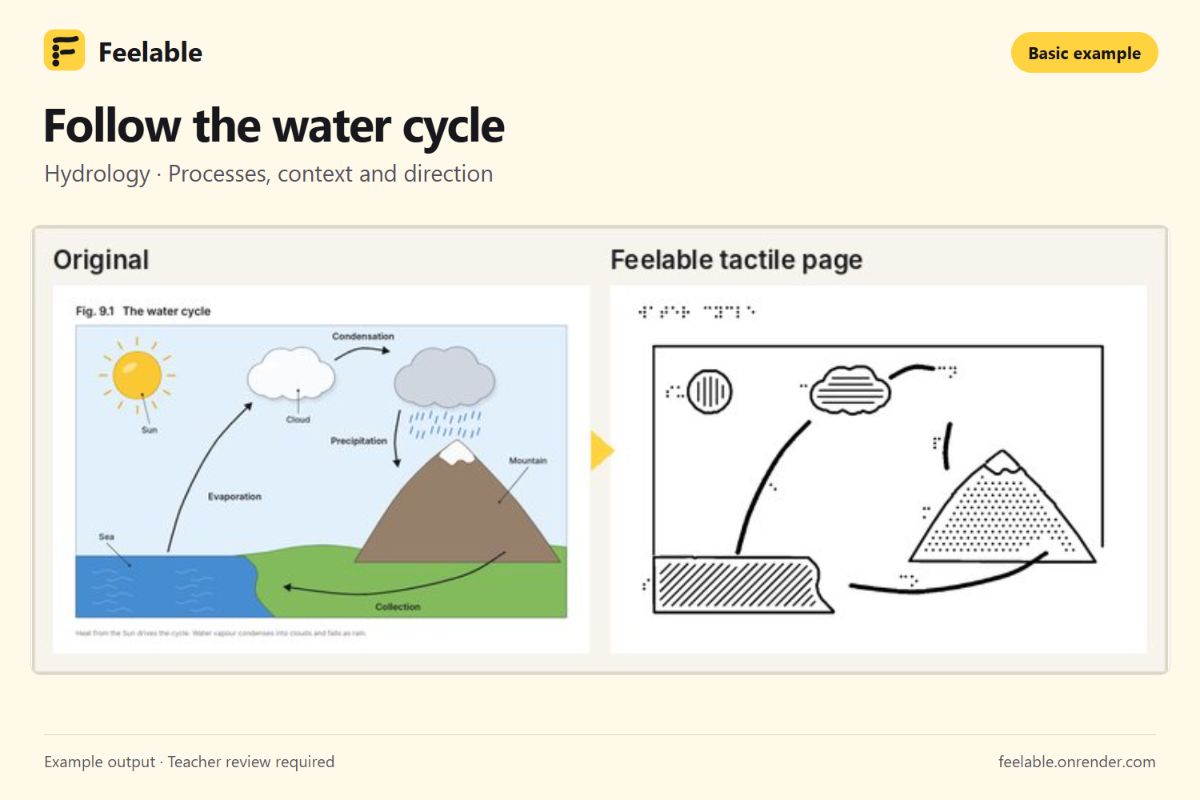
A textbook diagram can explain an entire system at a glance: how water moves through a cycle, where organs sit, or how a circuit connects. For blind and low-vision learners, accessing those same relationships often requires adapted materials.
The hackathon’s “image everything” theme made us ask: Could image AI help students explore pictures through touch and sound?
That question became Feelable. Our goal is to help teachers turn classroom diagrams into accessible learning materials while keeping them in control of the final lesson.
What it does
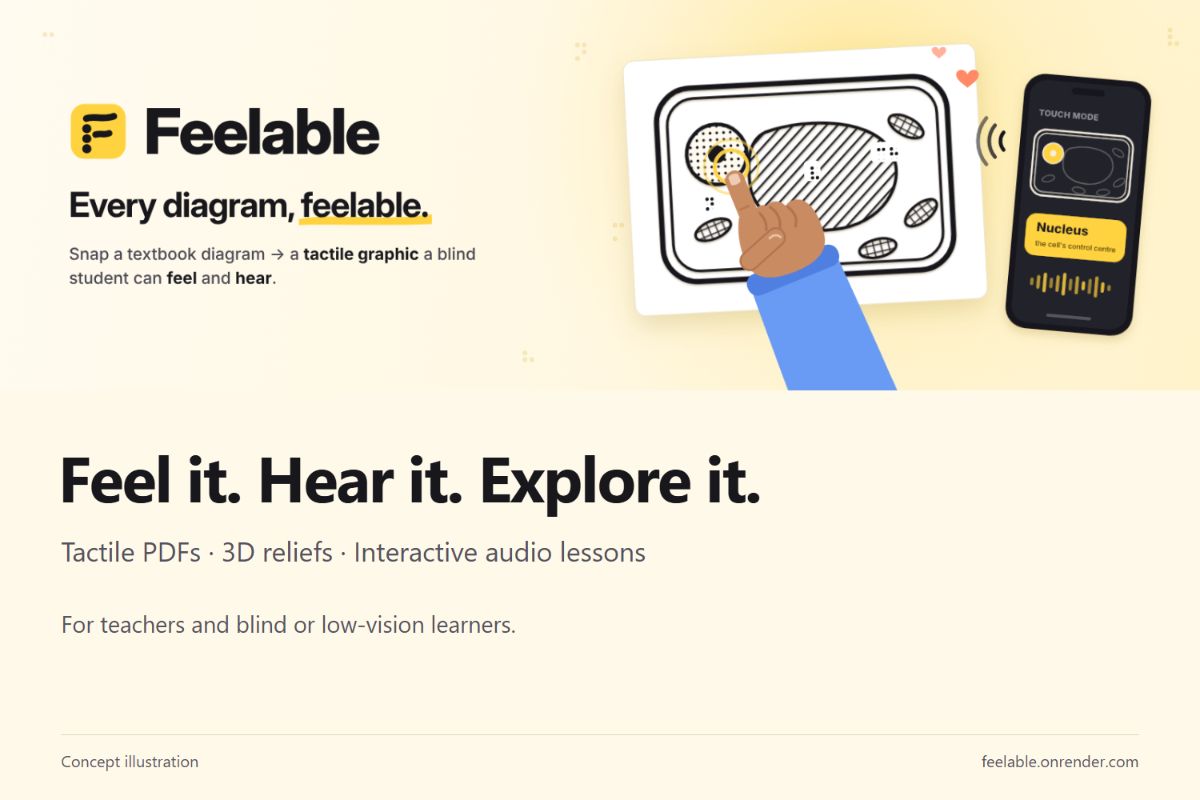
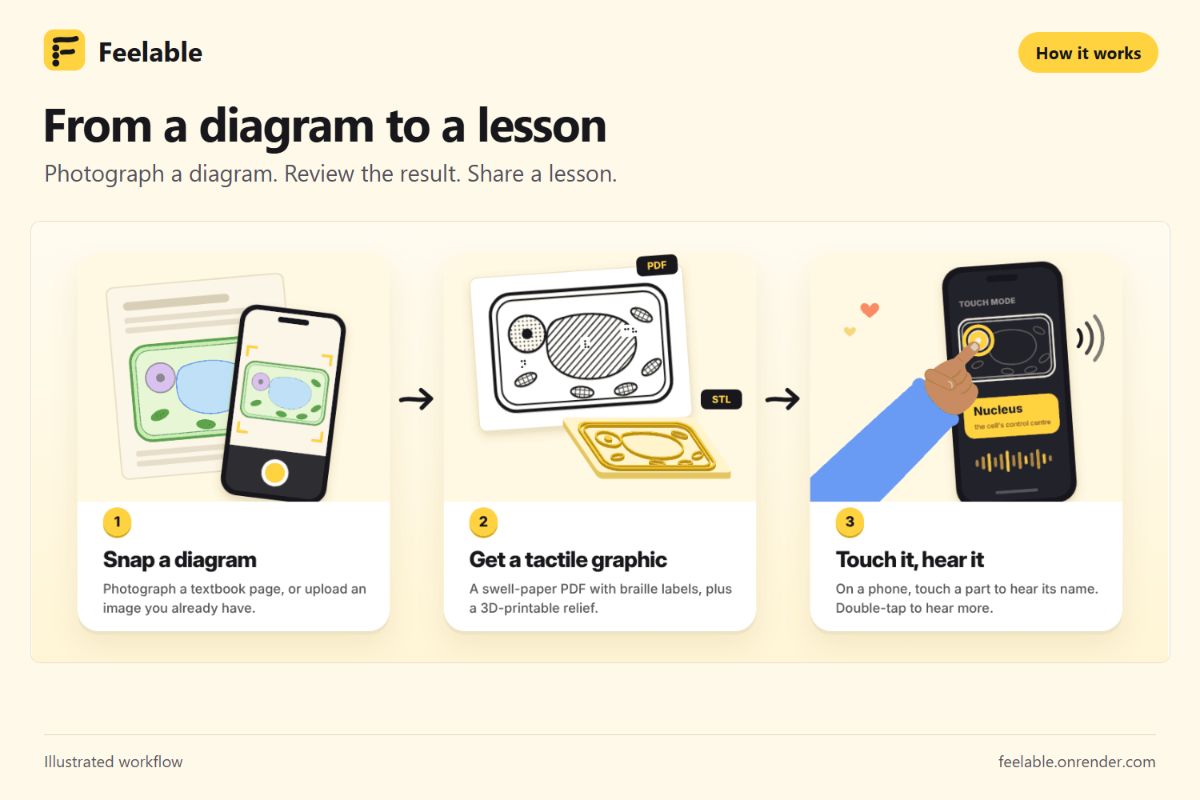
Feelable converts an uploaded diagram into three complementary learning formats:
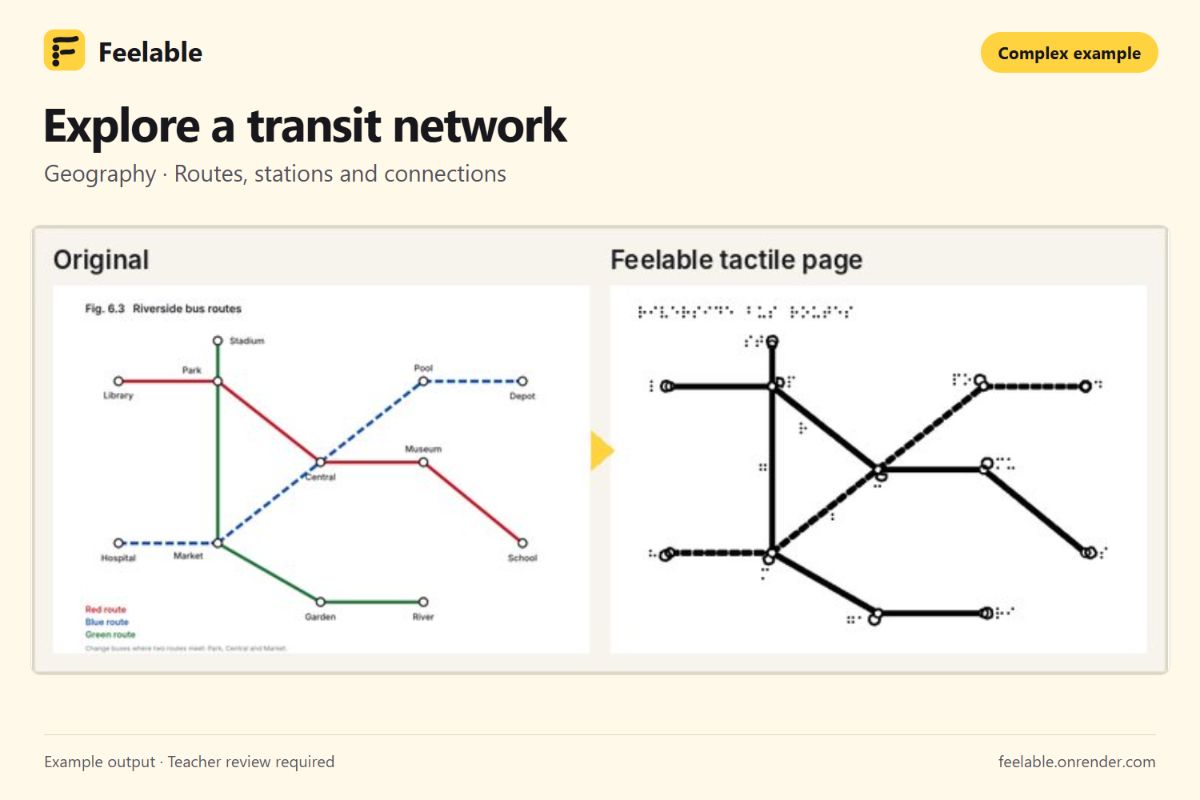
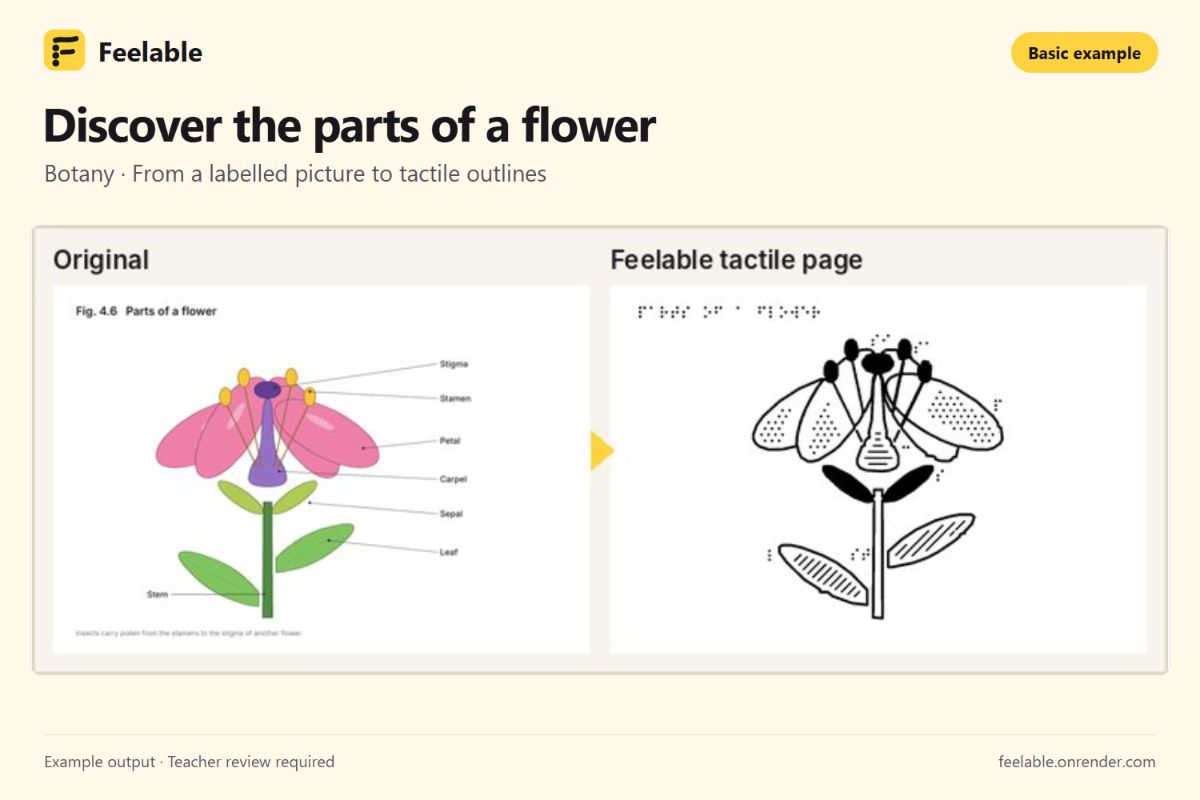
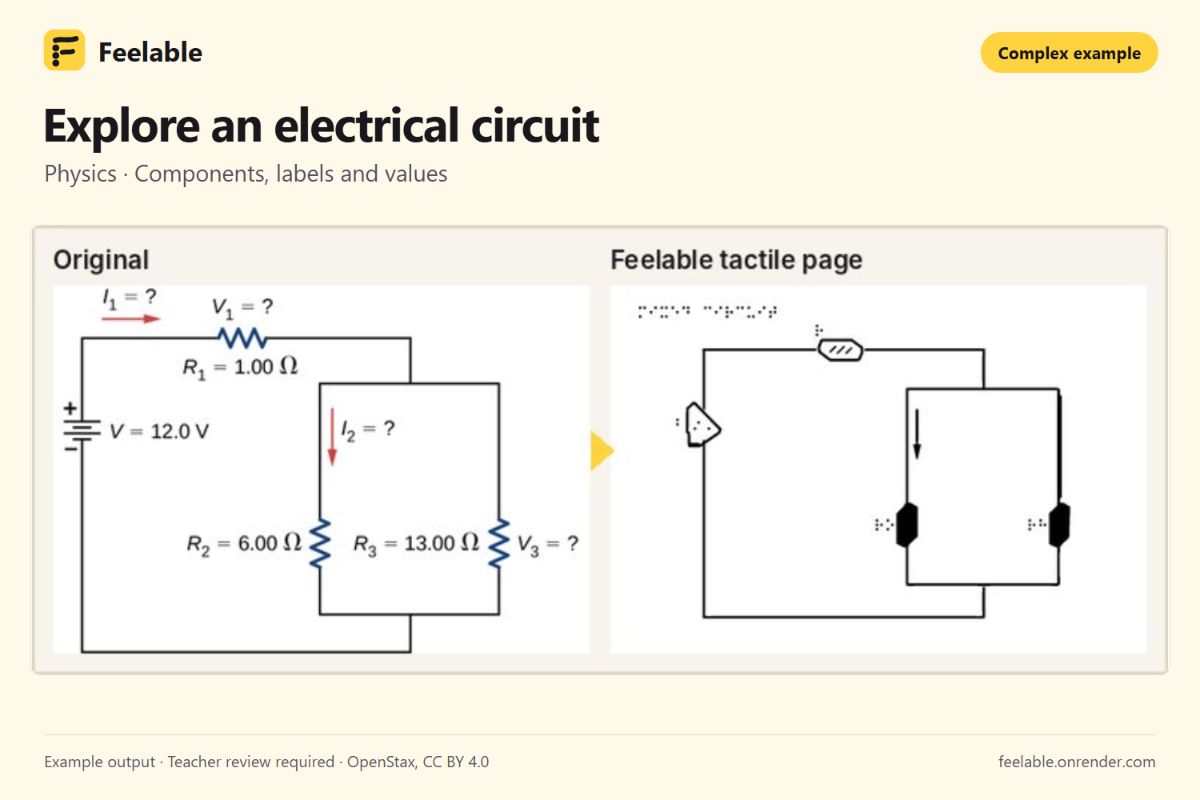
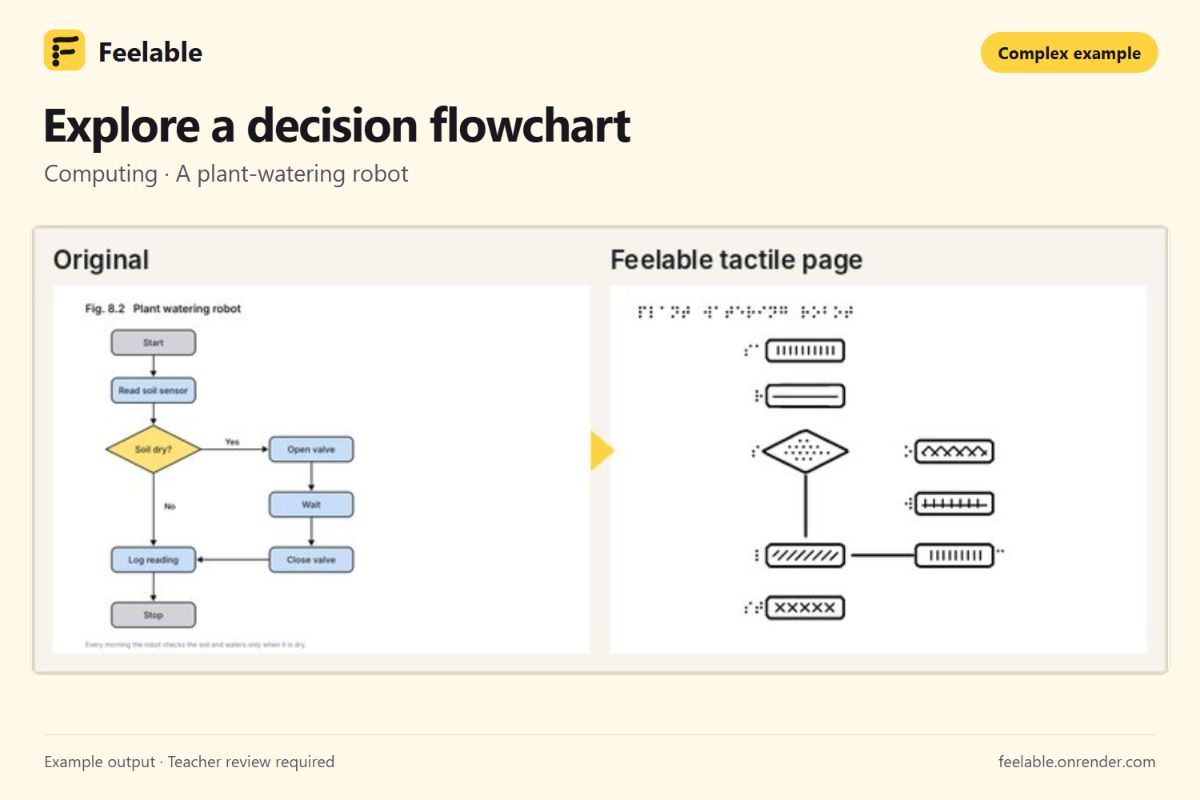
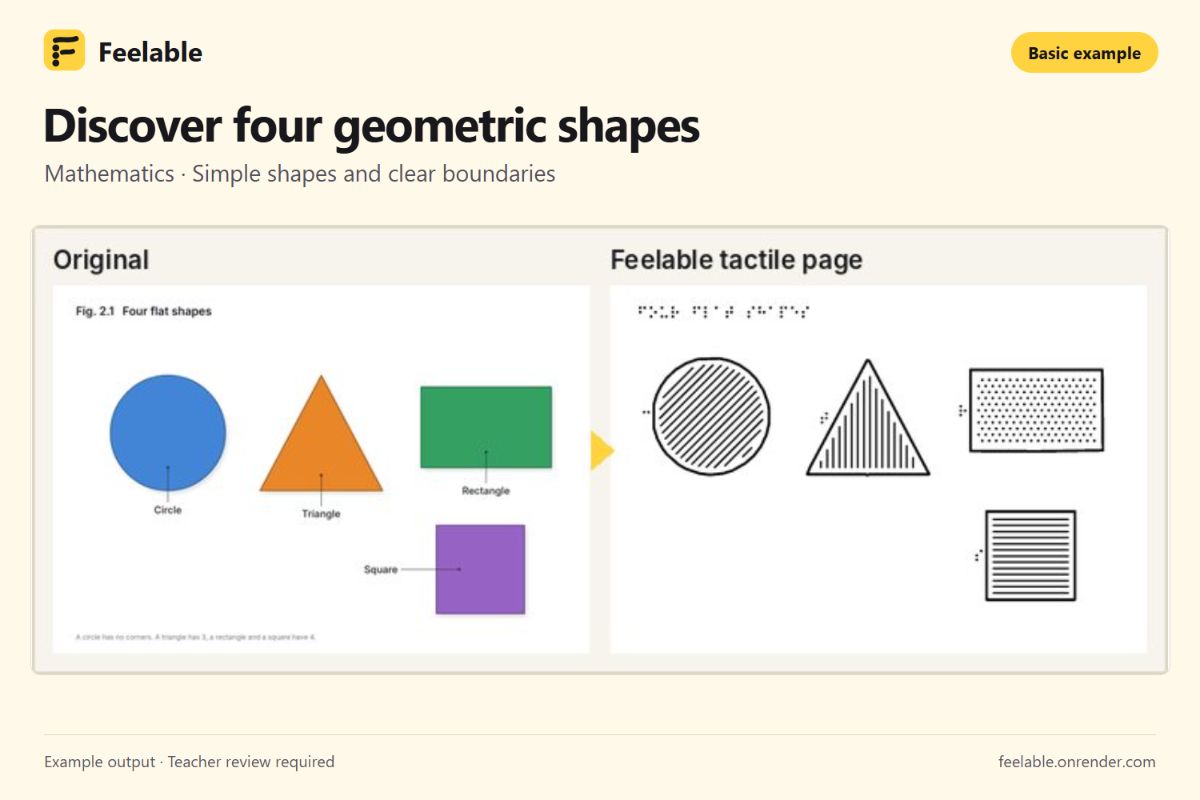
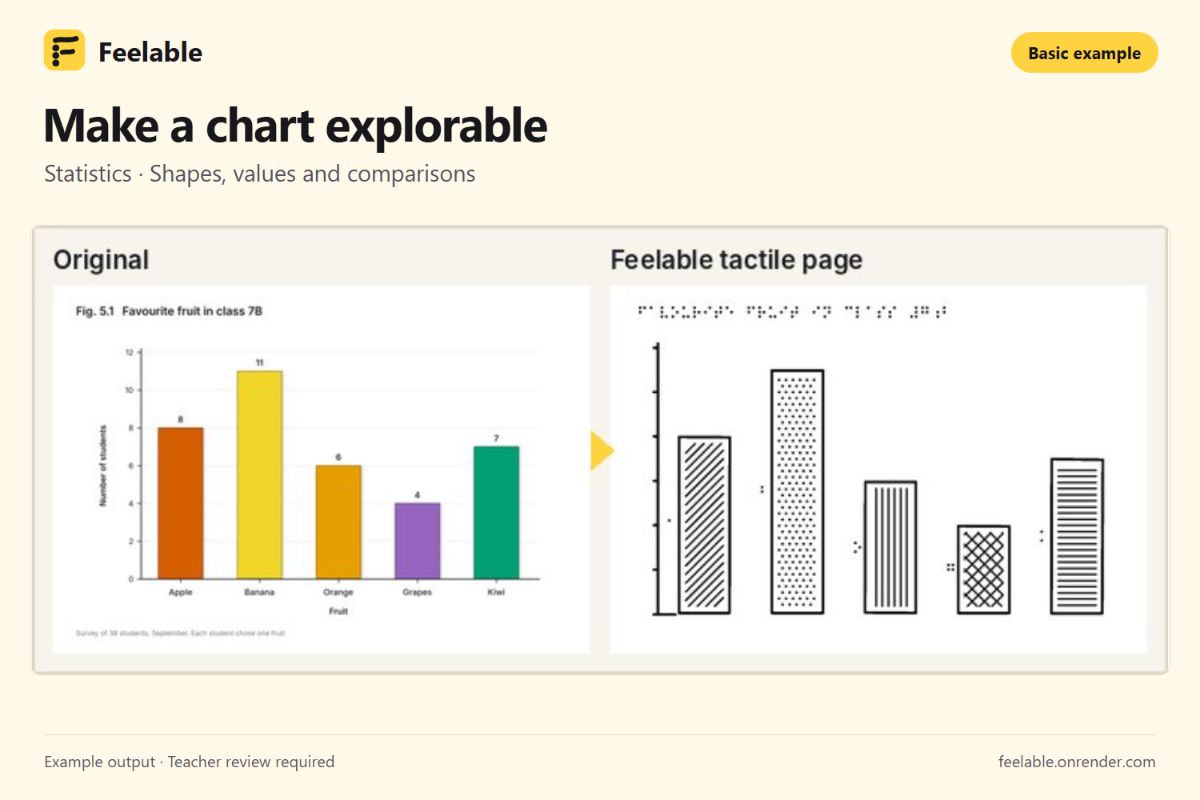
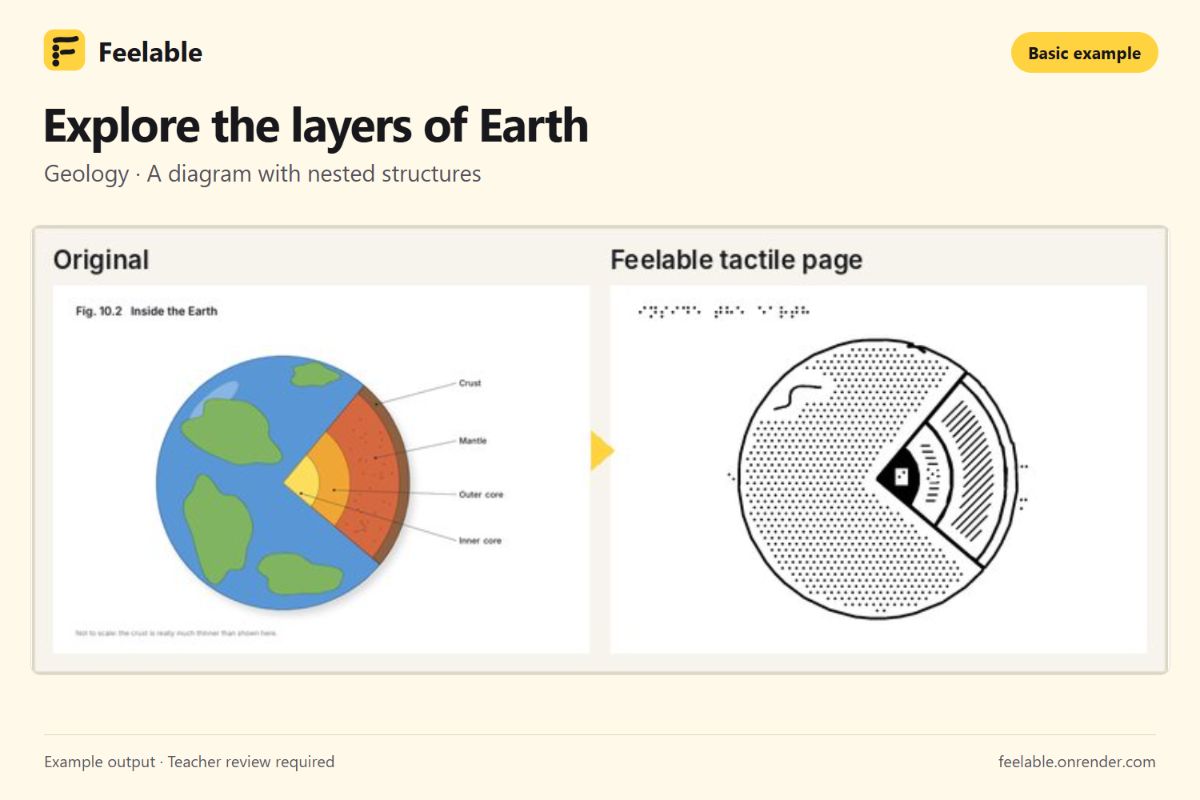
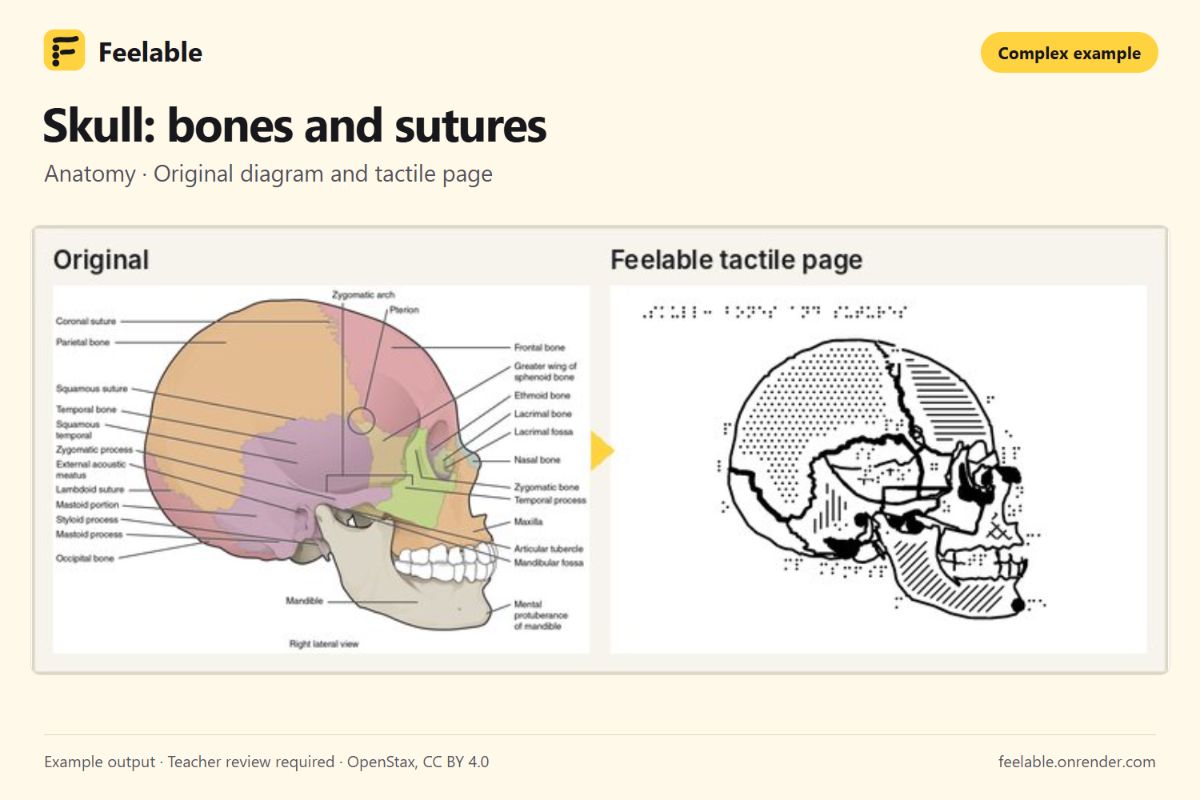
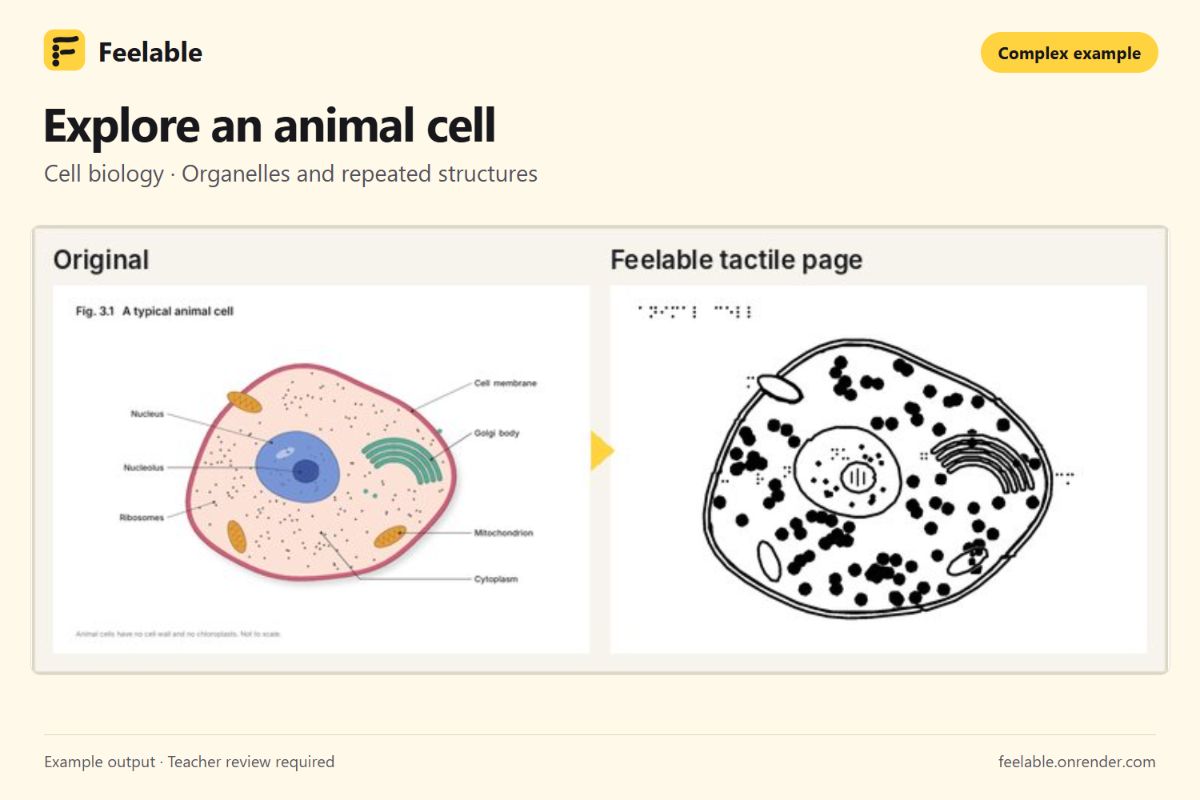
- A tactile PDF with outlines, textures, Braille labels and a legend, designed for printing on swell paper.
- A 3D-printable relief exported as an STL file.
- An interactive audio diagram that students can explore on a phone or tablet, touching a part to hear its name and requesting more information.
Touch mode also includes a “Find the part” activity with audio guidance. On supported devices, vibration provides additional feedback. Physical prints provide raised surfaces; the touchscreen experience provides spatial exploration through sound.
Teachers can compare the original and converted diagram, edit labels and descriptions, repair missing regions, create close-up lessons and approve a version before sharing it with students.
Our featured examples span five basic and five complex lessons, including flowers, Earth layers, charts, the water cycle, geometry, skull anatomy, cells, circuits, flowcharts and transit maps.
How we built it
We built Feelable around a multi-stage computer vision pipeline:
- Prepare the image: normalize orientation and prepare photographed diagrams for analysis.
- Read the labels: use RapidOCR with pretrained PP-OCR models running through ONNX Runtime, with additional crop-based recognition and scientific vocabulary matching.
- Associate labels with structures: detect pointer lines and connect their endpoints to candidate regions.
- Extract geometry: combine color segmentation, enclosed-region detection and local refinement. Dense, similarly colored structures require closer analysis rather than a single global segmentation.
- Generate accessible outputs: turn the resulting geometry into textured tactile pages, Braille keys, relief meshes and interactive touch regions.
Optional Gemini features provide visual grounding, spoken descriptions and natural speech. The core OCR, vision and export pipeline runs on our server without requiring an external AI API.
The backend uses Python, FastAPI, OpenCV, NumPy, Shapely and trimesh. The frontend uses React, TypeScript and Vite, with three.js for the relief preview and browser speech and audio APIs for exploration.
A shared geometry model connects the teacher’s edits to the highlights, spoken labels and exported materials.
Challenges we faced
Dense diagrams were our biggest challenge. Small labels, crossing pointer lines and neighboring structures with similar colors can produce plausible-looking results that identify the wrong region.
We also encountered thin boundaries that disappeared during simplification, repeated structures that merged, rotated images that lost useful detections and crowded Braille layouts.
These problems made the review workflow essential. We added inspection and repair tools so teachers can examine what the pipeline found and correct it.
Mobile interaction introduced another challenge: fitting precise editing and exploration into a small screen while preserving clear navigation, readable controls and useful feedback during processing.
What we learned
Reading a label correctly does not mean understanding its shape correctly. A diagram can contain every expected name and still teach the wrong relationships.
We learned to evaluate text recognition, label association, geometry and connectivity separately. We also learned that tactile graphics require deliberate simplification, spacing and detail levels; converting every visible pixel is not enough.
Accessibility shaped the whole workflow—from teacher review and Braille handling to speech, navigation and recovery when processing fails.
Accomplishments we’re proud of
We connected image understanding, teacher correction, tactile rendering, 3D export and audio exploration in one application.
We’re particularly proud of giving teachers practical ways to repair a lesson and giving students several ways to explore the same material. Testing across diagram types and phone-sized layouts helped expose failures that attractive screenshots alone would have missed.
What’s next for Feelable
Our next priority is testing with blind learners and specialist teachers, including real screen readers, swell-paper graphics and 3D prints.
We also want to improve dense-diagram boundaries and connections, reduce processing time, introduce guided tracing activities and build a shared library of teacher-reviewed lessons.
The goal is simple: help more students explore the same diagrams, in the same lesson, alongside their classmates.

Log in or sign up for Devpost to join the conversation.