-
-
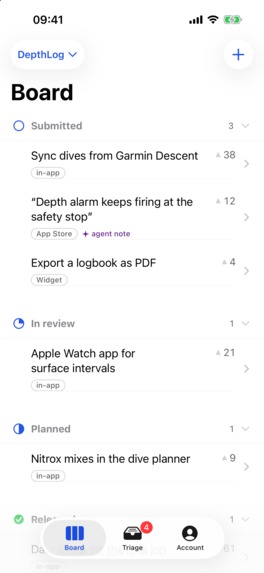
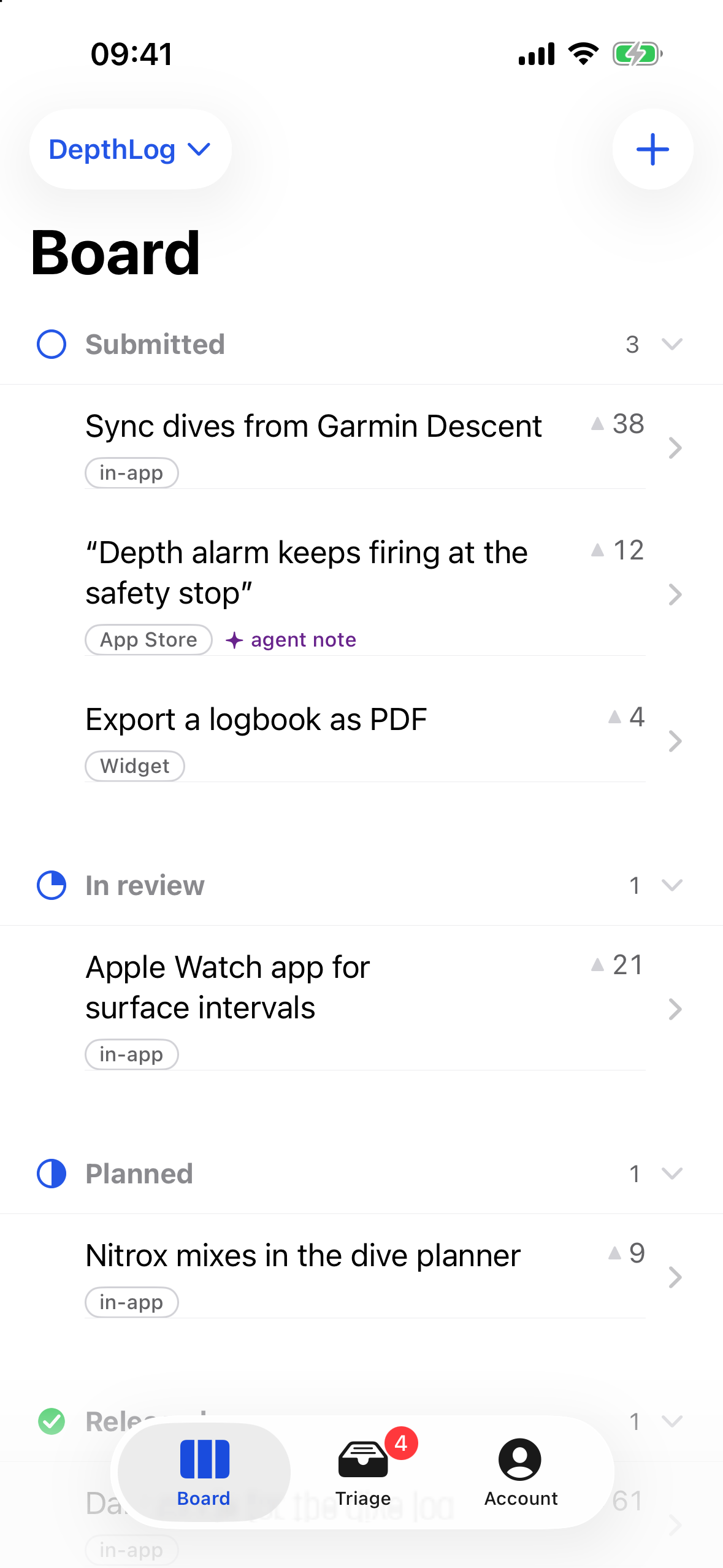
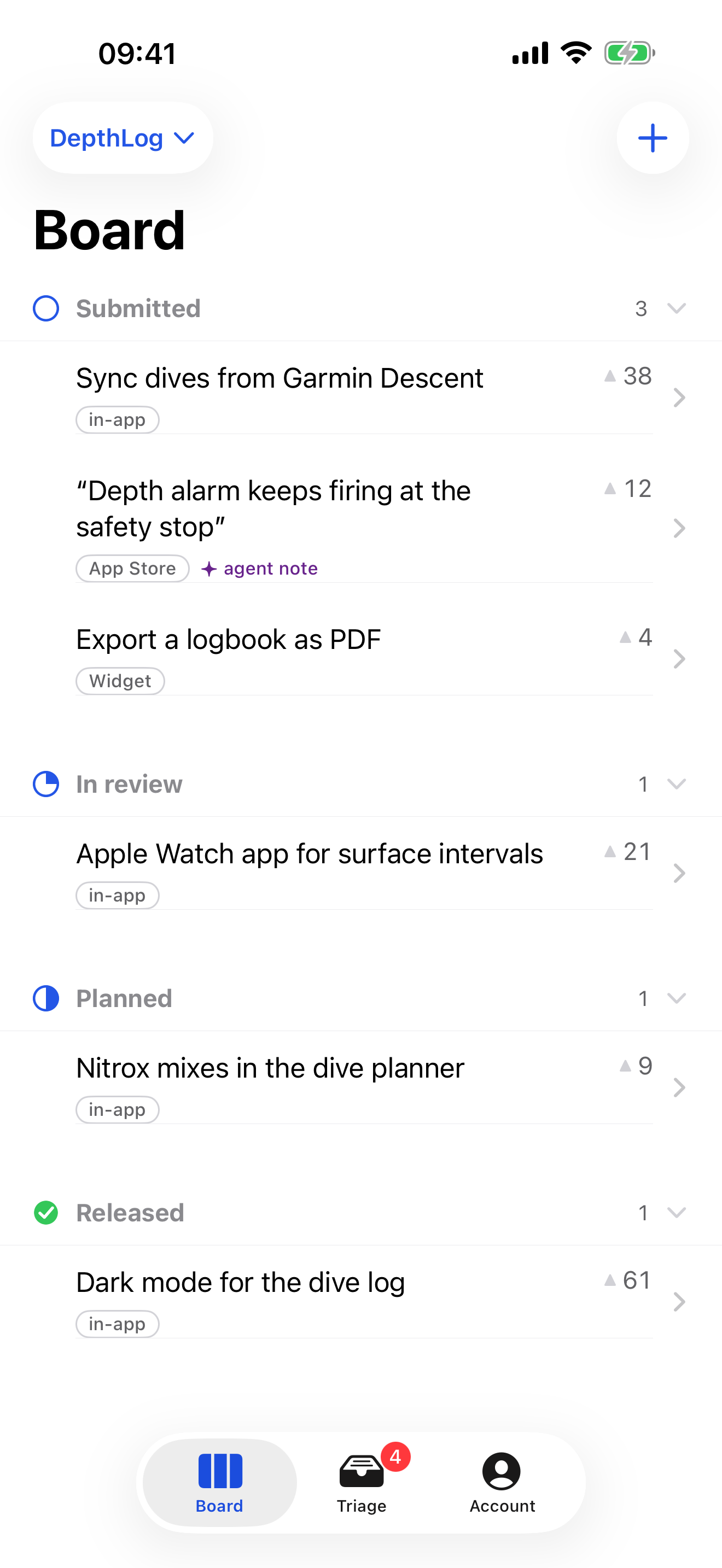
The iPhone companion board in light mode, shown with sample data.
-
FeedbackThread app icon
-
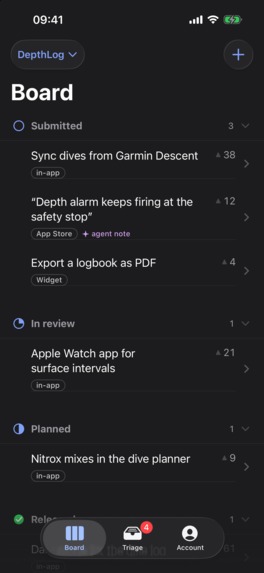
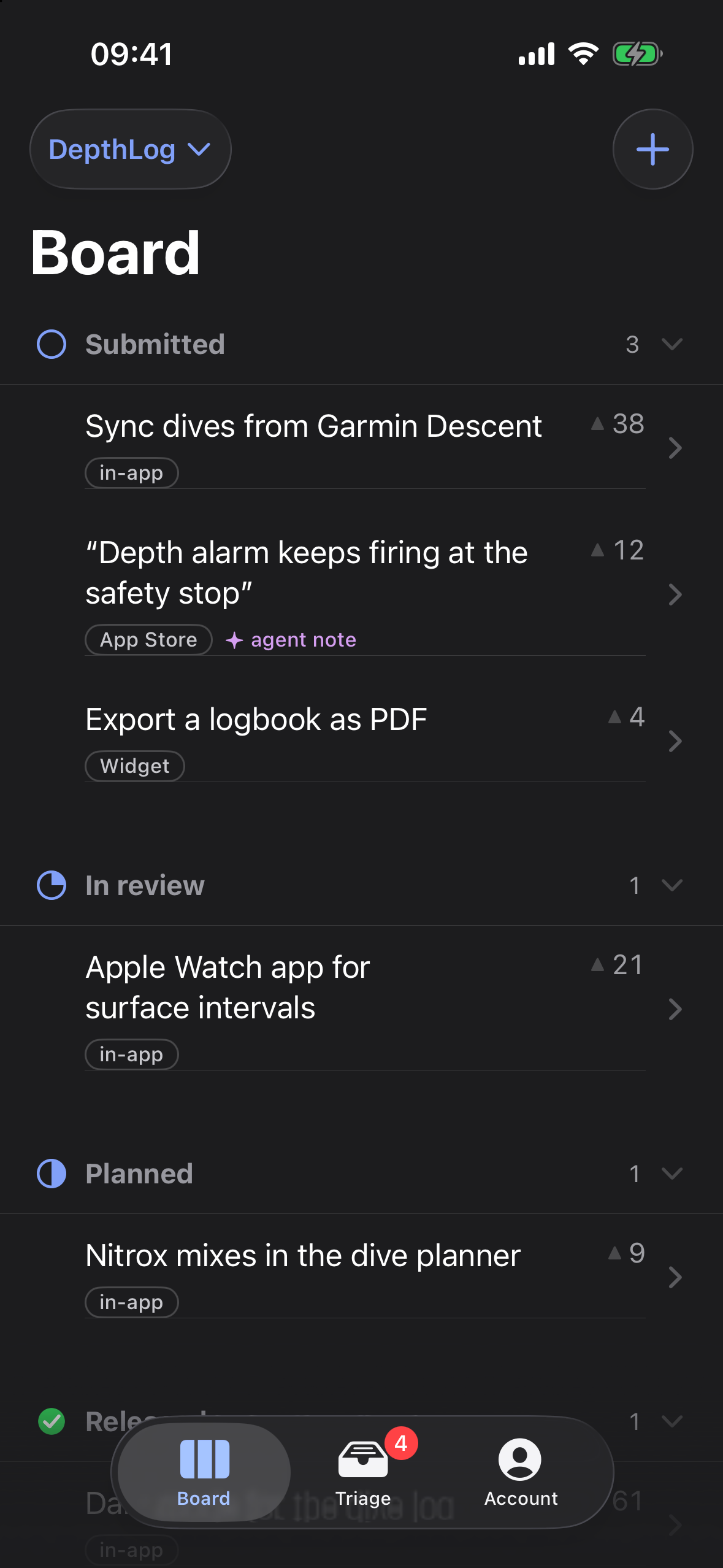
The released iPhone interface in dark mode: feedback grouped by progress. Sample data; no device frame.
-
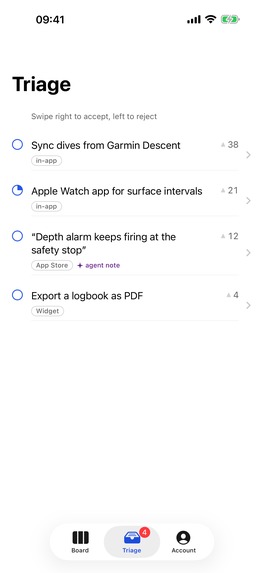
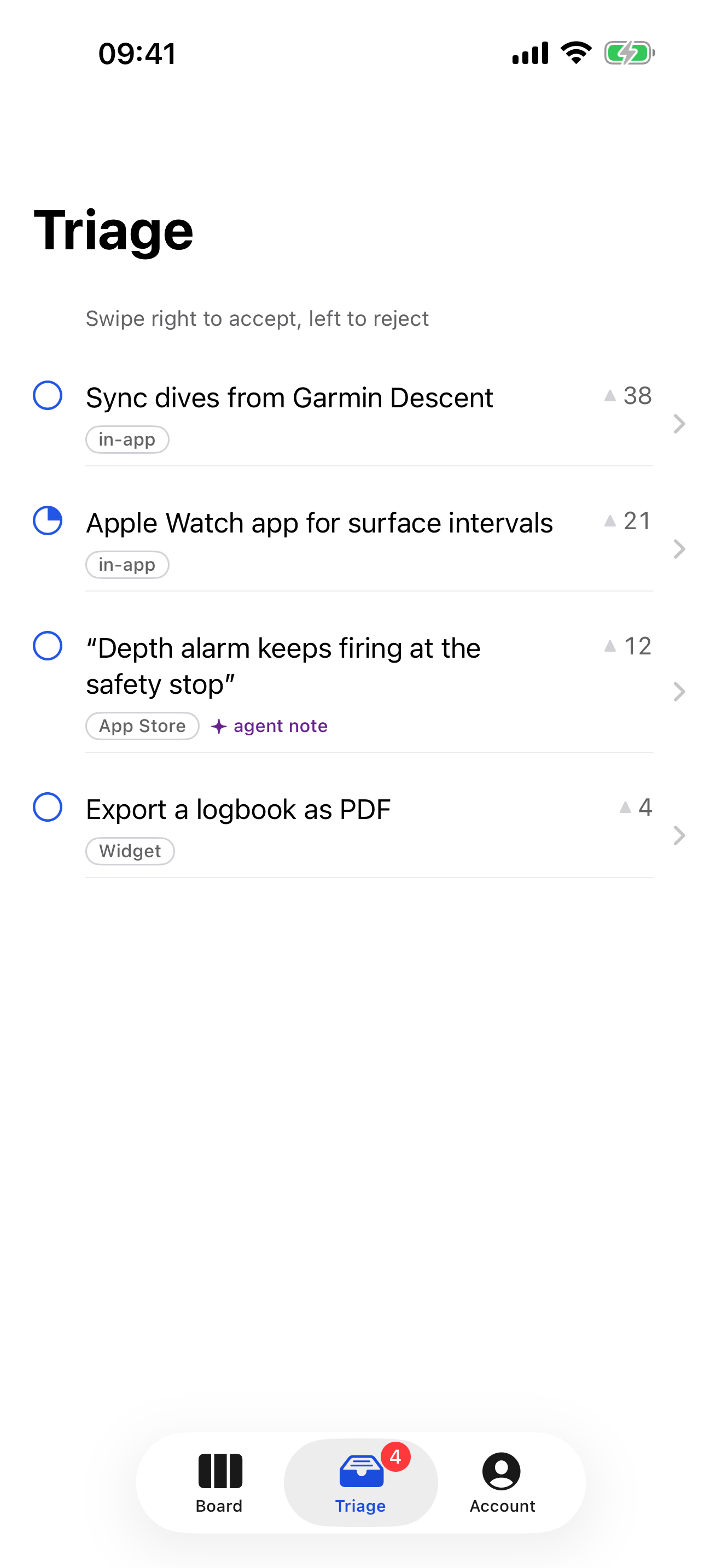
Triage: new reviews, requests and bugs in one queue.
-
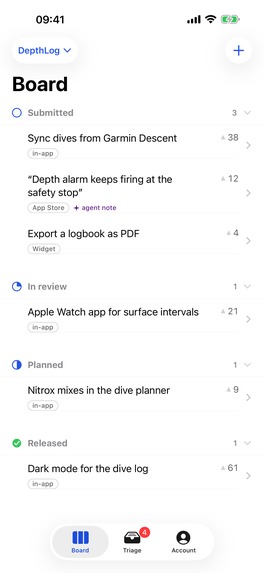
One board per app, by status and votes.
-
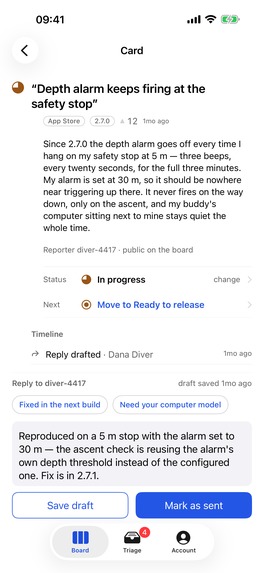
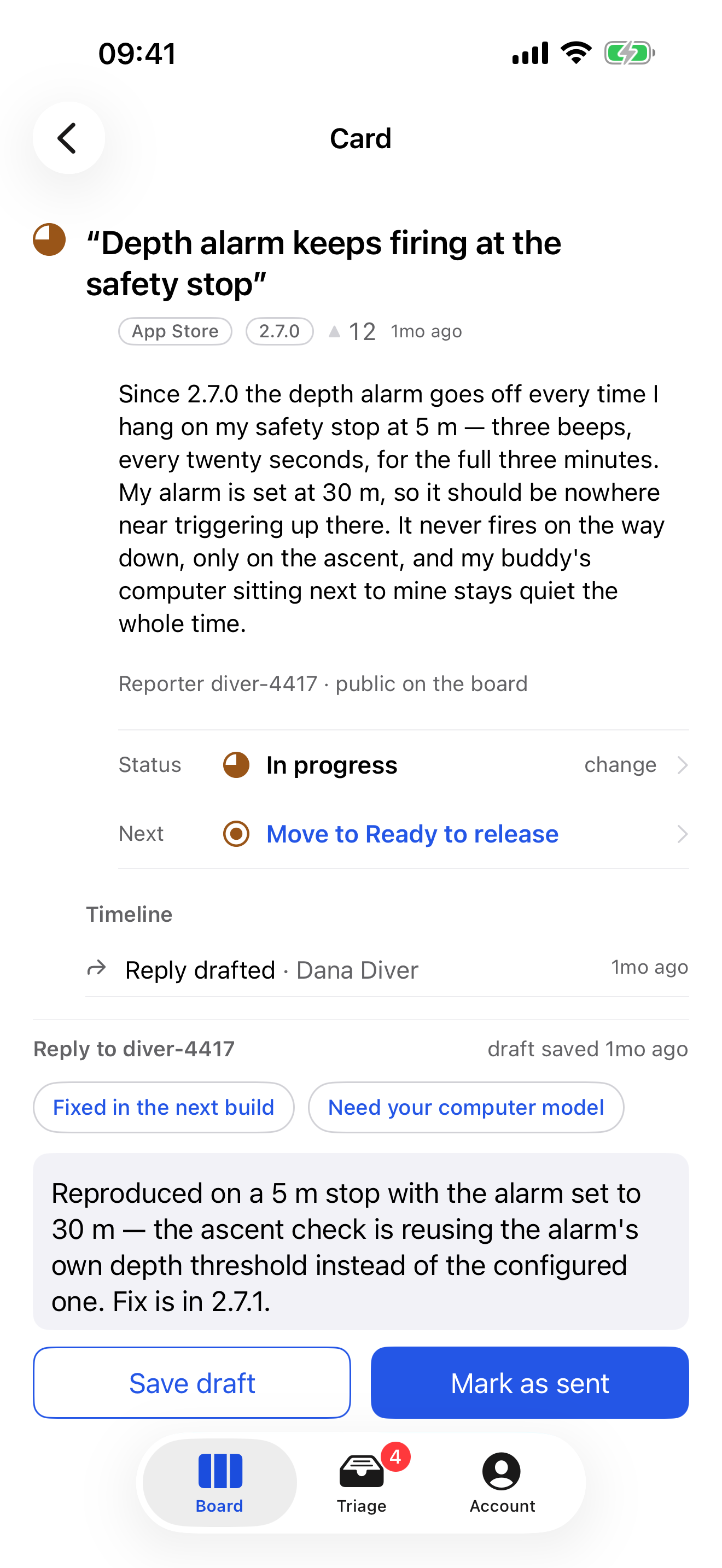
Card detail: the reporter's words, the timeline and a reply draft.
-
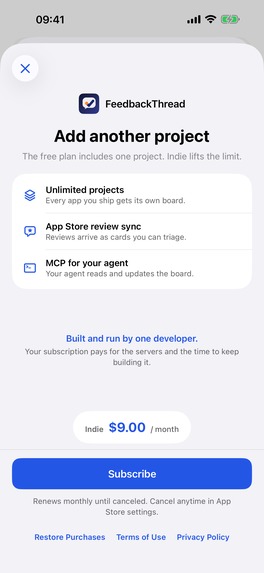
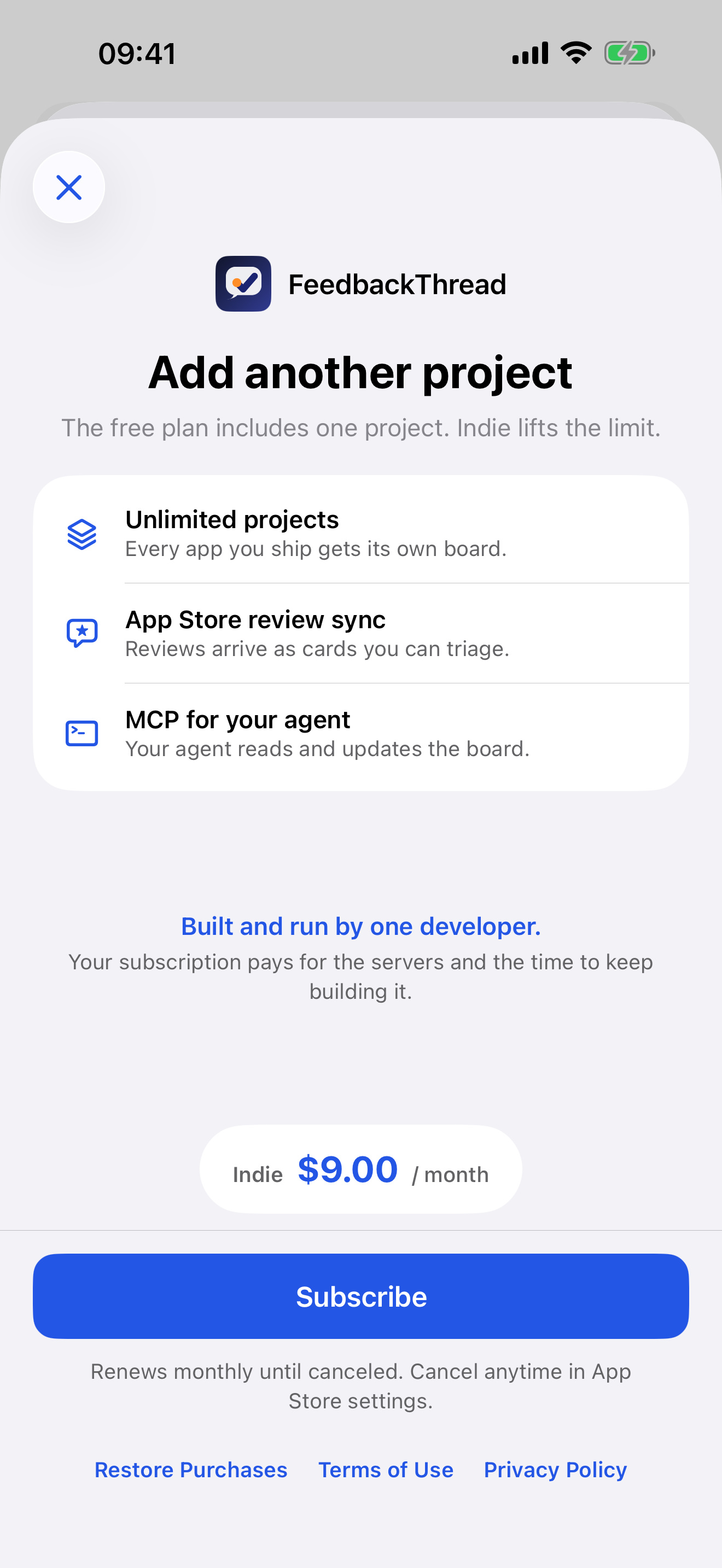
Indie subscription, bought in the app through RevenueCat.
Inspiration
I used to run product for a team of people. Today I'm one developer with about ten apps, and most of my "team" is AI agents. They write code fast. What they should work on comes from reviews, in-app requests and bug reports, and that feedback lands in five different places. Nothing I tried covered the whole loop, from a review to a decision to a shipped update to telling the person who asked. None of it let my agent work that loop in a way I could still control.
What it does
FeedbackThread: Triage Board is the phone side of FeedbackThread, a feedback system for indie app developers.
- Triage from your phone. New App Store reviews, in-app requests and bug reports land in one queue. Swipe right to accept and left to reject. Accepted requests go live on the app's public board.
- One board per app. Every card sits in a status (Submitted, In review, Planned, In progress, Ready to release, Released), sorted by votes, with its source on it.
- Context, then reply. The reporter's own words, a timeline of who changed what, and a reply draft with templates.
- Push that brings you back. OneSignal notifies you when feedback lands and opens the card directly.
- Your agent works the same queue. Claude Code, Codex, Cursor and any other MCP client can triage, add notes, move cards and publish releases. Each token is scoped to the projects you pick, and every change is logged with the agent's name. The board on your phone updates while it works. Cards touched by an agent carry an agent chip.
- Close the loop. When a release ships, the people who voted see "Shipped in x.y.z" on the board inside your app.
How RevenueCat is used
- The app is free for one project. The Indie subscription (monthly, auto-renewing) is sold in the app through the RevenueCat SDK, with the RevenueCat user ID set to the FeedbackThread account.
- The paywall is a native SwiftUI screen. It shows StoreKit's localized price, with Restore Purchases, Terms and Privacy on the same screen.
- After a purchase, the app asks the FeedbackThread server to refresh the plan. The server confirms the
indieentitlement with RevenueCat's API, so the purchase also unlocks the account on the web dashboard and for the user's AI agent. That is one subscription across three surfaces. A scheduled job re-checks entitlements so lapses are caught.
How I built it
- iOS: SwiftUI and TipKit, generated with XcodeGen and built on Xcode Cloud, with RevenueCat for purchases and OneSignal for push. A small Kotlin Multiplatform module holds the status rules.
- Backend: Cloudflare Workers, D1 and Durable Objects, with Better Auth for accounts. It serves one API to the phone app, the web dashboard, SDKs for Swift, Kotlin, React Native and the web, and an MCP server with more than 35 tools.
Challenges
- App Review: two builds were withdrawn and resubmitted before 1.0.0 was approved on September 18.
- Letting an agent write without handing it the keys: tokens are scoped per project and per permission. Publishing a store reply is a separate grant that the model cannot give itself, and every change is attributed in the log.
- One plan across stores: the App Store (RevenueCat) and the web (Stripe) had to write into one server-side plan without contradicting each other.
Accomplishments
- Shipped a native iOS app through App Review inside the Shipaton window, built in public on Twitch, YouTube and X.
- The demo video is real: the agent scene shows real MCP calls against a real FeedbackThread server, and the moves you see are the ones in the log.
What I learned
The collection part is easy. The value is in the loop: turning a review into a decision, and telling the person who asked when it ships. The phone is where the fast decisions happen, and the agent is where the slow work goes.
What's next
- The Android app, sharing the Kotlin core.
- Agent approvals from push notifications: accept or reject a proposed change in one tap.
- App insights on the phone. It already runs on the web: ratings, complaint themes and requests from any app's public App Store reviews, the user's own app and competitors alike.
Built With
- better-auth
- cloudflare-d1
- cloudflare-workers
- durable-objects
- kotlin-multiplatform
- model-context-protocol
- onesignal
- react
- resend
- revenuecat
- stripe
- swift
- swiftui
- tipkit
- typescript
- vite
- vitest
- xcode-cloud

Log in or sign up for Devpost to join the conversation.