-
-
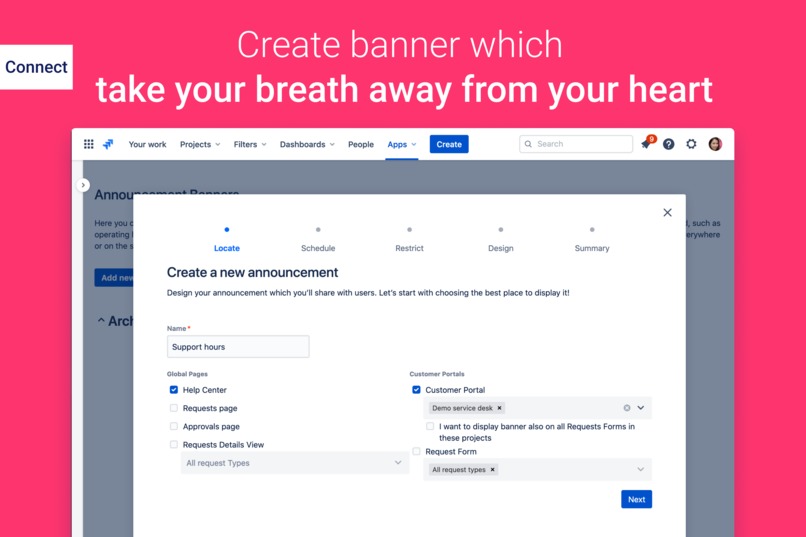
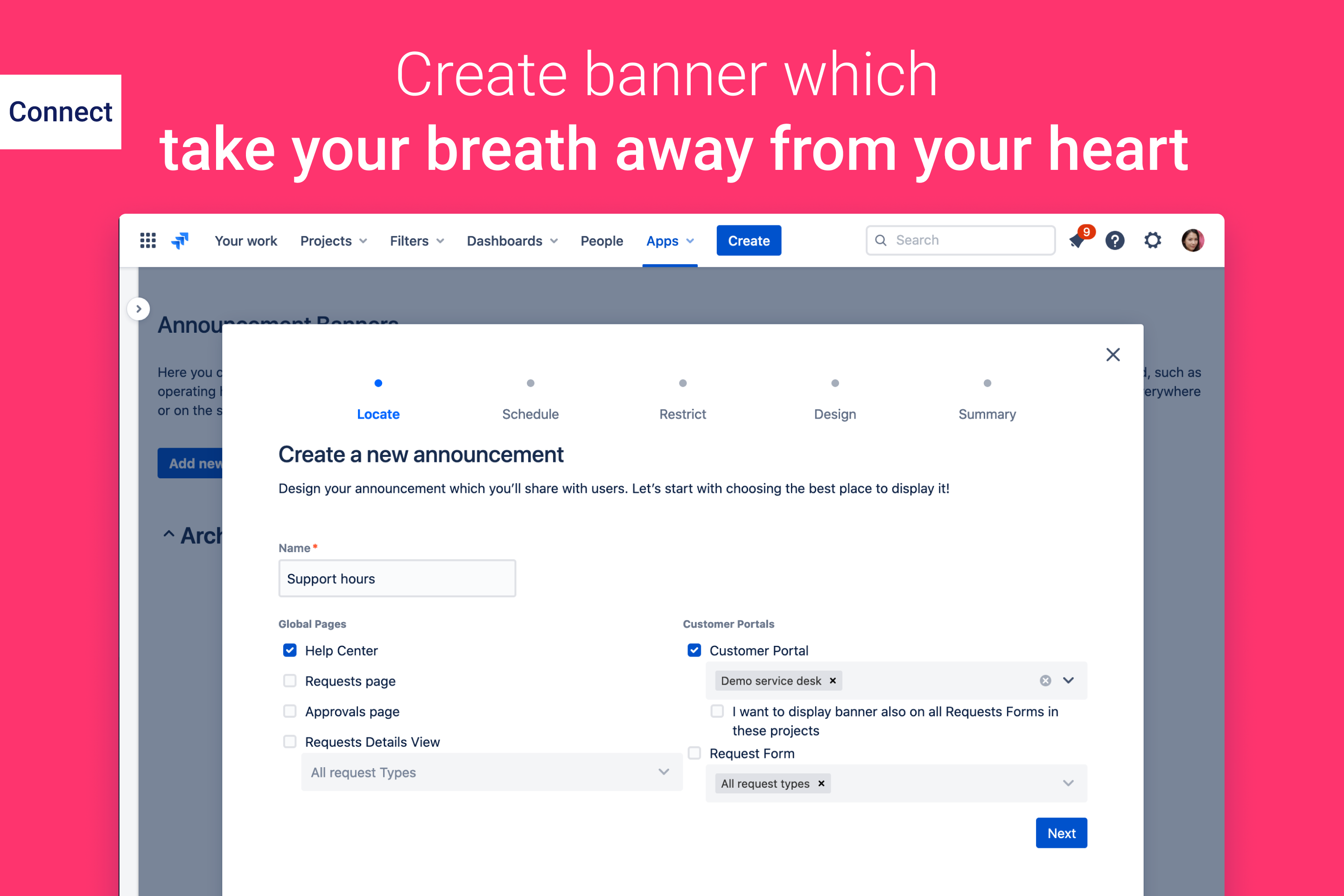
Create banner which take your breath away from your heart
Inspiration
Our inspiration had two sources. The first of them came from a standard Jira Service Desk. It allows you to add announcement banners to the Help Center and Customer Portal, but its configuration is very limited. The problem for us was the fact that we wanted to display some information on other pages. The second source of motivation was one of Atlassian's products - Statuspage. It allows you to show information about incidents on defined pages, including the Customer Portal. We noticed that such messages could have any form and be presented in different time for different groups of users. To be honest, we didn't have much experience in creating applications for Jira Service Desk and for the cloud. However, we thought that since it is a hackaton, we have to take gloves!
What it does
This app allows you to create banners on the Jira Service Desk screens. However, it is fully configurable at many levels.
- Location: the administrator can specify on which screens the banner should appear. You can choose between global screens (Help Center, Requests, Approvals, User Profile, Request Details View) and project screens (Customer Portals, Request Forms).
- Calendar: the administrator chooses whether the banner is displayed in the selected location all the time, or in selected time periods, specific days. It can also specify conditions, for example that a given banner is displayed until issue ABC-123 changes to Resolved status.
- Visibility: the adminstrator can display the banner to all logged in users or selected users. Restrictions can be defined at the user's language level, membership of the organization / Jira group / project role, as well as the email domain.
- Appearance: the administrator can enter the banner text and edit it using the Rich Text Editor. You can also enter HTML. In addition, banners can appear in four states:
- Enabled - the banner is active and its display conditions are checked.
- Disabled - the banner is inactive.
- Archived - the banner is archived, moved to a separate section, maybe someday it will be used again.
- Deleted - the banner has been removed pernamently (its content and configuration). Due to such a multitude of settings, we can, for example, show different messages for customers from two separate organizations or create messages in the languages of our clients (which is especially important in multilingual portals).
How we built it
The application implementation has been divided into three parts:
- the server-side (Java, Spring Boot, Atlassian Connect),
- frontend (ReactJS, Atlaskit UI),
- a PostgreSQL database. We have built our product in such a way that the interface for the end-user as well as the configuration was easily transferable to Jira Service Desk Server / Data Center. We manage the entire project using Jira Cloud and Confluence. We have prepared the interface graphic designs in Figma.
Challenges we ran into
In our work, we encountered two major challenges. The first of these is the amount of context that we need to take into account when showing or hiding the announcement banner is impressive. For this reason, the level of complexity of the rules responsible for generating a banner on the portal is high. The second challenge was creating the extension on Jira Service Desk Cloud - this is our first app on this Atlassian product. We encountered several errors in connect in the serviceDeskPortalHeaders module when using the "page" attribute. This problem we reported to the Atlassian team.
Accomplishments that we're proud of
We are glad that we were able to come up with and finish the application in the assumed (short) time. We are very happy because we even managed to send the application to the Atlassian where we are waiting for acceptance and publication on the Atlassian marketplace. This application will also be saved as the first in the history of our team, for which before the start of development the interface mockups in Figma were prepared. We believe that our application significantly expands the possibilities of Jira Service Desk and brings real value to customers.
What we learned
We learned how to create extensions to Jira Service Desk Cloud (previously we created applications only for server version). We learned the possibilities, but also the limitations, REST API JSD. Our team had the opportunity to delve into topics from the ITSM area at Jira Service Desk, such as Organizations, Request Participants, differences between Help Center and Customer Portal. None of us has ever participated in any hackathon! We work with each other every day, but it is a completely different style of work than during such a competition. We were still thinking about how little time we have left, and how much is still to be done. But we can say it was worth it and it certainly is not our last time. We still want to work together:)
What's next for Feature Bundle for Jira Service Desk
The application has been submitted to Atlassian and we are waiting for approval to publish it as a Marketplace add-on. Feedback from customers is very important to us, which will definitely have a significant impact on the product's roadmap. Nevertheless, there are elements that we definitely want to add:
- view as a user - checking which banners the selected user sees
- the option of adding buttons to banners and counting the number of clicks and recording who clicked what (for example to collect consents regarding data processing, understanding of the regulations etc.)
- new banner types: flags, notifications, dialogs
- further features for Jira Service Desk, such as: showing values from different fields on Request Details View, such as Assignee, Priority, SLA
- option to import / export settings of request types (as in the version for server / data center) As our app Feature Bundle for Jira Service Desk is available for Server and Data Center hostings, we would like to migrate announcement banners from cloud version to them.


Log in or sign up for Devpost to join the conversation.