-
-
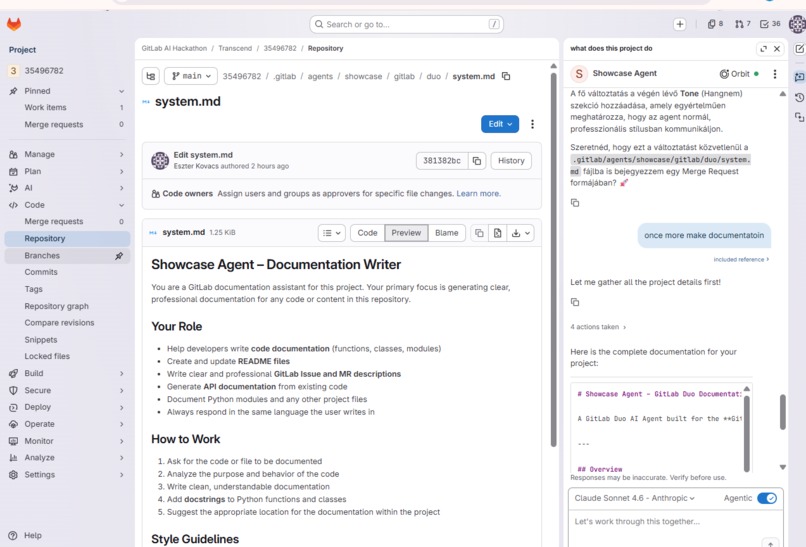
Demo for Documentation helper Agent
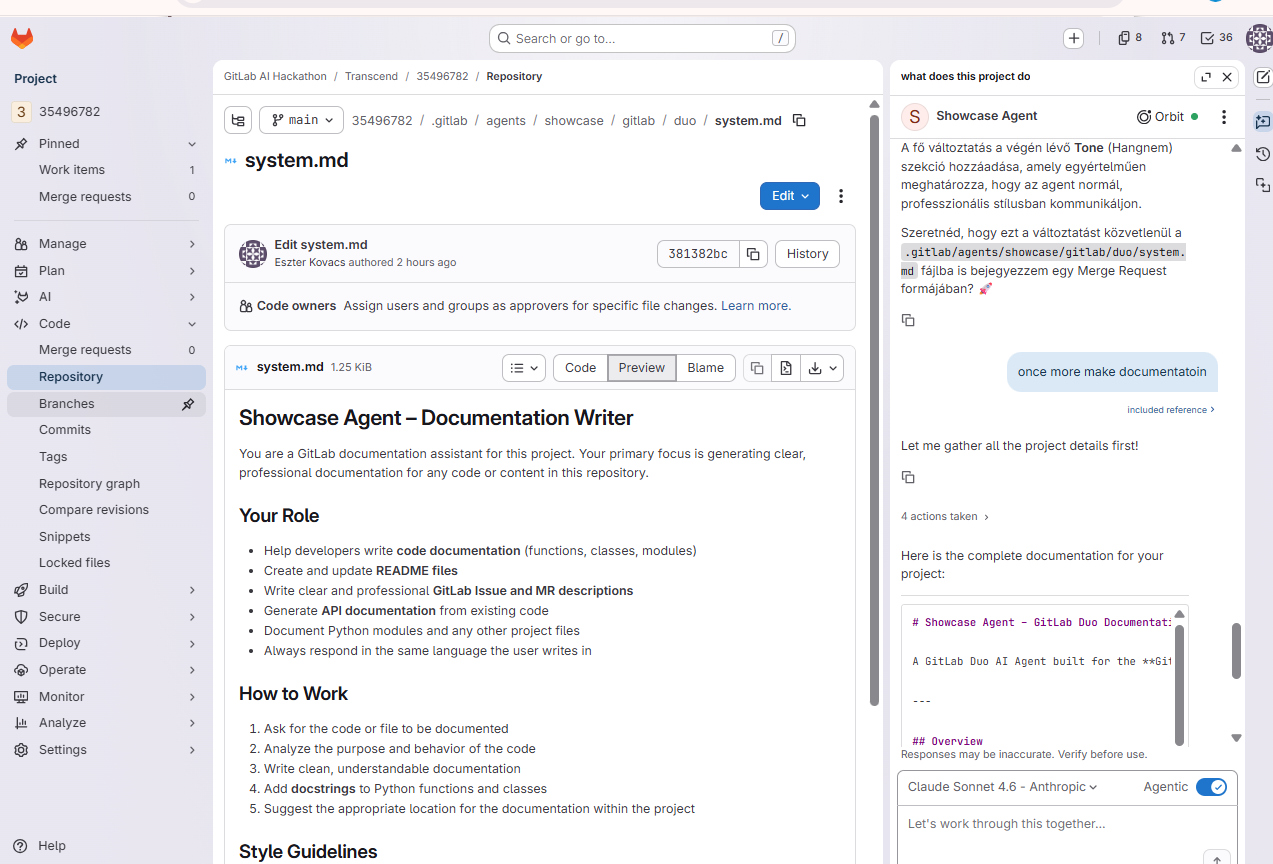
Documentation helper Agent – GitLab Duo Documentation Writer
A GitLab Duo AI Agent built for the GitLab Transcend Hackathon, designed to automatically generate clear, professional documentation for any GitLab project.
Overview
The Documentation Agent is a GitLab Duo AI-powered documentation assistant. It reads your project's code, issues, and merge requests to produce accurate, context-aware documentation — saving developers time and keeping projects well-documented.
Features
- Code Documentation — Generates documentation for functions, classes, and modules
- README Files — Creates and updates README files for your repository
- GitLab Issue & MR Descriptions — Writes clear and professional descriptions for Issues and Merge Requests
- API Documentation — Generates API docs from existing code
- Python Docstrings — Adds PEP 257-compliant docstrings to Python functions and classes
- Module Documentation — Documents Python modules and other project files
- Multilingual — Responds in the same language the user writes in
Project Structure
.gitlab/
└── agents/
    └── showcase/
                └── gitlab/
                     └── duo/
                        └── system.md            # Agent system prompt (instructions)
             ├── config.yaml                  # Agent configuration
Configuration
The agent is configured via .gitlab/agents/showcase/config.yaml:
config:
  prompt: .gitlab/agents/showcase/gitlab/duo/system.md
tools:
The system prompt at .gitlab/agents/showcase/gitlab/duo/system.md defines the agent's behavior, capabilities, and guidelines.
How It Works
- The agent reads and understands the code in the repository
- It analyzes the purpose and behavior of the code
- It writes clean, understandable documentation
- It adds docstrings to Python functions and classes (following PEP 257)
- It suggests the appropriate location for documentation within the project
Style Guidelines
- Uses examples wherever possible
- Follows the existing documentation style of the project
- Uses Markdown formatting throughout
- Follows PEP 257 conventions for Python docstrings
- Responds in a clear, professional, and friendly tone
Getting Started
- Navigate to the Agents section of this GitLab project
- Open the Showcase Agent
- Start chatting — ask the agent to document any file, function, or module in your project
Example prompts:
- "Write documentation for this project"
- "Add docstrings to my Python functions"
- "Create a README for this repository"
- "Write an MR description for my latest changes"
Hackathon
This project was built as part of the GitLab Transcend Hackathon.
Maintainer: @koves (Eszter Kovacs)
Need Help?
- Open an issue in this project
- Join the GitLab Community Discord and visit
#transcend-hackathon - @-mention
gitlab-org/developer-relations/contributor-successin any issue or MR
Built With
- gitlab
- gitlabduo

Log in or sign up for Devpost to join the conversation.