Inspiration
My grandmother calls me every week — not to chat, but to ask how to attach a photo to an email. Every time, I walk her through the same steps, and every time, she forgets by next week. As computer engineering students, we face a different but equally real version of this problem — every new semester brings new software, new tools, new workflows that nobody formally teaches you. Whether it's learning Excel formulas at 2am before a deadline or explaining Gmail to a 60-year-old parent over the phone, the frustration is the same: software assumes you already know how to use it. Waylo was born from both of these moments.
What it does
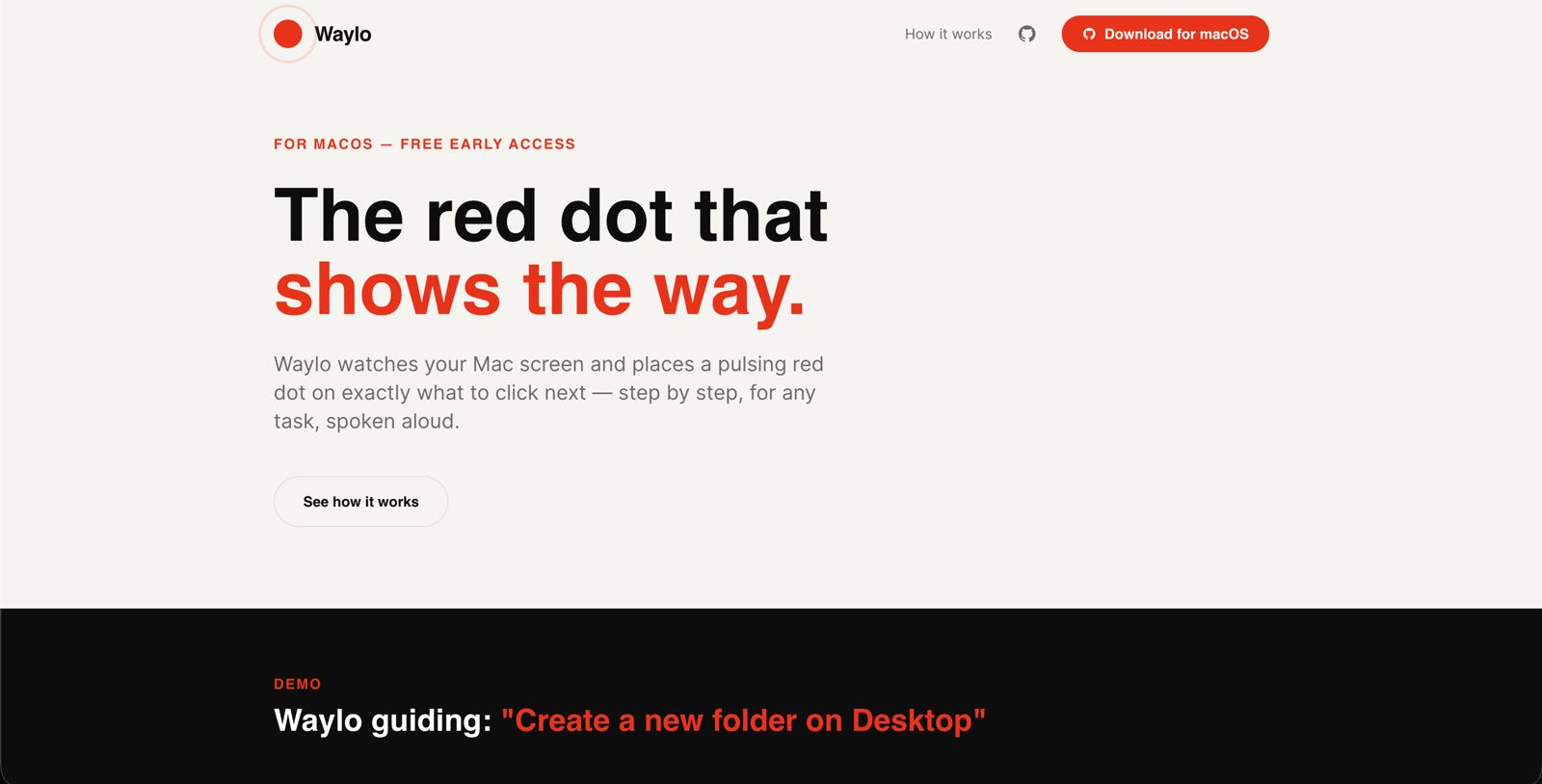
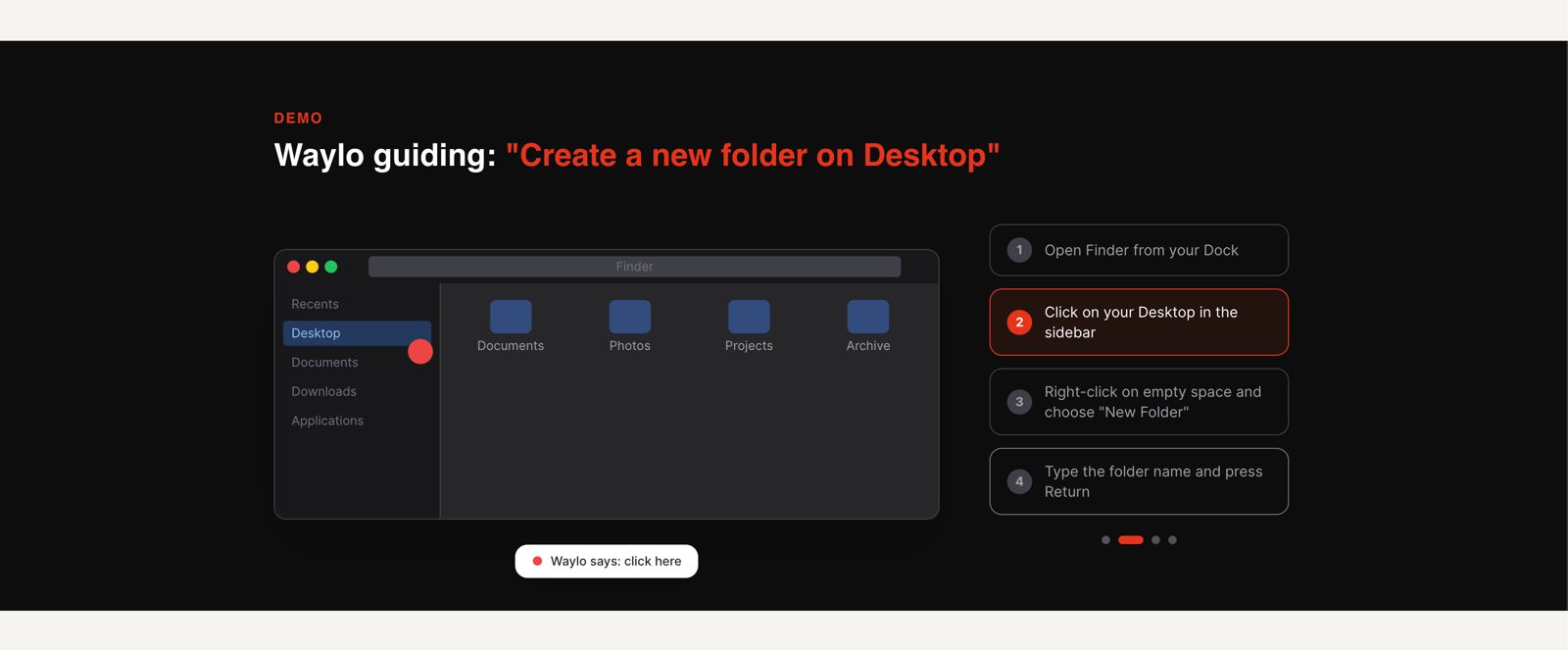
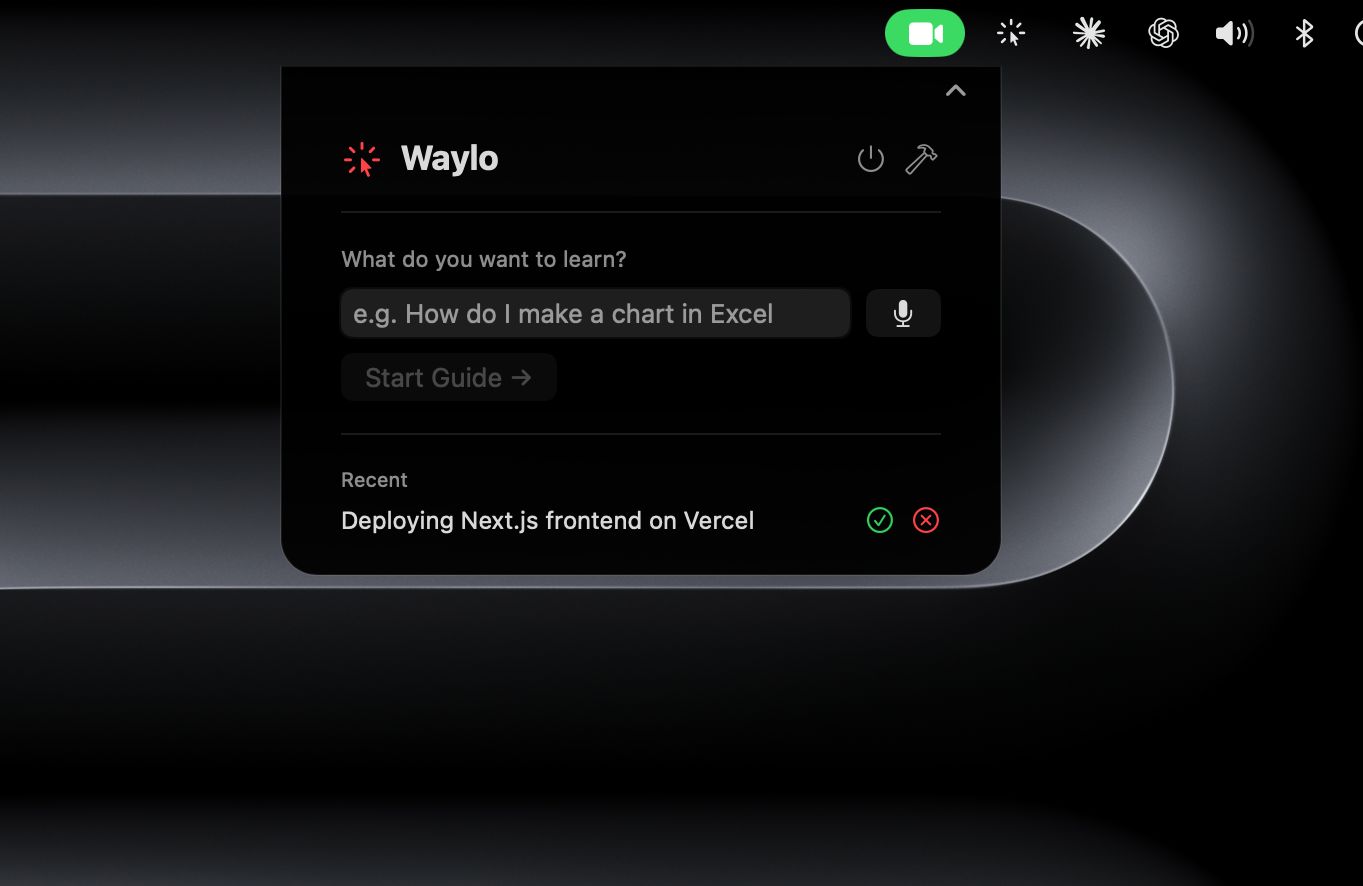
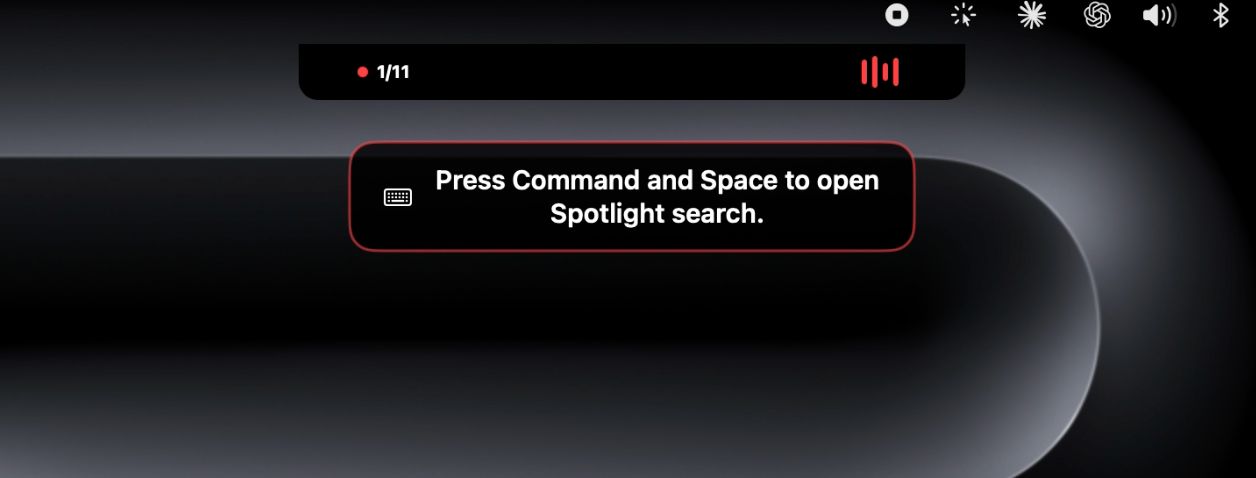
Waylo is a macOS menu bar app that guides anyone through any software task using a pulsing red dot overlay and voice instructions, step by step, with zero technical knowledge required.
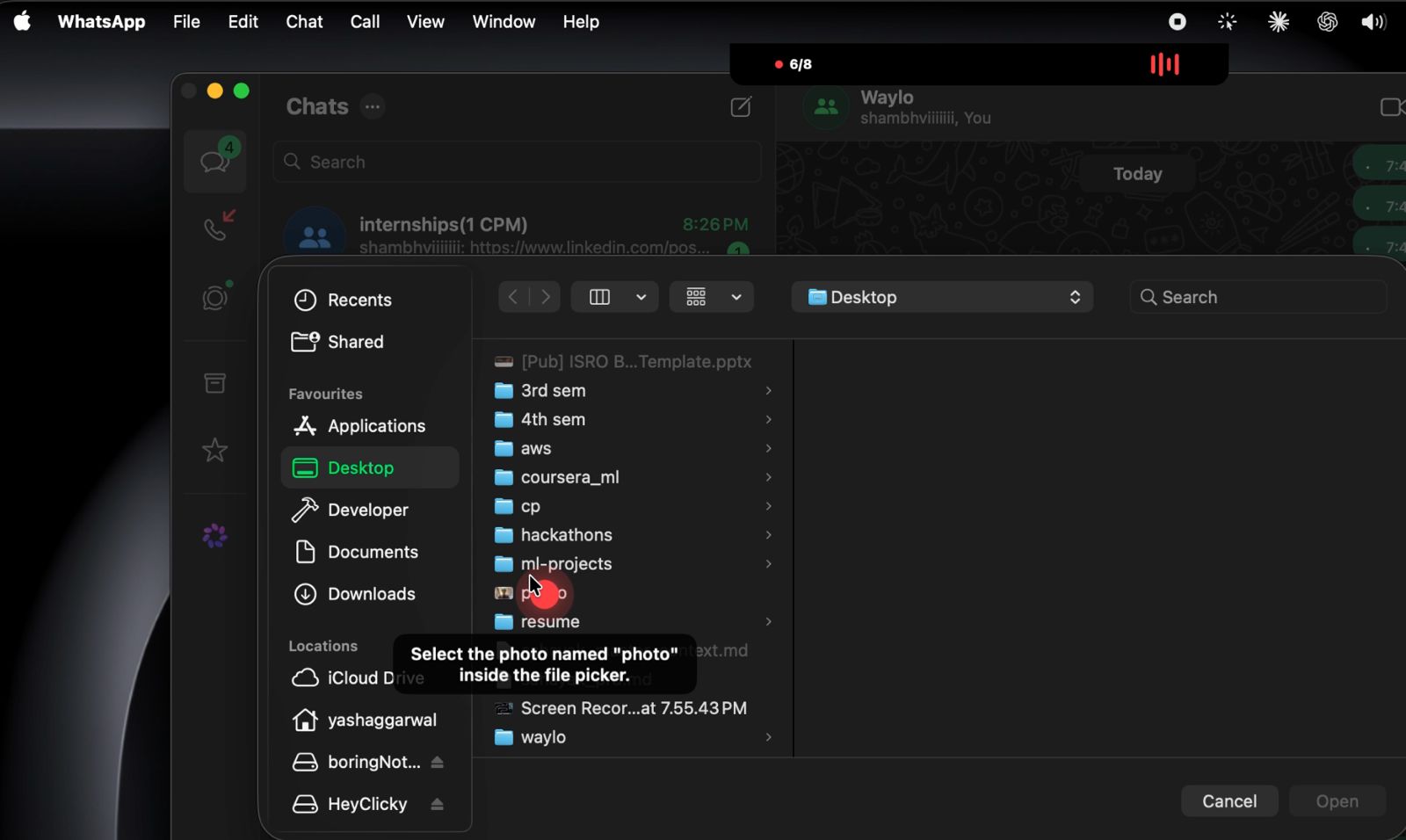
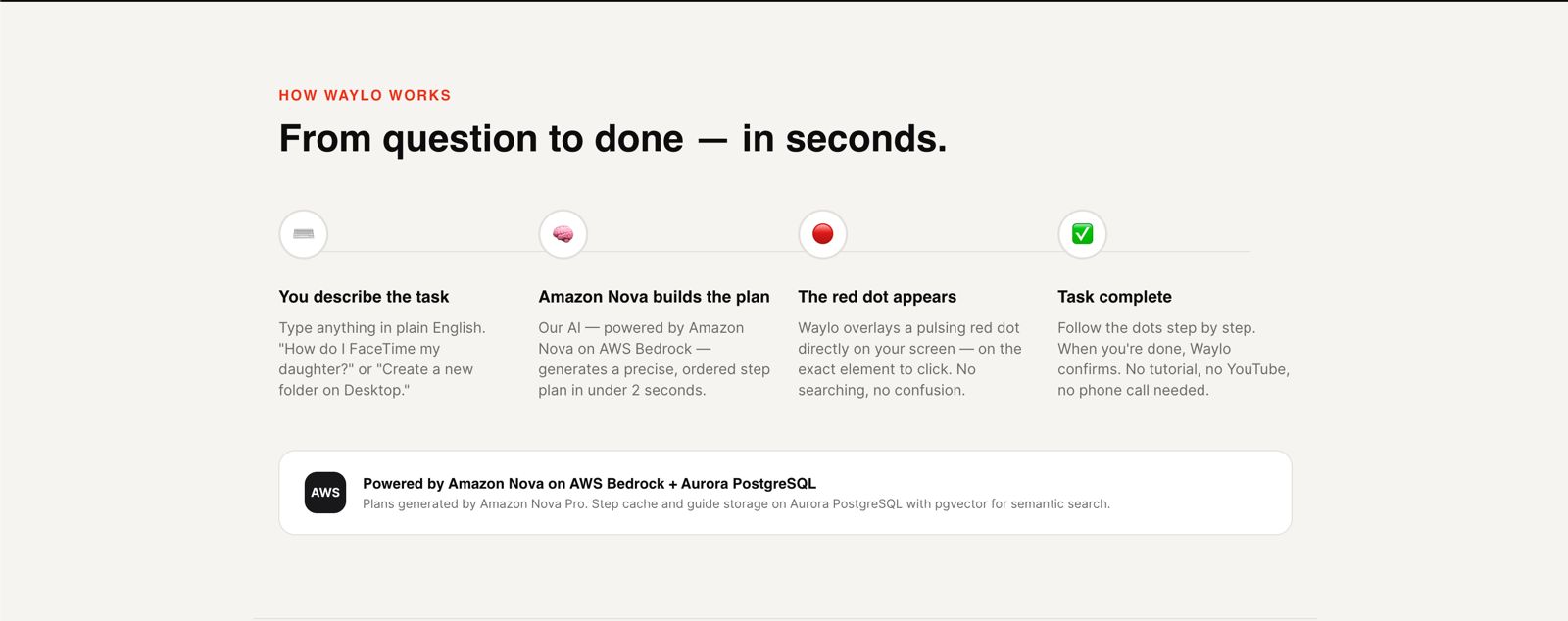
You type a task — "how do I send a photo on WhatsApp Web" or "how do I use VLOOKUP in Excel" — and Waylo breaks it into steps, finds each button or menu item on your screen, places an animated red dot exactly on it, and speaks the instruction aloud. You follow the dot. That's it.
Key features:
- Step-by-step dot guidance — a pulsing red dot appears on the exact UI element to interact with, with voice narration for every step
- Mid-session voice Q&A — press a hotkey anytime during a guide to ask a question out loud; Waylo pauses, answers in plain language, and resumes exactly where you left off
- Point-on-demand — ask "where is the attachment button?" and Waylo places an informational yellow dot on it without interrupting the guide
- Self-learning system — every completed guide, every user correction, and every successful element detection is cached, so Waylo gets smarter with every session across all users
- Works for everyone — elderly users learning to video call, students learning Excel, professionals onboarding new tools
How we built it
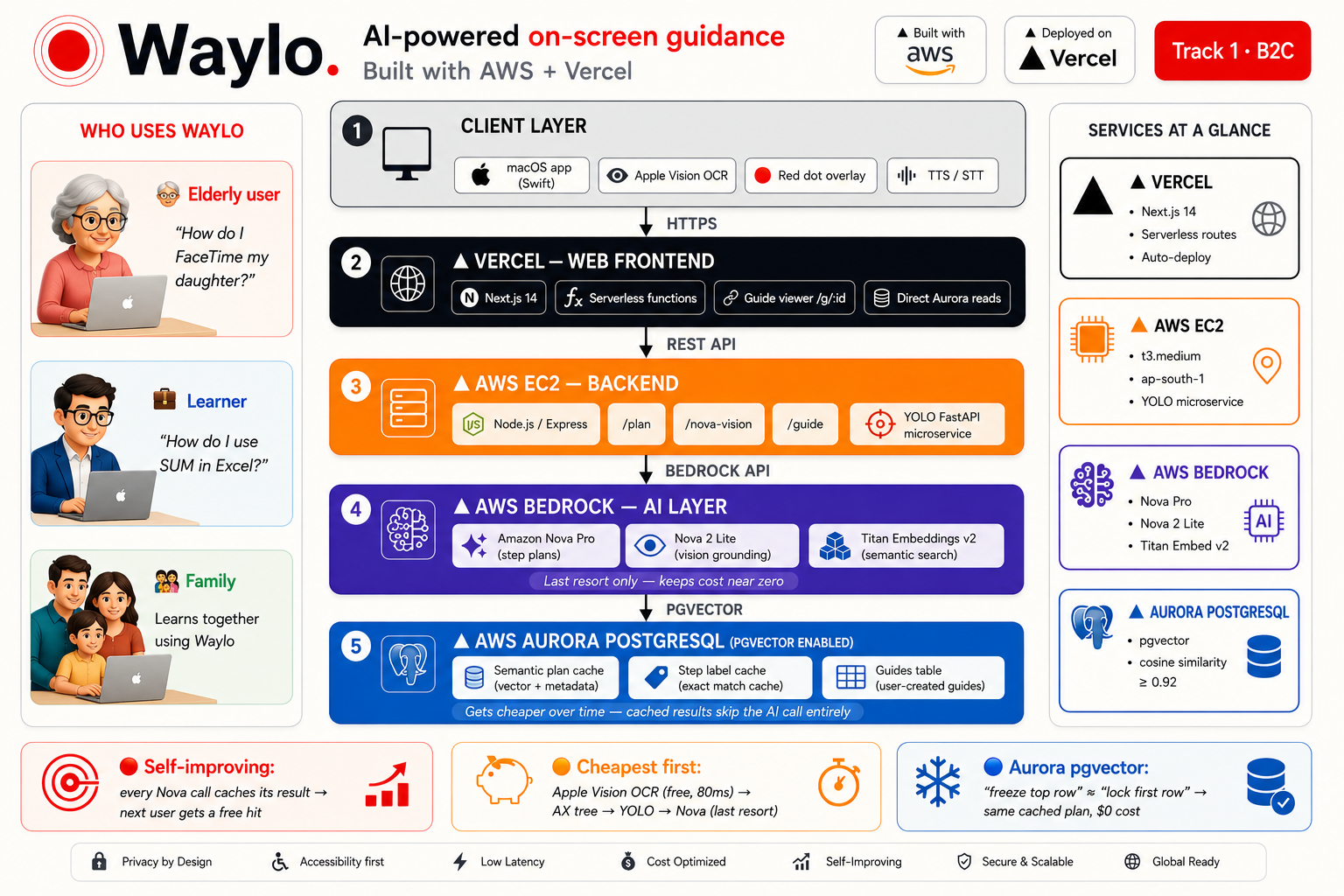
Waylo is built on a cost-first, layered architecture designed to use AI as a last resort, not a first instinct.
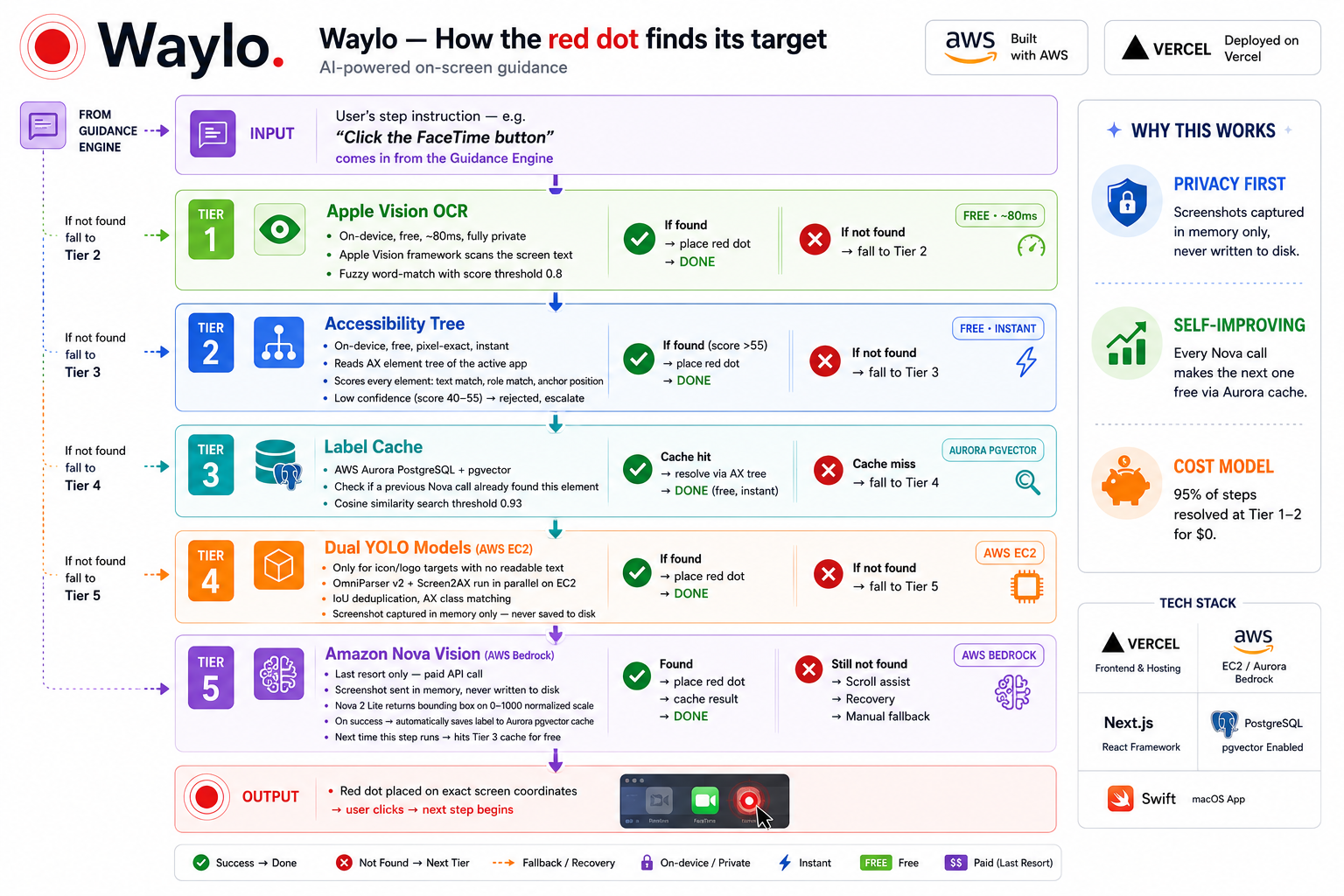
Detection Pipeline (4 layers + fallback)
Finding the right element on screen is the core challenge. We built a cascade that tries the cheapest method first and only escalates when necessary:
L0 — Accessibility Tree (~5ms, free): reads the target app's native
accessibility tree via AXUIElement. Handles all text labels, menu items, and
standard buttons instantly with zero API cost.
L1 — On-Device OCR (~40ms, free): Apple Vision framework scans the screen for text matches. Handles labeled UI elements that the accessibility tree misses.
L2.5 — Dual YOLO Models (~150–300ms, near-free): two models run in parallel
on EC2 — OmniParser (Microsoft, fine-tuned on 67k UI screenshots) catches
icons and cross-platform elements, while Screen2AX (MacPaw Research, trained
on macOS screenshots) detects native macOS UI with AX class names like AXButton
and AXLink. This layer exists specifically for icon-only elements — the toolbar
share button, the Safari back arrow, the FaceTime video icon — things with no
text that the first two layers can't catch.
L3 — AWS Bedrock Nova 2 Lite (~800ms, paid): vision fallback for anything the YOLO models miss. Returns a bounding box on a 0–1000 normalized scale which we convert to exact screen coordinates.
Tap-to-Teach (human fallback): if all layers fail, we show the user a screenshot and let them tap the correct element. That coordinate is stored immediately and the guide continues seamlessly.
Aurora PostgreSQL — Caching and Self-Learning
Every interaction feeds Aurora PostgreSQL with pgvector:
- Plan cache: task descriptions are embedded using AWS Titan Embeddings (1536-dim vectors) and stored with pgvector. Similarity search at threshold 0.92 means "create a new folder" and "make a new folder" both hit the same cached plan — zero Nova calls on repeat tasks
- Step label cache: when the YOLO or Nova layer successfully identifies an
element, the
{app, step description} → AX labelmapping is stored. Next run of the same step skips all detection layers entirely - User-taught corrections: every Tap-to-Teach interaction writes to the label cache — one user's correction improves detection for all future users on the same app and step
This is how Waylo self-learns: it starts expensive and gets cheaper and faster with every session.
AI Layer
- Nova Micro: plan generation and voice Q&A — cheapest Bedrock model, text-only, handles 90% of AI calls
- Nova 2 Lite: vision element detection — only called when 3 cheaper layers have already failed
- Nova for error flagging: when detection fails, Nova analyzes the screenshot to either relabel the target element or replan the remaining steps from scratch
Frontend and Deployment
- Swift + SwiftUI + AppKit for the native macOS app — lives in the notch, no Dock icon, on-device speech (TTS + STT)
- Node.js on EC2 for the backend API
- Python FastAPI on Railway for the YOLO microservice
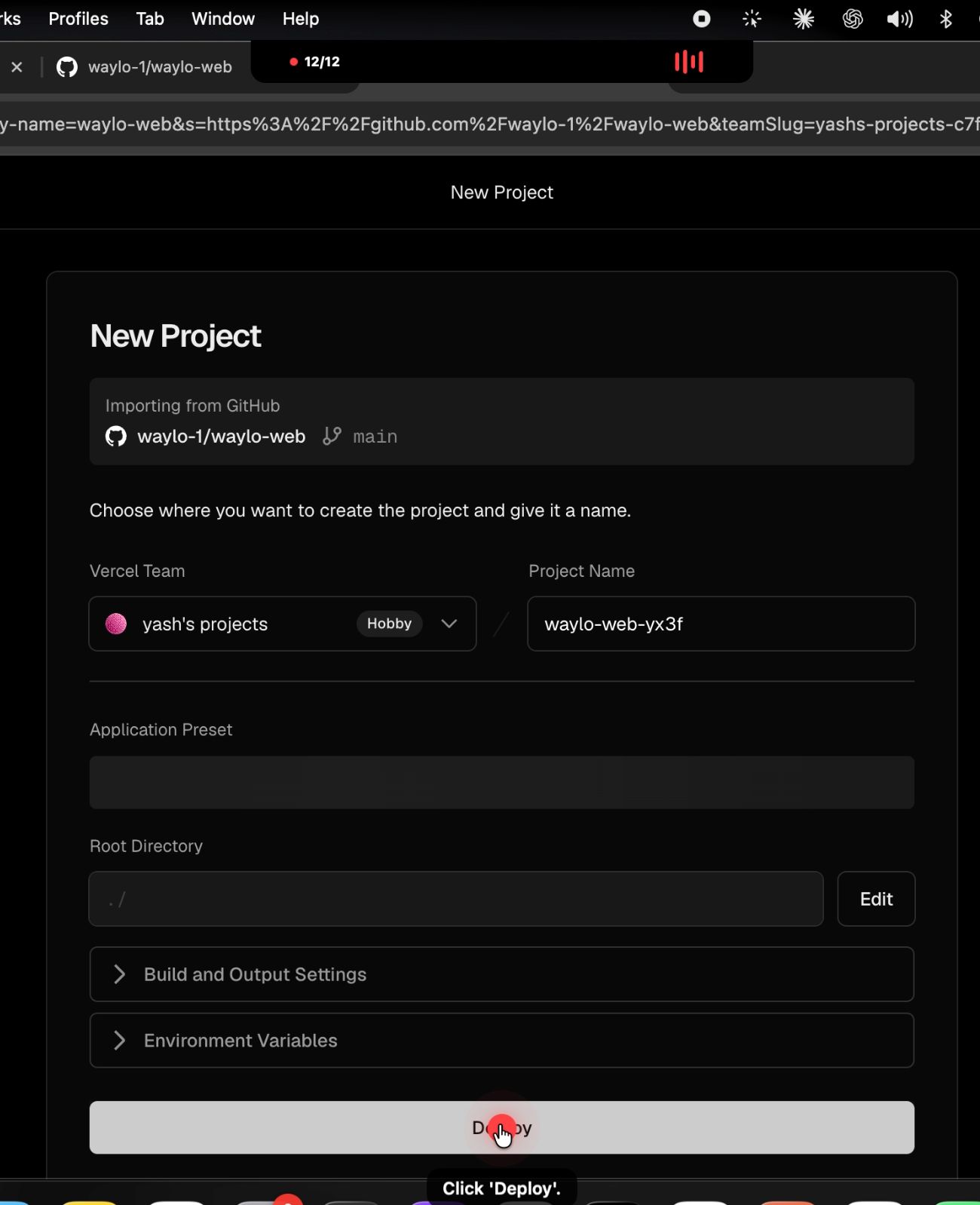
- Vercel for the analytics dashboard
Challenges we ran into
The biggest challenge was building a system that is both accurate and affordable — two things that usually pull in opposite directions when AI vision is involved.
Early versions called AWS Bedrock Nova for every single step detection. The latency was ~800ms per step and the cost was unsustainable at any real scale. We had to completely rethink the architecture and ask: what is the cheapest possible way to solve this before we touch a paid API?
That question led to the 4-layer pipeline. But building it introduced its own complexity — coordinate system mismatches across macOS nearly broke the entire thing. The accessibility tree uses Quartz coordinates (top-left origin). Apple Vision OCR uses normalized coordinates with a bottom-left origin requiring a Y-axis flip. Nova returns 0–1000 normalized boxes. YOLO returns 0–1 normalized. Retina displays double all pixel values. Multi-monitor setups shift the primary screen origin. Every layer speaks a different coordinate language, and a single wrong conversion meant the dot landed in the wrong place — sometimes by hundreds of pixels. Debugging this with no visibility was nearly impossible until we built a full debug overlay system that showed us exactly what each layer was returning in real time.
The dual YOLO architecture introduced another challenge: RAM. Two .pt model
files resident in memory on EC2 require careful resource management and warm
start handling to stay within the 5-second proxy timeout.
Accomplishments that we're proud of
- A detection pipeline where the majority of steps resolve in under 50ms at zero marginal cost, with Nova only firing as a genuine last resort
- A self-learning cache that gets faster and cheaper with every user interaction, powered by Aurora PostgreSQL and pgvector similarity search
- Tap-to-Teach — turning every failure into a training data point rather than a dead end; every user who teaches Waylo something makes it better for everyone who follows
- The mid-session voice Q&A system that can pause a guide, answer a question, optionally point at a UI element with a yellow dot, and resume — all without losing the user's place
- Getting a real elderly user to successfully send a photo via WhatsApp Web, start to finish, without any help from a family member — that was the moment we knew it worked
What we learned
Building Waylo taught us that the hardest part of an AI product is not the AI — it's everything around it. Coordinate systems, permission models, rendering pipelines, latency budgets, cost architecture. We learned to treat every AWS API call as a cost and design around minimizing it rather than defaulting to it. We learned that Aurora PostgreSQL with pgvector is remarkably powerful for semantic similarity at scale — embedding-based caching is something we'll bring to every future project. We also learned that the best user experience often comes from the cheapest solution: the accessibility tree at 5ms feels instant in a way that a 1.2s Nova vision call never will, no matter how accurate it is.
What's next for Waylo
The biggest unlock is Android. Most elderly users in India don't own a Mac
- they have an Android phone. We're bringing Waylo to Android using the same layered detection philosophy: Accessibility Service for the element tree, ML Kit for OCR, and a lightweight YOLO model running on-device via TFLite — so the core experience works entirely offline, with Nova only called over the network when all local layers fail. Same red dot, same voice instructions, same self-learning cache — on the device that's actually in a billion people's hands.
Beyond Android, we're building a community guide library — a browsable
collection of pre-built, community-rated guides for the most common tasks, so
"send a WhatsApp photo" loads instantly with zero AI generation. An iOS
companion app lets the child set up and send tasks to the parent's device
remotely. An enterprise accessibility audit mode walks any app's AX tree,
scores it 0–100, and exports a compliance report — a B2B product built entirely
on infrastructure we already have. And as the yolo_training_log grows with
real user data, we'll close the self-learning loop completely by fine-tuning our
YOLO models on app-specific datasets and pushing updated weights automatically
— so Waylo gets more accurate every week without a single line of manual
annotation.
Built With
- amazon-nova-2-lite
- amazon-nova-micro
- amazon-titan-embeddings-v2
- apple-vision-framework
- aurora-postgresql
- aws-bedrock
- aws-ec2
- express.js
- fastapi
- github
- macos-accessibility-api
- next.js
- node.js
- omniparser-v2
- pgvector
- pm2
- python
- screen2ax
- swift
- vercel


Log in or sign up for Devpost to join the conversation.